> ## Documentation Index
> Fetch the complete documentation index at: https://notes.kodekloud.com/llms.txt
> Use this file to discover all available pages before exploring further.
# Bitwise Operators
> Overview of Go bitwise operators and their uses with binary examples, including AND OR XOR left and right shifts, plus practical use cases and code samples
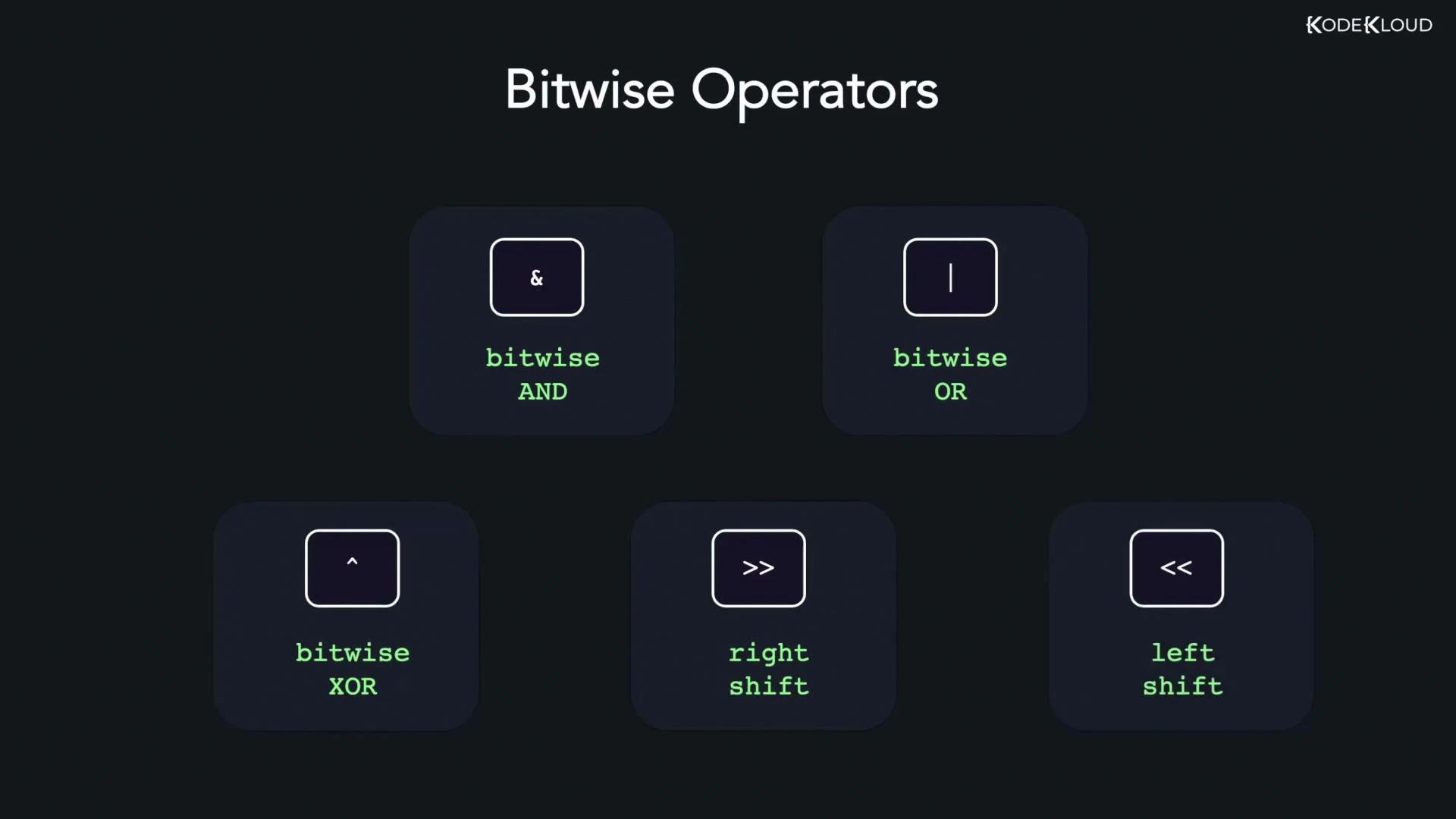
Bitwise operators work directly on the binary representation of integer values, manipulating one bit at a time. In Go, these operators are essential for low-level programming, bit masks, flags, and efficient arithmetic (shifts are equivalent to multiplying/dividing by powers of two for non-negative integers). This guide covers the Go bitwise operators with clear binary demonstrations and runnable examples.
* Bitwise AND (&)
* Bitwise OR (|)
* Bitwise XOR (^)
* Left shift (\<\<)
* Right shift (>>)
 Use cases
* Flags and bit masks (packing multiple boolean flags into one integer)
* Performance-sensitive arithmetic (shift-based multiply/divide by powers of two)
* Low-level protocol parsing, embedded and systems programming
Operator quick reference
| Operator | Meaning | Example |
| -------: | --------------------------------------------------------------- | ----------------- |
| & | Bitwise AND — 1 if both bits are 1 | `12 & 25 // 8` |
| \| | Bitwise OR — 1 if at least one bit is 1 | `12 \| 25 // 29` |
| ^ | Bitwise XOR — 1 if bits differ | `12 ^ 25 // 21` |
| \<\< | Left shift — shift bits left (multiply by 2^n for non-negative) | `212 << 1 // 424` |
| >> | Right shift — shift bits right (divide by 2^n for non-negative) | `212 >> 2 // 53` |
Bitwise AND (&)
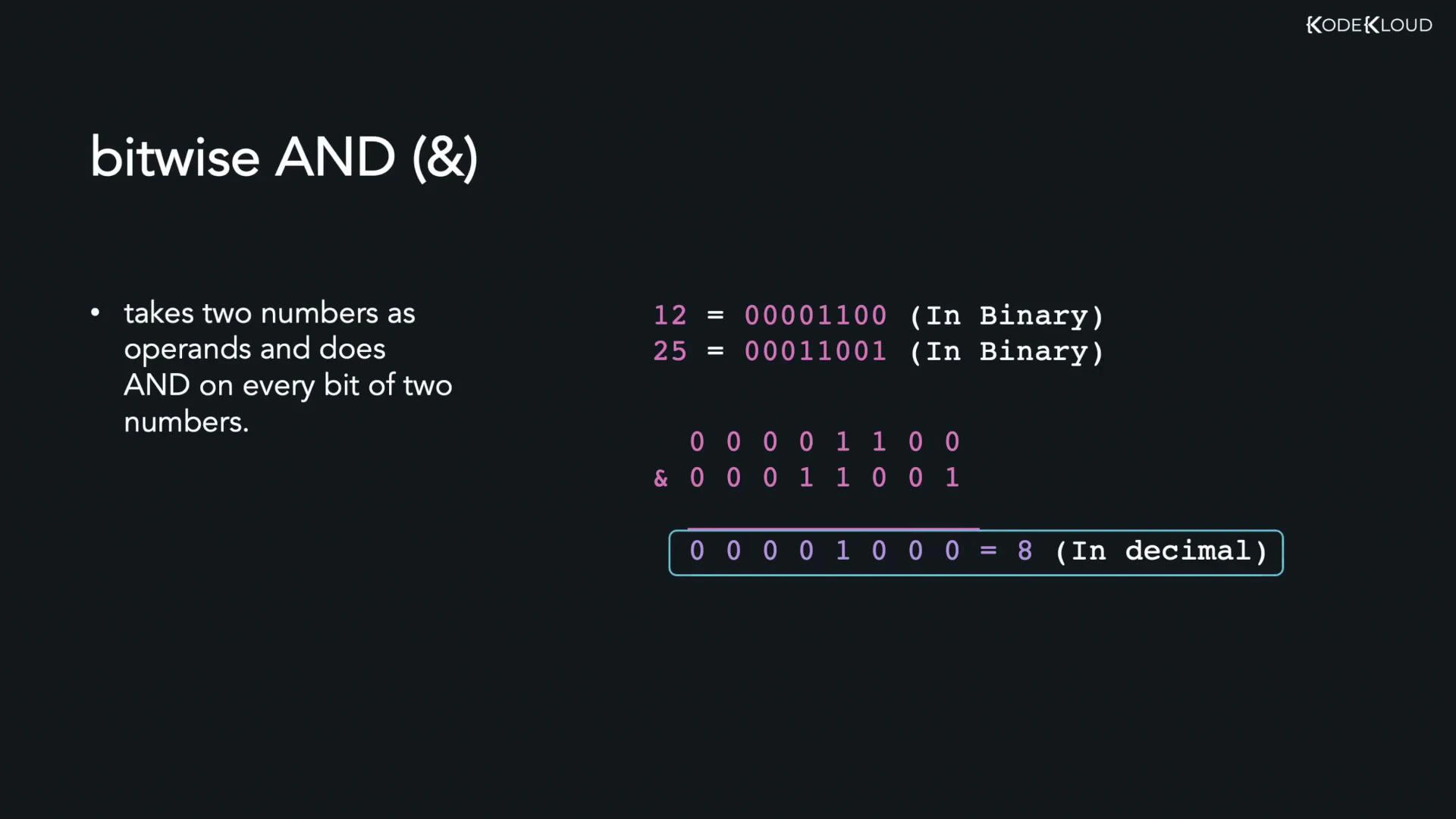
Bitwise AND compares each bit of two operands and yields 1 only when both corresponding bits are 1; otherwise the result bit is 0.
Example: 12 & 25
Use cases
* Flags and bit masks (packing multiple boolean flags into one integer)
* Performance-sensitive arithmetic (shift-based multiply/divide by powers of two)
* Low-level protocol parsing, embedded and systems programming
Operator quick reference
| Operator | Meaning | Example |
| -------: | --------------------------------------------------------------- | ----------------- |
| & | Bitwise AND — 1 if both bits are 1 | `12 & 25 // 8` |
| \| | Bitwise OR — 1 if at least one bit is 1 | `12 \| 25 // 29` |
| ^ | Bitwise XOR — 1 if bits differ | `12 ^ 25 // 21` |
| \<\< | Left shift — shift bits left (multiply by 2^n for non-negative) | `212 << 1 // 424` |
| >> | Right shift — shift bits right (divide by 2^n for non-negative) | `212 >> 2 // 53` |
Bitwise AND (&)
Bitwise AND compares each bit of two operands and yields 1 only when both corresponding bits are 1; otherwise the result bit is 0.
Example: 12 & 25
 Binary demonstration:
```text theme={null}
12 = 00001100
25 = 00011001
--------
AND = 00001000 = 8
```
Go example:
```go theme={null}
package main
import "fmt"
func main() {
var x, y int = 12, 25
z := x & y
fmt.Println(z) // 8
}
```
Bitwise OR (|)
Bitwise OR yields 1 if at least one corresponding bit is 1; it yields 0 only if both bits are 0.
Binary demonstration for 12 | 25:
```text theme={null}
12 = 00001100
25 = 00011001
--------
OR = 00011101 = 29
```
Go example:
```go theme={null}
package main
import "fmt"
func main() {
var x, y int = 12, 25
z := x | y
fmt.Println(z) // 29
}
```
Bitwise XOR (^)
Bitwise XOR (exclusive OR) produces 1 when the corresponding bits differ, and 0 when they are the same.
Binary demonstration for 12 ^ 25:
```text theme={null}
12 = 00001100
25 = 00011001
--------
XOR = 00010101 = 21
```
Go example:
```go theme={null}
package main
import "fmt"
func main() {
var x, y int = 12, 25
z := x ^ y
fmt.Println(z) // 21
}
```
Note: In Go, ^ is also the unary bitwise NOT (complement) when used with a single operand (for example `^x` flips all bits of `x`). In the examples above `^` is used as a binary XOR operator.
Left shift (\<\<)
Left shifting moves bits to the left, inserting zeros on the right. For non-negative integers, shifting left by n is equivalent to multiplying by 2^n (subject to type limits and overflow).
Example: 212 \<\< 1
Binary demonstration:
```text theme={null}
212 = 11010100
212 << 1 = 110101000 = 424
```
Go example:
```go theme={null}
package main
import "fmt"
func main() {
var x int = 212
z := x << 1
fmt.Println(z) // 424
}
```
Run the program:
```bash theme={null}
go run main.go
# Output:
# 424
```
Right shift (>>)
Right shifting moves bits to the right, discarding bits shifted out on the right. For unsigned or non-negative signed integers, right shifting by n is equivalent to integer division by 2^n, rounding down.
Example: 212 >> 2
Binary demonstration:
```text theme={null}
212 = 11010100
212 >> 2 = 00110101 = 53
```
Go example:
```go theme={null}
package main
import "fmt"
func main() {
var x int = 212
z := x >> 2
fmt.Println(z) // 53
}
```
Be careful with signed integers and right shifts: the fill behavior for the leftmost bits (sign extension vs. zero fill) depends on the type and implementation. For predictable behavior, use unsigned integers (`uint`, `uint32`, `uint64`) when performing bit-level shifts.
Further reading and references
* [The Go Programming Language Specification — Operators](https://golang.org/ref/spec#Operators)
* [Kubernetes Documentation](https://kubernetes.io/docs/) (for system-level use cases)
* [Binary and Bitwise Operations — Wikipedia](https://en.wikipedia.org/wiki/Bitwise_operation)
Binary demonstration:
```text theme={null}
12 = 00001100
25 = 00011001
--------
AND = 00001000 = 8
```
Go example:
```go theme={null}
package main
import "fmt"
func main() {
var x, y int = 12, 25
z := x & y
fmt.Println(z) // 8
}
```
Bitwise OR (|)
Bitwise OR yields 1 if at least one corresponding bit is 1; it yields 0 only if both bits are 0.
Binary demonstration for 12 | 25:
```text theme={null}
12 = 00001100
25 = 00011001
--------
OR = 00011101 = 29
```
Go example:
```go theme={null}
package main
import "fmt"
func main() {
var x, y int = 12, 25
z := x | y
fmt.Println(z) // 29
}
```
Bitwise XOR (^)
Bitwise XOR (exclusive OR) produces 1 when the corresponding bits differ, and 0 when they are the same.
Binary demonstration for 12 ^ 25:
```text theme={null}
12 = 00001100
25 = 00011001
--------
XOR = 00010101 = 21
```
Go example:
```go theme={null}
package main
import "fmt"
func main() {
var x, y int = 12, 25
z := x ^ y
fmt.Println(z) // 21
}
```
Note: In Go, ^ is also the unary bitwise NOT (complement) when used with a single operand (for example `^x` flips all bits of `x`). In the examples above `^` is used as a binary XOR operator.
Left shift (\<\<)
Left shifting moves bits to the left, inserting zeros on the right. For non-negative integers, shifting left by n is equivalent to multiplying by 2^n (subject to type limits and overflow).
Example: 212 \<\< 1
Binary demonstration:
```text theme={null}
212 = 11010100
212 << 1 = 110101000 = 424
```
Go example:
```go theme={null}
package main
import "fmt"
func main() {
var x int = 212
z := x << 1
fmt.Println(z) // 424
}
```
Run the program:
```bash theme={null}
go run main.go
# Output:
# 424
```
Right shift (>>)
Right shifting moves bits to the right, discarding bits shifted out on the right. For unsigned or non-negative signed integers, right shifting by n is equivalent to integer division by 2^n, rounding down.
Example: 212 >> 2
Binary demonstration:
```text theme={null}
212 = 11010100
212 >> 2 = 00110101 = 53
```
Go example:
```go theme={null}
package main
import "fmt"
func main() {
var x int = 212
z := x >> 2
fmt.Println(z) // 53
}
```
Be careful with signed integers and right shifts: the fill behavior for the leftmost bits (sign extension vs. zero fill) depends on the type and implementation. For predictable behavior, use unsigned integers (`uint`, `uint32`, `uint64`) when performing bit-level shifts.
Further reading and references
* [The Go Programming Language Specification — Operators](https://golang.org/ref/spec#Operators)
* [Kubernetes Documentation](https://kubernetes.io/docs/) (for system-level use cases)
* [Binary and Bitwise Operations — Wikipedia](https://en.wikipedia.org/wiki/Bitwise_operation)