> ## Documentation Index
> Fetch the complete documentation index at: https://notes.kodekloud.com/llms.txt
> Use this file to discover all available pages before exploring further.
# Using State to Drive Conversations
> Guide on using ADK session state to manage multi-turn conversational agents, tracking minimal curated values, scoping keys, dynamic prompt injection, and deterministic state updates for troubleshooting flows.
In this lesson we cover how to use state in Google ADK to build smarter multi-turn conversational agents. Previously we built an agent that can answer questions and call tools; now we go one level deeper to show how agents maintain context across turns so they can perform structured troubleshooting and other multi-step tasks.
State management makes agents intelligent: ADK gives agents a way to remember curated values, track progress through workflows, and keep essential details across turns. This enables structured troubleshooting flows rather than single-shot responses.
## Session, state, history — how they fit
* Session: the top-level container that tracks the conversation, user identity, and event history.
* State: a curated key/value store used to remember values the agent needs to continue a flow (progress markers, flags, decisions, preferences).
* History: the full transcript of messages and tool calls.
History is the complete log of the conversation (every message and tool call). State is selective — a small set of intentionally remembered values that help the agent move a workflow forward (for example, issue type or current troubleshooting step). Think of state as the agent’s working memory: small, curated, and purposeful.
Here’s a simple example showing how you might use `session.state` to track a VPN troubleshooting flow:
```python theme={null}
# Example: conceptual use of session.state for an ongoing VPN troubleshooting conversation
session.state["issue_type"] = "vpn_connectivity"
session.state["progress"] = {"current_step": "verify_credentials", "attempts": 1}
session.state["user_email"] = "alice@example.com"
```
 ## What belongs in state
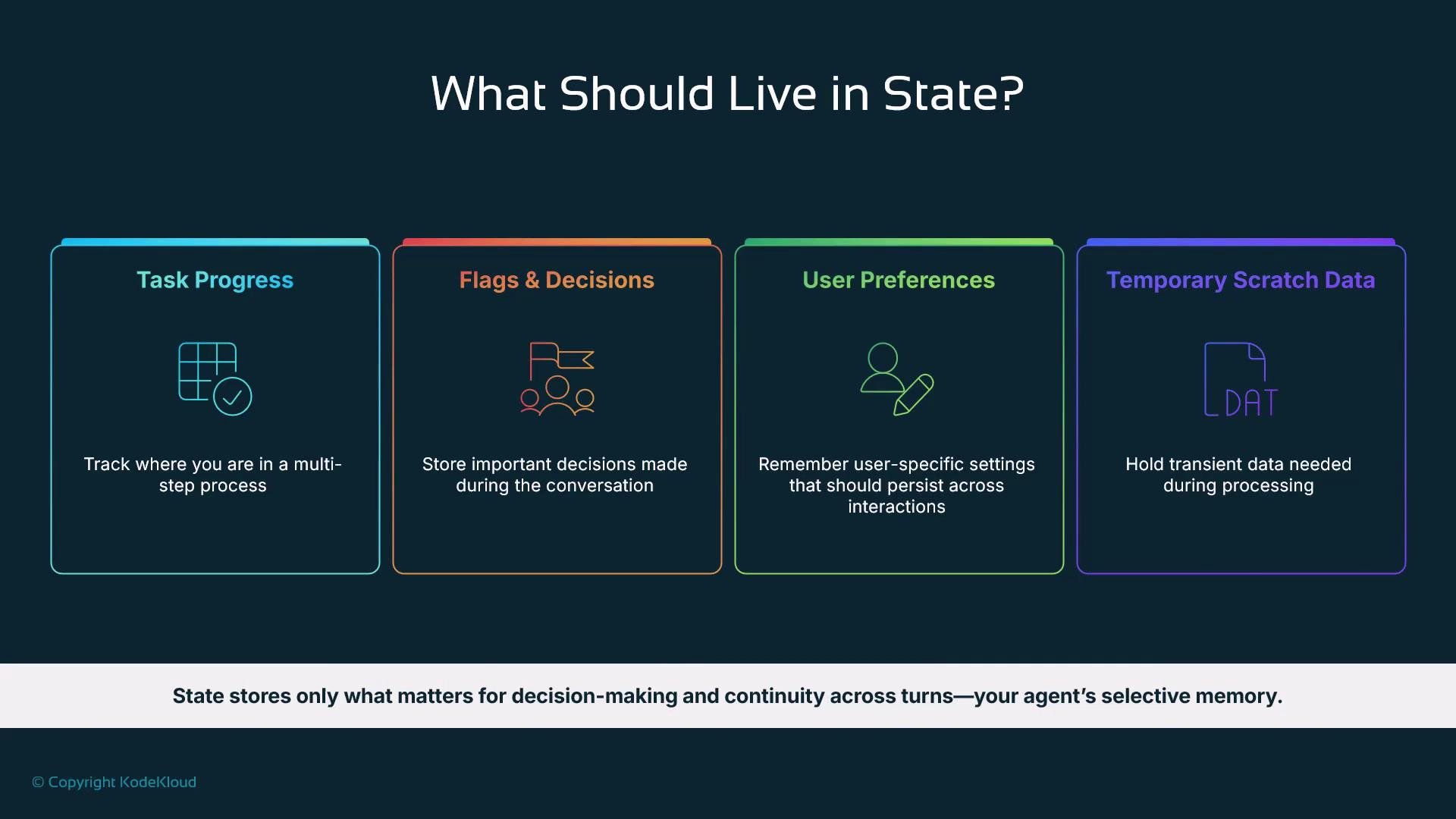
Store only the small set of values that help the agent make decisions and continue a flow — not a verbatim copy of the transcript.
| Category | Purpose | Examples |
| ---------------------- | -------------------------------------------- | ---------------------------------------- |
| Task progress | Where you are in a multi-step process | `onboarding:step_2`, `asking_email` |
| Flags & decisions | Branching or escalation markers | `requires_escalation: True` |
| User preferences | Settings that affect behavior | `locale: "en-US"`, `theme: "dark"` |
| Temporary scratch data | Short-lived parsed values used within a step | validation results, extracted entity IDs |
Use state for decision-making and continuity; keep it minimal and purposeful.
## State key prefixes: scoping your data
ADK supports key prefixes to control the lifecycle and scope of state values. Prefixes make it easy to reason about how long values should live and who they apply to.
## What belongs in state
Store only the small set of values that help the agent make decisions and continue a flow — not a verbatim copy of the transcript.
| Category | Purpose | Examples |
| ---------------------- | -------------------------------------------- | ---------------------------------------- |
| Task progress | Where you are in a multi-step process | `onboarding:step_2`, `asking_email` |
| Flags & decisions | Branching or escalation markers | `requires_escalation: True` |
| User preferences | Settings that affect behavior | `locale: "en-US"`, `theme: "dark"` |
| Temporary scratch data | Short-lived parsed values used within a step | validation results, extracted entity IDs |
Use state for decision-making and continuity; keep it minimal and purposeful.
## State key prefixes: scoping your data
ADK supports key prefixes to control the lifecycle and scope of state values. Prefixes make it easy to reason about how long values should live and who they apply to.
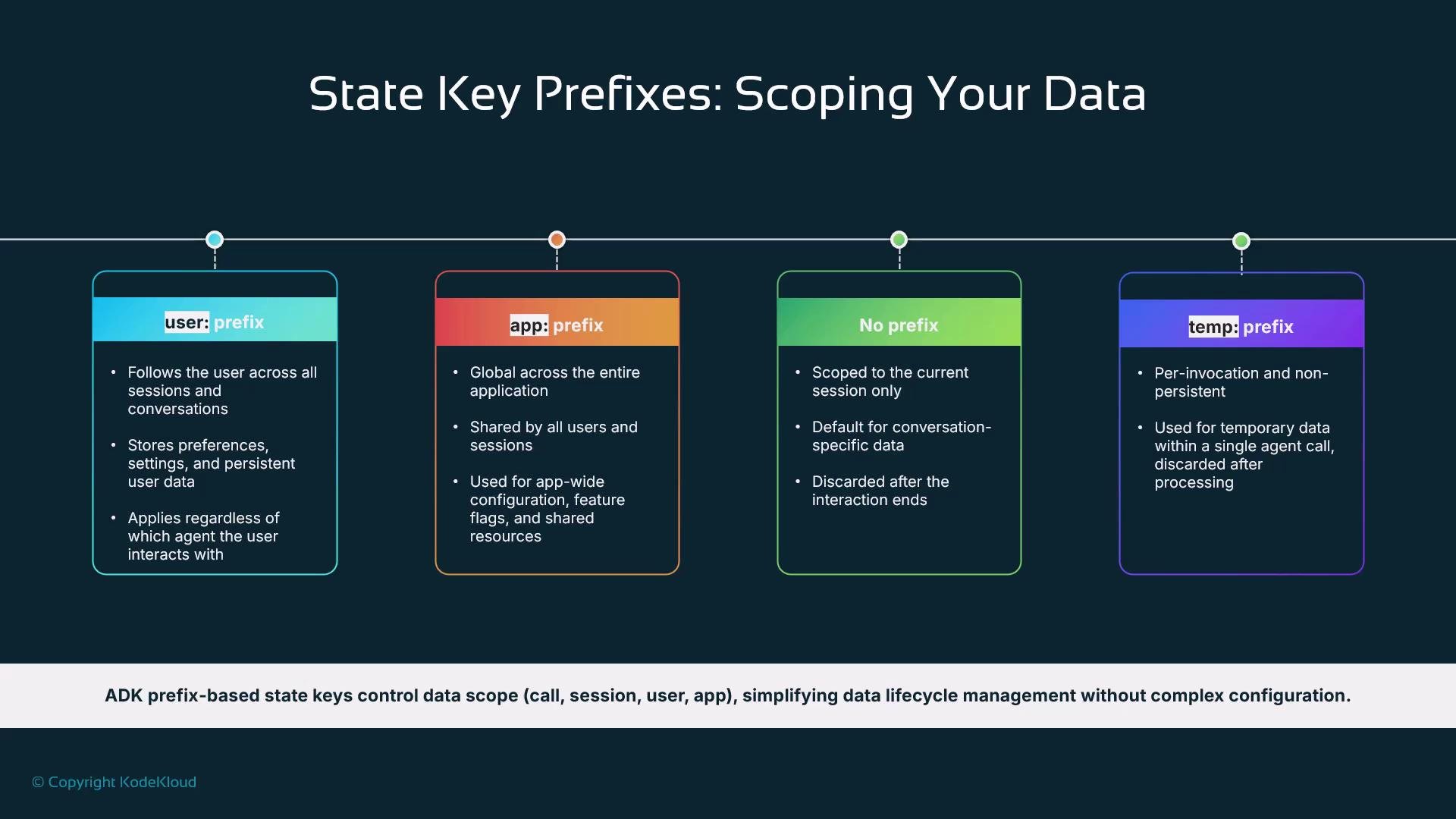 | Prefix | Scope | Typical lifecycle / use |
| ----------- | ----------------------------------- | -------------------------------------------------------- |
| `user:` | Per-user, persisted across sessions | Long-lived user preferences and user profile metadata |
| `app:` | App-wide, shared across users | Global configuration or app-wide flags |
| (no prefix) | Session-scoped | Values that live for the current session only |
| `temp:` | Invocation-scoped | Ephemeral scratch data used only for a single model call |
Prefixing keys keeps state predictable: use `temp:` for per-invocation scratch, session keys for conversation continuity, `user:` for persistent preferences, and `app:` for global settings.
Keep state minimal and purposeful. Start with the smallest set of values that let the agent complete the flow, then expand only when necessary.
## State strategy for our help desk assistant
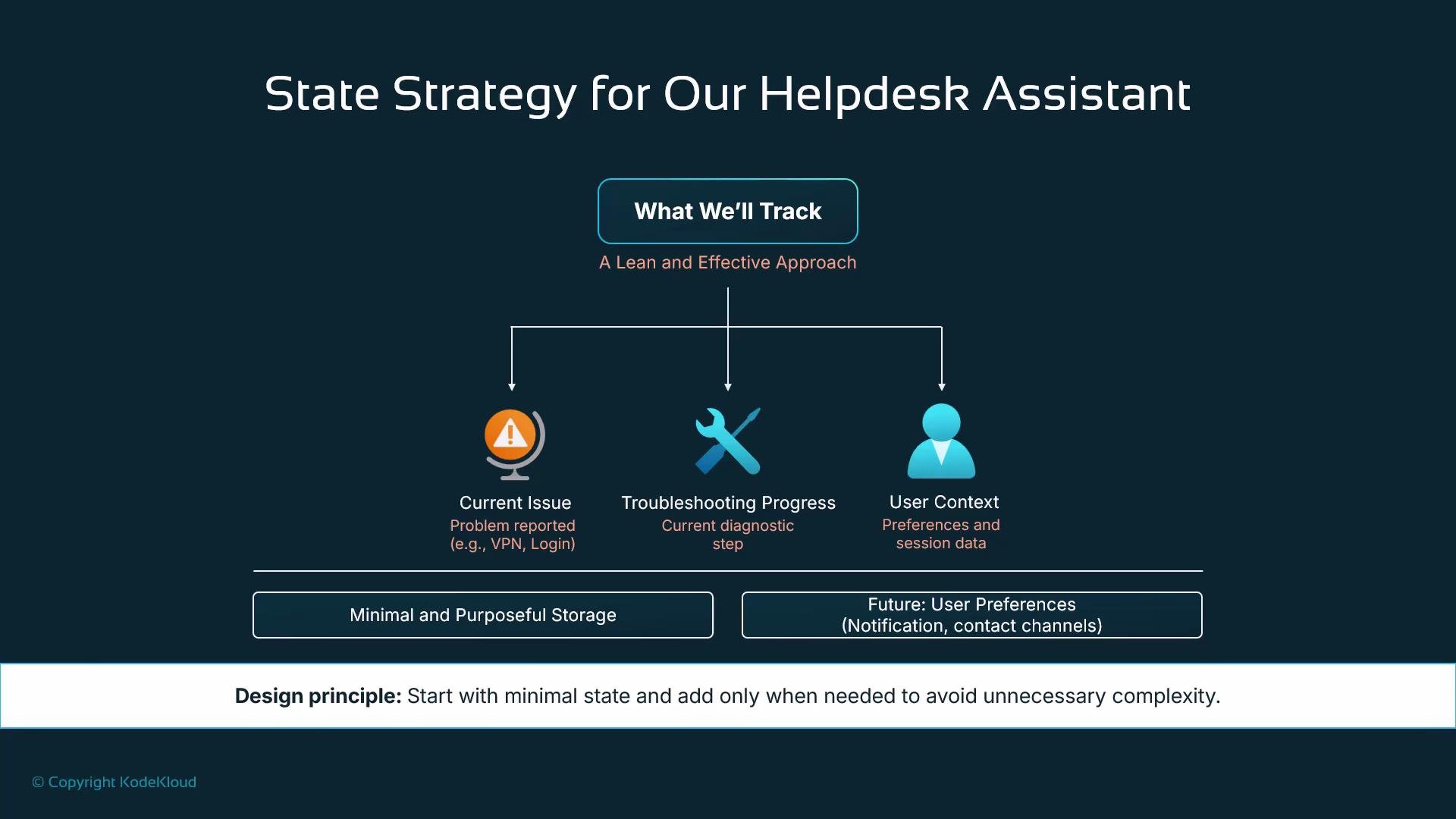
For a help desk assistant, keep state intentionally small. Track only what you need to run the troubleshooting flow: the current issue type, troubleshooting progress, and any contextual user information that influences decisions. Avoid over-engineering state early; you can expand the schema as needs arise.
| Prefix | Scope | Typical lifecycle / use |
| ----------- | ----------------------------------- | -------------------------------------------------------- |
| `user:` | Per-user, persisted across sessions | Long-lived user preferences and user profile metadata |
| `app:` | App-wide, shared across users | Global configuration or app-wide flags |
| (no prefix) | Session-scoped | Values that live for the current session only |
| `temp:` | Invocation-scoped | Ephemeral scratch data used only for a single model call |
Prefixing keys keeps state predictable: use `temp:` for per-invocation scratch, session keys for conversation continuity, `user:` for persistent preferences, and `app:` for global settings.
Keep state minimal and purposeful. Start with the smallest set of values that let the agent complete the flow, then expand only when necessary.
## State strategy for our help desk assistant
For a help desk assistant, keep state intentionally small. Track only what you need to run the troubleshooting flow: the current issue type, troubleshooting progress, and any contextual user information that influences decisions. Avoid over-engineering state early; you can expand the schema as needs arise.
 ## Injecting state into agent instructions (dynamic prompts)
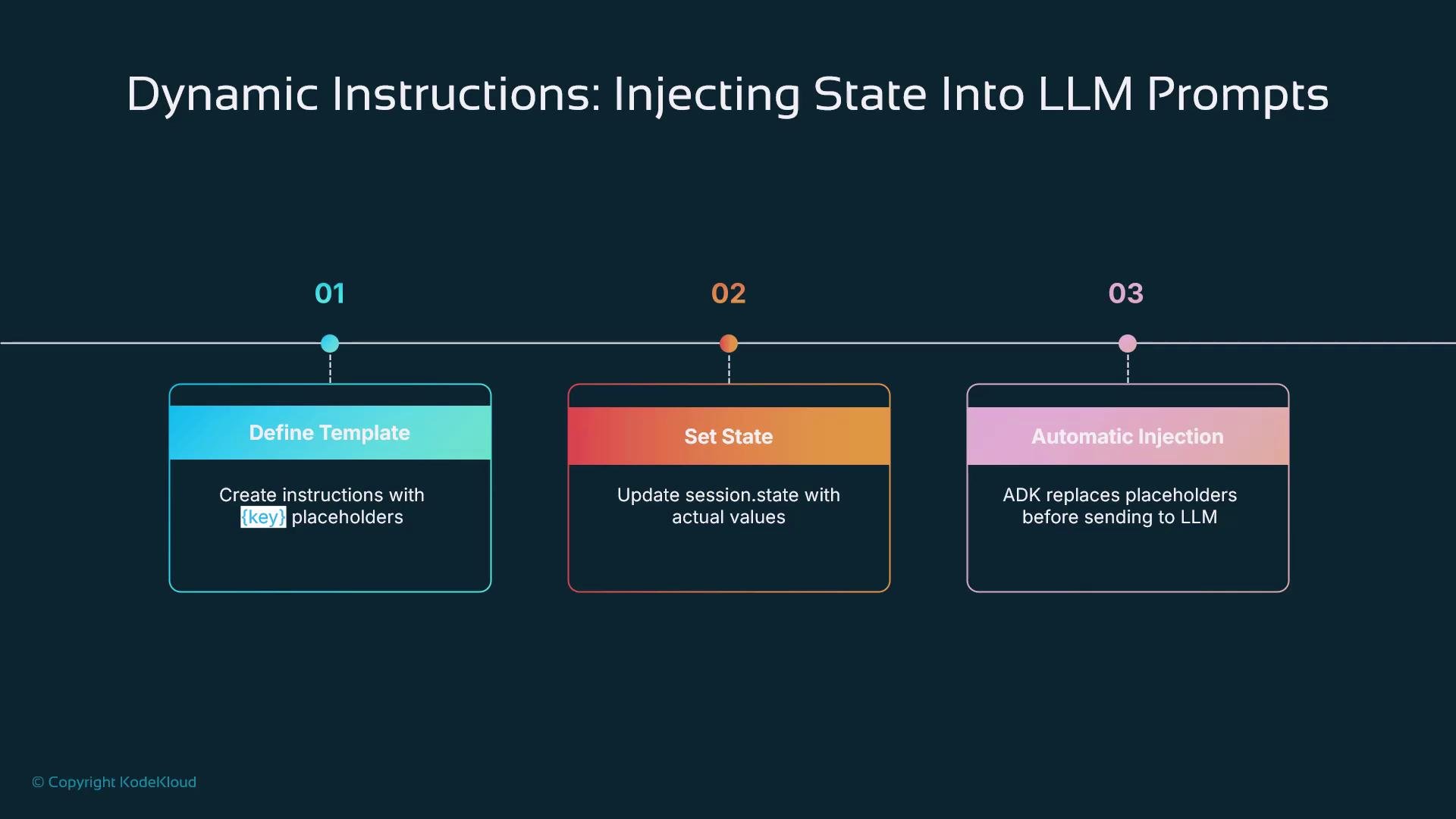
A powerful ADK feature is automatic injection of state values into agent instruction templates. Write instruction templates with placeholders (for example, `{topic}` or `{issue_type}`), set `session.state` values, and ADK will replace those placeholders before sending the prompt to the LLM. This keeps templates simple and behavior context-aware without manual prompt assembly.
## Injecting state into agent instructions (dynamic prompts)
A powerful ADK feature is automatic injection of state values into agent instruction templates. Write instruction templates with placeholders (for example, `{topic}` or `{issue_type}`), set `session.state` values, and ADK will replace those placeholders before sending the prompt to the LLM. This keeps templates simple and behavior context-aware without manual prompt assembly.
 Example: defining an LLM agent with a placeholder
```python theme={null}
from google.adk.agents import LlmAgent
story_generator = LlmAgent(
name="StoryGenerator",
model="gemini-2.0-flash",
instruction="Write a short story about a cat, focusing on the theme: {topic}."
)
```
If you set `session.state["topic"] = "friendship"`, ADK will automatically replace `{topic}` with `"friendship"` before calling the model.
## Automatic state updates: output\_key and state deltas
ADK provides two primary ways to update state from agent runs:
* output\_key — a simple option where the agent’s final response is saved into `session.state` under the provided key.
* state delta / events — an advanced mechanism that emits precise state-change events for fine-grained control over updates (recommended for production workflows that require deterministic state changes).
| Method | When to use | Behavior |
| --------------------- | --------------------------------- | ------------------------------------------------------------------------- |
| `output_key` | Quick and simple persistence | Saves the agent's final text to `session.state["key"]` automatically |
| State deltas / events | Production control and validation | Emit explicit state-change events describing exactly what to write/remove |
Example: using `output_key` to capture the last greeting
```python theme={null}
from google.adk.agents import LlmAgent
greeting_agent = LlmAgent(
name="Greeter",
model="gemini-2.0-flash",
instruction="Generate a short, friendly greeting.",
output_key="last_greeting" # ADK will save the agent's response into session.state["last_greeting"]
)
```
When this agent runs, ADK automatically stores the final greeting into `session.state["last_greeting"]`. For production systems where you need exact control over what changes and when, use state-delta events instead.
## Putting it together: a multi-step troubleshooting flow
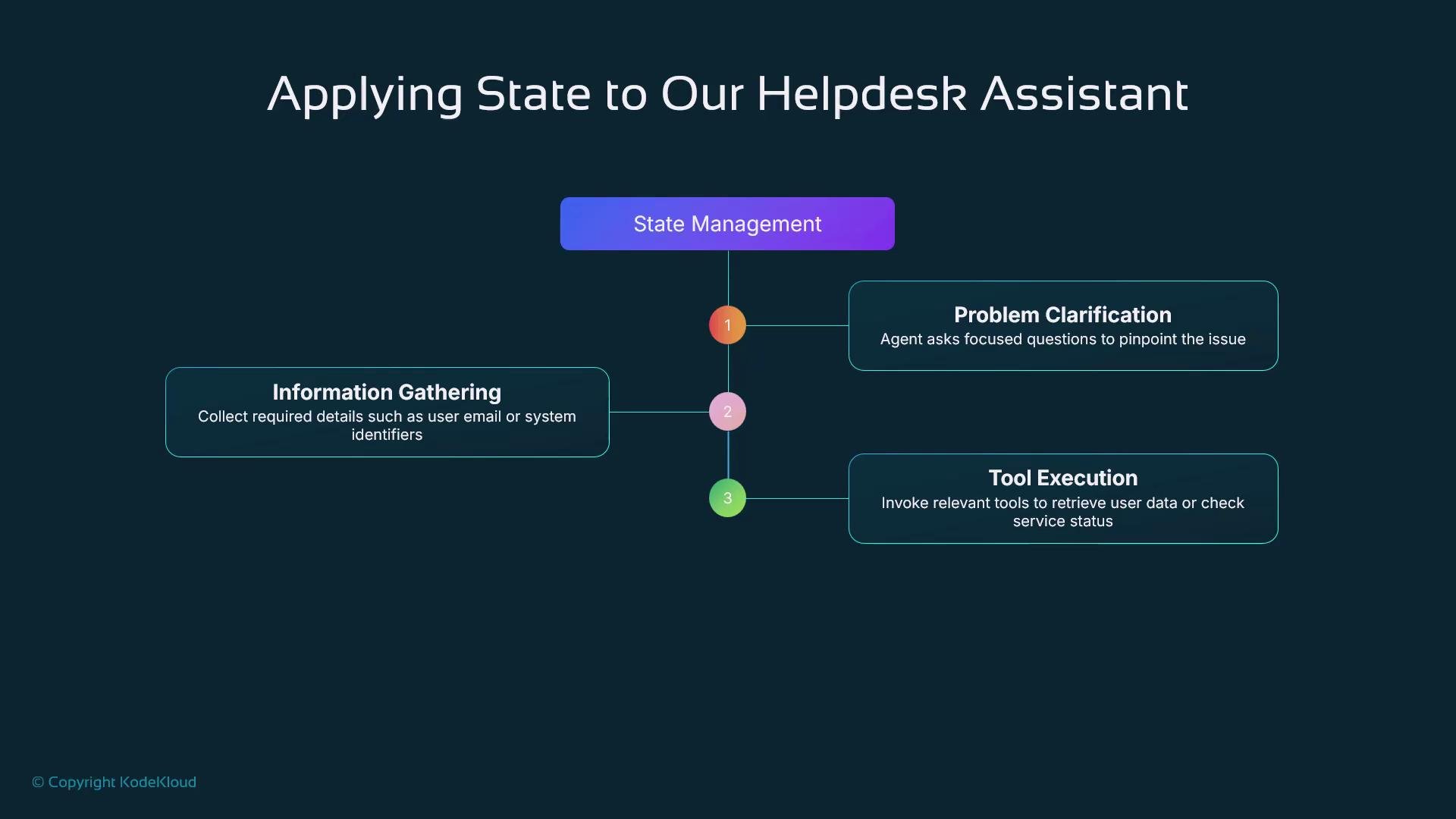
A typical smart IT help desk assistant models a structured flow:
1. Problem clarification — ask focused questions to identify the exact issue.
2. Information gathering — collect required details (email, system ID).
3. Tool execution — call tools to look up user data or check service status.
4. Solution and next steps — present resolution or escalate.
Use `session.state` to track progress across these steps so the agent can pick up where it left off and follow deterministic workflows.
Example: defining an LLM agent with a placeholder
```python theme={null}
from google.adk.agents import LlmAgent
story_generator = LlmAgent(
name="StoryGenerator",
model="gemini-2.0-flash",
instruction="Write a short story about a cat, focusing on the theme: {topic}."
)
```
If you set `session.state["topic"] = "friendship"`, ADK will automatically replace `{topic}` with `"friendship"` before calling the model.
## Automatic state updates: output\_key and state deltas
ADK provides two primary ways to update state from agent runs:
* output\_key — a simple option where the agent’s final response is saved into `session.state` under the provided key.
* state delta / events — an advanced mechanism that emits precise state-change events for fine-grained control over updates (recommended for production workflows that require deterministic state changes).
| Method | When to use | Behavior |
| --------------------- | --------------------------------- | ------------------------------------------------------------------------- |
| `output_key` | Quick and simple persistence | Saves the agent's final text to `session.state["key"]` automatically |
| State deltas / events | Production control and validation | Emit explicit state-change events describing exactly what to write/remove |
Example: using `output_key` to capture the last greeting
```python theme={null}
from google.adk.agents import LlmAgent
greeting_agent = LlmAgent(
name="Greeter",
model="gemini-2.0-flash",
instruction="Generate a short, friendly greeting.",
output_key="last_greeting" # ADK will save the agent's response into session.state["last_greeting"]
)
```
When this agent runs, ADK automatically stores the final greeting into `session.state["last_greeting"]`. For production systems where you need exact control over what changes and when, use state-delta events instead.
## Putting it together: a multi-step troubleshooting flow
A typical smart IT help desk assistant models a structured flow:
1. Problem clarification — ask focused questions to identify the exact issue.
2. Information gathering — collect required details (email, system ID).
3. Tool execution — call tools to look up user data or check service status.
4. Solution and next steps — present resolution or escalate.
Use `session.state` to track progress across these steps so the agent can pick up where it left off and follow deterministic workflows.
 ## What’s next
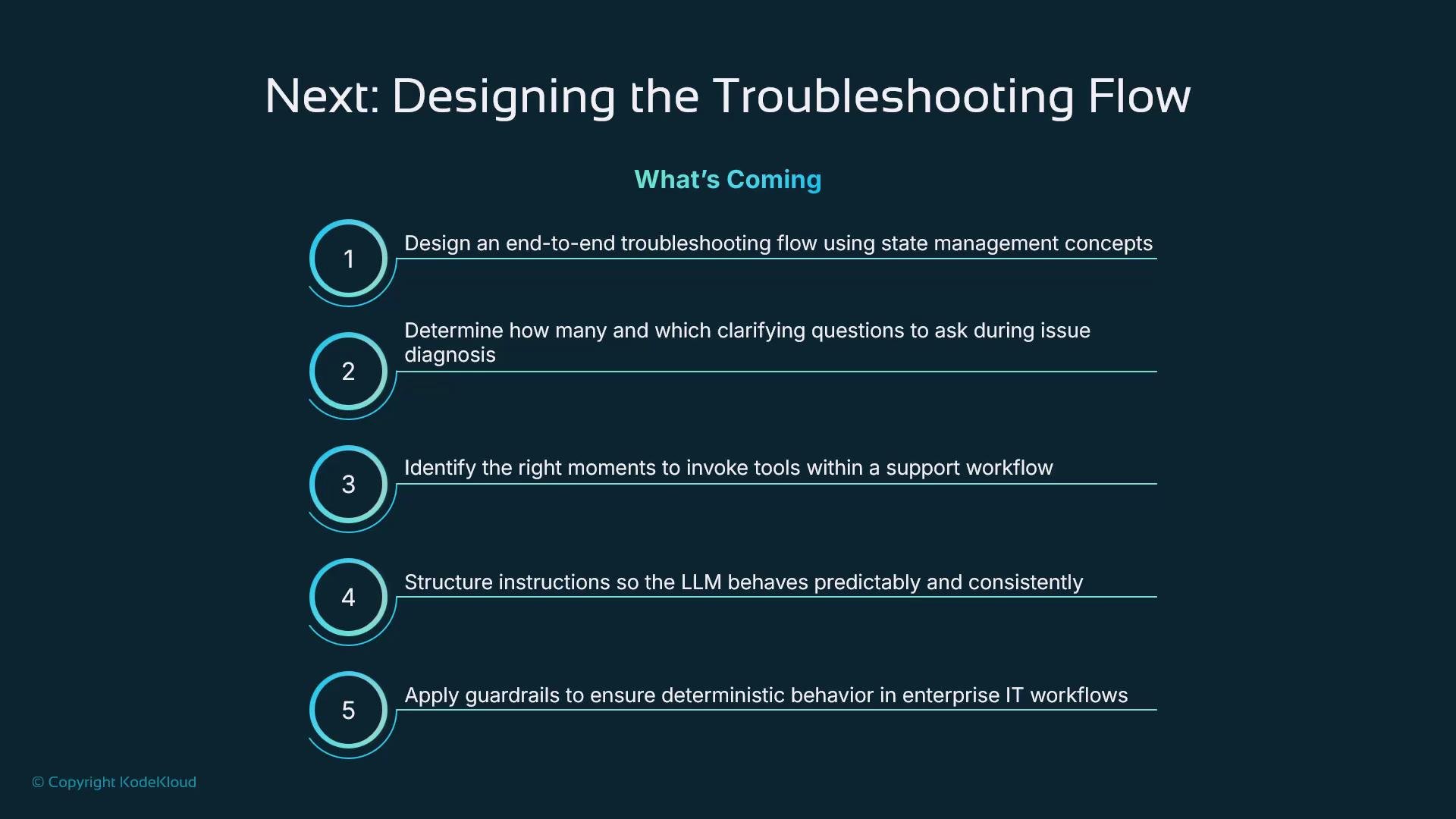
Next, we'll design a complete troubleshooting flow and address key design choices:
* How many clarifying questions to ask and when to stop
* When and how to invoke tools
* How to author instructions for predictable LLM behavior
* Guardrails and validation to ensure reliable enterprise workflows
You’ll learn how to balance conversational flexibility with structured reliability so the agent maps natural language into structured data requests and returns structured results.
## What’s next
Next, we'll design a complete troubleshooting flow and address key design choices:
* How many clarifying questions to ask and when to stop
* When and how to invoke tools
* How to author instructions for predictable LLM behavior
* Guardrails and validation to ensure reliable enterprise workflows
You’ll learn how to balance conversational flexibility with structured reliability so the agent maps natural language into structured data requests and returns structured results.
 Avoid storing sensitive personal data in long-lived state fields. Favor `session`- or `temp`-scoped keys for transient data and ensure you comply with your organization’s privacy and retention policies.
## Links and references
* [Google ADK documentation](https://developers.google.com/ai/adk) — ADK reference and guides
* [Designing stateful conversational agents](https://developers.google.com/ai/adk/guides/state) — patterns and best practices
* [Kubernetes Basics](https://kubernetes.io/docs/concepts/overview/what-is-kubernetes/) — (general reference for deploying back-end tools)
Use these resources to deepen your understanding of stateful agents and to guide production-ready designs.
Avoid storing sensitive personal data in long-lived state fields. Favor `session`- or `temp`-scoped keys for transient data and ensure you comply with your organization’s privacy and retention policies.
## Links and references
* [Google ADK documentation](https://developers.google.com/ai/adk) — ADK reference and guides
* [Designing stateful conversational agents](https://developers.google.com/ai/adk/guides/state) — patterns and best practices
* [Kubernetes Basics](https://kubernetes.io/docs/concepts/overview/what-is-kubernetes/) — (general reference for deploying back-end tools)
Use these resources to deepen your understanding of stateful agents and to guide production-ready designs.