> ## Documentation Index
> Fetch the complete documentation index at: https://notes.kodekloud.com/llms.txt
> Use this file to discover all available pages before exploring further.
# Data Fusion Studio Use Cases and Data Wrangler
> Overview of Google Cloud Data Fusion, focusing on Pipeline Studio and Data Wrangler for building, cleaning, and operationalizing ETL/ELT pipelines to migrate and load data into BigQuery.
This article dives into Google Cloud Data Fusion with a practical focus on the Pipeline Studio, the Data Wrangler, and common enterprise use cases. You'll learn the core components, a typical pipeline flow, and how Data Fusion accelerates migration and operationalization of data pipelines into BigQuery and other analytic targets.
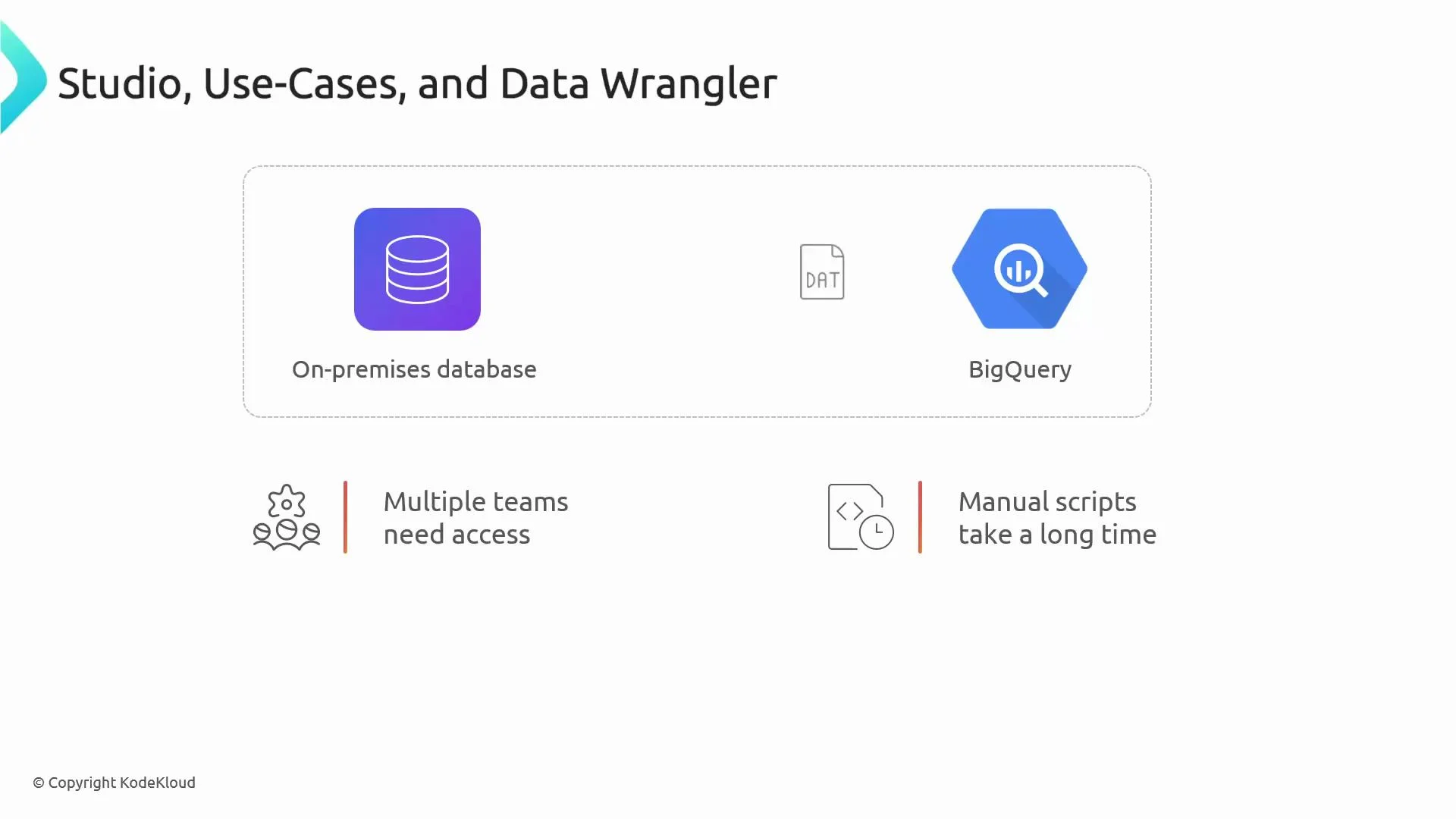
To ground the explanation, imagine this scenario: your company needs to move customer transactions from an on‑premises database into BigQuery, clean and standardize fields (for example, phone numbers), apply business rules, enrich the data with product details, and make it available to dashboards. Multiple teams require access, and maintaining hand-written scripts is slow and error-prone.
 ## Adoption considerations
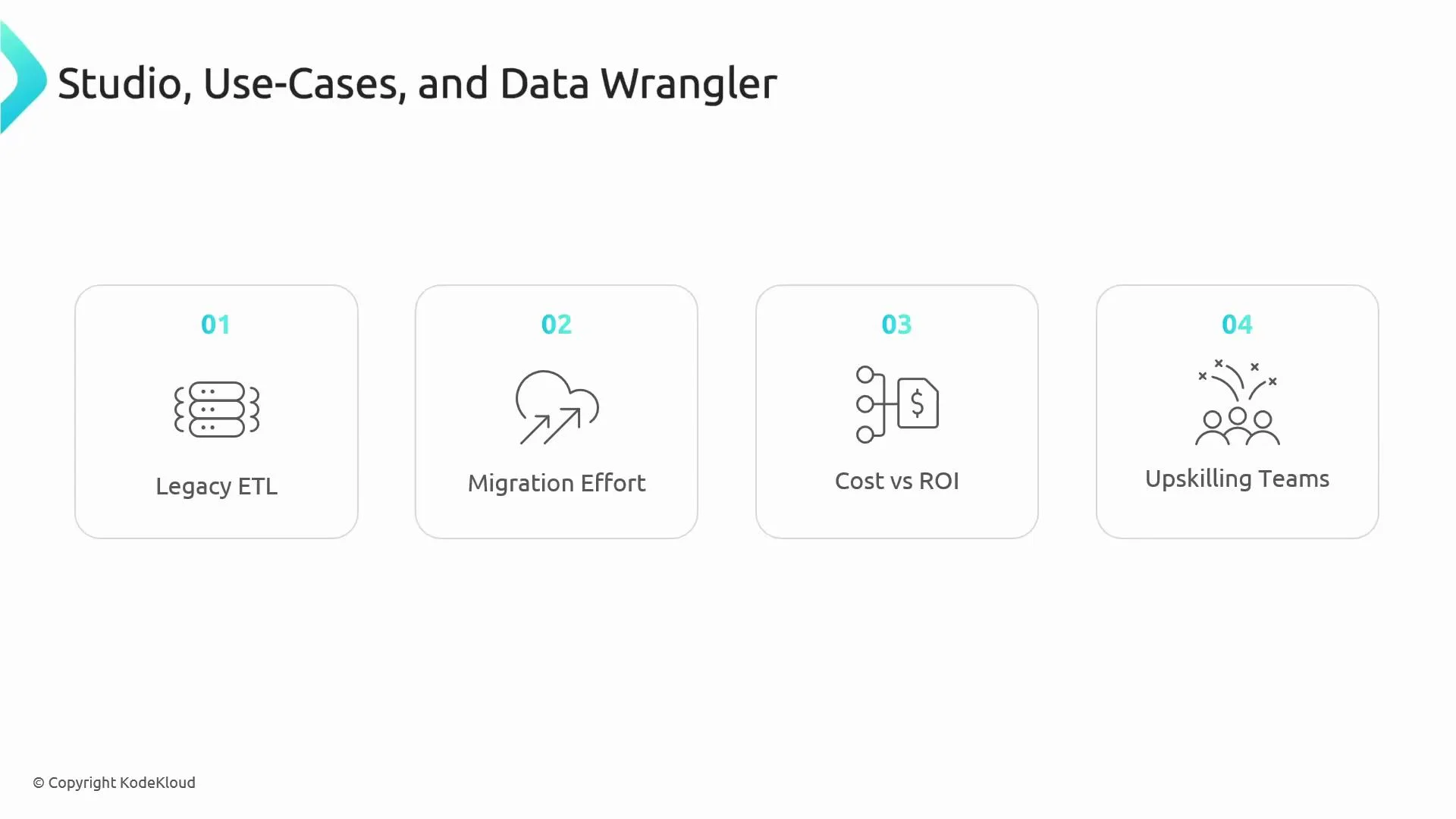
Many organizations hesitate to adopt a new platform such as Cloud Data Fusion because of legacy ETL investments, migration effort, perceived cost for small workloads, and the need to upskill teams on a visual tool. These are valid concerns to evaluate during selection and planning.
## Adoption considerations
Many organizations hesitate to adopt a new platform such as Cloud Data Fusion because of legacy ETL investments, migration effort, perceived cost for small workloads, and the need to upskill teams on a visual tool. These are valid concerns to evaluate during selection and planning.
 ## Core features: what users interact with
* Pipeline Studio
* A drag-and-drop visual canvas for designing ETL/ELT pipelines.
* Includes 150+ pre-built connectors, visual data lineage, transformations, real-time previews, and version control.
* Speeds development and reduces maintenance compared with ad‑hoc scripts.
* Data Wrangler
* An interactive UI for exploring, cleaning, and validating datasets.
* Analysts can preview transformations and export the resulting steps into a production pipeline.
## Typical Data Fusion pipeline flow
1. Connect to sources (on‑prem databases, cloud storage, SaaS APIs, streaming sources like Pub/Sub).
2. Explore and clean raw data using Data Wrangler (preview and iteratively refine).
3. Apply transformations (deduplication, normalization, schema validation, aggregations, window functions).
4. Validate data quality and enforce business rules.
5. Load results into storage or analytical layers (Google Cloud Storage, BigQuery, BI tools).
Table: Pipeline stages and examples
| Stage | Purpose | Example |
| --------------- | ------------------------------------ | ------------------------------------------------------------ |
| Ingest | Move data from source to pipeline | Connect to an on‑prem database or Pub/Sub topic |
| Explore & Clean | Interactive wrangling and profiling | Standardize phone number formats with Data Wrangler |
| Transform | Apply business logic or aggregations | Deduplicate transactions, compute totals |
| Validate | Enforce data quality rules | Reject rows missing required IDs, log anomalies |
| Load | Deliver processed data to targets | Load into `BigQuery` for analytics or `GCS` for ML pipelines |
## Example use case: standardizing phone numbers
Suppose branches store customer phone numbers in different formats. With Data Wrangler you:
* Load a sample of incoming records,
* Use interactive transformations to normalize formats (remove punctuation, apply country codes),
* Preview changes in the UI,
* Export the wrangling steps into Pipeline Studio,
* Deploy a pipeline that applies these transformations at scale and writes normalized records into BigQuery.
This approach reduces manual errors and accelerates delivery from exploration to production.
## ETL, ELT, and streaming patterns
Data Fusion supports multiple architectural patterns:
* ETL: Transform data before loading into analytical stores.
* ELT: Load raw data into BigQuery, then run transformations closer to the compute engine.
* Streaming: Build continuous pipelines for event-driven use cases (fraud detection, real-time metrics) integrating Pub/Sub and other streaming systems.
Choose the pattern that best suits your latency, governance, and cost requirements.
## Business value
Data Fusion provides these organizational benefits:
* Standardizes ETL/ELT development across teams for easier maintenance and predictable performance.
* Bridges hybrid and multi-cloud environments (on‑prem → GCP, AWS → GCP, or hybrid deployments).
* Integrates with SaaS APIs (e.g., Salesforce) and legacy systems without full rewrites.
* Produces reusable, versioned pipelines that analysts or non‑specialist engineers can operate.
Exam pointer: Which GCP service enables code-free ETL and hybrid integration? The answer is Cloud Data Fusion.
## Where Data Fusion fits in the analytics stack
* Raw ingestion can land in Google Cloud Storage or message buses; Data Fusion performs preprocessing for ML or BI.
* Pipelines enrich and format data destined for BI tools (for example, Looker) and enforce data quality checks before consumption.
* Visually, Data Fusion acts as the central hub where data flows in, is processed, and flows out to analytic targets.
## Who benefits from Data Fusion
* Data engineers seeking rapid development and standardized pipelines.
* Small teams or single engineers who want to deliver production pipelines without building full orchestration and container stacks.
* Analysts and data stewards who need a code-free way to clean, validate, and hand off production-ready transformations.
## When to choose Data Fusion
Use Data Fusion when you want:
* Fast wins and reduced time-to-production for integrations.
* Consistent operational pipelines with version control and visual lineage.
* Hybrid integrations or simplified migration of legacy ETL to GCP.
* To reduce hand-written ETL code and maintenance overhead.
## Links and references
* Cloud Data Fusion documentation: [https://cloud.google.com/data-fusion](https://cloud.google.com/data-fusion)
* BigQuery: [https://cloud.google.com/bigquery](https://cloud.google.com/bigquery)
* Pub/Sub: [https://cloud.google.com/pubsub](https://cloud.google.com/pubsub)
* Looker (BI): [https://cloud.google.com/looker](https://cloud.google.com/looker)
End of lesson.
## Core features: what users interact with
* Pipeline Studio
* A drag-and-drop visual canvas for designing ETL/ELT pipelines.
* Includes 150+ pre-built connectors, visual data lineage, transformations, real-time previews, and version control.
* Speeds development and reduces maintenance compared with ad‑hoc scripts.
* Data Wrangler
* An interactive UI for exploring, cleaning, and validating datasets.
* Analysts can preview transformations and export the resulting steps into a production pipeline.
## Typical Data Fusion pipeline flow
1. Connect to sources (on‑prem databases, cloud storage, SaaS APIs, streaming sources like Pub/Sub).
2. Explore and clean raw data using Data Wrangler (preview and iteratively refine).
3. Apply transformations (deduplication, normalization, schema validation, aggregations, window functions).
4. Validate data quality and enforce business rules.
5. Load results into storage or analytical layers (Google Cloud Storage, BigQuery, BI tools).
Table: Pipeline stages and examples
| Stage | Purpose | Example |
| --------------- | ------------------------------------ | ------------------------------------------------------------ |
| Ingest | Move data from source to pipeline | Connect to an on‑prem database or Pub/Sub topic |
| Explore & Clean | Interactive wrangling and profiling | Standardize phone number formats with Data Wrangler |
| Transform | Apply business logic or aggregations | Deduplicate transactions, compute totals |
| Validate | Enforce data quality rules | Reject rows missing required IDs, log anomalies |
| Load | Deliver processed data to targets | Load into `BigQuery` for analytics or `GCS` for ML pipelines |
## Example use case: standardizing phone numbers
Suppose branches store customer phone numbers in different formats. With Data Wrangler you:
* Load a sample of incoming records,
* Use interactive transformations to normalize formats (remove punctuation, apply country codes),
* Preview changes in the UI,
* Export the wrangling steps into Pipeline Studio,
* Deploy a pipeline that applies these transformations at scale and writes normalized records into BigQuery.
This approach reduces manual errors and accelerates delivery from exploration to production.
## ETL, ELT, and streaming patterns
Data Fusion supports multiple architectural patterns:
* ETL: Transform data before loading into analytical stores.
* ELT: Load raw data into BigQuery, then run transformations closer to the compute engine.
* Streaming: Build continuous pipelines for event-driven use cases (fraud detection, real-time metrics) integrating Pub/Sub and other streaming systems.
Choose the pattern that best suits your latency, governance, and cost requirements.
## Business value
Data Fusion provides these organizational benefits:
* Standardizes ETL/ELT development across teams for easier maintenance and predictable performance.
* Bridges hybrid and multi-cloud environments (on‑prem → GCP, AWS → GCP, or hybrid deployments).
* Integrates with SaaS APIs (e.g., Salesforce) and legacy systems without full rewrites.
* Produces reusable, versioned pipelines that analysts or non‑specialist engineers can operate.
Exam pointer: Which GCP service enables code-free ETL and hybrid integration? The answer is Cloud Data Fusion.
## Where Data Fusion fits in the analytics stack
* Raw ingestion can land in Google Cloud Storage or message buses; Data Fusion performs preprocessing for ML or BI.
* Pipelines enrich and format data destined for BI tools (for example, Looker) and enforce data quality checks before consumption.
* Visually, Data Fusion acts as the central hub where data flows in, is processed, and flows out to analytic targets.
## Who benefits from Data Fusion
* Data engineers seeking rapid development and standardized pipelines.
* Small teams or single engineers who want to deliver production pipelines without building full orchestration and container stacks.
* Analysts and data stewards who need a code-free way to clean, validate, and hand off production-ready transformations.
## When to choose Data Fusion
Use Data Fusion when you want:
* Fast wins and reduced time-to-production for integrations.
* Consistent operational pipelines with version control and visual lineage.
* Hybrid integrations or simplified migration of legacy ETL to GCP.
* To reduce hand-written ETL code and maintenance overhead.
## Links and references
* Cloud Data Fusion documentation: [https://cloud.google.com/data-fusion](https://cloud.google.com/data-fusion)
* BigQuery: [https://cloud.google.com/bigquery](https://cloud.google.com/bigquery)
* Pub/Sub: [https://cloud.google.com/pubsub](https://cloud.google.com/pubsub)
* Looker (BI): [https://cloud.google.com/looker](https://cloud.google.com/looker)
End of lesson.