> ## Documentation Index
> Fetch the complete documentation index at: https://notes.kodekloud.com/llms.txt
> Use this file to discover all available pages before exploring further.
# Analytics Hub The Data Sharing Platform
> Explains Google Cloud Analytics Hub for governed secure BigQuery data sharing, enabling publishers to create exchanges and listings while subscribers query linked datasets without copying data.
Welcome back. In this lesson we'll explore Analytics Hub — Google Cloud's managed data-sharing platform for governed, secure BigQuery data access.
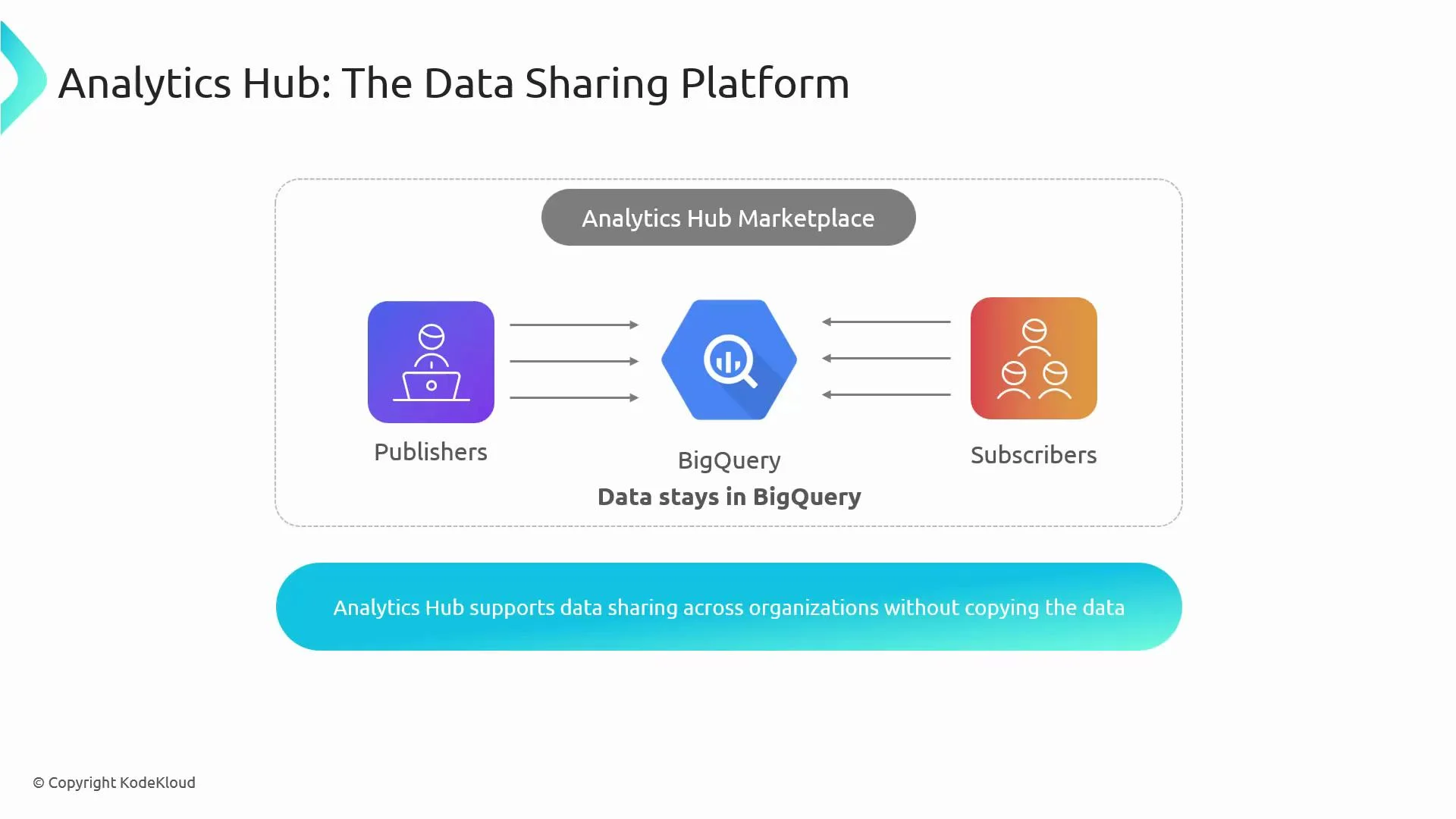
Data Catalog helps you discover and classify datasets across an organization. Once you've located the right data, the next question is: how do you share it securely with internal or external consumers without creating and managing multiple dataset copies? Analytics Hub answers that need by enabling governed data sharing where the data remains in BigQuery and access is controlled centrally.
Important exam fact: Analytics Hub supports data sharing across organizations without creating copies of the data.
 Why use Analytics Hub?
* Solves multi-tenant and cross-organization sharing scenarios where consumers should not have direct project-level access to publishers' resources.
* Avoids ETL pipelines and dataset duplication; subscribers query data in-place.
* Provides centralized governance, auditability, and fine-grained access control for shared datasets.
How Analytics Hub works (high-level)
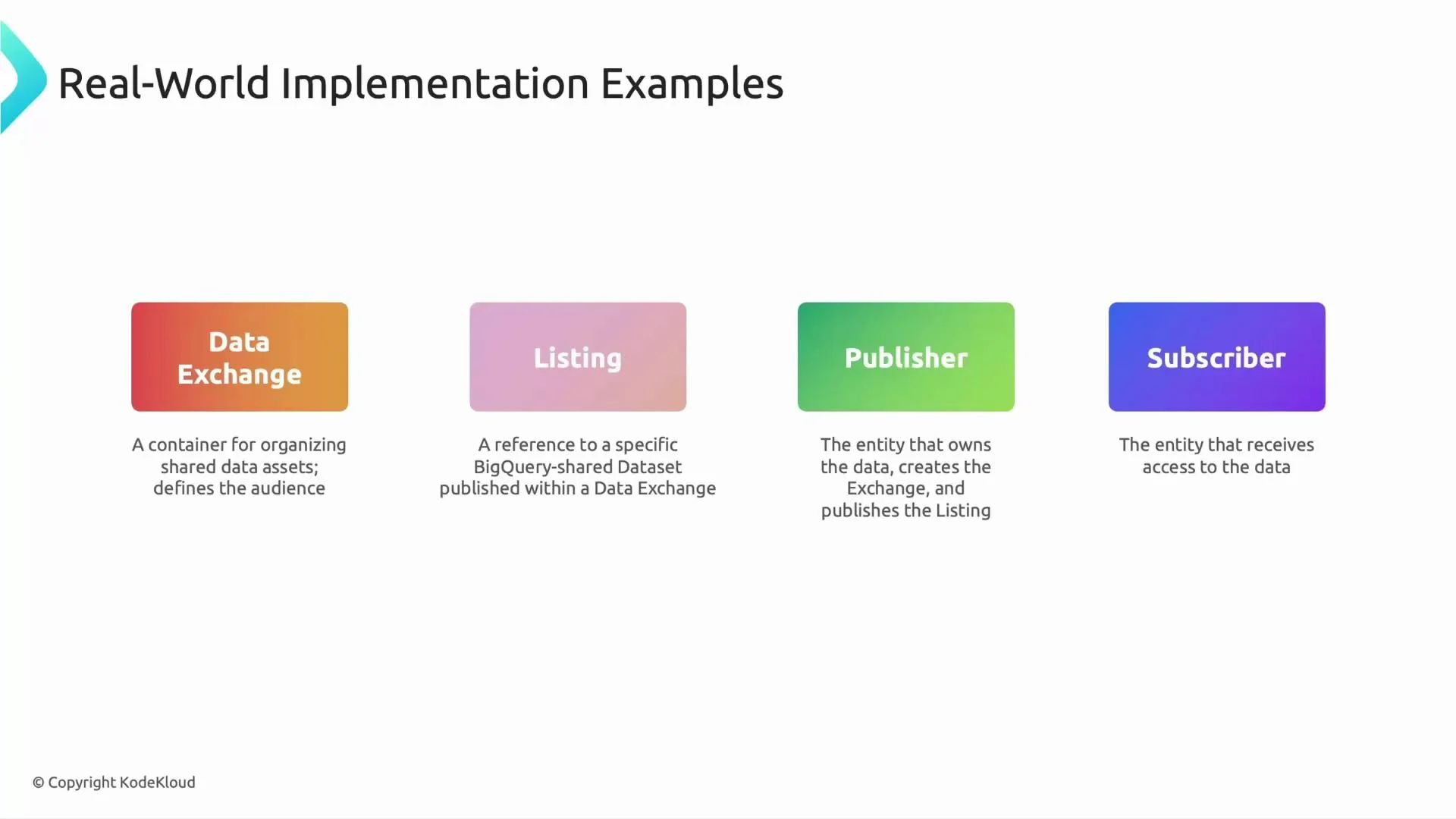
* Data Exchange: A logical container or marketplace for related listings. Exchanges group shared assets and define the intended audience and access policies.
* Listing: A listing points to a specific BigQuery dataset and describes the asset being shared. It configures how subscribers can discover and request access.
* Publisher: The dataset owner who creates exchanges and listings, sets access controls, and manages share policies.
* Subscriber: A consumer who subscribes to a listing. Subscription creates a linked dataset in the subscriber’s project that references the publisher’s dataset without copying data.
These building blocks let publishers share curated datasets while retaining storage ownership and control. Subscribers operate on read-only linked datasets inside their own projects.
Why use Analytics Hub?
* Solves multi-tenant and cross-organization sharing scenarios where consumers should not have direct project-level access to publishers' resources.
* Avoids ETL pipelines and dataset duplication; subscribers query data in-place.
* Provides centralized governance, auditability, and fine-grained access control for shared datasets.
How Analytics Hub works (high-level)
* Data Exchange: A logical container or marketplace for related listings. Exchanges group shared assets and define the intended audience and access policies.
* Listing: A listing points to a specific BigQuery dataset and describes the asset being shared. It configures how subscribers can discover and request access.
* Publisher: The dataset owner who creates exchanges and listings, sets access controls, and manages share policies.
* Subscriber: A consumer who subscribes to a listing. Subscription creates a linked dataset in the subscriber’s project that references the publisher’s dataset without copying data.
These building blocks let publishers share curated datasets while retaining storage ownership and control. Subscribers operate on read-only linked datasets inside their own projects.
 Key components summary
| Component | Role / Purpose | Example benefit |
| ------------- | ----------------------------------------------------------------------------- | ----------------------------------------------------------------- |
| Data Exchange | Marketplace container that groups related listings and defines audience scope | Organize shares by business domain (e.g., Sales, Inventory) |
| Listing | References a BigQuery dataset and describes access terms | Provides metadata, terms-of-use, and discovery info for a dataset |
| Publisher | Owner who creates exchanges/listings and manages permissions | Keeps storage and access policy centralized |
| Subscriber | Consumer who subscribes to a listing and gets a linked dataset | Queries data from their own project without copying it |
Typical subscription and access flow
1. Subscriber discovers a listing and clicks Subscribe.
* Analytics Hub provisions a linked dataset in the subscriber’s project — a read-only pointer to the publisher’s dataset. No data is copied.
2. Subscriber queries the linked dataset in BigQuery.
* Queries executed by the subscriber read data directly from the publisher’s dataset at query time.
3. Billing and cost allocation.
* Query costs are billed to the project that runs the queries (usually the subscriber).
* Storage costs remain with the publisher’s project. Always validate your organization’s billing policies and quotas.
4. Security and governance.
* Publishers retain control over who can subscribe and access specific datasets.
* Analytics Hub integrates with IAM for fine-grained permissions and provides auditable sharing workflows.
Be careful with cost and access boundaries: subscribers incur query charges while publishers continue to be responsible for storage and access controls. Review IAM roles, audit logs, and your billing setup before enabling large-scale sharing.
Real-world example
A large retailer wants to share sales performance datasets with suppliers:
* The retailer (publisher) creates an exchange for supply-chain data and a listing per supplier or product line.
* Suppliers (subscribers) find listings, subscribe, and receive linked datasets in their own projects.
* Suppliers run analytical queries (billed to their projects) without the retailer creating per-supplier dataset copies.
* The retailer controls access, revokes subscriptions, and audits usage centrally.
Best practices
* Design exchanges and listings by business domain for easier discovery and governance.
* Use descriptive listing metadata and clear access policies to reduce subscription requests.
* Monitor audit logs and set quotas to prevent unexpected billing spikes.
* Combine Analytics Hub with Data Catalog and Dataplex for discovery, metadata management, and governance across your data estate.
Links and references
* Analytics Hub documentation: [https://cloud.google.com/bigquery/docs/analytics-hub](https://cloud.google.com/bigquery/docs/analytics-hub)
* BigQuery documentation: [https://cloud.google.com/bigquery/docs](https://cloud.google.com/bigquery/docs)
* Data Catalog: [https://cloud.google.com/data-catalog/docs](https://cloud.google.com/data-catalog/docs)
* Dataplex: [https://cloud.google.com/dataplex/docs](https://cloud.google.com/dataplex/docs)
That is it for this lesson. Speak with you in the next lesson.
Key components summary
| Component | Role / Purpose | Example benefit |
| ------------- | ----------------------------------------------------------------------------- | ----------------------------------------------------------------- |
| Data Exchange | Marketplace container that groups related listings and defines audience scope | Organize shares by business domain (e.g., Sales, Inventory) |
| Listing | References a BigQuery dataset and describes access terms | Provides metadata, terms-of-use, and discovery info for a dataset |
| Publisher | Owner who creates exchanges/listings and manages permissions | Keeps storage and access policy centralized |
| Subscriber | Consumer who subscribes to a listing and gets a linked dataset | Queries data from their own project without copying it |
Typical subscription and access flow
1. Subscriber discovers a listing and clicks Subscribe.
* Analytics Hub provisions a linked dataset in the subscriber’s project — a read-only pointer to the publisher’s dataset. No data is copied.
2. Subscriber queries the linked dataset in BigQuery.
* Queries executed by the subscriber read data directly from the publisher’s dataset at query time.
3. Billing and cost allocation.
* Query costs are billed to the project that runs the queries (usually the subscriber).
* Storage costs remain with the publisher’s project. Always validate your organization’s billing policies and quotas.
4. Security and governance.
* Publishers retain control over who can subscribe and access specific datasets.
* Analytics Hub integrates with IAM for fine-grained permissions and provides auditable sharing workflows.
Be careful with cost and access boundaries: subscribers incur query charges while publishers continue to be responsible for storage and access controls. Review IAM roles, audit logs, and your billing setup before enabling large-scale sharing.
Real-world example
A large retailer wants to share sales performance datasets with suppliers:
* The retailer (publisher) creates an exchange for supply-chain data and a listing per supplier or product line.
* Suppliers (subscribers) find listings, subscribe, and receive linked datasets in their own projects.
* Suppliers run analytical queries (billed to their projects) without the retailer creating per-supplier dataset copies.
* The retailer controls access, revokes subscriptions, and audits usage centrally.
Best practices
* Design exchanges and listings by business domain for easier discovery and governance.
* Use descriptive listing metadata and clear access policies to reduce subscription requests.
* Monitor audit logs and set quotas to prevent unexpected billing spikes.
* Combine Analytics Hub with Data Catalog and Dataplex for discovery, metadata management, and governance across your data estate.
Links and references
* Analytics Hub documentation: [https://cloud.google.com/bigquery/docs/analytics-hub](https://cloud.google.com/bigquery/docs/analytics-hub)
* BigQuery documentation: [https://cloud.google.com/bigquery/docs](https://cloud.google.com/bigquery/docs)
* Data Catalog: [https://cloud.google.com/data-catalog/docs](https://cloud.google.com/data-catalog/docs)
* Dataplex: [https://cloud.google.com/dataplex/docs](https://cloud.google.com/dataplex/docs)
That is it for this lesson. Speak with you in the next lesson.