> ## Documentation Index
> Fetch the complete documentation index at: https://notes.kodekloud.com/llms.txt
> Use this file to discover all available pages before exploring further.
# Cloud Functions vs Cloud Workflows
> Comparison of Google Cloud Functions and Cloud Workflows to help choose between short-lived event handlers and long-running, stateful orchestrations coordinating multiple services with retries and branching
Welcome back. This lesson compares Cloud Functions and Cloud Workflows so you can choose the right orchestration approach for event-driven applications on Google Cloud. We build on Cloud Functions best practices and optimization techniques and expand the perspective to multi-service coordination, long-running sequences, and stateful orchestrations.
Quick overview:
* Use Cloud Functions for single-purpose, short-lived event handlers.
* Use Cloud Workflows when you need to coordinate multiple steps, persist state across steps, or run long-running processes.
## Key differences: execution model, duration, and control flow
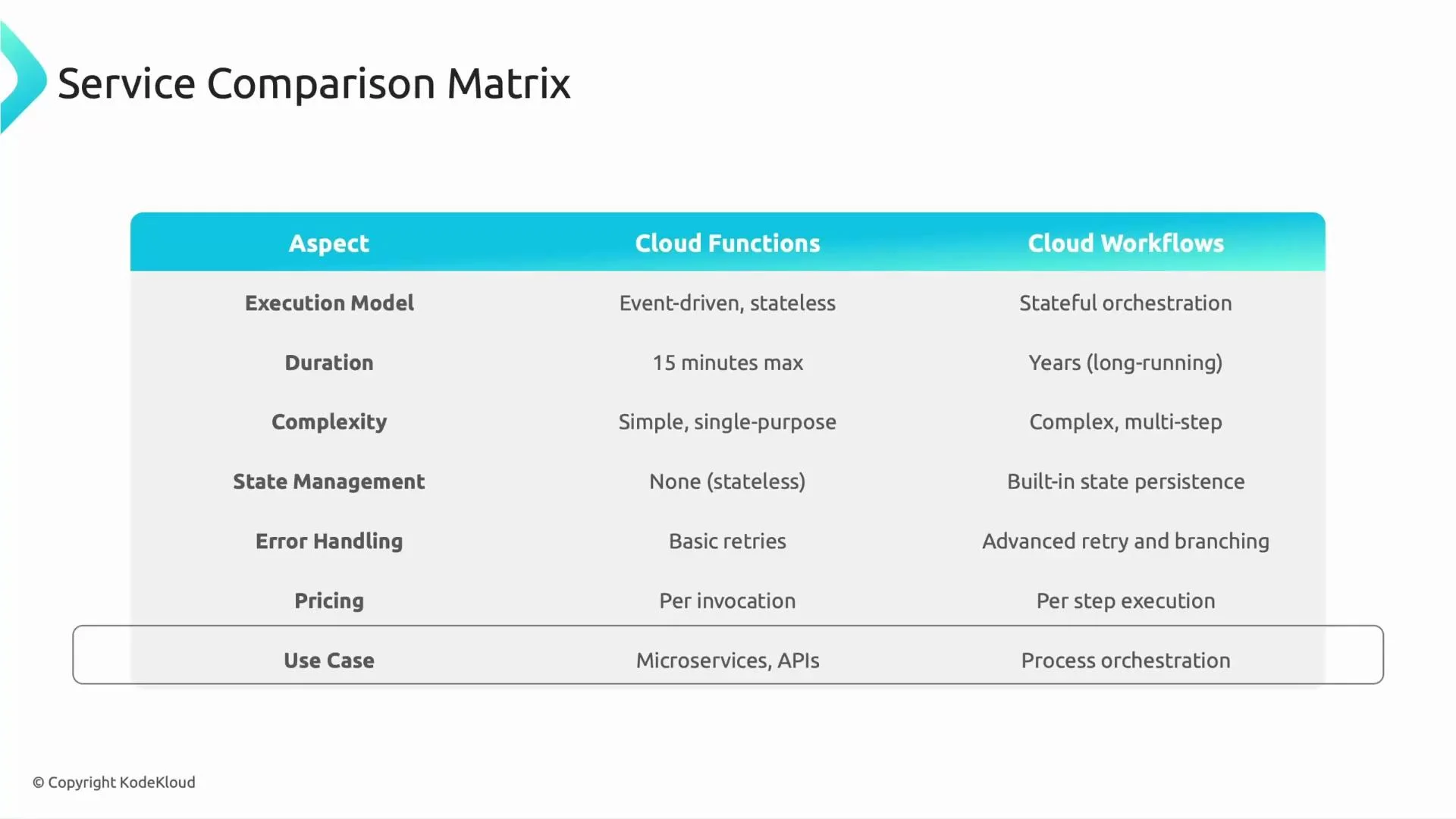
| Aspect | Cloud Functions | Cloud Workflows |
| ------------------------ | ------------------------------------------------------------------------------------------------------------------ | --------------------------------------------------------------------------------------------------------------- |
| Execution model | Event-driven, stateless functions that react to a single trigger and finish | Orchestrator that sequences multiple steps, passes data between steps, and coordinates services |
| Duration | Short-lived tasks (minutes). Newer runtimes may allow longer timeouts, but Functions are optimized for short tasks | Designed for long-running orchestrations; can wait, pause, or span hours/days |
| Control flow | Simple single-purpose logic; any branching or complex flow must be managed by the function code | Built-in branching, error handling, retries, and conditional logic defined in YAML or JSON workflow definitions |
| State management | No built-in state — persist externally (Cloud Storage, Firestore, database) | State passing between steps and execution history are built-in |
| Error handling & retries | Basic retry behavior via trigger configuration or custom retry logic in code | Advanced retry policies, conditional error handling, and explicit fallback paths in workflow definitions |
| Pricing model | Billed for invocations, compute time, and resources used | Billed per state transition/step and for certain callouts; pricing units differ from Functions |
| Typical use cases | Microservices, single-event responses (e.g., transform/store a file on upload) | Orchestrations spanning multiple APIs/services, long-running flows, and processes requiring approvals |
 ## Duration and state: when time and persistence matter
* Cloud Functions: best for tasks that complete quickly. For persistent data, rely on external stores (Cloud Storage, Firestore, Cloud SQL).
* Cloud Workflows: maintain execution context across steps; outputs flow into subsequent steps without needing an external store for intermediate state.
## Complexity and orchestration
* Cloud Functions: keep functions focused and stateless. Suitable for simple event handlers or small microservices.
* Cloud Workflows: model complex business processes (branching, parallel steps, waits for approvals, external API calls) declaratively in a workflow definition.
## Error handling and retries
* Cloud Functions: rely on trigger-level retries or custom retry logic inside the function.
* Cloud Workflows: define retry policies, backoff, and alternate paths in the workflow. Useful for resilient, multi-step integrations.
## Pricing considerations
Both are usage-based but charge on different metrics. Evaluate expected invocation counts, compute duration (Functions), and number of state transitions/callouts (Workflows) to estimate costs for your scenario. See [Cloud Functions pricing](https://cloud.google.com/functions/pricing) and [Cloud Workflows pricing](https://cloud.google.com/workflows/pricing) for current details.
## Typical use cases and examples
| Service | Example use cases |
| --------------- | ---------------------------------------------------------------------------------------------------------------------------------------------------------------------------------------------------------------------------------------------------------------------------------- |
| Cloud Functions | - Image or file processing upon upload to Cloud Storage
## Duration and state: when time and persistence matter
* Cloud Functions: best for tasks that complete quickly. For persistent data, rely on external stores (Cloud Storage, Firestore, Cloud SQL).
* Cloud Workflows: maintain execution context across steps; outputs flow into subsequent steps without needing an external store for intermediate state.
## Complexity and orchestration
* Cloud Functions: keep functions focused and stateless. Suitable for simple event handlers or small microservices.
* Cloud Workflows: model complex business processes (branching, parallel steps, waits for approvals, external API calls) declaratively in a workflow definition.
## Error handling and retries
* Cloud Functions: rely on trigger-level retries or custom retry logic inside the function.
* Cloud Workflows: define retry policies, backoff, and alternate paths in the workflow. Useful for resilient, multi-step integrations.
## Pricing considerations
Both are usage-based but charge on different metrics. Evaluate expected invocation counts, compute duration (Functions), and number of state transitions/callouts (Workflows) to estimate costs for your scenario. See [Cloud Functions pricing](https://cloud.google.com/functions/pricing) and [Cloud Workflows pricing](https://cloud.google.com/workflows/pricing) for current details.
## Typical use cases and examples
| Service | Example use cases |
| --------------- | ---------------------------------------------------------------------------------------------------------------------------------------------------------------------------------------------------------------------------------------------------------------------------------- |
| Cloud Functions | - Image or file processing upon upload to Cloud Storage
- Lightweight API backends or webhook handlers
- Event-driven microservices (single responsibility) |
| Cloud Workflows | - Multi-step onboarding with document checks, ID verification, manual approvals, and external API calls
- Orchestrating a transaction across several services with retries and compensating actions
- Long-lived ETL pipelines that require coordination and checkpoints |
Example scenarios:
* Cloud Function: calculate an estimated fare and assign a nearby driver when a ride request arrives — one trigger, one responsibility, short execution.
* Cloud Workflow: a driver onboarding process that collects documents, verifies IDs, waits for human approval, and activates accounts — many steps, branching paths, and waits.
## Exam-style question
What would you choose for a long-running process involving multiple GCP APIs where state must be maintained?
Answer: Cloud Workflows — they are designed to orchestrate steps, persist execution state between steps, and provide rich error handling and retry strategies.
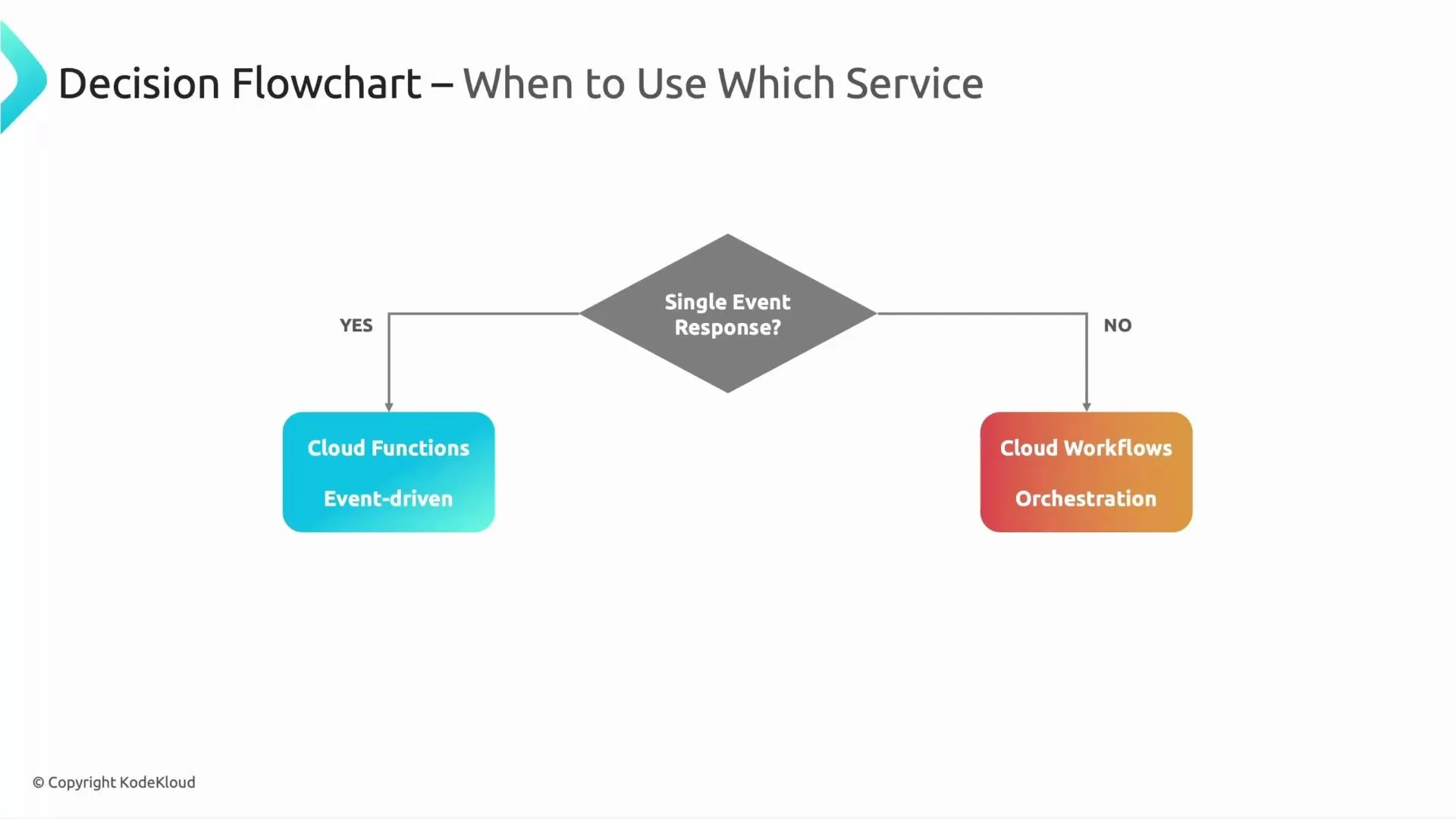
Simple decision rule: ask yourself “Do I need just a single event response?” If yes, Cloud Functions are usually the right fit. If no — if you need orchestration, retries, multiple API calls, or long-running stateful sequences — choose Cloud Workflows.
## Decision guidance
* Choose Cloud Functions when: you need a fast, single-purpose event response, minimal orchestration, and stateless execution.
* Choose Cloud Workflows when: you need to coordinate multiple steps, preserve state across steps, implement complex branching or retry policies, or support long-running processes.
A consolidated visual decision flow can help guide the choice below.
 Further reading and references:
* [Cloud Functions documentation](https://cloud.google.com/functions/docs)
* [Cloud Workflows documentation](https://cloud.google.com/workflows/docs)
* [Choosing between serverless compute and orchestration patterns](https://cloud.google.com/architecture)
See you in the next lesson.
Further reading and references:
* [Cloud Functions documentation](https://cloud.google.com/functions/docs)
* [Cloud Workflows documentation](https://cloud.google.com/workflows/docs)
* [Choosing between serverless compute and orchestration patterns](https://cloud.google.com/architecture)
See you in the next lesson.