> ## Documentation Index
> Fetch the complete documentation index at: https://notes.kodekloud.com/llms.txt
> Use this file to discover all available pages before exploring further.
# Basics on Databases OLTP and OLAP
> Explains differences between OLTP and OLAP databases, their use cases, pros and cons, integration patterns like ETL or CDC, and corresponding Google Cloud services
Welcome back.
Before we compare database offerings in Google Cloud Platform (GCP) for different workloads, it helps to understand two foundational categories of database systems: OLTP (Online Transaction Processing) and OLAP (Online Analytical Processing). This article explains each pattern with examples, typical strengths and limitations, and how they are commonly combined in modern data architectures.
OLTP (Online Transaction Processing)
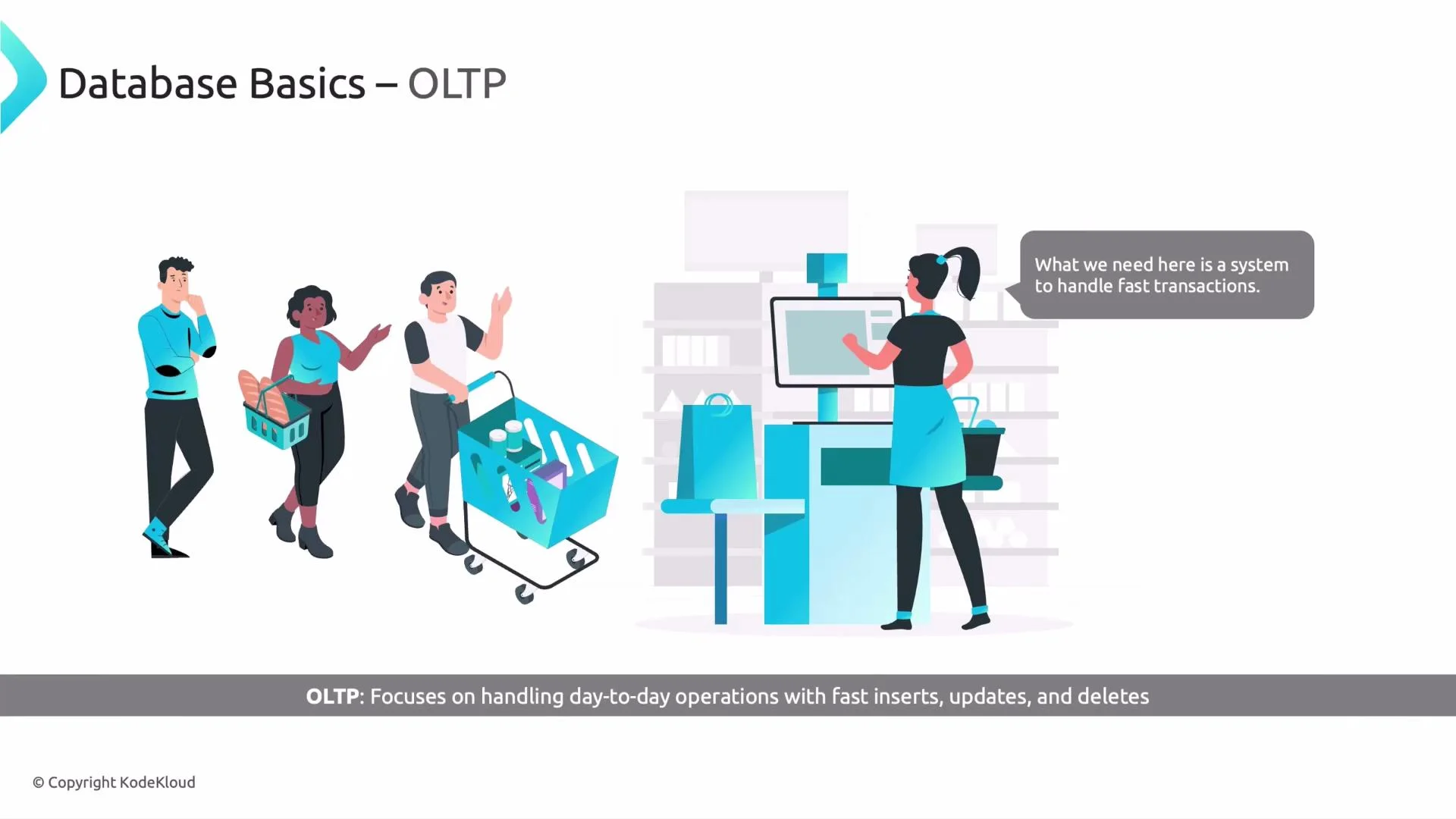
Imagine you’re at a grocery store checkout. Items are scanned, totals are updated immediately, and the system records each sale in real time. Systems that power these fast, day-to-day operations are OLTP systems.
 Key characteristics of OLTP systems
* Designed for many short, concurrent transactions (inserts, updates, deletes) with very low latency.
* Typically enforce ACID properties to ensure correctness and handle concurrency.
* Use normalized schemas to reduce redundancy and enable fast point lookups and updates.
* Examples: point-of-sale (POS) systems, bank ATMs, shopping carts, and most microservice-backed operational databases.
Pros
* Real-time, up-to-date data for operational decision-making.
* High throughput for transactional workloads.
* Strong consistency guarantees when using ACID-compliant databases.
Cons
* Not optimized for large-scale aggregations or long-running analytical queries.
* Transaction-optimized schemas can make complex analytical joins and reporting inefficient.
* Historical trend analysis at scale is typically better served by OLAP systems.
OLTP systems are optimized for fast, correct transactional operations. Use them for operational workloads where low latency and strong consistency matter.
OLAP (Online Analytical Processing)
Now imagine you are a researcher scanning large volumes of historical records to identify trends over years. You run complex queries that aggregate and compare data across many dimensions. OLAP systems are built for this analytical, read-heavy usage.
Key characteristics of OLAP systems
* Optimized for complex, ad-hoc queries and large-scale aggregations over historical data.
* Often use dimensional models (denormalized star schemas or snowflake variants) and columnar storage to accelerate scans and aggregations.
* Prioritize query throughput over low write latency; data loading is commonly done in batches via ETL/ELT.
* Typical implementations: data warehouses and data lakes.
Pros
* Excellent for multi-dimensional analysis (time, location, product lines) and business intelligence.
* Support complex analytical queries and reporting across historical datasets.
* Enable strategic decision-making and trend analysis.
Cons
* Higher latency for ingest and updates compared to OLTP; not suitable for real-time transactional needs.
* Designing and maintaining OLAP systems (data modeling, ETL pipelines, storage tuning) can be complex and resource-intensive.
* Analytical workloads can require substantial compute and storage.
Comparative summary
| Aspect | OLTP (Operational) | OLAP (Analytical) |
| ----------------------- | ---------------------------------------------------------- | ----------------------------------------------------- |
| Primary goal | Fast transactional processing, low-latency updates | Complex queries, large-scale aggregations |
| Typical schema | Normalized | Denormalized / dimensional |
| Storage pattern | Row-oriented | Columnar for analytic speed |
| Query type | Short, simple reads/writes | Long-running, ad-hoc analytical queries |
| Examples | POS, banking transactions, microservices DBs | Data warehouse, BI, trend analysis |
| GCP services (examples) | Cloud SQL, Cloud Spanner, Firestore, Bigtable, Memorystore | BigQuery, Cloud Storage (data lake), Dataproc, Looker |
| Load pattern | Continuous small transactions | Batch loads / periodic bulk ingestion |
Bringing OLTP and OLAP together
Operational systems (OLTP) keep your applications running in real time, while analytical systems (OLAP) provide insights and business intelligence. Most architectures synchronize transactional data into an analytical store using ETL/ELT or change-data-capture (CDC) streams so each system remains optimized for its purpose.
Common patterns to integrate OLTP and OLAP
* Batch ETL/ELT: Periodically extract transactional data, transform, and load into a warehouse.
* Streaming / CDC: Use tools that capture data changes and stream them into analytic targets for near real-time analytics.
* Hybrid approaches: Keep both near real-time dashboards and deep historical analytics by combining streaming and batch pipelines.
Be mindful of data duplication, consistency windows, and cost when copying operational data into analytical stores. Choose CDC when you need near real-time analytics and batch ETL when eventual consistency is acceptable.
GCP services for OLTP and OLAP (quick reference)
* OLTP / transactional:
* Cloud SQL — managed relational (MySQL/PostgreSQL) for traditional transactional workloads. [https://cloud.google.com/sql](https://cloud.google.com/sql)
* Cloud Spanner — globally-distributed, strongly consistent relational database for high scale. [https://cloud.google.com/spanner](https://cloud.google.com/spanner)
* Firestore / Firebase Realtime Database — serverless NoSQL for mobile/web apps. [https://cloud.google.com/firestore](https://cloud.google.com/firestore)
* Bigtable — wide-column store for very high throughput and low-latency reads/writes. [https://cloud.google.com/bigtable](https://cloud.google.com/bigtable)
* Memorystore — Redis-compatible in-memory store for very low-latency caching. [https://cloud.google.com/memorystore](https://cloud.google.com/memorystore)
* OLAP / analytical:
* BigQuery — serverless, highly scalable, columnar data warehouse for analytics and BI. [https://cloud.google.com/bigquery](https://cloud.google.com/bigquery)
* Cloud Storage — data lake storage for raw or staged data. [https://cloud.google.com/storage](https://cloud.google.com/storage)
* Dataflow / Pub/Sub — streaming ingestion and processing. [https://cloud.google.com/dataflow](https://cloud.google.com/dataflow), [https://cloud.google.com/pubsub](https://cloud.google.com/pubsub)
* Dataproc — managed Spark/Hadoop for analytics workloads. [https://cloud.google.com/dataproc](https://cloud.google.com/dataproc)
* Looker / Data Studio — BI and visualization tools integrating with OLAP stores. [https://cloud.google.com/looker](https://cloud.google.com/looker)
Next steps
Now that you understand the difference between OLTP and OLAP, you can map your use cases to the right GCP services:
* Choose OLTP systems for low-latency transactional needs and strong consistency.
* Choose OLAP systems for analytical queries and long-term trend analysis.
* Use ETL/ELT or CDC patterns to keep both worlds in sync.
References and further reading
* BigQuery: [https://cloud.google.com/bigquery](https://cloud.google.com/bigquery)
* Cloud Spanner: [https://cloud.google.com/spanner](https://cloud.google.com/spanner)
* Cloud SQL: [https://cloud.google.com/sql](https://cloud.google.com/sql)
* Designing data architectures for analytics: [https://cloud.google.com/architecture](https://cloud.google.com/architecture)
See you in the next lesson.
Key characteristics of OLTP systems
* Designed for many short, concurrent transactions (inserts, updates, deletes) with very low latency.
* Typically enforce ACID properties to ensure correctness and handle concurrency.
* Use normalized schemas to reduce redundancy and enable fast point lookups and updates.
* Examples: point-of-sale (POS) systems, bank ATMs, shopping carts, and most microservice-backed operational databases.
Pros
* Real-time, up-to-date data for operational decision-making.
* High throughput for transactional workloads.
* Strong consistency guarantees when using ACID-compliant databases.
Cons
* Not optimized for large-scale aggregations or long-running analytical queries.
* Transaction-optimized schemas can make complex analytical joins and reporting inefficient.
* Historical trend analysis at scale is typically better served by OLAP systems.
OLTP systems are optimized for fast, correct transactional operations. Use them for operational workloads where low latency and strong consistency matter.
OLAP (Online Analytical Processing)
Now imagine you are a researcher scanning large volumes of historical records to identify trends over years. You run complex queries that aggregate and compare data across many dimensions. OLAP systems are built for this analytical, read-heavy usage.
Key characteristics of OLAP systems
* Optimized for complex, ad-hoc queries and large-scale aggregations over historical data.
* Often use dimensional models (denormalized star schemas or snowflake variants) and columnar storage to accelerate scans and aggregations.
* Prioritize query throughput over low write latency; data loading is commonly done in batches via ETL/ELT.
* Typical implementations: data warehouses and data lakes.
Pros
* Excellent for multi-dimensional analysis (time, location, product lines) and business intelligence.
* Support complex analytical queries and reporting across historical datasets.
* Enable strategic decision-making and trend analysis.
Cons
* Higher latency for ingest and updates compared to OLTP; not suitable for real-time transactional needs.
* Designing and maintaining OLAP systems (data modeling, ETL pipelines, storage tuning) can be complex and resource-intensive.
* Analytical workloads can require substantial compute and storage.
Comparative summary
| Aspect | OLTP (Operational) | OLAP (Analytical) |
| ----------------------- | ---------------------------------------------------------- | ----------------------------------------------------- |
| Primary goal | Fast transactional processing, low-latency updates | Complex queries, large-scale aggregations |
| Typical schema | Normalized | Denormalized / dimensional |
| Storage pattern | Row-oriented | Columnar for analytic speed |
| Query type | Short, simple reads/writes | Long-running, ad-hoc analytical queries |
| Examples | POS, banking transactions, microservices DBs | Data warehouse, BI, trend analysis |
| GCP services (examples) | Cloud SQL, Cloud Spanner, Firestore, Bigtable, Memorystore | BigQuery, Cloud Storage (data lake), Dataproc, Looker |
| Load pattern | Continuous small transactions | Batch loads / periodic bulk ingestion |
Bringing OLTP and OLAP together
Operational systems (OLTP) keep your applications running in real time, while analytical systems (OLAP) provide insights and business intelligence. Most architectures synchronize transactional data into an analytical store using ETL/ELT or change-data-capture (CDC) streams so each system remains optimized for its purpose.
Common patterns to integrate OLTP and OLAP
* Batch ETL/ELT: Periodically extract transactional data, transform, and load into a warehouse.
* Streaming / CDC: Use tools that capture data changes and stream them into analytic targets for near real-time analytics.
* Hybrid approaches: Keep both near real-time dashboards and deep historical analytics by combining streaming and batch pipelines.
Be mindful of data duplication, consistency windows, and cost when copying operational data into analytical stores. Choose CDC when you need near real-time analytics and batch ETL when eventual consistency is acceptable.
GCP services for OLTP and OLAP (quick reference)
* OLTP / transactional:
* Cloud SQL — managed relational (MySQL/PostgreSQL) for traditional transactional workloads. [https://cloud.google.com/sql](https://cloud.google.com/sql)
* Cloud Spanner — globally-distributed, strongly consistent relational database for high scale. [https://cloud.google.com/spanner](https://cloud.google.com/spanner)
* Firestore / Firebase Realtime Database — serverless NoSQL for mobile/web apps. [https://cloud.google.com/firestore](https://cloud.google.com/firestore)
* Bigtable — wide-column store for very high throughput and low-latency reads/writes. [https://cloud.google.com/bigtable](https://cloud.google.com/bigtable)
* Memorystore — Redis-compatible in-memory store for very low-latency caching. [https://cloud.google.com/memorystore](https://cloud.google.com/memorystore)
* OLAP / analytical:
* BigQuery — serverless, highly scalable, columnar data warehouse for analytics and BI. [https://cloud.google.com/bigquery](https://cloud.google.com/bigquery)
* Cloud Storage — data lake storage for raw or staged data. [https://cloud.google.com/storage](https://cloud.google.com/storage)
* Dataflow / Pub/Sub — streaming ingestion and processing. [https://cloud.google.com/dataflow](https://cloud.google.com/dataflow), [https://cloud.google.com/pubsub](https://cloud.google.com/pubsub)
* Dataproc — managed Spark/Hadoop for analytics workloads. [https://cloud.google.com/dataproc](https://cloud.google.com/dataproc)
* Looker / Data Studio — BI and visualization tools integrating with OLAP stores. [https://cloud.google.com/looker](https://cloud.google.com/looker)
Next steps
Now that you understand the difference between OLTP and OLAP, you can map your use cases to the right GCP services:
* Choose OLTP systems for low-latency transactional needs and strong consistency.
* Choose OLAP systems for analytical queries and long-term trend analysis.
* Use ETL/ELT or CDC patterns to keep both worlds in sync.
References and further reading
* BigQuery: [https://cloud.google.com/bigquery](https://cloud.google.com/bigquery)
* Cloud Spanner: [https://cloud.google.com/spanner](https://cloud.google.com/spanner)
* Cloud SQL: [https://cloud.google.com/sql](https://cloud.google.com/sql)
* Designing data architectures for analytics: [https://cloud.google.com/architecture](https://cloud.google.com/architecture)
See you in the next lesson.