> ## Documentation Index
> Fetch the complete documentation index at: https://notes.kodekloud.com/llms.txt
> Use this file to discover all available pages before exploring further.
# BigTable Data Model and Column Families
> Overview of Bigtable row keys, storage order, and column family design best practices to optimize performance, avoid hotspotting, and reduce I/O and cost
Welcome back. In this lesson we dive into Bigtable’s data model and explain how column families shape storage, performance, and cost. This builds on a high-level overview of Bigtable’s large-scale, low-latency capabilities and takes you one layer deeper: how data is organized and stored. A well-designed schema can dramatically affect throughput and cost, so let’s walk through the core ideas and practical guidance.
## Core concepts: Row keys and storage order
At the heart of Bigtable is the row key. The row key:
* Uniquely identifies each row in a table.
* Determines storage order: rows are stored in lexicographic (byte-wise) order by row key.
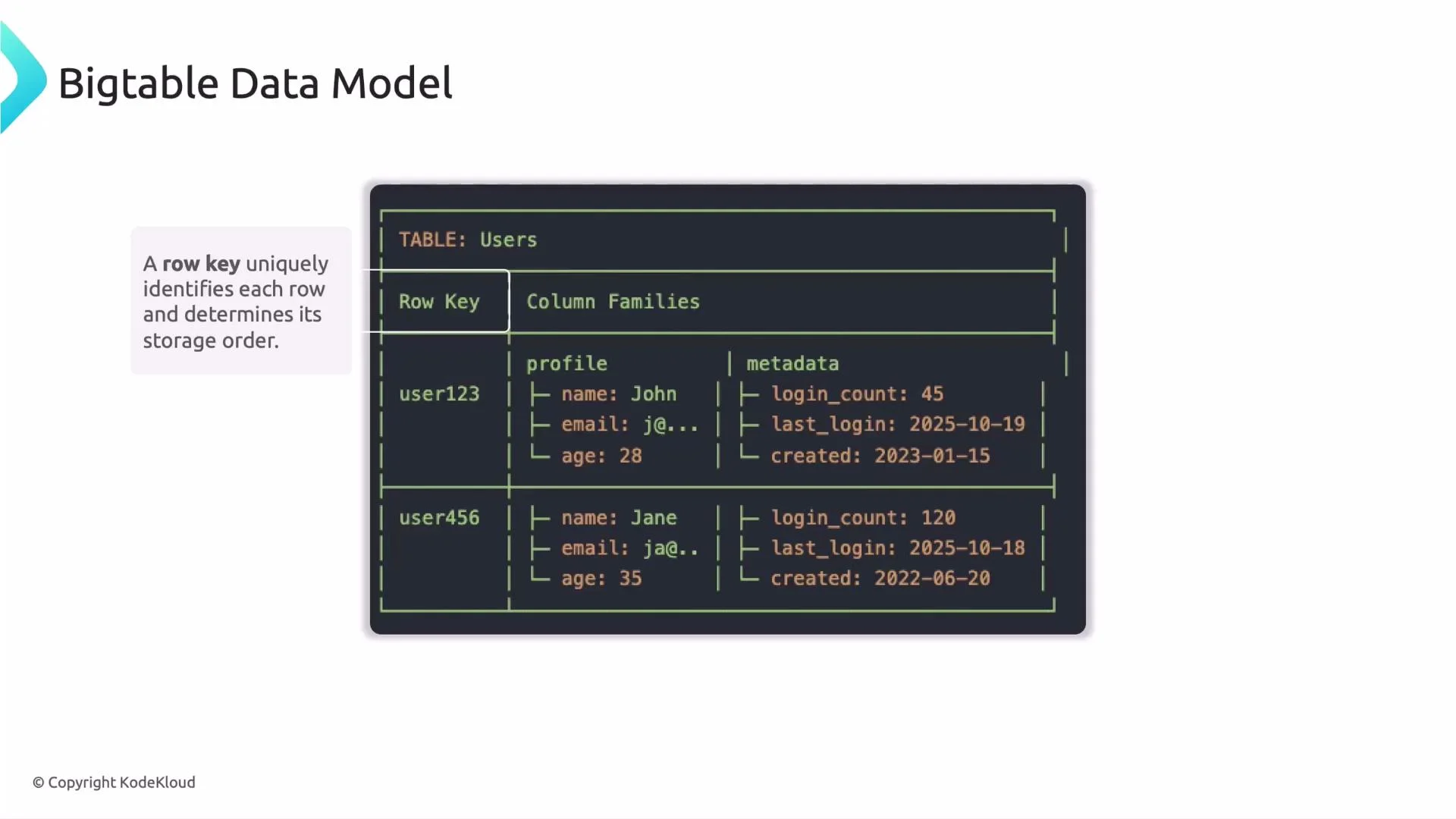 This sorted layout enables efficient range scans and quick retrieval of contiguous rows. Example row keys like:
* `user1`, `user2`, `user3`, `user4`, `user5`, `user6`
are stored in lexicographic order (based on their byte sequences), which helps when querying ranges. However, lexicographic ordering introduces a performance pitfall: if many writes target sequential keys, traffic can concentrate on a small set of tablets (hotspotting).
Avoid purely sequential row keys (for example, monotonically increasing IDs or timestamps at the start of the key). Sequential keys can cause hotspotting because new rows are written to a small set of tablets until they split, overloading those nodes.
Tip: we’ll cover detailed row-key design patterns in a later lesson. For now, remember that key distribution matters for throughput and latency.
## Column families: physical grouping for performance
Column families are the second major concept. A column family groups related columns so they are stored physically together on disk and read together. Proper use of column families reduces I/O, lowers latency, and cuts cost by avoiding reads of unrelated data.
Key points:
* Only group columns together in a family if they are typically read or written together.
* Keep the number of column families small—each family adds overhead.
* Use families to separate hot, frequently-read data from cold or archival data.
Example: Users table schema
```text theme={null}
TABLE: Users
Row Key Column Families
user123 profile metadata
├─ name: John ├─ login_count: 45
├─ email: j@... ├─ last_login: 2025-10-19
└─ age: 28 └─ created: 2023-01-15
user456 ├─ name: Jane ├─ login_count: 120
├─ email: ja@.. ├─ last_login: 2025-10-18
└─ age: 35 └─ created: 2022-06-20
```
Benefits of this layout:
* Fewer unnecessary reads: queries that only need `profile` avoid reading `metadata`.
* Better performance: hot fields remain colocated and are served with lower latency.
* Lower storage and network cost: you avoid scanning or transmitting unused data.
## Best practices for column families
* Keep the number of column families small (typically 1–10). Each family introduces memory and I/O overhead.
* Organize families according to access patterns: put frequently-read or high-throughput fields together; separate infrequently-accessed or archival data.
* Only group columns in the same family if they are queried together.
Design column families around access patterns, not just logical grouping. Because Bigtable stores families physically together, grouping by query behavior yields the best performance and cost savings.
Table: Column family best practices at a glance
| Design concern | Recommendation | Why it matters |
| ------------------ | -------------------------------------------------: | ----------------------------------------------------------------------------- |
| Number of families | Keep small (1–10) | Each family adds overhead; many families increase memory and I/O cost |
| Grouping criteria | Group by access pattern | Co-locating frequently-accessed columns reduces reads and latency |
| Hot vs cold data | Separate hot (real-time) and cold (archive) fields | Reduces contention and I/O for high-throughput workloads |
| Schema evolution | Plan families conservatively | Adding families later is possible but may impact performance during migration |
## Practical example: analytics table
Separation of high-throughput event data from reference metadata is a common pattern:
```text theme={null}
Table: Analytics
├─ Column Family: events (frequently accessed, high throughput)
│ ├─ click_count
│ ├─ view_duration
│ └─ conversion_status
│
├─ Column Family: metadata (rarely accessed, reference data)
│ ├─ created_date
│ ├─ campaign_id
│ └─ source
```
This design ensures event-heavy queries scan only the `events` family, keeping reads fast and reducing I/O on `metadata`.
## Analogy: how to think about Bigtable
* Row key = unique book title / ID (locates the specific book)
* Column family = a library section (fiction, science, history)
* Columns = attributes of the book (author, year, pages)
* Cell value = the content for that attribute
To find information: go to the right section (column family), find the book (row key), then read the attribute you need (column/qualifier).
## Quick checklist for schema design
* Choose row keys that distribute writes and avoid hotspotting.
* Group columns into families by how they are queried together.
* Limit the number of column families to minimize overhead.
* Separate hot data from cold/archival data to reduce I/O and contention.
## Summary
* Bigtable stores rows identified by a row key that determines lexicographic storage order.
* Column families group related columns and determine physical storage layout.
* Thoughtful row-key design and column-family partitioning improve performance and reduce cost.
We will cover row-key design patterns and principles in a later lesson.
## Links and references
* [Bigtable documentation — Concepts](https://cloud.google.com/bigtable/docs/concepts)
* [Designing column families and schema patterns](https://cloud.google.com/bigtable/docs/schema-design)
This sorted layout enables efficient range scans and quick retrieval of contiguous rows. Example row keys like:
* `user1`, `user2`, `user3`, `user4`, `user5`, `user6`
are stored in lexicographic order (based on their byte sequences), which helps when querying ranges. However, lexicographic ordering introduces a performance pitfall: if many writes target sequential keys, traffic can concentrate on a small set of tablets (hotspotting).
Avoid purely sequential row keys (for example, monotonically increasing IDs or timestamps at the start of the key). Sequential keys can cause hotspotting because new rows are written to a small set of tablets until they split, overloading those nodes.
Tip: we’ll cover detailed row-key design patterns in a later lesson. For now, remember that key distribution matters for throughput and latency.
## Column families: physical grouping for performance
Column families are the second major concept. A column family groups related columns so they are stored physically together on disk and read together. Proper use of column families reduces I/O, lowers latency, and cuts cost by avoiding reads of unrelated data.
Key points:
* Only group columns together in a family if they are typically read or written together.
* Keep the number of column families small—each family adds overhead.
* Use families to separate hot, frequently-read data from cold or archival data.
Example: Users table schema
```text theme={null}
TABLE: Users
Row Key Column Families
user123 profile metadata
├─ name: John ├─ login_count: 45
├─ email: j@... ├─ last_login: 2025-10-19
└─ age: 28 └─ created: 2023-01-15
user456 ├─ name: Jane ├─ login_count: 120
├─ email: ja@.. ├─ last_login: 2025-10-18
└─ age: 35 └─ created: 2022-06-20
```
Benefits of this layout:
* Fewer unnecessary reads: queries that only need `profile` avoid reading `metadata`.
* Better performance: hot fields remain colocated and are served with lower latency.
* Lower storage and network cost: you avoid scanning or transmitting unused data.
## Best practices for column families
* Keep the number of column families small (typically 1–10). Each family introduces memory and I/O overhead.
* Organize families according to access patterns: put frequently-read or high-throughput fields together; separate infrequently-accessed or archival data.
* Only group columns in the same family if they are queried together.
Design column families around access patterns, not just logical grouping. Because Bigtable stores families physically together, grouping by query behavior yields the best performance and cost savings.
Table: Column family best practices at a glance
| Design concern | Recommendation | Why it matters |
| ------------------ | -------------------------------------------------: | ----------------------------------------------------------------------------- |
| Number of families | Keep small (1–10) | Each family adds overhead; many families increase memory and I/O cost |
| Grouping criteria | Group by access pattern | Co-locating frequently-accessed columns reduces reads and latency |
| Hot vs cold data | Separate hot (real-time) and cold (archive) fields | Reduces contention and I/O for high-throughput workloads |
| Schema evolution | Plan families conservatively | Adding families later is possible but may impact performance during migration |
## Practical example: analytics table
Separation of high-throughput event data from reference metadata is a common pattern:
```text theme={null}
Table: Analytics
├─ Column Family: events (frequently accessed, high throughput)
│ ├─ click_count
│ ├─ view_duration
│ └─ conversion_status
│
├─ Column Family: metadata (rarely accessed, reference data)
│ ├─ created_date
│ ├─ campaign_id
│ └─ source
```
This design ensures event-heavy queries scan only the `events` family, keeping reads fast and reducing I/O on `metadata`.
## Analogy: how to think about Bigtable
* Row key = unique book title / ID (locates the specific book)
* Column family = a library section (fiction, science, history)
* Columns = attributes of the book (author, year, pages)
* Cell value = the content for that attribute
To find information: go to the right section (column family), find the book (row key), then read the attribute you need (column/qualifier).
## Quick checklist for schema design
* Choose row keys that distribute writes and avoid hotspotting.
* Group columns into families by how they are queried together.
* Limit the number of column families to minimize overhead.
* Separate hot data from cold/archival data to reduce I/O and contention.
## Summary
* Bigtable stores rows identified by a row key that determines lexicographic storage order.
* Column families group related columns and determine physical storage layout.
* Thoughtful row-key design and column-family partitioning improve performance and reduce cost.
We will cover row-key design patterns and principles in a later lesson.
## Links and references
* [Bigtable documentation — Concepts](https://cloud.google.com/bigtable/docs/concepts)
* [Designing column families and schema patterns](https://cloud.google.com/bigtable/docs/schema-design)