> ## Documentation Index
> Fetch the complete documentation index at: https://notes.kodekloud.com/llms.txt
> Use this file to discover all available pages before exploring further.
# Demo Cloud Spanner Interleaved Tables Cascading Delete
> Demonstrates Cloud Spanner interleaved tables and cascading deletes showing performance benefits, example queries, and how deleting a parent atomically removes its interleaved child rows.
Welcome back.
In this lesson we'll explore Cloud Spanner's interleaved tables and demonstrate how cascading deletes (`ON DELETE CASCADE`) work. Interleaving improves query performance by colocating parent and child rows on storage, reducing I/O and network round trips—advantages that grow with scale (millions of rows).
Follow along in the GCP Console to see this in action.
Open the Cloud Spanner Instances page in the GCP Console and select your instance.
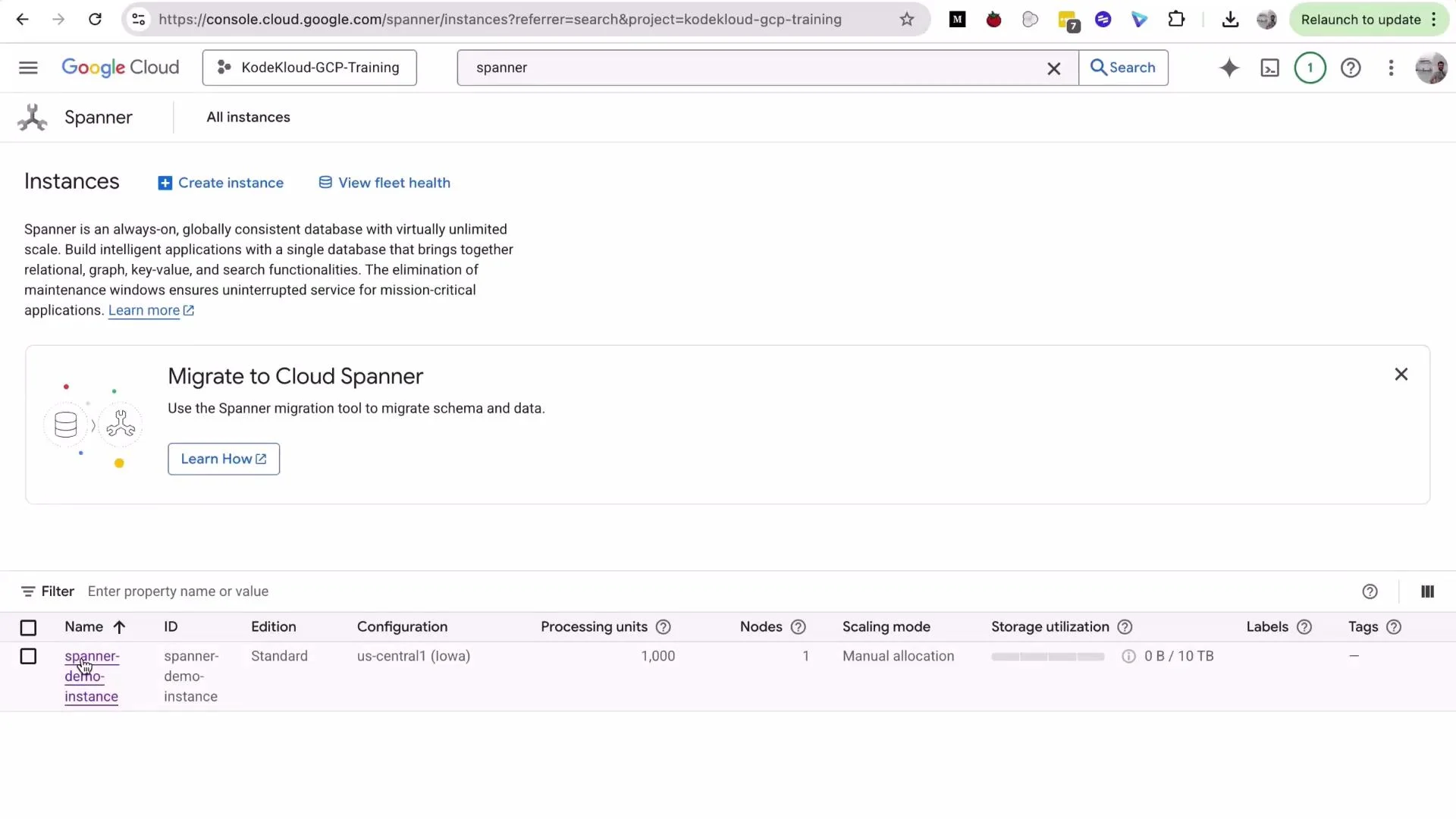 Cloud Spanner is a managed, strongly-consistent, horizontally scalable database. It can be costly for long-running demo resources—delete or scale down instances when you finish to avoid unexpected charges.
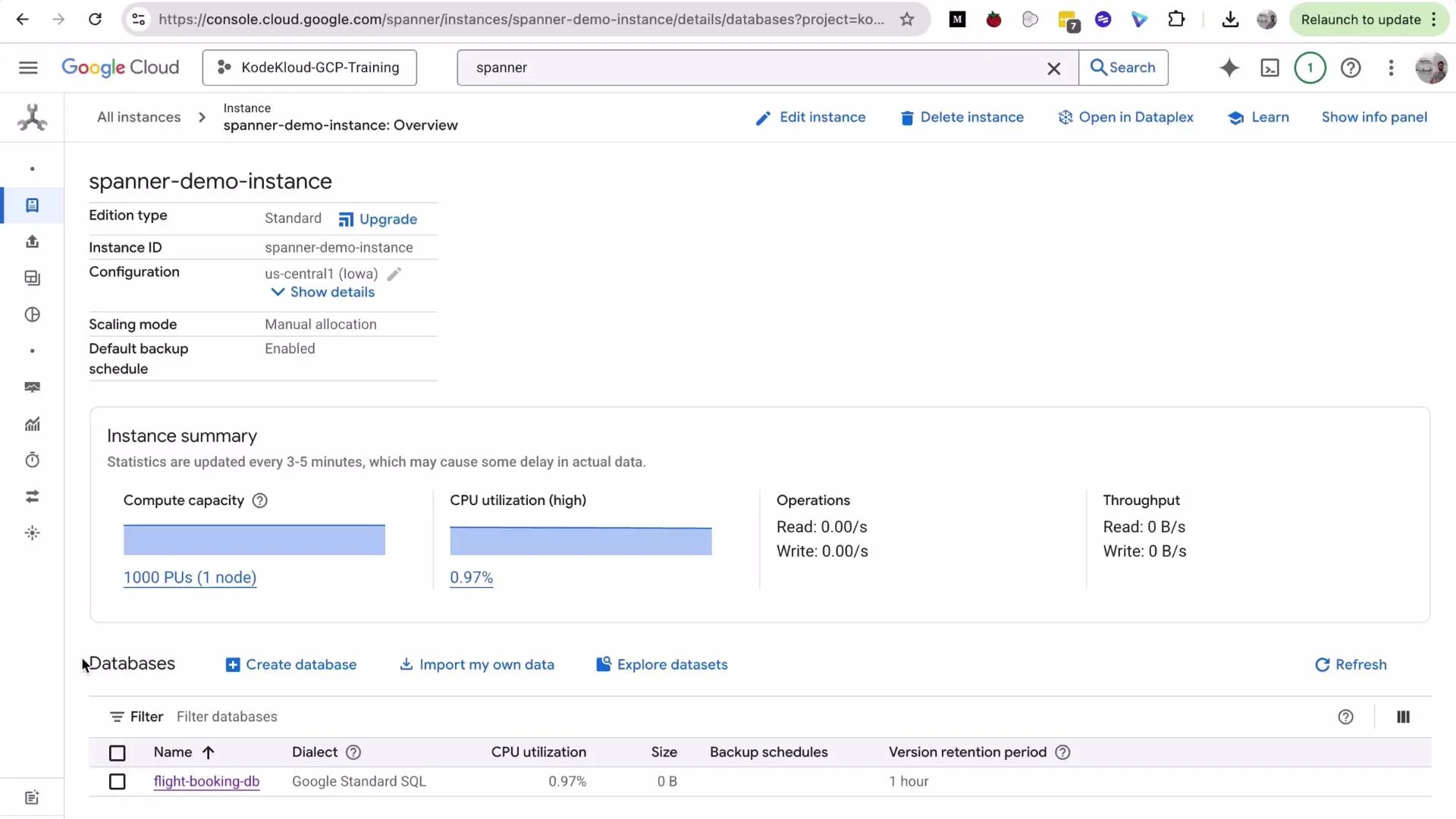
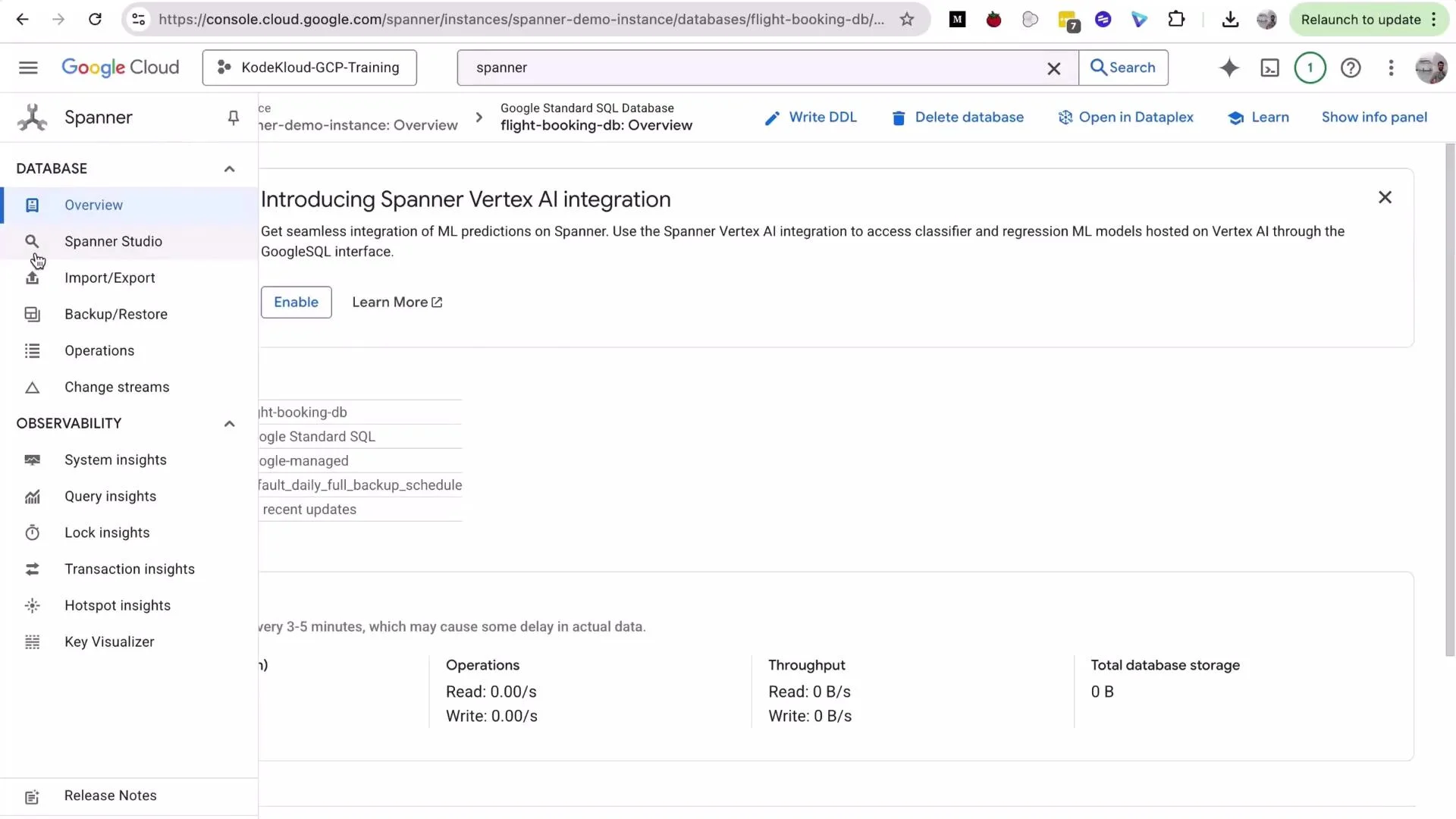
Open the instance to view databases and then open Spanner Studio from the database sidebar to run queries and inspect schema and data.
Cloud Spanner is a managed, strongly-consistent, horizontally scalable database. It can be costly for long-running demo resources—delete or scale down instances when you finish to avoid unexpected charges.
Open the instance to view databases and then open Spanner Studio from the database sidebar to run queries and inspect schema and data.
 ## Example queries: Flights and Bookings
In this demo database we have two tables: `Flights` (parent) and `Bookings` (child). The following queries show common access patterns where interleaving provides benefits.
* Get each flight with its total bookings:
```sql theme={null}
SELECT
f.FlightId,
f.FlightNumber,
f.Origin || ' → ' || f.Destination AS Route,
COUNT(b.BookingId) AS NumberOfBookings
FROM Flights f
LEFT JOIN Bookings b ON f.FlightId = b.FlightId
GROUP BY f.FlightId, f.FlightNumber, f.Origin, f.Destination
ORDER BY f.FlightId;
```
* Show detailed bookings for a single flight (example `FlightId = 'FL005-20251002'`):
```sql theme={null}
SELECT
b.BookingId,
b.PassengerName,
b.BookingClass,
b.BookingStatus,
b.TotalAmount,
f.FlightNumber,
f.Origin || ' → ' || f.Destination AS Route
FROM Bookings b
JOIN Flights f ON b.FlightId = f.FlightId
WHERE b.FlightId = 'FL005-20251002';
```
Interleaved tables store parent and child rows together, which often reduces latency for queries like these—especially when scanning a flight and its bookings.
## Demonstrating cascading delete (`ON DELETE CASCADE`)
When defining an interleaved child table you can include `ON DELETE CASCADE`. That causes Spanner to delete child rows automatically when the parent row is deleted. This is atomic and safe: the parent and all interleaved descendants (children, grandchildren, etc.) are deleted within the same transaction; if anything fails the whole operation rolls back.
Steps to demonstrate:
1. Inspect existing child rows for a target flight:
```sql theme={null}
SELECT * FROM Bookings WHERE FlightId = 'FL005-20251002';
```
You should see two booking rows (for example `BK10013` and `BK10014`).
2. Verify the total number of bookings in the table:
```sql theme={null}
SELECT COUNT(*) AS TotalBookings FROM Bookings;
```
Example output before delete:
```text theme={null}
TotalBookings
14
```
3. Delete the parent flight row:
```sql theme={null}
DELETE FROM Flights WHERE FlightId = 'FL005-20251002';
```
Spanner will report the parent row deletion (for example: `1 row deleted`). Because `Bookings` is interleaved with `ON DELETE CASCADE`, Spanner also deletes the associated bookings in the same transaction.
4. Verify child rows and totals after the delete:
```sql theme={null}
-- No rows should be returned
SELECT * FROM Bookings WHERE FlightId = 'FL005-20251002';
-- Count reflects child rows removed
SELECT COUNT(*) AS TotalBookings FROM Bookings;
```
Example output after delete:
```text theme={null}
TotalBookings
12
```
5. Confirm the parent flight is gone:
```sql theme={null}
SELECT * FROM Flights WHERE FlightId = 'FL005-20251002';
```
6. List remaining flights:
```sql theme={null}
SELECT FlightId, FlightNumber FROM Flights ORDER BY FlightId;
```
Example result:
```text theme={null}
FlightId FlightNumber
"FL001-20250930" "AA101"
"FL002-20250930" "UA205"
"FL003-20251001" "DL303"
"FL004-20251001" "SW450"
```
## Quick reference: what to expect and why it matters
| Topic | Behavior / Benefit | Example |
| ------------------------ | -------------------------------------------------------------------------------- | --------------------------------------------------------- |
| Interleaved storage | Parent and child rows are stored together for better locality and lower latency | Faster JOINs and single-key lookups |
| Cascading delete | `ON DELETE CASCADE` removes interleaved descendants automatically and atomically | Deleting a flight removes its bookings in one transaction |
| Transactional guarantees | Delete of parent + children is all-or-nothing | No partial deletes or orphaned rows |
| Use cases | Orders/order\_items, accounts/transactions, hierarchical records | Any parent-child access pattern at scale |
## Important cleanup step
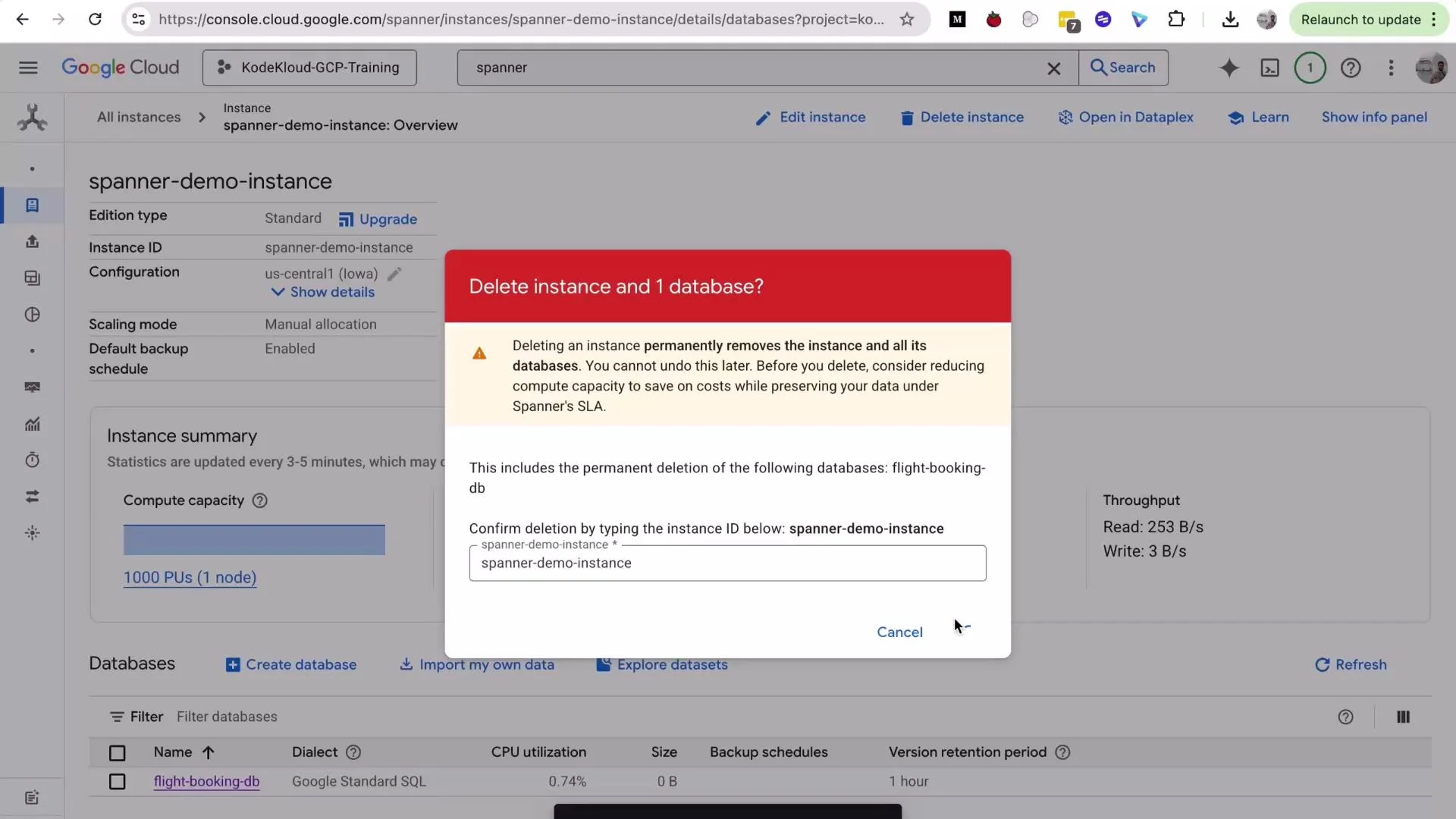
Cloud Spanner instances are billable. Delete demo instances when you're done to avoid charges.
Before leaving the project, delete or scale down your Spanner instance to stop billing. Deleting an instance is permanent—confirm the instance ID when prompted.
## Example queries: Flights and Bookings
In this demo database we have two tables: `Flights` (parent) and `Bookings` (child). The following queries show common access patterns where interleaving provides benefits.
* Get each flight with its total bookings:
```sql theme={null}
SELECT
f.FlightId,
f.FlightNumber,
f.Origin || ' → ' || f.Destination AS Route,
COUNT(b.BookingId) AS NumberOfBookings
FROM Flights f
LEFT JOIN Bookings b ON f.FlightId = b.FlightId
GROUP BY f.FlightId, f.FlightNumber, f.Origin, f.Destination
ORDER BY f.FlightId;
```
* Show detailed bookings for a single flight (example `FlightId = 'FL005-20251002'`):
```sql theme={null}
SELECT
b.BookingId,
b.PassengerName,
b.BookingClass,
b.BookingStatus,
b.TotalAmount,
f.FlightNumber,
f.Origin || ' → ' || f.Destination AS Route
FROM Bookings b
JOIN Flights f ON b.FlightId = f.FlightId
WHERE b.FlightId = 'FL005-20251002';
```
Interleaved tables store parent and child rows together, which often reduces latency for queries like these—especially when scanning a flight and its bookings.
## Demonstrating cascading delete (`ON DELETE CASCADE`)
When defining an interleaved child table you can include `ON DELETE CASCADE`. That causes Spanner to delete child rows automatically when the parent row is deleted. This is atomic and safe: the parent and all interleaved descendants (children, grandchildren, etc.) are deleted within the same transaction; if anything fails the whole operation rolls back.
Steps to demonstrate:
1. Inspect existing child rows for a target flight:
```sql theme={null}
SELECT * FROM Bookings WHERE FlightId = 'FL005-20251002';
```
You should see two booking rows (for example `BK10013` and `BK10014`).
2. Verify the total number of bookings in the table:
```sql theme={null}
SELECT COUNT(*) AS TotalBookings FROM Bookings;
```
Example output before delete:
```text theme={null}
TotalBookings
14
```
3. Delete the parent flight row:
```sql theme={null}
DELETE FROM Flights WHERE FlightId = 'FL005-20251002';
```
Spanner will report the parent row deletion (for example: `1 row deleted`). Because `Bookings` is interleaved with `ON DELETE CASCADE`, Spanner also deletes the associated bookings in the same transaction.
4. Verify child rows and totals after the delete:
```sql theme={null}
-- No rows should be returned
SELECT * FROM Bookings WHERE FlightId = 'FL005-20251002';
-- Count reflects child rows removed
SELECT COUNT(*) AS TotalBookings FROM Bookings;
```
Example output after delete:
```text theme={null}
TotalBookings
12
```
5. Confirm the parent flight is gone:
```sql theme={null}
SELECT * FROM Flights WHERE FlightId = 'FL005-20251002';
```
6. List remaining flights:
```sql theme={null}
SELECT FlightId, FlightNumber FROM Flights ORDER BY FlightId;
```
Example result:
```text theme={null}
FlightId FlightNumber
"FL001-20250930" "AA101"
"FL002-20250930" "UA205"
"FL003-20251001" "DL303"
"FL004-20251001" "SW450"
```
## Quick reference: what to expect and why it matters
| Topic | Behavior / Benefit | Example |
| ------------------------ | -------------------------------------------------------------------------------- | --------------------------------------------------------- |
| Interleaved storage | Parent and child rows are stored together for better locality and lower latency | Faster JOINs and single-key lookups |
| Cascading delete | `ON DELETE CASCADE` removes interleaved descendants automatically and atomically | Deleting a flight removes its bookings in one transaction |
| Transactional guarantees | Delete of parent + children is all-or-nothing | No partial deletes or orphaned rows |
| Use cases | Orders/order\_items, accounts/transactions, hierarchical records | Any parent-child access pattern at scale |
## Important cleanup step
Cloud Spanner instances are billable. Delete demo instances when you're done to avoid charges.
Before leaving the project, delete or scale down your Spanner instance to stop billing. Deleting an instance is permanent—confirm the instance ID when prompted.
 That's all for this lesson. Key takeaways recap:
* Use interleaved tables to colocate related rows and improve read performance at scale.
* `ON DELETE CASCADE` ensures child rows are removed automatically and transactionally when a parent is deleted.
* Cascading deletes apply recursively through interleaving depth (children, grandchildren, ...).
Further reading:
* [Cloud Spanner documentation](https://cloud.google.com/spanner/docs)
* [Designing interleaved tables in Cloud Spanner](https://cloud.google.com/spanner/docs/schema-and-data-model#interleaved-tables)
See you in the next lesson.
That's all for this lesson. Key takeaways recap:
* Use interleaved tables to colocate related rows and improve read performance at scale.
* `ON DELETE CASCADE` ensures child rows are removed automatically and transactionally when a parent is deleted.
* Cascading deletes apply recursively through interleaving depth (children, grandchildren, ...).
Further reading:
* [Cloud Spanner documentation](https://cloud.google.com/spanner/docs)
* [Designing interleaved tables in Cloud Spanner](https://cloud.google.com/spanner/docs/schema-and-data-model#interleaved-tables)
See you in the next lesson.