> ## Documentation Index
> Fetch the complete documentation index at: https://notes.kodekloud.com/llms.txt
> Use this file to discover all available pages before exploring further.
# Architecture Publisher side analysis
> A Google Cloud publisher-side analytics architecture for ingesting, processing, storing, analyzing, and visualizing event data to measure ad performance, attribute conversions, and compute campaign and publisher ROI.
Hello and welcome back.
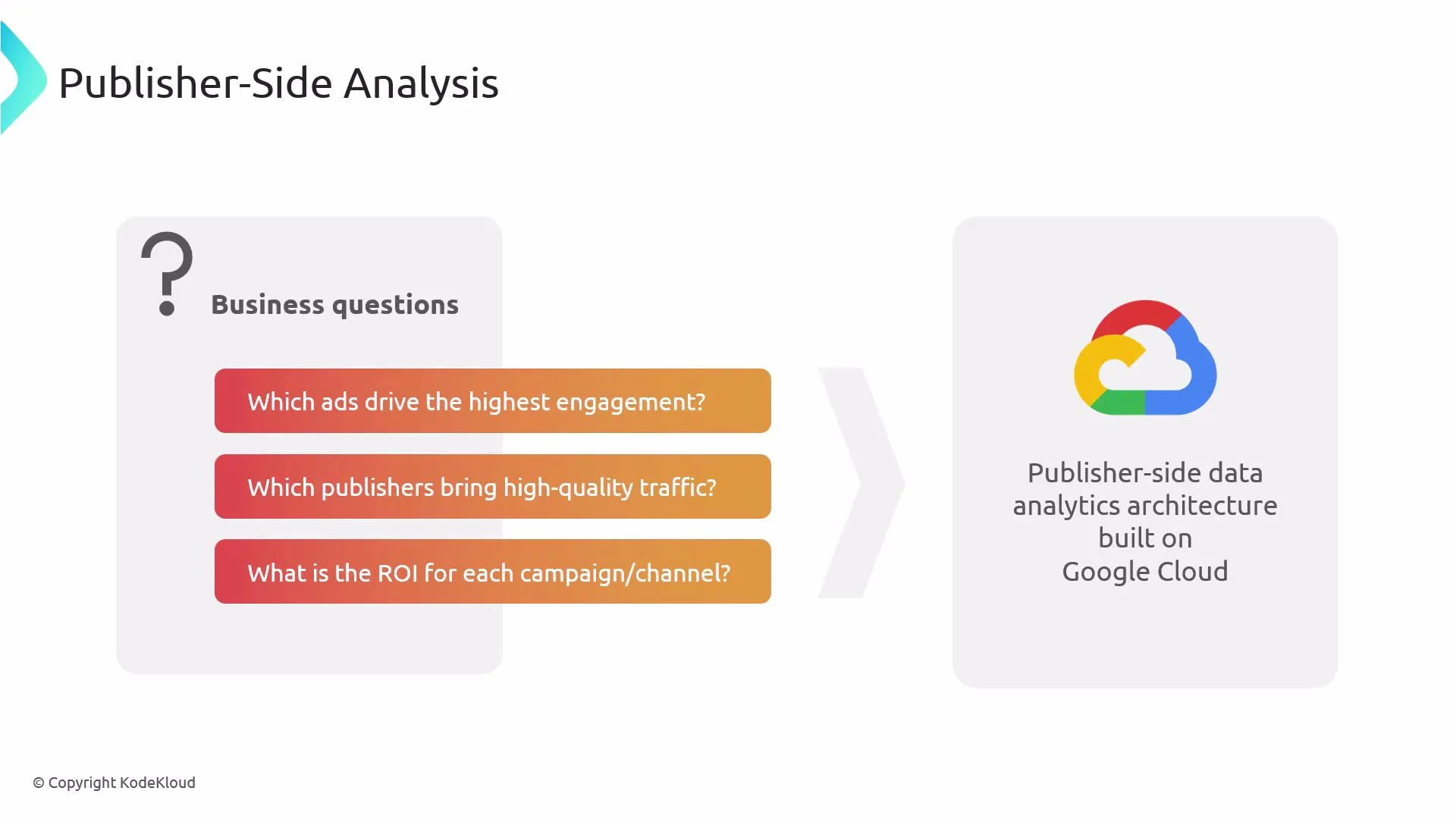
This lesson explains a publisher-side analytics architecture on Google Cloud. It describes how event data from web, mobile, and app platforms is ingested, processed, stored, analyzed, and visualized so product, marketing, and monetization teams can answer questions like:
* Which ads drive engagement and conversions?
* Which publishers and partners deliver high-quality traffic?
* What is the ROI for each channel and campaign?
Use case
Suppose we are working with a digital media company called AdPress. They run a news website, a video streaming app, and a mobile game. Each platform publishes content and monetizes via ads, sponsorships, and affiliate campaigns. AdPress needs a scalable analytics architecture to:
* capture clicks, impressions, sessions, and in-app events in real time;
* attribute conversions to channels and publishers;
* produce campaign- and publisher-level ROI and quality metrics.
 High-level overview
Below is a concise explanation of the architecture layers and how data moves between them. Links point to relevant GCP services for deeper reference.
1. Ingestion layer
* Pub/Sub: Serves as the streaming message bus for clicks, impressions, and app events. It decouples producers from consumers and supports high-throughput, low-latency ingestion.
* Docs: [https://cloud.google.com/pubsub](https://cloud.google.com/pubsub)
* Dataflow: Consumes Pub/Sub for streaming transforms (enrichment, deduplication, windowing) using Apache Beam. Also used for batch loads and schema enforcement.
* Docs: [https://cloud.google.com/dataflow](https://cloud.google.com/dataflow)
* Beam: [https://beam.apache.org](https://beam.apache.org)
* Batch loaders (Compute Engine / Dataproc / BigQuery load jobs): For scheduled file loads or Spark-based ETL, use Compute Engine or Dataproc. When raw files land in Cloud Storage, trigger load jobs into BigQuery.
* Compute Engine: [https://cloud.google.com/compute](https://cloud.google.com/compute)
* Dataproc: [https://cloud.google.com/dataproc](https://cloud.google.com/dataproc)
* BigQuery load jobs: [https://cloud.google.com/bigquery/docs/loading-data](https://cloud.google.com/bigquery/docs/loading-data)
2. Storage and analytical processing
* BigQuery (central warehouse): Store event tables, sessionized views, campaign performance summaries, and ad attribution outputs. BigQuery is serverless and optimized for SQL analytics at scale.
* Docs: [https://cloud.google.com/bigquery](https://cloud.google.com/bigquery)
* Cloud SQL: Store relational metadata, publisher and campaign lookup tables, config, and reporting mappings. Use for transactional needs and fast lookups.
* Docs: [https://cloud.google.com/sql](https://cloud.google.com/sql)
* Cloud Storage (GCS): Archive raw event payloads, backups, and large unstructured objects. Use Nearline/Coldline/Archive classes for infrequent access.
* Docs: [https://cloud.google.com/storage](https://cloud.google.com/storage)
* Storage classes: [https://cloud.google.com/storage/docs/storage-classes](https://cloud.google.com/storage/docs/storage-classes)
* Cloud Bigtable: Ideal for high-throughput, low-latency access patterns such as time-series counters or per-user state where a wide-column NoSQL store fits.
* Docs: [https://cloud.google.com/bigtable](https://cloud.google.com/bigtable)
3. Processing engines
* Dataflow: Recommended for stream-first processing and also supports batch. Best for real-time ETL, enrichment, windowed aggregations, and event-time semantics.
* Dataproc: Managed Hadoop/Spark clusters for existing Spark jobs or when you need specialized Spark libraries and large-scale batch transformations.
Dataflow (Apache Beam) is serverless and performs well for both streaming and batch pipelines. Dataproc provides managed Spark/Hadoop environments that are a good fit when you have existing Spark workloads or require specific Spark libraries.
4. Machine learning and advanced analytics
* Vertex AI / TensorFlow: After feature engineering in BigQuery, Dataflow, or Dataproc, train and deploy models using Vertex AI or TensorFlow workflows. Vertex AI supports end-to-end model training, model registry, and serving.
* Vertex AI: [https://cloud.google.com/vertex-ai](https://cloud.google.com/vertex-ai)
* TensorFlow: [https://www.tensorflow.org](https://www.tensorflow.org)
5. Presentation and reporting
* BI and dashboards: Analysts query BigQuery and Cloud SQL via Looker, Looker Studio, or other BI tools to produce campaign dashboards, publisher performance reports, and ROI analyses.
* Looker: [https://cloud.google.com/looker](https://cloud.google.com/looker)
* Looker Studio: [https://lookerstudio.google.com](https://lookerstudio.google.com)
* Exports and downstream systems: Materialize aggregates back into Cloud SQL or export to partner APIs and reporting endpoints as needed.
Primary components at a glance
| Layer | Primary services | Typical use cases |
| ---------------- | -------------------------------------------- | ------------------------------------------------------------------------- |
| Ingestion | Pub/Sub, Dataflow | Real-time event capture, streaming ETL, windowed aggregation |
| Batch processing | Dataproc, Dataflow (batch) | Spark workloads, heavy aggregations, feature engineering |
| Storage | BigQuery, Cloud Storage, Cloud SQL, Bigtable | Analytics warehouse, raw archives, metadata storage, low-latency counters |
| ML & Serving | Vertex AI, TensorFlow | Model training, feature serving, prediction pipelines |
| BI & Reporting | Looker, Looker Studio | Dashboards, ad-hoc queries, executive reports |
Typical data flow (summary)
* Client events (web, mobile, gaming) are published to Pub/Sub.
* Streaming pipelines in Dataflow consume Pub/Sub, enrich events (e.g., lookup publisher metadata from Cloud SQL), deduplicate, and write to BigQuery for near real-time analytics. Dataflow can write intermediate datasets to GCS or Bigtable.
* Batch transformations run on Dataproc (Spark) or Dataflow batch jobs to sessionize events, compute aggregates, and produce derived features.
* BigQuery stores raw event tables and aggregated reporting tables for fast SQL queries.
* Cloud SQL holds lookup tables, campaign metadata, and configuration used by ETL and reporting layers.
* Vertex AI or TensorFlow uses datasets from BigQuery or GCS for model training; predictions are materialized into BigQuery or published to downstream systems.
* BI tools read BigQuery and Cloud SQL to surface KPIs, publisher rankings, and ROI calculations.
Operational and cost considerations
* Use appropriate GCS storage classes (Nearline, Coldline, Archive) for long-term raw data retention to reduce cost.
* Partition and cluster BigQuery tables based on event timestamps and query patterns to lower query scan costs.
* Prefer managed, serverless services (Dataflow, BigQuery) to minimize operational overhead. Use Dataproc where Spark-specific libraries or ecosystem compatibility is required.
* Keep small metadata and lookup tables in Cloud SQL for transactional access and fast joins when needed, while storing analytical tables and aggregates in BigQuery.
* Monitor Pub/Sub and Dataflow metrics (through Cloud Monitoring) to tune throughput and latency.
Conclusion
This architecture shows how ingestion, processing, storage, ML, and presentation components work together for publisher-side analytics on Google Cloud. With this layout, AdPress can measure campaign performance, identify high-quality publisher traffic, and compute ROI across channels while maintaining scalability and cost controls.
References and further reading
* Pub/Sub: [https://cloud.google.com/pubsub](https://cloud.google.com/pubsub)
* Dataflow (Apache Beam): [https://cloud.google.com/dataflow](https://cloud.google.com/dataflow) — [https://beam.apache.org](https://beam.apache.org)
* BigQuery: [https://cloud.google.com/bigquery](https://cloud.google.com/bigquery)
* Dataproc: [https://cloud.google.com/dataproc](https://cloud.google.com/dataproc)
* Cloud Storage: [https://cloud.google.com/storage](https://cloud.google.com/storage)
* Cloud SQL: [https://cloud.google.com/sql](https://cloud.google.com/sql)
* Cloud Bigtable: [https://cloud.google.com/bigtable](https://cloud.google.com/bigtable)
* Vertex AI: [https://cloud.google.com/vertex-ai](https://cloud.google.com/vertex-ai)
* Looker / Looker Studio: [https://cloud.google.com/looker](https://cloud.google.com/looker) — [https://lookerstudio.google.com](https://lookerstudio.google.com)
That is it for this lesson. See you in the next one.
High-level overview
Below is a concise explanation of the architecture layers and how data moves between them. Links point to relevant GCP services for deeper reference.
1. Ingestion layer
* Pub/Sub: Serves as the streaming message bus for clicks, impressions, and app events. It decouples producers from consumers and supports high-throughput, low-latency ingestion.
* Docs: [https://cloud.google.com/pubsub](https://cloud.google.com/pubsub)
* Dataflow: Consumes Pub/Sub for streaming transforms (enrichment, deduplication, windowing) using Apache Beam. Also used for batch loads and schema enforcement.
* Docs: [https://cloud.google.com/dataflow](https://cloud.google.com/dataflow)
* Beam: [https://beam.apache.org](https://beam.apache.org)
* Batch loaders (Compute Engine / Dataproc / BigQuery load jobs): For scheduled file loads or Spark-based ETL, use Compute Engine or Dataproc. When raw files land in Cloud Storage, trigger load jobs into BigQuery.
* Compute Engine: [https://cloud.google.com/compute](https://cloud.google.com/compute)
* Dataproc: [https://cloud.google.com/dataproc](https://cloud.google.com/dataproc)
* BigQuery load jobs: [https://cloud.google.com/bigquery/docs/loading-data](https://cloud.google.com/bigquery/docs/loading-data)
2. Storage and analytical processing
* BigQuery (central warehouse): Store event tables, sessionized views, campaign performance summaries, and ad attribution outputs. BigQuery is serverless and optimized for SQL analytics at scale.
* Docs: [https://cloud.google.com/bigquery](https://cloud.google.com/bigquery)
* Cloud SQL: Store relational metadata, publisher and campaign lookup tables, config, and reporting mappings. Use for transactional needs and fast lookups.
* Docs: [https://cloud.google.com/sql](https://cloud.google.com/sql)
* Cloud Storage (GCS): Archive raw event payloads, backups, and large unstructured objects. Use Nearline/Coldline/Archive classes for infrequent access.
* Docs: [https://cloud.google.com/storage](https://cloud.google.com/storage)
* Storage classes: [https://cloud.google.com/storage/docs/storage-classes](https://cloud.google.com/storage/docs/storage-classes)
* Cloud Bigtable: Ideal for high-throughput, low-latency access patterns such as time-series counters or per-user state where a wide-column NoSQL store fits.
* Docs: [https://cloud.google.com/bigtable](https://cloud.google.com/bigtable)
3. Processing engines
* Dataflow: Recommended for stream-first processing and also supports batch. Best for real-time ETL, enrichment, windowed aggregations, and event-time semantics.
* Dataproc: Managed Hadoop/Spark clusters for existing Spark jobs or when you need specialized Spark libraries and large-scale batch transformations.
Dataflow (Apache Beam) is serverless and performs well for both streaming and batch pipelines. Dataproc provides managed Spark/Hadoop environments that are a good fit when you have existing Spark workloads or require specific Spark libraries.
4. Machine learning and advanced analytics
* Vertex AI / TensorFlow: After feature engineering in BigQuery, Dataflow, or Dataproc, train and deploy models using Vertex AI or TensorFlow workflows. Vertex AI supports end-to-end model training, model registry, and serving.
* Vertex AI: [https://cloud.google.com/vertex-ai](https://cloud.google.com/vertex-ai)
* TensorFlow: [https://www.tensorflow.org](https://www.tensorflow.org)
5. Presentation and reporting
* BI and dashboards: Analysts query BigQuery and Cloud SQL via Looker, Looker Studio, or other BI tools to produce campaign dashboards, publisher performance reports, and ROI analyses.
* Looker: [https://cloud.google.com/looker](https://cloud.google.com/looker)
* Looker Studio: [https://lookerstudio.google.com](https://lookerstudio.google.com)
* Exports and downstream systems: Materialize aggregates back into Cloud SQL or export to partner APIs and reporting endpoints as needed.
Primary components at a glance
| Layer | Primary services | Typical use cases |
| ---------------- | -------------------------------------------- | ------------------------------------------------------------------------- |
| Ingestion | Pub/Sub, Dataflow | Real-time event capture, streaming ETL, windowed aggregation |
| Batch processing | Dataproc, Dataflow (batch) | Spark workloads, heavy aggregations, feature engineering |
| Storage | BigQuery, Cloud Storage, Cloud SQL, Bigtable | Analytics warehouse, raw archives, metadata storage, low-latency counters |
| ML & Serving | Vertex AI, TensorFlow | Model training, feature serving, prediction pipelines |
| BI & Reporting | Looker, Looker Studio | Dashboards, ad-hoc queries, executive reports |
Typical data flow (summary)
* Client events (web, mobile, gaming) are published to Pub/Sub.
* Streaming pipelines in Dataflow consume Pub/Sub, enrich events (e.g., lookup publisher metadata from Cloud SQL), deduplicate, and write to BigQuery for near real-time analytics. Dataflow can write intermediate datasets to GCS or Bigtable.
* Batch transformations run on Dataproc (Spark) or Dataflow batch jobs to sessionize events, compute aggregates, and produce derived features.
* BigQuery stores raw event tables and aggregated reporting tables for fast SQL queries.
* Cloud SQL holds lookup tables, campaign metadata, and configuration used by ETL and reporting layers.
* Vertex AI or TensorFlow uses datasets from BigQuery or GCS for model training; predictions are materialized into BigQuery or published to downstream systems.
* BI tools read BigQuery and Cloud SQL to surface KPIs, publisher rankings, and ROI calculations.
Operational and cost considerations
* Use appropriate GCS storage classes (Nearline, Coldline, Archive) for long-term raw data retention to reduce cost.
* Partition and cluster BigQuery tables based on event timestamps and query patterns to lower query scan costs.
* Prefer managed, serverless services (Dataflow, BigQuery) to minimize operational overhead. Use Dataproc where Spark-specific libraries or ecosystem compatibility is required.
* Keep small metadata and lookup tables in Cloud SQL for transactional access and fast joins when needed, while storing analytical tables and aggregates in BigQuery.
* Monitor Pub/Sub and Dataflow metrics (through Cloud Monitoring) to tune throughput and latency.
Conclusion
This architecture shows how ingestion, processing, storage, ML, and presentation components work together for publisher-side analytics on Google Cloud. With this layout, AdPress can measure campaign performance, identify high-quality publisher traffic, and compute ROI across channels while maintaining scalability and cost controls.
References and further reading
* Pub/Sub: [https://cloud.google.com/pubsub](https://cloud.google.com/pubsub)
* Dataflow (Apache Beam): [https://cloud.google.com/dataflow](https://cloud.google.com/dataflow) — [https://beam.apache.org](https://beam.apache.org)
* BigQuery: [https://cloud.google.com/bigquery](https://cloud.google.com/bigquery)
* Dataproc: [https://cloud.google.com/dataproc](https://cloud.google.com/dataproc)
* Cloud Storage: [https://cloud.google.com/storage](https://cloud.google.com/storage)
* Cloud SQL: [https://cloud.google.com/sql](https://cloud.google.com/sql)
* Cloud Bigtable: [https://cloud.google.com/bigtable](https://cloud.google.com/bigtable)
* Vertex AI: [https://cloud.google.com/vertex-ai](https://cloud.google.com/vertex-ai)
* Looker / Looker Studio: [https://cloud.google.com/looker](https://cloud.google.com/looker) — [https://lookerstudio.google.com](https://lookerstudio.google.com)
That is it for this lesson. See you in the next one.