> ## Documentation Index
> Fetch the complete documentation index at: https://notes.kodekloud.com/llms.txt
> Use this file to discover all available pages before exploring further.
# Understanding circuit breaker and Automated Rollbacks of ECS Deployment
> Explains Amazon ECS deployment circuit breaker and automated rollback to stop failing rolling updates, prevent endless restarts, and restore previous healthy task revisions.
Hello and welcome back.
This article explains how to avoid a deadlock during a rolling update—especially when a new application revision fails to start or pass health checks—and how Amazon ECS's deployment circuit breaker combined with automated rollback helps recover safely.
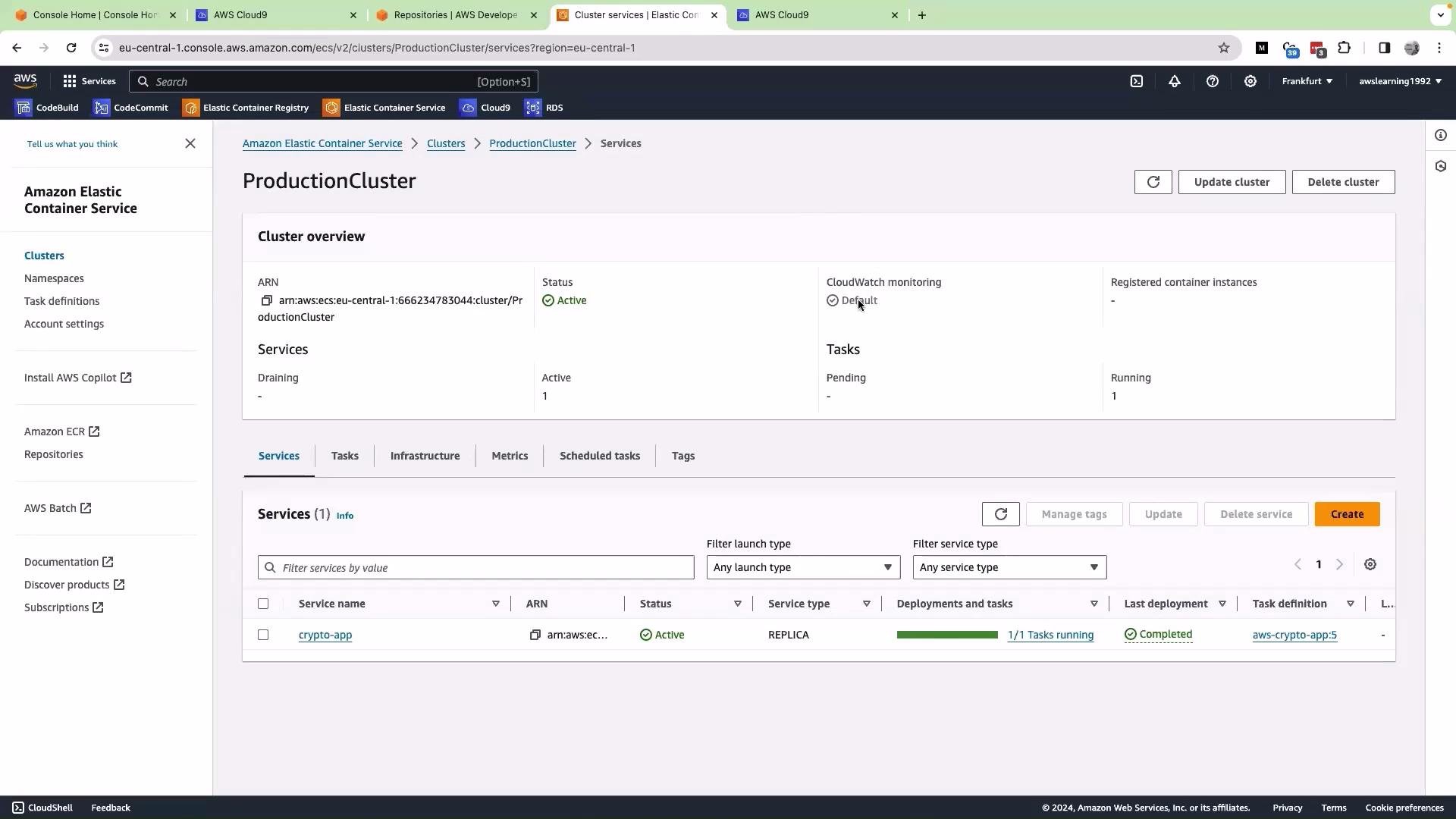 What the circuit breaker solves
* When you push code (for example, to [CodeCommit](https://aws.amazon.com/codecommit/)) and your CI/CD pipeline (for example, [CodePipeline](https://aws.amazon.com/codepipeline/) or [CodeDeploy](https://aws.amazon.com/codedeploy/)) deploys a new ECS task definition revision, ECS performs a rolling update by replacing old tasks with new ones.
* If the new revision crashes on startup, fails container-level health checks, or cannot register with an associated load balancer, ECS will repeatedly try to start tasks in an attempt to meet the desired count. That can cause repeated restarts, resource waste, longer outages, and potentially leave the service in a non-working state.
* The ECS deployment circuit breaker detects repeated, consecutive failures and halts further restarts. If automatic rollback is enabled, ECS then reverts the service to the last known good task set (previous revision). See Amazon ECS deployments for details: [https://docs.aws.amazon.com/AmazonECS/latest/developerguide/deployments.html](https://docs.aws.amazon.com/AmazonECS/latest/developerguide/deployments.html)
High-level deployment flow
1. Code change (e.g., to CodeCommit) triggers the pipeline; CodePipeline/CodeDeploy updates the service with a new task definition revision.
2. ECS launches the new tasks (e.g., v0.2) while draining/replacing the old tasks (v0.1).
3. ECS monitors tasks and their health status during the rollout. Deployment state-change events are emitted and can be consumed via [EventBridge](https://aws.amazon.com/eventbridge/).
4. If the new tasks repeatedly fail beyond the configured detection conditions, the circuit breaker marks the deployment as failed, stops further restarts, and (if configured) automatically rolls back to the previous stable revision.
What the circuit breaker solves
* When you push code (for example, to [CodeCommit](https://aws.amazon.com/codecommit/)) and your CI/CD pipeline (for example, [CodePipeline](https://aws.amazon.com/codepipeline/) or [CodeDeploy](https://aws.amazon.com/codedeploy/)) deploys a new ECS task definition revision, ECS performs a rolling update by replacing old tasks with new ones.
* If the new revision crashes on startup, fails container-level health checks, or cannot register with an associated load balancer, ECS will repeatedly try to start tasks in an attempt to meet the desired count. That can cause repeated restarts, resource waste, longer outages, and potentially leave the service in a non-working state.
* The ECS deployment circuit breaker detects repeated, consecutive failures and halts further restarts. If automatic rollback is enabled, ECS then reverts the service to the last known good task set (previous revision). See Amazon ECS deployments for details: [https://docs.aws.amazon.com/AmazonECS/latest/developerguide/deployments.html](https://docs.aws.amazon.com/AmazonECS/latest/developerguide/deployments.html)
High-level deployment flow
1. Code change (e.g., to CodeCommit) triggers the pipeline; CodePipeline/CodeDeploy updates the service with a new task definition revision.
2. ECS launches the new tasks (e.g., v0.2) while draining/replacing the old tasks (v0.1).
3. ECS monitors tasks and their health status during the rollout. Deployment state-change events are emitted and can be consumed via [EventBridge](https://aws.amazon.com/eventbridge/).
4. If the new tasks repeatedly fail beyond the configured detection conditions, the circuit breaker marks the deployment as failed, stops further restarts, and (if configured) automatically rolls back to the previous stable revision.
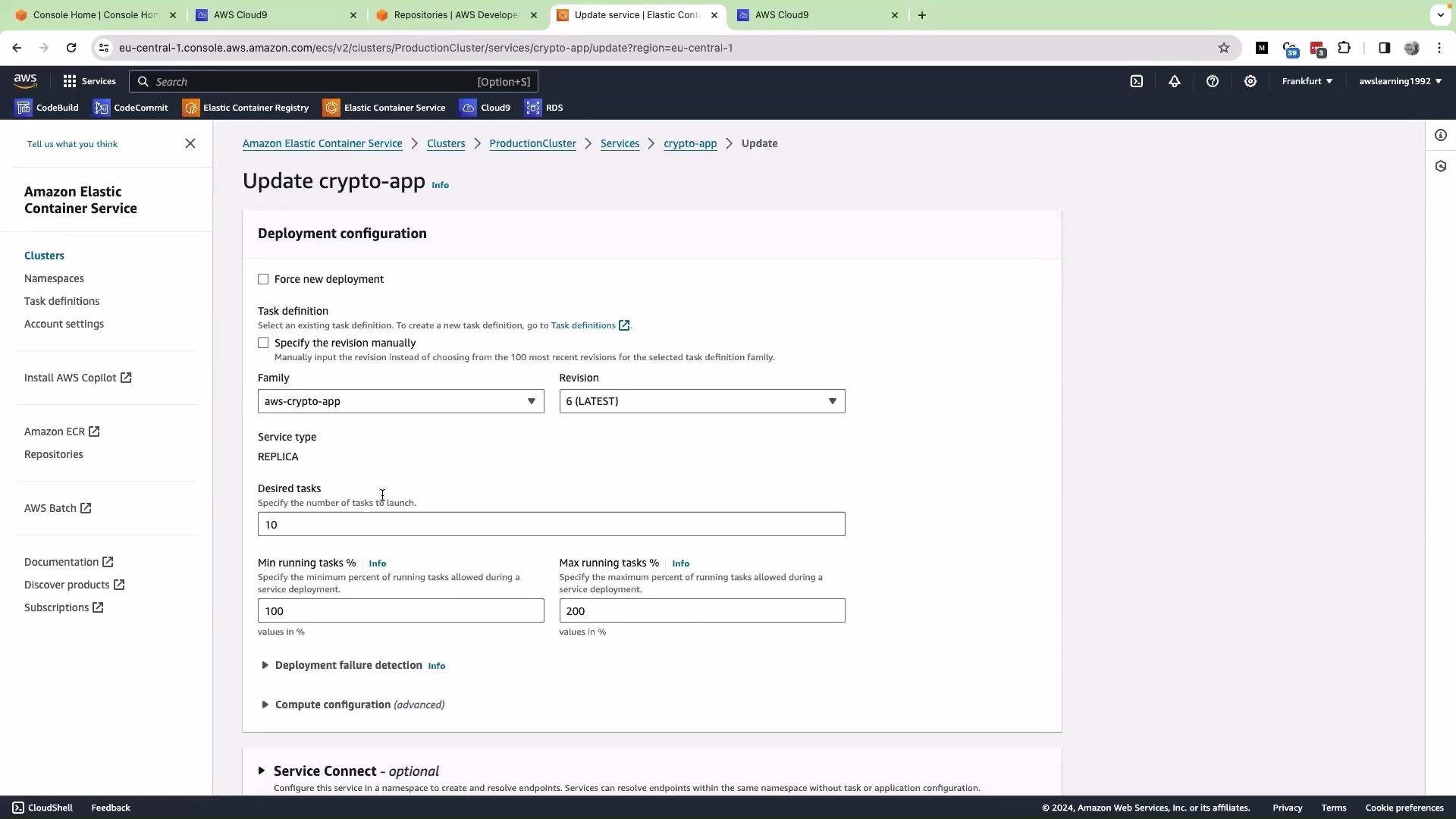 How the ECS deployment circuit breaker works (details)
* Monitoring: ECS expects tasks to reach and stay in the RUNNING state. It observes status transitions and health-check results during the deployment window.
* Failure detection: ECS counts repeated failures or consecutive unhealthy transitions for the new task set. When failures match the configured detection behavior, ECS stops attempting further restarts for that revision.
* Health checks taken into account:
* Elastic Load Balancer (target group) health checks — see [target group health checks](https://docs.aws.amazon.com/elasticloadbalancing/latest/application/target-group-health-checks.html)
* AWS Cloud Map registration failures — see [AWS Cloud Map](https://aws.amazon.com/cloud-map/)
* Container-level health checks defined in the task definition
Accurate and meaningful health checks are critical; misconfigured checks can cause false positives or false negatives.
* Circuit action: Once ECS determines the deployment is failing, it halts restart attempts. If automatic rollback is enabled on the service, ECS reverts to the previous task set (the last known good revision) so the service returns to a working state.
Failure-threshold calculation (example)
* Example setup: desired task count = 10.
* For demonstration, this article uses a simple illustrative rule: threshold = ceil(0.5 \* desiredCount). This is an explanatory example, not an official AWS formula.
* For desiredCount = 10: threshold = ceil(0.5 \* 10) = 5.
* Some demo materials show an upper cap (for example, 200) on the computed threshold. Treat that as a presentation detail rather than a strict platform guarantee.
* Result in this example: if 5 consecutive tasks fail health checks, the deployment is considered failed and ECS would roll back to the previous revision. In your environment, actual detection behavior depends on health-check configuration, deployment parameters, and ECS scheduler behavior—always verify against current AWS documentation and your environment.
Always verify the exact failure-count behavior and limits in your environment and cloud provider documentation. Threshold formulas and caps can change with platform updates—review and peer-review these settings before applying them in production.
Practical considerations and recommendations
* Define accurate health checks:
* Container health checks in the task definition should reflect readiness and not just liveness.
* ELB target group health checks should confirm the application is responding correctly at the intended path and port.
* If you use AWS Cloud Map for service discovery, ensure registration and health status are validated.
* Enable the deployment circuit breaker and automatic rollback for production services where you want faster, safer recovery from bad releases.
* Capture deployment events:
* Use [EventBridge](https://aws.amazon.com/eventbridge/) or CloudWatch Events to receive deployment state-change notifications and trigger alerts or automated remediation.
* Peer review deployment settings: failure thresholds, health-check intervals, and rollback policies should be agreed upon by your team.
* Test in staging: simulate failing revisions to verify rollback behavior before enabling automatic rollback in production.
Recommended checklist (quick reference)
| Concern | Why it matters | Recommendation |
| -------------------------- | -------------------------------------------------------------------------: | ------------------------------------------------------------------------------------------- |
| Health-check accuracy | Prevents false positives/negatives that trigger rollbacks or mask failures | Define container and ELB checks that reflect readiness; include retries and proper timeouts |
| Circuit breaker + rollback | Stops endless restarts and returns service to known good state | Enable both for production; test behavior in staging |
| Event notifications | Detect and respond to failed deployments quickly | Subscribe to EventBridge/CloudWatch Events and integrate alerts or automation |
| Threshold tuning | Avoid premature or delayed rollback | Agree on thresholds (team-reviewed) and document rationale |
Warning: Automatic rollback recovers the service to the previous task set, but it does not fix the underlying code or configuration issue. Use automated rollback to reduce downtime, but follow up with diagnostics, logs, and remediation to resolve the root cause.
Summary
* The ECS deployment circuit breaker prevents continuous task restarts by halting a failing deployment and (when enabled) automatically rolling back to the last healthy task set.
* ECS evaluates failures using configured health checks, counts consecutive failures, and triggers the circuit action when those conditions are met.
* Use accurate health checks, instrument EventBridge for deployment events, tune thresholds thoughtfully, test rollback behavior in staging, and peer-review settings before enabling in production.
Links and references
* Amazon ECS deployments: [https://docs.aws.amazon.com/AmazonECS/latest/developerguide/deployments.html](https://docs.aws.amazon.com/AmazonECS/latest/developerguide/deployments.html)
* AWS CodeCommit: [https://aws.amazon.com/codecommit/](https://aws.amazon.com/codecommit/)
* AWS CodePipeline: [https://aws.amazon.com/codepipeline/](https://aws.amazon.com/codepipeline/)
* AWS CodeDeploy: [https://aws.amazon.com/codedeploy/](https://aws.amazon.com/codedeploy/)
* Elastic Load Balancing target group health checks: [https://docs.aws.amazon.com/elasticloadbalancing/latest/application/target-group-health-checks.html](https://docs.aws.amazon.com/elasticloadbalancing/latest/application/target-group-health-checks.html)
* AWS EventBridge: [https://aws.amazon.com/eventbridge/](https://aws.amazon.com/eventbridge/)
That is it for this article.
How the ECS deployment circuit breaker works (details)
* Monitoring: ECS expects tasks to reach and stay in the RUNNING state. It observes status transitions and health-check results during the deployment window.
* Failure detection: ECS counts repeated failures or consecutive unhealthy transitions for the new task set. When failures match the configured detection behavior, ECS stops attempting further restarts for that revision.
* Health checks taken into account:
* Elastic Load Balancer (target group) health checks — see [target group health checks](https://docs.aws.amazon.com/elasticloadbalancing/latest/application/target-group-health-checks.html)
* AWS Cloud Map registration failures — see [AWS Cloud Map](https://aws.amazon.com/cloud-map/)
* Container-level health checks defined in the task definition
Accurate and meaningful health checks are critical; misconfigured checks can cause false positives or false negatives.
* Circuit action: Once ECS determines the deployment is failing, it halts restart attempts. If automatic rollback is enabled on the service, ECS reverts to the previous task set (the last known good revision) so the service returns to a working state.
Failure-threshold calculation (example)
* Example setup: desired task count = 10.
* For demonstration, this article uses a simple illustrative rule: threshold = ceil(0.5 \* desiredCount). This is an explanatory example, not an official AWS formula.
* For desiredCount = 10: threshold = ceil(0.5 \* 10) = 5.
* Some demo materials show an upper cap (for example, 200) on the computed threshold. Treat that as a presentation detail rather than a strict platform guarantee.
* Result in this example: if 5 consecutive tasks fail health checks, the deployment is considered failed and ECS would roll back to the previous revision. In your environment, actual detection behavior depends on health-check configuration, deployment parameters, and ECS scheduler behavior—always verify against current AWS documentation and your environment.
Always verify the exact failure-count behavior and limits in your environment and cloud provider documentation. Threshold formulas and caps can change with platform updates—review and peer-review these settings before applying them in production.
Practical considerations and recommendations
* Define accurate health checks:
* Container health checks in the task definition should reflect readiness and not just liveness.
* ELB target group health checks should confirm the application is responding correctly at the intended path and port.
* If you use AWS Cloud Map for service discovery, ensure registration and health status are validated.
* Enable the deployment circuit breaker and automatic rollback for production services where you want faster, safer recovery from bad releases.
* Capture deployment events:
* Use [EventBridge](https://aws.amazon.com/eventbridge/) or CloudWatch Events to receive deployment state-change notifications and trigger alerts or automated remediation.
* Peer review deployment settings: failure thresholds, health-check intervals, and rollback policies should be agreed upon by your team.
* Test in staging: simulate failing revisions to verify rollback behavior before enabling automatic rollback in production.
Recommended checklist (quick reference)
| Concern | Why it matters | Recommendation |
| -------------------------- | -------------------------------------------------------------------------: | ------------------------------------------------------------------------------------------- |
| Health-check accuracy | Prevents false positives/negatives that trigger rollbacks or mask failures | Define container and ELB checks that reflect readiness; include retries and proper timeouts |
| Circuit breaker + rollback | Stops endless restarts and returns service to known good state | Enable both for production; test behavior in staging |
| Event notifications | Detect and respond to failed deployments quickly | Subscribe to EventBridge/CloudWatch Events and integrate alerts or automation |
| Threshold tuning | Avoid premature or delayed rollback | Agree on thresholds (team-reviewed) and document rationale |
Warning: Automatic rollback recovers the service to the previous task set, but it does not fix the underlying code or configuration issue. Use automated rollback to reduce downtime, but follow up with diagnostics, logs, and remediation to resolve the root cause.
Summary
* The ECS deployment circuit breaker prevents continuous task restarts by halting a failing deployment and (when enabled) automatically rolling back to the last healthy task set.
* ECS evaluates failures using configured health checks, counts consecutive failures, and triggers the circuit action when those conditions are met.
* Use accurate health checks, instrument EventBridge for deployment events, tune thresholds thoughtfully, test rollback behavior in staging, and peer-review settings before enabling in production.
Links and references
* Amazon ECS deployments: [https://docs.aws.amazon.com/AmazonECS/latest/developerguide/deployments.html](https://docs.aws.amazon.com/AmazonECS/latest/developerguide/deployments.html)
* AWS CodeCommit: [https://aws.amazon.com/codecommit/](https://aws.amazon.com/codecommit/)
* AWS CodePipeline: [https://aws.amazon.com/codepipeline/](https://aws.amazon.com/codepipeline/)
* AWS CodeDeploy: [https://aws.amazon.com/codedeploy/](https://aws.amazon.com/codedeploy/)
* Elastic Load Balancing target group health checks: [https://docs.aws.amazon.com/elasticloadbalancing/latest/application/target-group-health-checks.html](https://docs.aws.amazon.com/elasticloadbalancing/latest/application/target-group-health-checks.html)
* AWS EventBridge: [https://aws.amazon.com/eventbridge/](https://aws.amazon.com/eventbridge/)
That is it for this article.