> ## Documentation Index
> Fetch the complete documentation index at: https://notes.kodekloud.com/llms.txt
> Use this file to discover all available pages before exploring further.
# Discuss next step
> Guide to transition from local Cloud9 Docker development to automated AWS CI/CD with CodeCommit, CodeBuild, ECR, and deployment options like ECS EKS or EC2
Hello and welcome back.
Let's review the current project architecture and where we stand.
So far we have:
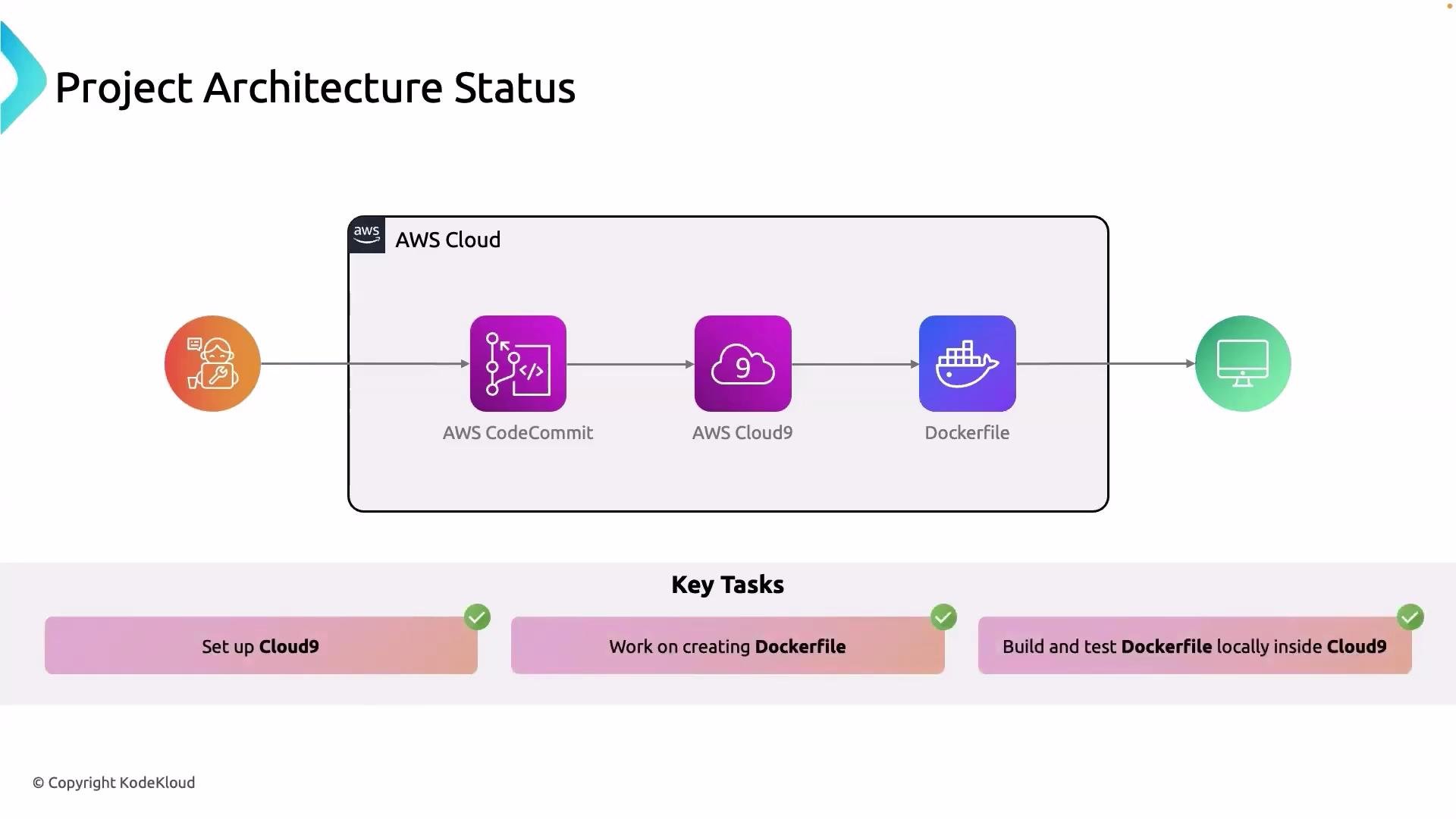
* Enabled access to the [AWS CodeCommit](https://aws.amazon.com/codecommit/) repository for our developers and ourselves.
* Set up an [AWS Cloud9](https://aws.amazon.com/cloud9/) environment and cloned the CodeCommit repository into it.
* Created a Dockerfile, built the image, and tested the application locally using the [EC2](https://learn.kodekloud.com/user/courses/amazon-elastic-compute-cloud-ec2) instance that backs Cloud9.
These tasks are complete and the application runs locally inside the Cloud9 environment.
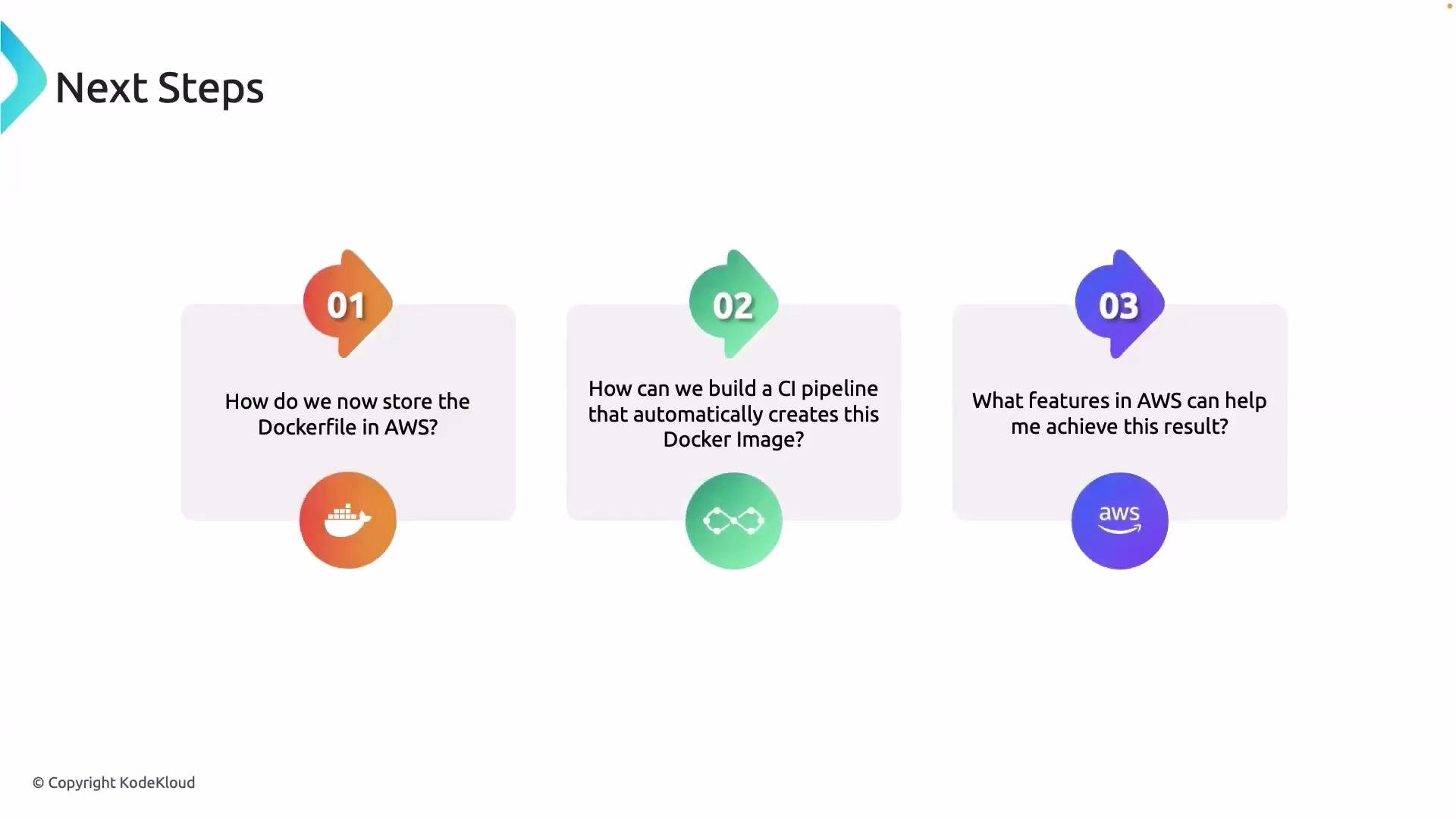
 Next, we need to plan the steps required to move from local development to an automated, cloud-based build and deployment process. Below are the primary topics to address, with recommended actions and considerations for each:
1. Where and how to store our Docker artifacts in AWS
* Source code (including the `Dockerfile`) should remain in your source control repository — `CodeCommit`.
* Built images should be pushed to Amazon Elastic Container Registry (`ECR`). Use semantic tagging (for example `v1.0.0`, `latest`, or commit SHA) so you can trace deployments to source commits.
* Configure ECR lifecycle policies to expire old image tags and enable encryption at rest. Consider immutable tags or image scanning to improve supply-chain security.
2. How to create a CI/CD pipeline that automatically builds and publishes the Docker image
* A typical pipeline flow:
1. Source: `CodeCommit` (or GitHub) detects a commit.
2. Build: `CodeBuild` builds the Docker image and runs tests.
3. Publish: `CodeBuild` authenticates to `ECR` and pushes the image.
4. Deploy: A deployment stage (ECS/EKS/EC2) pulls the image and updates the running service.
* Recommended tools:
* Native AWS: `CodePipeline` + `CodeBuild` → full AWS-managed CI/CD with direct integration to `ECR`.
* Alternative: GitHub Actions with `ECR` push steps (useful if your team prefers GitHub).
* Automate container image tagging and versioning, and make sure build logs and artifacts are retained for debugging.
3. Which AWS services and features will implement the end-to-end flow (commit → build → registry → deployment)
* Common stack:
* Source: `CodeCommit` or GitHub
* CI: `CodeBuild`
* Orchestration: `CodePipeline` (or GitHub Actions)
* Registry: `ECR`
* Deployment Targets: `Amazon ECS`, `AWS EKS`, or `EC2` (with Auto Scaling)
* Evaluate tradeoffs: cost, operational complexity, scalability, and team familiarity.
Plan the pipeline with reproducibility and security in mind: use immutable image tags, enable image scanning in `ECR`, and store build artifacts/logs for traceability. Automate tagging using the commit SHA or semantic versioning.
Use the following quick comparison when choosing a deployment target:
| Resource Type | Best for | Notes / When to choose |
| ----------------------- | ------------------------------: | --------------------------------------------------------------------------- |
| Amazon ECS | Simpler container orchestration | Low operational overhead; integrates with Fargate for serverless containers |
| AWS EKS | Kubernetes workloads | Choose when you need Kubernetes features or portability across clouds |
| EC2 (with Auto Scaling) | VM-based control | Good for lift-and-shift or when you need low-level control of instances |
Security and permissions are critical for an automated pipeline:
Ensure your CI/CD service principal (CodeBuild or GitHub Actions runner) has least-privilege IAM permissions: access to `ECR` push/pull, `CodeCommit`/`S3` as needed, and any deployment APIs. Misconfigured permissions can cause broken builds or expose credentials.
Suggested next steps to implement the pipeline (practical checklist)
* Create an `ECR` repository and set up repository policies and lifecycle rules.
* Create a `CodeBuild` project with a buildspec that builds, tags, and pushes the image to `ECR`.
* Create a `CodePipeline` (or GitHub Actions workflow) that triggers on commits and orchestrates build + push + deploy.
* Pick a deployment target (ECS/Fargate recommended for quick container deployments) and create a task/service definition that references the `ECR` image URI.
* Test the full flow: push a commit → verify `CodeBuild` builds and pushes image → verify the deployment pulls the new image and updates.
Links and references
* [AWS CodeCommit](https://aws.amazon.com/codecommit/)
* [AWS Cloud9](https://aws.amazon.com/cloud9/)
* [Amazon ECR](https://aws.amazon.com/ecr/)
* [AWS CodeBuild](https://aws.amazon.com/codebuild/)
* [AWS CodePipeline](https://learn.kodekloud.com/user/courses/aws-codepipeline-ci-cd-pipeline)
* [Amazon ECS](https://learn.kodekloud.com/user/courses/amazon-elastic-container-service-aws-ecs)
* [AWS EKS](https://learn.kodekloud.com/user/courses/aws-eks)
* [Amazon EC2](https://learn.kodekloud.com/user/courses/amazon-elastic-compute-cloud-ec2)
Next, we need to plan the steps required to move from local development to an automated, cloud-based build and deployment process. Below are the primary topics to address, with recommended actions and considerations for each:
1. Where and how to store our Docker artifacts in AWS
* Source code (including the `Dockerfile`) should remain in your source control repository — `CodeCommit`.
* Built images should be pushed to Amazon Elastic Container Registry (`ECR`). Use semantic tagging (for example `v1.0.0`, `latest`, or commit SHA) so you can trace deployments to source commits.
* Configure ECR lifecycle policies to expire old image tags and enable encryption at rest. Consider immutable tags or image scanning to improve supply-chain security.
2. How to create a CI/CD pipeline that automatically builds and publishes the Docker image
* A typical pipeline flow:
1. Source: `CodeCommit` (or GitHub) detects a commit.
2. Build: `CodeBuild` builds the Docker image and runs tests.
3. Publish: `CodeBuild` authenticates to `ECR` and pushes the image.
4. Deploy: A deployment stage (ECS/EKS/EC2) pulls the image and updates the running service.
* Recommended tools:
* Native AWS: `CodePipeline` + `CodeBuild` → full AWS-managed CI/CD with direct integration to `ECR`.
* Alternative: GitHub Actions with `ECR` push steps (useful if your team prefers GitHub).
* Automate container image tagging and versioning, and make sure build logs and artifacts are retained for debugging.
3. Which AWS services and features will implement the end-to-end flow (commit → build → registry → deployment)
* Common stack:
* Source: `CodeCommit` or GitHub
* CI: `CodeBuild`
* Orchestration: `CodePipeline` (or GitHub Actions)
* Registry: `ECR`
* Deployment Targets: `Amazon ECS`, `AWS EKS`, or `EC2` (with Auto Scaling)
* Evaluate tradeoffs: cost, operational complexity, scalability, and team familiarity.
Plan the pipeline with reproducibility and security in mind: use immutable image tags, enable image scanning in `ECR`, and store build artifacts/logs for traceability. Automate tagging using the commit SHA or semantic versioning.
Use the following quick comparison when choosing a deployment target:
| Resource Type | Best for | Notes / When to choose |
| ----------------------- | ------------------------------: | --------------------------------------------------------------------------- |
| Amazon ECS | Simpler container orchestration | Low operational overhead; integrates with Fargate for serverless containers |
| AWS EKS | Kubernetes workloads | Choose when you need Kubernetes features or portability across clouds |
| EC2 (with Auto Scaling) | VM-based control | Good for lift-and-shift or when you need low-level control of instances |
Security and permissions are critical for an automated pipeline:
Ensure your CI/CD service principal (CodeBuild or GitHub Actions runner) has least-privilege IAM permissions: access to `ECR` push/pull, `CodeCommit`/`S3` as needed, and any deployment APIs. Misconfigured permissions can cause broken builds or expose credentials.
Suggested next steps to implement the pipeline (practical checklist)
* Create an `ECR` repository and set up repository policies and lifecycle rules.
* Create a `CodeBuild` project with a buildspec that builds, tags, and pushes the image to `ECR`.
* Create a `CodePipeline` (or GitHub Actions workflow) that triggers on commits and orchestrates build + push + deploy.
* Pick a deployment target (ECS/Fargate recommended for quick container deployments) and create a task/service definition that references the `ECR` image URI.
* Test the full flow: push a commit → verify `CodeBuild` builds and pushes image → verify the deployment pulls the new image and updates.
Links and references
* [AWS CodeCommit](https://aws.amazon.com/codecommit/)
* [AWS Cloud9](https://aws.amazon.com/cloud9/)
* [Amazon ECR](https://aws.amazon.com/ecr/)
* [AWS CodeBuild](https://aws.amazon.com/codebuild/)
* [AWS CodePipeline](https://learn.kodekloud.com/user/courses/aws-codepipeline-ci-cd-pipeline)
* [Amazon ECS](https://learn.kodekloud.com/user/courses/amazon-elastic-container-service-aws-ecs)
* [AWS EKS](https://learn.kodekloud.com/user/courses/aws-eks)
* [Amazon EC2](https://learn.kodekloud.com/user/courses/amazon-elastic-compute-cloud-ec2)
 That is it for this lesson. Stick with me.