> ## Documentation Index
> Fetch the complete documentation index at: https://notes.kodekloud.com/llms.txt
> Use this file to discover all available pages before exploring further.
# Overview and setup Cloud9
> Introduces AWS Cloud9, a browser-hosted IDE on AWS, its features, hosting model, use cases, and comparison with local IDEs.
Welcome — in this lesson we introduce AWS Cloud9, a browser-based integrated development environment (IDE) hosted on AWS. Docker and container labs are covered separately; here we’ll focus on what Cloud9 is, why it’s useful, and how it fits into development workflows that interact with AWS services.
## What is AWS Cloud9?
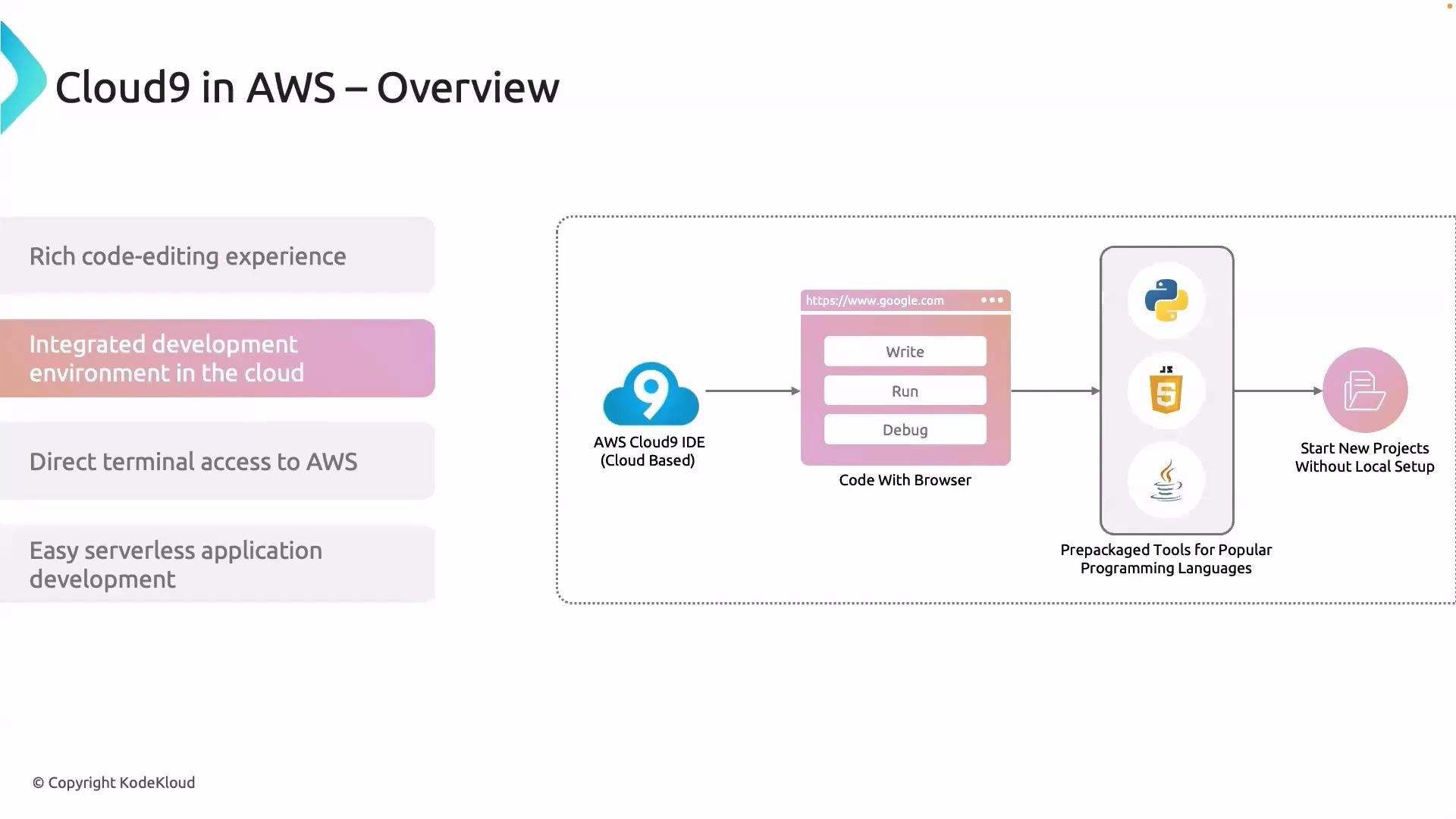
AWS Cloud9 is a cloud-hosted IDE that delivers a full-featured code editor and built-in terminal accessible from your browser. It provides an experience similar to popular local editors (VS Code, Atom) but runs on a managed environment in AWS, so you can write, run, debug, and test applications without relying on a high-powered local machine.
Key advantages:
* Familiar, full-featured editor available in the browser.
* Preinstalled tools and runtimes for popular languages.
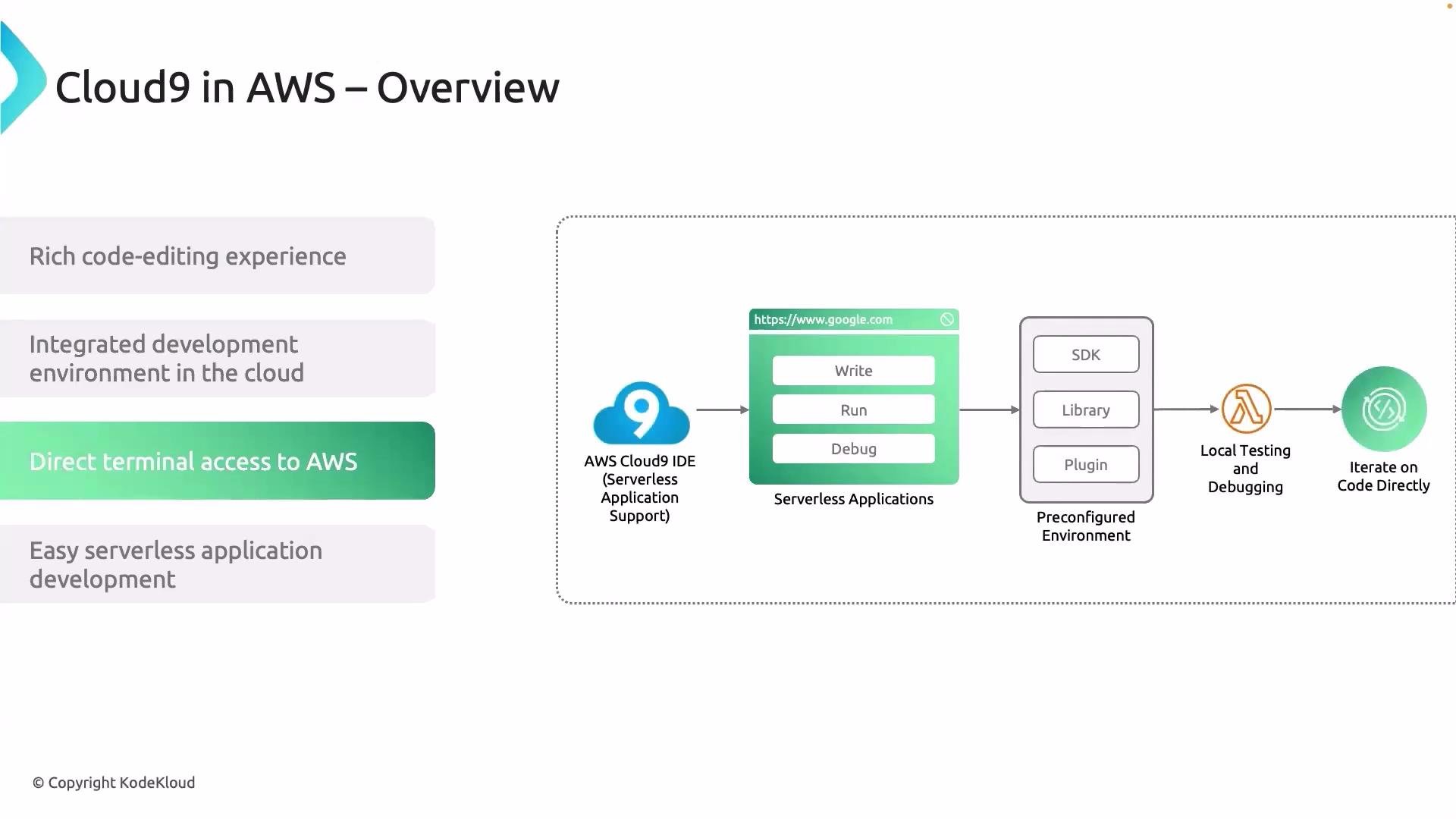
* Built-in terminal with direct access to AWS CLI and SDKs.
* Quick setup and reproducible development environments.
* Tight integration with AWS services like Secrets Manager, S3, RDS, and Lambda.
 When to choose Cloud9
* Rapid prototyping or demos where you need an environment that’s consistent across team members.
* Development that needs direct, authenticated access to AWS resources (CLI, SDKs, or interactive debugging against managed services).
* Lightweight workstations or remote contributors who don’t want to install dependencies locally.
Use cases and examples:
* Retrieve secrets from AWS Secrets Manager during development.
* Upload/download assets to Amazon S3.
* Connect to RDS or other databases for integration testing.
* Execute load tests and automation scripts from the built-in terminal.
When to choose Cloud9
* Rapid prototyping or demos where you need an environment that’s consistent across team members.
* Development that needs direct, authenticated access to AWS resources (CLI, SDKs, or interactive debugging against managed services).
* Lightweight workstations or remote contributors who don’t want to install dependencies locally.
Use cases and examples:
* Retrieve secrets from AWS Secrets Manager during development.
* Upload/download assets to Amazon S3.
* Connect to RDS or other databases for integration testing.
* Execute load tests and automation scripts from the built-in terminal.
 How Cloud9 is hosted (and why it feels “serverless”)
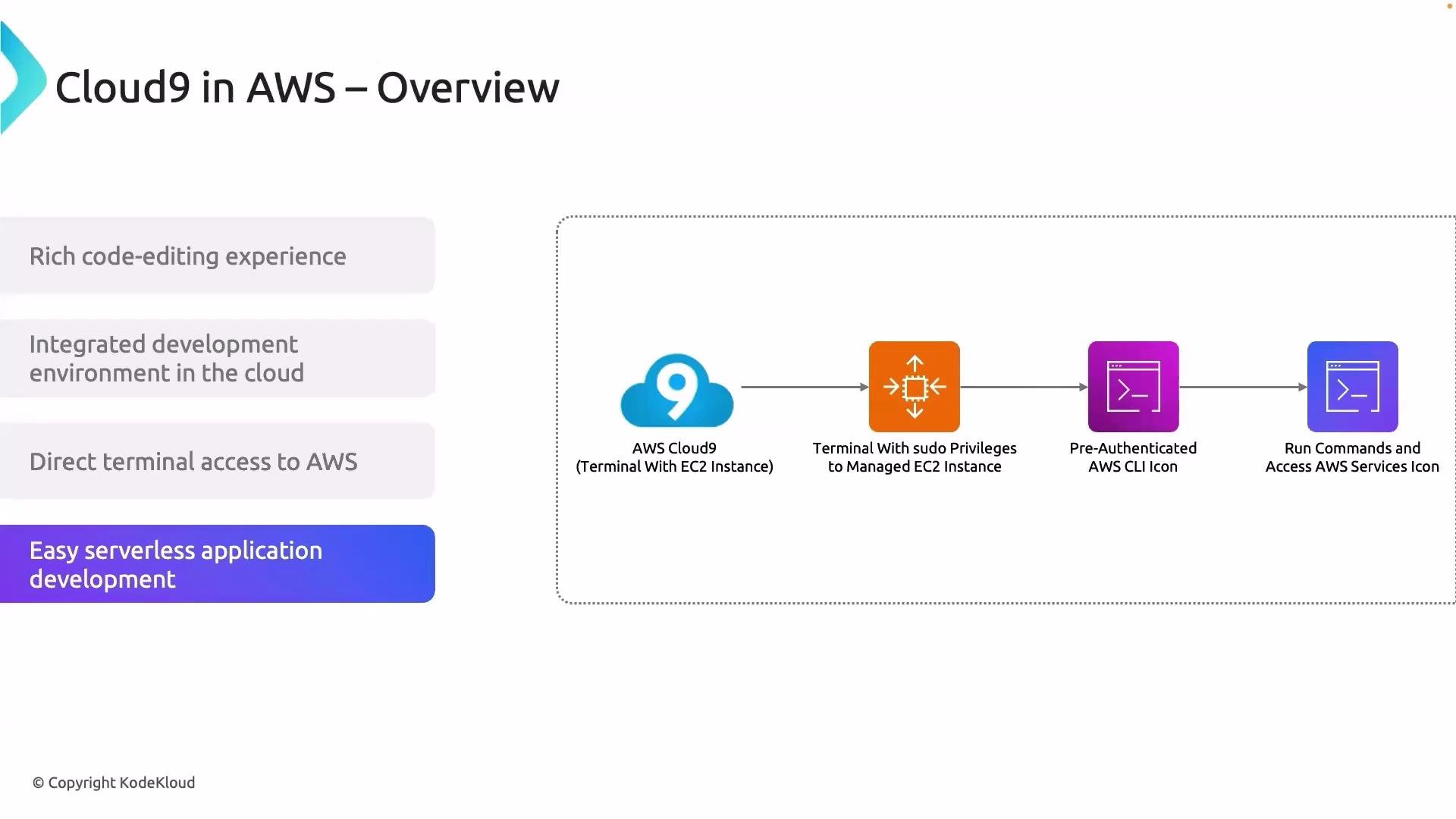
Under the hood, Cloud9 provisions an EC2 instance that runs your development environment. AWS manages the instance lifecycle for you — environments can automatically stop when idle and restart when you return. Authentication and permissions are handled through IAM, so access to AWS resources aligns with your AWS credentials without manual instance configuration.
Although Cloud9 runs on EC2, its managed lifecycle (auto-start/stop, preconfigured tools, and IAM integration) gives you a serverless-like experience from a developer perspective.
How Cloud9 is hosted (and why it feels “serverless”)
Under the hood, Cloud9 provisions an EC2 instance that runs your development environment. AWS manages the instance lifecycle for you — environments can automatically stop when idle and restart when you return. Authentication and permissions are handled through IAM, so access to AWS resources aligns with your AWS credentials without manual instance configuration.
Although Cloud9 runs on EC2, its managed lifecycle (auto-start/stop, preconfigured tools, and IAM integration) gives you a serverless-like experience from a developer perspective.
 Quick comparison: Cloud9 vs Local IDE
| Aspect | Cloud9 | Local IDE |
| ----------------------- | ------------------------------------------------ | -------------------------------------------- |
| Setup & provisioning | Managed by AWS, ready with preinstalled runtimes | Manual installation of runtimes and tools |
| Access to AWS resources | Native via built-in terminal and IAM | Requires local AWS CLI configuration |
| Portability | Accessible from any browser | Tied to the local machine |
| Cost model | Pay for EC2 time the environment runs | Local compute costs only |
| Collaboration | Shareable environment configuration | Requires additional tools (Live Share, etc.) |
Resources and further reading
* AWS Cloud9 documentation: [https://docs.aws.amazon.com/cloud9](https://docs.aws.amazon.com/cloud9)
* Getting started with AWS Cloud9: [https://aws.amazon.com/cloud9](https://aws.amazon.com/cloud9)
Practical note for this course: the lab environment may provide a VS Code–based editor that behaves similarly to Cloud9. We reference Cloud9 throughout the course to illustrate workflows and integrations with AWS services, even if your lab uses a different browser-based editor.
That’s it for this lesson. See you in the next lesson.
Quick comparison: Cloud9 vs Local IDE
| Aspect | Cloud9 | Local IDE |
| ----------------------- | ------------------------------------------------ | -------------------------------------------- |
| Setup & provisioning | Managed by AWS, ready with preinstalled runtimes | Manual installation of runtimes and tools |
| Access to AWS resources | Native via built-in terminal and IAM | Requires local AWS CLI configuration |
| Portability | Accessible from any browser | Tied to the local machine |
| Cost model | Pay for EC2 time the environment runs | Local compute costs only |
| Collaboration | Shareable environment configuration | Requires additional tools (Live Share, etc.) |
Resources and further reading
* AWS Cloud9 documentation: [https://docs.aws.amazon.com/cloud9](https://docs.aws.amazon.com/cloud9)
* Getting started with AWS Cloud9: [https://aws.amazon.com/cloud9](https://aws.amazon.com/cloud9)
Practical note for this course: the lab environment may provide a VS Code–based editor that behaves similarly to Cloud9. We reference Cloud9 throughout the course to illustrate workflows and integrations with AWS services, even if your lab uses a different browser-based editor.
That’s it for this lesson. See you in the next lesson.