> ## Documentation Index
> Fetch the complete documentation index at: https://notes.kodekloud.com/llms.txt
> Use this file to discover all available pages before exploring further.
# Using consul template
> Consul Template dynamically renders configuration files using data from a Consul cluster, ensuring seamless updates without manual restarts.
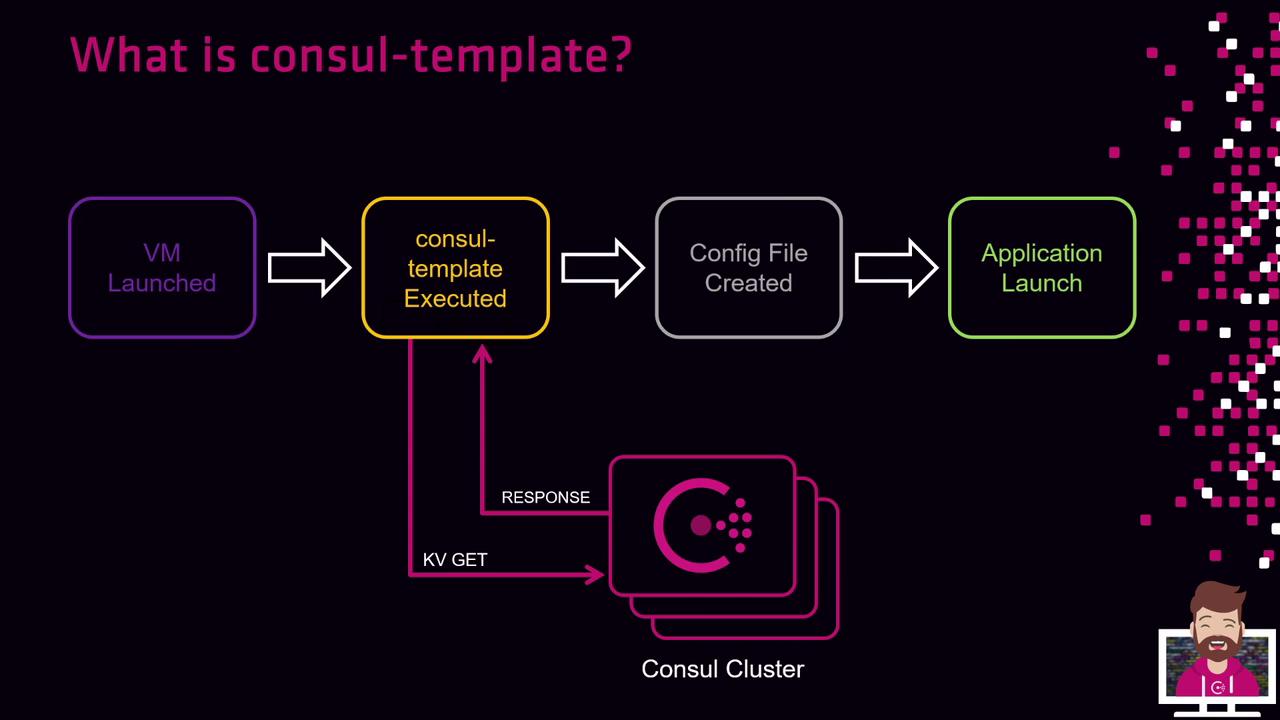
Consul Template is a HashiCorp tool designed to render configuration files dynamically using data from a Consul cluster. Running as a standalone daemon alongside a Consul agent, it continuously watches key/value entries and regenerates files when values change. This ensures seamless configuration updates without manual restarts.
## Workflow
1. Define a template file with placeholders (e.g., `app.ctmpl`).
2. Start the Consul agent on your server:
```bash theme={null}
consul agent -config-dir=/etc/consul.d
```
3. Launch the `consul-template` process, specifying the template and target:
```bash theme={null}
consul-template \
-template "/etc/templates/app.ctmpl:/etc/app/config.yaml" \
-config /etc/consul-template/config.hcl
```
4. The daemon retrieves key/value pairs from Consul.
5. Placeholders in the template are replaced with live data.
6. The rendered file is saved to disk.
7. An optional `command` (like a service reload) is executed to apply updates.
By default, Consul Template polls Consul every two seconds. Adjust the interval with the `-wait` flag or in HCL.
## Key Benefits
| Benefit | Description |
| ------------------- | --------------------------------------------------------------- |
| Dynamic Updates | Automatically re-renders files when Consul KV entries change. |
| Automatic Reloads | Executes custom commands (e.g., `systemctl reload`) on changes. |
| Powerful Templating | Leverages Go templates with conditionals, loops, and functions. |
## Example HCL Configuration
Create `/etc/consul-template/config.hcl`:
```hcl theme={null}
template {
source = "/etc/templates/app.ctmpl"
destination = "/etc/app/config.yaml"
command = "systemctl reload my-app.service"
left_delimiter = "{{"
right_delimiter = "}}"
}
```
Run the daemon:
```bash theme={null}
consul-template -config /etc/consul-template/config.hcl
```
Ensure the Consul agent is running and reachable. When ACLs are enabled, include the `token` parameter in your HCL or CLI invocation.
## Links and References
* [Consul Template Documentation][consul-template-doc]
* [Consul Key/Value Store][consul-kv]
[consul-template-doc]: https://www.consul.io/docs/agent/templates
[consul-kv]: https://www.consul.io/docs/datasources/kv