> ## Documentation Index
> Fetch the complete documentation index at: https://notes.kodekloud.com/llms.txt
> Use this file to discover all available pages before exploring further.
# Consul Snapshot Agent Enterprise
> Consul’s Snapshot Agent automates cluster backups with scheduling, retention, and storage management for enterprise users.
Consul’s Snapshot Agent is an enterprise-only, long-running daemon that automates cluster backups. While open-source users must script snapshots via cron or CI/CD, the Snapshot Agent provides built-in scheduling, retention, and storage management.
The Snapshot Agent requires Consul Enterprise. If you’re on OSS Consul, implement external scripting for snapshots.
## Key Features
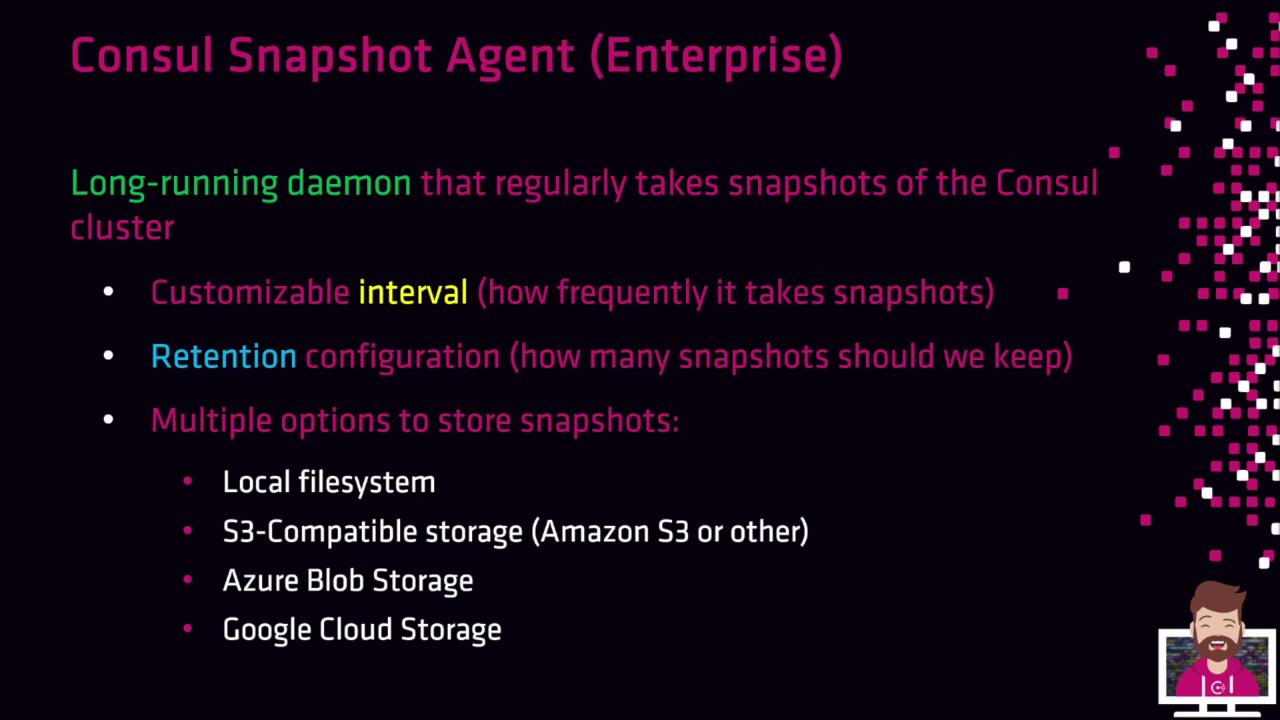
* **Custom intervals**: e.g., hourly, six-hourly, daily
* **Retention policies**: automatically purge old snapshots
* **Storage backends**: local filesystem, S3-compatible (AWS S3, MinIO), Azure Blob, Google Cloud Storage
Configure `snapshot.interval` (e.g., `24h`) and `snapshot.retain` (e.g., `48`) to control scheduling and purge behavior.
## Supported Storage Backends
By default, manual snapshots are written locally. The Snapshot Agent lets you offload backups to resilient, off-node stores:
| Backend | Use Case | Example Setting |
| -------------------- | ------------------------------------- | --------------------------------------------- |
| S3-Compatible | AWS S3, MinIO, DigitalOcean Spaces | `aws_storage.s3_bucket = "consul-snapshots"` |
| Azure Blob Storage | Enterprise-grade Blob management | `azure_storage.account = "myaccount"` |
| Google Cloud Storage | GCS buckets for global redundancy | `gcs_storage.bucket = "consul-gcs-snapshots"` |
| Local Filesystem | On-node backups (default for CLI/API) | `filesystem.path = "/var/consul/snapshots"` |
## Benefits
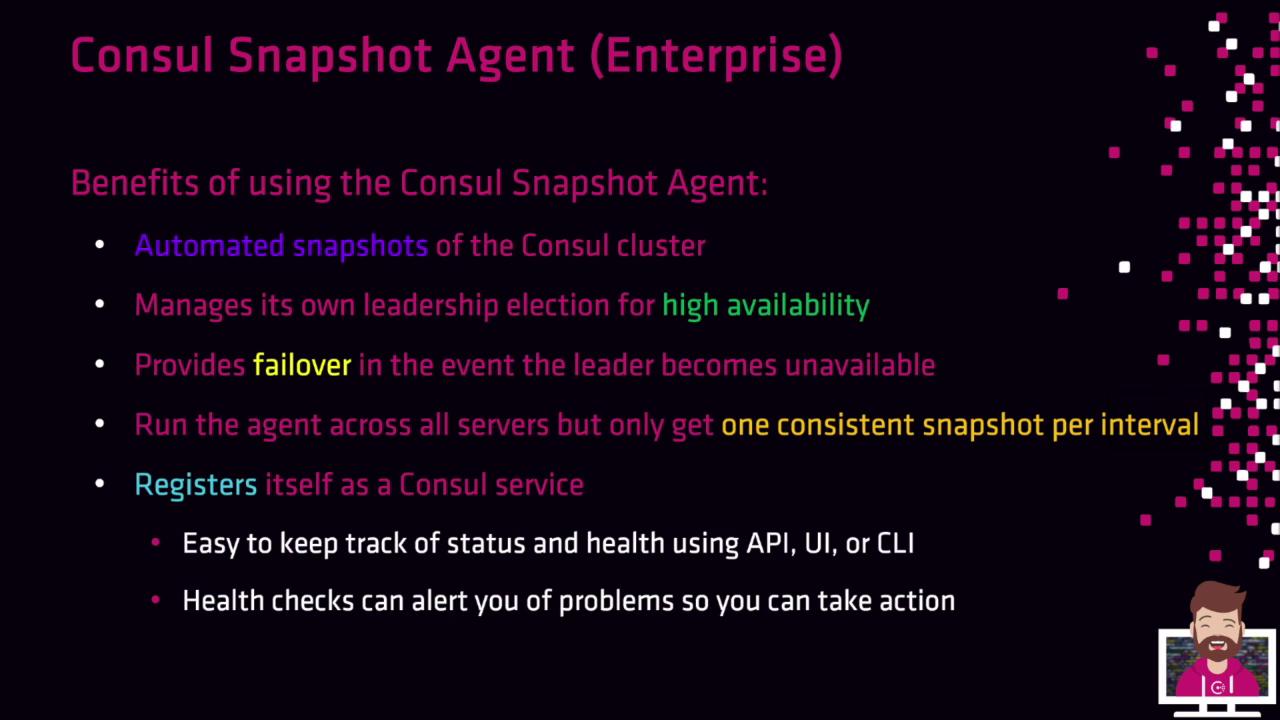
* **Automated snapshots** on a defined schedule
* **High availability** via agent-level leader election
* **Automatic failover**: a new leader takes over if the current one fails
* **Consistent backups**: only one snapshot per interval cluster-wide
* **Service registration & health checks** for monitoring leader status
When the agent starts, it registers a Consul service with health checks. You can alert on missing leaders or failed snapshot jobs using your monitoring tools.
## Configuration
Setup involves two files: a JSON config for the agent and a systemd unit to manage the service.
### 1. Snapshot Agent JSON
Save as `/etc/snapshot.d/snapshot.json`:
```json theme={null}
{
"snapshot_agent": {
"http_addr": "127.0.0.1:8500",
"token": "your-acl-token",
"datacenter": "dc1",
"snapshot": {
"interval": "30m",
"retain": 336,
"deregister_after": "8h"
},
"aws_storage": {
"s3_region": "us-east-1",
"s3_bucket": "consul-snapshots"
}
}
}
```
Fields:
* `http_addr`: Consul HTTP API address
* `token`: ACL token with `snapshot` scope
* `datacenter`: Optional target datacenter
* `snapshot.interval`: Interval between snapshots
* `snapshot.retain`: Number of snapshots to keep
* `snapshot.deregister_after`: Deregister unhealthy agent after this duration
* Storage blocks: one of `aws_storage`, `azure_storage`, `gcs_storage`, or `filesystem`
Refer to the [Consul Snapshot Agent docs](https://www.consul.io/docs/enterprise/snapshot) for full details.
### 2. systemd Unit
Create `/etc/systemd/system/consul-snapshot.service`:
```ini theme={null}
[Unit]
Description=Consul Snapshot Agent
Documentation=https://www.consul.io/
Requires=network-online.target
After=consul.service
ConditionFileNotEmpty=/etc/snapshot.d/snapshot.json
[Service]
User=consul
Group=consul
ExecStart=/usr/local/bin/consul snapshot agent -config-dir=/etc/snapshot.d/
KillMode=process
Restart=on-failure
LimitNOFILE=65536
[Install]
WantedBy=multi-user.target
```
Then reload and enable:
```bash theme={null}
sudo systemctl daemon-reload
sudo systemctl start consul-snapshot
sudo systemctl enable consul-snapshot
```
## Process Overview
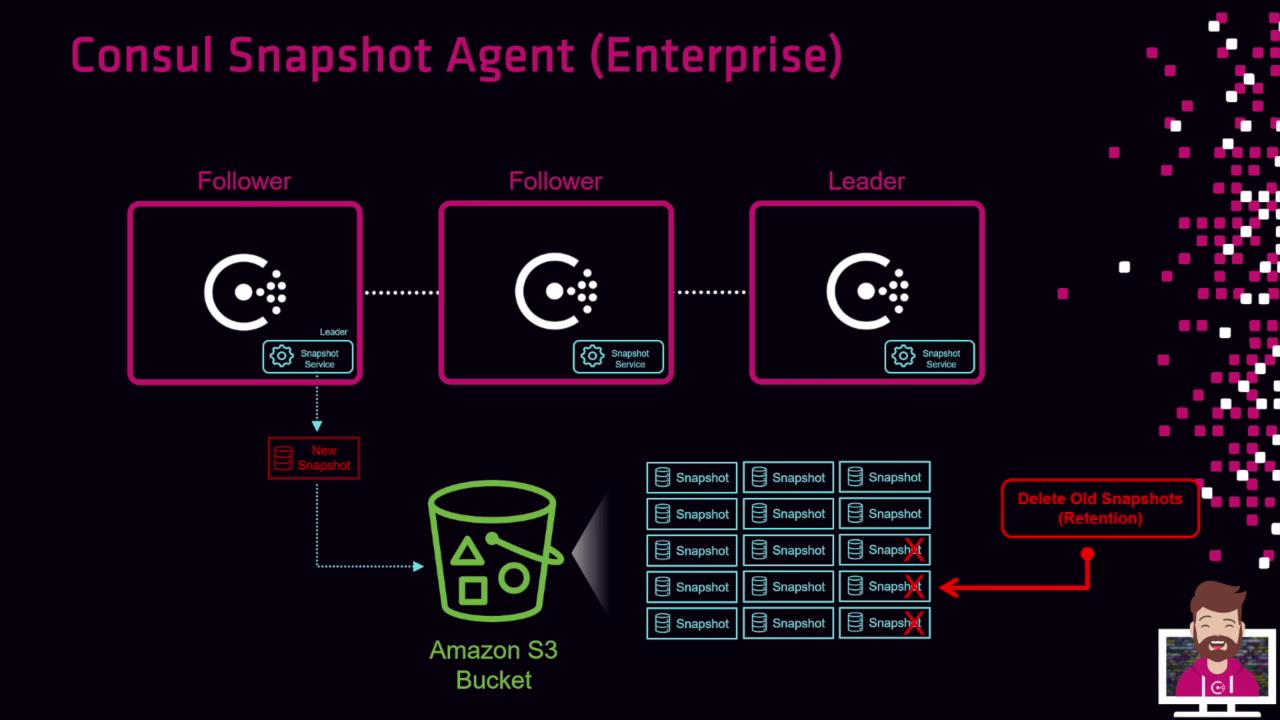
1. All nodes run the Snapshot Agent.
2. Agents hold a leader election each interval.
3. The leader captures the snapshot and uploads it to storage (e.g., S3).
4. The retention policy deletes older snapshots beyond the configured limit.
## Summary
The Consul Snapshot Agent simplifies enterprise-grade backup automation with scheduled snapshots, multi-backend support, and built-in high availability. It ensures consistent, recoverable cluster state without external scripting.
This functionality will be demonstrated in the accompanying lab.
## Links and References
* [Consul Enterprise Snapshot Agent Documentation](https://www.consul.io/docs/enterprise/snapshot)
* [AWS S3 Documentation](https://docs.aws.amazon.com/s3/)
* [Azure Blob Storage Overview](https://learn.microsoft.com/azure/storage/blobs/)
* [Google Cloud Storage](https://cloud.google.com/storage)