> ## Documentation Index
> Fetch the complete documentation index at: https://notes.kodekloud.com/llms.txt
> Use this file to discover all available pages before exploring further.
# AddingRemoving Consul Agents to the Cluster
> This guide explains how to add and remove Consul agents in a cluster, covering join methods, graceful removal, and listing cluster members.
In this guide, you’ll learn how to add and remove Consul agents—both servers and clients—in your cluster. We’ll cover three primary join methods, how to gracefully remove agents, and how to list all cluster members.
## Overview of Agent Membership
Consul agents use the Gossip Protocol to share membership updates. When a new agent joins, it contacts an existing member; the protocol then propagates that change across the entire cluster. You can even merge two independent clusters by having an agent in one contact a node in the other.
| Join Method | Description | Use Case |
| ------------------------------------------ | --------------------------------------------------------------- | -------------------------------------------- |
| CLI (`consul join`) | One-off join via DNS name or IP address | Ad-hoc testing, quick lab setups |
| Static Configuration (`join`/`retry_join`) | Defined in agent config file; supports one-time and retry logic | Automated deployments, predictable startup |
| Cloud Auto-Join | Leverages cloud metadata (tags) to discover and join peers | Dynamic cloud environments (AWS, GCP, Azure) |
## 1. Joining via the CLI
You can manually join an agent to the cluster by specifying any existing member’s hostname or IP:
```bash theme={null}
consul join consul-node-a.example.com
# Successfully joined cluster by contacting 1 nodes.
```
Replace `consul-node-a.example.com` with an IP address if preferred. CLI joins are best suited for testing or small labs—automated config is recommended in production.
## 2. Joining via Configuration
Add join settings directly to your agent’s JSON or HCL config. There are two options:
| Parameter | Behavior |
| ----------- | ------------------------------------------------------------------- |
| join | One-time contact; agent startup fails if unreachable |
| retry\_join | Continuously retries until it successfully joins or the agent stops |
Example (`config.json`):
```json theme={null}
{
"bootstrap": false,
"bootstrap_expect": 3,
"server": true,
"retry_join": ["10.0.10.34", "10.0.11.72"]
}
```
This instructs the agent to keep retrying until it joins one of the specified IPs.
Use `retry_join` for environments where agents start in an unpredictable order.\
If you need a single attempt only, use the `join` option instead.
## 3. Cloud Auto-Join
Cloud auto-join uses provider metadata (tags or labels) to discover peers automatically. Supported providers include AWS, Azure, GCP, Kubernetes, and more. You must grant the agent appropriate API permissions (for example, via an AWS IAM role).
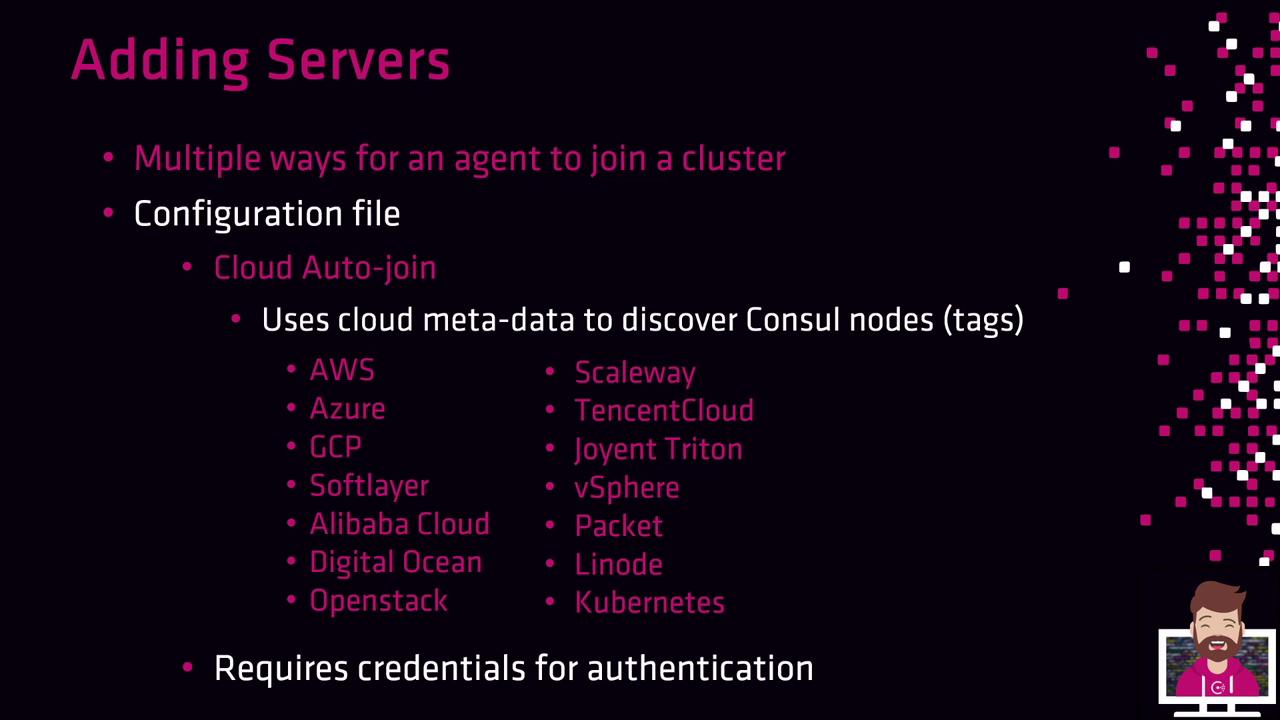
Example AWS auto-join config:
```json theme={null}
{
"bootstrap": false,
"bootstrap_expect": 3,
"server": true,
"retry_join": ["provider=aws tag_key=consul tag_value=true"]
}
```
Each agent queries AWS EC2 for instances tagged `consul=true` and attempts to join them.
Ensure your cloud credentials or IAM roles only grant enough permissions to list instances—avoid overly broad access.
***
## Removing Agents from the Cluster
To gracefully remove an agent and inform the cluster:
```bash theme={null}
consul leave
# Graceful leave complete
```
A graceful leave updates the Raft peer set (for servers) and ensures nodes treat the departure as intentional rather than a failure.
## Listing Cluster Members
Use the `members` command to see all servers and clients:
```bash theme={null}
consul members
# Node Address Status Type Build Protocol DC Segment
# consul-a 10.0.2.10:8301 alive server 1.9.0 2 dc1 -
# consul-b 10.0.2.11:8301 alive server 1.9.0 2 dc1 -
# web-app-01 10.0.8.9:8301 alive client 1.8.6 2 dc1 -
```
In production, clusters can scale to hundreds or thousands of nodes across multiple datacenters.
## Links and References
* [Consul Agent CLI Commands](https://www.consul.io/docs/commands/agent)
* [Consul Configuration](https://www.consul.io/docs/configuration)
* [Consul Auto-Join with Cloud Providers](https://www.consul.io/docs/discovery/auto-join)