> ## Documentation Index
> Fetch the complete documentation index at: https://notes.kodekloud.com/llms.txt
> Use this file to discover all available pages before exploring further.
# Consul High Availability
> This article explores best practices for configuring Consul clusters to achieve high availability and fault tolerance in production environments.
In this lesson, we’ll explore best practices for configuring Consul clusters to achieve high availability and fault tolerance. In production, Consul **must** run in a multi-node cluster—single or two-node setups offer no real redundancy.
Always run Consul on an odd number of **voting** server nodes (3, 5, 7, or 9). This ensures proper quorum and automatic leader election.
## Recommended Cluster Sizes
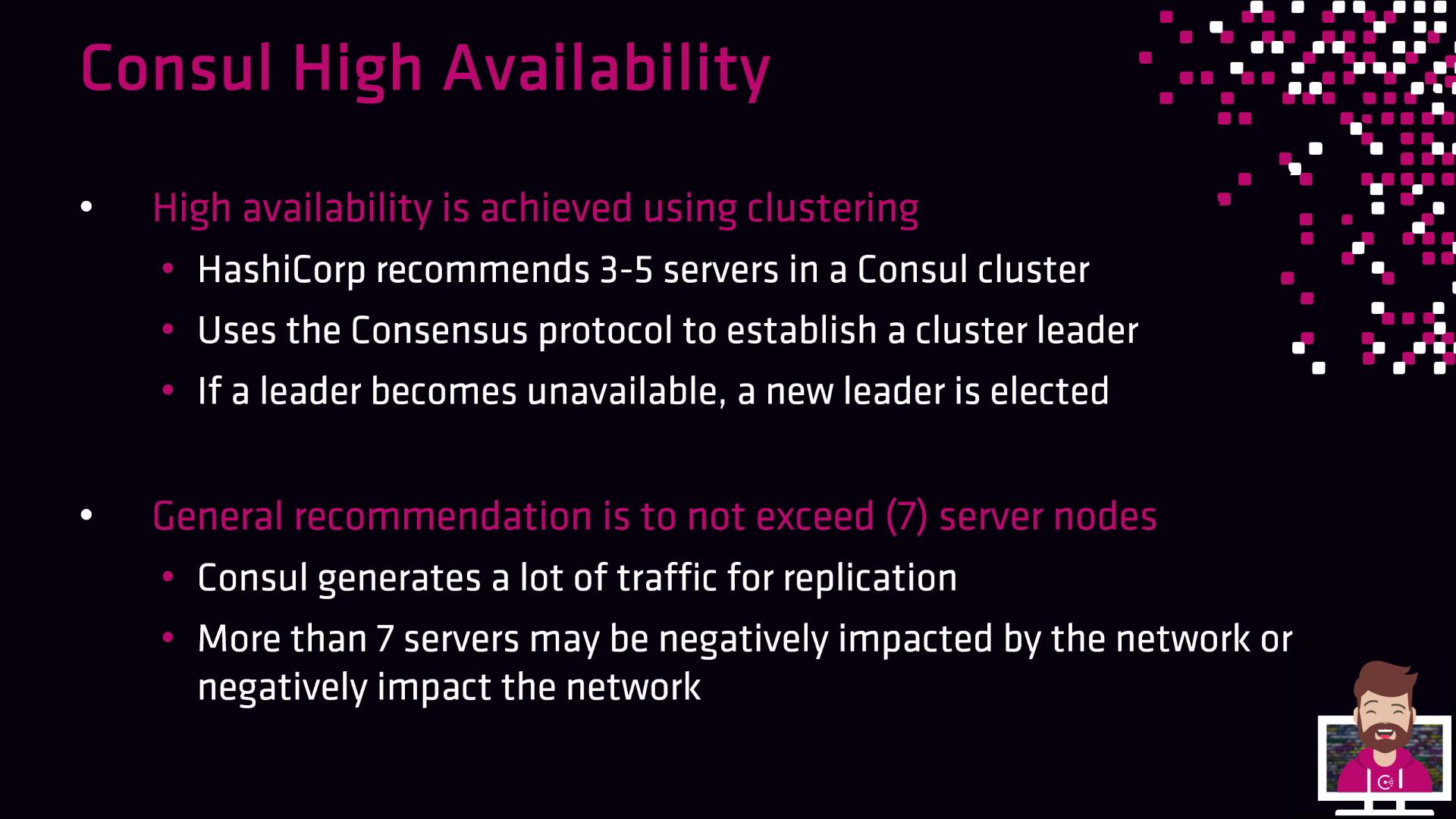
HashiCorp recommends running Consul with three to five servers by default. Larger clusters (up to seven or nine nodes) can be used but may introduce additional replication overhead. Below is a quick reference:
| Cluster Size | Quorum Size | Failure Tolerance | Typical Use Case |
| ------------ | ----------- | ----------------- | -------------------------------------------------- |
| 3 | 2 | 1 | Small dev/QA or lightweight production |
| 5 | 3 | 2 | Most production environments |
| 7 | 4 | 3 | Large-scale deployments with extra redundancy |
| 9 | 5 | 4 | Extremely high-scale use cases (specialized needs) |
Clusters larger than **nine** voting nodes often suffer from increased replication traffic, which can degrade performance. Only scale beyond nine nodes for very specific requirements.
## Fault Tolerance and Quorum
Fault tolerance in Consul is determined by the number of **voting** server nodes. When a leader fails, the remaining voting members hold an election to choose a new leader—provided a quorum is still available.
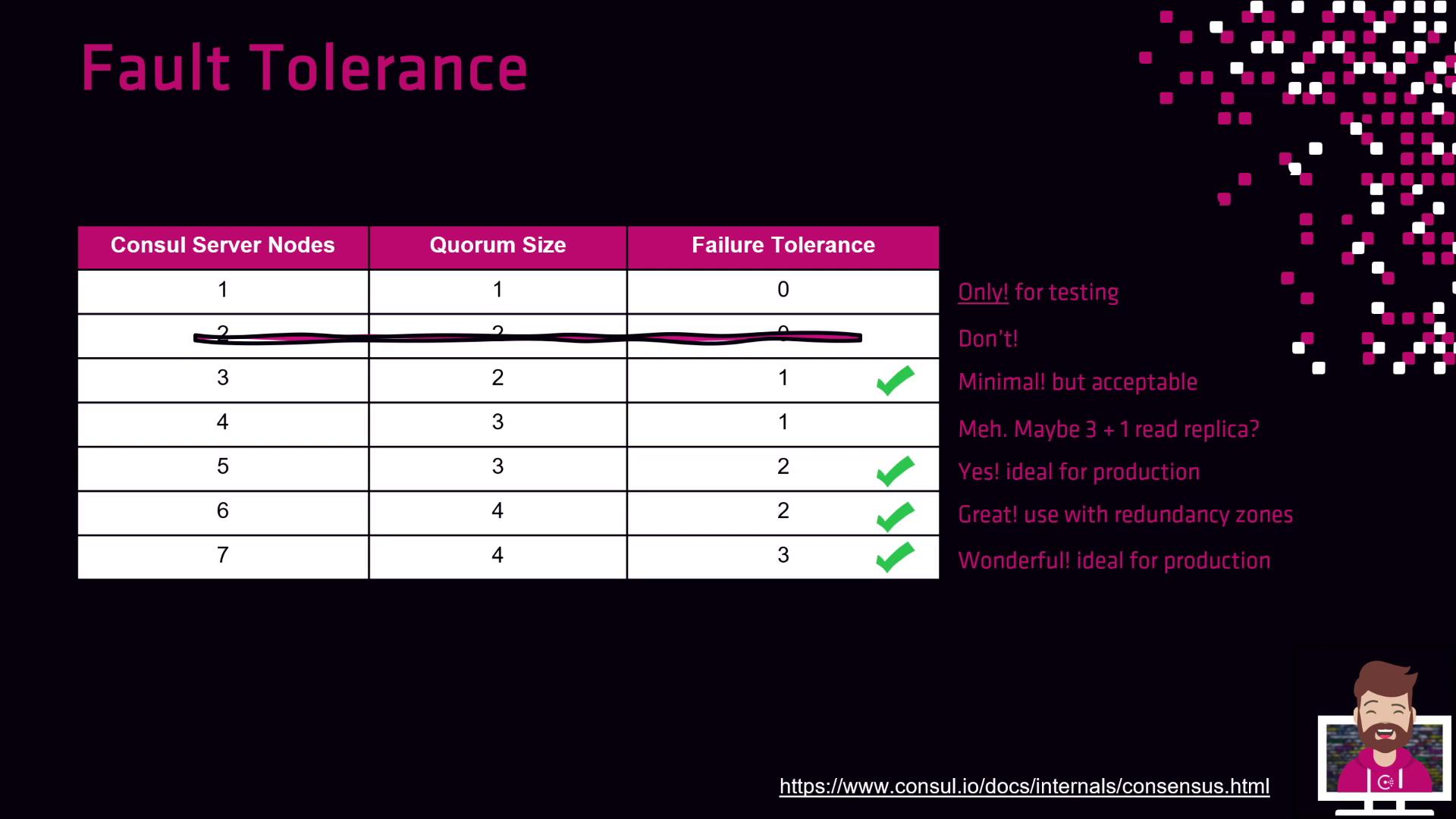
Below is a breakdown of common cluster configurations:
**Single-Node Cluster**
* Quorum size: 1
* Failure tolerance: 0
* Use case: Testing or demos only; no redundancy.
**Two-Node Cluster**
* Quorum size: 2
* Failure tolerance: 0
* Use case: Still cannot tolerate failures; avoid in production.
**Three-Node Cluster**
* Quorum size: 2
* Failure tolerance: 1
* Use case: Small dev/QA or lightweight production. During rolling upgrades, redundancy is temporarily reduced as each node goes offline.
**Four-Node Cluster**
* Quorum size: 3
* Failure tolerance: 1
* Use case: Only useful if the fourth server is configured as a non-voting member (read replica).
**Five-Node Cluster**
* Quorum size: 3
* Failure tolerance: 2
* Use case: Standard production workloads; lose up to two servers without impacting service.
**Six-Node Cluster (Enterprise Redundancy Zones)**
* Voting members: 3 (one per AZ)
* Failure tolerance: Depends on zone configuration
* Use case: Multi-AZ public cloud deployments with Enterprise; non-voting peers are promoted on failure, maintaining cross-zone quorum.
**Six-Node Cluster (Standard)**
* Quorum size: 4
* Failure tolerance: 2
* Use case: Behaves like a five-node cluster unless you explicitly configure redundancy zones.
**Seven-Node Cluster**
* Quorum size: 4
* Failure tolerance: 3
* Use case: High redundancy at the cost of increased replication traffic and operational overhead.
***
## Key Recommendations
* Stick with **odd** numbers of servers: 3, 5, or 7.
* Use **3 nodes** for development or small-scale testing.
* Choose **5 nodes** for most production workloads, especially across two fault domains or availability zones.
* In Enterprise multi-AZ setups, consider **6 nodes** with redundancy zones for enhanced failure tolerance.
* Avoid clusters larger than **9 nodes** unless you have specific scaling requirements.
***
## Links and References
* [Consul Official Documentation](https://www.consul.io/docs)
* [Consul High Availability Guide](https://www.consul.io/docs/agent/options#high-availability)
* [HashiCorp Best Practices](https://www.hashicorp.com/resources/best-practices)