> ## Documentation Index
> Fetch the complete documentation index at: https://notes.kodekloud.com/llms.txt
> Use this file to discover all available pages before exploring further.
# Configuring Service Health Checks
> Learn to configure health checks in Consul for monitoring service and node status using the HTTP API or service definitions.
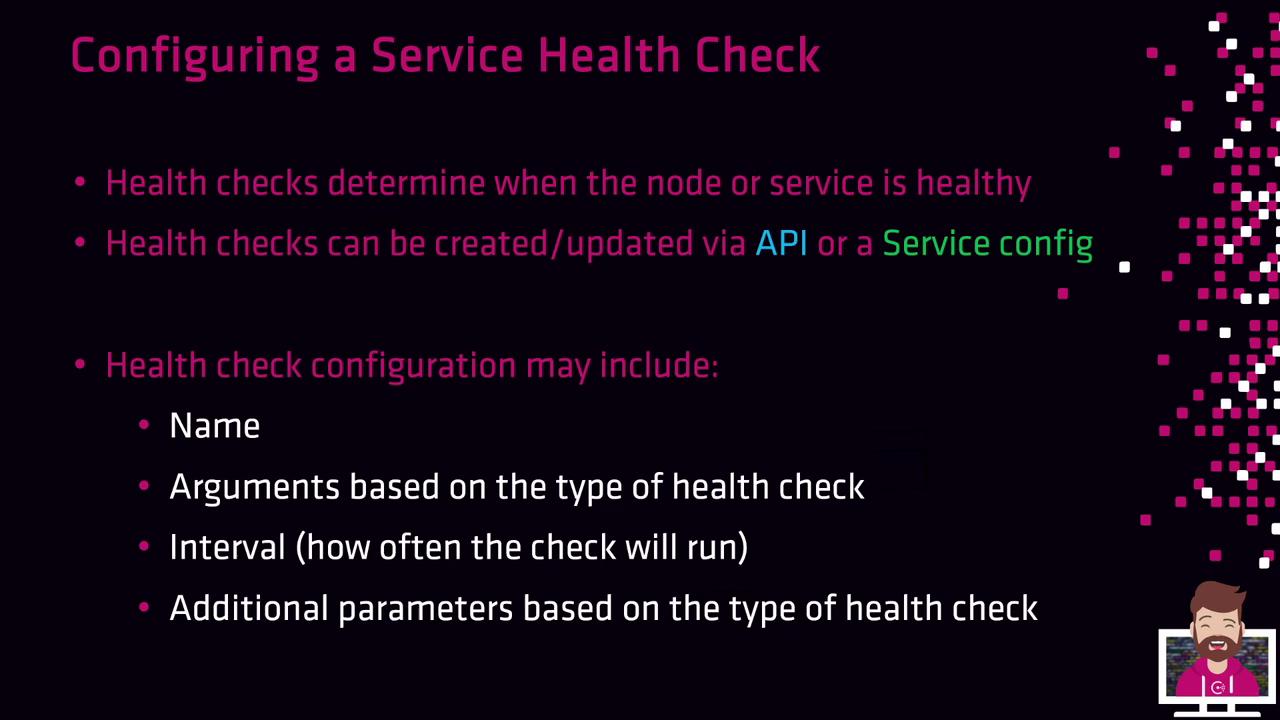
In this lesson, you’ll learn how to configure health checks in Consul to monitor the status of services and nodes. You can register or update health checks through the Consul HTTP API or by embedding them directly in your service definition. Typically, you register a service and its associated health check simultaneously.
## Health Check Basics
When defining a health check, you specify a set of core fields:
* **id** or **name**: A unique identifier for the check.
* **type-specific fields** (args, http, tcp, ttl, etc.) to control check behavior.
* **interval**: Frequency of executions (e.g., `10s`, `30s`, `1m`).
* **timeout**: Maximum wait before marking the check as failed.
* **additional parameters**: HTTP headers, request bodies, TLS settings, or script arguments.
Consul supports two broad categories of checks:
* **Application-level checks**: Probe service endpoints, such as HTTP ports or custom scripts.
* **System-level (host) checks**: Monitor node health (CPU, memory, disk, etc.).
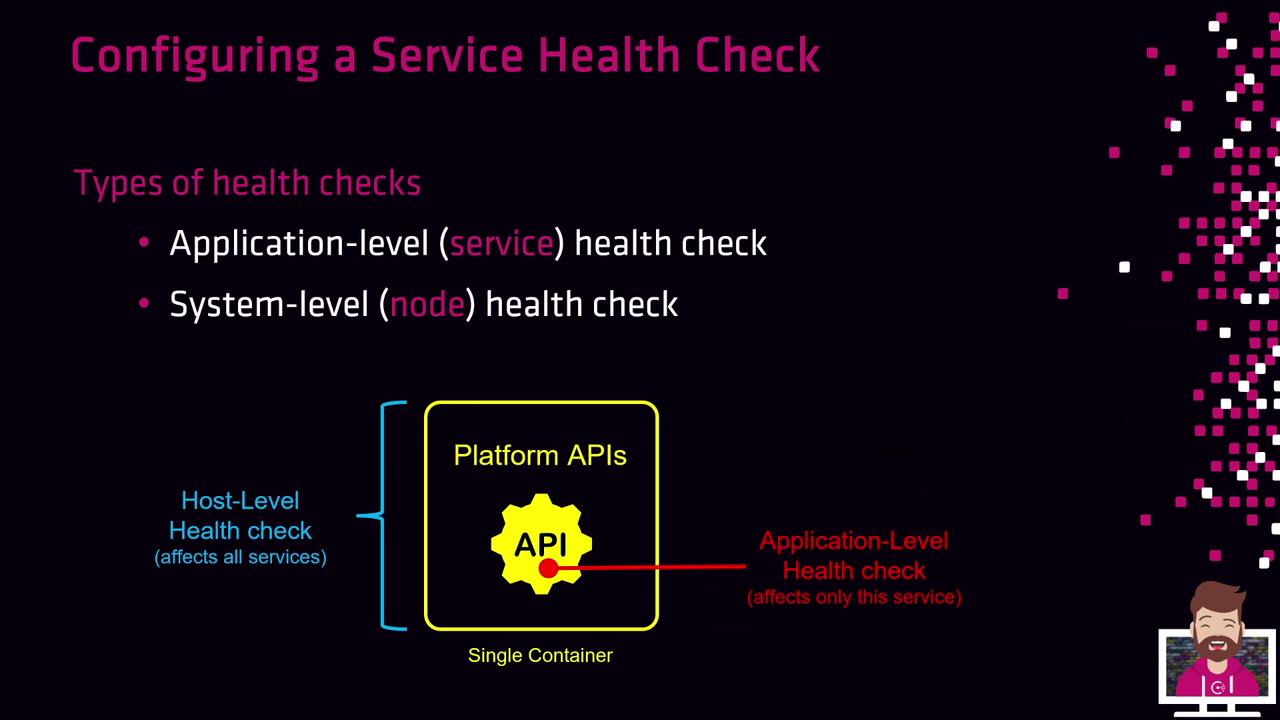
A failing host-level check removes **all** services on that node from Consul queries, even if their individual checks pass. Application-level failures only impact the specific service.
## Health Check Lifecycle
Every newly registered health check starts in the **Critical** state. Consul will keep the service out of rotation until the check passes:
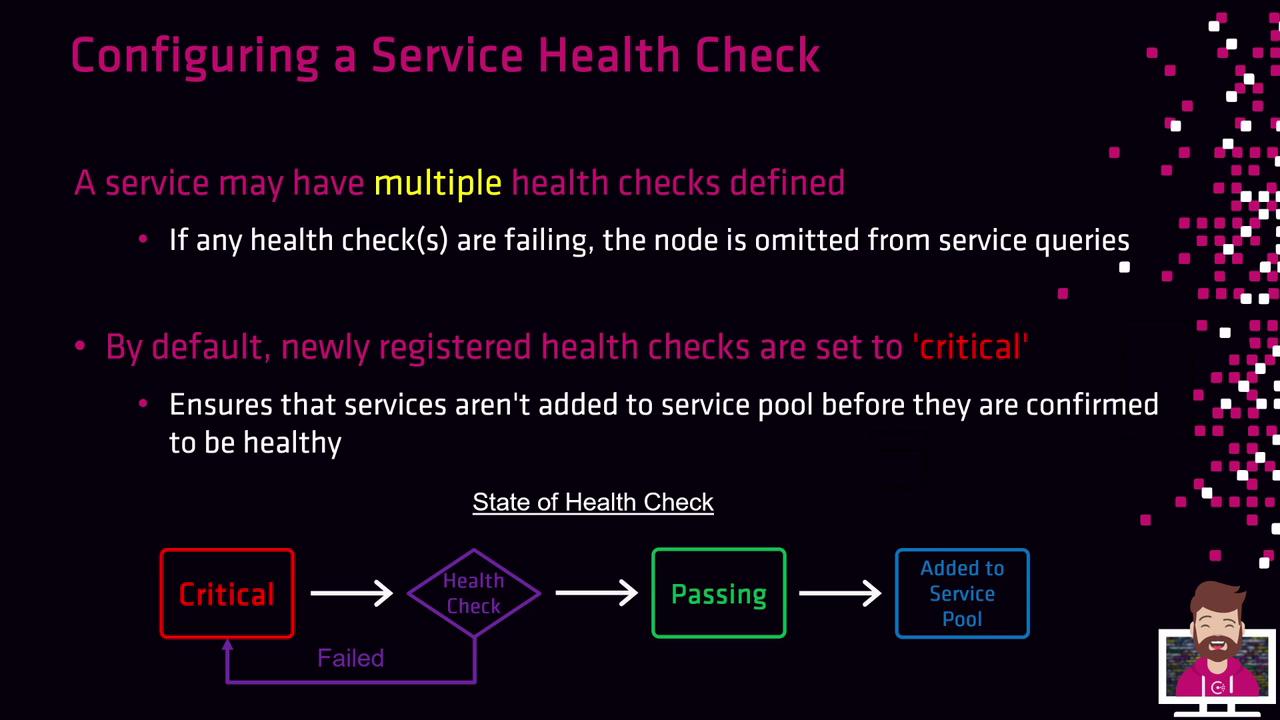
1. **Critical**: Default state on registration.
2. **Health Check Run**: Consul executes the check.
3. **Passing**: Service enters the healthy pool upon success.
4. **Critical**: On failure, the check returns to Critical until it succeeds.
If a service has multiple checks, any failing check will exclude the service or node from query results.
## Available Health Check Types
Consul provides several built-in health check types:
| Type | Description |
| ------ | ----------------------------------------------- |
| Script | Execute a local script; exit code 0 = passing. |
| HTTP | Send an HTTP(S) request; expect a 2xx response. |
| TCP | Establish a TCP connection to host:port. |
| TTL | External agent must report status via API. |
| Docker | Run a check inside a Docker container. |
| gRPC | Probe a gRPC health endpoint. |
| Alias | Mirror the status of another Consul service. |

### Example: Script Health Check
```json theme={null}
{
"check": {
"id": "mem-util",
"name": "Memory Utilization",
"args": ["/opt/check_mem.py", "-limit", "256MB"],
"interval": "10s",
"timeout": "1s"
}
}
```
This runs `/opt/check_mem.py -limit 256MB`. A zero exit code marks the check as **passing**; any non-zero code marks it **failing**.
### Example: HTTP Health Check
```json theme={null}
{
"check": {
"id": "api",
"name": "HTTP API on port 5000",
"http": "https://localhost:5000/health",
"method": "POST",
"tls_skip_verify": false,
"header": {
"Content-Type": ["application/json"]
},
"body": [{"method": "health"}],
"interval": "10s",
"timeout": "1s"
}
}
```
Consul sends a POST request to the specified endpoint and verifies a 2xx status code. Customize headers and body as needed.
### Example: TCP Health Check
```json theme={null}
{
"check": {
"id": "ssh",
"name": "SSH TCP on port 22",
"tcp": "localhost:22",
"interval": "10s",
"timeout": "1s"
}
}
```
This check attempts a TCP handshake on **localhost:22**.
### Example: Docker Health Check
```json theme={null}
{
"check": {
"id": "mem-util-docker",
"name": "Memory Utilization in Container",
"docker_container_id": "f972c95ebf0e",
"shell": "/bin/bash",
"args": ["/usr/local/bin/check_mem.py"],
"interval": "10s",
"timeout": "1s"
}
}
```
Consul runs the specified script inside the given Docker container using your chosen shell.
***
All health checks are defined alongside service registration so that Consul can continuously monitor and only return healthy services to clients.
## Links and References
* [Consul HTTP API: Agent Checks](https://www.consul.io/api-docs/agent/checks)
* [Consul Service Registration](https://www.consul.io/api-docs/agent/service)
* [Terraform Consul Provider](https://registry.terraform.io/providers/hashicorp/consul/latest/docs)