> ## Documentation Index
> Fetch the complete documentation index at: https://notes.kodekloud.com/llms.txt
> Use this file to discover all available pages before exploring further.
# Registering a Consul Service
> This article explains how to register services in HashiCorp Consul for service discovery and health checks.
## What Is a Consul Service?
In HashiCorp Consul, a service represents any workload or application—web servers, microservices, databases, APIs, and more—that provides functionality within your infrastructure. Consul’s service discovery catalogs these services, enabling clients to locate them through DNS queries or HTTP API calls. Once registered, services can also discover their own dependencies.
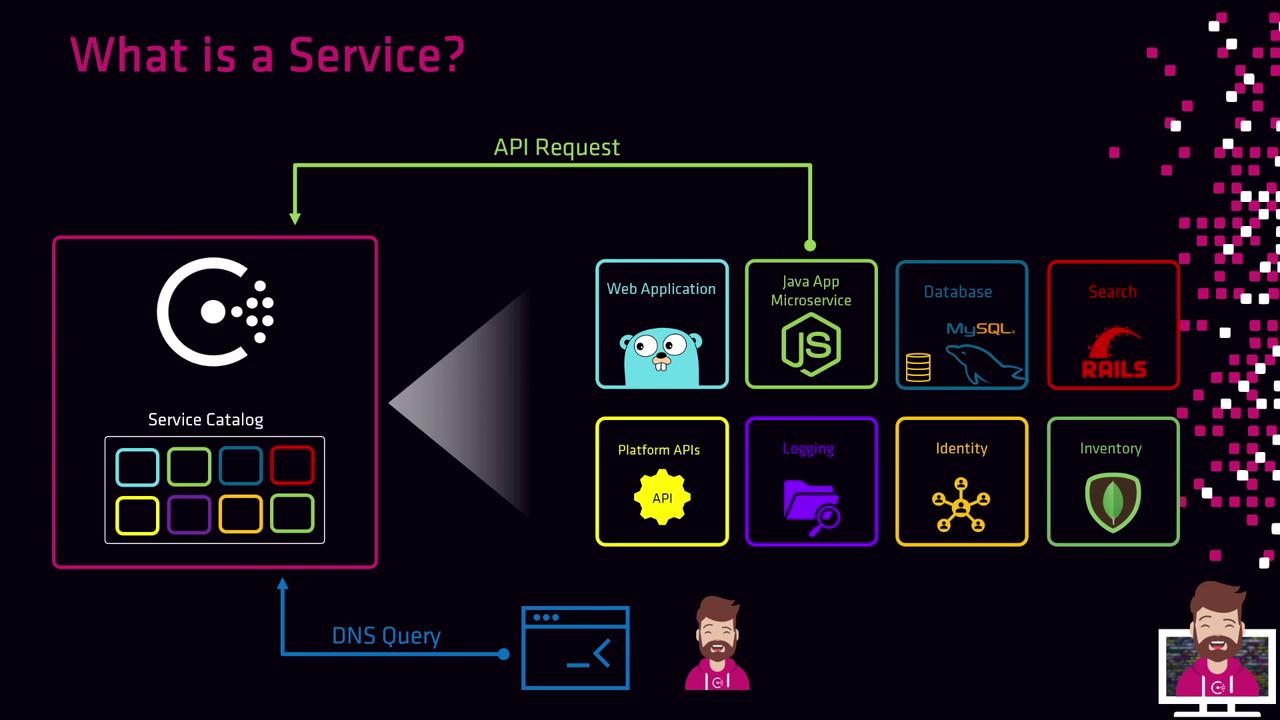
Service registration occurs on the local Consul agent running beside your application. You can register services by:
* Calling the Consul HTTP API
* Placing a service definition file on disk
Most deployments automate this step: containers in Kubernetes, Terraform provisioning, or configuration-management tools invoke registration as part of setup. After registration, Consul immediately starts health checks, and only healthy instances receive traffic.
Consul automatically initiates health checks for each registered service. Ensure your checks are correctly configured to prevent unhealthy nodes from serving requests.
## Service Registration Methods
Choose one of the following approaches to register services with your Consul agent:
| Method | Description | Usage Example |
| --------------- | ---------------------------------------------------- | -------------------------------------------------------------------------------------------- |
| HTTP API | Register services programmatically via HTTP requests | `curl -X PUT --data @payload.json https://consul.example.com:8500/v1/agent/service/register` |
| Definition File | On-disk configuration in HCL or JSON | Drop files into `/etc/consul.d/` or run `consul services register /path/to/service.hcl` |
| Agent Reload | Reload updated definitions without restarting agent | `consul reload` |
### 1. Register via the HTTP API
Send a PUT request to the agent’s registration endpoint with your service definition:
```bash theme={null}
curl --request PUT \
--data @payload.json \
https://consul.example.com:8500/v1/agent/service/register
```
Example payload (`payload.json`):
```json theme={null}
{
"Name": "retail-web",
"Port": 8080
}
```
* **Name**: A unique identifier for the service in Consul’s catalog.
* **Port**: The TCP port on which the service listens on localhost.
### 2. Register via a Service Definition File
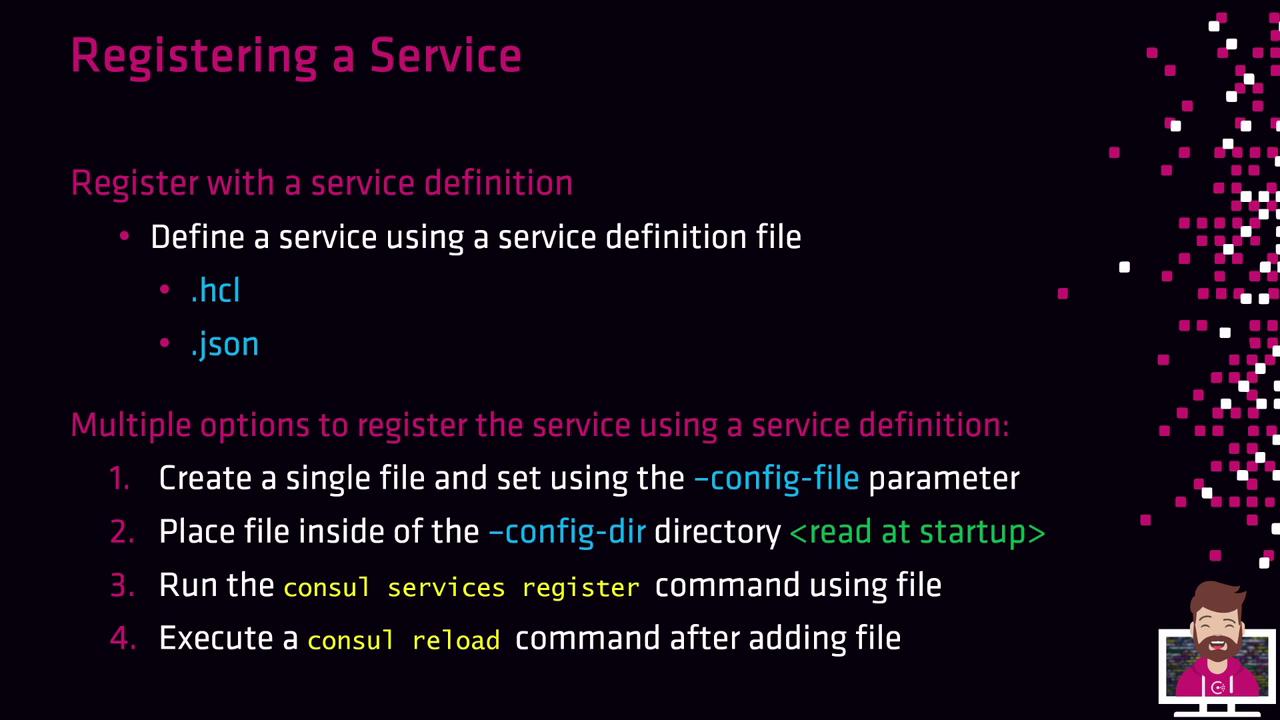
Service definitions can be authored in HCL or JSON. The Consul agent loads these files at startup or when reloaded:
* **Single config file**\
Launch the agent with `-config-file=/path/to/config.hcl` to include both agent and service settings.
* **Config directory**\
Place one or more `.hcl` or `.json` files into `/etc/consul.d/`. The agent reads all definitions at startup.
* **CLI registration**
```bash theme={null}
consul services register /path/to/service.hcl
```
* **Agent reload**
```bash theme={null}
consul reload
```
## Example: Registering Multiple Service Instances
In a high-availability setup, you might run identical web applications on three client nodes, each registering as `retail-web`. Each client uses the same service name and port but can differ in tags or health checks. For instance, on each node:
```bash theme={null}
consul services register /etc/consul.d/retail-web.hcl
```
After registration, Consul’s catalog lists all three instances. DNS queries such as:
```bash theme={null}
dig @127.0.0.1 -p 8600 retail-web.service.consul
```
or HTTP API calls return the healthy endpoints, enabling load balancing and failover across your infrastructure.
## Further Reading
* [Consul Service Discovery](https://www.consul.io/docs/discovery)
* [Consul Agent HTTP API](https://www.consul.io/api-docs/agent)
* [Definition File Configuration](https://www.consul.io/docs/configuration)