> ## Documentation Index
> Fetch the complete documentation index at: https://notes.kodekloud.com/llms.txt
> Use this file to discover all available pages before exploring further.
# Intro to Consul Service Mesh Intentions
> This article explains how Intentions in a Consul service mesh control service communication and access through application layer enforcement.
In a Consul service mesh, **Intentions** govern which services can communicate by enforcing access control at the application layer. Using a service graph, Intentions ensure only permitted traffic flows between sidecar proxies or natively integrated applications.
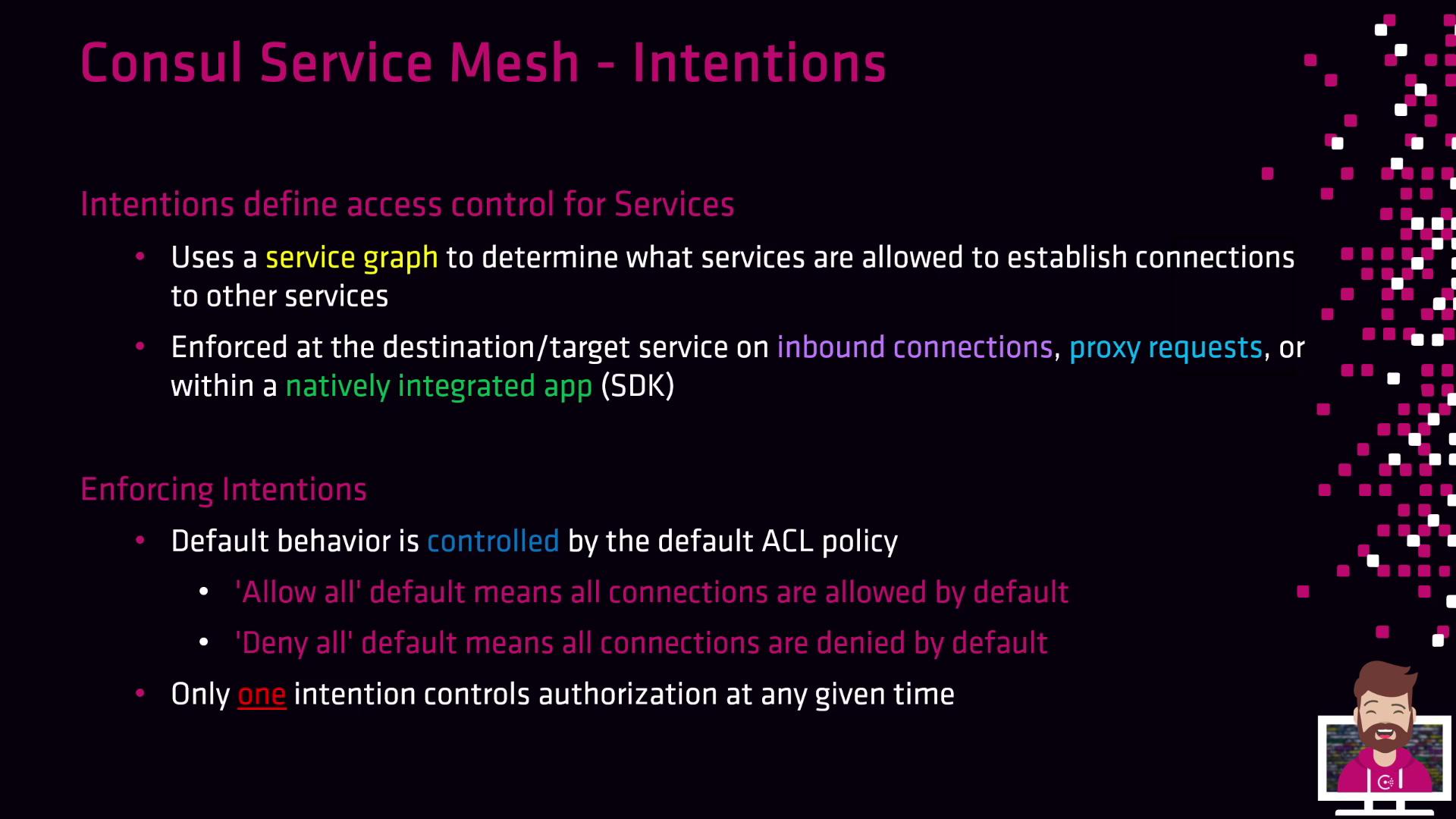
Intentions are enforced at the **destination** (the upstream or target service) during inbound connections:
* With a default ACL policy of **Allow All**, every service-to-service call succeeds unless you explicitly add a Deny Intention.
* With **Deny All**, no traffic is allowed until you create specific Allow Intentions.
If you switch to `Deny All`, all existing service calls will be blocked until you configure Allow Intentions.
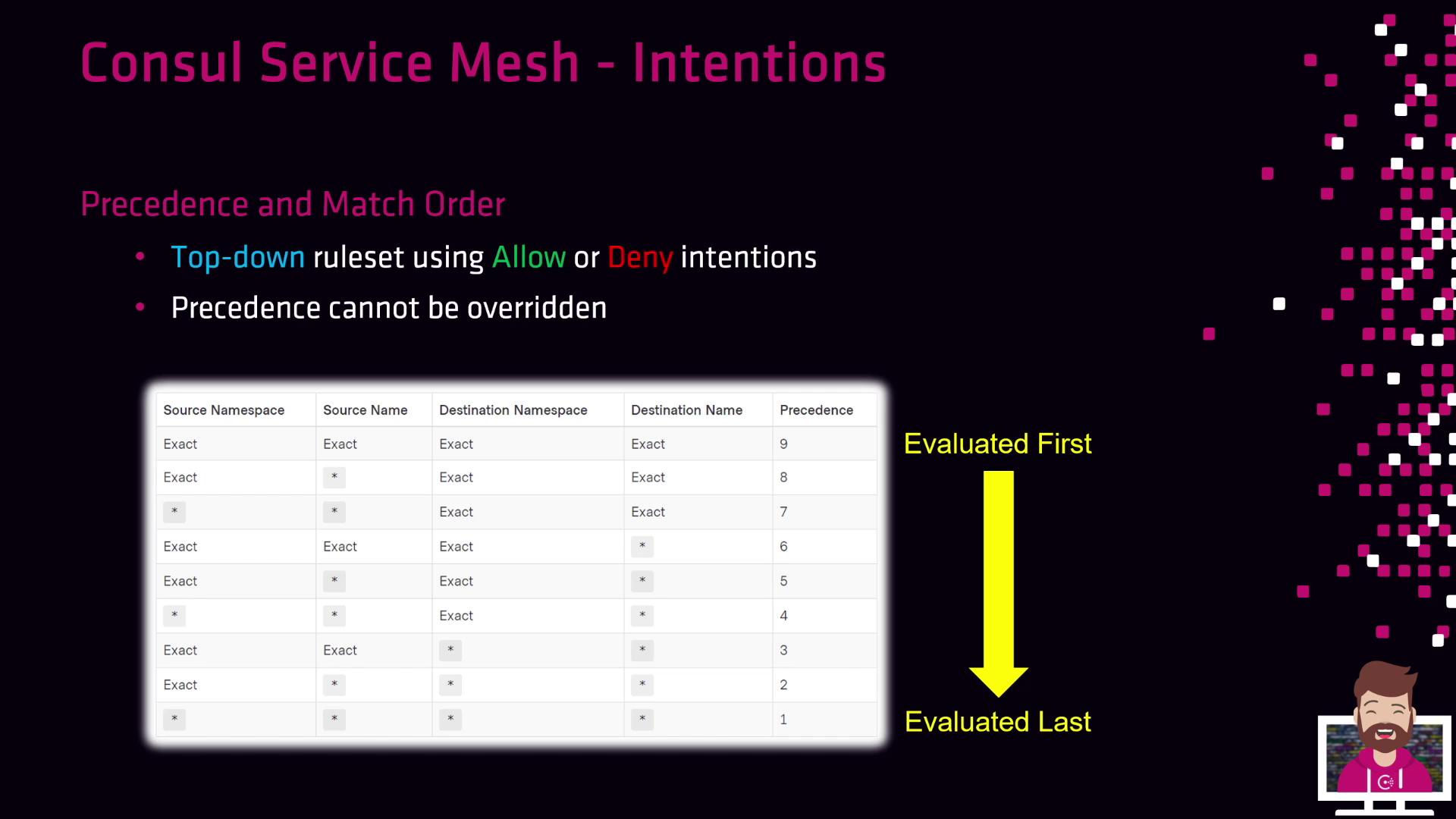
When multiple Intentions match a communication path, Consul applies the **first** matching rule in a top-down evaluation. Only one Intention controls authorization at any time.
***
## Building Your Service Graph with Intentions
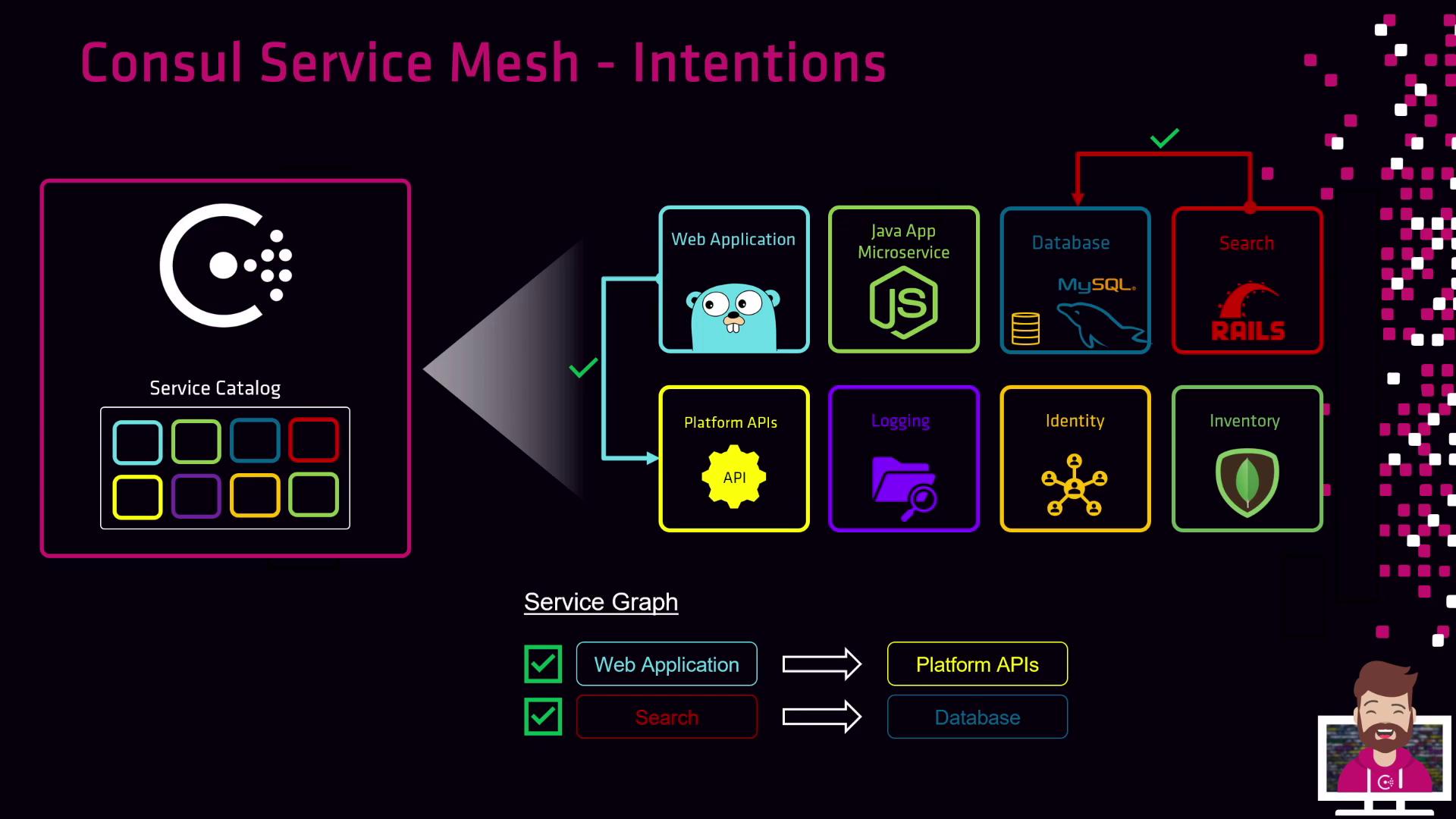
Every service registers in Consul’s catalog—usually alongside a Sidecar Proxy. As you define Intentions, Consul dynamically constructs a **service graph** illustrating permitted interactions.
Consider these common policies:
* **Allow the web application to call the Platform API**\
Create an Allow Intention from `web-app` → `platform-api` for encrypted, authenticated traffic.
* **Allow the search service to query the database**\
Define an Allow Intention from `search-service` → `database` so search can read data.
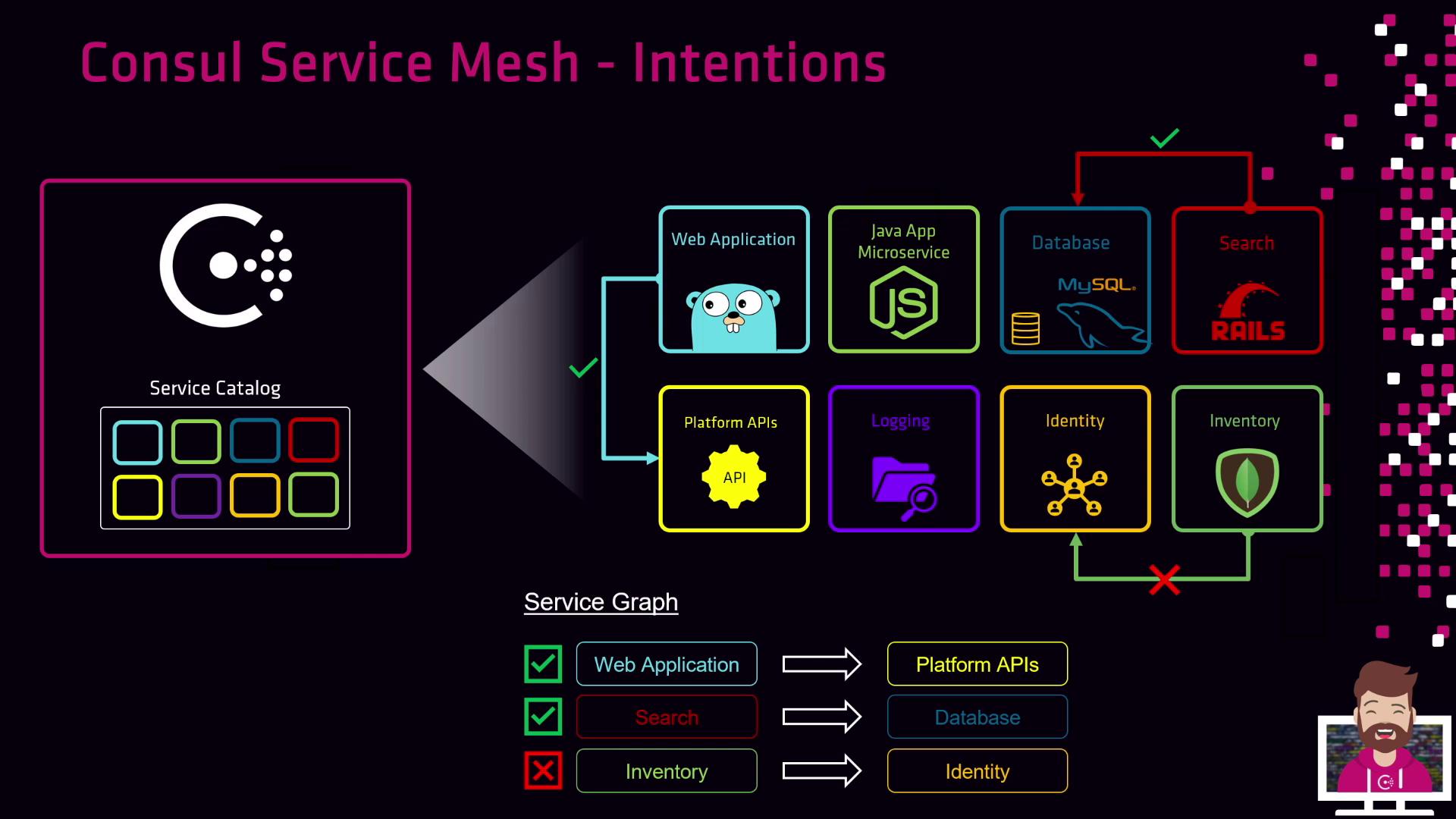
* **Deny Inventory service access to Identity service**\
Add a Deny Intention from `inventory` → `identity` to block all inventory instances.
Since Consul enforces **identity-based authorization**, you reference services by name—not IP address. Any number of instances (containers, VMs, etc.) of a service automatically share the same permissions.
***
## Intentions Precedence and Match Order
Intentions are prioritized by a **precedence** value; higher numbers are evaluated first. Consul processes rules top-down and stops at the first match for both source and destination services.
***
## Protocol Enforcement: Layer 4 vs. Layer 7
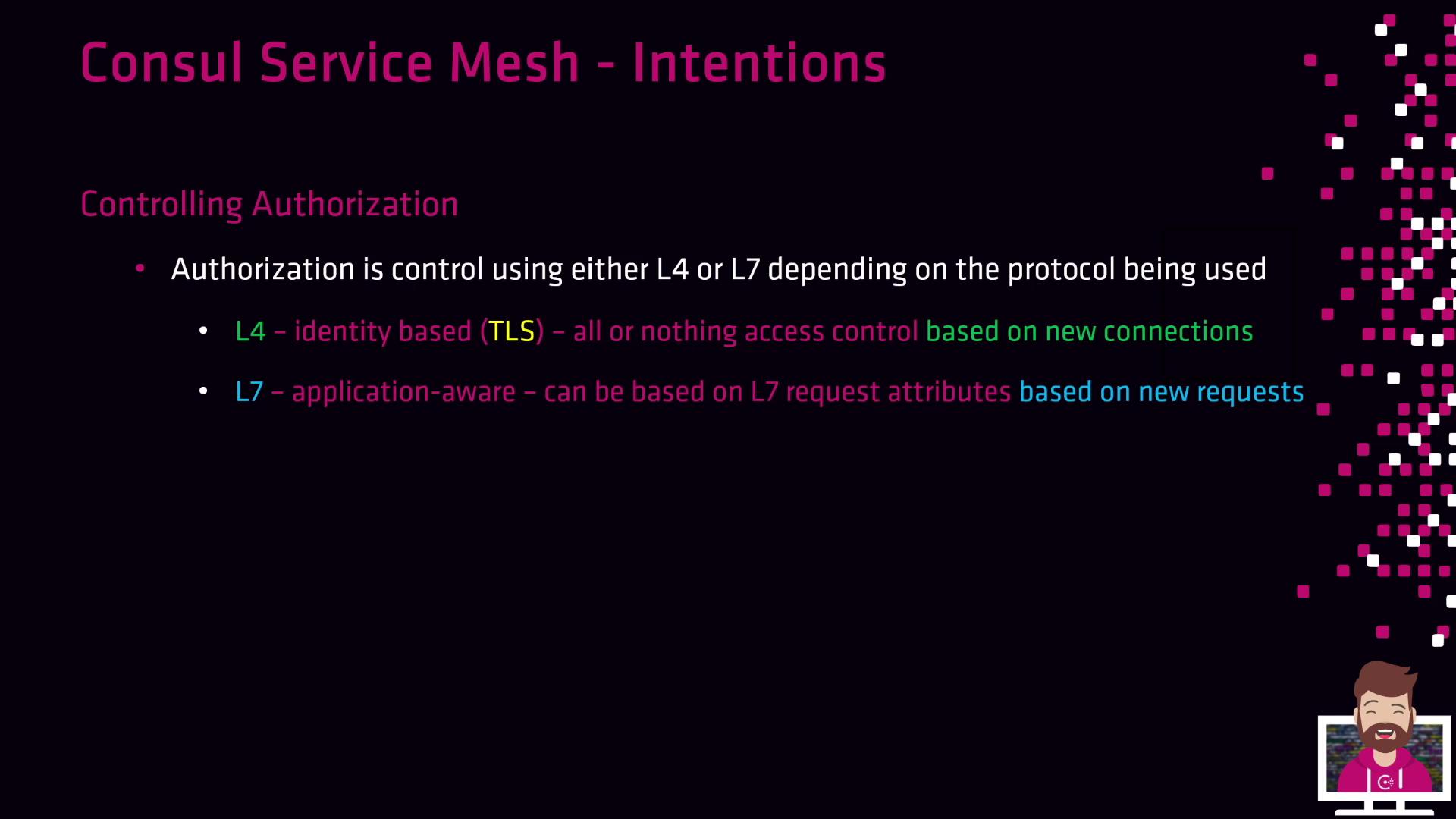
Consul supports two enforcement modes, depending on your proxy and application protocol:
| Enforcement Layer | Mechanism | Key Capabilities |
| ----------------- | -------------------------- | ------------------------------------------------ |
| Layer 4 (L4) | Consul’s built-in proxy | Identity-based TCP allow/deny on new connections |
| Layer 7 (L7) | Envoy or advanced sidecars | HTTP-aware policies (paths, headers, methods) |
To use Layer 7 Intentions, integrate [Envoy](https://www.envoyproxy.io) or another HTTP-aware proxy with Consul.
***
## Further Reading
* [Consul Intentions Documentation](https://www.consul.io/docs/enterprise/connect/intentions)
* [Consul ACL Overview](https://www.consul.io/docs/security/acl)
* [Envoy Proxy Documentation](https://www.envoyproxy.io)