> ## Documentation Index
> Fetch the complete documentation index at: https://notes.kodekloud.com/llms.txt
> Use this file to discover all available pages before exploring further.
# Managing Consul Service Mesh Intentions
> This article explains how to define and manage Consul Service Mesh intentions using various interfaces for consistent policy enforcement.
In this lesson, you’ll discover how to define and manage Consul Service Mesh intentions using the Config Entry API, HTTP API, CLI, and UI. Intentions created in one interface instantly appear in all others, ensuring consistent policies across your cluster.
## Defining Intentions with a Service-Intentions Config Entry
The recommended approach for declaring service intentions is to use a `service-intentions` config entry. This keeps your intentions version-controlled and declarative.
```hcl theme={null}
kind = "service-intentions"
name = "db-01"
sources = [
{
name = "web-01"
action = "deny"
},
]
```
* `kind`: Must be `service-intentions`.
* `name`: The upstream service (here, `db-01`).
* `sources`: List of downstream services and their actions (`allow` or `deny`).
Modifying an existing intention only impacts **new** connections. Established sessions continue under the old policy until they’re restarted.
## Viewing and Managing Intentions in the UI
1. Log in to the Consul UI.
2. Click the **Intentions** tab in the sidebar to see all configured intentions.
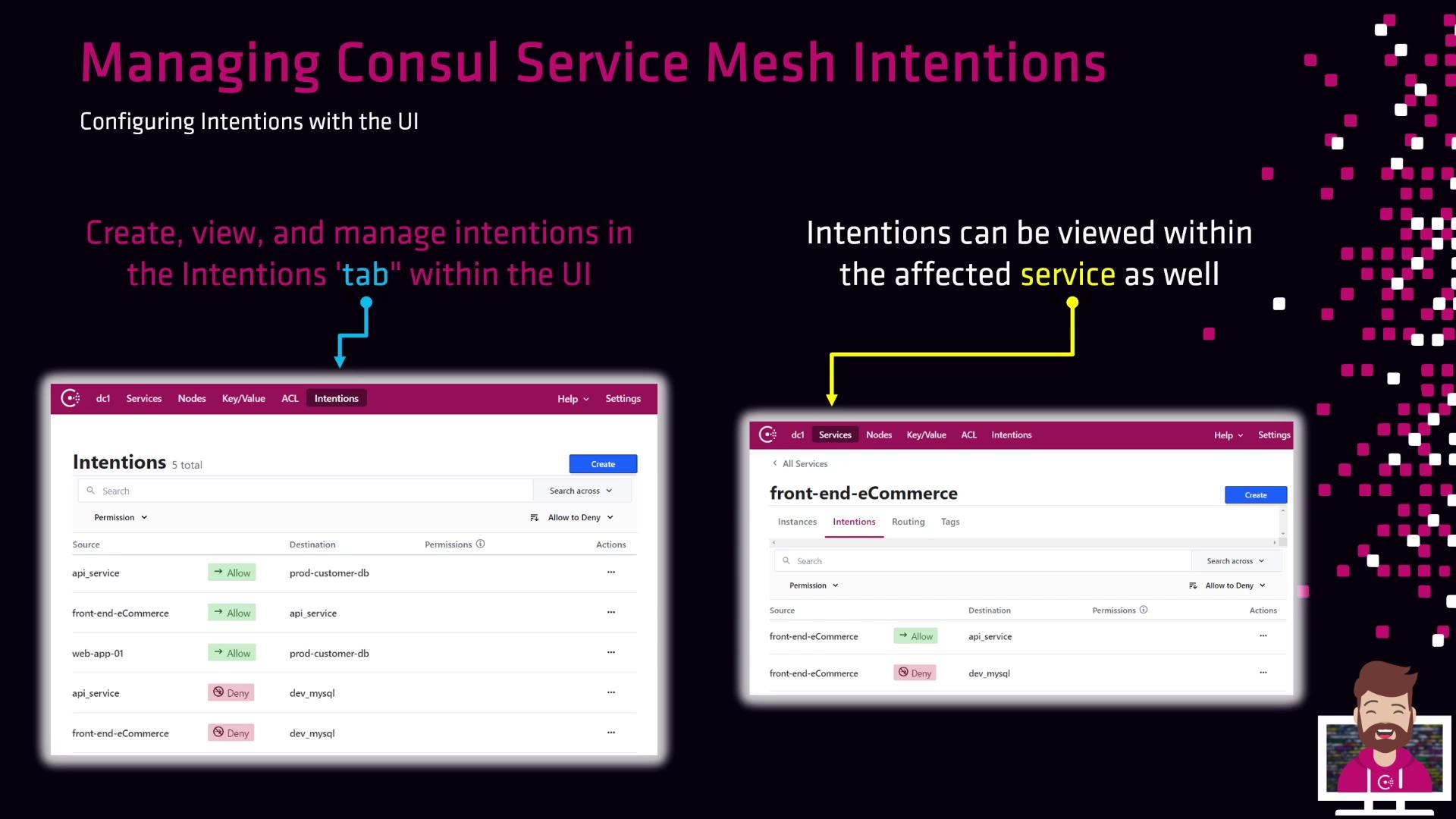
Example mappings in the UI:
| Source Service | Destination Service | Action |
| --------------------------------- | ------------------- | ------ |
| API service | prod customer DB | allow |
| Web app 01 | customer DB | allow |
| API service, front-end e-commerce | dev MySQL | deny |
To inspect intentions for a single service:
1. Select the service (e.g., **front-end e-commerce**).
2. Open its **Intentions** tab.
3. Delete or modify any intention directly.
## Managing Intentions with the HTTP API
Consul’s HTTP API enables programmatic creation, retrieval, and deletion of intentions. Note that the `/v1/connect/intents` endpoint was deprecated in v1.9.0 in favor of `/v1/connect/intentions/exact`.
The `/v1/connect/intents` path is deprecated as of Consul v1.9.0. Always use `/v1/connect/intentions/exact`.
### Create or Update an Intention
Allow `web-01` to communicate with `db-01`:
1. Create a `payload.json`:
```json theme={null}
{
"SourceType": "consul",
"Action": "allow"
}
```
2. Send the PUT request:
```bash theme={null}
curl --request PUT \
--data @payload.json \
https://consul.example.com:8500/v1/connect/intentions/exact?source=web-01&destination=db-01
```
A successful call returns:
```json theme={null}
true
```
### List and Delete
| Operation | HTTP Method & Endpoint |
| --------- | -------------------------------------------------------------- |
| List | GET `/v1/connect/intentions` |
| Get | GET `/v1/connect/intentions/exact?source=<>&destination=<>` |
| Delete | DELETE `/v1/connect/intentions/exact?source=<>&destination=<>` |
## Managing Intentions via CLI
The `consul intention` command provides a full suite of subcommands to create, list, inspect, and remove intentions.
```bash theme={null}
# Set your ACL token
export CONSUL_HTTP_TOKEN=aba7cbe5-879b-999a-07cc-2efd9ac0ffe
```
### Common Commands
| Command | Description |
| ---------------------------------------------- | --------------------------------------- |
| `consul intention create [--deny] ` | Create a new intention (default: allow) |
| `consul intention delete ` | Remove an existing intention |
| `consul intention list` | List all intentions |
| `consul intention get ` | Show details of a specific intention |
| `consul intention check ` | Test intent between two services |
| `consul intention match ` | Display the effective intention |
#### Examples
```bash theme={null}
# Allow web-01 → db-01
consul intention create web-01 db-01
# Deny web-01 → db-01
consul intention create --deny web-01 db-01
# Output: Created: web-01 => db-01 (deny)
```
Omitting `--deny` on `create` defaults to an `allow` intention.
***
Next, apply these approaches within your own Consul cluster to enforce secure, service-to-service communication.
## Links and References
* [Consul Service Mesh Intentions (Official Docs)](https://www.consul.io/docs/connect/intentions)
* [Consul HTTP API Reference](https://www.consul.io/api-docs)
* [Consul CLI Commands](https://www.consul.io/docs/commands)
* [HashiCorp Learn: Service Mesh with Consul](https://learn.hashicorp.com/consul)