> ## Documentation Index
> Fetch the complete documentation index at: https://notes.kodekloud.com/llms.txt
> Use this file to discover all available pages before exploring further.
# Using Built In Functions to Standardize Code
> Guide on using Terraform built-in functions to standardize infrastructure-as-code by simplifying naming, sizing, network calculations, and collection type conversions for reusable, consistent modules.
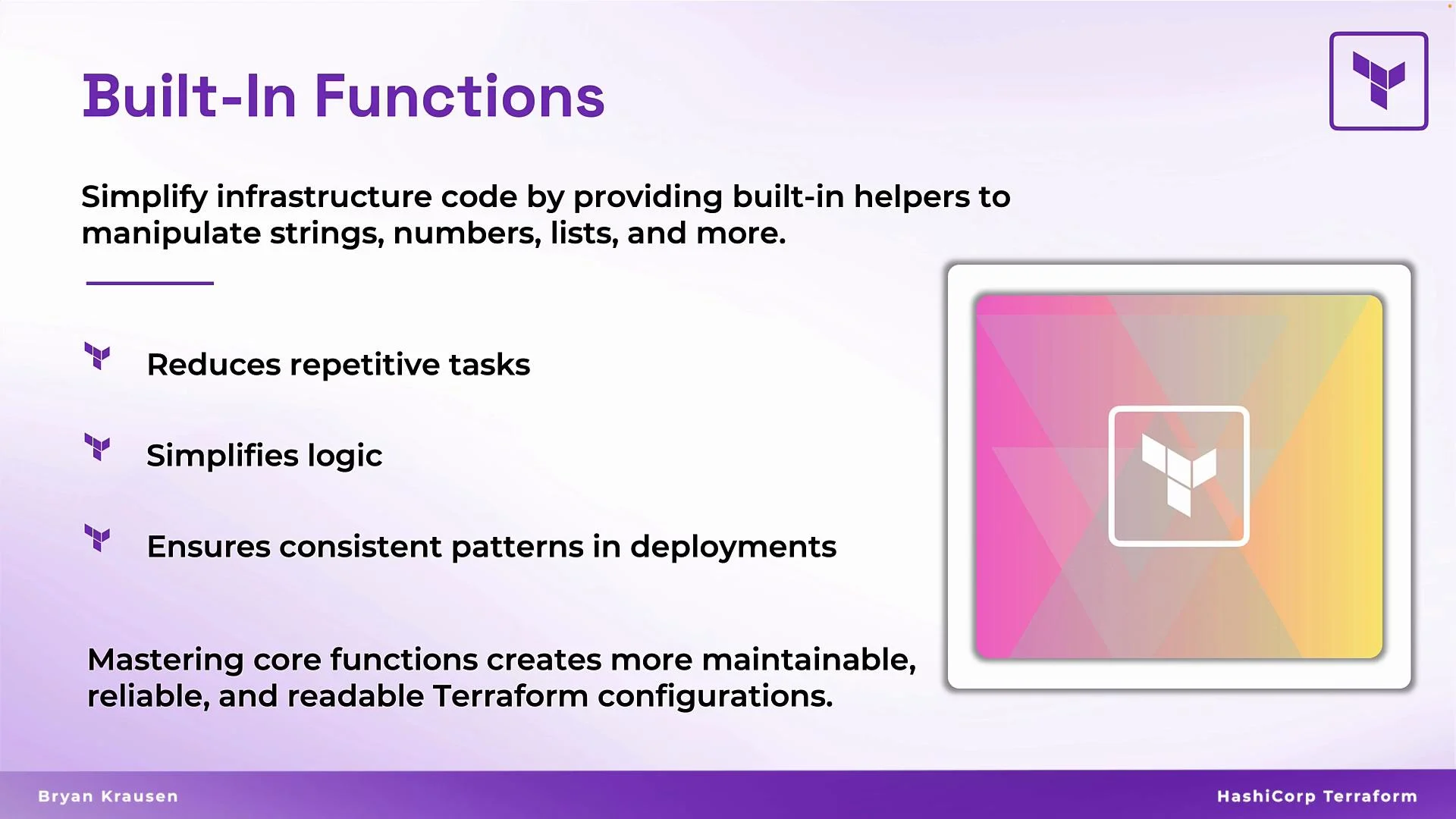
This guide explains how Terraform's built-in functions help you standardize infrastructure-as-code. By leveraging functions for strings, numbers, collections, and network calculations, you can avoid repetitive configuration, keep naming and sizing consistent across environments, and simplify logic across your Terraform codebase.
Mastering a compact set of functions — numeric, string, network, and type conversions — will make your Terraform configurations more maintainable, readable, and reliable in production.
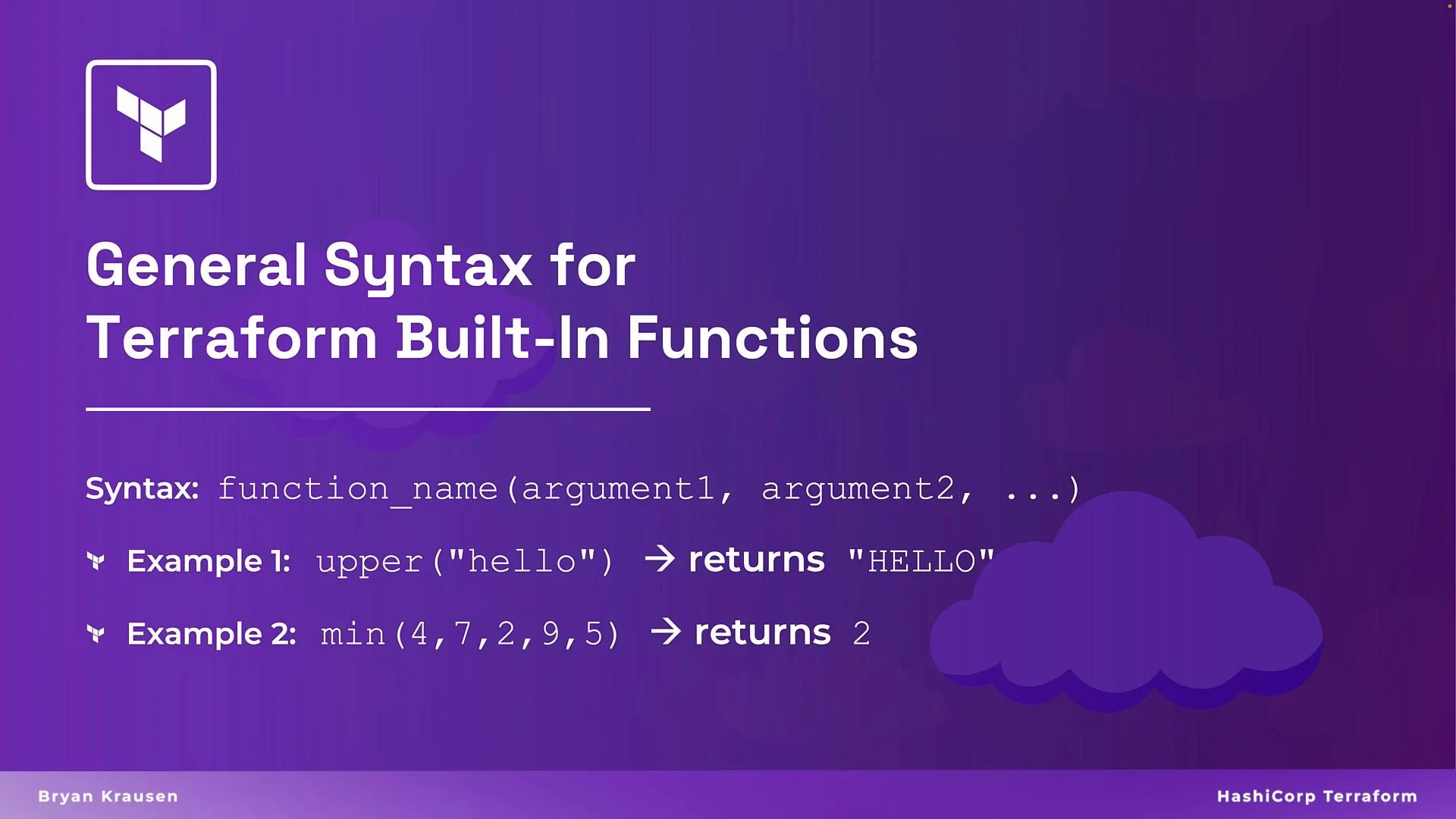
 Terraform functions follow a consistent pattern: `function_name(arg1, arg2, ...)`. In real modules you typically pass variables, resource attributes, or data lookups into these functions — not hard-coded literals. Using functions centralizes logic and reduces duplication.
## Basic function pattern
Terraform functions accept zero or more arguments and return a computed value. The most common usage patterns include string formatting for resource names, numeric decisions for sizing, and collection transformations to support `for_each` or indexing.
Terraform functions follow a consistent pattern: `function_name(arg1, arg2, ...)`. In real modules you typically pass variables, resource attributes, or data lookups into these functions — not hard-coded literals. Using functions centralizes logic and reduces duplication.
## Basic function pattern
Terraform functions accept zero or more arguments and return a computed value. The most common usage patterns include string formatting for resource names, numeric decisions for sizing, and collection transformations to support `for_each` or indexing.
 Examples:
```hcl theme={null}
# Convert a string to upper case
upper("hello") # -> "HELLO"
# Return the smallest numeric value
min(4, 7, 2, 9, 5) # -> 2
# Concatenate strings with a separator
join("-", ["hello", "terraform"]) # -> "hello-terraform"
```
Note: replace string literals with variables (e.g., `var.env`, `aws_vpc.main.cidr_block`) when using in modules.
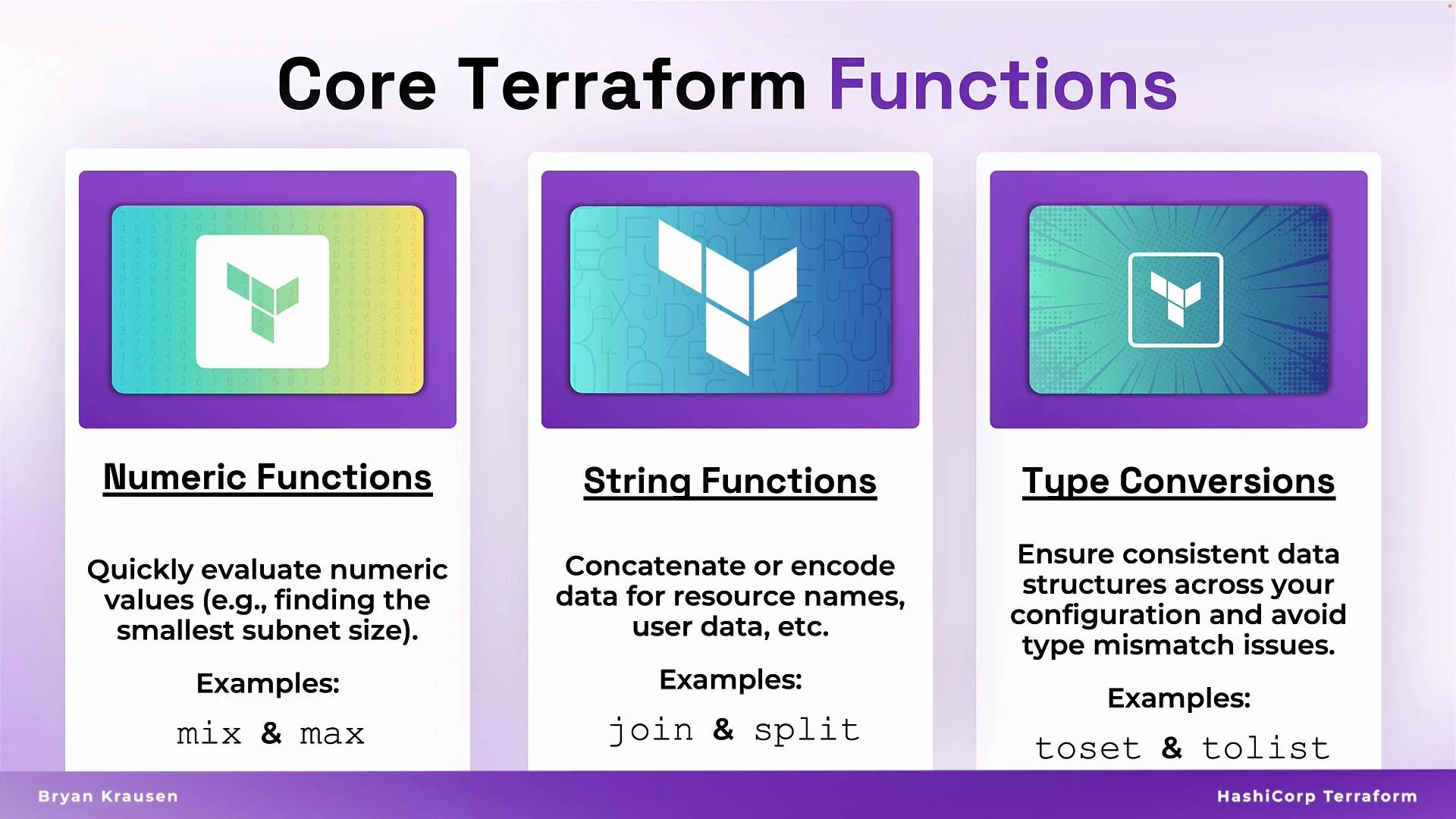
## Quick reference: common function categories
| Category | Purpose | Example |
| ---------------: | ---------------------------- | ------------------------------------------- |
| Numeric | Sizing, scaling, rounding | `max(10, var.min_cpu)` |
| String | Naming, tagging, payloads | `join("-", [var.env, var.service])` |
| Network | CIDR math, host addressing | `cidrsubnet(aws_vpc.main.cidr_block, 3, 1)` |
| Type conversions | Stable iteration and lookups | `toset(var.azs)` |
## Numeric functions
Numeric helpers let Terraform compute sizing decisions and defaults instead of hard-coding values.
Common functions:
* `max(...)` — largest numeric value
* `min(...)` — smallest numeric value
* `floor(...)` — round down
* `ceil(...)` — round up
Example:
```hcl theme={null}
variable "number" {
type = number
default = 15
}
# Evaluate the maximum among values including a variable
max(10, 4, var.number) # -> 15
```
Use numeric functions when computing instance counts, bucket sizes, or autoscaling thresholds.
## String functions
String manipulation enforces naming conventions, builds unique resource names, and prepares user-data payloads.
Common functions:
* `join(separator, list)` — concatenate a list of strings
* `upper(s)` / `lower(s)` — case conversions
* `replace(s, old, new)` — substring substitution
* `base64encode(s)` — encode for user-data or API payloads
Examples:
```hcl theme={null}
# join: concatenates elements with a dash
join("-", ["prod", "web", "us-west-1"]) # -> "prod-web-us-west-1"
# case conversion
upper("example") # -> "EXAMPLE"
# replace: substitute substring
replace("123-abc", "abc", "xyz") # -> "123-xyz"
# base64encode: encode for user data
base64encode("my-secret-data") # -> "bXktc2VjcmV0LWRhdGE="
```
Tip: Use `format()` to build predictable names, e.g. `format("%s-%s-%s", var.env, var.role, var.region)`.
Examples:
```hcl theme={null}
# Convert a string to upper case
upper("hello") # -> "HELLO"
# Return the smallest numeric value
min(4, 7, 2, 9, 5) # -> 2
# Concatenate strings with a separator
join("-", ["hello", "terraform"]) # -> "hello-terraform"
```
Note: replace string literals with variables (e.g., `var.env`, `aws_vpc.main.cidr_block`) when using in modules.
## Quick reference: common function categories
| Category | Purpose | Example |
| ---------------: | ---------------------------- | ------------------------------------------- |
| Numeric | Sizing, scaling, rounding | `max(10, var.min_cpu)` |
| String | Naming, tagging, payloads | `join("-", [var.env, var.service])` |
| Network | CIDR math, host addressing | `cidrsubnet(aws_vpc.main.cidr_block, 3, 1)` |
| Type conversions | Stable iteration and lookups | `toset(var.azs)` |
## Numeric functions
Numeric helpers let Terraform compute sizing decisions and defaults instead of hard-coding values.
Common functions:
* `max(...)` — largest numeric value
* `min(...)` — smallest numeric value
* `floor(...)` — round down
* `ceil(...)` — round up
Example:
```hcl theme={null}
variable "number" {
type = number
default = 15
}
# Evaluate the maximum among values including a variable
max(10, 4, var.number) # -> 15
```
Use numeric functions when computing instance counts, bucket sizes, or autoscaling thresholds.
## String functions
String manipulation enforces naming conventions, builds unique resource names, and prepares user-data payloads.
Common functions:
* `join(separator, list)` — concatenate a list of strings
* `upper(s)` / `lower(s)` — case conversions
* `replace(s, old, new)` — substring substitution
* `base64encode(s)` — encode for user-data or API payloads
Examples:
```hcl theme={null}
# join: concatenates elements with a dash
join("-", ["prod", "web", "us-west-1"]) # -> "prod-web-us-west-1"
# case conversion
upper("example") # -> "EXAMPLE"
# replace: substitute substring
replace("123-abc", "abc", "xyz") # -> "123-xyz"
# base64encode: encode for user data
base64encode("my-secret-data") # -> "bXktc2VjcmV0LWRhdGE="
```
Tip: Use `format()` to build predictable names, e.g. `format("%s-%s-%s", var.env, var.role, var.region)`.
 ## Network functions: CIDR math without the pain
Network functions like `cidrsubnet` and `cidrhost` let you calculate subnets and host addresses programmatically.
Example: create a VPC and generate multiple subnets using `cidrsubnet`
```hcl theme={null}
resource "aws_vpc" "main" {
cidr_block = "10.0.0.0/16"
}
# Public subnet: first /19 from the /16
resource "aws_subnet" "public" {
vpc_id = aws_vpc.main.id
availability_zone = "us-east-1a"
cidr_block = cidrsubnet(aws_vpc.main.cidr_block, 3, 0)
}
# Private subnet: second /19 from the /16
resource "aws_subnet" "private" {
vpc_id = aws_vpc.main.id
availability_zone = "us-east-1b"
cidr_block = cidrsubnet(aws_vpc.main.cidr_block, 3, 1)
}
```
How `cidrsubnet(base_cidr, newbits, netnum)` works:
* `newbits` extends the prefix length by that many bits, so the original block splits into `2^newbits` subnets.
* `netnum` selects which subnet index to use (0-based).
* In the example, `newbits = 3` turns `/16` into `/19` subnets.
When using `cidrsubnet` with dynamic indexes, ensure your `netnum` never exceeds `2^newbits - 1`. Off-by-one or unstable indexing can produce overlapping CIDR ranges. Convert sets back to lists for stable indexing when required.
## Type conversion and collection helpers
Convert collections to the proper type for `for_each`, maps, or index-based logic.
Key functions:
* `toset(x)` — convert to set (unique values; good for `for_each`)
* `tolist(x)` — convert to list (stable index order required)
* `tomap(x)` — convert to map for key lookups
* `tostring(x)` — make values suitable for tags or logs
Example: deduplicate AZs for `for_each`, then compute a deterministic subnet index
```hcl theme={null}
variable "availability_zones" {
type = list(string)
default = ["us-east-1a", "us-east-1a", "us-east-1b"]
}
locals {
unique_zones = toset(var.availability_zones)
}
resource "aws_subnet" "example" {
for_each = local.unique_zones
vpc_id = aws_vpc.main.id
availability_zone = each.value
cidr_block = cidrsubnet(
aws_vpc.main.cidr_block,
2,
index(tolist(local.unique_zones), each.value)
)
}
```
Notes:
* `toset` removes duplicates so `for_each` iterates only unique values.
* If you need deterministic indices, convert the set back to a list with `tolist(...)` and use `index(...)`.
## Compact cheat sheet
| Function | Returns | Typical use |
| ----------------------------------- | ------------- | ------------------------------------------------ |
| `max(...)`, `min(...)` | number | Compute capacity or constraints |
| `floor(x)`, `ceil(x)` | number | Rounding for counts or sizes |
| `join(sep, list)` | string | Build names or tags |
| `upper(s)`, `lower(s)` | string | Enforce naming conventions |
| `replace(s, old, new)` | string | Templating strings |
| `base64encode(s)` | string | User-data or API payloads |
| `cidrsubnet(base, newbits, netnum)` | string (CIDR) | Split VPC CIDR into subnets |
| `toset(x)`, `tolist(x)`, `tomap(x)` | collection | Prepare for `for_each`, index access, or lookups |
## Links and references
* [Terraform Functions Documentation](https://www.terraform.io/docs/language/functions/index.html)
* [AWS VPC and Subnet Concepts](https://docs.aws.amazon.com/vpc/latest/userguide/what-is-amazon-vpc.html)
* [Terraform Examples and Patterns](https://learn.hashicorp.com/collections/terraform/aws-get-started)
Wrap-up
Using Terraform's built-in functions reduces repetition, enforces consistent naming and sizing, and makes modules easier to reuse and test. Focus on numeric, string, network, and type-conversion functions to get the most practical benefit in everyday Terraform work.
That's it for this article.
## Network functions: CIDR math without the pain
Network functions like `cidrsubnet` and `cidrhost` let you calculate subnets and host addresses programmatically.
Example: create a VPC and generate multiple subnets using `cidrsubnet`
```hcl theme={null}
resource "aws_vpc" "main" {
cidr_block = "10.0.0.0/16"
}
# Public subnet: first /19 from the /16
resource "aws_subnet" "public" {
vpc_id = aws_vpc.main.id
availability_zone = "us-east-1a"
cidr_block = cidrsubnet(aws_vpc.main.cidr_block, 3, 0)
}
# Private subnet: second /19 from the /16
resource "aws_subnet" "private" {
vpc_id = aws_vpc.main.id
availability_zone = "us-east-1b"
cidr_block = cidrsubnet(aws_vpc.main.cidr_block, 3, 1)
}
```
How `cidrsubnet(base_cidr, newbits, netnum)` works:
* `newbits` extends the prefix length by that many bits, so the original block splits into `2^newbits` subnets.
* `netnum` selects which subnet index to use (0-based).
* In the example, `newbits = 3` turns `/16` into `/19` subnets.
When using `cidrsubnet` with dynamic indexes, ensure your `netnum` never exceeds `2^newbits - 1`. Off-by-one or unstable indexing can produce overlapping CIDR ranges. Convert sets back to lists for stable indexing when required.
## Type conversion and collection helpers
Convert collections to the proper type for `for_each`, maps, or index-based logic.
Key functions:
* `toset(x)` — convert to set (unique values; good for `for_each`)
* `tolist(x)` — convert to list (stable index order required)
* `tomap(x)` — convert to map for key lookups
* `tostring(x)` — make values suitable for tags or logs
Example: deduplicate AZs for `for_each`, then compute a deterministic subnet index
```hcl theme={null}
variable "availability_zones" {
type = list(string)
default = ["us-east-1a", "us-east-1a", "us-east-1b"]
}
locals {
unique_zones = toset(var.availability_zones)
}
resource "aws_subnet" "example" {
for_each = local.unique_zones
vpc_id = aws_vpc.main.id
availability_zone = each.value
cidr_block = cidrsubnet(
aws_vpc.main.cidr_block,
2,
index(tolist(local.unique_zones), each.value)
)
}
```
Notes:
* `toset` removes duplicates so `for_each` iterates only unique values.
* If you need deterministic indices, convert the set back to a list with `tolist(...)` and use `index(...)`.
## Compact cheat sheet
| Function | Returns | Typical use |
| ----------------------------------- | ------------- | ------------------------------------------------ |
| `max(...)`, `min(...)` | number | Compute capacity or constraints |
| `floor(x)`, `ceil(x)` | number | Rounding for counts or sizes |
| `join(sep, list)` | string | Build names or tags |
| `upper(s)`, `lower(s)` | string | Enforce naming conventions |
| `replace(s, old, new)` | string | Templating strings |
| `base64encode(s)` | string | User-data or API payloads |
| `cidrsubnet(base, newbits, netnum)` | string (CIDR) | Split VPC CIDR into subnets |
| `toset(x)`, `tolist(x)`, `tomap(x)` | collection | Prepare for `for_each`, index access, or lookups |
## Links and references
* [Terraform Functions Documentation](https://www.terraform.io/docs/language/functions/index.html)
* [AWS VPC and Subnet Concepts](https://docs.aws.amazon.com/vpc/latest/userguide/what-is-amazon-vpc.html)
* [Terraform Examples and Patterns](https://learn.hashicorp.com/collections/terraform/aws-get-started)
Wrap-up
Using Terraform's built-in functions reduces repetition, enforces consistent naming and sizing, and makes modules easier to reuse and test. Focus on numeric, string, network, and type-conversion functions to get the most practical benefit in everyday Terraform work.
That's it for this article.