> ## Documentation Index
> Fetch the complete documentation index at: https://notes.kodekloud.com/llms.txt
> Use this file to discover all available pages before exploring further.
# Using the count Meta Argument
> Explains Terraform's count meta-argument for creating multiple resource instances using count.index, differences from for_each, and tips to manage indexing and identity stability.
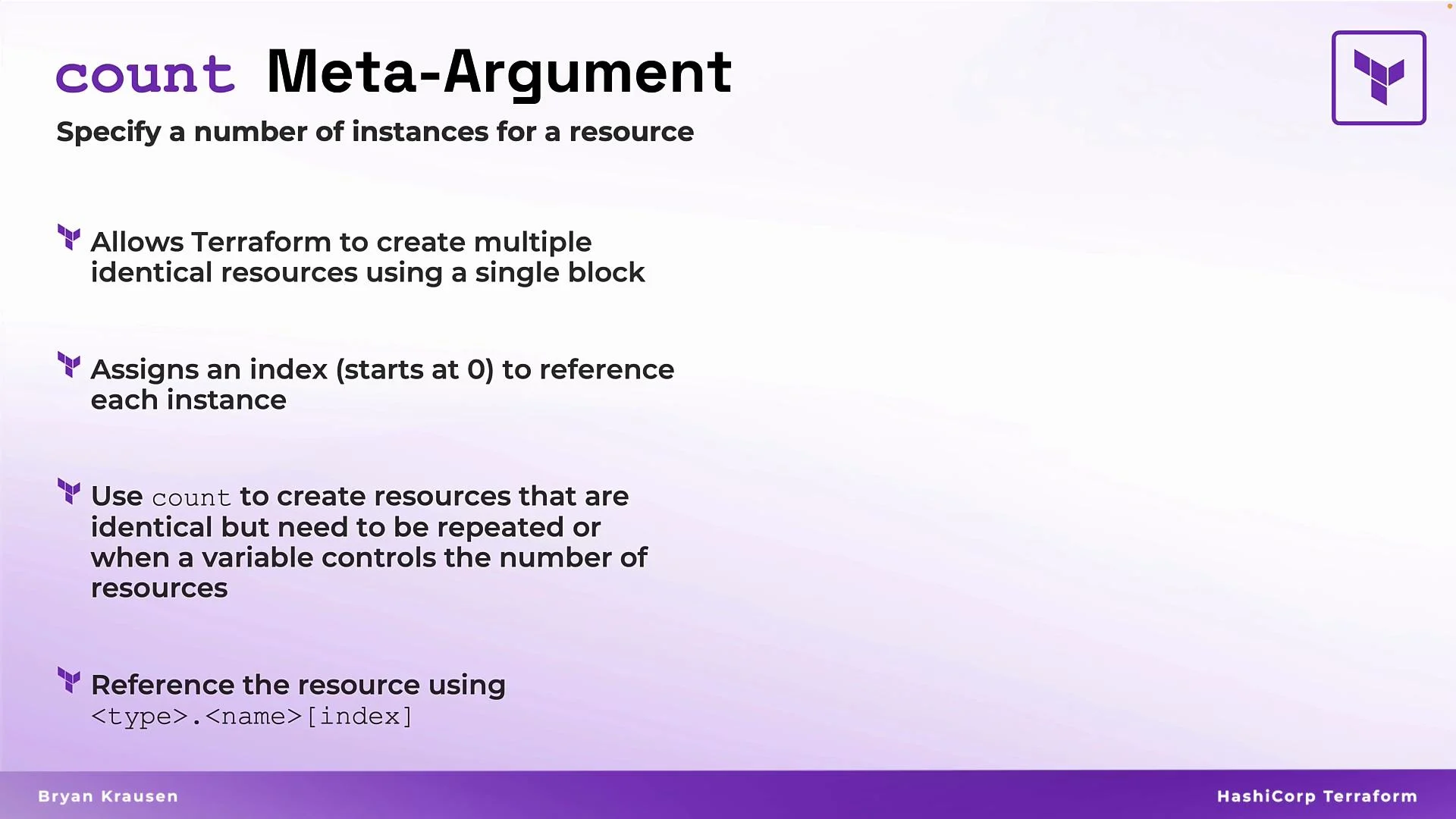
The `count` meta-argument in Terraform lets you create multiple instances of the same resource from a single resource block. It uses a zero-based numeric index (`count.index`) that you can reference inside the resource to produce unique names, tags, or other per-instance values. This makes `count` ideal when you need several identical or nearly-identical resources, or when the number of instances should be driven by a variable.
Use `count` when you want to scale identical resources by number. For stable identities or keyed collections, consider `for_each` instead (see the comparison below).
 ## How `count` works
* Set `count` to a number or a numeric variable (for example, `var.vm_count`).
* Terraform creates that many instances and assigns each a numeric index starting at `0`.
* Inside the resource you can reference `count.index` to create unique values per instance.
* To address an individual instance from another resource or an output, use an index on the resource address (for example: `aws_instance.example[1]`).
Example: create multiple Azure VMs driven by a variable and use `count.index` to generate unique names.
```hcl theme={null}
variable "vm_count" {
type = number
default = 3
}
resource "azurerm_virtual_machine" "example" {
count = var.vm_count
name = "vm-${count.index}"
location = "East US"
resource_group_name = "my-resource-group"
vm_size = "Standard_D2s_v3"
os_profile {
computer_name = "vm-${count.index}"
admin_username = "adminuser"
}
}
```
With `vm_count = 3`, Terraform will create VMs named `vm-0`, `vm-1`, and `vm-2`.
## Referencing instances
* Address the first instance: `azurerm_virtual_machine.example[0]`
* Get the name of the second instance: `azurerm_virtual_machine.example[1].name`
* Collect all names into an output:
```hcl theme={null}
output "vm_names" {
value = azurerm_virtual_machine.example[*].name
}
```
## Common uses and tips
* Use `count.index` inside `name`, `tags`, or properties that accept strings to ensure uniqueness.
* Combine `count` with other functions (for example, `count = var.vm_count > 0 ? var.vm_count : 0`) to handle conditional creation.
* Avoid using `count` with resources that require stable identity across changes if individual items will be added/removed frequently — the numeric indexing can shift.
## count vs for\_each
| Feature | `count` | `for_each` |
| --------------- | ------------------------------------------------ | ------------------------------------------------------ |
| Indexing | Numeric, zero-based `count.index` | Keyed by element value or map keys |
| Stable identity | No — indices shift if items are inserted/removed | Yes — each key maps to a stable instance |
| Use-case | Create N identical instances, scale by a number | Create instances from a set/map where identity matters |
| Example | `count = var.vm_count` | `for_each = toset(["a","b","c"])` |
## When to prefer for\_each
If you need stable, predictable identities for each instance (for example, when adding/removing single items), `for_each` is usually safer because it keys resources by a set or map value instead of a shifting numeric index.
Because `count` is index-based, changing the number or ordering of instances can shift indices and cause Terraform to delete and recreate resources. If you need stable identities for resources, prefer `for_each`.
## References
* [Terraform: Resource Meta-Arguments — count](https://www.terraform.io/language/meta-arguments/count)
* [Terraform: for\_each vs count](https://www.terraform.io/docs/language/meta-arguments/for_each.html)
## How `count` works
* Set `count` to a number or a numeric variable (for example, `var.vm_count`).
* Terraform creates that many instances and assigns each a numeric index starting at `0`.
* Inside the resource you can reference `count.index` to create unique values per instance.
* To address an individual instance from another resource or an output, use an index on the resource address (for example: `aws_instance.example[1]`).
Example: create multiple Azure VMs driven by a variable and use `count.index` to generate unique names.
```hcl theme={null}
variable "vm_count" {
type = number
default = 3
}
resource "azurerm_virtual_machine" "example" {
count = var.vm_count
name = "vm-${count.index}"
location = "East US"
resource_group_name = "my-resource-group"
vm_size = "Standard_D2s_v3"
os_profile {
computer_name = "vm-${count.index}"
admin_username = "adminuser"
}
}
```
With `vm_count = 3`, Terraform will create VMs named `vm-0`, `vm-1`, and `vm-2`.
## Referencing instances
* Address the first instance: `azurerm_virtual_machine.example[0]`
* Get the name of the second instance: `azurerm_virtual_machine.example[1].name`
* Collect all names into an output:
```hcl theme={null}
output "vm_names" {
value = azurerm_virtual_machine.example[*].name
}
```
## Common uses and tips
* Use `count.index` inside `name`, `tags`, or properties that accept strings to ensure uniqueness.
* Combine `count` with other functions (for example, `count = var.vm_count > 0 ? var.vm_count : 0`) to handle conditional creation.
* Avoid using `count` with resources that require stable identity across changes if individual items will be added/removed frequently — the numeric indexing can shift.
## count vs for\_each
| Feature | `count` | `for_each` |
| --------------- | ------------------------------------------------ | ------------------------------------------------------ |
| Indexing | Numeric, zero-based `count.index` | Keyed by element value or map keys |
| Stable identity | No — indices shift if items are inserted/removed | Yes — each key maps to a stable instance |
| Use-case | Create N identical instances, scale by a number | Create instances from a set/map where identity matters |
| Example | `count = var.vm_count` | `for_each = toset(["a","b","c"])` |
## When to prefer for\_each
If you need stable, predictable identities for each instance (for example, when adding/removing single items), `for_each` is usually safer because it keys resources by a set or map value instead of a shifting numeric index.
Because `count` is index-based, changing the number or ordering of instances can shift indices and cause Terraform to delete and recreate resources. If you need stable identities for resources, prefer `for_each`.
## References
* [Terraform: Resource Meta-Arguments — count](https://www.terraform.io/language/meta-arguments/count)
* [Terraform: for\_each vs count](https://www.terraform.io/docs/language/meta-arguments/for_each.html)