> ## Documentation Index
> Fetch the complete documentation index at: https://notes.kodekloud.com/llms.txt
> Use this file to discover all available pages before exploring further.
# Hiding Secrets with Sensitive Variables and Outputs
> Explains using Terraform sensitive variables and outputs to redact secrets in CLI output, and recommends secure state handling and secret management practices
This guide explains a common secret-exposure problem in Terraform, demonstrates the vulnerability, and shows how to fix it using `sensitive = true`. It also clarifies what sensitivity protects and what it does not, and provides best practices for secure secret management.
## Problem
If you pass a secret (e.g., an RDS password) into Terraform as a plain string variable, Terraform will interpolate it into resources — and `terraform plan` will print the secret in the plan output. That output can end up in CI logs, terminal history, screenshots, or other stored artifacts.
Vulnerable example:
```hcl theme={null}
variable "db_password" {
description = "Database password"
type = string
}
resource "aws_db_instance" "main" {
identifier = "mydb"
engine = "postgres"
instance_class = "db.t3.micro"
username = "admin"
password = var.db_password
}
```
When you run `terraform plan`, the secret can appear in plaintext:
```bash theme={null}
$ terraform plan
Terraform will perform the following actions:
# aws_db_instance.main will be created
+ resource "aws_db_instance" "main" {
+ password = "MyS3cr3tP@ssw0rd!"
+ username = "admin"
...
}
Plan: 1 to add, 0 to change, 0 to destroy.
```
This leaks the secret into any location where plan output is stored.
## Solution — mark variables (and outputs) as sensitive
Mark the variable with `sensitive = true` to redact the value from console output and logs. This does not change how providers receive values; it only prevents display in Terraform CLI output and log captures.
Fixed example:
```hcl theme={null}
variable "db_password" {
description = "Database password"
type = string
sensitive = true
}
resource "aws_db_instance" "main" {
identifier = "mydb"
engine = "postgres"
instance_class = "db.t3.micro"
username = "admin"
password = var.db_password
}
```
After making the variable sensitive, `terraform plan` shows a redacted value:
```bash theme={null}
$ terraform plan
Terraform will perform the following actions:
# aws_db_instance.main will be created
+ resource "aws_db_instance" "main" {
+ password = (sensitive value)
+ username = "admin"
...
}
Plan: 1 to add, 0 to change, 0 to destroy.
```
## What sensitive variables/outputs protect — and what they don't
Use the table below to quickly see the protection scope of `sensitive = true`.
| Protects | Does NOT protect |
| ------------------------------------------------------------------------ | -------------------------------------------------------------------- |
| Hides values in `terraform plan` and `terraform apply` console output | Does not encrypt secrets in the Terraform state file |
| Prevents secrets appearing in CLI logs and printed error messages | Does not prevent transmission of secrets to providers during apply |
| Works for both variables and outputs (use `sensitive = true` on outputs) | Is masking/redaction for display only — not cryptographic protection |
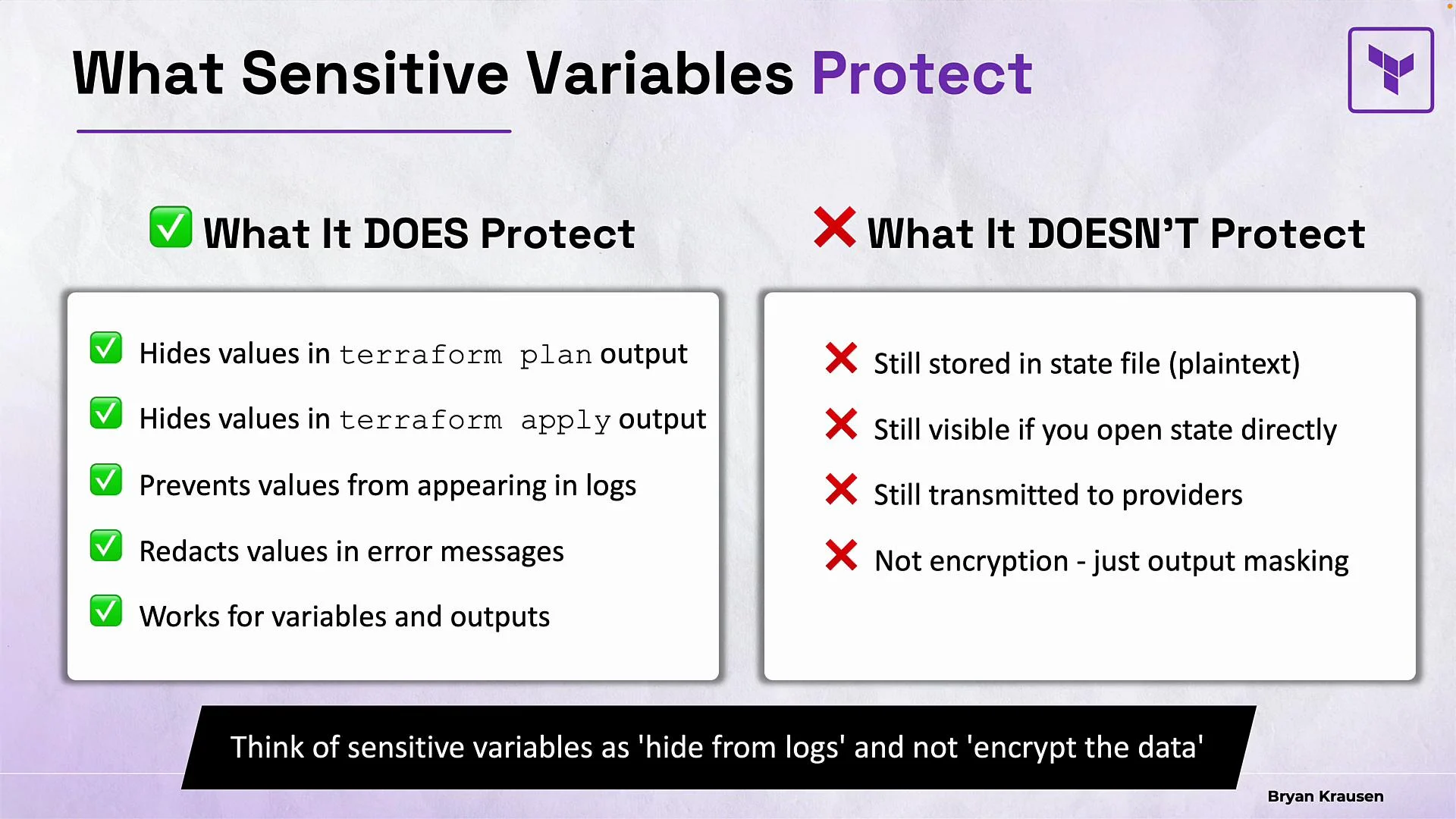 Marking variables and outputs as `sensitive` is primarily about reducing accidental exposure (logs, console output, error messages). It is not a substitute for proper state encryption and secure secret management.
Terraform state files may contain secret values in plaintext. Use remote state backends with encryption at rest, restrict access to state, and consider additional secret-management patterns (e.g., retrieving credentials from a secrets manager at apply time).
## Sensitive outputs
You can mark outputs as sensitive the same way as variables.
Example:
```hcl theme={null}
output "database_endpoint" {
description = "Database connection endpoint"
value = aws_db_instance.main.endpoint
}
output "database_password" {
description = "Database password"
value = aws_db_instance.main.password
sensitive = true
}
```
* Interactive console: a non-sensitive output like `database_endpoint` prints normally after `terraform apply`. A sensitive output such as `database_password` is redacted as `(sensitive value)` in the printed outputs.
* Programmatic consumption: automation can still retrieve sensitive outputs. For example:
* `terraform output -raw database_password`
* `terraform output -json`
Example retrieval:
```bash theme={null}
$ terraform output -raw database_password
MyS3cr3tP@ssw0rd!
```
This design reduces accidental exposure during interactive use and in logs while allowing automation to consume values when required.
## Best practices and recommendations
* Do:
* Mark variables and outputs containing secrets as `sensitive = true`.
* Store state in a remote backend with encryption at rest and strict ACLs (e.g., Terraform Cloud, S3 with SSE and proper IAM policies).
* Use dedicated secret managers for long-lived credentials (e.g., AWS Secrets Manager, HashiCorp Vault) and fetch secrets at apply time.
* Limit access to CI logs and workspace artifacts that may contain plan outputs.
* Avoid:
* Hardcoding secrets in Terraform files or checked-in variable files.
* Relying on `sensitive` as a replacement for encrypted state or robust secret management.
## Useful links and references
* Terraform: Sensitive variables — [https://www.terraform.io/language/values/variables#sensitive-variables](https://www.terraform.io/language/values/variables#sensitive-variables)
* Terraform: Outputs — [https://www.terraform.io/cli/commands/output](https://www.terraform.io/cli/commands/output)
* Terraform: Remote state — [https://www.terraform.io/language/state/remote](https://www.terraform.io/language/state/remote)
## Summary
* Use `sensitive = true` for variables and outputs to prevent secrets from appearing in CLI output and logs.
* Remember that `sensitive` is redaction/masking, not encryption — the state file and provider transmissions may still contain plaintext secrets.
* Combine `sensitive` with secure remote state backends, strict access controls, and a secrets manager for layered protection.
Marking variables and outputs as `sensitive` is primarily about reducing accidental exposure (logs, console output, error messages). It is not a substitute for proper state encryption and secure secret management.
Terraform state files may contain secret values in plaintext. Use remote state backends with encryption at rest, restrict access to state, and consider additional secret-management patterns (e.g., retrieving credentials from a secrets manager at apply time).
## Sensitive outputs
You can mark outputs as sensitive the same way as variables.
Example:
```hcl theme={null}
output "database_endpoint" {
description = "Database connection endpoint"
value = aws_db_instance.main.endpoint
}
output "database_password" {
description = "Database password"
value = aws_db_instance.main.password
sensitive = true
}
```
* Interactive console: a non-sensitive output like `database_endpoint` prints normally after `terraform apply`. A sensitive output such as `database_password` is redacted as `(sensitive value)` in the printed outputs.
* Programmatic consumption: automation can still retrieve sensitive outputs. For example:
* `terraform output -raw database_password`
* `terraform output -json`
Example retrieval:
```bash theme={null}
$ terraform output -raw database_password
MyS3cr3tP@ssw0rd!
```
This design reduces accidental exposure during interactive use and in logs while allowing automation to consume values when required.
## Best practices and recommendations
* Do:
* Mark variables and outputs containing secrets as `sensitive = true`.
* Store state in a remote backend with encryption at rest and strict ACLs (e.g., Terraform Cloud, S3 with SSE and proper IAM policies).
* Use dedicated secret managers for long-lived credentials (e.g., AWS Secrets Manager, HashiCorp Vault) and fetch secrets at apply time.
* Limit access to CI logs and workspace artifacts that may contain plan outputs.
* Avoid:
* Hardcoding secrets in Terraform files or checked-in variable files.
* Relying on `sensitive` as a replacement for encrypted state or robust secret management.
## Useful links and references
* Terraform: Sensitive variables — [https://www.terraform.io/language/values/variables#sensitive-variables](https://www.terraform.io/language/values/variables#sensitive-variables)
* Terraform: Outputs — [https://www.terraform.io/cli/commands/output](https://www.terraform.io/cli/commands/output)
* Terraform: Remote state — [https://www.terraform.io/language/state/remote](https://www.terraform.io/language/state/remote)
## Summary
* Use `sensitive = true` for variables and outputs to prevent secrets from appearing in CLI output and logs.
* Remember that `sensitive` is redaction/masking, not encryption — the state file and provider transmissions may still contain plaintext secrets.
* Combine `sensitive` with secure remote state backends, strict access controls, and a secrets manager for layered protection.