> ## Documentation Index
> Fetch the complete documentation index at: https://notes.kodekloud.com/llms.txt
> Use this file to discover all available pages before exploring further.
# Keeping Secrets Out of State with Ephemeral Values and Write only Arguments
> Techniques to keep secrets out of Terraform state using ephemeral values, ephemeral resources, and write only arguments to prevent secrets persisting in plans or state
Keeping secrets out of Terraform state is essential for secure infrastructure management. Common measures—sensitive variables, environment variables, encrypted remote state, and external secret stores—help, but secrets often still end up in the Terraform state file. Anyone with read access to the backend (or who can run `terraform plan`) can potentially see values stored there.
Example: simplified Terraform state JSON containing a secret
```json theme={null}
{
"version": 4,
"terraform_version": "1.4.0",
"serial": 1,
"lineage": "abcd-1234",
"outputs": {
"database_password_output": {
"value": "MySuperSecretPassword123!",
"type": "string",
"sensitive": true
}
},
"resources": [
{
"mode": "managed",
"type": "aws_db_instance",
"name": "main",
"provider": "provider[\"registry.terraform.io/hashicorp/aws\"]",
"instances": [
{
"schema_version": 1,
"attributes": {
"password": "MySuperSecretPassword123!"
}
}
]
}
]
}
```
This article explains how to keep secrets completely out of state using ephemeral values, ephemeral resources, and provider write-only arguments.
Ephemeral values require Terraform 1.10+. If you're preparing for the [Terraform Associate exam](https://learn.kodekloud.com/user/courses/terraform-associate-certification-hashicorp-certified) or upgrading environments, confirm your Terraform version supports ephemeral features.
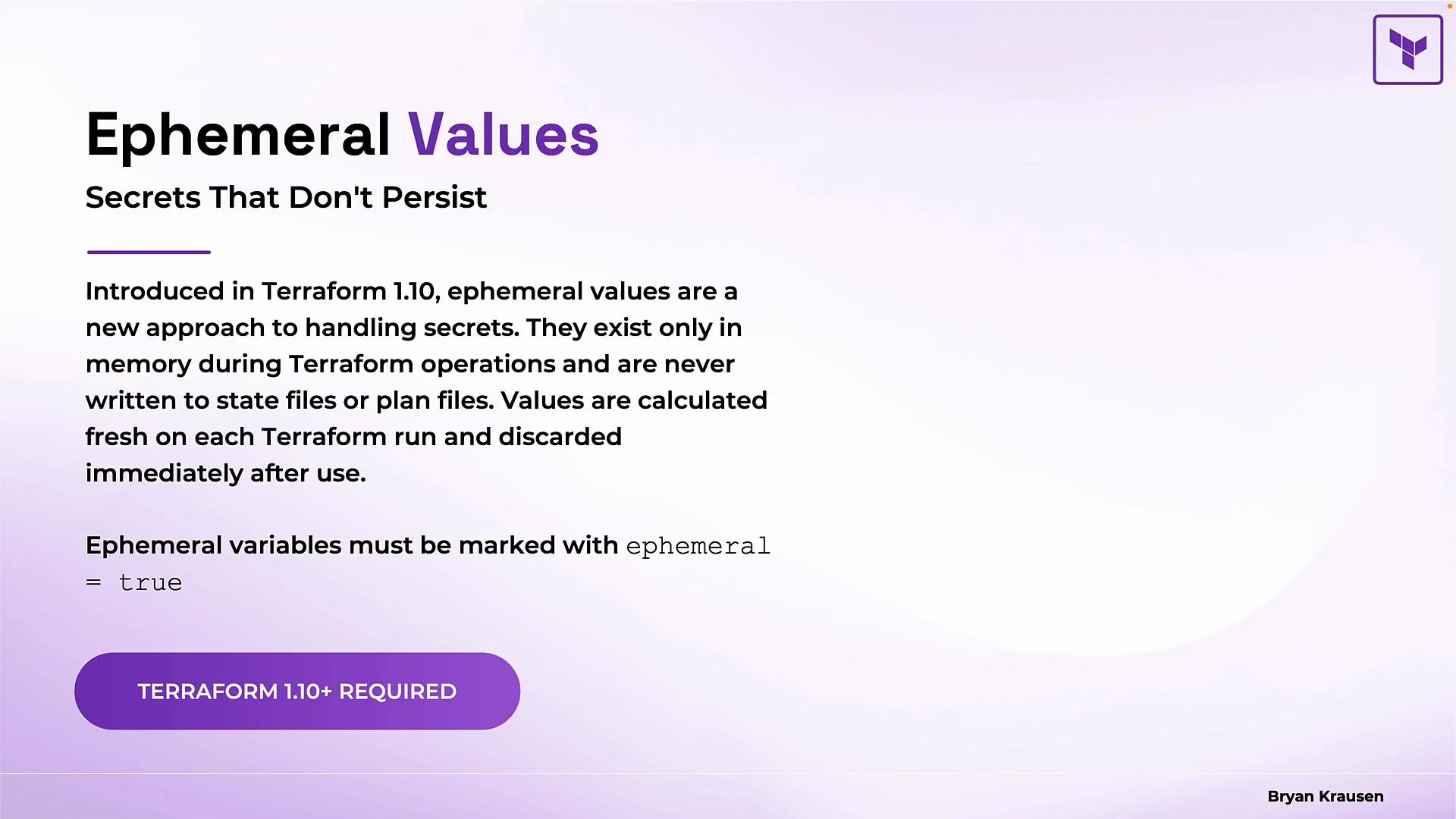 What are ephemeral values?
* Ephemeral values exist only in memory during Terraform operations (init, plan, apply) and are never written to plan or state files.
* They are recalculated every run and discarded immediately after use, preventing secrets from persisting in state.
Mark a variable ephemeral with `ephemeral = true` (you can also mark it `sensitive = true` to hide CLI/UI output):
```hcl theme={null}
variable "database_password" {
description = "Password for the database"
type = string
sensitive = true
ephemeral = true
}
```
* `sensitive = true` hides the value in CLI/console output.
* `ephemeral = true` ensures the value is not written to plans or state files.
* Use both for defense-in-depth.
Ephemeral values are supported in multiple contexts. You don't need to memorize every use case, but knowing where they apply helps you design secure modules and providers.
What are ephemeral values?
* Ephemeral values exist only in memory during Terraform operations (init, plan, apply) and are never written to plan or state files.
* They are recalculated every run and discarded immediately after use, preventing secrets from persisting in state.
Mark a variable ephemeral with `ephemeral = true` (you can also mark it `sensitive = true` to hide CLI/UI output):
```hcl theme={null}
variable "database_password" {
description = "Password for the database"
type = string
sensitive = true
ephemeral = true
}
```
* `sensitive = true` hides the value in CLI/console output.
* `ephemeral = true` ensures the value is not written to plans or state files.
* Use both for defense-in-depth.
Ephemeral values are supported in multiple contexts. You don't need to memorize every use case, but knowing where they apply helps you design secure modules and providers.
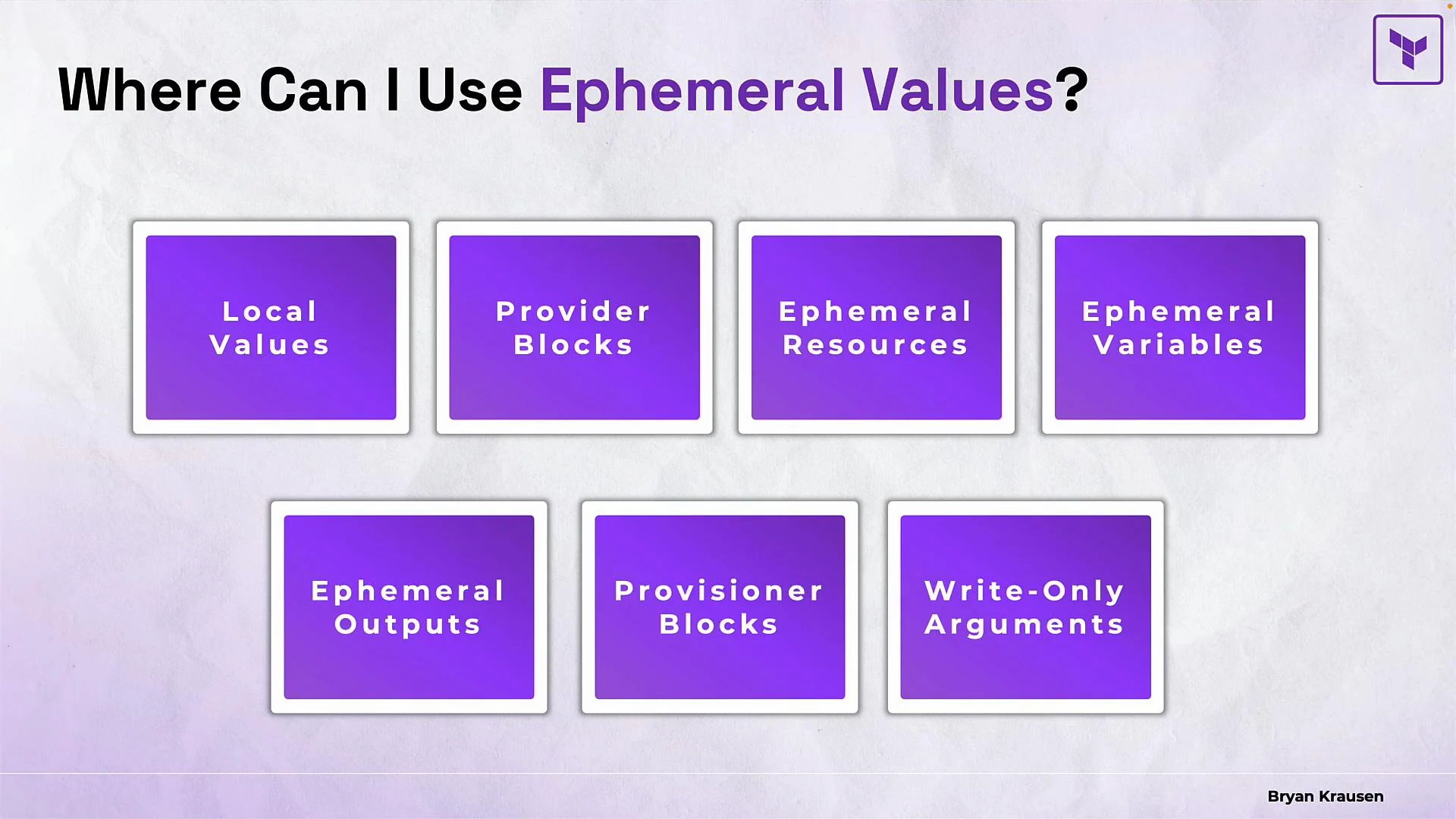 Common contexts where ephemeral values can be applied:
* locals (they inherit ephemeral markers)
* provider blocks (ephemeral provider credentials)
* ephemeral resources (see the next section)
* ephemeral variables and outputs (module-level ephemeral data)
* provisioner blocks (e.g., connection credentials—use cautiously)
* write-only arguments on managed resource types (to pass secrets securely)
Important restriction: ephemeral values cannot be used directly in ordinary resource arguments because resource instances must persist between Terraform phases (plan, apply). If you try, Terraform will raise an error:
Example that will fail:
```hcl theme={null}
resource "azurerm_mssql_server" "db" {
administrator_login_password = var.db_password # var.db_password is ephemeral
# ...
}
```
Error:
```text theme={null}
Error: Invalid use of ephemeral value
Ephemeral values are not valid in resource arguments, because
resource instances must persist between Terraform phases.
```
Provider configuration is a practical place to use ephemeral values because provider blocks do not persist configuration into state. Example:
```hcl theme={null}
variable "github_owner" {
type = string
description = "GitHub organization"
}
variable "github_token" {
type = string
description = "GitHub token"
sensitive = true
ephemeral = true
}
provider "github" {
owner = var.github_owner
token = var.github_token
}
```
Here, the token is available only in memory while Terraform authenticates to the GitHub provider and is not written to state or plan files.
## Ephemeral Resources
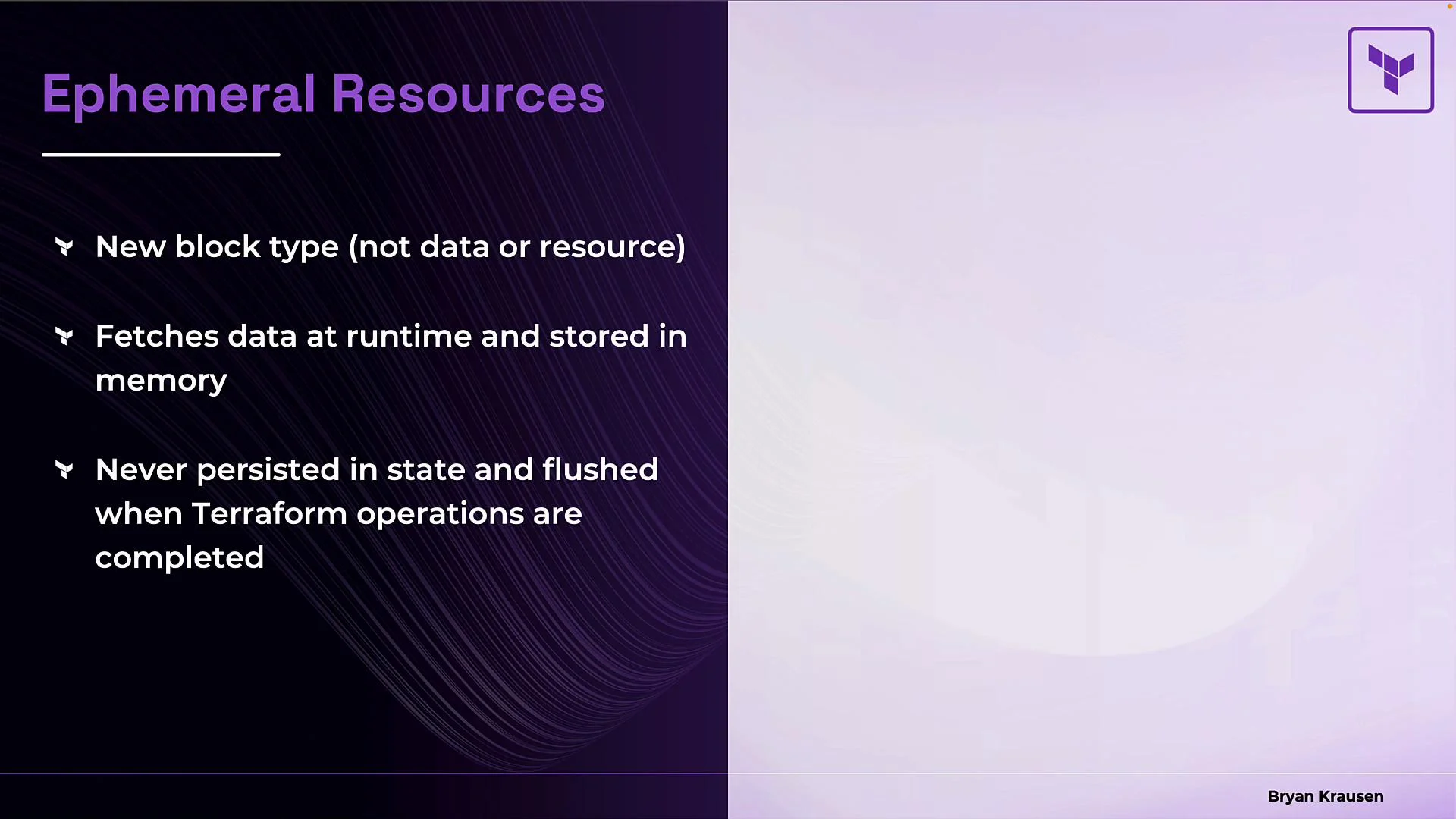
Terraform also supports ephemeral resources: a block type that behaves like a data source but whose retrieved values are kept only in memory and never written to state. Terraform "opens" the ephemeral resource during execution, uses the value, and then "closes" it to discard the secret.
Common contexts where ephemeral values can be applied:
* locals (they inherit ephemeral markers)
* provider blocks (ephemeral provider credentials)
* ephemeral resources (see the next section)
* ephemeral variables and outputs (module-level ephemeral data)
* provisioner blocks (e.g., connection credentials—use cautiously)
* write-only arguments on managed resource types (to pass secrets securely)
Important restriction: ephemeral values cannot be used directly in ordinary resource arguments because resource instances must persist between Terraform phases (plan, apply). If you try, Terraform will raise an error:
Example that will fail:
```hcl theme={null}
resource "azurerm_mssql_server" "db" {
administrator_login_password = var.db_password # var.db_password is ephemeral
# ...
}
```
Error:
```text theme={null}
Error: Invalid use of ephemeral value
Ephemeral values are not valid in resource arguments, because
resource instances must persist between Terraform phases.
```
Provider configuration is a practical place to use ephemeral values because provider blocks do not persist configuration into state. Example:
```hcl theme={null}
variable "github_owner" {
type = string
description = "GitHub organization"
}
variable "github_token" {
type = string
description = "GitHub token"
sensitive = true
ephemeral = true
}
provider "github" {
owner = var.github_owner
token = var.github_token
}
```
Here, the token is available only in memory while Terraform authenticates to the GitHub provider and is not written to state or plan files.
## Ephemeral Resources
Terraform also supports ephemeral resources: a block type that behaves like a data source but whose retrieved values are kept only in memory and never written to state. Terraform "opens" the ephemeral resource during execution, uses the value, and then "closes" it to discard the secret.
 Example: Azure Key Vault secret fetched only in memory
```hcl theme={null}
ephemeral "azurerm_key_vault_secret" "db" {
name = "database-password"
key_vault_id = var.key_vault_id
}
```
When to use ephemeral resources:
* Fetch secrets from Vault or another secret manager without persisting them to state.
* Read temporary or short-lived credentials that exist only during execution.
* Retrieve dynamic tokens that change frequently (even between plan and apply).
Provider developers determine which resources or data sources have ephemeral equivalents—check the provider documentation because not every data source has an ephemeral variant.
## Write-only Arguments
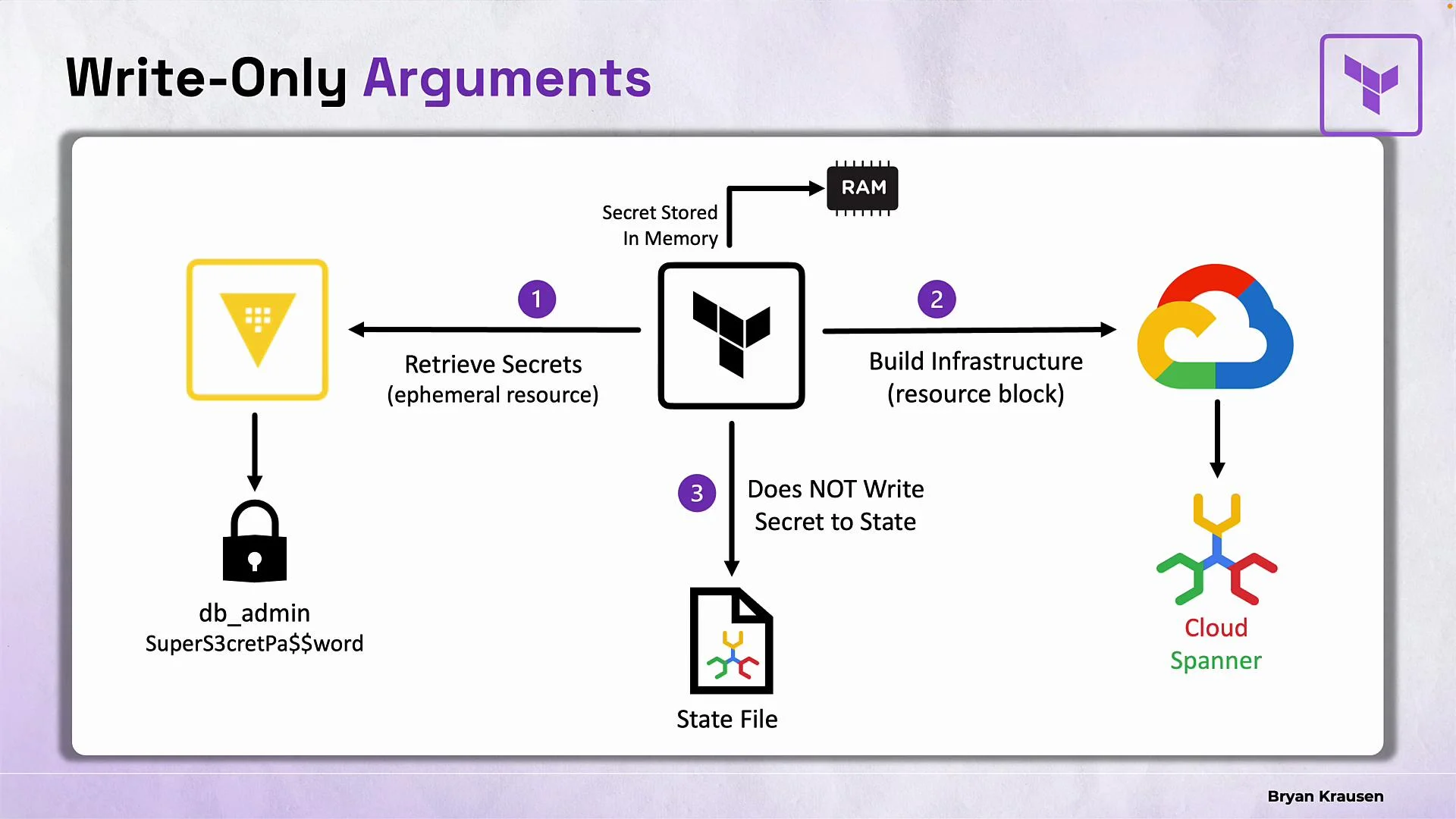
Write-only arguments provide a way to securely pass ephemeral values into managed resources during an operation while preventing those arguments from being persisted into Terraform state. Providers mark specific resource arguments as write-only; often a companion `*_wo_version` attribute is provided to help Terraform detect updates without storing the secret.
Example: Azure Key Vault secret fetched only in memory
```hcl theme={null}
ephemeral "azurerm_key_vault_secret" "db" {
name = "database-password"
key_vault_id = var.key_vault_id
}
```
When to use ephemeral resources:
* Fetch secrets from Vault or another secret manager without persisting them to state.
* Read temporary or short-lived credentials that exist only during execution.
* Retrieve dynamic tokens that change frequently (even between plan and apply).
Provider developers determine which resources or data sources have ephemeral equivalents—check the provider documentation because not every data source has an ephemeral variant.
## Write-only Arguments
Write-only arguments provide a way to securely pass ephemeral values into managed resources during an operation while preventing those arguments from being persisted into Terraform state. Providers mark specific resource arguments as write-only; often a companion `*_wo_version` attribute is provided to help Terraform detect updates without storing the secret.
 Comparison: regular vs write-only resource arguments
Regular resource (secret will end up in state):
```hcl theme={null}
resource "aws_db_instance" "test" {
instance_class = "db.t3.micro"
allocated_storage = 20
engine = "postgres"
username = "db-admin"
skip_final_snapshot = true
password = var.database_password
}
```
Write-only arguments (secret is sent to the provider but not stored in state). Here `password_wo` is the write-only argument and `password_wo_version` signals updates:
```hcl theme={null}
resource "aws_db_instance" "test" {
instance_class = "db.t3.micro"
allocated_storage = 20
engine = "postgres"
username = "db-admin"
skip_final_snapshot = true
password_wo = var.ephemeral_pass
password_wo_version = 1
}
```
Key points about write-only arguments:
* They let you use ephemeral values with ordinary managed resources without storing secrets in state.
* Providers define which arguments are write-only; behavior varies by provider.
* The companion version attribute (`*_wo_version`) signals resource updates without storing the secret value.
* Not all resources support write-only arguments—consult provider docs.
Quick comparison table
| Feature | Persists in State? | Typical Use Case |
| ----------------------------- | ---------------------- | --------------------------------------------- |
| `ephemeral` variable or local | No | Provider credentials, temporary tokens |
| `ephemeral` resource | No | Fetch secrets from secret stores at runtime |
| Write-only argument (`*_wo`) | No (argument excluded) | Pass ephemeral secrets into managed resources |
| Regular resource argument | Yes | Static or non-sensitive configuration |
Provider support varies: check your provider's documentation to see whether it implements ephemeral resources or write-only arguments (and which arguments are supported). These features are provider-dependent.
## Summary
* Ephemeral values exist only in memory during Terraform operations and are never written to plan or state files.
* Use `ephemeral = true` (optionally combined with `sensitive = true`) for variables, locals, provider credentials, outputs, etc., where supported.
* Ephemeral resources (`ephemeral "_" ""`) fetch runtime data and keep it only in memory—ideal for secrets from Vault or similar stores.
* Write-only arguments allow ephemeral values to be passed to managed resources without persisting the secret in state; they often require a companion version attribute to track updates.
* Combine ephemeral features with environment variables, encrypted remote state, least-privilege access, and external secret managers for defense-in-depth.
Links and References
* [Terraform documentation (official)](https://www.terraform.io/docs)
* [HashiCorp Vault documentation](https://www.vaultproject.io/docs)
* [Terraform Associate certification course (example)](https://learn.kodekloud.com/user/courses/terraform-associate-certification-hashicorp-certified)
Comparison: regular vs write-only resource arguments
Regular resource (secret will end up in state):
```hcl theme={null}
resource "aws_db_instance" "test" {
instance_class = "db.t3.micro"
allocated_storage = 20
engine = "postgres"
username = "db-admin"
skip_final_snapshot = true
password = var.database_password
}
```
Write-only arguments (secret is sent to the provider but not stored in state). Here `password_wo` is the write-only argument and `password_wo_version` signals updates:
```hcl theme={null}
resource "aws_db_instance" "test" {
instance_class = "db.t3.micro"
allocated_storage = 20
engine = "postgres"
username = "db-admin"
skip_final_snapshot = true
password_wo = var.ephemeral_pass
password_wo_version = 1
}
```
Key points about write-only arguments:
* They let you use ephemeral values with ordinary managed resources without storing secrets in state.
* Providers define which arguments are write-only; behavior varies by provider.
* The companion version attribute (`*_wo_version`) signals resource updates without storing the secret value.
* Not all resources support write-only arguments—consult provider docs.
Quick comparison table
| Feature | Persists in State? | Typical Use Case |
| ----------------------------- | ---------------------- | --------------------------------------------- |
| `ephemeral` variable or local | No | Provider credentials, temporary tokens |
| `ephemeral` resource | No | Fetch secrets from secret stores at runtime |
| Write-only argument (`*_wo`) | No (argument excluded) | Pass ephemeral secrets into managed resources |
| Regular resource argument | Yes | Static or non-sensitive configuration |
Provider support varies: check your provider's documentation to see whether it implements ephemeral resources or write-only arguments (and which arguments are supported). These features are provider-dependent.
## Summary
* Ephemeral values exist only in memory during Terraform operations and are never written to plan or state files.
* Use `ephemeral = true` (optionally combined with `sensitive = true`) for variables, locals, provider credentials, outputs, etc., where supported.
* Ephemeral resources (`ephemeral "_" ""`) fetch runtime data and keep it only in memory—ideal for secrets from Vault or similar stores.
* Write-only arguments allow ephemeral values to be passed to managed resources without persisting the secret in state; they often require a companion version attribute to track updates.
* Combine ephemeral features with environment variables, encrypted remote state, least-privilege access, and external secret managers for defense-in-depth.
Links and References
* [Terraform documentation (official)](https://www.terraform.io/docs)
* [HashiCorp Vault documentation](https://www.vaultproject.io/docs)
* [Terraform Associate certification course (example)](https://learn.kodekloud.com/user/courses/terraform-associate-certification-hashicorp-certified)