> ## Documentation Index
> Fetch the complete documentation index at: https://notes.kodekloud.com/llms.txt
> Use this file to discover all available pages before exploring further.
# Controlling Terraform Behavior and Settings
> Explains the terraform block for locking CLI and provider versions, configuring remote state backends, and enforcing consistent team workflows and versioning best practices
As you expand your Terraform knowledge, it's important to understand the terraform block. Unlike resources, variables, or providers, the terraform block configures Terraform itself. Use it to specify the Terraform CLI version, declare provider requirements, configure the backend for remote state, and set global behaviors that apply to the entire configuration. Think of it as the project's global settings menu.
In this lesson we cover real-world scenarios that motivate using the terraform block, break down its key components, and explain how to apply version constraints effectively.
Why this matters
* Ensures consistent behavior across team members and environments.
* Locks provider versions to avoid unexpected breaking changes.
* Configures remote state storage so collaborators operate on a single shared state.
Always include a `terraform` block in shared projects to reduce “works on my machine” issues and enforce consistent provider and CLI versions.
Scenario: mismatched Terraform versions
Imagine you and your team manage infrastructure with Terraform. You develop and test locally using a specific Terraform version and then commit code. Later, a colleague pulls the same repo but has a different Terraform (or provider) version installed. Code that worked for you may now fail for them due to differences in provider behavior or attribute names. This kind of mismatch wastes time and causes confusion.
Example resource configuration (consolidated and corrected):
```hcl theme={null}
resource "azurerm_resource_group" "prd" {
name = "example-resources"
location = "West Europe"
}
resource "azurerm_virtual_network" "dv" {
name = "example-network"
resource_group_name = azurerm_resource_group.prd.name
location = azurerm_resource_group.prd.location
address_space = ["10.0.0.0/16"]
}
resource "azurerm_mssql_database" "dbl" {
name = "example-db"
server_id = azurerm_mssql_server.server.id
collation = "SQL_Latin1_General_CP1_CI_AS"
}
```
Small provider or CLI differences can break plans and applies. Without enforced versioning, team members may encounter inconsistent behavior.
Scenario: provider upgrades change behavior
When a provider introduces breaking changes across versions, a team can unexpectedly stop working. For example, CloudOps commits working GCP code; later a data team pulls it, adds resources, and runs `terraform init`. Terraform may fetch a newer provider version that supports the added service but has incompatible behavior, breaking existing configurations.
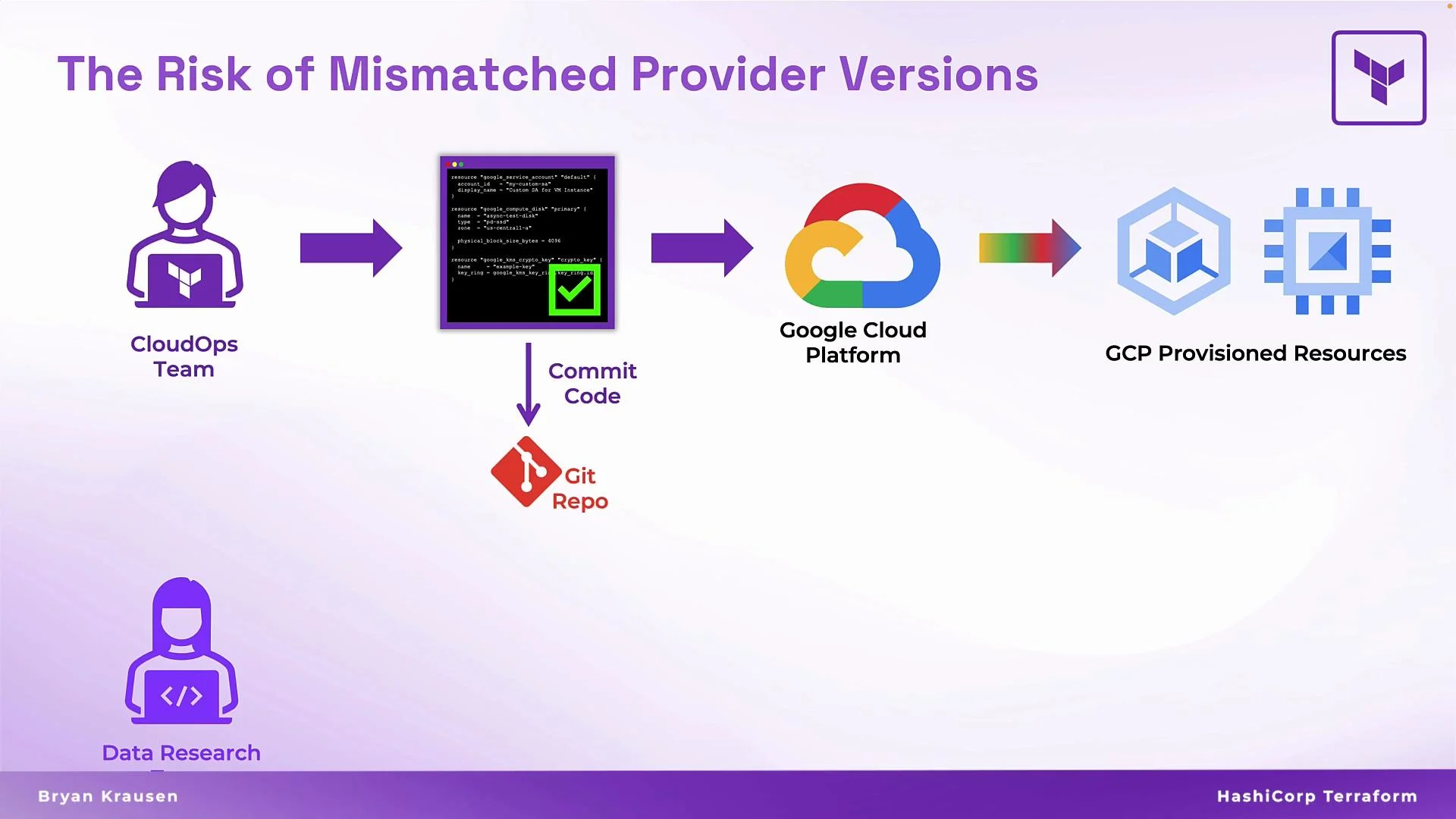 GCP resource example (consolidated):
```hcl theme={null}
resource "google_service_account" "default" {
display_name = "Default Service Account"
}
resource "google_compute_disk" "primary" {
name = "gcp-disk"
type = "pd-standard"
zone = "us-central1-a"
}
resource "google_kms_crypto_key" "key" {
name = "gcp-key"
key_ring = google_kms_key_ring.key_ring.id
}
```
If `terraform init` upgrades the provider to a version with incompatible changes, the configuration may stop working. This undermines confidence in shared modules and slows teams down.
GCP resource example (consolidated):
```hcl theme={null}
resource "google_service_account" "default" {
display_name = "Default Service Account"
}
resource "google_compute_disk" "primary" {
name = "gcp-disk"
type = "pd-standard"
zone = "us-central1-a"
}
resource "google_kms_crypto_key" "key" {
name = "gcp-key"
key_ring = google_kms_key_ring.key_ring.id
}
```
If `terraform init` upgrades the provider to a version with incompatible changes, the configuration may stop working. This undermines confidence in shared modules and slows teams down.
 Why use the terraform block?
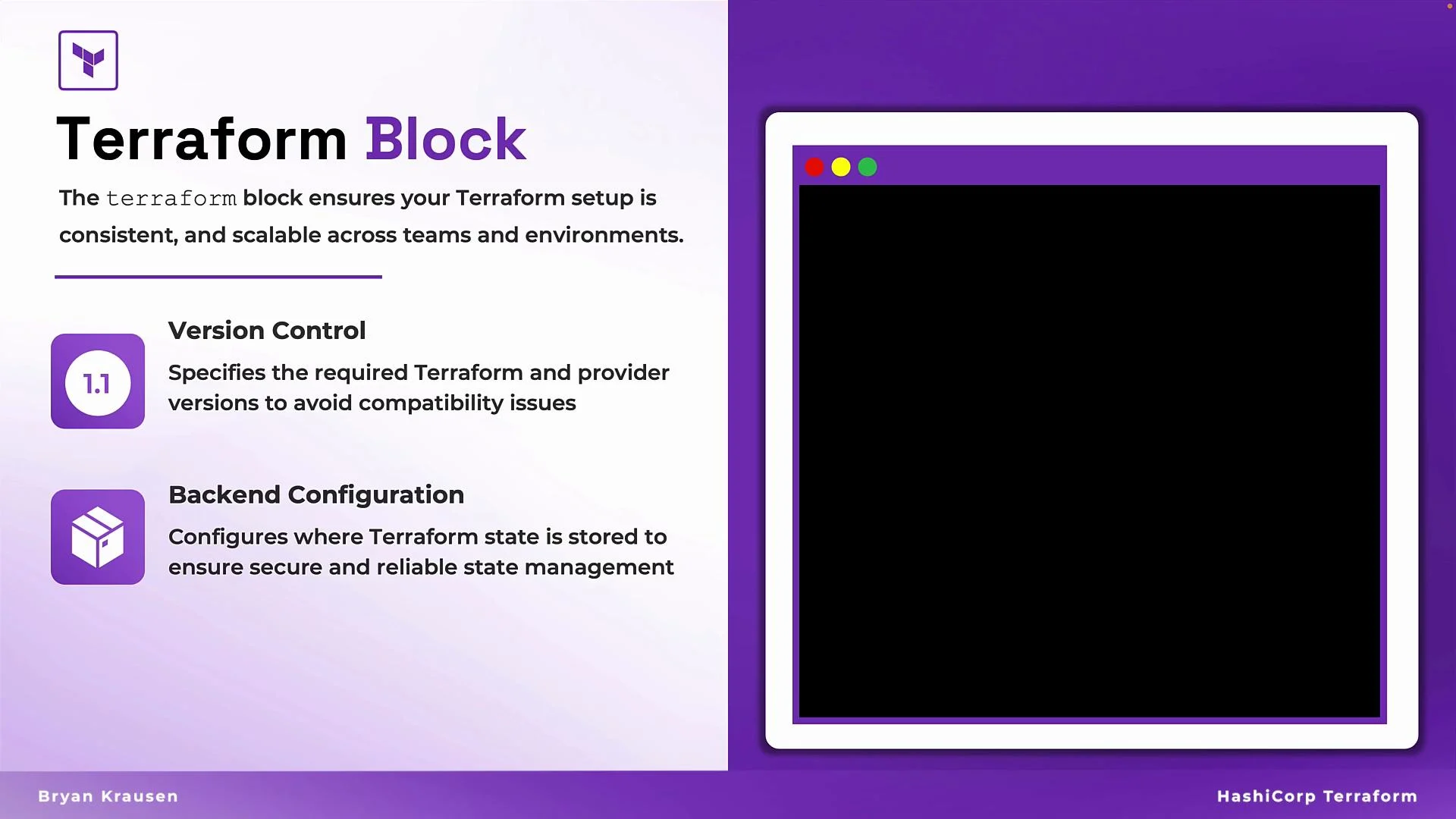
Use the terraform block in any Terraform project. It serves three primary purposes:
* Specify the required Terraform CLI version (version constraints).
* Declare required providers and their version constraints (provider constraints).
* Configure the backend for storing state (remote state configuration).
These settings are applied at the configuration level and enforce consistent behavior across all users of the repository.
Why use the terraform block?
Use the terraform block in any Terraform project. It serves three primary purposes:
* Specify the required Terraform CLI version (version constraints).
* Declare required providers and their version constraints (provider constraints).
* Configure the backend for storing state (remote state configuration).
These settings are applied at the configuration level and enforce consistent behavior across all users of the repository.
 terraform block — example and breakdown
A typical terraform block declares the required CLI version, required providers, and a backend (S3 in this example):
```hcl theme={null}
terraform {
required_version = "~> 1.10.0"
required_providers {
aws = {
source = "hashicorp/aws"
version = "~> 5.87.0"
}
}
backend "s3" {
bucket = "prd-terraform-east-2"
key = "state/terraform.tfstate"
region = "us-east-2"
}
}
```
Breakdown:
* required\_version: CLI version constraints for this configuration (e.g., `~> 1.10.0` allows `1.10.x`).
* required\_providers: Provider sources and version constraints; Terraform downloads a matching provider on `terraform init`.
* backend: Where Terraform stores state (S3 in the example). Remote backends are essential for teams sharing state.
The `backend` block is nested inside the `terraform` block. Changing backends may require running `terraform init` and migrating state; always review backend migration steps before modifying them.
required\_version and provider version examples
The `required_version` and provider `version` fields accept version constraints. Common approaches:
| Constraint type | Behavior | Example |
| ------------------------- | -------------------------------------------------------------------------- | -------------------------------- |
| Exact version | Enforces an exact CLI or provider version (strict reproducibility) | `required_version = "1.9.8"` |
| Minimum version (`>=`) | Allows the specified version or any newer release | `required_version = ">= 1.9.8"` |
| Tilde greater-than (`~>`) | Allows patch updates while fixing major/minor versions (balanced approach) | `required_version = "~> 1.11.0"` |
Examples for each approach:
1. Exact version — strict match
```hcl theme={null}
terraform {
required_version = "1.9.8"
required_providers {
aws = {
source = "hashicorp/aws"
version = "5.77.0"
}
}
}
```
2. Minimum version (>=) — flexible upward
```hcl theme={null}
terraform {
required_version = ">= 1.9.8"
required_providers {
aws = {
source = "hashicorp/aws"
version = ">= 5.77.0"
}
}
}
```
3. Tilde greater-than (\~>) — patch-level compatibility
```hcl theme={null}
terraform {
required_version = "~> 1.11.0"
required_providers {
aws = {
source = "hashicorp/aws"
version = "~> 5.87.0"
}
}
}
```
When to use each approach
* Exact versions: When absolute reproducibility is required and you cannot accept any variation across environments.
* Minimum versions (`>=`): When you need features or fixes in at least a given version but accept newer releases.
* Tilde (`~>`): When you want automatic patch updates (bug/security fixes) but want to control minor/major upgrades explicitly.
Using version constraints consistently avoids mismatched behavior and broken builds across teams.
Best practices
* Commit a `terraform` block to every shared repository to set expectations about CLI and provider versions.
* Prefer `~>` for provider versions when you want safe patch updates, and use exact versions only for strict reproducibility.
* Configure a remote backend (S3, Azure Storage, GCS, HashiCorp Cloud, etc.) for collaborative state management.
* Pin provider sources (for example, `hashicorp/aws`) to avoid accidentally using untrusted providers.
* Run `terraform init` after changing the `terraform` block or provider constraints to ensure local plugins match the configuration.
Conclusion
The `terraform` block configures Terraform itself—locking CLI and provider versions and configuring remote state backends. Thoughtful version constraints and a remote backend reduce environment drift, increase reproducibility, and make team collaboration more reliable.
Links and references
* [Terraform CLI Documentation](https://www.terraform.io/cli)
* [Terraform Required Providers](https://www.terraform.io/language/providers/requirements)
* [Terraform Backends](https://www.terraform.io/language/settings/backends)
terraform block — example and breakdown
A typical terraform block declares the required CLI version, required providers, and a backend (S3 in this example):
```hcl theme={null}
terraform {
required_version = "~> 1.10.0"
required_providers {
aws = {
source = "hashicorp/aws"
version = "~> 5.87.0"
}
}
backend "s3" {
bucket = "prd-terraform-east-2"
key = "state/terraform.tfstate"
region = "us-east-2"
}
}
```
Breakdown:
* required\_version: CLI version constraints for this configuration (e.g., `~> 1.10.0` allows `1.10.x`).
* required\_providers: Provider sources and version constraints; Terraform downloads a matching provider on `terraform init`.
* backend: Where Terraform stores state (S3 in the example). Remote backends are essential for teams sharing state.
The `backend` block is nested inside the `terraform` block. Changing backends may require running `terraform init` and migrating state; always review backend migration steps before modifying them.
required\_version and provider version examples
The `required_version` and provider `version` fields accept version constraints. Common approaches:
| Constraint type | Behavior | Example |
| ------------------------- | -------------------------------------------------------------------------- | -------------------------------- |
| Exact version | Enforces an exact CLI or provider version (strict reproducibility) | `required_version = "1.9.8"` |
| Minimum version (`>=`) | Allows the specified version or any newer release | `required_version = ">= 1.9.8"` |
| Tilde greater-than (`~>`) | Allows patch updates while fixing major/minor versions (balanced approach) | `required_version = "~> 1.11.0"` |
Examples for each approach:
1. Exact version — strict match
```hcl theme={null}
terraform {
required_version = "1.9.8"
required_providers {
aws = {
source = "hashicorp/aws"
version = "5.77.0"
}
}
}
```
2. Minimum version (>=) — flexible upward
```hcl theme={null}
terraform {
required_version = ">= 1.9.8"
required_providers {
aws = {
source = "hashicorp/aws"
version = ">= 5.77.0"
}
}
}
```
3. Tilde greater-than (\~>) — patch-level compatibility
```hcl theme={null}
terraform {
required_version = "~> 1.11.0"
required_providers {
aws = {
source = "hashicorp/aws"
version = "~> 5.87.0"
}
}
}
```
When to use each approach
* Exact versions: When absolute reproducibility is required and you cannot accept any variation across environments.
* Minimum versions (`>=`): When you need features or fixes in at least a given version but accept newer releases.
* Tilde (`~>`): When you want automatic patch updates (bug/security fixes) but want to control minor/major upgrades explicitly.
Using version constraints consistently avoids mismatched behavior and broken builds across teams.
Best practices
* Commit a `terraform` block to every shared repository to set expectations about CLI and provider versions.
* Prefer `~>` for provider versions when you want safe patch updates, and use exact versions only for strict reproducibility.
* Configure a remote backend (S3, Azure Storage, GCS, HashiCorp Cloud, etc.) for collaborative state management.
* Pin provider sources (for example, `hashicorp/aws`) to avoid accidentally using untrusted providers.
* Run `terraform init` after changing the `terraform` block or provider constraints to ensure local plugins match the configuration.
Conclusion
The `terraform` block configures Terraform itself—locking CLI and provider versions and configuring remote state backends. Thoughtful version constraints and a remote backend reduce environment drift, increase reproducibility, and make team collaboration more reliable.
Links and references
* [Terraform CLI Documentation](https://www.terraform.io/cli)
* [Terraform Required Providers](https://www.terraform.io/language/providers/requirements)
* [Terraform Backends](https://www.terraform.io/language/settings/backends)