> ## Documentation Index
> Fetch the complete documentation index at: https://notes.kodekloud.com/llms.txt
> Use this file to discover all available pages before exploring further.
# Creating Infrastructure with Resource Blocks
> Explains Terraform resource blocks including structure, arguments, provider mapping, examples, dependencies, and best practices for defining and managing infrastructure as code.
Let's dive into what I consider the heart of Terraform: the resource block.
A resource block is the fundamental building block of infrastructure as code (IaC). Without resource blocks you cannot create or manage any real infrastructure with Terraform. This article explains how to define and manage infrastructure components using resource blocks, how Terraform tracks them in state, and how resources reference one another to form predictable dependency graphs.
Resources represent real infrastructure objects — virtual machines, storage buckets, load balancers, database instances, Kubernetes objects, and more. Terraform uses providers to interact with platforms (AWS, Azure, GCP, Kubernetes, GitHub, etc.), and each provider exposes resource types that you declare in Terraform configuration.
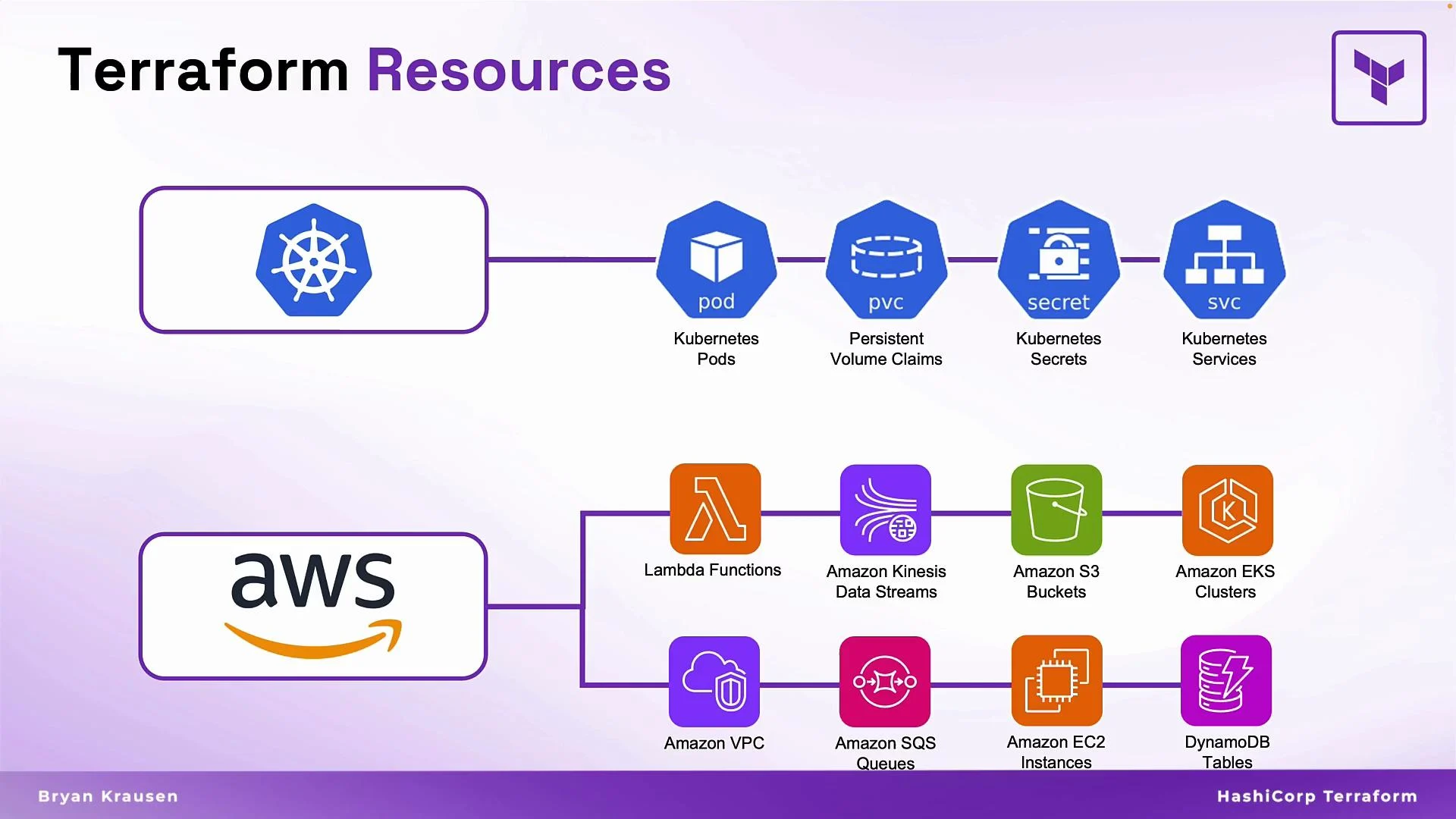 Because Terraform provides a consistent, provider-agnostic syntax, you can manage many different resource types with the same language and workflow. This makes Terraform especially powerful for multi-cloud and hybrid environments.
Terraform resource blocks define what to build and how to configure it. The same pattern works across providers, so learning resource blocks accelerates your ability to manage diverse platforms.
## Resource block basics
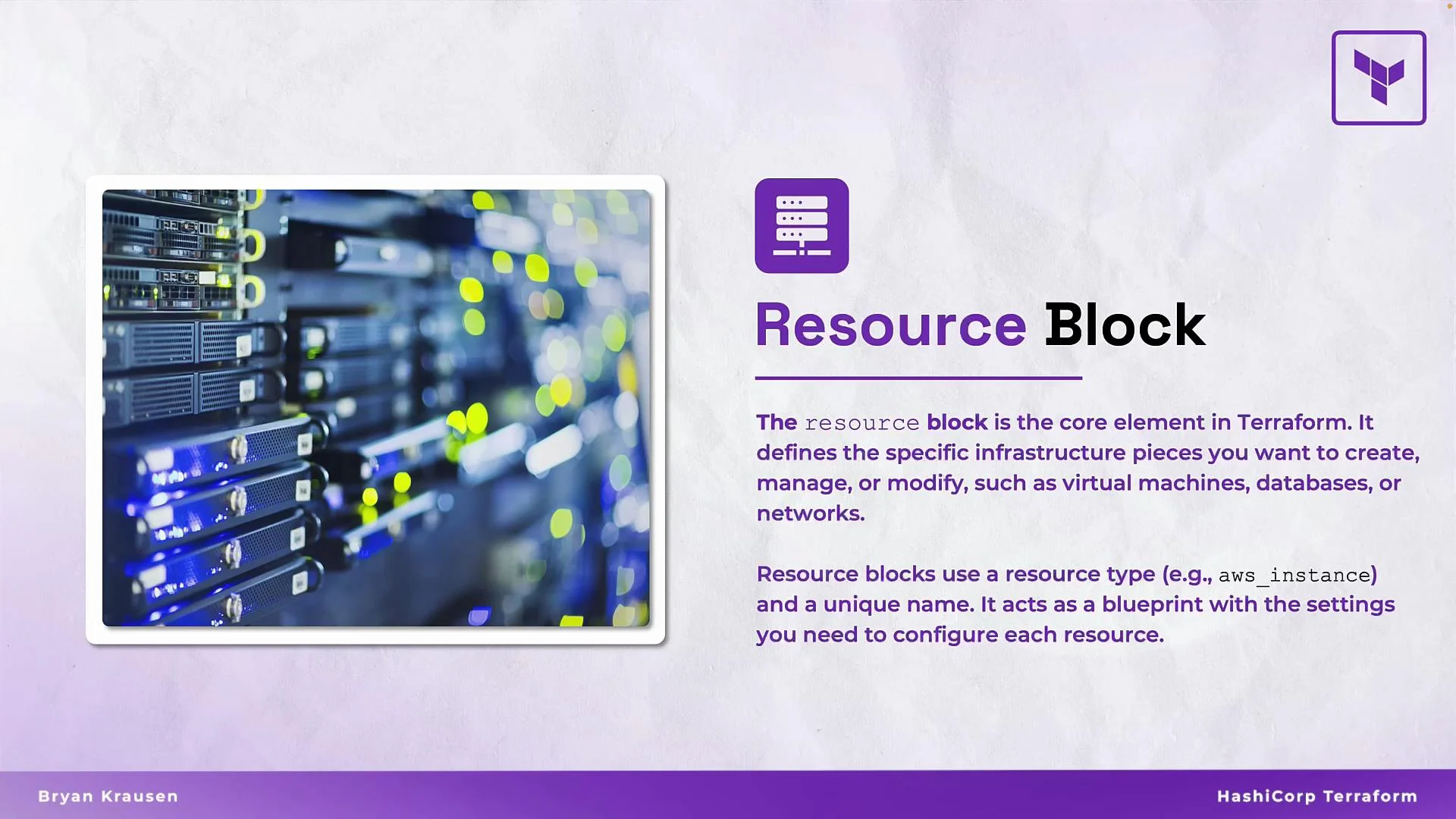
A resource block tells Terraform to create, manage, or modify a specific infrastructure object and how it should be configured. Terraform records resources in its state so it can detect drifts and apply lifecycle changes.
Key components of every resource block:
* Resource type: Identifies the provider and kind of resource (for example, `aws_instance`, `azurerm_virtual_machine`, `kubernetes_pod`).
* Resource name (label): A local identifier used in your configuration (for example, `web`, `db`).
* Arguments: Provider-defined settings that specify how to provision the resource (for example, AMI, instance type, network settings, tags).
Because Terraform provides a consistent, provider-agnostic syntax, you can manage many different resource types with the same language and workflow. This makes Terraform especially powerful for multi-cloud and hybrid environments.
Terraform resource blocks define what to build and how to configure it. The same pattern works across providers, so learning resource blocks accelerates your ability to manage diverse platforms.
## Resource block basics
A resource block tells Terraform to create, manage, or modify a specific infrastructure object and how it should be configured. Terraform records resources in its state so it can detect drifts and apply lifecycle changes.
Key components of every resource block:
* Resource type: Identifies the provider and kind of resource (for example, `aws_instance`, `azurerm_virtual_machine`, `kubernetes_pod`).
* Resource name (label): A local identifier used in your configuration (for example, `web`, `db`).
* Arguments: Provider-defined settings that specify how to provision the resource (for example, AMI, instance type, network settings, tags).
 ## Example: two EC2 instances
This example demonstrates two `aws_instance` resource blocks. They use the same resource type but different labels and configurations appropriate for their roles (web server vs database server).
```hcl theme={null}
resource "aws_instance" "web" {
ami = "ami-012345"
instance_type = "t2.micro"
key_name = "prd-web-key"
subnet_id = "subnet-12345abc"
tags = {
Name = "prd-web-svr-01"
}
}
resource "aws_instance" "db" {
ami = "ami-0c55b159"
instance_type = "m5.4xlarge"
}
```
Notes:
* The first identifier (`aws_instance`) is the resource type (provider prefix + resource).
* The second identifier (`web` or `db`) is the Terraform resource name (label), unique within the configuration for that type.
* The block body contains arguments that map to the provider API (AMI, instance type, network, tags, etc.).
## Anatomy of a resource block
* Resource type: The prefix (e.g., `aws_`) denotes the provider; the suffix denotes the resource kind (e.g., `instance`). Always consult the provider documentation on the Terraform Registry for available resource types and argument details.
* Resource name (label): Unique within the same resource type in a given module. Reference resources using the `resource_type.resource_name` pattern.
* Arguments: Provider-defined keys and values that configure the resource. Some arguments are required; others are optional.
Best practices:
* Make resource labels meaningful (for example, `web`, `db`, `prd_db`) so your configuration reads well and is easier to maintain.
* Use variables and locals to avoid duplicating values across many resource blocks.
## Resource arguments and provider mapping
When creating a resource with Terraform, you supply the same data you would in a cloud console or API: image, size, network placement, tags, etc. Terraform translates those settings into resource arguments inside the block.
Here is the EC2 example again to show how common console fields map to Terraform arguments:
```hcl theme={null}
resource "aws_instance" "web" {
ami = "ami-012345"
instance_type = "t2.micro"
key_name = "prd-web-key"
subnet_id = "subnet-12345abc"
tags = {
Name = "prd-web-svr-01"
}
}
```
For provider-specific details and additional arguments, see the Terraform Registry:
* [https://registry.terraform.io/](https://registry.terraform.io/)
## Real-world example: a web application stack
A typical web application stack can include a load balancer, firewall rules, web server instances, and a managed database. You can declare all of these resources together in a single configuration file (for example, `web_app.tf`) so Terraform manages the whole environment.
## Example: two EC2 instances
This example demonstrates two `aws_instance` resource blocks. They use the same resource type but different labels and configurations appropriate for their roles (web server vs database server).
```hcl theme={null}
resource "aws_instance" "web" {
ami = "ami-012345"
instance_type = "t2.micro"
key_name = "prd-web-key"
subnet_id = "subnet-12345abc"
tags = {
Name = "prd-web-svr-01"
}
}
resource "aws_instance" "db" {
ami = "ami-0c55b159"
instance_type = "m5.4xlarge"
}
```
Notes:
* The first identifier (`aws_instance`) is the resource type (provider prefix + resource).
* The second identifier (`web` or `db`) is the Terraform resource name (label), unique within the configuration for that type.
* The block body contains arguments that map to the provider API (AMI, instance type, network, tags, etc.).
## Anatomy of a resource block
* Resource type: The prefix (e.g., `aws_`) denotes the provider; the suffix denotes the resource kind (e.g., `instance`). Always consult the provider documentation on the Terraform Registry for available resource types and argument details.
* Resource name (label): Unique within the same resource type in a given module. Reference resources using the `resource_type.resource_name` pattern.
* Arguments: Provider-defined keys and values that configure the resource. Some arguments are required; others are optional.
Best practices:
* Make resource labels meaningful (for example, `web`, `db`, `prd_db`) so your configuration reads well and is easier to maintain.
* Use variables and locals to avoid duplicating values across many resource blocks.
## Resource arguments and provider mapping
When creating a resource with Terraform, you supply the same data you would in a cloud console or API: image, size, network placement, tags, etc. Terraform translates those settings into resource arguments inside the block.
Here is the EC2 example again to show how common console fields map to Terraform arguments:
```hcl theme={null}
resource "aws_instance" "web" {
ami = "ami-012345"
instance_type = "t2.micro"
key_name = "prd-web-key"
subnet_id = "subnet-12345abc"
tags = {
Name = "prd-web-svr-01"
}
}
```
For provider-specific details and additional arguments, see the Terraform Registry:
* [https://registry.terraform.io/](https://registry.terraform.io/)
## Real-world example: a web application stack
A typical web application stack can include a load balancer, firewall rules, web server instances, and a managed database. You can declare all of these resources together in a single configuration file (for example, `web_app.tf`) so Terraform manages the whole environment.
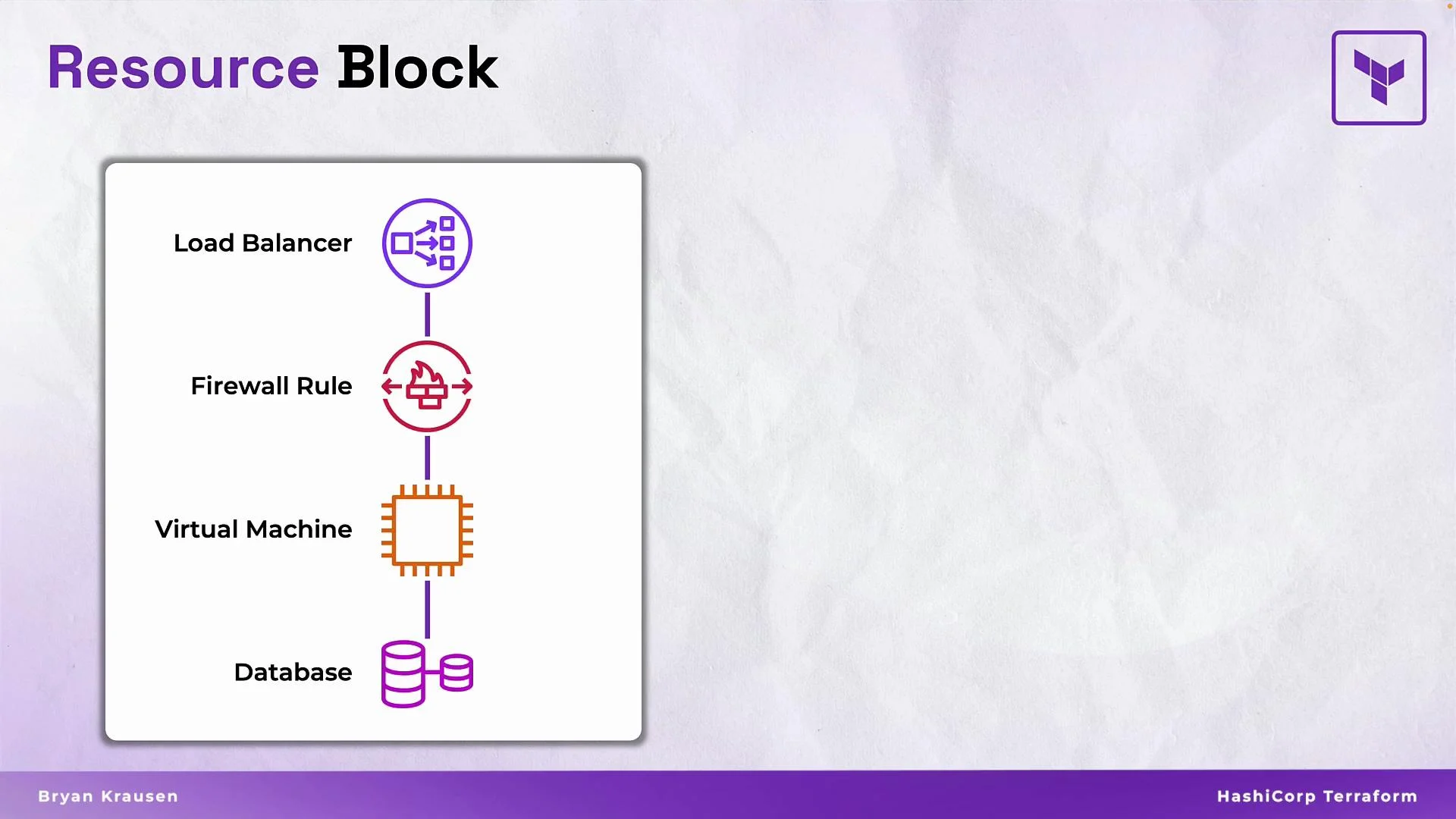 Example configuration for a production stack:
```hcl theme={null}
resource "aws_lb" "public_load_balancer" {
name = "prd-web-lb"
load_balancer_type = "network"
}
resource "fortios_firewall_policy" "allow_web_443" {
action = "accept"
name = "allow_web_443"
}
resource "aws_instance" "web" {
instance_type = "t3.large"
ami = "ami-0c55b159"
}
resource "aws_db_instance" "prd_db" {
engine = "mysql"
instance_class = "db.t3.large"
}
```
* The `aws_lb` `name` value (`prd-web-lb`) is provider-visible and will appear in the AWS Console.
* Each block maps to a real-world component; together they create a functioning environment.
## Referencing resources and implicit dependencies
Terraform references follow the pattern `resource_type.resource_name` and can include attribute access (for example, `.id` or `.name`). When one resource references attributes from another, Terraform creates an implicit dependency. Terraform then computes the correct order for create/update/destroy operations automatically.
Example: create a GitHub repository, a branch, and set the default branch
```hcl theme={null}
resource "github_repository" "prod_repo" {
name = "prod-app-xyz-repo"
visibility = "private"
}
resource "github_branch" "default" {
repository = github_repository.prod_repo.name
branch = "main"
}
resource "github_branch_default" "default" {
repository = github_repository.prod_repo.name
branch = github_branch.default.branch
}
```
* `github_branch.default` references `github_repository.prod_repo.name`, so Terraform will create the repository first.
* `github_branch_default.default` references the branch attribute from `github_branch.default`, forming an additional implicit dependency.
* Avoid hard-coding values when possible — use references to make configurations resilient to change.
## Quick reference tables
| Topic | Description | Example |
| ---------------- | -------------------------------------- | ---------------------------------------------------------------- |
| Resource type | Provider prefix + resource kind | `aws_instance`, `kubernetes_pod` |
| Resource label | Local name used in config | `web`, `prd_db` |
| Common arguments | Provider-specific configuration fields | `ami`, `instance_type`, `subnet_id` |
| Registry | Official docs and resource reference | [https://registry.terraform.io/](https://registry.terraform.io/) |
| Resource Type | Use Case | Example |
| --------------- | ------------------------- | ------------------------------------------------------------ |
| Virtual machine | Run application workloads | `resource "aws_instance" "web" { ... }` |
| Load balancer | Distribute traffic | `resource "aws_lb" "public_load_balancer" { ... }` |
| Database | Managed relational DB | `resource "aws_db_instance" "prd_db" { ... }` |
| Firewall rule | Network access control | `resource "fortios_firewall_policy" "allow_web_443" { ... }` |
## Resource naming rules
Resource labels (the Terraform name following the type) must follow these rules:
* Must start with a letter or underscore.
* Use only letters, digits, and underscores for portability and readability; avoid other special characters (including dashes) where possible.
* Recommended style: lowercase with snake\_case for clarity and consistency.
* Use descriptive names (for example, `dev_app_server`, `prd_db`).
Resource labels are local to Terraform and do not replace provider-visible names (unless you explicitly set a `name` attribute). Use consistent naming conventions to avoid confusion and to ensure compatibility with modules and automation tools.
## Wrap-up
Resource blocks are the core of Terraform: they define the real infrastructure objects, their configuration, and their relationships. Mastering resource types, arguments, and references is essential for authoring maintainable, reusable Terraform configurations. This lesson covered structure, examples, and best practices so you can start modeling your infrastructure as code with confidence.
## Links and References
* Terraform Registry: [https://registry.terraform.io/](https://registry.terraform.io/)
* Terraform documentation: [https://www.terraform.io/docs/](https://www.terraform.io/docs/)
Example configuration for a production stack:
```hcl theme={null}
resource "aws_lb" "public_load_balancer" {
name = "prd-web-lb"
load_balancer_type = "network"
}
resource "fortios_firewall_policy" "allow_web_443" {
action = "accept"
name = "allow_web_443"
}
resource "aws_instance" "web" {
instance_type = "t3.large"
ami = "ami-0c55b159"
}
resource "aws_db_instance" "prd_db" {
engine = "mysql"
instance_class = "db.t3.large"
}
```
* The `aws_lb` `name` value (`prd-web-lb`) is provider-visible and will appear in the AWS Console.
* Each block maps to a real-world component; together they create a functioning environment.
## Referencing resources and implicit dependencies
Terraform references follow the pattern `resource_type.resource_name` and can include attribute access (for example, `.id` or `.name`). When one resource references attributes from another, Terraform creates an implicit dependency. Terraform then computes the correct order for create/update/destroy operations automatically.
Example: create a GitHub repository, a branch, and set the default branch
```hcl theme={null}
resource "github_repository" "prod_repo" {
name = "prod-app-xyz-repo"
visibility = "private"
}
resource "github_branch" "default" {
repository = github_repository.prod_repo.name
branch = "main"
}
resource "github_branch_default" "default" {
repository = github_repository.prod_repo.name
branch = github_branch.default.branch
}
```
* `github_branch.default` references `github_repository.prod_repo.name`, so Terraform will create the repository first.
* `github_branch_default.default` references the branch attribute from `github_branch.default`, forming an additional implicit dependency.
* Avoid hard-coding values when possible — use references to make configurations resilient to change.
## Quick reference tables
| Topic | Description | Example |
| ---------------- | -------------------------------------- | ---------------------------------------------------------------- |
| Resource type | Provider prefix + resource kind | `aws_instance`, `kubernetes_pod` |
| Resource label | Local name used in config | `web`, `prd_db` |
| Common arguments | Provider-specific configuration fields | `ami`, `instance_type`, `subnet_id` |
| Registry | Official docs and resource reference | [https://registry.terraform.io/](https://registry.terraform.io/) |
| Resource Type | Use Case | Example |
| --------------- | ------------------------- | ------------------------------------------------------------ |
| Virtual machine | Run application workloads | `resource "aws_instance" "web" { ... }` |
| Load balancer | Distribute traffic | `resource "aws_lb" "public_load_balancer" { ... }` |
| Database | Managed relational DB | `resource "aws_db_instance" "prd_db" { ... }` |
| Firewall rule | Network access control | `resource "fortios_firewall_policy" "allow_web_443" { ... }` |
## Resource naming rules
Resource labels (the Terraform name following the type) must follow these rules:
* Must start with a letter or underscore.
* Use only letters, digits, and underscores for portability and readability; avoid other special characters (including dashes) where possible.
* Recommended style: lowercase with snake\_case for clarity and consistency.
* Use descriptive names (for example, `dev_app_server`, `prd_db`).
Resource labels are local to Terraform and do not replace provider-visible names (unless you explicitly set a `name` attribute). Use consistent naming conventions to avoid confusion and to ensure compatibility with modules and automation tools.
## Wrap-up
Resource blocks are the core of Terraform: they define the real infrastructure objects, their configuration, and their relationships. Mastering resource types, arguments, and references is essential for authoring maintainable, reusable Terraform configurations. This lesson covered structure, examples, and best practices so you can start modeling your infrastructure as code with confidence.
## Links and References
* Terraform Registry: [https://registry.terraform.io/](https://registry.terraform.io/)
* Terraform documentation: [https://www.terraform.io/docs/](https://www.terraform.io/docs/)