> ## Documentation Index
> Fetch the complete documentation index at: https://notes.kodekloud.com/llms.txt
> Use this file to discover all available pages before exploring further.
# Parameterizing Configurations with Input Variables
> Explains using Terraform input variables to parameterize modules for reusable, environment aware, and maintainable infrastructure
Welcome — this lesson explains Terraform `variable` blocks and how to use input variables to make your infrastructure code flexible, reusable, and environment-aware. You'll learn why hard-coded values are problematic, how variables solve those problems, and the anatomy of a `variable` block so you can parameterize your Terraform modules effectively.
## The problem with hard-coded values
Managing multiple environments (production, QA, development) often leads to nearly identical resource blocks that differ only by values. Hard-coding those values causes duplication, increases maintenance effort, and makes configuration drift likely.
Example of duplicated, hard-coded resources:
```hcl theme={null}
resource "azurerm_resource_group" "prd" {
name = "example-resources"
location = "West Europe"
}
resource "azurerm_virtual_network" "vnet" {
name = "example-network"
resource_group_name = "example-resources"
location = "West Europe"
address_space = ["10.0.0.0/16"]
}
resource "azurerm_mssql_database" "db1" {
name = "example-db"
server_id = "server_db"
collation = "sql_general"
}
resource "azurerm_resource_group" "dev" {
name = "example-resources"
location = "West Europe"
}
resource "azurerm_virtual_network" "dev" {
name = "example-network"
resource_group_name = "example-resources"
location = "West Europe"
address_space = ["10.0.0.0/16"]
}
resource "azurerm_mssql_database" "db2" {
name = "example-db"
server_id = "server_db"
collation = "sql_general"
}
resource "azurerm_resource_group" "test" {
name = "example-resources"
location = "West Europe"
}
resource "azurerm_virtual_network" "test" {
name = "example-network"
resource_group_name = "example-resources"
location = "West Europe"
address_space = ["10.0.0.0/16"]
}
resource "azurerm_mssql_database" "db3" {
name = "example-db"
server_id = "server_db"
collation = "sql_general"
}
```
Repeating the same resource definitions violates DRY (Don't Repeat Yourself). Changes like updating `location` or `address_space` require many edits, increasing the chance of errors and drift.
## How variables solve the problem
Parameterize configuration values into `variable` blocks and centralize environment-specific values in `.tfvars` files or CI/CD pipeline inputs. A single Terraform module becomes the shared, validated source of truth; teams and environments only supply different values.
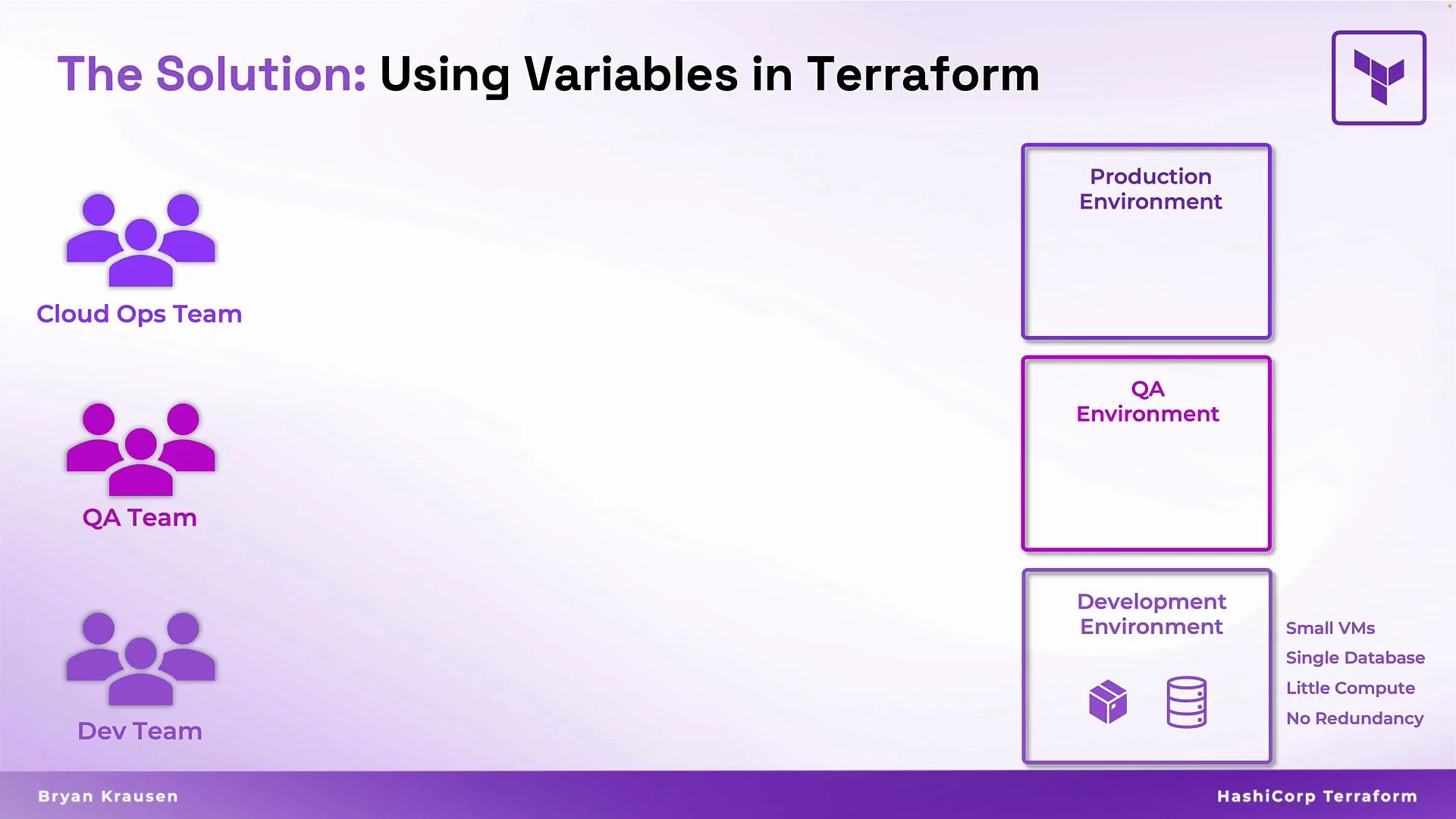 Benefits:
* Consistency: All environments use the same, tested configuration.
* Collaboration: Teams provide variable files (e.g., `prod.tfvars`, `dev.tfvars`) without touching shared modules.
* Maintainability: One change in the core module propagates across environments.
* Scalability: To add an environment, create one variable file—no template copying.
Example converted to use variables:
```hcl theme={null}
resource "azurerm_resource_group" "prd" {
name = var.rg_name
location = var.rg_location
}
resource "azurerm_virtual_network" "dv" {
name = var.net_name
resource_group_name = var.net_rg
location = var.net_location
address_space = var.net_cidr
}
resource "azurerm_mssql_database" "dbl" {
name = var.mssql_name
server_id = var.server_id
collation = var.collation
}
```
Ways to supply values for `var.*`:
* `terraform.tfvars` or `*.tfvars` files (e.g., `prod.tfvars`, `dev.tfvars`)
* Environment-specific `.tfvars` files referenced by `-var-file`
* `-var` CLI flags (for ad-hoc overrides)
* CI/CD variable injections or remote state-based workflows
This pattern enables “one configuration, many deployments.”
## What is a variable block?
A `variable` block declares an input to the module or root module. It defines a named parameter and optional metadata:
* `description`: human-readable text
* `type`: input type (validates input values)
* `default`: fallback value when no value is provided
If you omit `type`, Terraform will attempt to infer it from a default or provided value, but explicit types catch errors earlier.
Benefits:
* Consistency: All environments use the same, tested configuration.
* Collaboration: Teams provide variable files (e.g., `prod.tfvars`, `dev.tfvars`) without touching shared modules.
* Maintainability: One change in the core module propagates across environments.
* Scalability: To add an environment, create one variable file—no template copying.
Example converted to use variables:
```hcl theme={null}
resource "azurerm_resource_group" "prd" {
name = var.rg_name
location = var.rg_location
}
resource "azurerm_virtual_network" "dv" {
name = var.net_name
resource_group_name = var.net_rg
location = var.net_location
address_space = var.net_cidr
}
resource "azurerm_mssql_database" "dbl" {
name = var.mssql_name
server_id = var.server_id
collation = var.collation
}
```
Ways to supply values for `var.*`:
* `terraform.tfvars` or `*.tfvars` files (e.g., `prod.tfvars`, `dev.tfvars`)
* Environment-specific `.tfvars` files referenced by `-var-file`
* `-var` CLI flags (for ad-hoc overrides)
* CI/CD variable injections or remote state-based workflows
This pattern enables “one configuration, many deployments.”
## What is a variable block?
A `variable` block declares an input to the module or root module. It defines a named parameter and optional metadata:
* `description`: human-readable text
* `type`: input type (validates input values)
* `default`: fallback value when no value is provided
If you omit `type`, Terraform will attempt to infer it from a default or provided value, but explicit types catch errors earlier.
 Basic example:
```hcl theme={null}
variable "vsphere_datacenter" {
description = "Name of datacenter"
type = string
default = "prd-workload-dc"
}
```
List example:
```hcl theme={null}
variable "vsphere_networks" {
description = "List of networks"
type = list(string)
default = [
"VM Network",
"Management Network"
]
}
```
If you omit `type`, Terraform will try to infer it from a default or from input values; explicit types, however, help catch configuration errors early.
### Anatomy of a variable block
| Element | Purpose | Example |
| ----------- | --------------------------------------- | ------------------------------------------------------------ |
| Name | Identifier used as `var.` in code | `variable "rg_name" {}` |
| Description | Documents intent for maintainers | `description = "Resource group name"` |
| Type | Validates shape and primitive types | `type = string`, `type = list(string)`, `type = map(number)` |
| Default | Fallback value if nothing is provided | `default = "dev-resources"` |
Common Terraform types: `string`, `number`, `bool`, `list()`, `map()`, `object({...})`, and `any`.
### Example: variable definitions and use
variables.tf
```hcl theme={null}
variable "rg_name" {
description = "Resource group name"
type = string
default = "example-resources"
}
variable "net_cidr" {
description = "VNet address space"
type = list(string)
default = ["10.0.0.0/16"]
}
```
prod.tfvars
```hcl theme={null}
rg_name = "prod-resources"
net_cidr = ["10.1.0.0/16"]
```
Apply:
```bash theme={null}
terraform init
terraform plan -var-file="prod.tfvars"
terraform apply -var-file="prod.tfvars"
```
Avoid committing sensitive values into `.tfvars` in version control. Use Terraform Cloud/Enterprise, Vault, environment variables, or CI/CD secret stores to manage secrets securely.
## Quick reference — how to provide variable values
| Method | Precedence | Typical use |
| ------------------------------------ | ---------- | ----------------------------------- |
| `-var` CLI flag | Highest | Temporary overrides |
| `-var-file` | High | Environment-specific files in CI/CD |
| Environment variable `TF_VAR_` | Medium | CI agents or scripts |
| `terraform.tfvars` / `*.tfvars` | Lower | Local defaults for developers |
| `default` in `variable` block | Lowest | Module fallback |
## Summary
Input variables let you parameterize Terraform modules so a single, shared configuration can be safely reused across environments. Define the contract in `variable` blocks (name, description, type, default) and supply environment-specific values via `.tfvars`, CLI flags, or pipeline variables. This reduces duplication, improves maintainability, and minimizes configuration drift.
Next steps:
* Explore variable types in detail (`object`, `map`, `tuple`)
* Learn patterns for structuring `.tfvars` per environment
* Investigate best practices for handling sensitive data with Vault or Terraform Cloud
## Links and references
* [Terraform Input Variables](https://www.terraform.io/language/values/variables)
* [Terraform CLI: Specifying Variables](https://www.terraform.io/cli/commands#input-variables)
* [HashiCorp Best Practices for Variables](https://www.hashicorp.com/resources)
Basic example:
```hcl theme={null}
variable "vsphere_datacenter" {
description = "Name of datacenter"
type = string
default = "prd-workload-dc"
}
```
List example:
```hcl theme={null}
variable "vsphere_networks" {
description = "List of networks"
type = list(string)
default = [
"VM Network",
"Management Network"
]
}
```
If you omit `type`, Terraform will try to infer it from a default or from input values; explicit types, however, help catch configuration errors early.
### Anatomy of a variable block
| Element | Purpose | Example |
| ----------- | --------------------------------------- | ------------------------------------------------------------ |
| Name | Identifier used as `var.` in code | `variable "rg_name" {}` |
| Description | Documents intent for maintainers | `description = "Resource group name"` |
| Type | Validates shape and primitive types | `type = string`, `type = list(string)`, `type = map(number)` |
| Default | Fallback value if nothing is provided | `default = "dev-resources"` |
Common Terraform types: `string`, `number`, `bool`, `list()`, `map()`, `object({...})`, and `any`.
### Example: variable definitions and use
variables.tf
```hcl theme={null}
variable "rg_name" {
description = "Resource group name"
type = string
default = "example-resources"
}
variable "net_cidr" {
description = "VNet address space"
type = list(string)
default = ["10.0.0.0/16"]
}
```
prod.tfvars
```hcl theme={null}
rg_name = "prod-resources"
net_cidr = ["10.1.0.0/16"]
```
Apply:
```bash theme={null}
terraform init
terraform plan -var-file="prod.tfvars"
terraform apply -var-file="prod.tfvars"
```
Avoid committing sensitive values into `.tfvars` in version control. Use Terraform Cloud/Enterprise, Vault, environment variables, or CI/CD secret stores to manage secrets securely.
## Quick reference — how to provide variable values
| Method | Precedence | Typical use |
| ------------------------------------ | ---------- | ----------------------------------- |
| `-var` CLI flag | Highest | Temporary overrides |
| `-var-file` | High | Environment-specific files in CI/CD |
| Environment variable `TF_VAR_` | Medium | CI agents or scripts |
| `terraform.tfvars` / `*.tfvars` | Lower | Local defaults for developers |
| `default` in `variable` block | Lowest | Module fallback |
## Summary
Input variables let you parameterize Terraform modules so a single, shared configuration can be safely reused across environments. Define the contract in `variable` blocks (name, description, type, default) and supply environment-specific values via `.tfvars`, CLI flags, or pipeline variables. This reduces duplication, improves maintainability, and minimizes configuration drift.
Next steps:
* Explore variable types in detail (`object`, `map`, `tuple`)
* Learn patterns for structuring `.tfvars` per environment
* Investigate best practices for handling sensitive data with Vault or Terraform Cloud
## Links and references
* [Terraform Input Variables](https://www.terraform.io/language/values/variables)
* [Terraform CLI: Specifying Variables](https://www.terraform.io/cli/commands#input-variables)
* [HashiCorp Best Practices for Variables](https://www.hashicorp.com/resources)