> ## Documentation Index
> Fetch the complete documentation index at: https://notes.kodekloud.com/llms.txt
> Use this file to discover all available pages before exploring further.
# Lets Look at Resource Referencing with Demo
> Guide to Terraform resource referencing with HCL demo, dependency graphs, formatting, file organization, and best practices for secure maintainable infrastructure
Explore resource referencing in Terraform — a key capability for building dynamic, interconnected infrastructure. This guide explains the core concepts, shows a simple HCL demo in VS Code, and demonstrates formatting and file organization best practices.
```hcl theme={null}
# single-line comment
block_type "block_label" "block_label" {
first_argument = expression or value
second_argument = expression or value
third = expression or value
}
attribute_abc = "value_1"
attribute_2 = "value_2"
```
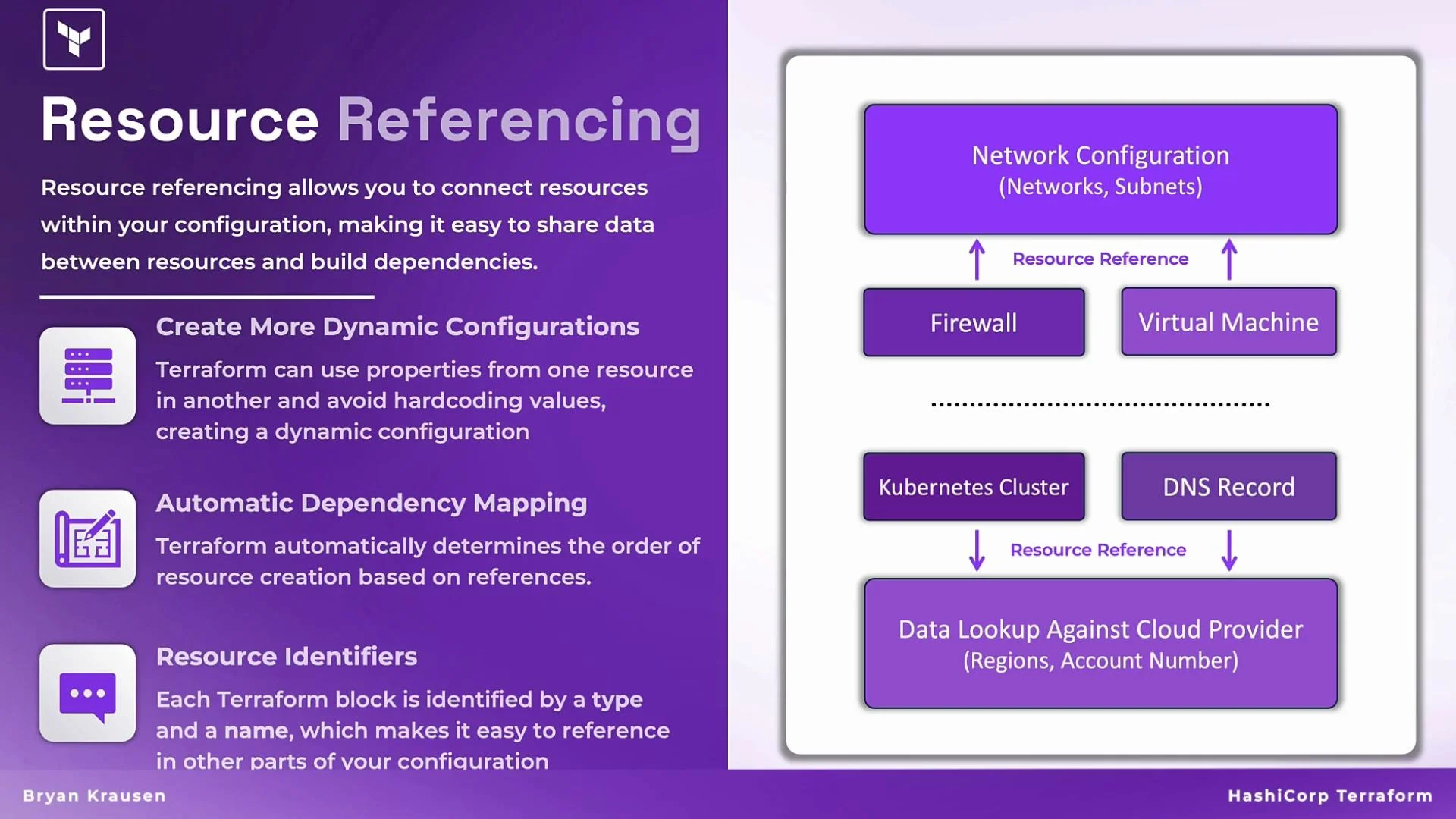
Core concepts at a glance
| Concept | Why it matters | Example |
| --------------------- | ----------------------------------------------------------------------------------------------------------------------- | ---------------------------------------------------------------------------- |
| Dynamic configuration | Avoid hard-coding values; reuse attributes emitted by one resource in another | A VM references `aws_subnet.example.id` instead of a literal subnet ID |
| Dependency mapping | Terraform infers create/update/delete order from references, ensuring resources are provisioned in the correct sequence | A load balancer depends on backend instances referenced in its configuration |
| Unique identification | Each block has a resource type + local name (address) that other blocks use to reference it | `github_repository.production-repo` uniquely addresses that repo resource |
 Data sources
In addition to resources you create, Terraform can consume external data via `data` blocks. Data sources let you query existing infrastructure or provider metadata and then reference those results just like attributes from created resources.
Example use cases:
* Lookup an existing DNS forward lookup zone and use its `name` to create records.
* Query a cloud account to obtain a subnet or image ID that your resource needs.
Resource webs and dependency graphs
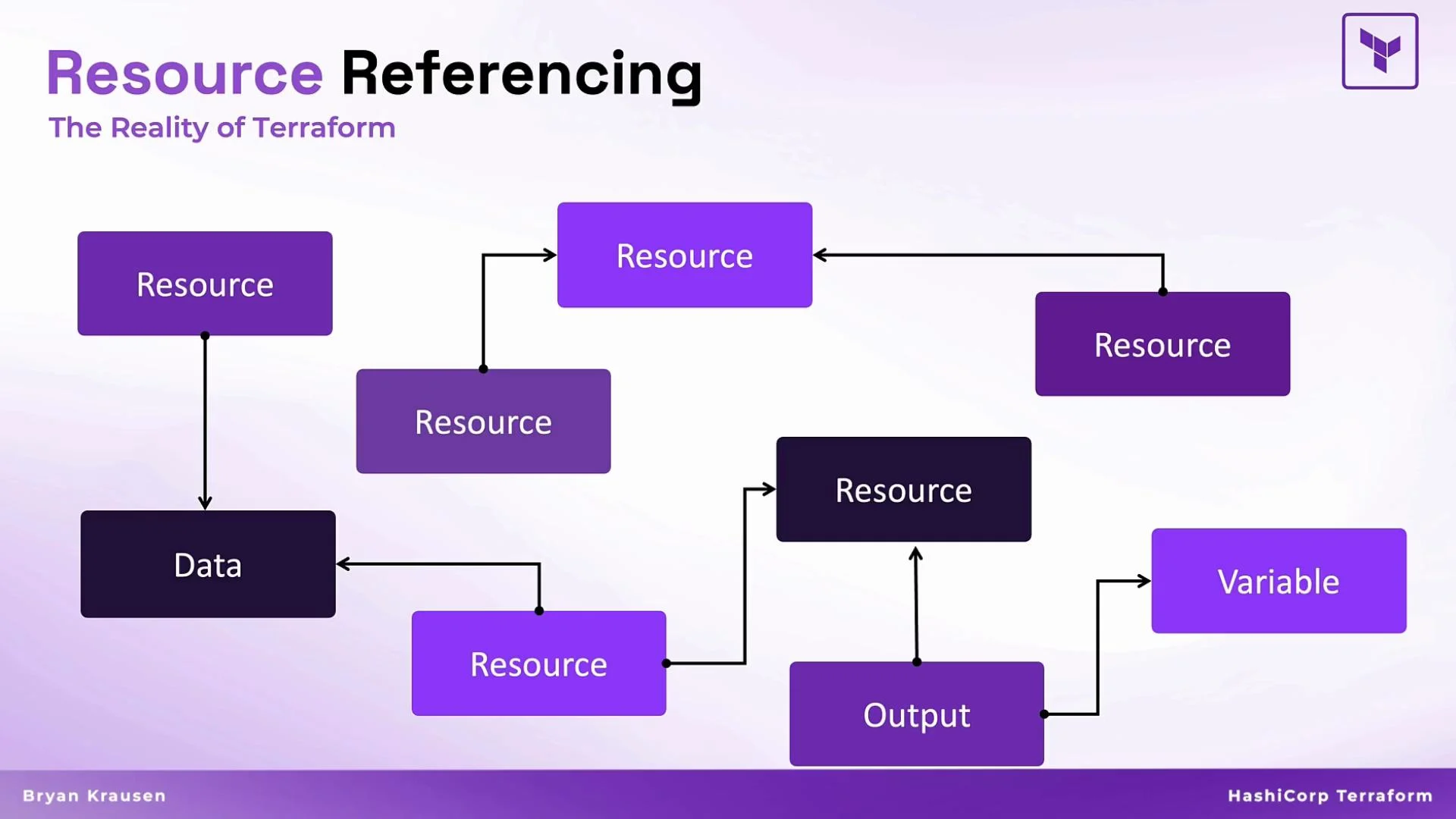
As configurations grow, they form a graph of interconnected blocks — `resource`, `data`, `output`, `variable`, and so on. Terraform uses these references to compute the dependency graph and to decide the correct apply/destroy ordering and what must be updated together.
Data sources
In addition to resources you create, Terraform can consume external data via `data` blocks. Data sources let you query existing infrastructure or provider metadata and then reference those results just like attributes from created resources.
Example use cases:
* Lookup an existing DNS forward lookup zone and use its `name` to create records.
* Query a cloud account to obtain a subnet or image ID that your resource needs.
Resource webs and dependency graphs
As configurations grow, they form a graph of interconnected blocks — `resource`, `data`, `output`, `variable`, and so on. Terraform uses these references to compute the dependency graph and to decide the correct apply/destroy ordering and what must be updated together.
 HCL demo: writing Terraform files in VS Code
This demo shows practical HCL examples and recommended workflow items (like using `terraform fmt`). The focus is on writing, referencing, and formatting HCL rather than provider-specific behavior.
1. Create a file named `github.tf` in your working directory. VS Code with a Terraform extension will provide syntax highlighting and snippets for `provider` and `resource` blocks.
2. Add a provider block that references a token variable:
```hcl theme={null}
provider "github" {
token = var.github_token
}
```
3. Define a repository resource. Each resource block is a combination of `type` and `local name` that forms the unique address used elsewhere in the configuration:
```hcl theme={null}
resource "github_repository" "production-repo" {
name = "prod-repo"
description = "Repo for our production app"
private = true
}
```
4. Add another repository using a different local name so both resources have unique addresses:
```hcl theme={null}
resource "github_repository" "testing-repo" {
name = "test-repo"
description = "Repo for our testing app"
private = true
}
```
Every resource instance in a Terraform configuration must have a unique address: the combination of its type and its local name (for example, `github_repository.production-repo`). Reusing the same local name for two instances of the same resource type will produce a configuration error.
Do not hard-code sensitive values (like provider tokens) directly in `.tf` files. Use input variables, `terraform.tfvars`, or environment variables (for example, `TF_VAR_github_token`) and store secrets in a secure secrets manager or CI/CD secret store.
Using `terraform fmt` to format HCL
Keep code readable and consistent with `terraform fmt`. It normalizes indentation and aligns assignment operators to Terraform's canonical style.
Examples:
* Run the formatter across the working directory:
```bash theme={null}
$ terraform fmt
github.tf
test.tf
```
* If only one file required formatting, the output might be:
```bash theme={null}
$ terraform fmt
github.tf
```
Splitting resources across files
Terraform treats all `.tf` files in a directory as a single configuration. Use multiple files to organize resources logically — e.g., separate providers, networking, compute, and test resources.
Example file split:
test.tf:
```hcl theme={null}
resource "github_repository" "testing-repo" {
name = "test-repo"
description = "Repo for our testing app"
private = true
}
```
github.tf:
```hcl theme={null}
provider "github" {
token = var.github_token
}
resource "github_repository" "production-repo" {
name = "prod-repo"
description = "Repo for our production app"
private = true
}
```
Running `terraform fmt` in the directory will scan and format all `.tf` files and report each file it modified.
Quick best practices
| Area | Recommendation |
| ------------ | --------------------------------------------------------------------------------------------- |
| Referencing | Prefer using attributes from created `resource` or `data` blocks instead of hard-coded values |
| Secrets | Use variables and secure secret stores — avoid committing tokens to VCS |
| Formatting | Run `terraform fmt` regularly or enable automatic formatting in your editor |
| Organization | Group related resources into separate `.tf` files or modules for maintainability |
Wrap-up
* Resource referencing enables dynamic, maintainable Terraform configurations by passing values between blocks rather than hard-coding.
* Terraform uses references to build a dependency graph and determine the correct provisioning order.
* Maintain consistent style with `terraform fmt`, split files for clarity, and keep secrets out of source files.
Links and references
* [Terraform Documentation](https://www.terraform.io/docs)
* [Terraform CLI — terraform fmt](https://www.terraform.io/cli/commands/fmt)
* [Terraform GitHub Provider](https://registry.terraform.io/providers/hashicorp/github/latest)
* [HCL Language Documentation](https://github.com/hashicorp/hcl)
HCL demo: writing Terraform files in VS Code
This demo shows practical HCL examples and recommended workflow items (like using `terraform fmt`). The focus is on writing, referencing, and formatting HCL rather than provider-specific behavior.
1. Create a file named `github.tf` in your working directory. VS Code with a Terraform extension will provide syntax highlighting and snippets for `provider` and `resource` blocks.
2. Add a provider block that references a token variable:
```hcl theme={null}
provider "github" {
token = var.github_token
}
```
3. Define a repository resource. Each resource block is a combination of `type` and `local name` that forms the unique address used elsewhere in the configuration:
```hcl theme={null}
resource "github_repository" "production-repo" {
name = "prod-repo"
description = "Repo for our production app"
private = true
}
```
4. Add another repository using a different local name so both resources have unique addresses:
```hcl theme={null}
resource "github_repository" "testing-repo" {
name = "test-repo"
description = "Repo for our testing app"
private = true
}
```
Every resource instance in a Terraform configuration must have a unique address: the combination of its type and its local name (for example, `github_repository.production-repo`). Reusing the same local name for two instances of the same resource type will produce a configuration error.
Do not hard-code sensitive values (like provider tokens) directly in `.tf` files. Use input variables, `terraform.tfvars`, or environment variables (for example, `TF_VAR_github_token`) and store secrets in a secure secrets manager or CI/CD secret store.
Using `terraform fmt` to format HCL
Keep code readable and consistent with `terraform fmt`. It normalizes indentation and aligns assignment operators to Terraform's canonical style.
Examples:
* Run the formatter across the working directory:
```bash theme={null}
$ terraform fmt
github.tf
test.tf
```
* If only one file required formatting, the output might be:
```bash theme={null}
$ terraform fmt
github.tf
```
Splitting resources across files
Terraform treats all `.tf` files in a directory as a single configuration. Use multiple files to organize resources logically — e.g., separate providers, networking, compute, and test resources.
Example file split:
test.tf:
```hcl theme={null}
resource "github_repository" "testing-repo" {
name = "test-repo"
description = "Repo for our testing app"
private = true
}
```
github.tf:
```hcl theme={null}
provider "github" {
token = var.github_token
}
resource "github_repository" "production-repo" {
name = "prod-repo"
description = "Repo for our production app"
private = true
}
```
Running `terraform fmt` in the directory will scan and format all `.tf` files and report each file it modified.
Quick best practices
| Area | Recommendation |
| ------------ | --------------------------------------------------------------------------------------------- |
| Referencing | Prefer using attributes from created `resource` or `data` blocks instead of hard-coded values |
| Secrets | Use variables and secure secret stores — avoid committing tokens to VCS |
| Formatting | Run `terraform fmt` regularly or enable automatic formatting in your editor |
| Organization | Group related resources into separate `.tf` files or modules for maintainability |
Wrap-up
* Resource referencing enables dynamic, maintainable Terraform configurations by passing values between blocks rather than hard-coding.
* Terraform uses references to build a dependency graph and determine the correct provisioning order.
* Maintain consistent style with `terraform fmt`, split files for clarity, and keep secrets out of source files.
Links and references
* [Terraform Documentation](https://www.terraform.io/docs)
* [Terraform CLI — terraform fmt](https://www.terraform.io/cli/commands/fmt)
* [Terraform GitHub Provider](https://registry.terraform.io/providers/hashicorp/github/latest)
* [HCL Language Documentation](https://github.com/hashicorp/hcl)