> ## Documentation Index
> Fetch the complete documentation index at: https://notes.kodekloud.com/llms.txt
> Use this file to discover all available pages before exploring further.
# Demo Writing and Using Your Own Modules
> Guide to creating reusable local Terraform modules and composing them to provision AWS VPC subnet and EC2 resources while managing inputs outputs and module wiring
Welcome. In this lesson you'll learn how to create local Terraform modules and compose them in a parent configuration to provision AWS resources. The focus is on module structure, inputs/outputs, and wiring outputs from one module into another so you can reuse infrastructure code across projects and environments.
## What you'll build
* A parent Terraform configuration that calls local modules.
* Three local modules: `vpc`, `subnet`, and `ec2`.
* Data flow that passes outputs from one module into another (e.g., VPC ID -> Subnet -> EC2).
## Directory and file layout
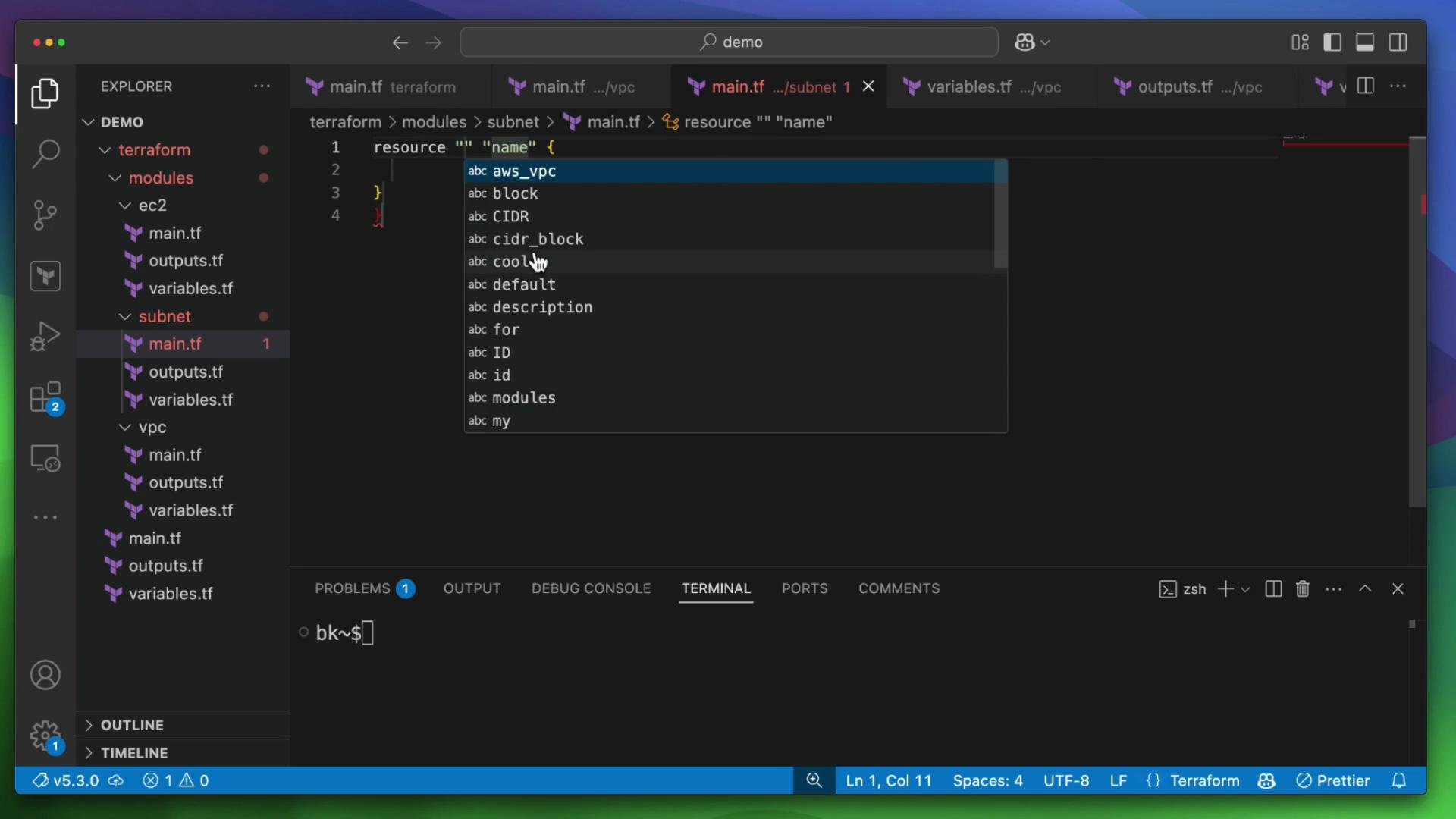
Create a top-level Terraform directory (this is the parent module). Inside it add common files and a `modules` subdirectory with three child modules.
| Location | Recommended files |
| ------------------ | ------------------------------------------------------- |
| Top-level (parent) | `main.tf`, `variables.tf`, `outputs.tf`, `providers.tf` |
| `modules/vpc` | `main.tf`, `variables.tf`, `outputs.tf` |
| `modules/subnet` | `main.tf`, `variables.tf`, `outputs.tf` |
| `modules/ec2` | `main.tf`, `variables.tf`, `outputs.tf` |
Below are cleaned-up module implementations and the parent configuration examples. Keep these modules focused and parameterized so they are reusable across accounts and environments.
***
## VPC module
This module creates a VPC and exposes its ID as an output.
modules/vpc/main.tf
```hcl theme={null}
resource "aws_vpc" "vpc" {
cidr_block = var.vpc_cidr
tags = {
Name = var.vpc_name
}
}
```
modules/vpc/variables.tf
```hcl theme={null}
variable "vpc_name" {
description = "Name of the VPC"
type = string
default = "my-cool-vpc-for-modules"
}
variable "vpc_cidr" {
description = "CIDR block for the VPC"
type = string
default = "10.0.0.0/16"
}
```
modules/vpc/outputs.tf
```hcl theme={null}
output "vpc_id" {
description = "The ID of the VPC"
value = aws_vpc.vpc.id
}
```
***
## Subnet module
This module provisions a subnet and the supporting network resources: an Internet Gateway, a route table, and a route table association. It accepts a `vpc_id` input and returns the `subnet_id`.
modules/subnet/main.tf
```hcl theme={null}
resource "aws_subnet" "subnet" {
vpc_id = var.vpc_id
cidr_block = var.subnet_cidr
availability_zone = var.availability_zone
tags = {
Name = var.subnet_name
}
}
resource "aws_internet_gateway" "igw" {
vpc_id = var.vpc_id
tags = {
Name = "${var.subnet_name}-igw"
}
}
resource "aws_route_table" "rt" {
vpc_id = var.vpc_id
route {
cidr_block = "0.0.0.0/0"
gateway_id = aws_internet_gateway.igw.id
}
tags = {
Name = "${var.subnet_name}-rt"
}
}
resource "aws_route_table_association" "rta" {
subnet_id = aws_subnet.subnet.id
route_table_id = aws_route_table.rt.id
}
```
 modules/subnet/variables.tf
```hcl theme={null}
variable "vpc_id" {
description = "The ID of the VPC"
type = string
}
variable "subnet_cidr" {
description = "CIDR block for the subnet"
type = string
default = "10.0.1.0/24"
}
variable "subnet_name" {
description = "Name of the subnet"
type = string
default = "demo-subnet"
}
variable "availability_zone" {
description = "Availability zone for the subnet"
type = string
default = "us-east-1a"
}
```
modules/subnet/outputs.tf
```hcl theme={null}
output "subnet_id" {
description = "The ID of the subnet"
value = aws_subnet.subnet.id
}
```
***
## EC2 module
This module creates a security group and an EC2 instance. Inputs include VPC and subnet IDs plus AMI, instance type, and an instance name. Outputs include the instance ID and public IP.
modules/ec2/main.tf
```hcl theme={null}
resource "aws_security_group" "sg" {
name = "allow-ssh"
description = "Allow SSH inbound traffic"
vpc_id = var.vpc_id
ingress {
description = "SSH from anywhere"
from_port = 22
to_port = 22
protocol = "tcp"
cidr_blocks = ["0.0.0.0/0"]
}
egress {
from_port = 0
to_port = 0
protocol = "-1"
cidr_blocks = ["0.0.0.0/0"]
}
tags = {
Name = "allow-ssh"
}
}
resource "aws_instance" "instance" {
ami = var.ami_id
instance_type = var.instance_type
subnet_id = var.subnet_id
vpc_security_group_ids = [aws_security_group.sg.id]
associate_public_ip_address = true
tags = {
Name = var.instance_name
}
}
```
modules/ec2/variables.tf
```hcl theme={null}
variable "vpc_id" {
description = "The ID of the VPC"
type = string
}
variable "subnet_id" {
description = "The ID of the subnet"
type = string
}
variable "ami_id" {
description = "The AMI ID to use for the instance"
type = string
default = "ami-0c55b159cbfafe1f0" # example Amazon Linux 2 AMI in us-east-1
}
variable "instance_type" {
description = "The type of instance to start"
type = string
default = "t2.micro"
}
variable "instance_name" {
description = "Name of the EC2 instance"
type = string
default = "my-instance"
}
```
modules/ec2/outputs.tf
```hcl theme={null}
output "instance_id" {
description = "The ID of the instance"
value = aws_instance.instance.id
}
output "public_ip" {
description = "The public IP address of the instance"
value = aws_instance.instance.public_ip
}
```
***
## Parent configuration
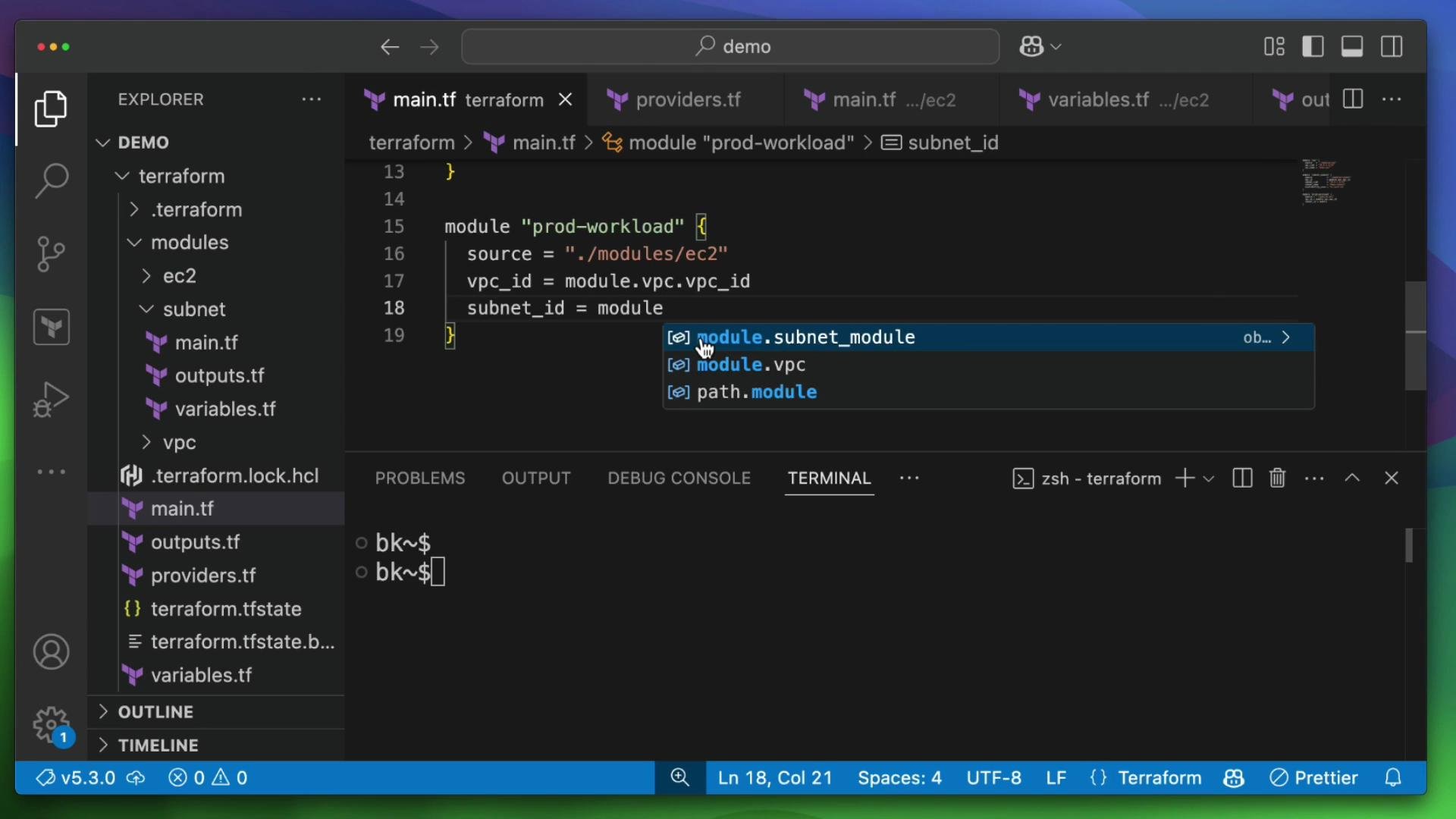
The parent module declares the AWS provider and calls the child modules. Note how we wire outputs into module inputs.
providers.tf (parent)
```hcl theme={null}
provider "aws" {
region = "us-east-1"
}
```
main.tf (parent) — module blocks
```hcl theme={null}
module "vpc" {
source = "./modules/vpc"
vpc_cidr = "10.0.0.0/16"
vpc_name = "demo-vpc"
}
module "subnet_module" {
source = "./modules/subnet"
vpc_id = module.vpc.vpc_id
subnet_cidr = "10.0.1.0/24"
subnet_name = "demo-subnet"
availability_zone = "us-east-1a"
}
module "prod-workload" {
source = "./modules/ec2"
vpc_id = module.vpc.vpc_id
subnet_id = module.subnet_module.subnet_id
ami_id = "ami-0c55b159cbfafe1f0"
instance_type = "t2.micro"
instance_name = "bryans-web-server"
}
```
***
## Tooling and basic workflow
After you add or change modules, follow this basic workflow.
1. Initialize the working directory (downloads providers and registers modules)
```bash theme={null}
$ terraform init
Initializing the backend...
Initializing modules...
- vpc in modules/vpc
- subnet_module in modules/subnet
- prod-workload in modules/ec2
Initializing provider plugins...
- Finding latest version of hashicorp/aws...
- Installing hashicorp/aws v5.89.0...
```
2. Format your files
```bash theme={null}
$ terraform fmt
```
3. Create and review a plan, then apply
```bash theme={null}
$ terraform plan
Plan: X to add, 0 to change, 0 to destroy.
```
Example of a planned resource created by a child module:
```plaintext theme={null}
# module.vpc.aws_vpc.vpc will be created
resource "aws_vpc" "vpc" {
+ arn = (known after apply)
+ cidr_block = "10.0.0.0/16"
+ default_network_acl_id = (known after apply)
+ default_route_table_id = (known after apply)
+ default_security_group_id = (known after apply)
...
}
```
modules/subnet/variables.tf
```hcl theme={null}
variable "vpc_id" {
description = "The ID of the VPC"
type = string
}
variable "subnet_cidr" {
description = "CIDR block for the subnet"
type = string
default = "10.0.1.0/24"
}
variable "subnet_name" {
description = "Name of the subnet"
type = string
default = "demo-subnet"
}
variable "availability_zone" {
description = "Availability zone for the subnet"
type = string
default = "us-east-1a"
}
```
modules/subnet/outputs.tf
```hcl theme={null}
output "subnet_id" {
description = "The ID of the subnet"
value = aws_subnet.subnet.id
}
```
***
## EC2 module
This module creates a security group and an EC2 instance. Inputs include VPC and subnet IDs plus AMI, instance type, and an instance name. Outputs include the instance ID and public IP.
modules/ec2/main.tf
```hcl theme={null}
resource "aws_security_group" "sg" {
name = "allow-ssh"
description = "Allow SSH inbound traffic"
vpc_id = var.vpc_id
ingress {
description = "SSH from anywhere"
from_port = 22
to_port = 22
protocol = "tcp"
cidr_blocks = ["0.0.0.0/0"]
}
egress {
from_port = 0
to_port = 0
protocol = "-1"
cidr_blocks = ["0.0.0.0/0"]
}
tags = {
Name = "allow-ssh"
}
}
resource "aws_instance" "instance" {
ami = var.ami_id
instance_type = var.instance_type
subnet_id = var.subnet_id
vpc_security_group_ids = [aws_security_group.sg.id]
associate_public_ip_address = true
tags = {
Name = var.instance_name
}
}
```
modules/ec2/variables.tf
```hcl theme={null}
variable "vpc_id" {
description = "The ID of the VPC"
type = string
}
variable "subnet_id" {
description = "The ID of the subnet"
type = string
}
variable "ami_id" {
description = "The AMI ID to use for the instance"
type = string
default = "ami-0c55b159cbfafe1f0" # example Amazon Linux 2 AMI in us-east-1
}
variable "instance_type" {
description = "The type of instance to start"
type = string
default = "t2.micro"
}
variable "instance_name" {
description = "Name of the EC2 instance"
type = string
default = "my-instance"
}
```
modules/ec2/outputs.tf
```hcl theme={null}
output "instance_id" {
description = "The ID of the instance"
value = aws_instance.instance.id
}
output "public_ip" {
description = "The public IP address of the instance"
value = aws_instance.instance.public_ip
}
```
***
## Parent configuration
The parent module declares the AWS provider and calls the child modules. Note how we wire outputs into module inputs.
providers.tf (parent)
```hcl theme={null}
provider "aws" {
region = "us-east-1"
}
```
main.tf (parent) — module blocks
```hcl theme={null}
module "vpc" {
source = "./modules/vpc"
vpc_cidr = "10.0.0.0/16"
vpc_name = "demo-vpc"
}
module "subnet_module" {
source = "./modules/subnet"
vpc_id = module.vpc.vpc_id
subnet_cidr = "10.0.1.0/24"
subnet_name = "demo-subnet"
availability_zone = "us-east-1a"
}
module "prod-workload" {
source = "./modules/ec2"
vpc_id = module.vpc.vpc_id
subnet_id = module.subnet_module.subnet_id
ami_id = "ami-0c55b159cbfafe1f0"
instance_type = "t2.micro"
instance_name = "bryans-web-server"
}
```
***
## Tooling and basic workflow
After you add or change modules, follow this basic workflow.
1. Initialize the working directory (downloads providers and registers modules)
```bash theme={null}
$ terraform init
Initializing the backend...
Initializing modules...
- vpc in modules/vpc
- subnet_module in modules/subnet
- prod-workload in modules/ec2
Initializing provider plugins...
- Finding latest version of hashicorp/aws...
- Installing hashicorp/aws v5.89.0...
```
2. Format your files
```bash theme={null}
$ terraform fmt
```
3. Create and review a plan, then apply
```bash theme={null}
$ terraform plan
Plan: X to add, 0 to change, 0 to destroy.
```
Example of a planned resource created by a child module:
```plaintext theme={null}
# module.vpc.aws_vpc.vpc will be created
resource "aws_vpc" "vpc" {
+ arn = (known after apply)
+ cidr_block = "10.0.0.0/16"
+ default_network_acl_id = (known after apply)
+ default_route_table_id = (known after apply)
+ default_security_group_id = (known after apply)
...
}
```
 ***
## Notes and best practices
Use module outputs to pass information between modules (for example: `module.vpc.vpc_id` -> `module.subnet_module.vpc_id`). Keep modules small, well-documented, and parameterized so they can be reused across environments.
Running `terraform apply` will create resources in your cloud account and may incur charges. Always review the plan before applying and destroy resources when they are no longer needed.
* Use descriptive variable names and include `description` in each `variables.tf`.
* Prefer explicit module inputs over relying on implicit defaults in a parent configuration.
* You can call a module multiple times with different arguments, or use `for_each` to create multiple instances of a module.
* Split responsibilities logically (networking, compute, database) to simplify testing and reuse.
* Consider versioning modules if you extract them to a shared registry.
Recommended links:
* [Terraform Documentation](https://www.terraform.io/docs)
* [AWS Provider for Terraform](https://registry.terraform.io/providers/hashicorp/aws/latest/docs)
***
## Summary
* You created a local module structure (`vpc`, `subnet`, `ec2`), implemented resources along with variables and outputs, and wired module outputs into parent module inputs.
* This modular approach reduces duplication and makes it easy to create multiple similar environments by calling the same module with different inputs.
***
## Notes and best practices
Use module outputs to pass information between modules (for example: `module.vpc.vpc_id` -> `module.subnet_module.vpc_id`). Keep modules small, well-documented, and parameterized so they can be reused across environments.
Running `terraform apply` will create resources in your cloud account and may incur charges. Always review the plan before applying and destroy resources when they are no longer needed.
* Use descriptive variable names and include `description` in each `variables.tf`.
* Prefer explicit module inputs over relying on implicit defaults in a parent configuration.
* You can call a module multiple times with different arguments, or use `for_each` to create multiple instances of a module.
* Split responsibilities logically (networking, compute, database) to simplify testing and reuse.
* Consider versioning modules if you extract them to a shared registry.
Recommended links:
* [Terraform Documentation](https://www.terraform.io/docs)
* [AWS Provider for Terraform](https://registry.terraform.io/providers/hashicorp/aws/latest/docs)
***
## Summary
* You created a local module structure (`vpc`, `subnet`, `ec2`), implemented resources along with variables and outputs, and wired module outputs into parent module inputs.
* This modular approach reduces duplication and makes it easy to create multiple similar environments by calling the same module with different inputs.