> ## Documentation Index
> Fetch the complete documentation index at: https://notes.kodekloud.com/llms.txt
> Use this file to discover all available pages before exploring further.
# Understanding Parent and Child Modules
> Explains Terraform parent and child modules, structure, sourcing, variable passing, outputs, and composing reusable infrastructure components
Terraform modules follow a parent–child structure that helps you build reusable, composable infrastructure. The top-level configuration—the root (or calling) module—declares one or more child modules. Child modules encapsulate resource creation (for example, TLS certificates, load balancers, Kubernetes clusters, databases) and are designed to be reused across environments.
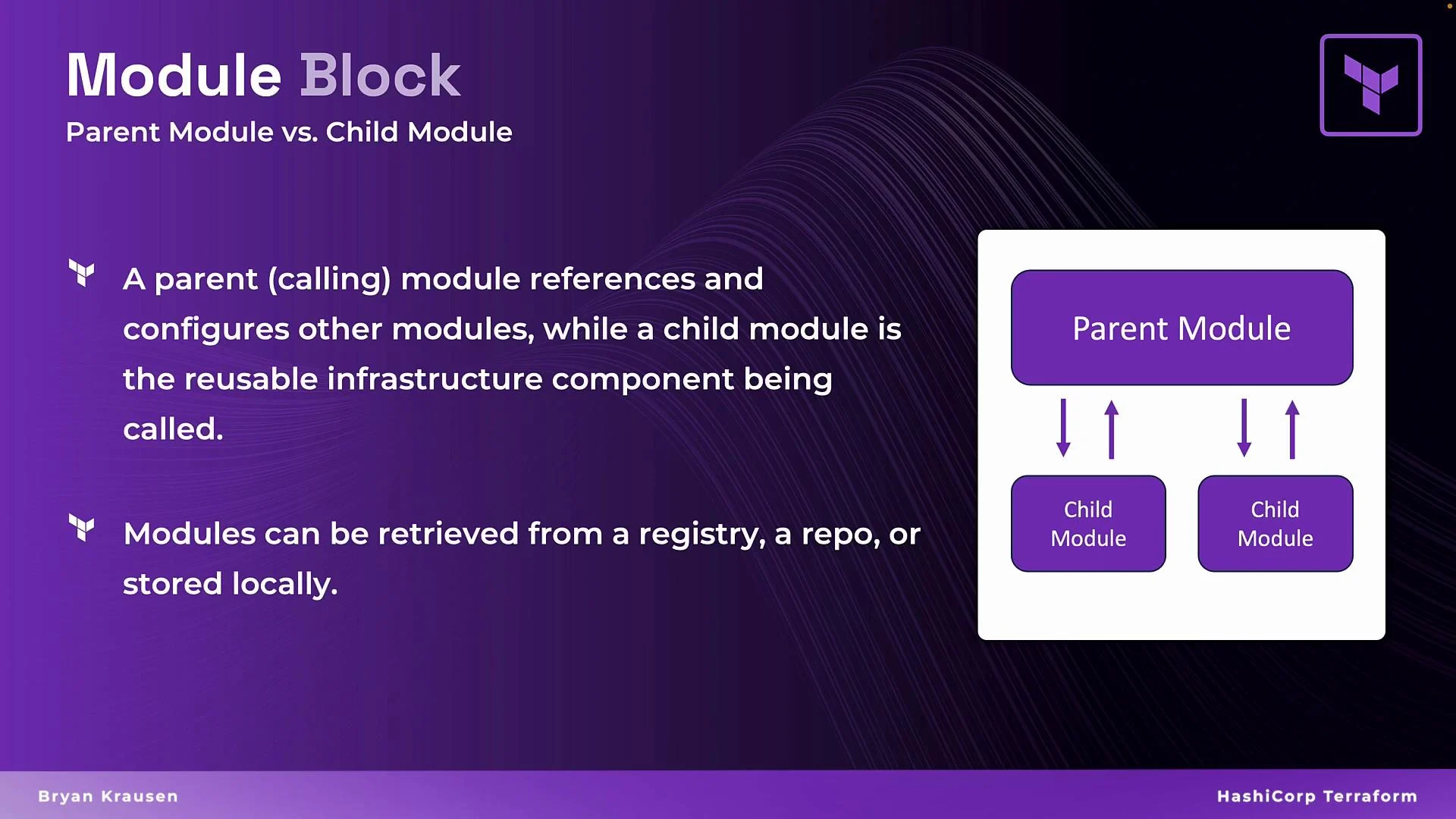 Modules can be sourced from multiple locations, giving teams flexibility to package, share, and consume infrastructure components:
| Source Type | Common Example |
| ------------------ | ------------------------------------------------------------ |
| Terraform Registry | `terraform-aws-modules/vpc/aws` |
| Git repository | `git::https://github.com/example/terraform-modules.git//vpc` |
| Local path | `./modules/vpc` |
Below we break down the roles and anatomy of parent and child modules and show how they connect.
## Parent (root / calling) module — module block example
The root module uses a `module` block to declare which child module to include and passes inputs to that child via variables.
```hcl theme={null}
module "vpc" {
source = "terraform-aws-modules/vpc/aws"
name = "my-vpc"
cidr = "10.0.0.0/16"
azs = data.aws_availability_zones.available.names
private_subnets = var.private_subnets
public_subnets = var.public_subnets
enable_nat_gateway = true
enable_vpn_gateway = true
tags = {
CreatedBy = "terraform"
Environment = "prod"
}
}
```
Key points:
* The module block name (`"vpc"`) is a local identifier; name it for clarity (for example `production_vpc` or `dev_vpc`).
* `source` tells Terraform where to fetch the child module. It accepts registry paths, git URLs, or local filesystem paths (commonly `./modules/`).
* The keys on the left side of `=` must match variable names defined by the child module. Values on the right can be literals, references (e.g., `var.x`), or expressions.
Modules can come from the [Terraform Registry](https://registry.terraform.io), a Git repository, or a local path (place local modules under a `modules/` directory). Run `terraform init` to download remote modules into the working directory.
## Child module — structure, variables, resources, and outputs
A child module is just a normal Terraform configuration intended to be parameterized. Typical child module files:
| File | Purpose |
| --------------------------- | -------------------------------------------------------- |
| `variables.tf` | Declare inputs the module accepts |
| `main.tf` or `resources.tf` | Define resources created by the module |
| `outputs.tf` | Export values for the parent or other modules to consume |
| `providers.tf` (optional) | Configure provider requirements (use cautiously) |
Example `variables.tf` for a simple VPC child module:
```hcl theme={null}
variable "cidr" {
type = string
default = "10.0.0.0/16"
}
variable "name" {
type = string
default = ""
}
```
Example `main.tf` (resource implementation) inside the child module:
```hcl theme={null}
resource "aws_vpc" "vpc" {
cidr_block = var.cidr
tags = {
Name = var.name
}
}
```
Example `outputs.tf` in the child module:
```hcl theme={null}
output "vpc_id" {
value = aws_vpc.vpc.id
}
```
## How root and child modules connect
* The root module declares a `module` block and assigns values to the child module's variables.
* The child module uses those values to create resources.
* The child module exposes outputs that the root (or other modules) can reference.
Example root module that defines an input, calls a child module, and re-exports the child output:
```hcl theme={null}
variable "cidr_block" {
type = string
default = "192.168.0.0/16"
}
module "prod_vpc" {
source = "terraform-aws-modules/vpc/aws"
name = "my-vpc"
cidr = var.cidr_block
}
output "vpc_id" {
value = module.prod_vpc.vpc_id
}
```
Notes:
* `module.prod_vpc.vpc_id` references the `vpc_id` output exported by the child module named `prod_vpc`.
* Running `terraform init` downloads remote modules. Running `terraform apply` provisions resources in the child module and makes outputs available to the parent.
## Passing values between modules
To wire modules together, the root module can forward outputs from one child module into another child module’s inputs.
```hcl theme={null}
module "subnet" {
source = "./modules/subnet"
vpc_id = module.prod_vpc.vpc_id
# other subnet inputs...
}
```
This pattern enables composition:
* Root module orchestrates and wires modules together.
* Child modules implement individual resources and expose outputs.
* Outputs allow values (like IDs) to be shared across modules.
## Benefits of a modular approach
* Reuse: Build once, reuse across environments and projects.
* Separation of concerns: Each module focuses on a single responsibility.
* Maintainability: Smaller modules are easier to test and update.
* Consistency: Shared modules help enforce standard configurations.
## Links and references
* [Terraform Registry](https://registry.terraform.io)
* [Terraform module documentation](https://www.terraform.io/language/modules)
* [Git](https://git-scm.com/)
Modules can be sourced from multiple locations, giving teams flexibility to package, share, and consume infrastructure components:
| Source Type | Common Example |
| ------------------ | ------------------------------------------------------------ |
| Terraform Registry | `terraform-aws-modules/vpc/aws` |
| Git repository | `git::https://github.com/example/terraform-modules.git//vpc` |
| Local path | `./modules/vpc` |
Below we break down the roles and anatomy of parent and child modules and show how they connect.
## Parent (root / calling) module — module block example
The root module uses a `module` block to declare which child module to include and passes inputs to that child via variables.
```hcl theme={null}
module "vpc" {
source = "terraform-aws-modules/vpc/aws"
name = "my-vpc"
cidr = "10.0.0.0/16"
azs = data.aws_availability_zones.available.names
private_subnets = var.private_subnets
public_subnets = var.public_subnets
enable_nat_gateway = true
enable_vpn_gateway = true
tags = {
CreatedBy = "terraform"
Environment = "prod"
}
}
```
Key points:
* The module block name (`"vpc"`) is a local identifier; name it for clarity (for example `production_vpc` or `dev_vpc`).
* `source` tells Terraform where to fetch the child module. It accepts registry paths, git URLs, or local filesystem paths (commonly `./modules/`).
* The keys on the left side of `=` must match variable names defined by the child module. Values on the right can be literals, references (e.g., `var.x`), or expressions.
Modules can come from the [Terraform Registry](https://registry.terraform.io), a Git repository, or a local path (place local modules under a `modules/` directory). Run `terraform init` to download remote modules into the working directory.
## Child module — structure, variables, resources, and outputs
A child module is just a normal Terraform configuration intended to be parameterized. Typical child module files:
| File | Purpose |
| --------------------------- | -------------------------------------------------------- |
| `variables.tf` | Declare inputs the module accepts |
| `main.tf` or `resources.tf` | Define resources created by the module |
| `outputs.tf` | Export values for the parent or other modules to consume |
| `providers.tf` (optional) | Configure provider requirements (use cautiously) |
Example `variables.tf` for a simple VPC child module:
```hcl theme={null}
variable "cidr" {
type = string
default = "10.0.0.0/16"
}
variable "name" {
type = string
default = ""
}
```
Example `main.tf` (resource implementation) inside the child module:
```hcl theme={null}
resource "aws_vpc" "vpc" {
cidr_block = var.cidr
tags = {
Name = var.name
}
}
```
Example `outputs.tf` in the child module:
```hcl theme={null}
output "vpc_id" {
value = aws_vpc.vpc.id
}
```
## How root and child modules connect
* The root module declares a `module` block and assigns values to the child module's variables.
* The child module uses those values to create resources.
* The child module exposes outputs that the root (or other modules) can reference.
Example root module that defines an input, calls a child module, and re-exports the child output:
```hcl theme={null}
variable "cidr_block" {
type = string
default = "192.168.0.0/16"
}
module "prod_vpc" {
source = "terraform-aws-modules/vpc/aws"
name = "my-vpc"
cidr = var.cidr_block
}
output "vpc_id" {
value = module.prod_vpc.vpc_id
}
```
Notes:
* `module.prod_vpc.vpc_id` references the `vpc_id` output exported by the child module named `prod_vpc`.
* Running `terraform init` downloads remote modules. Running `terraform apply` provisions resources in the child module and makes outputs available to the parent.
## Passing values between modules
To wire modules together, the root module can forward outputs from one child module into another child module’s inputs.
```hcl theme={null}
module "subnet" {
source = "./modules/subnet"
vpc_id = module.prod_vpc.vpc_id
# other subnet inputs...
}
```
This pattern enables composition:
* Root module orchestrates and wires modules together.
* Child modules implement individual resources and expose outputs.
* Outputs allow values (like IDs) to be shared across modules.
## Benefits of a modular approach
* Reuse: Build once, reuse across environments and projects.
* Separation of concerns: Each module focuses on a single responsibility.
* Maintainability: Smaller modules are easier to test and update.
* Consistency: Shared modules help enforce standard configurations.
## Links and references
* [Terraform Registry](https://registry.terraform.io)
* [Terraform module documentation](https://www.terraform.io/language/modules)
* [Git](https://git-scm.com/)