> ## Documentation Index
> Fetch the complete documentation index at: https://notes.kodekloud.com/llms.txt
> Use this file to discover all available pages before exploring further.
# Intro to the Terraform Workflow
> Overview of Terraform's core Write Plan Apply workflow, including init, planning, applying, HCL configuration, best practices, and common commands.
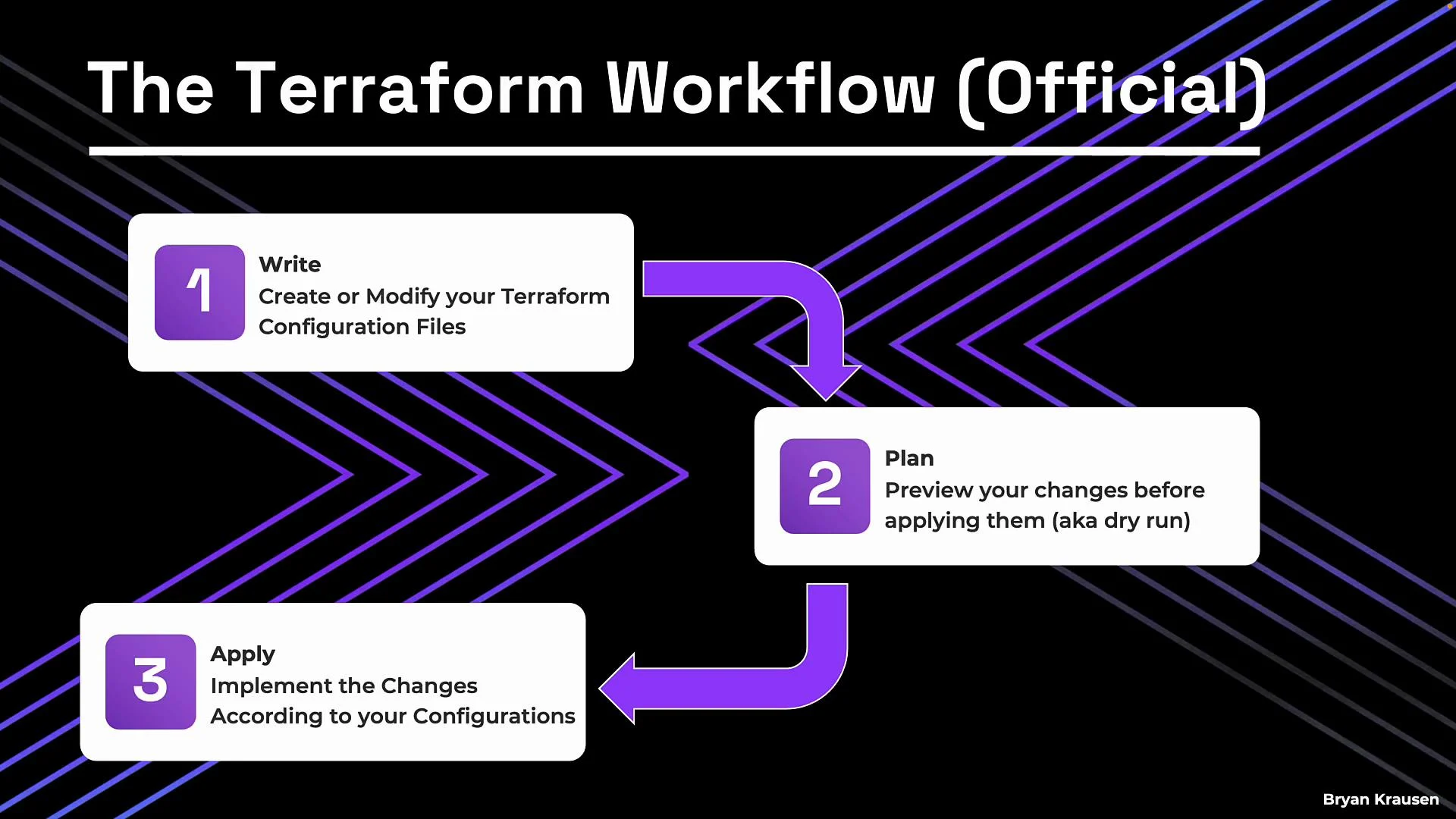
HashiCorp’s canonical Terraform workflow is simple and consistent: three core stages that apply whether you’re managing a single VM or a multi-cloud environment. Understanding this flow is essential for reliable infrastructure as code.
The stages are:
* Write — declare the infrastructure you want using configuration files (HCL).
* Plan — preview what Terraform will change by comparing your configuration to the current state.
* Apply — execute those changes to create or update real infrastructure, with Terraform resolving resource dependencies automatically.
Write → Plan → Apply — that’s the canonical workflow. These steps interact in practice and are supported by a required initialization step before planning or applying.
 When you run terraform apply, Terraform performs the operations needed to make real infrastructure match the declared desired state. Terraform automatically respects resource dependencies. For example, if a database resource must exist before a web server, Terraform will create the database first — you don’t need to orchestrate that manually.
Before plan or apply can run, Terraform needs to be initialized.
terraform init downloads provider plugins and any referenced modules into the working directory. If your configuration targets AWS, Terraform fetches the AWS provider; for Azure, the Azure provider; and so on. Running `terraform init` is a required setup step for each new project directory and whenever you add or change provider/module blocks.
Always run `terraform init` when you start working in a new Terraform project or after adding new provider/module references. Without initialization, `terraform plan` and `terraform apply` will fail.
When you run terraform apply, Terraform performs the operations needed to make real infrastructure match the declared desired state. Terraform automatically respects resource dependencies. For example, if a database resource must exist before a web server, Terraform will create the database first — you don’t need to orchestrate that manually.
Before plan or apply can run, Terraform needs to be initialized.
terraform init downloads provider plugins and any referenced modules into the working directory. If your configuration targets AWS, Terraform fetches the AWS provider; for Azure, the Azure provider; and so on. Running `terraform init` is a required setup step for each new project directory and whenever you add or change provider/module blocks.
Always run `terraform init` when you start working in a new Terraform project or after adding new provider/module references. Without initialization, `terraform plan` and `terraform apply` will fail.
 Day-to-day workflow (practical sequence)
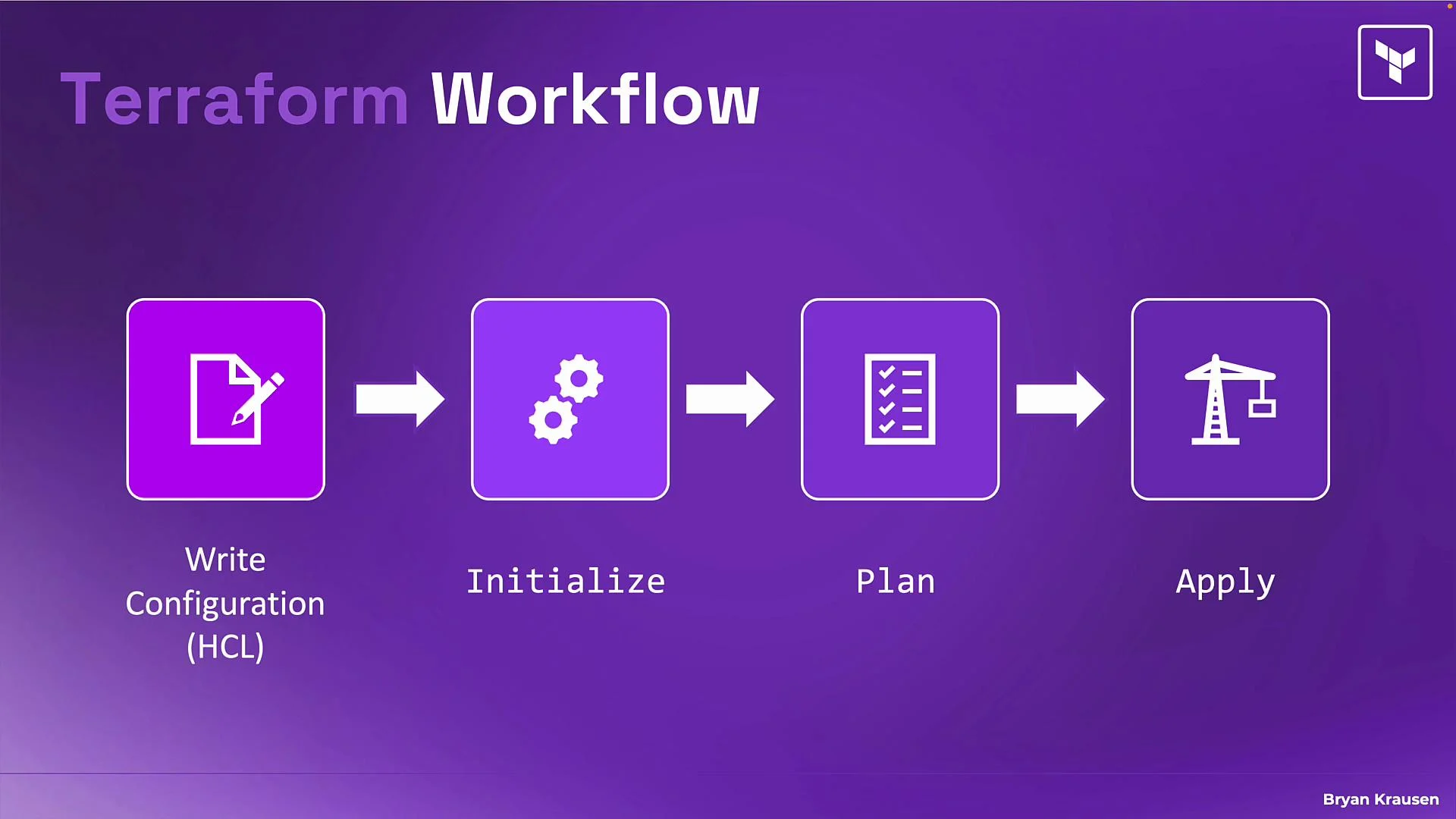
1. Write your configuration files (.tf) in HCL to declare the desired state.
2. Initialize the directory: run `terraform init`.
3. Preview changes: run `terraform plan`.
4. Apply changes: run `terraform apply`.
Common Terraform commands
```bash theme={null}
# Initialize working directory and download providers/modules
terraform init
# Show execution plan without making changes
terraform plan
# Execute the plan and create/update resources
terraform apply
```
Quick reference table
| Stage | Purpose | Typical command |
| ---------- | ---------------------------------------------------------------- | ----------------- |
| Initialize | Download providers/modules and prepare the working directory | `terraform init` |
| Plan | Compare configuration against current state and preview changes | `terraform plan` |
| Apply | Execute changes to reach the desired state | `terraform apply` |
| Write | Create or modify `.tf` files (HCL) to declare intended resources | edit `.tf` files |
Links and references
* [Terraform CLI documentation](https://www.terraform.io/cli)
* [Terraform providers](https://registry.terraform.io/browse/providers)
Now let’s focus on the first stage in more detail: writing configuration.
Write — authoring Terraform configuration (HCL)
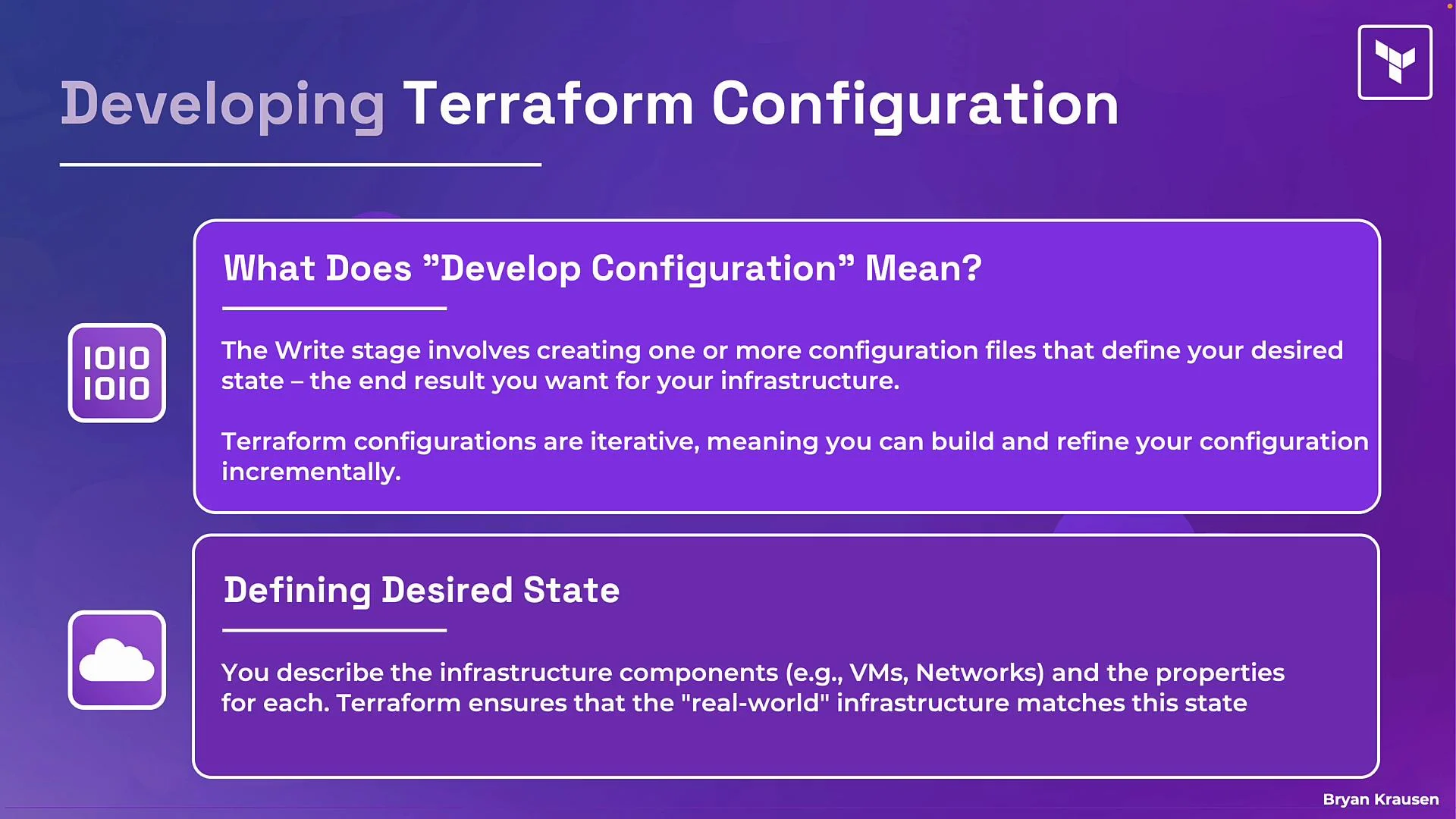
The write stage is where you create one or more `.tf` files describing the desired state. The key principle is declarative configuration: you describe the end state you want, and Terraform determines API calls and operation order to achieve that state.
Best practices and workflow tips
* Start small: create a minimal resource (for example, a single VM or instance) and iterate.
* Iterate frequently: after each change, run `terraform plan` and `terraform apply` to converge toward the desired state.
* Keep state and sensitive data secure: use remote state backends (e.g., S3, Azure Storage, or Terraform Cloud) and avoid embedding secrets in plain text.
* Group related resources into modules for reusability and organization.
Simple HCL example
```hcl theme={null}
provider "aws" {
region = "us-west-2"
}
resource "aws_instance" "web" {
ami = "ami-0123456789abcdef0"
instance_type = "t3.micro"
tags = {
Name = "example-web"
}
}
```
Terraform configurations are iterative — add networking, storage, load-balancing, or other resources incrementally and re-run the workflow (init if needed, then plan and apply) to update infrastructure.
Day-to-day workflow (practical sequence)
1. Write your configuration files (.tf) in HCL to declare the desired state.
2. Initialize the directory: run `terraform init`.
3. Preview changes: run `terraform plan`.
4. Apply changes: run `terraform apply`.
Common Terraform commands
```bash theme={null}
# Initialize working directory and download providers/modules
terraform init
# Show execution plan without making changes
terraform plan
# Execute the plan and create/update resources
terraform apply
```
Quick reference table
| Stage | Purpose | Typical command |
| ---------- | ---------------------------------------------------------------- | ----------------- |
| Initialize | Download providers/modules and prepare the working directory | `terraform init` |
| Plan | Compare configuration against current state and preview changes | `terraform plan` |
| Apply | Execute changes to reach the desired state | `terraform apply` |
| Write | Create or modify `.tf` files (HCL) to declare intended resources | edit `.tf` files |
Links and references
* [Terraform CLI documentation](https://www.terraform.io/cli)
* [Terraform providers](https://registry.terraform.io/browse/providers)
Now let’s focus on the first stage in more detail: writing configuration.
Write — authoring Terraform configuration (HCL)
The write stage is where you create one or more `.tf` files describing the desired state. The key principle is declarative configuration: you describe the end state you want, and Terraform determines API calls and operation order to achieve that state.
Best practices and workflow tips
* Start small: create a minimal resource (for example, a single VM or instance) and iterate.
* Iterate frequently: after each change, run `terraform plan` and `terraform apply` to converge toward the desired state.
* Keep state and sensitive data secure: use remote state backends (e.g., S3, Azure Storage, or Terraform Cloud) and avoid embedding secrets in plain text.
* Group related resources into modules for reusability and organization.
Simple HCL example
```hcl theme={null}
provider "aws" {
region = "us-west-2"
}
resource "aws_instance" "web" {
ami = "ami-0123456789abcdef0"
instance_type = "t3.micro"
tags = {
Name = "example-web"
}
}
```
Terraform configurations are iterative — add networking, storage, load-balancing, or other resources incrementally and re-run the workflow (init if needed, then plan and apply) to update infrastructure.
 Further reading
* [Terraform: Getting Started](https://www.terraform.io/intro)
* [HashiCorp Learn: Terraform](https://learn.hashicorp.com/terraform)
Further reading
* [Terraform: Getting Started](https://www.terraform.io/intro)
* [HashiCorp Learn: Terraform](https://learn.hashicorp.com/terraform)