> ## Documentation Index
> Fetch the complete documentation index at: https://notes.kodekloud.com/llms.txt
> Use this file to discover all available pages before exploring further.
# Terraform Init
> Explains terraform init, how it initializes providers, modules, backend, the .terraform directory and lock file, and when to run and manage these artifacts.
Let's walk through `terraform init` — the first command you run in any new Terraform project. It prepares your working directory so Terraform can download required providers, fetch modules, and configure the backend. After `terraform init` you can run `terraform plan` and `terraform apply` reliably.
In this article you'll learn what `terraform init` does, when to run it, and the files and directories it creates and manages.
## What `terraform init` does
`terraform init` sets up the working environment by:
* Downloading provider plugins referenced in your configuration (for example, AWS, Azure, GCP).
* Fetching referenced modules from the Terraform Registry, Git, or other sources.
* Configuring the backend where the Terraform state is stored (local or remote backends such as S3, Azure Storage, etc.).
* Creating or updating the dependency lock file ` .terraform.lock.hcl` to pin provider versions and checksums.
Think of `terraform init` as the foundation step — Terraform ensures all dependencies are available locally before any planning or applying occurs. The command is incremental: if you update a single provider, Terraform downloads only the changed provider and leaves other cached providers intact.
When to run `terraform init`:
* At the start of a new Terraform project.
* After adding, removing, or upgrading providers or modules.
* After changing backend settings.
* Any time you want to refresh locally cached dependencies.
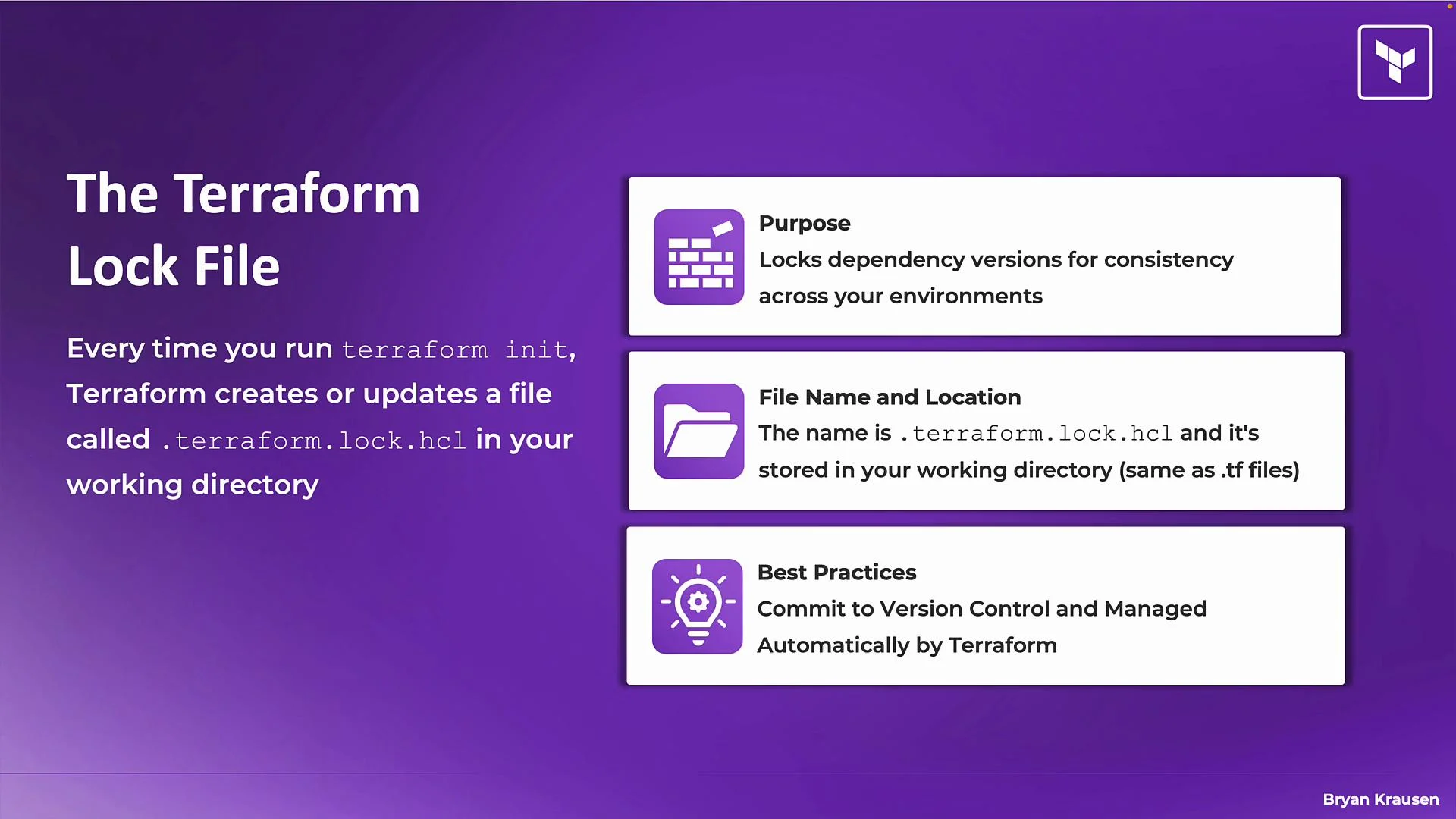 Commit ` .terraform.lock.hcl` to version control. It pins provider versions and checksums so every team member and CI run uses the same provider binaries, preventing “works on my machine” issues.
## The lock file: ` .terraform.lock.hcl`
Each run of `terraform init` will create or update a ` .terraform.lock.hcl` file in your working directory (the same folder as your `*.tf` files). This lock file:
* Records provider versions and checksums selected during initialization.
* Ensures consistent provider selection across machines and CI runs.
* Is managed automatically by Terraform — do not edit it manually.
Best practice: include ` .terraform.lock.hcl` in your repository so provider selection changes are visible in code reviews.
## Example output from `terraform init`
Typical output from `terraform init` shows backend initialization, provider discovery and installation, and confirmation of the lock file creation. Example:
```bash theme={null}
$ terraform init
Initializing the backend...
Initializing provider plugins...
- Finding latest version of hashicorp/vsphere...
- Finding latest version of hashicorp/random...
- Finding latest version of hashicorp/vault...
- Installing hashicorp/vault v4.5.0...
- Installed hashicorp/vault v4.5.0 (signed by HashiCorp)
- Installing hashicorp/vsphere v2.10.0...
- Installed hashicorp/vsphere v2.10.0 (signed by HashiCorp)
- Installing hashicorp/random v3.6.3...
- Installed hashicorp/random v3.6.3 (signed by HashiCorp)
Terraform has created a lock file .terraform.lock.hcl to record the provider
selections it made above. Include this file in your version control repository
so that Terraform can guarantee to make the same selections by default when
you run "terraform init" in the future.
Terraform has been successfully initialized!
You may now begin working with Terraform. Try running "terraform plan" to see
any changes that are required for your infrastructure. All Terraform commands
should now work.
If you ever set or change modules or backend configuration for Terraform,
rerun this command to reinitialize your working directory. If you forget, other
commands will detect it and remind you to do so if necessary.
```
This output highlights:
* Backend initialization (where Terraform state will be stored).
* Provider discovery and installation (including versions and signatures).
* Creation of ` .terraform.lock.hcl` and successful initialization.
## When to re-run `terraform init` (quick reference)
| Trigger | Why re-run `terraform init`? | Recommended action |
| --------------------------------- | ----------------------------------------------- | -------------------------------------------------- |
| New project | No provider or module cache exists locally | Run `terraform init` once in the project directory |
| Added or removed providers | Provider binaries need to be downloaded/removed | Run `terraform init` to update plugins |
| Changed module source or versions | Terraform must fetch fresh module code | Run `terraform init` to download new modules |
| Changed backend configuration | Terraform must reconfigure the state backend | Run `terraform init` to reinitialize the backend |
| CI pipeline run | Ensure deterministic provider selection | Run `terraform init -input=false` in CI |
## The `.terraform` directory
Running `terraform init` creates a local `.terraform` directory in your working directory. This is Terraform’s local cache and contains provider binaries and downloaded modules.
Common contents of ` .terraform`:
| Item | Description | Commit to VCS? |
| ----------------------- | ------------------------------------------------------------- | -------------- |
| `plugins` / `providers` | Cached provider binaries used to communicate with cloud APIs | No |
| `modules` | Downloaded copies of modules referenced by your configuration | No |
| backend/plugin metadata | Internal metadata used by Terraform during operations | No |
Commit ` .terraform.lock.hcl` to version control. It pins provider versions and checksums so every team member and CI run uses the same provider binaries, preventing “works on my machine” issues.
## The lock file: ` .terraform.lock.hcl`
Each run of `terraform init` will create or update a ` .terraform.lock.hcl` file in your working directory (the same folder as your `*.tf` files). This lock file:
* Records provider versions and checksums selected during initialization.
* Ensures consistent provider selection across machines and CI runs.
* Is managed automatically by Terraform — do not edit it manually.
Best practice: include ` .terraform.lock.hcl` in your repository so provider selection changes are visible in code reviews.
## Example output from `terraform init`
Typical output from `terraform init` shows backend initialization, provider discovery and installation, and confirmation of the lock file creation. Example:
```bash theme={null}
$ terraform init
Initializing the backend...
Initializing provider plugins...
- Finding latest version of hashicorp/vsphere...
- Finding latest version of hashicorp/random...
- Finding latest version of hashicorp/vault...
- Installing hashicorp/vault v4.5.0...
- Installed hashicorp/vault v4.5.0 (signed by HashiCorp)
- Installing hashicorp/vsphere v2.10.0...
- Installed hashicorp/vsphere v2.10.0 (signed by HashiCorp)
- Installing hashicorp/random v3.6.3...
- Installed hashicorp/random v3.6.3 (signed by HashiCorp)
Terraform has created a lock file .terraform.lock.hcl to record the provider
selections it made above. Include this file in your version control repository
so that Terraform can guarantee to make the same selections by default when
you run "terraform init" in the future.
Terraform has been successfully initialized!
You may now begin working with Terraform. Try running "terraform plan" to see
any changes that are required for your infrastructure. All Terraform commands
should now work.
If you ever set or change modules or backend configuration for Terraform,
rerun this command to reinitialize your working directory. If you forget, other
commands will detect it and remind you to do so if necessary.
```
This output highlights:
* Backend initialization (where Terraform state will be stored).
* Provider discovery and installation (including versions and signatures).
* Creation of ` .terraform.lock.hcl` and successful initialization.
## When to re-run `terraform init` (quick reference)
| Trigger | Why re-run `terraform init`? | Recommended action |
| --------------------------------- | ----------------------------------------------- | -------------------------------------------------- |
| New project | No provider or module cache exists locally | Run `terraform init` once in the project directory |
| Added or removed providers | Provider binaries need to be downloaded/removed | Run `terraform init` to update plugins |
| Changed module source or versions | Terraform must fetch fresh module code | Run `terraform init` to download new modules |
| Changed backend configuration | Terraform must reconfigure the state backend | Run `terraform init` to reinitialize the backend |
| CI pipeline run | Ensure deterministic provider selection | Run `terraform init -input=false` in CI |
## The `.terraform` directory
Running `terraform init` creates a local `.terraform` directory in your working directory. This is Terraform’s local cache and contains provider binaries and downloaded modules.
Common contents of ` .terraform`:
| Item | Description | Commit to VCS? |
| ----------------------- | ------------------------------------------------------------- | -------------- |
| `plugins` / `providers` | Cached provider binaries used to communicate with cloud APIs | No |
| `modules` | Downloaded copies of modules referenced by your configuration | No |
| backend/plugin metadata | Internal metadata used by Terraform during operations | No |
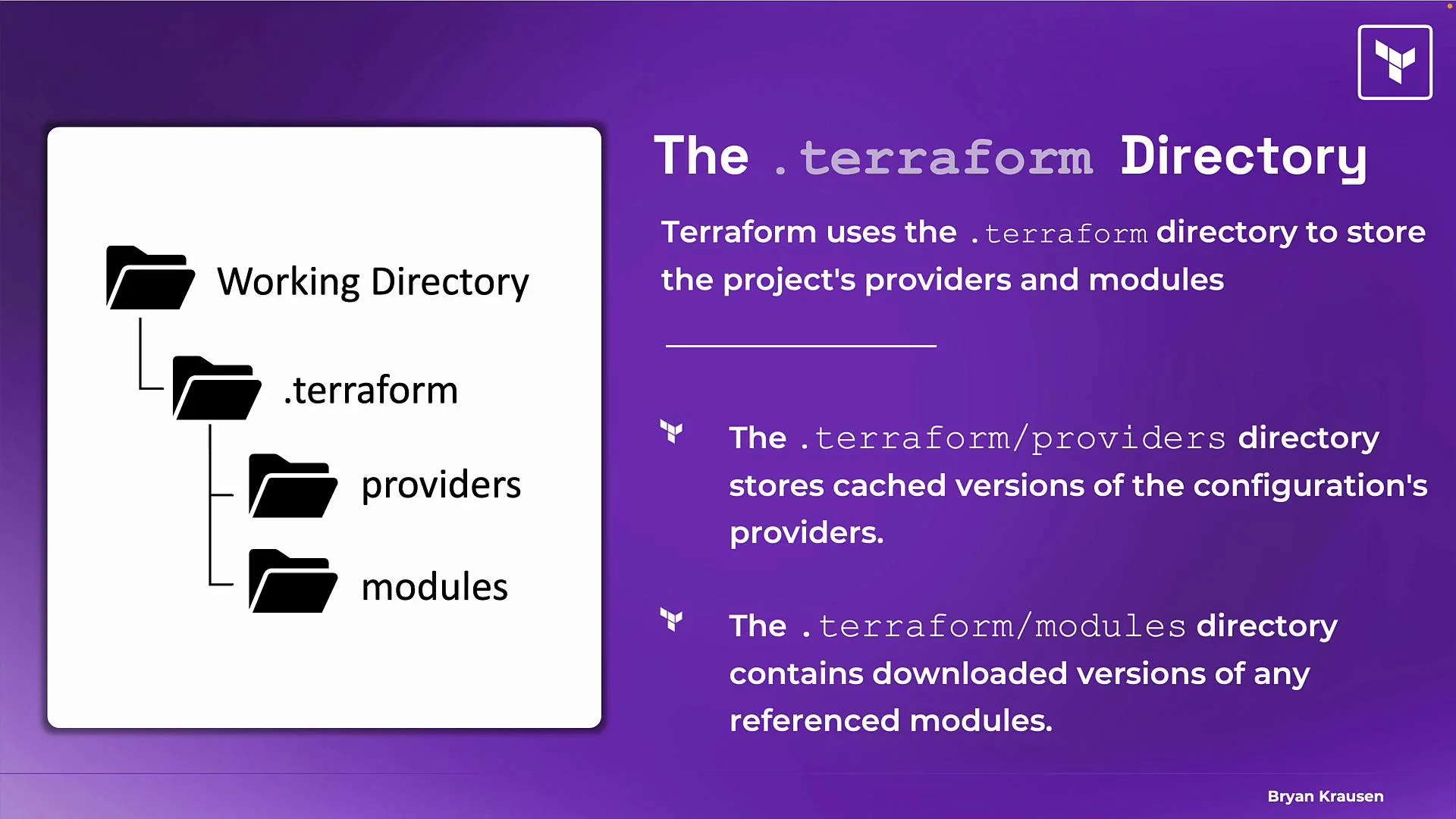 Terraform manages everything inside `.terraform`. Do not manually edit these files; Terraform will recreate or update them when needed.
## Version control and `.terraform`
Should you commit the `.terraform` directory to version control? No — add it to `.gitignore` instead.
Reasons to ignore `.terraform`:
* The directory is a cache of files that can be recreated by running `terraform init`.
* Provider binaries are large and platform-specific (different OS/architecture).
* Committing it introduces noise and potential merge conflicts.
If cached providers or modules become corrupted or inconsistent, delete the `.terraform` directory and run `terraform init` again to rebuild the cache.
Terraform manages everything inside `.terraform`. Do not manually edit these files; Terraform will recreate or update them when needed.
## Version control and `.terraform`
Should you commit the `.terraform` directory to version control? No — add it to `.gitignore` instead.
Reasons to ignore `.terraform`:
* The directory is a cache of files that can be recreated by running `terraform init`.
* Provider binaries are large and platform-specific (different OS/architecture).
* Committing it introduces noise and potential merge conflicts.
If cached providers or modules become corrupted or inconsistent, delete the `.terraform` directory and run `terraform init` again to rebuild the cache.
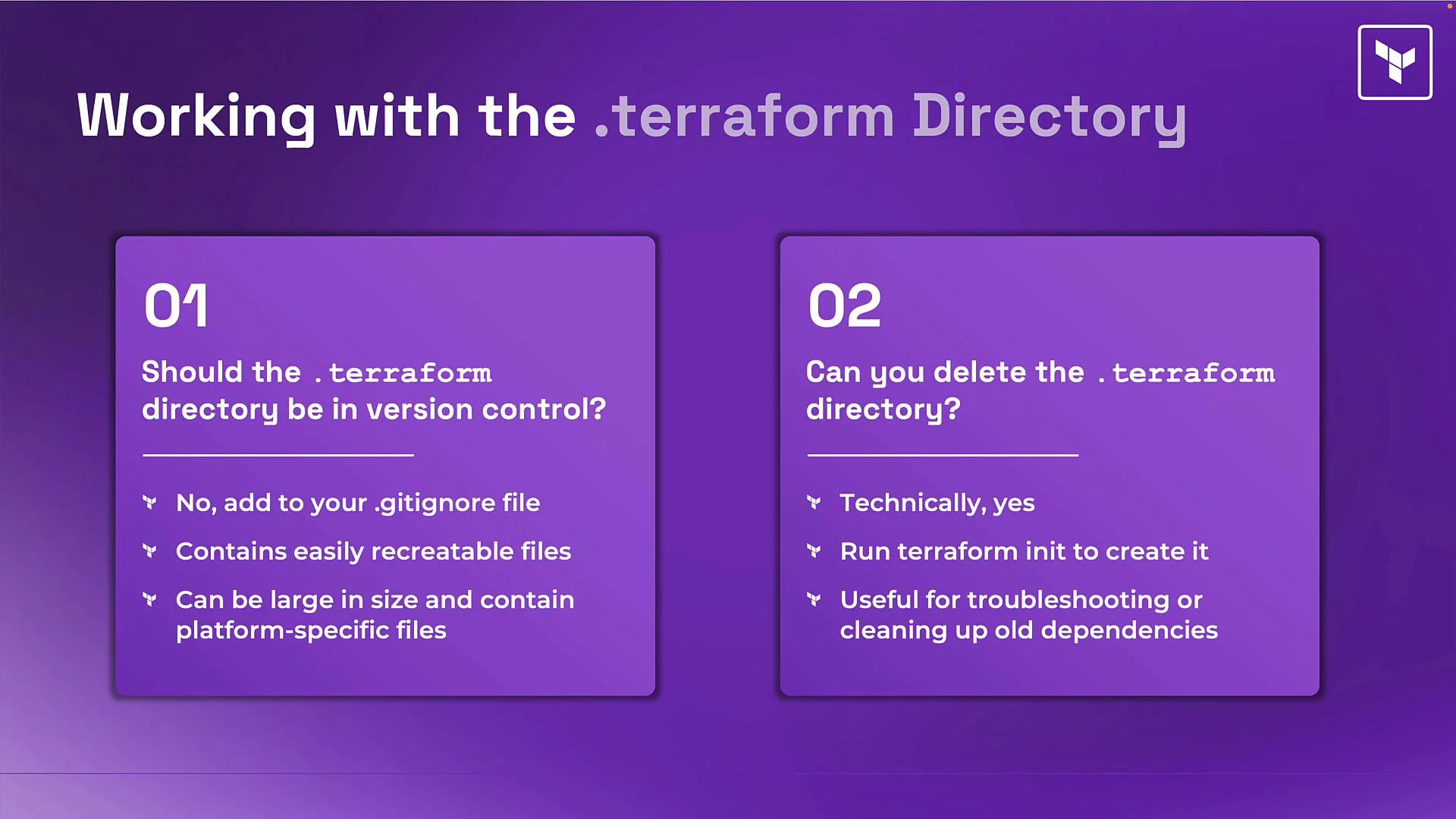 Do not commit the `.terraform` directory. Treat it as a local cache that can be deleted and recreated with `terraform init`.
## Summary
* Run `terraform init` at the start of a project and whenever providers, modules, or backend configuration change.
* `terraform init` downloads providers and modules, configures the backend, creates/updates ` .terraform.lock.hcl`, and populates the `.terraform` directory.
* Commit ` .terraform.lock.hcl` to version control to ensure consistent provider versions across environments.
* Do not commit `.terraform`; add it to `.gitignore` and recreate it with `terraform init` if needed.
## Links and References
* [Terraform CLI: init](https://www.terraform.io/cli/commands/init)
* [Terraform Providers and Provider Versioning](https://www.terraform.io/language/providers)
* [Terraform Lock File Documentation](https://www.terraform.io/language/files/lock)
Do not commit the `.terraform` directory. Treat it as a local cache that can be deleted and recreated with `terraform init`.
## Summary
* Run `terraform init` at the start of a project and whenever providers, modules, or backend configuration change.
* `terraform init` downloads providers and modules, configures the backend, creates/updates ` .terraform.lock.hcl`, and populates the `.terraform` directory.
* Commit ` .terraform.lock.hcl` to version control to ensure consistent provider versions across environments.
* Do not commit `.terraform`; add it to `.gitignore` and recreate it with `terraform init` if needed.
## Links and References
* [Terraform CLI: init](https://www.terraform.io/cli/commands/init)
* [Terraform Providers and Provider Versioning](https://www.terraform.io/language/providers)
* [Terraform Lock File Documentation](https://www.terraform.io/language/files/lock)