> ## Documentation Index
> Fetch the complete documentation index at: https://notes.kodekloud.com/llms.txt
> Use this file to discover all available pages before exploring further.
# Understanding the Resource Graph
> Explains how Terraform builds and uses a dependency graph to determine resource ordering, parallelism, and when to use implicit references versus explicit depends_on.
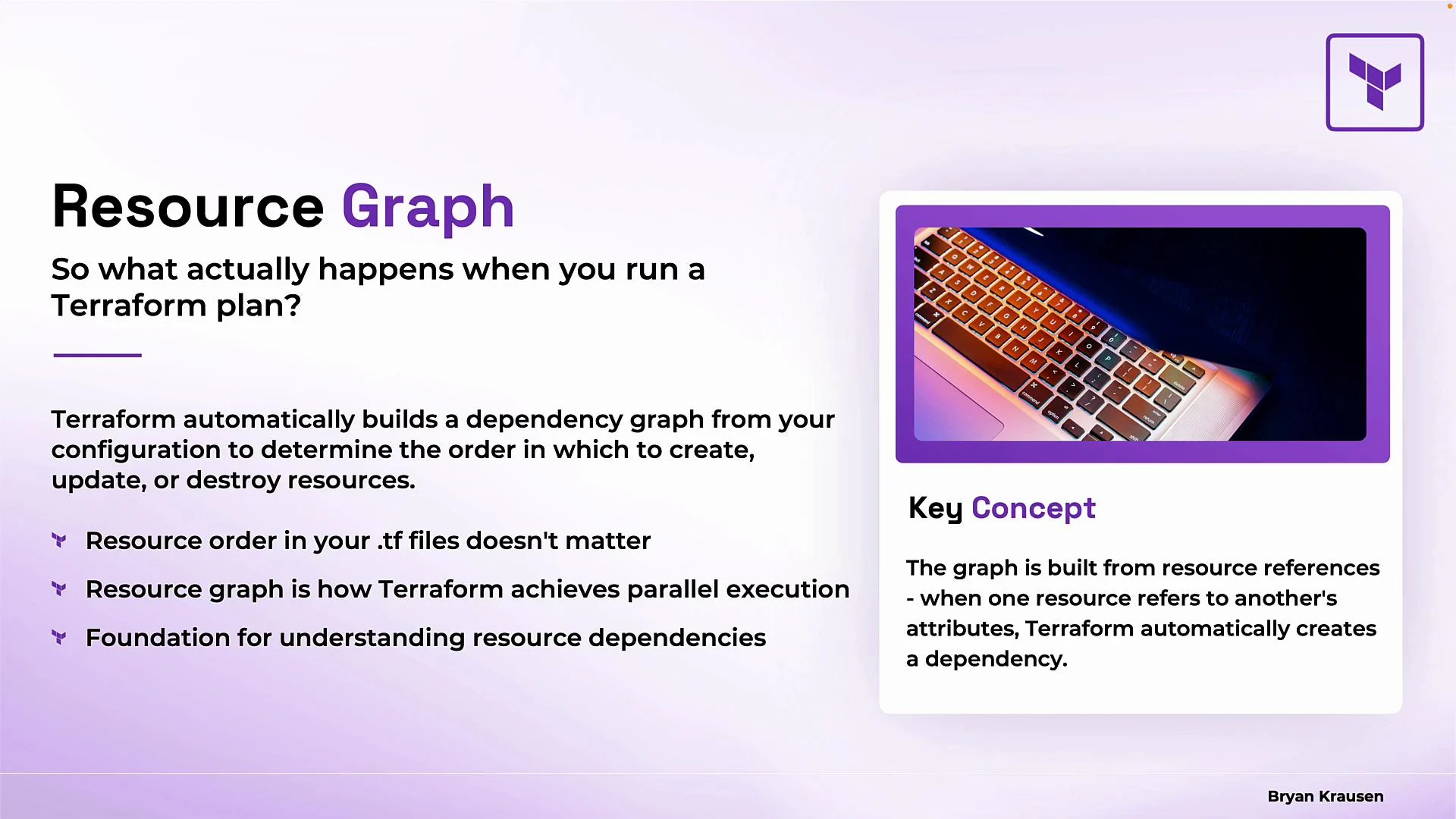
In this lesson we’ll examine what happens when you run `terraform plan` and how Terraform determines the order for creating, updating, or destroying resources. Terraform automatically constructs a dependency graph from your configuration; this graph drives how an execution plan is generated and how operations are ordered and parallelized. This is a core concept for using Terraform effectively and is explicitly tested on the HashiCorp Certified: Terraform Associate exam.
The resource graph is built from references between resources and data sources. Understanding it clarifies Terraform's execution order, parallelism, and why file order doesn’t control deployment order.
Key points
* Terraform builds a dependency graph from references between resources and data sources.
* The graph (not file order) determines the execution order.
* Resources without mutual dependencies can run in parallel, improving performance.
* Use `depends_on` only when Terraform cannot infer an ordering from configuration references.
 Organization and modularity
Because Terraform infers dependencies from references, you can split resources across multiple files, modules, or directories without changing the execution order. This separation helps with readability and reuse while leaving the dependency graph — and therefore runtime behavior — unchanged.
Implicit vs explicit dependencies
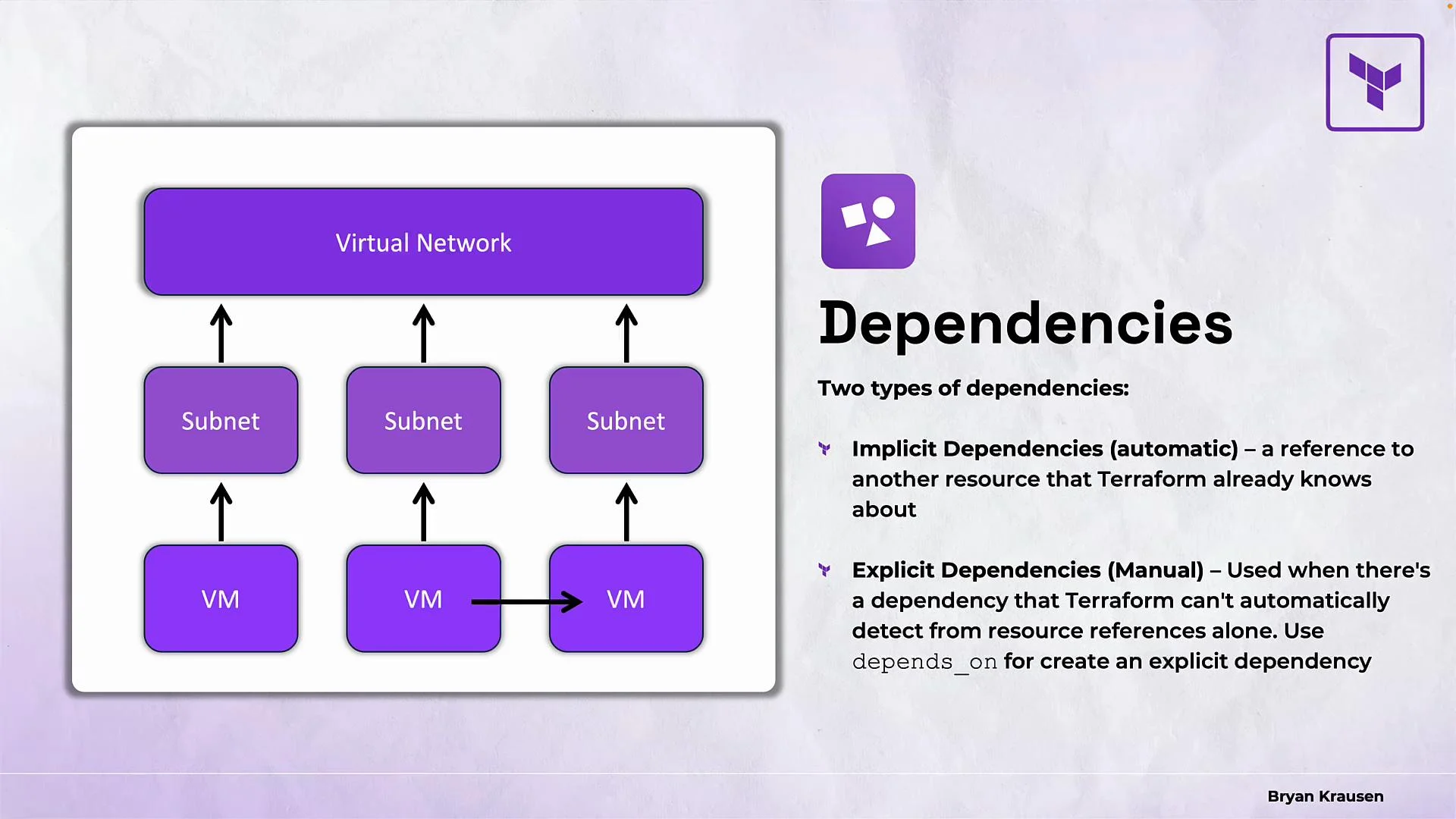
Terraform recognizes two dependency types:
1. Implicit dependencies
* Inferred automatically from attribute and data source references in your configuration.
* Example: if a subnet references a VPC’s ID, Terraform knows the VPC must be created before the subnet.
Example (implicit dependency via attribute reference):
```hcl theme={null}
resource "aws_vpc" "main" {
cidr_block = "10.0.0.0/16"
}
resource "aws_subnet" "subnet_a" {
vpc_id = aws_vpc.main.id
cidr_block = "10.0.1.0/24"
}
```
In the example above, `aws_subnet.subnet_a` implicitly depends on `aws_vpc.main` because of the `aws_vpc.main.id` reference.
2. Explicit dependencies
* Declared using `depends_on` when Terraform cannot infer an ordering (for example, when resources are related but have no direct attribute references).
* Use explicit dependencies sparingly; most ordering should come from implicit references.
Example (explicit dependency):
```hcl theme={null}
resource "aws_db_instance" "db" {
# database configuration...
}
resource "aws_instance" "web" {
# web server configuration...
depends_on = [aws_db_instance.db]
}
```
Here, the `aws_instance.web` resource explicitly depends on `aws_db_instance.db` even though there is no attribute reference linking them.
Organization and modularity
Because Terraform infers dependencies from references, you can split resources across multiple files, modules, or directories without changing the execution order. This separation helps with readability and reuse while leaving the dependency graph — and therefore runtime behavior — unchanged.
Implicit vs explicit dependencies
Terraform recognizes two dependency types:
1. Implicit dependencies
* Inferred automatically from attribute and data source references in your configuration.
* Example: if a subnet references a VPC’s ID, Terraform knows the VPC must be created before the subnet.
Example (implicit dependency via attribute reference):
```hcl theme={null}
resource "aws_vpc" "main" {
cidr_block = "10.0.0.0/16"
}
resource "aws_subnet" "subnet_a" {
vpc_id = aws_vpc.main.id
cidr_block = "10.0.1.0/24"
}
```
In the example above, `aws_subnet.subnet_a` implicitly depends on `aws_vpc.main` because of the `aws_vpc.main.id` reference.
2. Explicit dependencies
* Declared using `depends_on` when Terraform cannot infer an ordering (for example, when resources are related but have no direct attribute references).
* Use explicit dependencies sparingly; most ordering should come from implicit references.
Example (explicit dependency):
```hcl theme={null}
resource "aws_db_instance" "db" {
# database configuration...
}
resource "aws_instance" "web" {
# web server configuration...
depends_on = [aws_db_instance.db]
}
```
Here, the `aws_instance.web` resource explicitly depends on `aws_db_instance.db` even though there is no attribute reference linking them.
 Quick comparison
| Dependency type | How Terraform discovers it | When to use | Example |
| --------------- | --------------------------------------------------: | ----------------------------------------------------------- | ----------------------------------- |
| Implicit | Inferred from attribute references and data sources | Default; use whenever possible | `vpc_id = aws_vpc.main.id` |
| Explicit | Declared manually with `depends_on` | When there is an ordering requirement Terraform can't infer | `depends_on = [aws_db_instance.db]` |
How Terraform walks the graph
Terraform evaluates the dependency graph and executes operations in parallel where dependencies allow. As soon as a resource’s dependencies are satisfied, Terraform can create, update, or destroy that resource. If multiple resources are eligible at the same time, they can be processed concurrently.
By default Terraform runs up to 10 operations in parallel. You can change this with the `-parallelism` flag on `plan`, `apply`, and `destroy` to accommodate API rate limits or to debug ordering behavior.
Example usage:
```bash theme={null}
terraform apply -parallelism=5
```
Remember: Terraform’s default parallelism is 10 operations. Adjust with `-parallelism=` on CLI commands when you need to limit concurrent API calls or force more sequential behavior.
Best practices
* Prefer implicit dependencies (attribute references) over `depends_on`.
* Keep related resources together for readability, but split into files or modules for organization — Terraform will still infer dependencies correctly.
* Use `-parallelism` only when necessary (rate limits, debugging, or provider-specific constraints).
* Inspect `terraform plan` output to verify inferred ordering before `apply`.
Summary
* Terraform automatically builds and walks a dependency graph from references in your configuration.
* File ordering does not control execution order — dependency references do.
* Use `depends_on` only when Terraform cannot infer the required ordering from references.
* Terraform executes resources in parallel where possible; default concurrency is 10, adjustable via `-parallelism`.
* A clear understanding of the resource graph explains how `terraform plan` generates an execution plan and why operations run in a particular order.
Links and References
* [Terraform Documentation — Resource Graph and Dependencies](https://www.terraform.io/docs/cli/commands/plan.html#resource-dependencies)
* [HashiCorp Learn — Graphs and State](https://learn.hashicorp.com/collections/terraform/state)
* [HashiCorp Certified: Terraform Associate Exam Guide](https://www.hashicorp.com/certification/terraform-associate)
Quick comparison
| Dependency type | How Terraform discovers it | When to use | Example |
| --------------- | --------------------------------------------------: | ----------------------------------------------------------- | ----------------------------------- |
| Implicit | Inferred from attribute references and data sources | Default; use whenever possible | `vpc_id = aws_vpc.main.id` |
| Explicit | Declared manually with `depends_on` | When there is an ordering requirement Terraform can't infer | `depends_on = [aws_db_instance.db]` |
How Terraform walks the graph
Terraform evaluates the dependency graph and executes operations in parallel where dependencies allow. As soon as a resource’s dependencies are satisfied, Terraform can create, update, or destroy that resource. If multiple resources are eligible at the same time, they can be processed concurrently.
By default Terraform runs up to 10 operations in parallel. You can change this with the `-parallelism` flag on `plan`, `apply`, and `destroy` to accommodate API rate limits or to debug ordering behavior.
Example usage:
```bash theme={null}
terraform apply -parallelism=5
```
Remember: Terraform’s default parallelism is 10 operations. Adjust with `-parallelism=` on CLI commands when you need to limit concurrent API calls or force more sequential behavior.
Best practices
* Prefer implicit dependencies (attribute references) over `depends_on`.
* Keep related resources together for readability, but split into files or modules for organization — Terraform will still infer dependencies correctly.
* Use `-parallelism` only when necessary (rate limits, debugging, or provider-specific constraints).
* Inspect `terraform plan` output to verify inferred ordering before `apply`.
Summary
* Terraform automatically builds and walks a dependency graph from references in your configuration.
* File ordering does not control execution order — dependency references do.
* Use `depends_on` only when Terraform cannot infer the required ordering from references.
* Terraform executes resources in parallel where possible; default concurrency is 10, adjustable via `-parallelism`.
* A clear understanding of the resource graph explains how `terraform plan` generates an execution plan and why operations run in a particular order.
Links and References
* [Terraform Documentation — Resource Graph and Dependencies](https://www.terraform.io/docs/cli/commands/plan.html#resource-dependencies)
* [HashiCorp Learn — Graphs and State](https://learn.hashicorp.com/collections/terraform/state)
* [HashiCorp Certified: Terraform Associate Exam Guide](https://www.hashicorp.com/certification/terraform-associate)