> ## Documentation Index
> Fetch the complete documentation index at: https://notes.kodekloud.com/llms.txt
> Use this file to discover all available pages before exploring further.
# Explaining Time to Live TTL
> This article explains the Time-to-Live (TTL) for non-root tokens in HashiCorp Vault and how it affects token validity and renewal.
Time-to-Live (TTL) in HashiCorp Vault determines how long a non-root token remains valid before it’s automatically revoked. Think of it like a hotel room key: if you book for eight nights, the key stops working on day nine. Vault’s TTL works the same way for tokens—no more, no less.
Every non-root token you create or renew in Vault receives a TTL. Root tokens, by default, do not have a TTL and stay active until explicitly revoked.
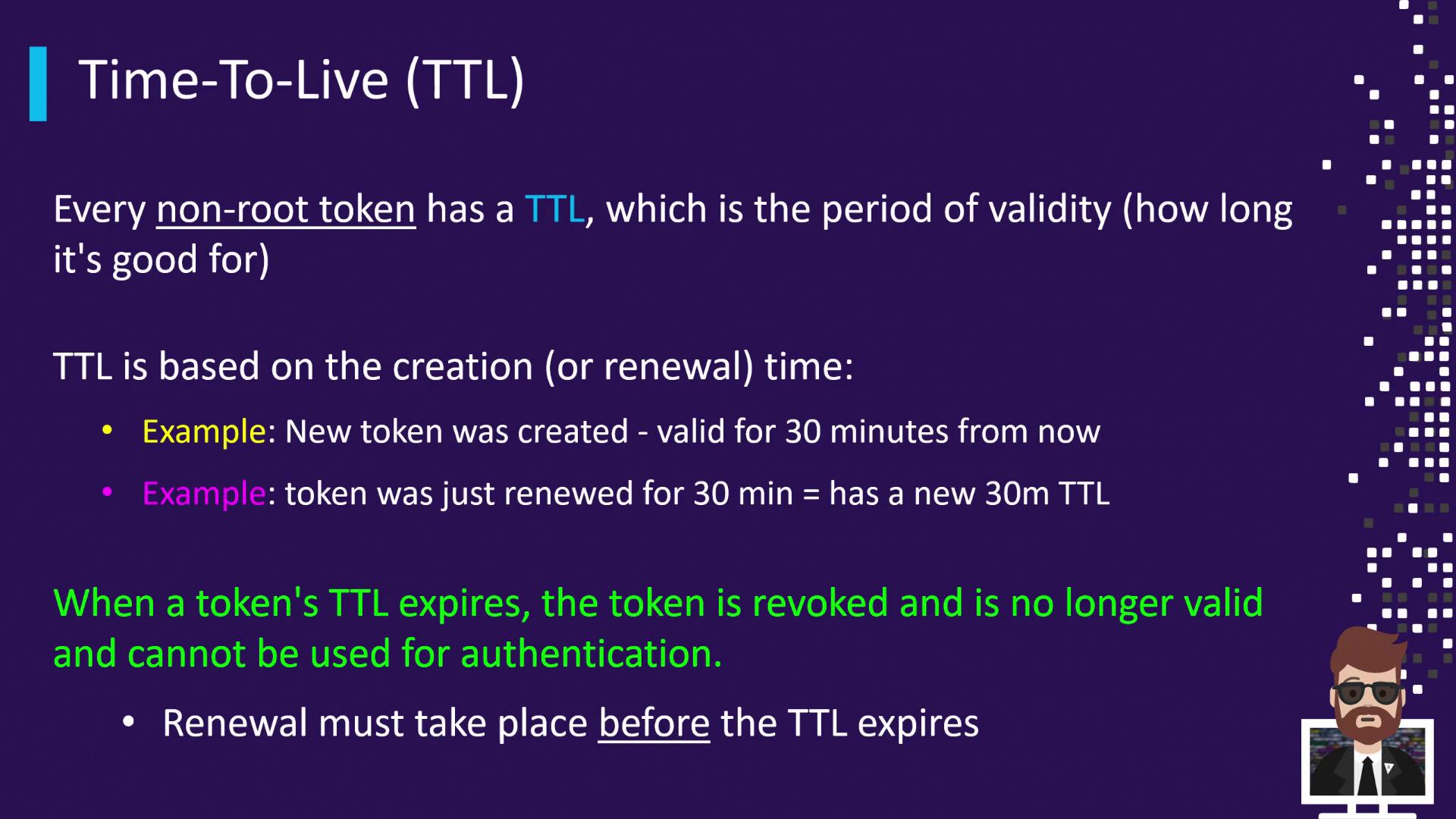
When you issue a token with a specified TTL (for example, 30 minutes), Vault calculates its expiration time from the creation or last renewal timestamp. Renewing the token before it expires resets the TTL countdown. Letting the TTL lapse causes Vault to revoke the token, after which it cannot be renewed or used again.
## Understanding Maximum TTL (Max TTL)
In addition to the rolling TTL, Vault enforces a **Max TTL**, an absolute cap on a token’s lifetime. No matter how many times you renew, the token cannot live longer than its Max TTL from the original creation time.
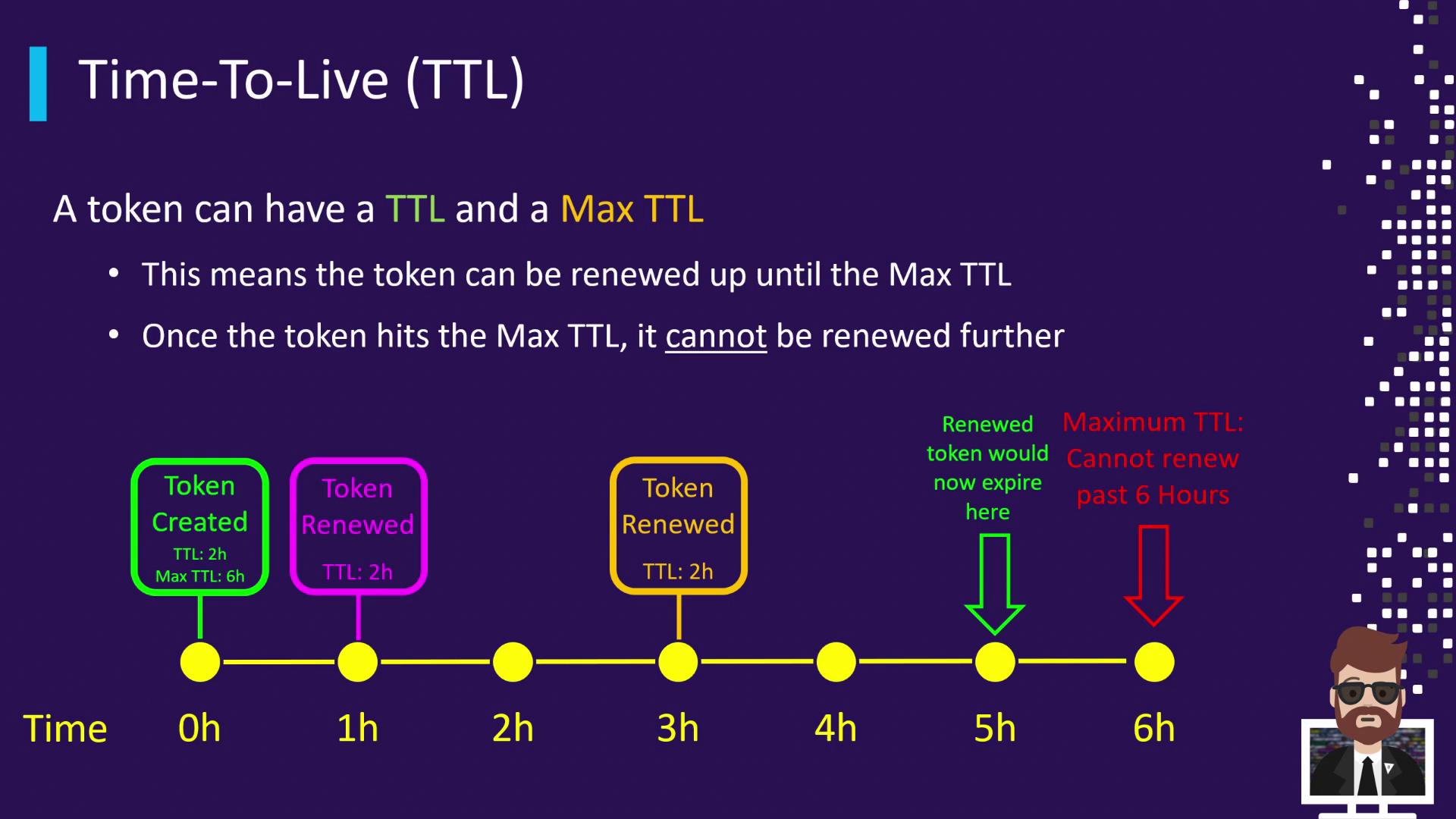
**Example Timeline**
* **0 h:** Token created (TTL = 2 h, Max TTL = 6 h)
* **1 h:** Renew → New expiry at 3 h
* **3 h:** Renew → New expiry at 5 h
* **6 h:** Max TTL reached → Token revoked
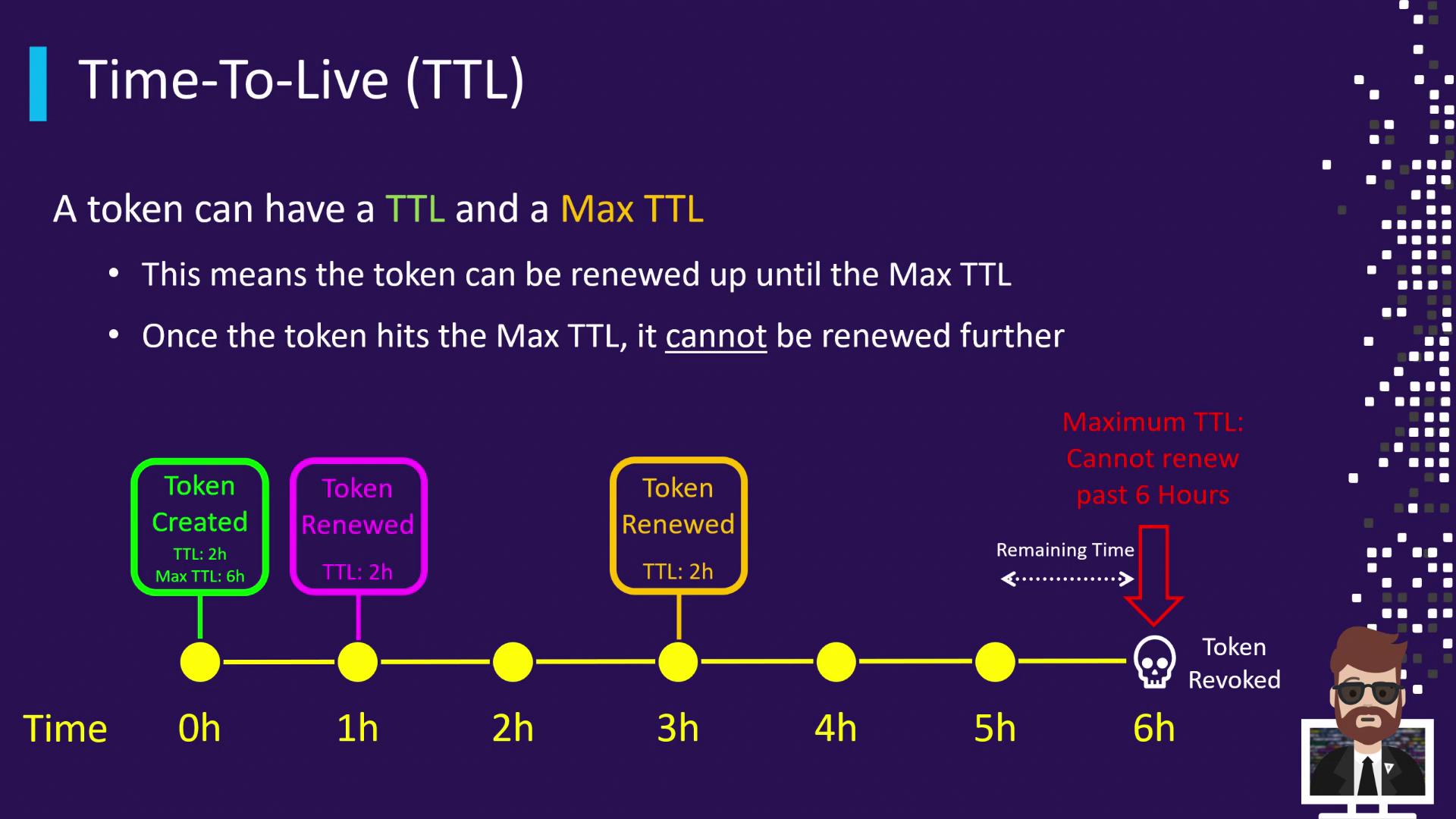
If you fail to renew the token before its current TTL expires (e.g., at 2 h), Vault revokes it immediately—even if its Max TTL (6 h) hasn’t been reached.
## Default Token TTL
If you don’t specify a TTL when creating a token, Vault applies a **default TTL** of 768 hours (32 days). You can customize this in your Vault configuration:
```hcl theme={null}
default_lease_ttl = "24h"
```
In many development environments, you may still see the unchanged default of `768h` in screenshots or logs.
## How to Set Token TTL
Vault provides three methods to define token TTL and Max TTL. Use the approach that best fits your workflow:
| Method | Command / Configuration | TTL Applied |
| ----------------------------- | ------------------------------------------------------------------------------------------------------------ | ------------------------ |
| **Explicit CLI** | `vault token create -policy=training -ttl=60m` | 60 minutes, no Max TTL |
| **Auth Method Configuration** | `bash
vault write auth/approle/role/training-role \
token_ttl=1h \
token_max_ttl=24h
` | 1 hour TTL, 24 hours Max |
| **Omit TTL in CLI** | `vault token create -policy=training` | Default TTL (768 hours) |
### 1. Explicit CLI TTL
```bash theme={null}
vault token create -policy=training -ttl=60m
```
This issues a token with a fixed 60-minute TTL.
### 2. Auth Method Configuration
Configure your auth method (e.g., AppRole) to set default TTLs for tokens it issues:
```bash theme={null}
vault write auth/approle/role/training-role \
token_ttl=1h \
token_max_ttl=24h
```
When a client logs in via this AppRole, its token inherits a 1 hour TTL and a 24 hour Max TTL.
### 3. Rely on the Default TTL
If you omit the `-ttl` flag:
```bash theme={null}
vault token create -policy=training
```
Vault applies the default TTL defined in your configuration (`default_lease_ttl`).
## References
* [Vault Token Management](https://www.vaultproject.io/docs/concepts/tokens)
* [Vault Configuration](https://www.vaultproject.io/docs/configuration)
* [HashiCorp Vault – Lease and Renewal](https://www.vaultproject.io/docs/concepts/lease)