> ## Documentation Index
> Fetch the complete documentation index at: https://notes.kodekloud.com/llms.txt
> Use this file to discover all available pages before exploring further.
# Vault Identity Groups
> This guide explains managing identity groups in HashiCorp Vault, detailing internal and external group types for permission management.
In this guide, you’ll learn how to manage identity groups in HashiCorp Vault. Groups simplify permission management by aggregating entities and nesting subgroups. Vault supports two group types—**internal** and **external**—each tailored for different authentication and authorization workflows.
## Group Basics
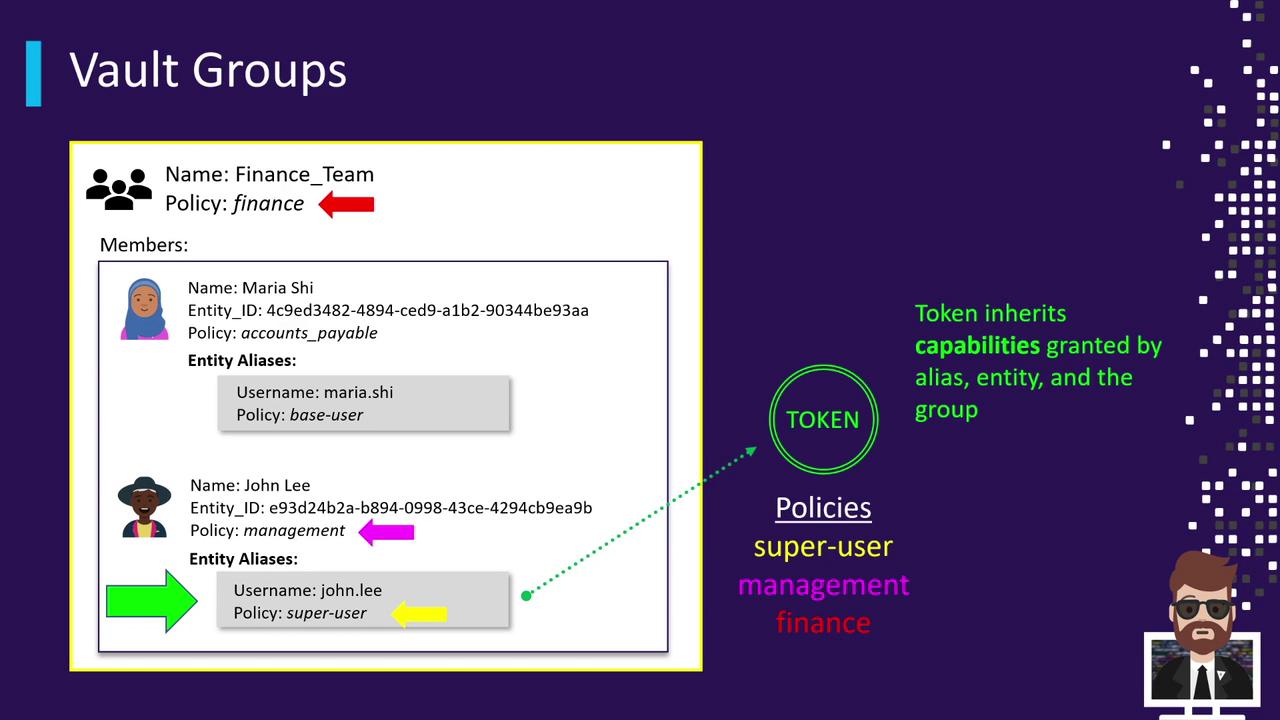
A Vault group collects multiple entities and can nest other groups. When you assign policies to a group, all its members inherit those policies upon login. A token’s effective policies are the union of:
1. The entity’s auth method alias
2. The entity’s own policies
3. Any policies from groups (and nested groups) the entity belongs to
| Step | Policy Source | Example Policy |
| ---- | ----------------- | -------------- |
| 1 | Auth method alias | `superuser` |
| 2 | Entity | `management` |
| 3 | Group membership | `finance` |
Consider this scenario:
* **Entities and Aliases**
* Mariah (`e1`):
* Entity policy: `accounts-payable`
* Alias (userpass) policy: `base-user`
* John Lee (`e2`):
* Entity policy: `management`
* Alias (userpass) policy: `superuser`
* **Group**
* **Finance Team**: policy `finance`, members `e1` and `e2`
When John logs in as `john.lee`, his token combines `superuser`, `management`, and `finance`.
You can nest groups indefinitely. Policies from parent groups cascade to all nested subgroups and members.
## Types of Vault Groups
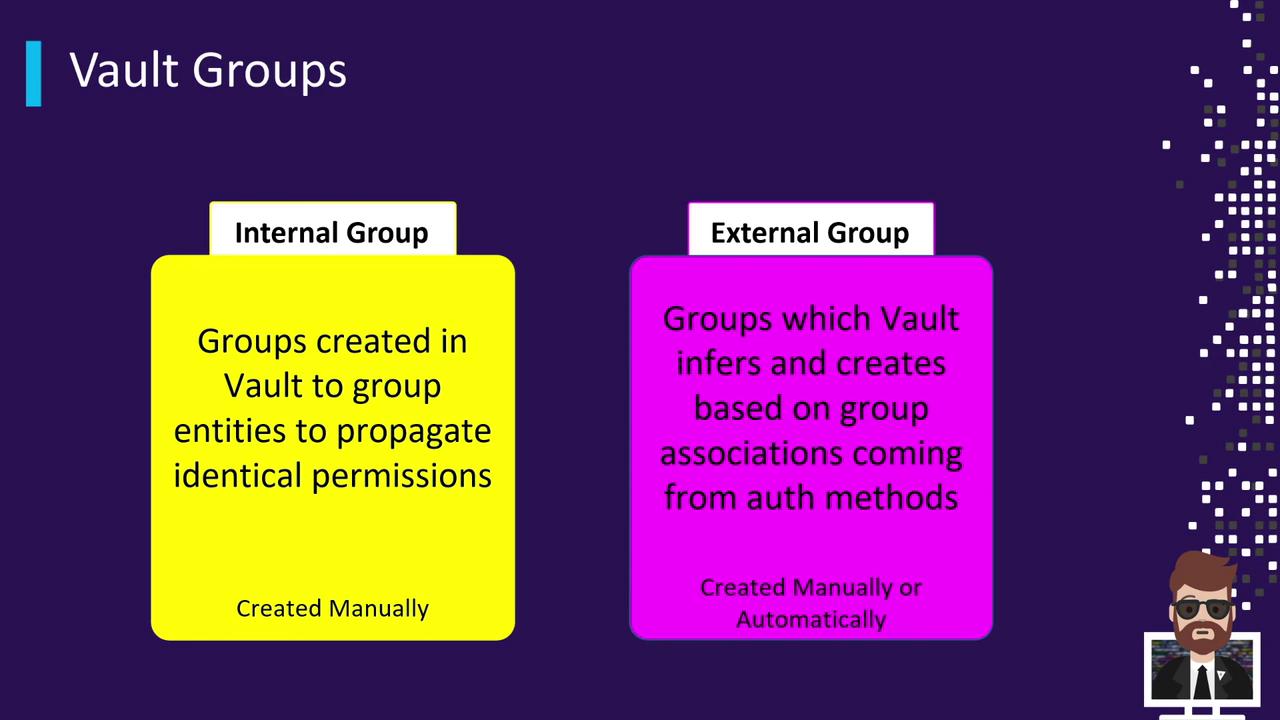
Vault provides two primary group types:
| Group Type | Creation Method | Typical Use Case |
| -------------- | ---------------------------------------------- | ------------------------------------------------------------------------------------- |
| Internal Group | UI, CLI (`vault write`), API | Manually defined for consistent permission sets across entities |
| External Group | Automatically by auth method or manual mapping | Reflects groups from LDAP, OIDC, Okta, etc., without Vault-side membership management |
### Internal Groups and Cross-Segment Configuration
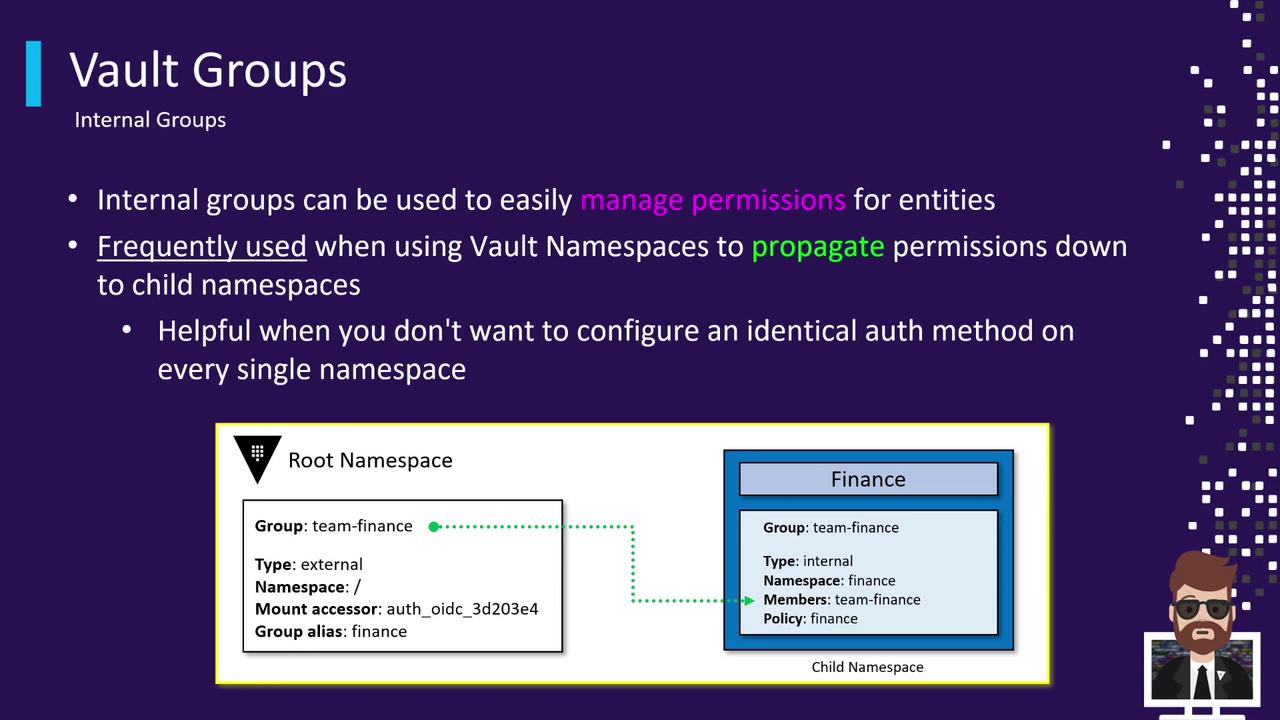
Internal groups are ideal when you centralize authentication but distribute access across Vault namespaces or segments:
1. Enable an auth method (e.g., OIDC) at the root namespace.
2. Map external group `Team-Finance` from your identity provider.
3. Create an internal group (e.g., `finance-internal`) and add `Team-Finance` as a member.
4. Attach segment-specific policies (like `finance-read`, `finance-write`) to the internal group.
Ensure that policy names are unique across namespaces to avoid unintended access overlaps when using internal groups with Vault Enterprise namespaces.
### External Groups
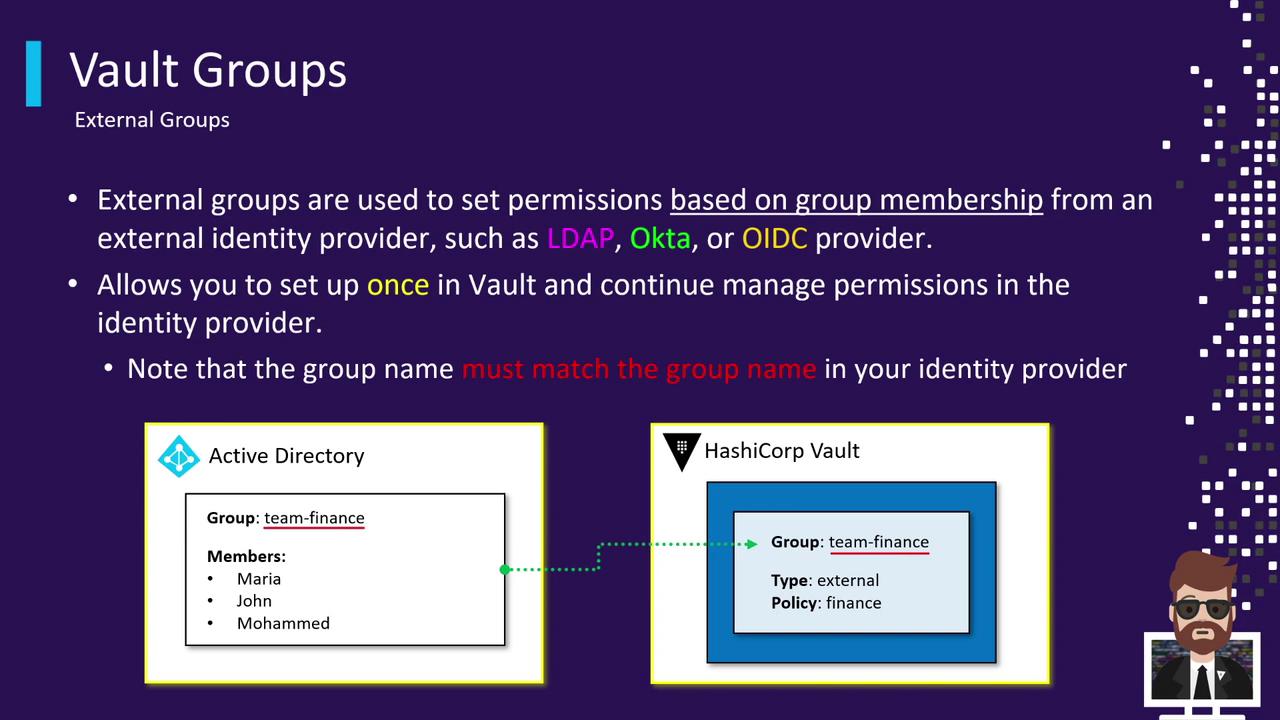
External groups let Vault grant permissions based on existing groups in your identity provider. Supported methods include LDAP, Active Directory, Okta, and any OIDC-compliant system. To use:
1. Create an external group in Vault matching the name in your IdP (e.g., `Team-Finance`).
2. Attach Vault policies (for example, `finance-policy`) to that external group.
3. When users authenticate, they are automatically associated with the external group and receive the mapped policies.
## Next Steps
* Practice creating **internal** and **external** groups in the [Vault UI](https://www.vaultproject.io/docs/ui).
* Observe policy inheritance across entities and namespaces.
* Explore advanced topics: [Vault Namespaces](https://www.vaultproject.io/docs/enterprise/namespaces), [Policies](https://www.vaultproject.io/docs/concepts/policies), and [Auth Methods](https://www.vaultproject.io/docs/auth).