> ## Documentation Index
> Fetch the complete documentation index at: https://notes.kodekloud.com/llms.txt
> Use this file to discover all available pages before exploring further.
# Configuring a Secrets Engine for Dynamic Credentials
> This article explains how to enable and configure Vault’s dynamic Secrets Engines for generating on-demand credentials for various external systems.
In this lesson, we’ll walk through how to enable and configure Vault’s dynamic Secrets Engines to generate on-demand credentials for external systems. Unlike the KV engine (which only needs to be enabled), dynamic engines such as AWS, Databases, Azure, GCP, Consul, and RabbitMQ require:
1. Granting Vault access to the backend platform.
2. Defining Vault roles that map to the platform’s permission sets.
The examples below for AWS and a relational database illustrate the common workflow.
***
## Step 1: Grant Vault Access to the Backend Platform
Vault must authenticate to the external system to provision credentials. Depending on your deployment, you can use API keys, instance metadata, environment variables, or service principals.
### AWS Example
Vault’s AWS Secrets Engine supports multiple authentication methods:
* IAM access key & secret key
* EC2/EKS instance roles (when Vault runs in AWS)
* Environment variables
To configure Vault with AWS API access, enable the engine and write the root credentials at `aws/config/root`:
```bash theme={null}
vault write aws/config/root \
access_key="AKIAIOSFODNN7EXAMPLE" \
secret_key="wJalrXUtnFEMI/K7MDENG/bPxRfiCYEXAMPLEKEY" \
region="us-east-1"
```
Response:
```text theme={null}
Success! Data written to: aws/config/root
```
Store your AWS root credentials securely (e.g., in [HashiCorp Vault Enterprise](https://www.vaultproject.io)) and restrict their scope.
### Database Example
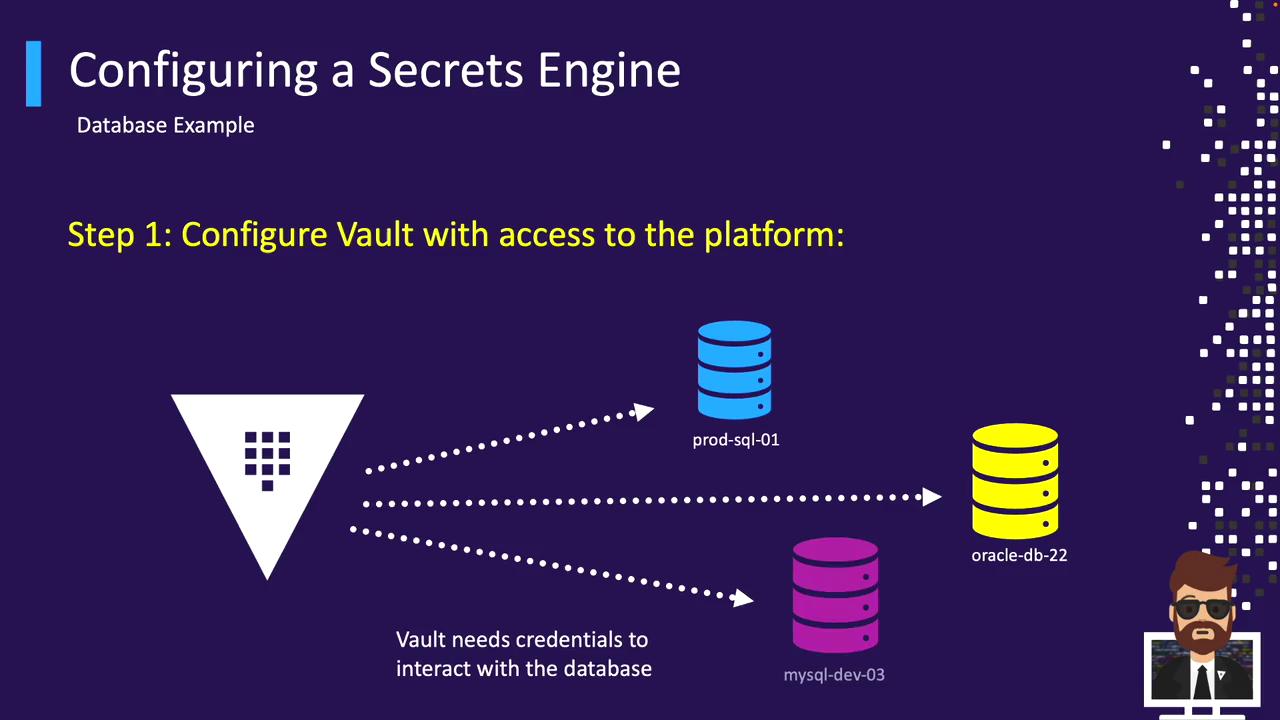
Vault’s Database Secrets Engine supports popular databases via plugins (MySQL, PostgreSQL, Oracle, etc.). To configure a connection:
```bash theme={null}
vault write database/config/prod-database \
plugin_name="mysql-aurora-database-plugin" \
connection_url="{{username}}:{{password}}@tcp(prod.cluster.us-east-1.rds.amazonaws.com:3306)/" \
allowed_roles="app-integration,app-lambda" \
username="vault-admin" \
password="vneJ4908fkd3084Bmrk39fmslsl#e&349"
```
Response:
```text theme={null}
Success! Data written to: database/config/prod-database
```
| Parameter | Description |
| ----------------- | ------------------------------------------------------------ |
| plugin\_name | Database plugin (e.g., `mysql-aurora-database-plugin`) |
| connection\_url | Connection string with `{{username}}` & `{{password}}` vars |
| allowed\_roles | Comma-separated list of Vault roles permitted to use this DB |
| username/password | Admin credentials for provisioning users |
Repeat this configuration for each database instance you wish Vault to manage.
***
## Step 2: Define Vault Roles to Map to Backend Permissions
Roles tell Vault which permissions to request or create when issuing credentials.
### AWS Roles
Create a Vault role for each AWS permission set or account:
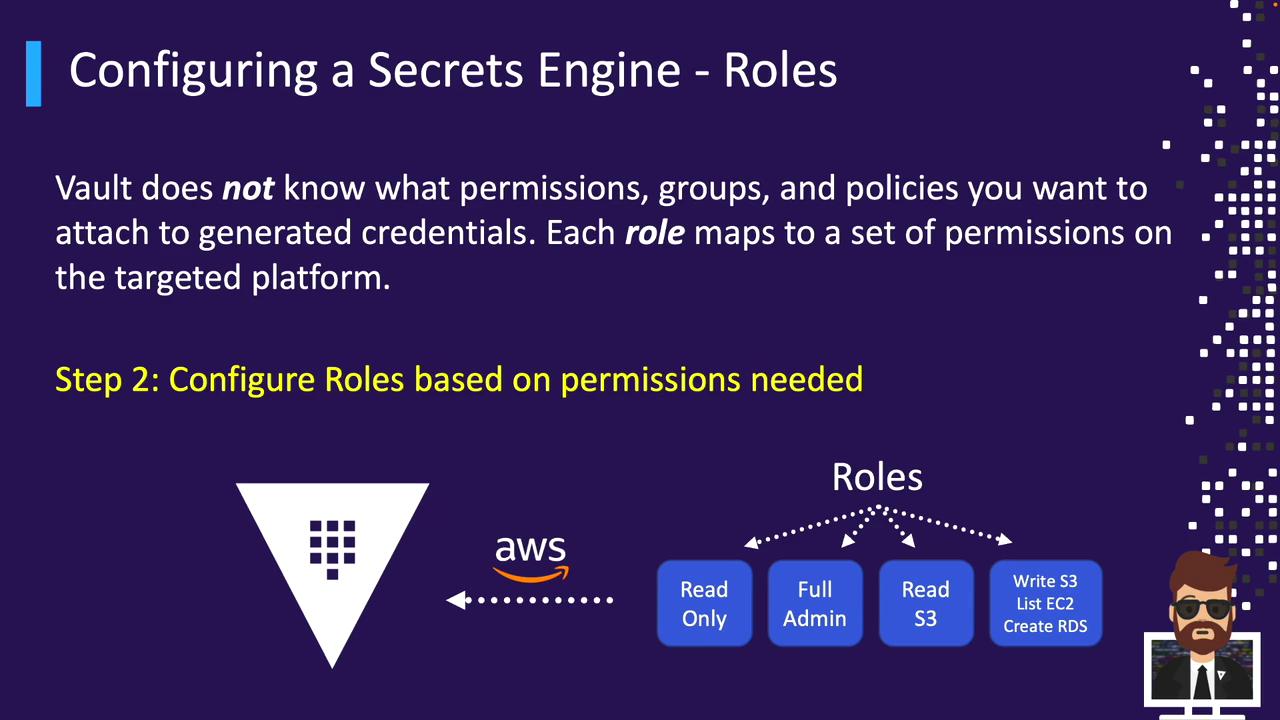
Example role definitions:
| Vault Role | AWS Permissions |
| -------------- | ------------------------------------------------ |
| prod-admin | Full IAM Administrator in the production account |
| prod-read-only | Read-only Auditor in the production account |
| dev-developer | Developer Permissions in the development account |
| shared-admin | Cross-account Admin |
| data-scientist | Data Scientist access in the analytics account |
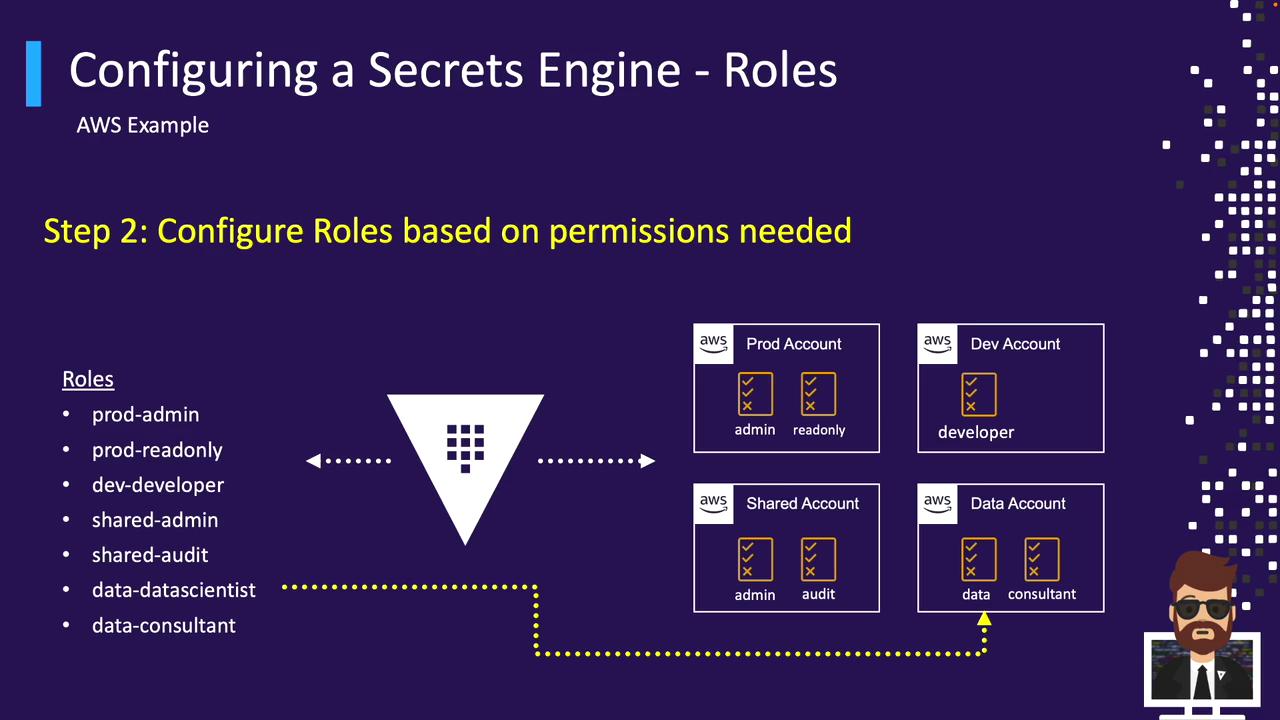
When you create a role, Vault attaches (or references) an IAM policy. For example:
```bash theme={null}
vault write aws/roles/prod-read-only \
credential_type="iam_user" \
policy_document=@read_only_policy.json \
max_ttl="24h"
```
### Database Roles
Similarly, define SQL-based roles for each database connection:
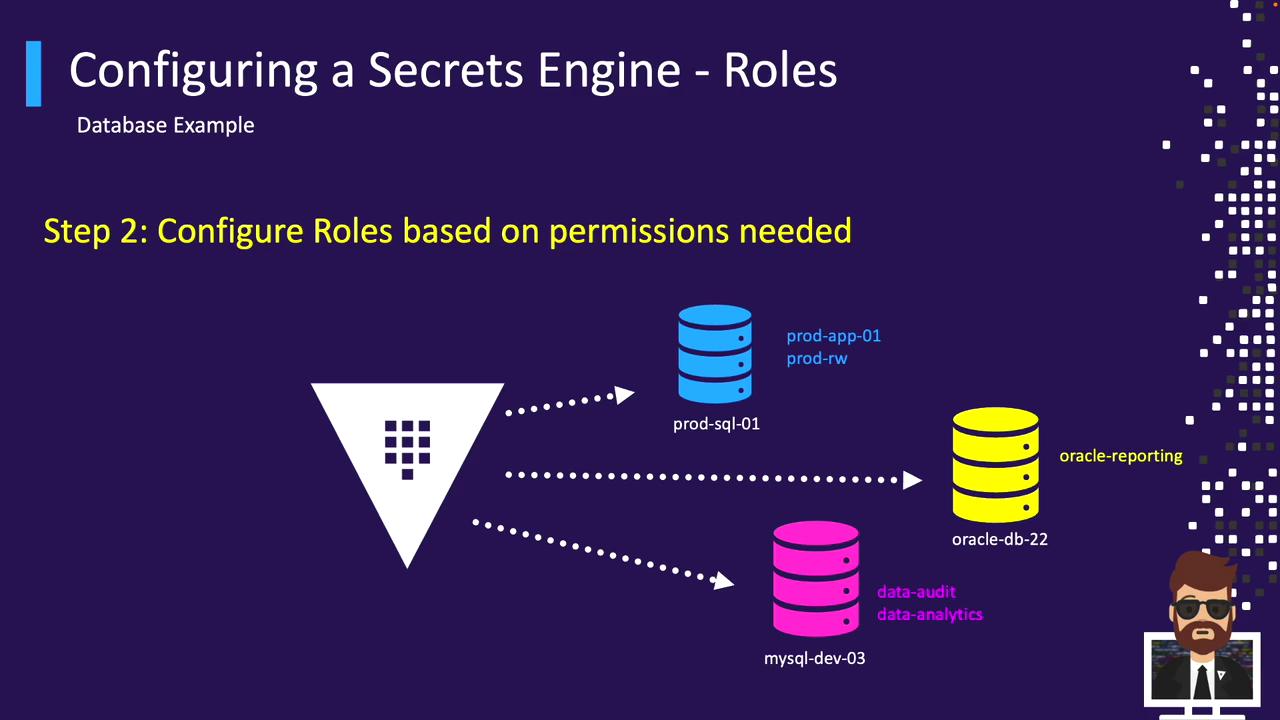
Example for an Oracle database:
```bash theme={null}
vault write database/roles/prod-app-01-rw \
db_name="prod-database" \
creation_statements="CREATE USER '{{name}}' IDENTIFIED BY '{{password}}'; \
GRANT SELECT, INSERT, UPDATE ON orders TO '{{name}}';" \
default_ttl="1h" \
max_ttl="24h"
```
***
## Generating Dynamic Credentials
After configuring the engine and roles, clients authenticate to Vault and request temporary credentials.
### AWS Credential Retrieval
```bash theme={null}
vault read aws/creds/data-scientist
```
Sample output:
```text theme={null}
Key Value
--- -----
lease_id aws/creds/data-scientist/123abc
lease_duration 1h
lease_renewable true
access_key AKIAIOSFODNN7EXAMPLE
secret_key wJalrXUtnFEMI/K7MDENG/bPxRfiCYEXAMPLEKEY
security_token
```
### Database Credential Retrieval
```bash theme={null}
vault read database/creds/oracle-reporting
```
Sample output:
```text theme={null}
Key Value
--- -----
lease_id database/creds/oracle-reporting/456def
lease_duration 1h
lease_renewable true
username V_VAULTUSE_MY_ROLE_ABC123XYZ
password yRUSyd-vPYDg5NkU9kDg
```
***
## Summary
Vault’s dynamic Secrets Engines streamline credential management by centralizing access, automating rotation, and enforcing least privilege.
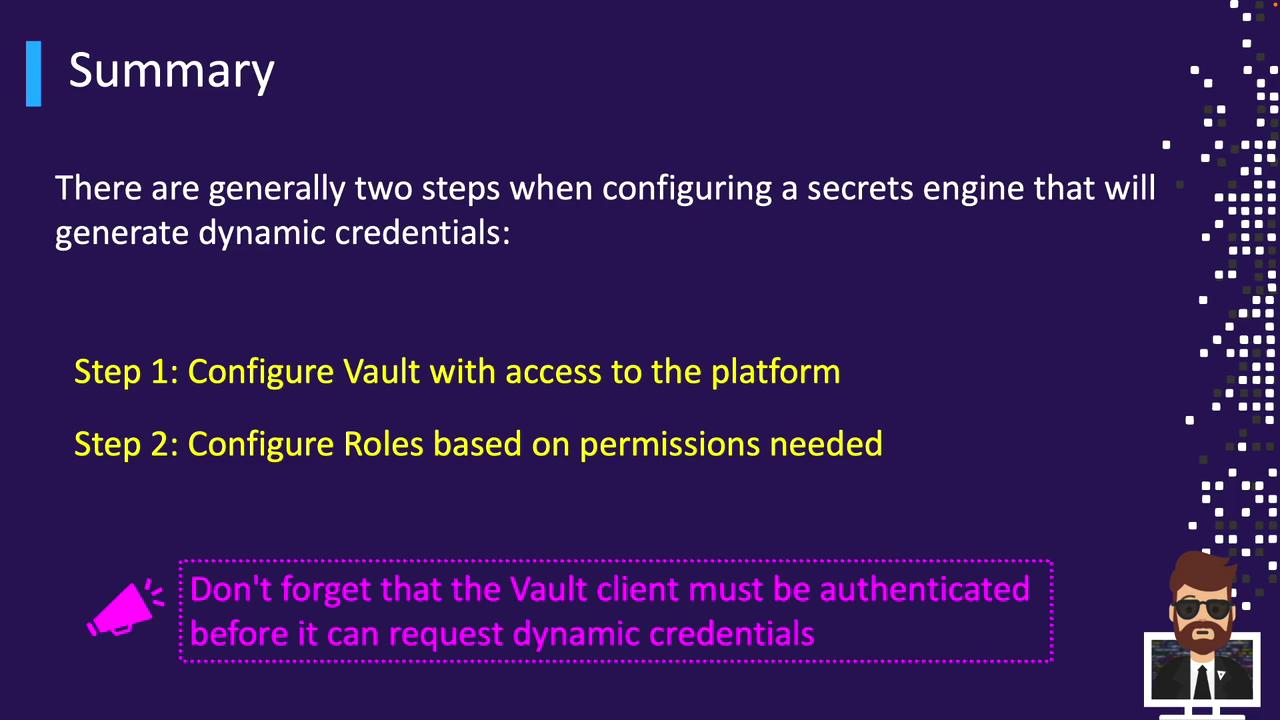
1. Configure Vault’s engine with backend access.
2. Define roles that encapsulate specific permission sets.
3. Authenticate to Vault and request credentials; Vault leases and renews them automatically.
***
## References
* [Vault AWS Secrets Engine](https://www.vaultproject.io/docs/secrets/aws)
* [Vault Database Secrets Engine](https://www.vaultproject.io/docs/secrets/databases)
* [Vault Authentication Methods](https://www.vaultproject.io/docs/auth)
* [HashiCorp Vault Documentation](https://www.vaultproject.io/docs)