> ## Documentation Index
> Fetch the complete documentation index at: https://notes.kodekloud.com/llms.txt
> Use this file to discover all available pages before exploring further.
# Customizing the Path
> Learn to customize Vault policy paths using wildcards and ACL templating for flexible access controls tailored to your organizations structure.
In this guide, you’ll learn how to tailor Vault policy paths using wildcards and ACL templating. By combining glob (`*`) and single‐segment (`+`) wildcards with dynamic templates, you can create flexible, maintainable access controls that adapt to your organization’s structure.
## The Glob Wildcard (`*`)
The glob wildcard (`*`) matches any sequence of characters—including path separators. It’s only valid at the end of a segment or within a pattern. Use it to grant access across multiple nested paths in one rule.
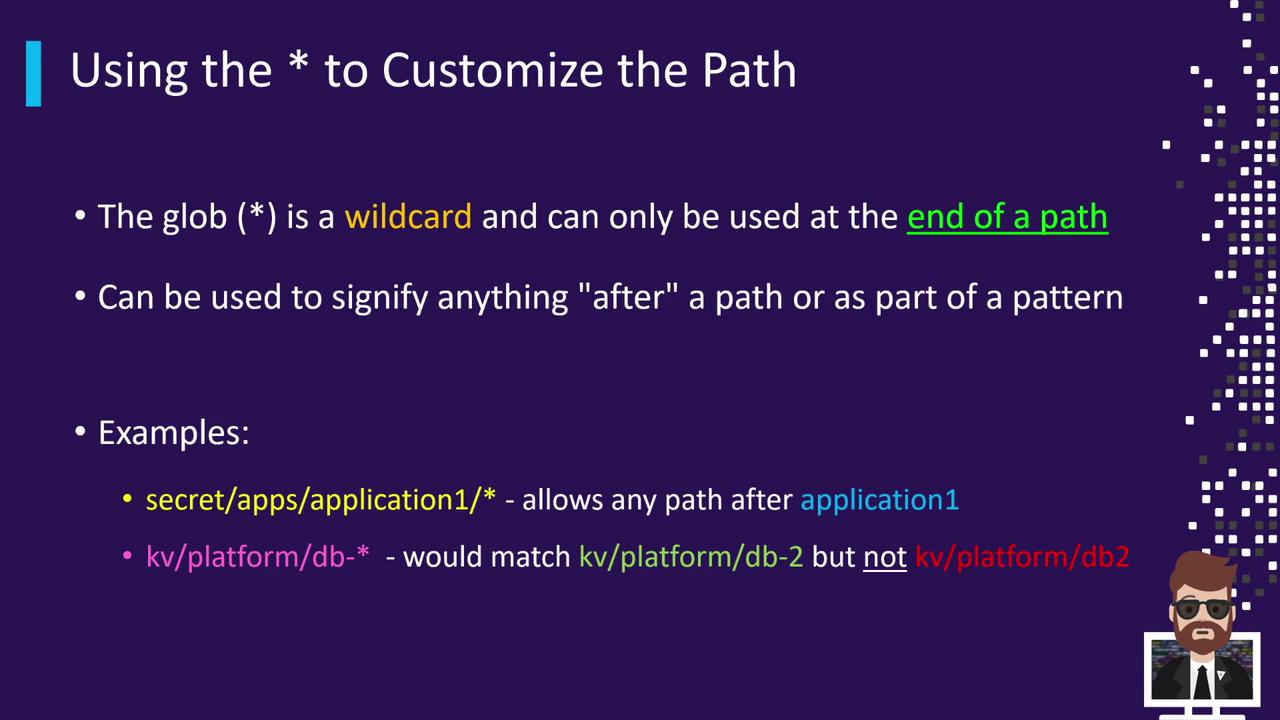
With `*`, you can:
* Match every subpath under a prefix.
* Include hyphens, numbers, or letters as part of the pattern.
For instance:
* `secret/apps/application1/*` matches:
* `secret/apps/application1/web`
* `secret/apps/application1/db/config`
* `secret/apps/application1/anything/else`
It does **not** match the base path `secret/apps/application1` itself.
* `KV/platform/DB-*` matches:
* `KV/platform/DB-2`
* `KV/platform/DB-10/web`
It does **not** match `KV/platform/DB2` (missing the hyphen).
### Example Policy with `*`
```hcl theme={null}
path "secret/apps/application1/*" {
capabilities = ["read"]
}
```
This rule grants `read` access to every path under `secret/apps/application1` but not to the directory itself. To include the base path, add an explicit rule:
```hcl theme={null}
path "secret/apps/application1" {
capabilities = ["read"]
}
path "secret/apps/application1/*" {
capabilities = ["read"]
}
```
## The Single-Segment Wildcard (`+`)
Use the single‐segment wildcard (`+`) to match exactly one segment in a path. You can chain multiple `+` wildcards for deeper control.
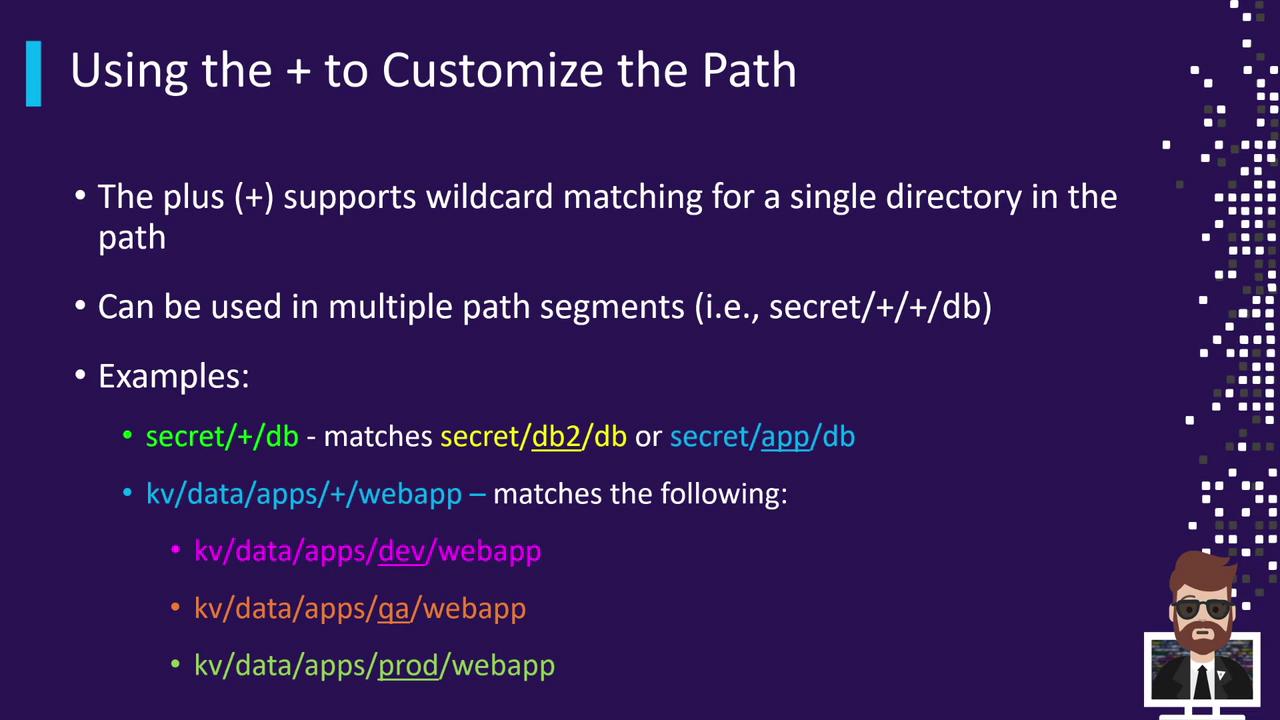
Example patterns:
* `secret/+/DB` matches:
* `secret/app/DB`
* `secret/consul/DB`
* `secret/123/DB`
* `KV/data/apps/+/webapp` matches:
* `KV/data/apps/dev/webapp`
* `KV/data/apps/qa/webapp`
* `KV/data/apps/prod/webapp`
### Breaking Down a Complex Pattern
Consider `secret/data/+/apps/webapp`:
* **secret**: the mount path of the Secrets Engine.
* **data**: indicates KV version 2.
* **+**: matches any single segment (e.g., `dev`, `qa`, `team-xyz`).
* **apps/webapp**: fixed suffix.
Any path of the form `secret/data//apps/webapp` will match.
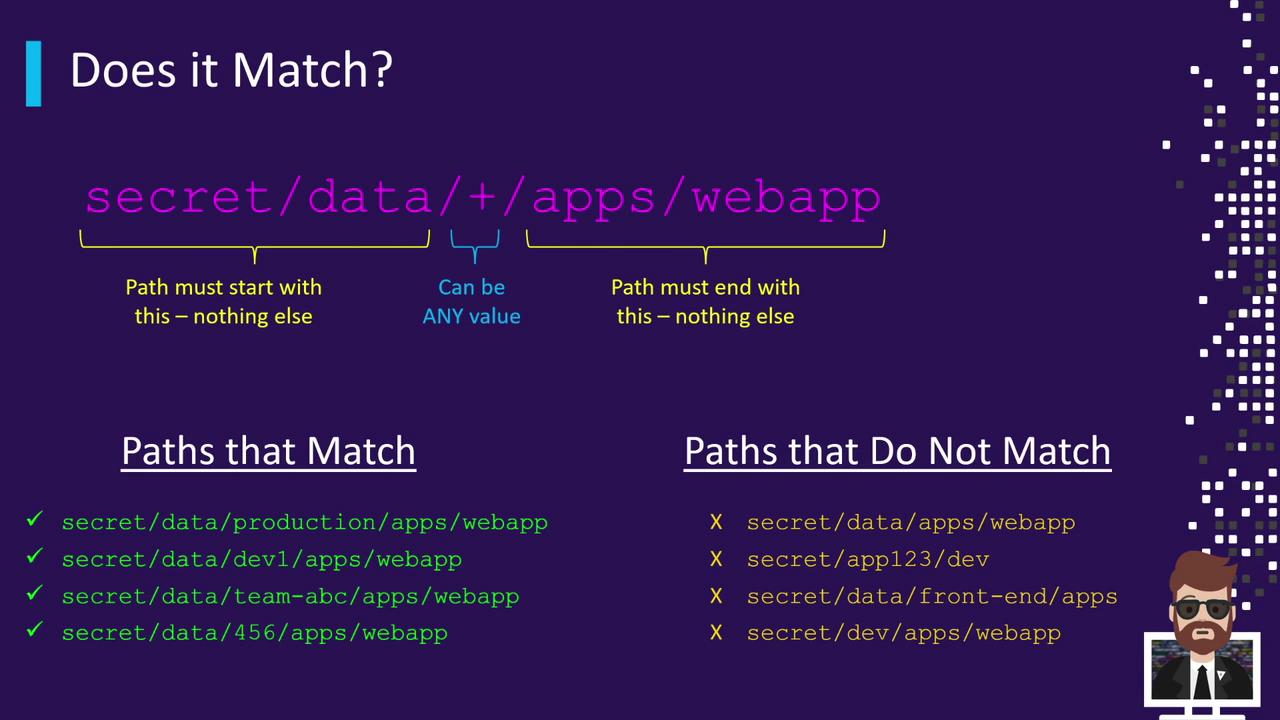
| Matching Paths | Non-Matching Paths |
| ---------------------------------- | --------------------------------------------- |
| secret/data/production/apps/webapp | secret/data/apps/webapp (missing one segment) |
| secret/data/dev-1/apps/webapp | secret/data/front-end/apps (ends with `apps`) |
| secret/data/team-ABC/apps/webapp | secret/dev (wrong prefix) |
| secret/data/456/apps/webapp | |
## Combining `+` and `*`
Mix both wildcards for even more flexible rules:
```hcl theme={null}
path "secret/+/+/webapp" {
capabilities = ["read", "list"]
}
path "secret/apps/+/*team-*" {
capabilities = ["create", "read"]
}
```
* `secret/+/+/webapp`: two single segments (e.g., `secret/dev/qa/webapp`).
* `secret/apps/+/*team-*`: one segment after `apps` and then any suffix beginning with `team-` (e.g., `secret/apps/dev/team-123`).
## ACL Templating in Paths
Vault’s ACL templating lets you interpolate variables from the token’s context (such as identity entity or group metadata). Templates use `{{ }}`.
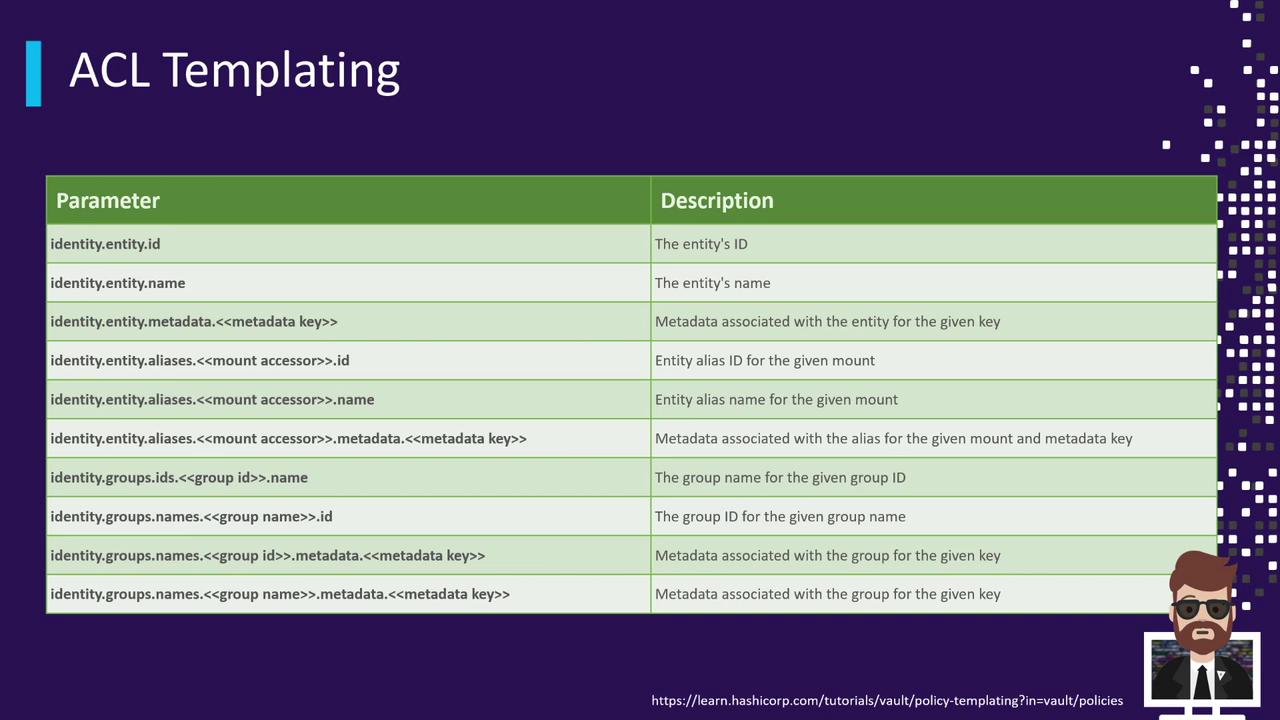
For example, to isolate each user’s KV v2 path by their `identity.entity.id`:
```hcl theme={null}
path "secret/data/{{identity.entity.id}}/*" {
capabilities = ["create", "update", "read", "delete"]
}
path "secret/metadata/{{identity.entity.id}}/*" {
capabilities = ["list"]
}
```
* User A (entity ID `12345`) gains access to `secret/data/12345/*`.
* User B (entity ID `678910`) gains access to `secret/data/678910/*`.
This ensures complete isolation: users only see their own secrets.
For a full list of template variables—such as `identity.entity.name`, `identity.group.id`, and more—see the [Vault policy template variables documentation](https://www.vaultproject.io/docs/concepts/policies#template-variables).
***
By mastering glob and single‐segment wildcards along with ACL templates, you’ll be able to define concise, scalable policies that adapt automatically to your team’s hierarchy and usage patterns.
## Links and References
* [Vault Policies Concepts](https://www.vaultproject.io/docs/concepts/policies)
* [Vault ACL Template Variables](https://www.vaultproject.io/docs/concepts/policies#template-variables)
* [Vault KV Secrets Engine](https://www.vaultproject.io/docs/secrets/kv)