> ## Documentation Index
> Fetch the complete documentation index at: https://notes.kodekloud.com/llms.txt
> Use this file to discover all available pages before exploring further.
# Vault Policies Capabilities
> This article explains Vault policies, capabilities, and how to define access controls for secrets management.
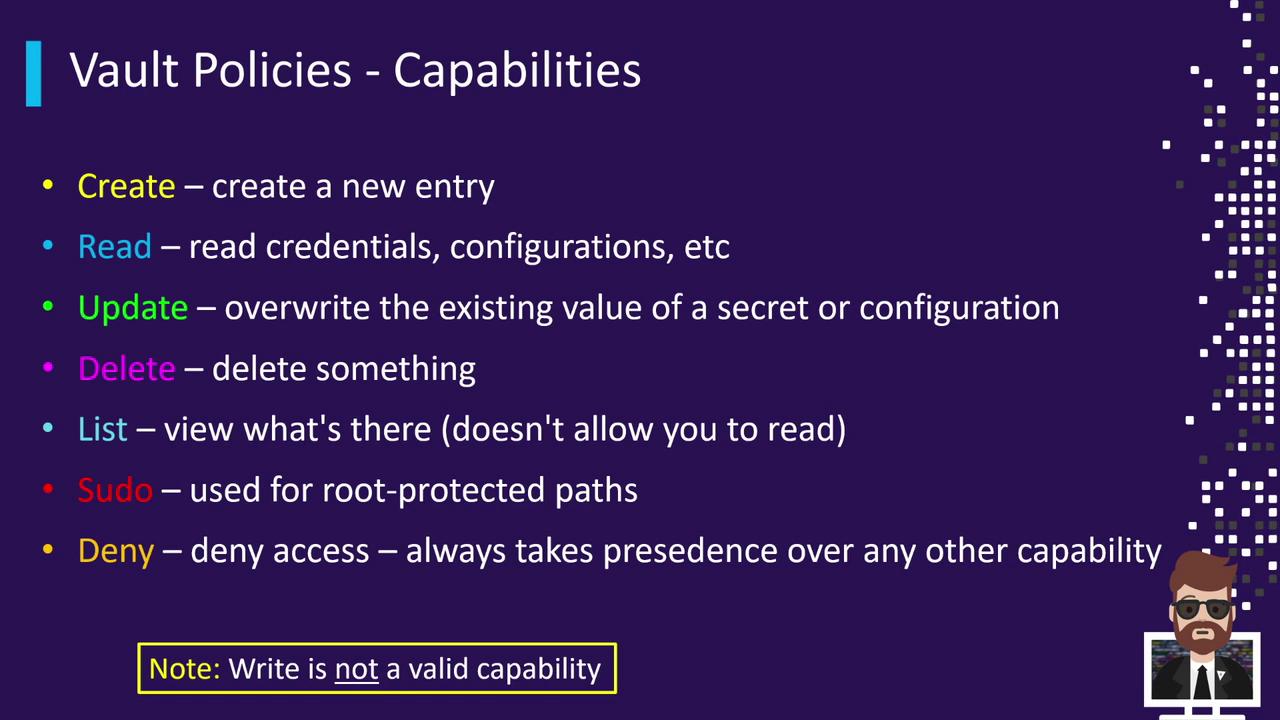
When defining Vault policies, you specify both the path you’re granting privileges to and the capabilities allowed on that path. Capabilities control what actions can be performed—such as creating or reading secrets, listing entries, or even explicitly denying access. They map closely to HTTP verbs and are always defined as a list of strings under the `capabilities` field.
## Capability Matrix
| Capability | HTTP Method | Description |
| ---------- | -------------------------- | ------------------------------------------ |
| create | POST or PUT (new key) | Write a brand-new secret |
| read | GET | Retrieve a secret or configuration |
| update | POST or PUT (existing key) | Overwrite or change an existing secret |
| delete | DELETE | Remove a secret or configuration |
| list | LIST | Enumerate keys under a path (no values) |
| sudo | N/A | Perform operations on root-protected paths |
| deny | N/A | Explicitly block access (overrides others) |
Vault does *not* support a `write` capability. Instead, policies use separate `create` and `update` actions.
## Create vs. Update
* **create**: Required for writing a brand-new key (it must not exist yet).
* **update**: Required to modify an existing key’s value.
If you grant only `create`, users cannot modify existing keys. If you grant only `update`, users cannot create new keys.
## Other Capabilities
* **read**: Retrieve secrets or configurations.
* **delete**: Remove secrets or configurations.
* **list**: View which keys exist under a path (without reading their values).
* **sudo**: Perform operations on root-protected paths.
* **deny**: Block access regardless of any other capability rules.
## Example Policy: Database Credentials & App Secrets
Suppose you need:
1. **read** access to database credentials at `database/creds/dev-db01`.
2. **create**, **read**, **update**, and **delete** permissions for secrets under `kv/apps/dev-app01`.
You can combine these into a single policy with two path blocks:
```hcl theme={null}
path "database/creds/dev-db01" {
capabilities = ["read"]
}
path "kv/apps/dev-app01" {
capabilities = ["create", "read", "update", "delete"]
}
```
Once applied, your application can generate dynamic credentials for `dev-db01` and fully manage secrets under `kv/apps/dev-app01`.
## Example Policy with Wildcards & Deny
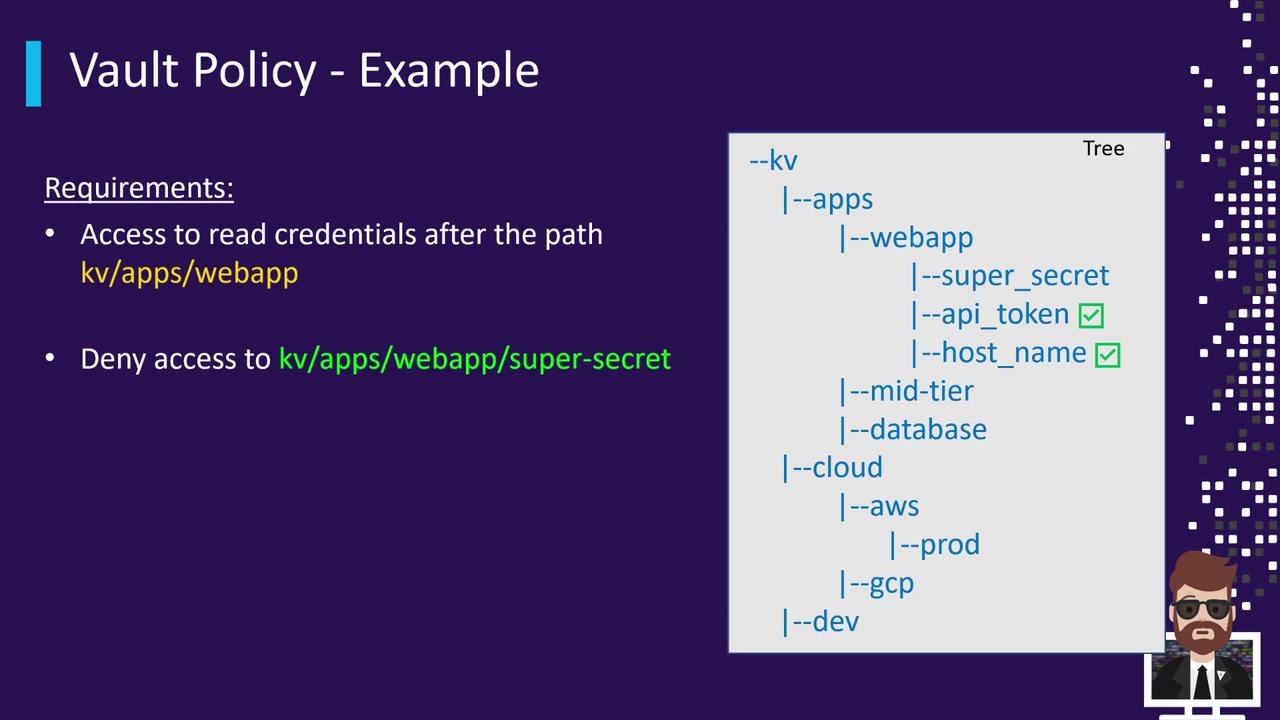
Imagine a KV secrets engine mounted at `kv/` with this directory structure:
```text theme={null}
kv/
└─ apps/
├─ webapp/
│ ├─ super_secret
│ ├─ API_token
│ └─ hostname
├─ mid-tier/
└─ database/
```
Requirements:
* Grant **read** access to everything under `kv/apps/webapp/`.
* **Deny** access to `kv/apps/webapp/super_secret`.
Use a wildcard for the first rule and an explicit `deny` for the second:
```hcl theme={null}
path "kv/apps/webapp/*" {
capabilities = ["read"]
}
path "kv/apps/webapp/super_secret" {
capabilities = ["deny"]
}
```
* Users can read any current or future secrets under `webapp/` (e.g., `API_token`, `hostname`).
* The explicit `deny` ensures `super_secret` remains inaccessible.
### Pop Quiz #1
Does the above policy permit reading the path `kv/apps/webapp` itself?\
**Answer:** No. The pattern `kv/apps/webapp/*` matches entries beneath `webapp/`, not the directory itself.
### Pop Quiz #2
Can a user with only the above policy browse to `kv/apps/webapp` in the UI or list its contents via CLI?\
**Answer:** No. Browsing or listing requires the `list` capability on each parent path. To enable navigation, extend the policy:
```hcl theme={null}
path "kv" {
capabilities = ["list"]
}
path "kv/apps" {
capabilities = ["list"]
}
path "kv/apps/webapp" {
capabilities = ["list"]
}
path "kv/apps/webapp/*" {
capabilities = ["read", "list"]
}
path "kv/apps/webapp/super_secret" {
capabilities = ["deny"]
}
```
Without `list` on each parent path, users cannot navigate the directory structure in the Vault UI or via the CLI.
## References
* [Vault Policies Documentation](https://www.vaultproject.io/docs/concepts/policies)
* [Vault HTTP API — System Policies](https://www.vaultproject.io/api-docs/system/policies)
* [KV Secrets Engine (v2)](https://www.vaultproject.io/docs/secrets/kv/kv-v2)