> ## Documentation Index
> Fetch the complete documentation index at: https://notes.kodekloud.com/llms.txt
> Use this file to discover all available pages before exploring further.
# Vault Policies Path
> Vault policies use hierarchical paths to manage access, enabling precise permissions for applications and operators within Vaults architecture.
Vault policies rely on hierarchical paths to control access. Everything in Vault is organized by path, reinforcing the core concepts of Vault’s architecture and pathing model. By understanding how paths work, you can craft precise policies that grant only the permissions your applications and operators need.
## Common Vault Paths
| Path | Type | Description |
| --------------------------- | --------------- | -------------------------------------------- |
| sys/policy | System | Manage policies |
| auth/ldap/groups/developers | Auth method | LDAP group binding for “developers” |
| database/roles/prod-db | Secrets engine | Role definition for a production database |
| sys/rekey | System-critical | Re-encrypt data keys during rekey operations |
Paths prefixed with `sys/` map to Vault’s internal systems. For example, `sys/rekey` is used to rotate and re-encrypt data encryption keys.
***
## Understanding a Secrets Engine Path
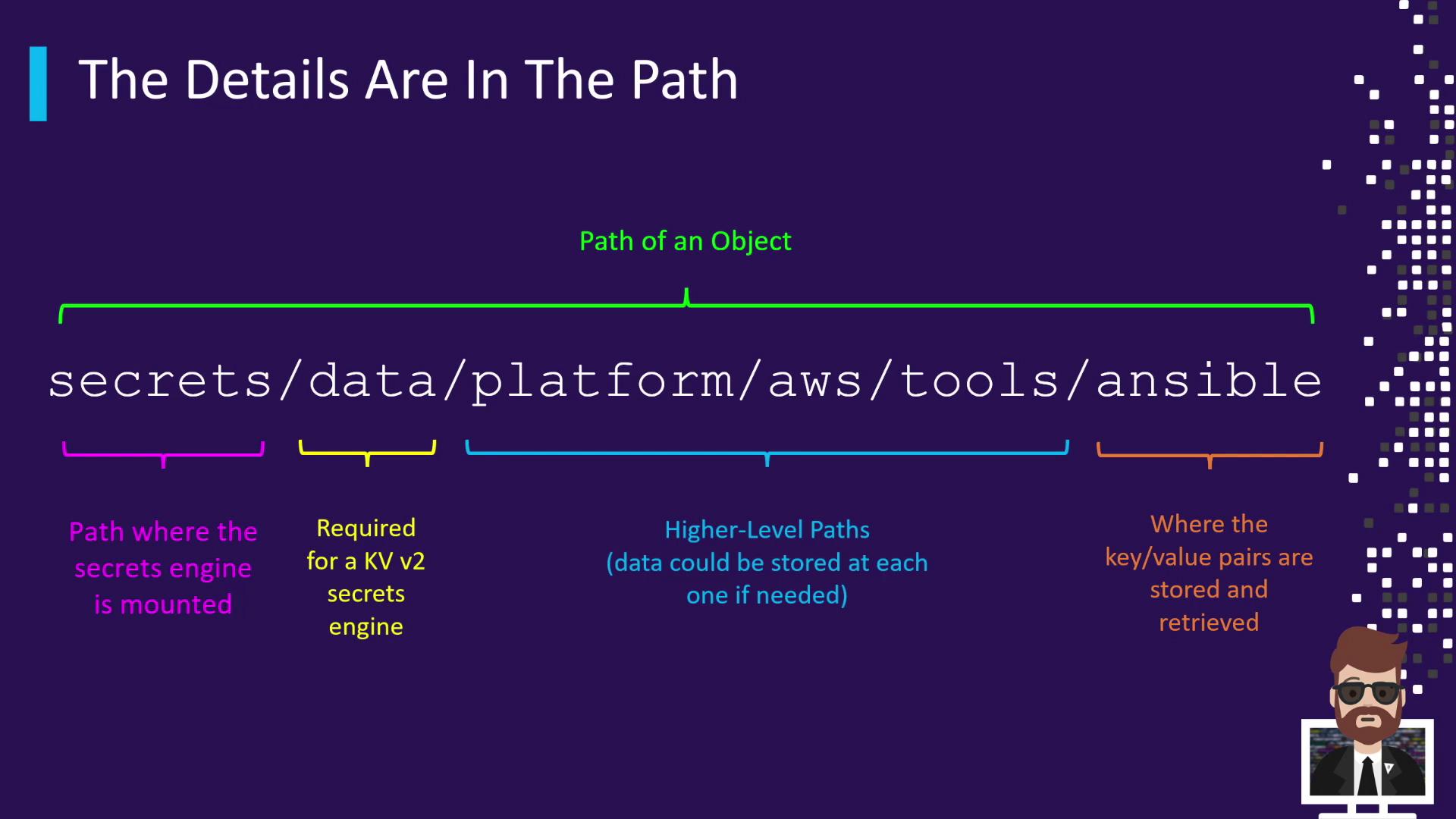
When you enable the KV (Key-Value) secrets engine v2 at the mount point `secrets/`, all data operations use the `data/` prefix. For instance, storing Ansible credentials under a nested hierarchy might look like this:
```console theme={null}
secrets/data/platform/aws/tools/ansible
```
This path breaks down as:
| Segment | Description |
| -------------------------- | -------------------------------------- |
| secrets/ | KV-v2 mount point |
| data/ | Data API prefix for KV-v2 |
| platform/aws/tools/ansible | Custom, application-specific hierarchy |
Each segment after `data/` can contain key/value pairs. Always reference the complete path when reading, writing, or deleting secrets.
***
## Root-Protected Paths
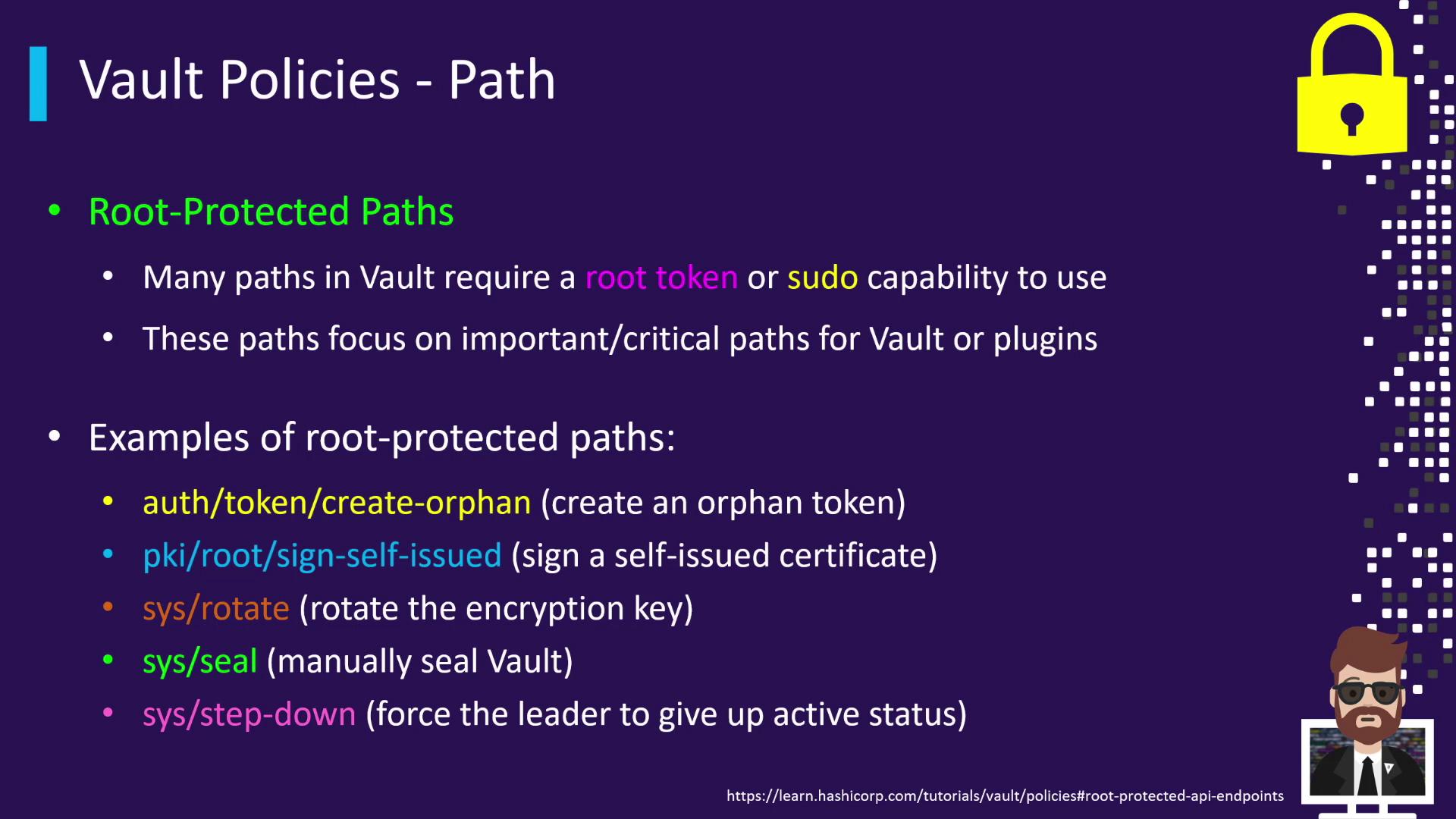
Certain Vault endpoints are root-protected and require either a root token or `sudo` capabilities to access. These paths control critical cluster operations.
| Path | Action |
| ------------- | ------------------------------------- |
| sys/rotate | Rotate the master encryption key |
| sys/seal | Manually seal (lock) the Vault |
| sys/step-down | Force the current leader to step down |
Root-protected paths expose powerful operations. Grant `sudo` only to trusted administrators.
To grant `sudo` capabilities on these critical paths, include the following in your HCL policy:
```hcl theme={null}
path "sys/rotate" {
capabilities = ["sudo"]
}
path "sys/seal" {
capabilities = ["sudo"]
}
path "sys/step-down" {
capabilities = ["sudo"]
}
```
Use this snippet to ensure only authorized operators can perform high-privilege Vault operations.
***
## Further Reading
* [Vault Policies and ACL](https://www.vaultproject.io/docs/concepts/policies)
* [KV Secrets Engine v2](https://www.vaultproject.io/docs/secrets/kv/kv-v2)
* [Vault System Endpoints](https://www.vaultproject.io/api/system)