> ## Documentation Index
> Fetch the complete documentation index at: https://notes.kodekloud.com/llms.txt
> Use this file to discover all available pages before exploring further.
# Configuring the Integrated Storage Backend
> Integrate Vault storage using Raft protocol for high availability without external dependencies, simplifying operations and ensuring data replication across nodes.
Integrate Vault storage using the built-in Raft consensus protocol for a high-availability cluster without external dependencies like Consul. This approach simplifies operations, reduces network hops, and ensures every node holds a complete data replica.
## Why Choose Integrated Storage (Raft)
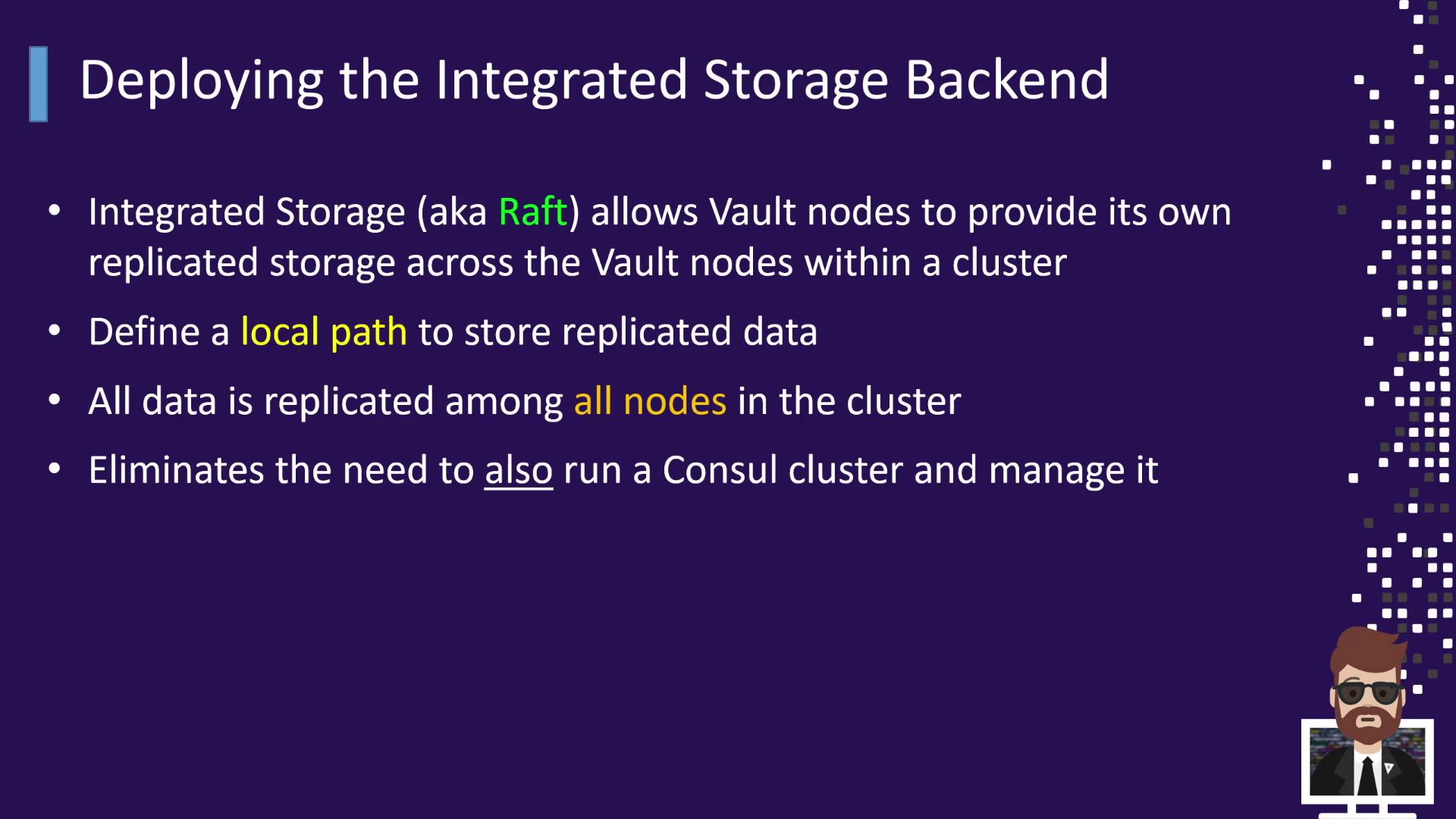
* **Raft Protocol**: Leader election and data replication ported from Consul directly into Vault.
* **High Availability**: A 3–5 node cluster tolerates up to two node failures, since each node holds a full data copy.
* **Simplified Operations**: No separate Consul cluster to provision, monitor, or troubleshoot.
* **Built-in Snapshots**: Automated data retention snapshots; Enterprise users can leverage the Vault 1.6+ snapshot agent.
* **Official Support**: HashiCorp fully supports both Integrated Storage (Raft) and Consul backends in Enterprise.
## Deployment Topology
This diagram shows five Vault nodes (A–E) forming a Raft cluster communicating over TCP port 8201:
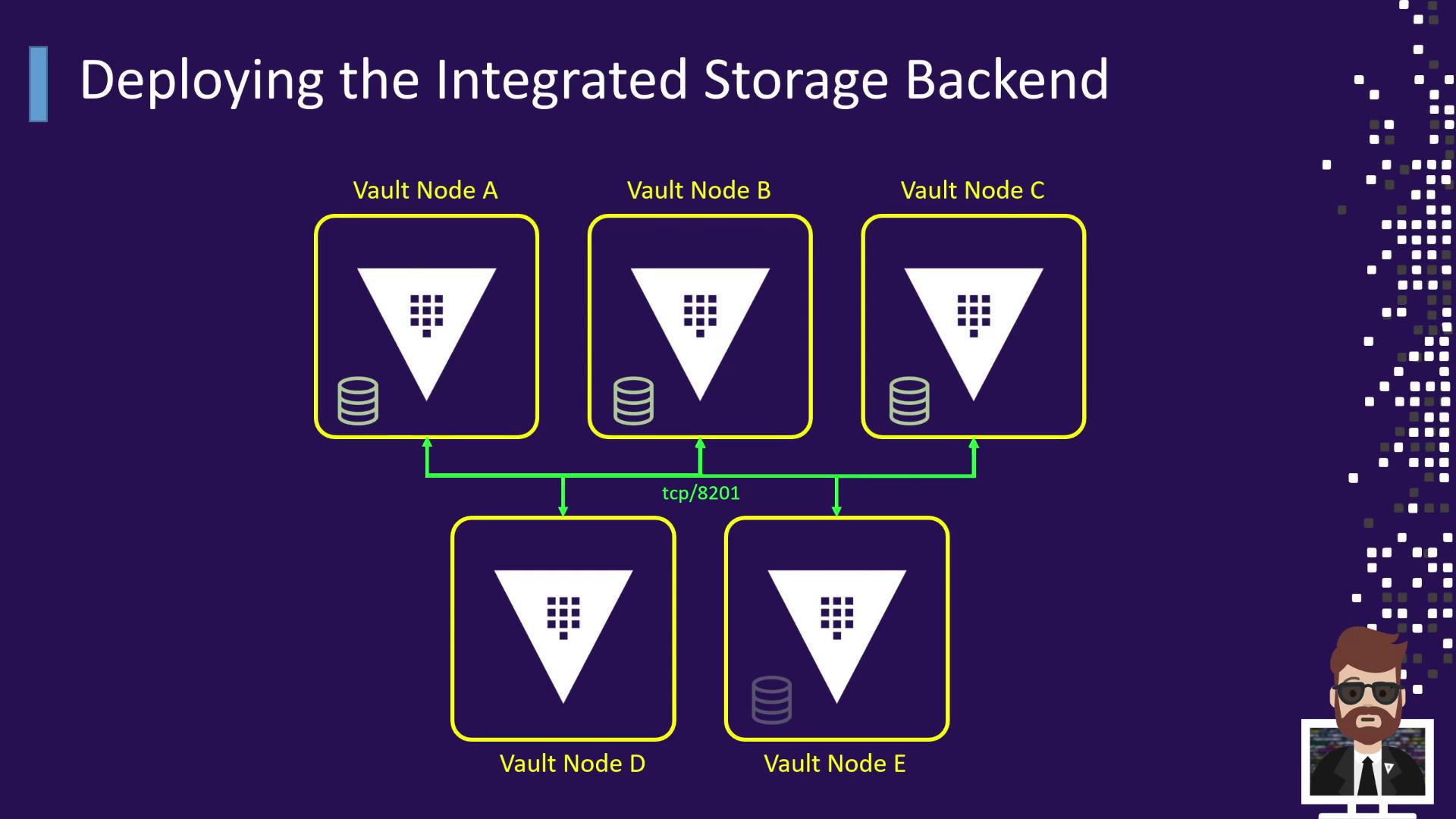
| Component | Description |
| ---------- | -------------------------------------- |
| Nodes A–E | Vault servers forming the Raft cluster |
| Port 8201 | Inter-node Raft communication |
| Local Disk | Persists replicated Vault data |
## Vault Configuration Example
Below is a sample HCL file for a Vault node with integrated storage. Make sure each `node_id` is unique across the cluster:
```hcl theme={null}
storage "raft" {
path = "/opt/vault/data"
node_id = "node-a-us-east-1.example.com"
retry_join {
auto_join = "provider=aws region=us-east-1 tag_key=vault tag_value=us-east-1"
}
}
listener "tcp" {
address = "0.0.0.0:8200"
cluster_address = "0.0.0.0:8201"
tls_disable = false
tls_cert_file = "/etc/vault.d/client.pem"
tls_key_file = "/etc/vault.d/cert.key"
tls_disable_client_certs = true
}
seal "awskms" {
region = "us-east-1"
kms_key_id = "12345678-abcd-1234-abcd-123456789101"
endpoint = "example.kms.us-east-1.vpce.amazonaws.com"
}
# Global settings
api_addr = "https://vault-us-east-1.example.com:8200"
cluster_addr = "https://node-a-us-east-1.example.com:8201"
cluster_name = "vault-prod-us-east-1"
ui = true
log_level = "INFO"
```
The `retry_join` block supports various providers (AWS, Azure, GCP) or static IP/hostname lists. Adjust to your environment.
## Joining and Managing the Raft Cluster
### Auto-joining via AWS
Vault nodes configured with the `retry_join` block will discover and join the leader automatically based on AWS tags.
### Manual Join
When auto-join isn’t available, add followers manually:
```bash theme={null}
vault operator raft join https://:8200
```
Replace `` with your leader’s Vault API endpoint.
Run the join command only on standby nodes. Do not execute it on the leader to avoid election issues.
### Viewing Cluster Membership
List Raft peers and their voting status:
```bash theme={null}
vault operator raft list-peers
```
Sample output:
```text theme={null}
Node Address State Voter
---- ------- ----- -----
vault_1 10.0.101.22:8201 leader true
vault_2 10.0.101.23:8201 follower true
vault_3 10.0.101.24:8201 follower true
vault_4 10.0.101.25:8201 follower true
vault_5 10.0.101.26:8201 follower true
```
| Field | Description |
| ------- | ------------------------------------------------ |
| Node | Identifier of the Vault Raft peer |
| Address | Raft port for inter-node communication (8201) |
| State | Current role: `leader` or `follower` |
| Voter | Indicates Raft vote participation (`true/false`) |
## Conclusion
By configuring Vault with its integrated Raft storage backend, you gain:
* A clear, multi-node topology without external dependencies.
* An HCL configuration template for integrated storage with AWS KMS sealing.
* Commands for automatic and manual cluster enrollment.
* Techniques to monitor and list your Raft peers.
Continue exploring Vault’s authentication methods, secrets engines, and advanced features in the next modules.
## Links and References
* [Vault Storage Backends](https://www.vaultproject.io/docs/configuration/storage)
* [Terraform Vault Provider](https://registry.terraform.io/providers/hashicorp/vault/latest)
* [AWS KMS Encryption](https://docs.aws.amazon.com/kms/latest/developerguide/overview.html)