> ## Documentation Index
> Fetch the complete documentation index at: https://notes.kodekloud.com/llms.txt
> Use this file to discover all available pages before exploring further.
# How Vault Works
> This guide explores how HashiCorp Vault operates using a hotel analogy to explain its interfaces and authentication methods.
In this guide, we’ll explore how HashiCorp Vault operates by comparing it to a hotel. This analogy comes from the first chapter of the [Running HashiCorp Vault in Production book](https://www.oreilly.com/library/view/running-hashicorp-vault/9781098106611/). Think of Vault as Hotel Atlantis on Paradise Island, Bahamas, which has multiple entrances:
* **Main guest entrance**
* **Pool or beach access**
* **Employee parking**
* **Conference wing entrance**
Similarly, Vault provides several interfaces to interact with its service.
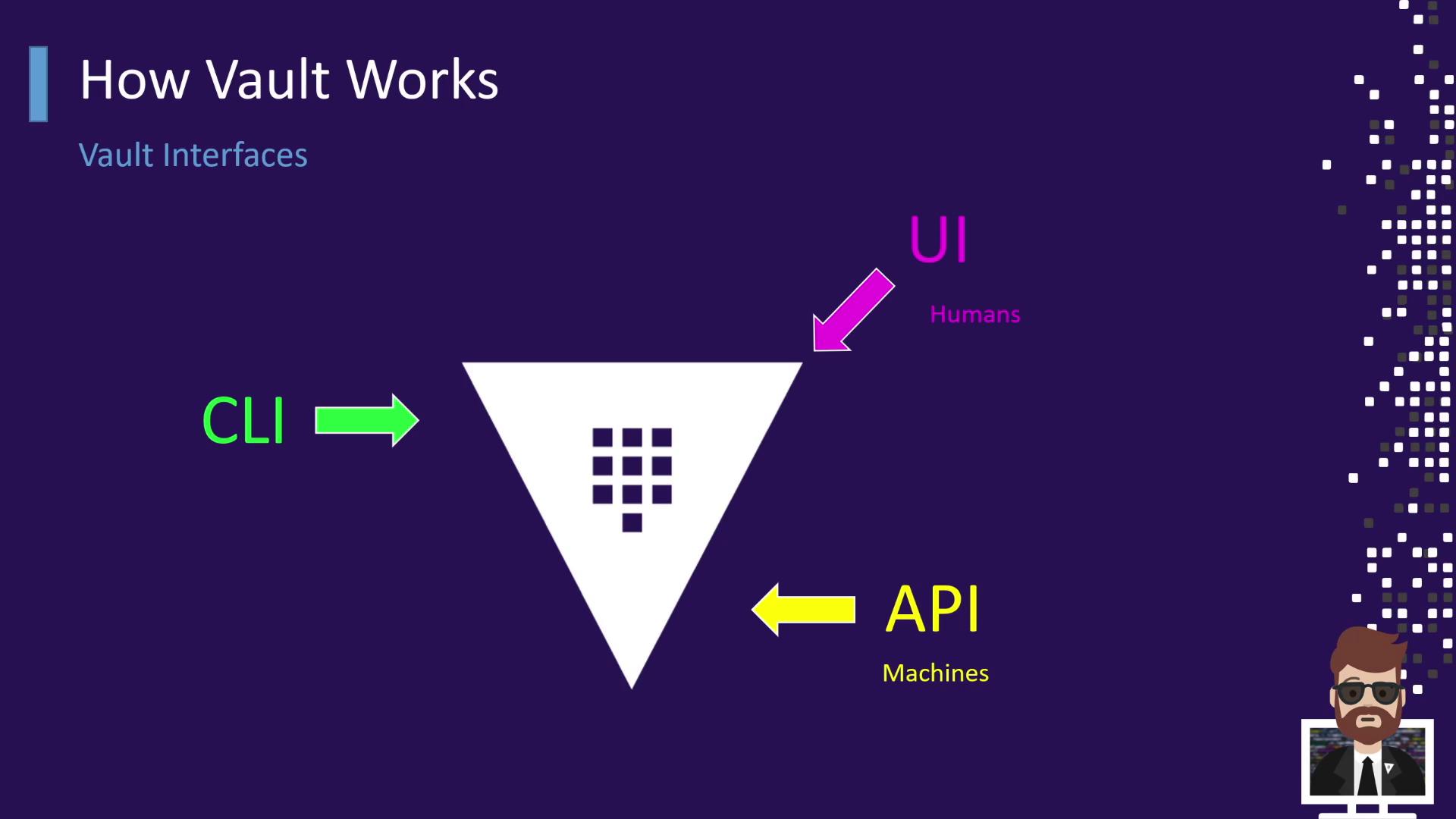
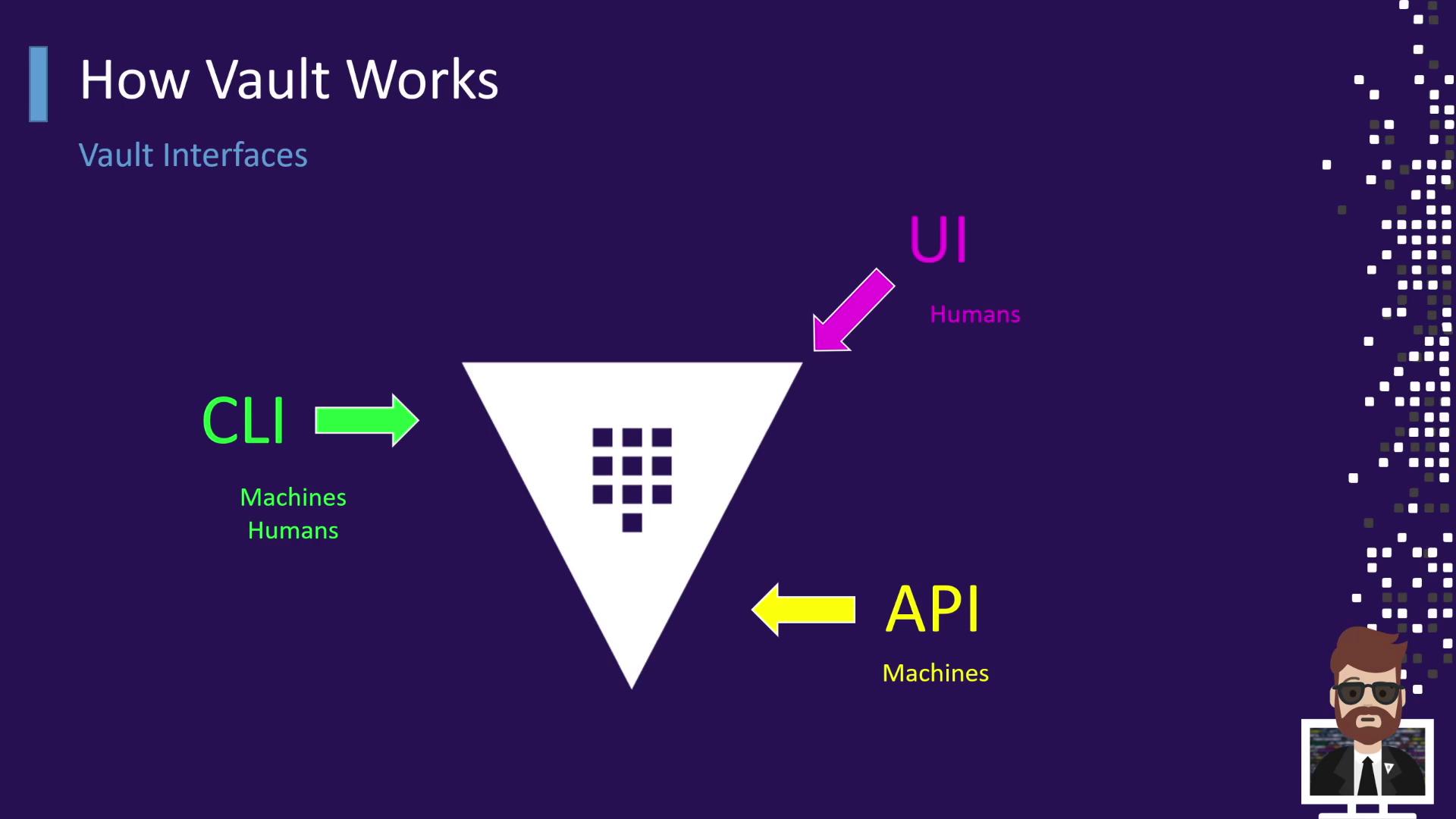
## Vault Interfaces: API, UI, and CLI
Vault offers three primary access methods—each like a different hotel door:
| Interface | Use Case | Hotel Entrance Analogy |
| --------- | ------------------------------- | ------------------------------- |
| **API** | Machine-to-machine integrations | Back‐of‐house employee entrance |
| **UI** | Human interaction via browser | Hotel lobby |
| **CLI** | Scripts and interactive use | Side door for staff or guests |
## Authentication and Token Issuance
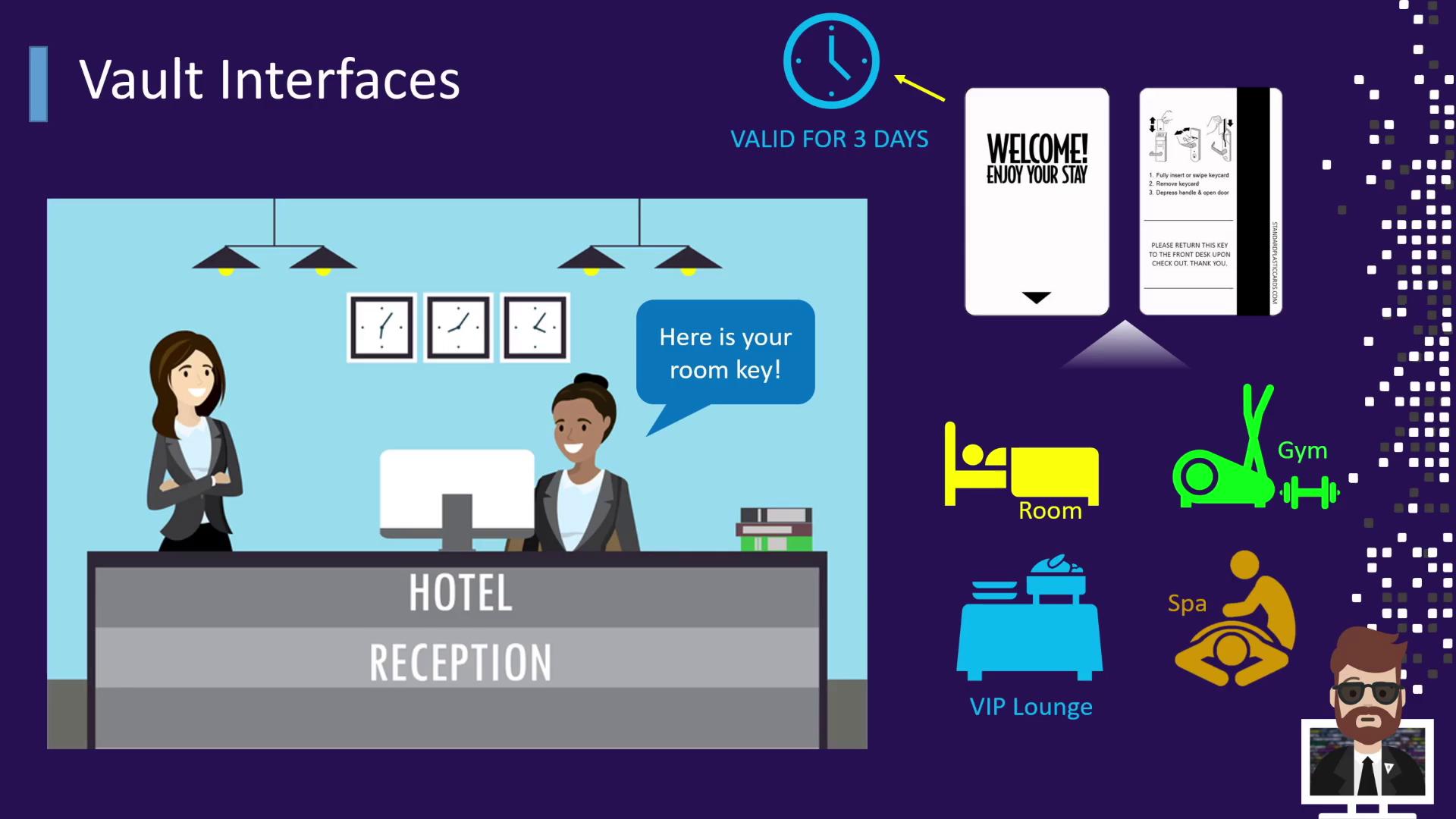
When you arrive at the hotel, you first stop at reception. The receptionist verifies your ID and issues a keycard. In Vault, this keycard is equivalent to a **token**:
* **Identification** → Present an ID at reception
* **Verification** → Receptionist confirms your identity
* **Key Issued** → You receive a card granting access to your room and amenities
* **TTL** → The keycard is valid only for your stay (e.g., three days)
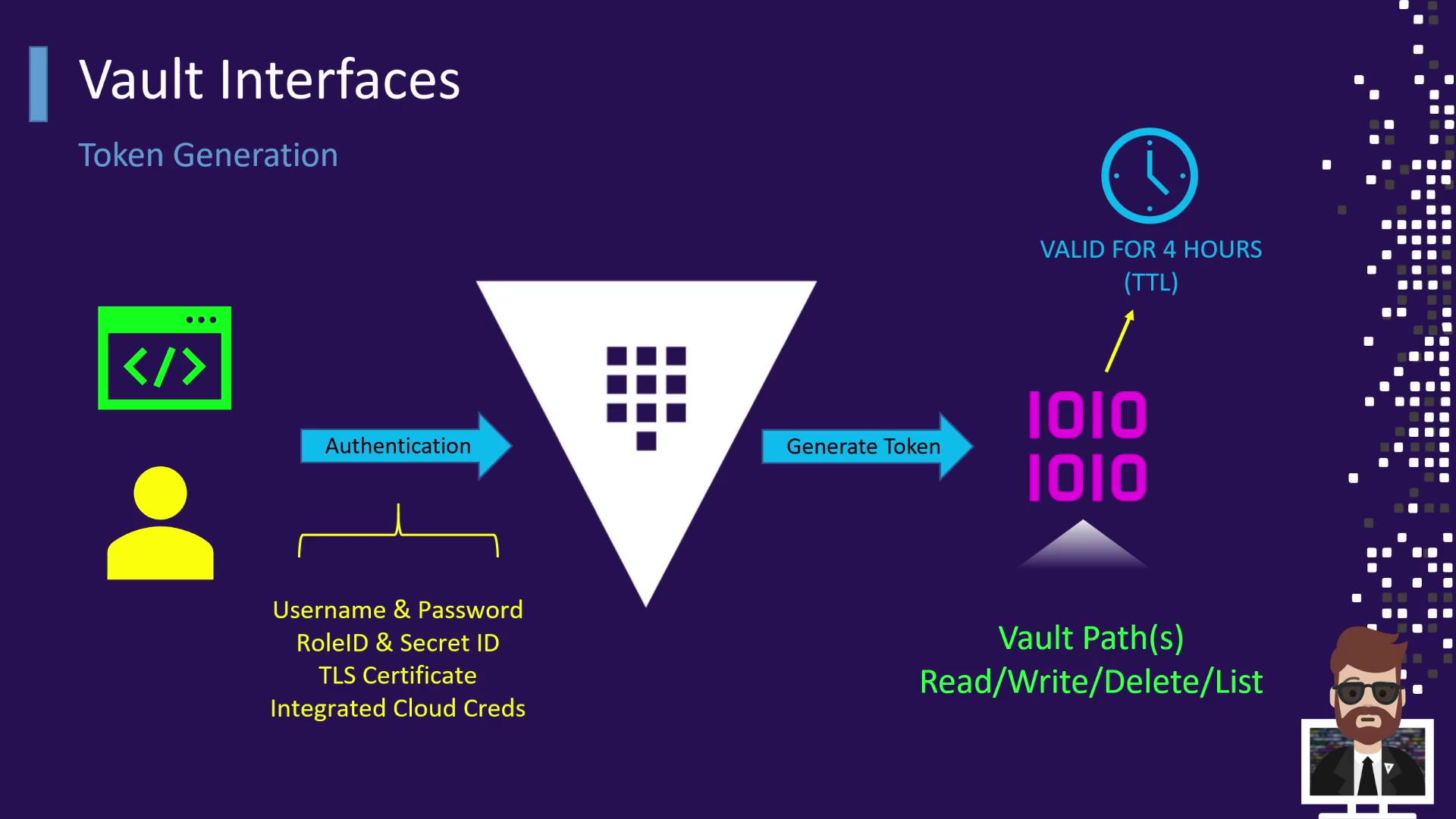
When authenticating with Vault:
| Auth Method | Description |
| --------------------- | ---------------------------------------- |
| Username & Password | Traditional user login |
| AppRole | Machine login using Role ID + Secret ID |
| TLS Certificate | Client certificate-based authentication |
| Cloud IAM Credentials | IAM-based auth for AWS, GCP, Azure, etc. |
1. You authenticate via one of the methods above.
2. Vault validates your credentials.
3. Vault issues a **token** with a configurable TTL (e.g., 4 hours, 12 hours).
4. This token grants specific capabilities (read, write, delete, list) on designated Vault paths.
Tokens in Vault can be **renewed** before they expire, extending their TTL without re-authentication.
## Retrieving Secrets with a Token
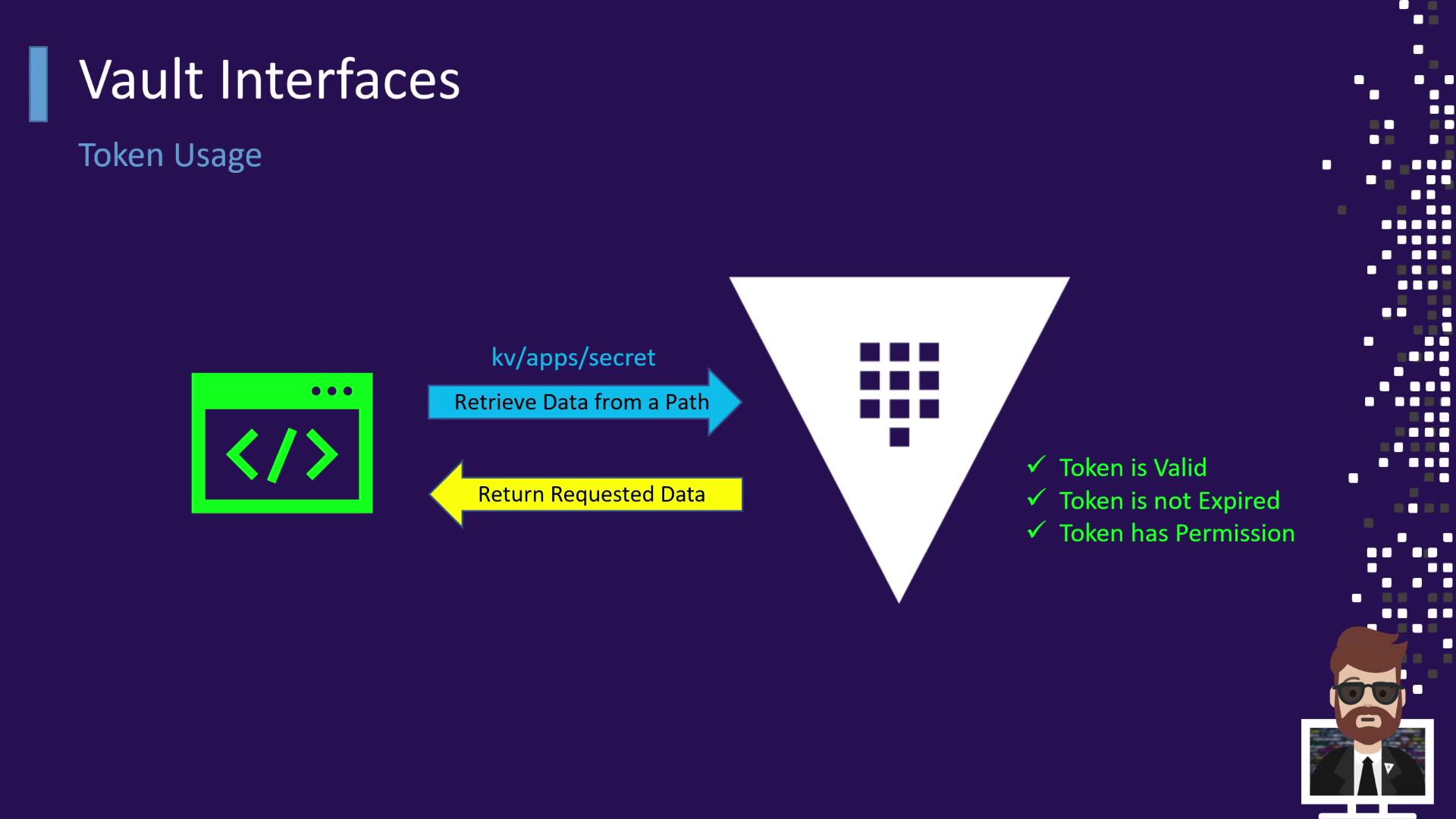
Once you have a valid token, you can reuse it—just like swiping your hotel keycard at the gym or spa without returning to reception:
1. An application or user presents the token to Vault.
2. Vault checks that the token:
* Is not expired
* Has permission for the requested path (e.g., `kv-apps-secret`)
3. If authorized, Vault returns the requested data.
Attempting to access a forbidden area (like swiping a non-VIP card at the VIP lounge) results in a denial.
Always monitor token expiration and rotate or revoke tokens promptly to maintain strong security posture.
This “authenticate once → receive a token → reuse the token” pattern applies to all Vault operations—whether you’re retrieving static secrets, generating dynamic credentials, or using any secrets engine.
***
## Links and References
* [HashiCorp Vault Documentation](https://www.vaultproject.io/docs)
* [Running HashiCorp Vault in Production (O’Reilly)](https://www.oreilly.com/library/view/running-hashicorp-vault/9781098106611/)
* [Vault Authentication Methods](https://www.vaultproject.io/docs/auth)
* [Vault Tokens](https://www.vaultproject.io/docs/concepts/tokens)