> ## Documentation Index
> Fetch the complete documentation index at: https://notes.kodekloud.com/llms.txt
> Use this file to discover all available pages before exploring further.

# Demo Disaster Replication Configuration

> This guide explains how to enable and configure performance replication in Vault Enterprise for active-active read scalability across multiple clusters.

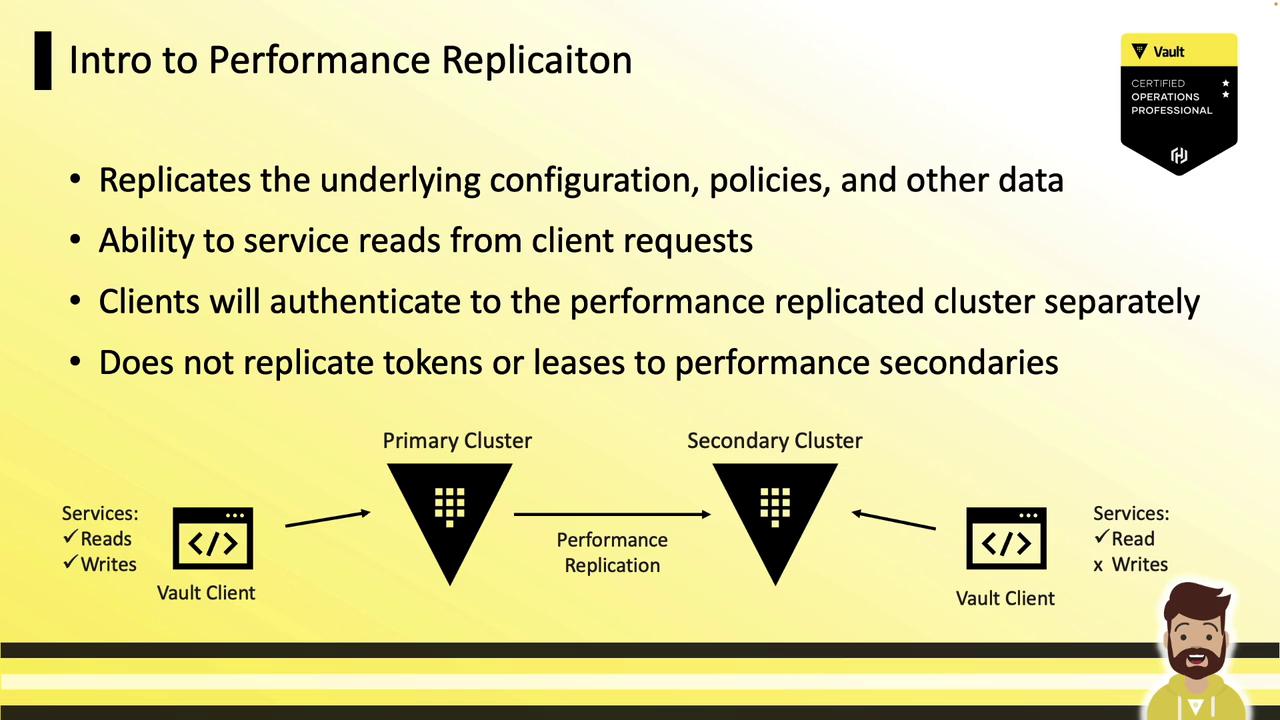
In this guide, you’ll learn how to enable and configure **performance replication** in Vault Enterprise. Performance replication lets you distribute Vault policies, secrets engines, authentication methods, and audit configurations across multiple clusters for active-active read scalability, while routing write operations to a single primary.
<Frame>
  ![The image is an introduction to performance replication, explaining its features such as replicating configurations and servicing client read requests. It includes a diagram showing the relationship between a primary and secondary cluster, with Vault clients interacting with them.](https://kodekloud.com/kk-media/image/upload/v1752878264/notes-assets/images/HashiCorp-Certified-Vault-Associate-Certification-Demo-Disaster-Replication-Configuration/performance-replication-introduction-diagram.jpg)
</Frame>

## Key Concepts

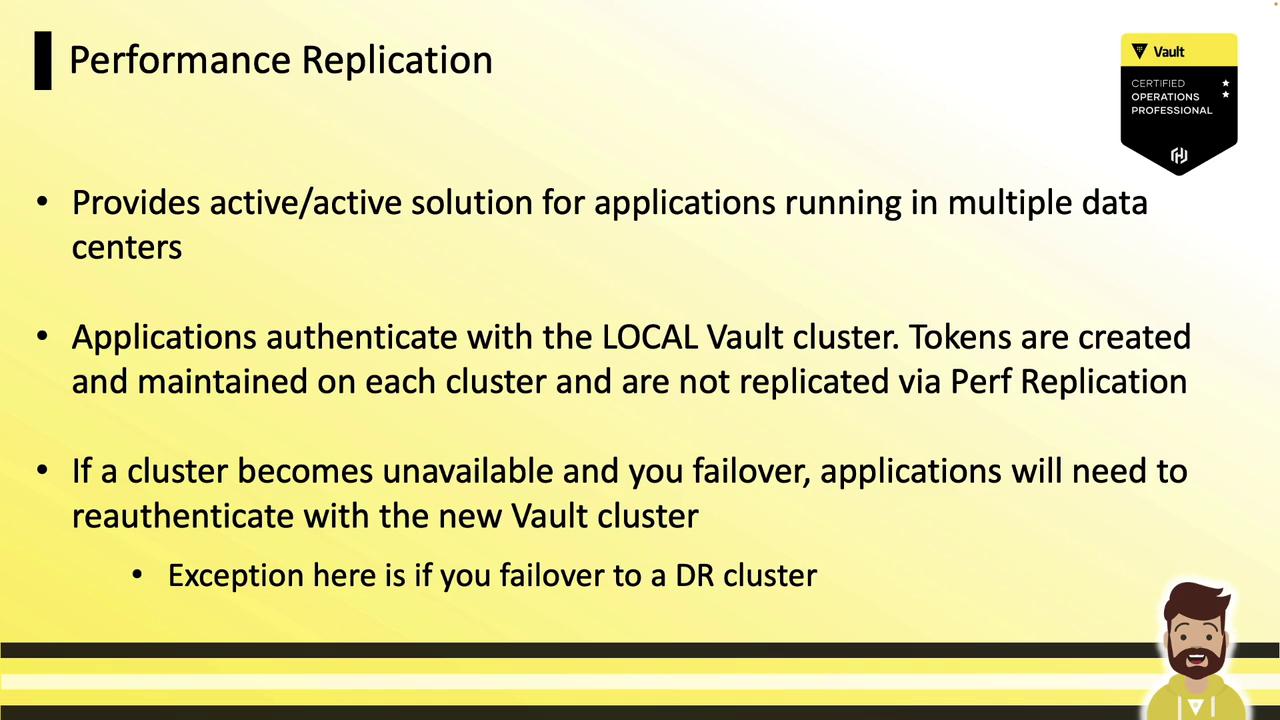
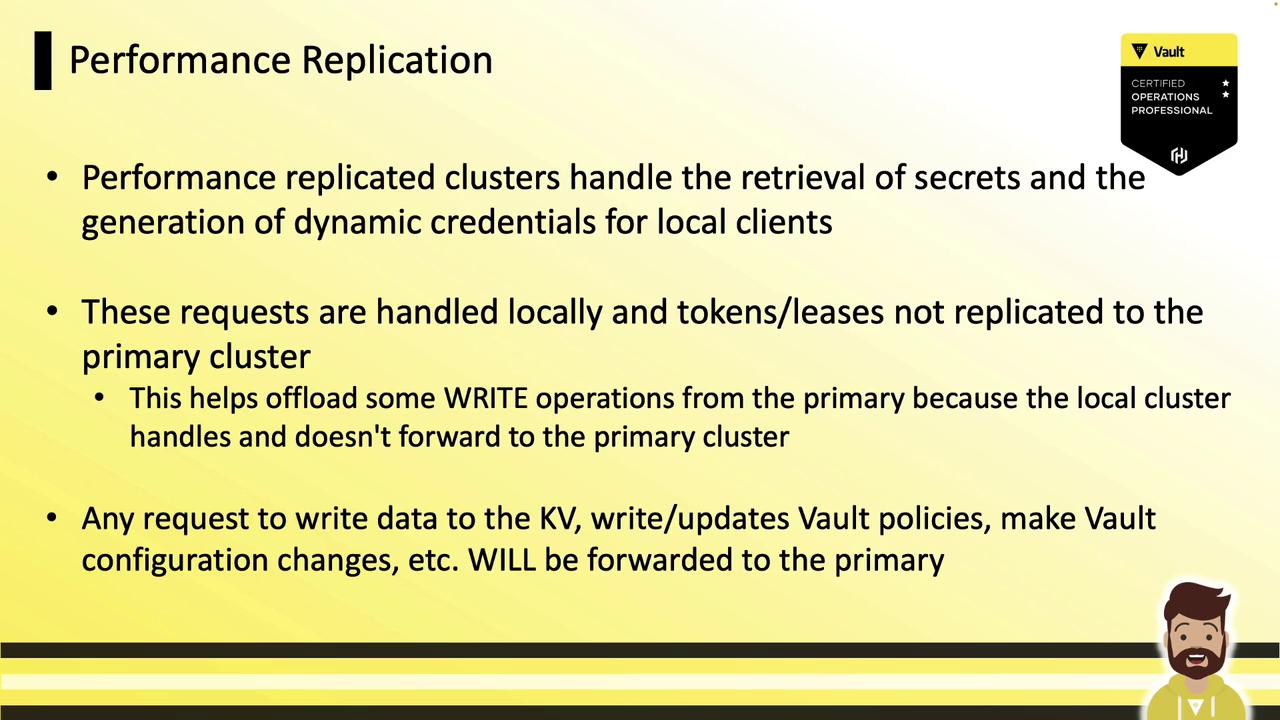
* **Active-Active Workloads**: Read operations (authentication, secret reads, dynamic secret generation) are served locally on each replica.
* **Centralized Writes**: All write requests (policy changes, configuration updates) are forwarded to the primary cluster.
* **Independent Authentication**: Tokens and leases created on a performance secondary are local and are *not* replicated from the primary. Clients must re-authenticate on each cluster.

## Performance vs. Disaster Recovery (DR) Replication

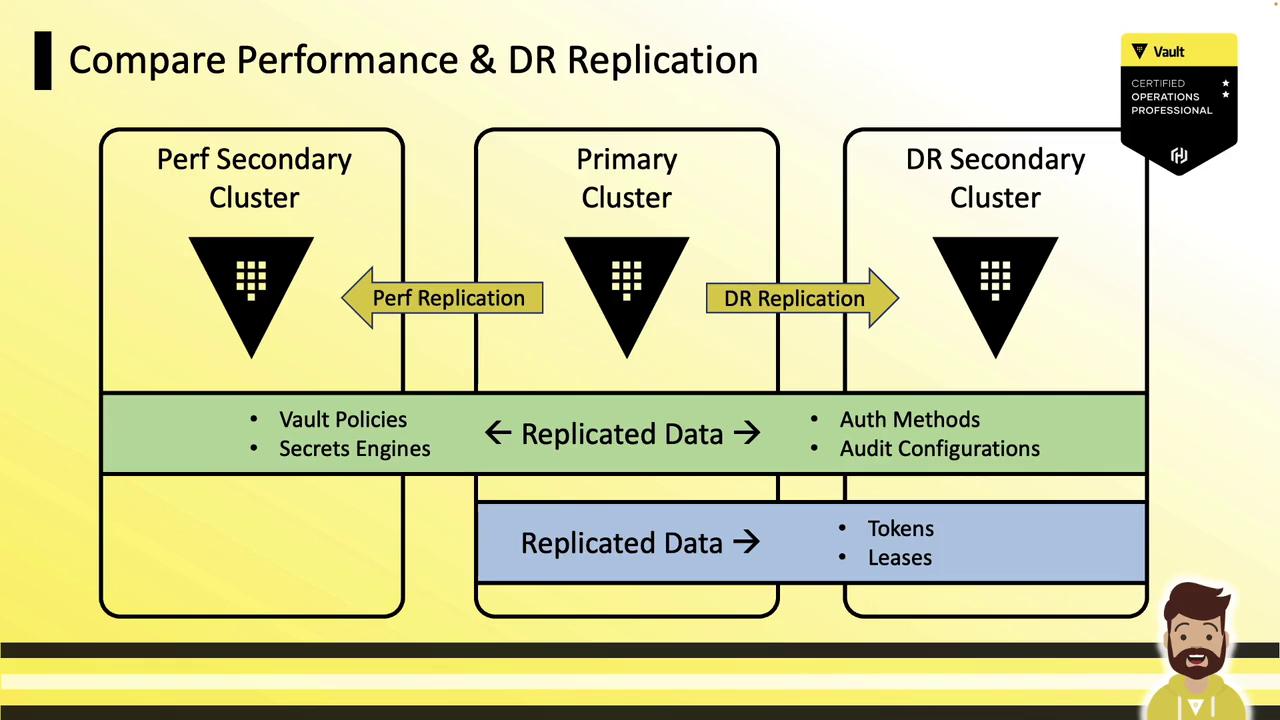
| Feature                | Performance Replication          | DR Replication                 |
| ---------------------- | -------------------------------- | ------------------------------ |
| Policies & Config      | ✓                                | ✗                              |
| Secrets Engines & Auth | ✓                                | ✗                              |
| Audit Configurations   | ✓                                | ✗                              |
| Tokens & Leases        | ✗                                | ✓                              |
| Use Case               | Active-active, low-latency reads | Failover and disaster recovery |
| Write Path             | Forwarded to primary             | Forwarded to primary           |
<Frame>
  ![The image is a diagram comparing performance and disaster recovery (DR) replication in a system with three clusters: Perf Secondary, Primary, and DR Secondary. It shows the flow of replicated data, including Vault Policies, Secrets Engines, Auth Methods, Audit Configurations, Tokens, and Leases.](https://kodekloud.com/kk-media/image/upload/v1752878265/notes-assets/images/HashiCorp-Certified-Vault-Associate-Certification-Demo-Disaster-Replication-Configuration/performance-disaster-recovery-diagram.jpg)
</Frame>

## Example Architecture: Data Centers & Cloud Regions

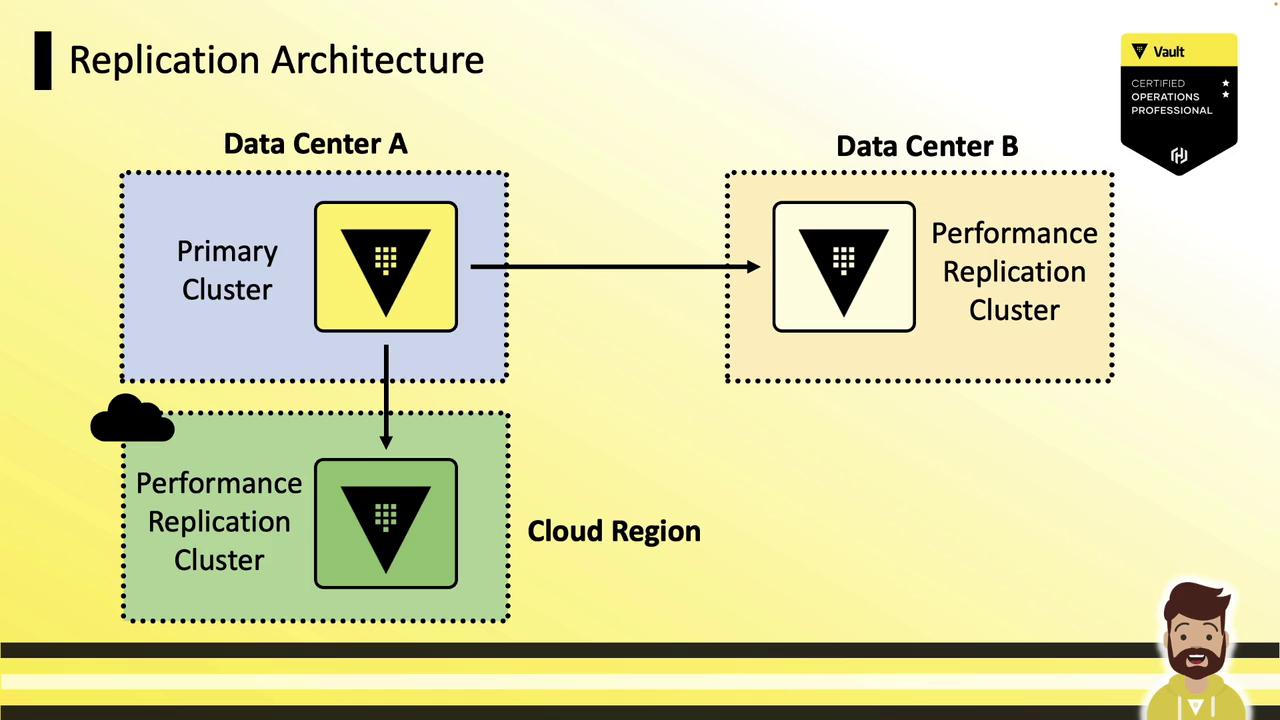
### Multi–Data Center Deployment

A primary cluster in **Data Center A** replicates to performance secondaries in **Data Center B** and a **cloud region**. Local applications read and authenticate against their nearest replica, while writes go to the primary.
<Frame>
  ![The image illustrates a replication architecture with a primary cluster in Data Center A, connected to performance replication clusters in both Data Center B and a cloud region. It includes a certification badge and a cartoon character at the bottom.](https://kodekloud.com/kk-media/image/upload/v1752878266/notes-assets/images/HashiCorp-Certified-Vault-Associate-Certification-Demo-Disaster-Replication-Configuration/replication-architecture-data-centers-cloud.jpg)
</Frame>

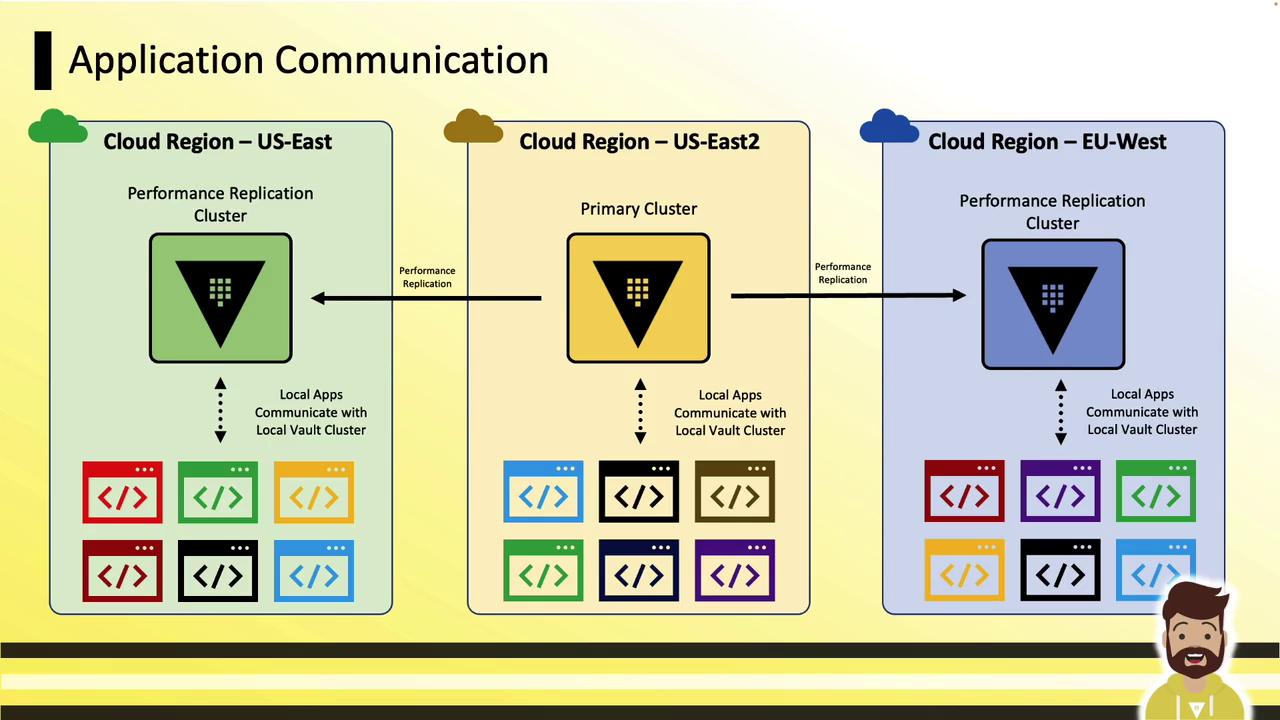
### Global Cloud Deployment

In a cloud setup, the primary (US-East2) replicates to secondaries in US-East and EU-West. Applications in each region authenticate to their local replica for reads; writes are sent back to the primary and propagated.
<Frame>
  ![The image illustrates application communication across three cloud regions (US-East, US-East2, and EU-West) with performance replication clusters and local apps interacting with local vault clusters.](https://kodekloud.com/kk-media/image/upload/v1752878267/notes-assets/images/HashiCorp-Certified-Vault-Associate-Certification-Demo-Disaster-Replication-Configuration/application-communication-cloud-regions-diagram.jpg)
</Frame>

## How Performance Replication Works

1. **Active-Active Authentication**\
   Each performance replica handles logins locally. Tokens and leases exist only on the cluster where they were issued.

2. **Local Dynamic Secrets**\
   Replicas generate dynamic credentials (e.g., database passwords, AWS keys) without contacting the primary:
<Frame>
  ![The image is a slide about "Performance Replication," explaining an active/active solution for applications in multiple data centers, with details on authentication and failover processes. It includes a Vault certification badge.](https://kodekloud.com/kk-media/image/upload/v1752878269/notes-assets/images/HashiCorp-Certified-Vault-Associate-Certification-Demo-Disaster-Replication-Configuration/performance-replication-active-active-slide.jpg)
</Frame>

<Frame>
  ![The image is a slide about "Performance Replication" in Vault, explaining how replicated clusters handle secrets and dynamic credentials locally, offloading some operations from the primary cluster. It also notes that write requests are forwarded to the primary cluster.](https://kodekloud.com/kk-media/image/upload/v1752878270/notes-assets/images/HashiCorp-Certified-Vault-Associate-Certification-Demo-Disaster-Replication-Configuration/performance-replication-vault-clusters-slide.jpg)
</Frame>

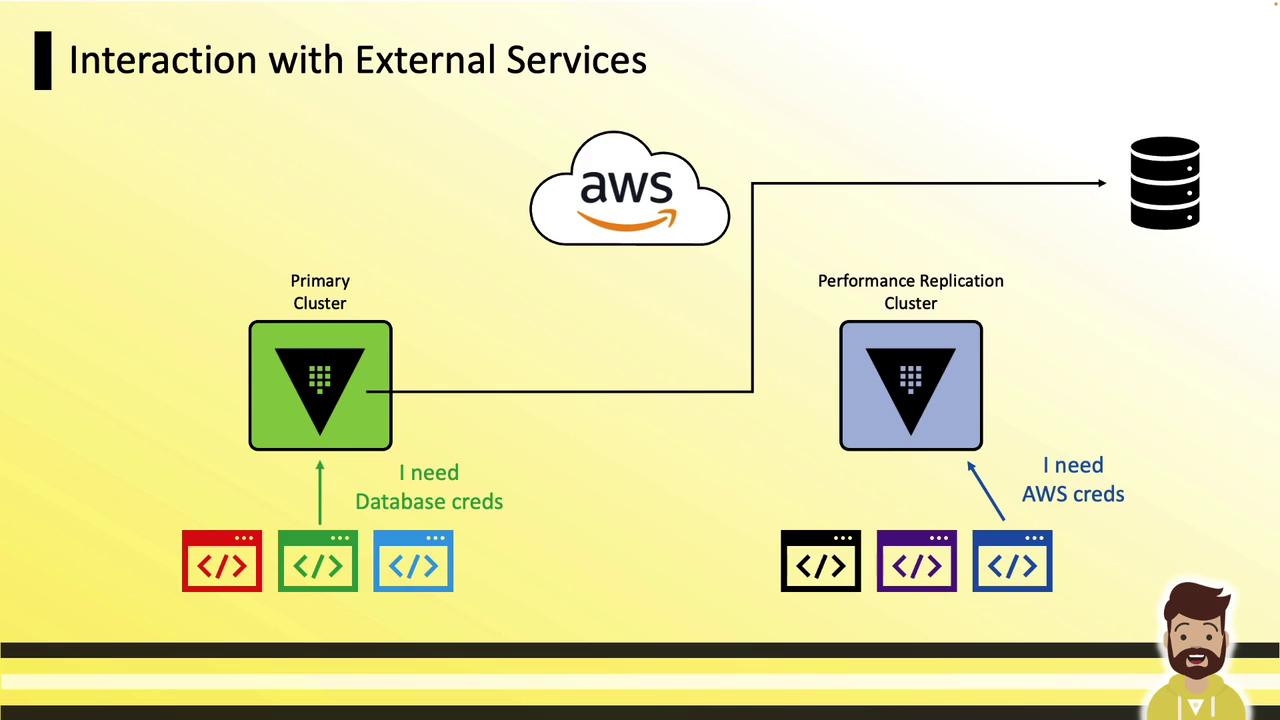
3. **External Service Interactions**\
   Connections to AWS, databases, and other external services occur directly from each replica:
<Frame>
  ![The image illustrates a diagram of interaction with external services, showing a primary cluster and a performance replication cluster connecting to AWS and a database, with indications of needing database and AWS credentials.](https://kodekloud.com/kk-media/image/upload/v1752878271/notes-assets/images/HashiCorp-Certified-Vault-Associate-Certification-Demo-Disaster-Replication-Configuration/external-services-interaction-diagram.jpg)
</Frame>

## Setup Process

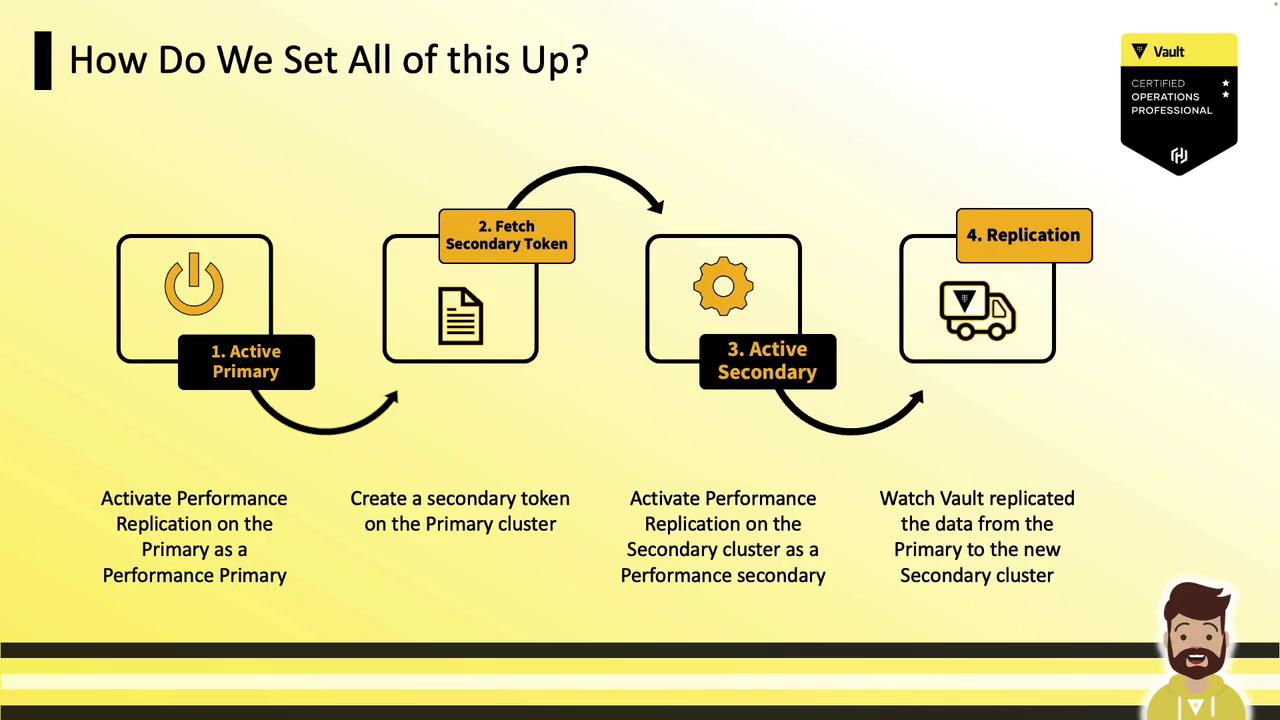
Follow these four steps to configure performance replication:
<Frame>
  ![The image is a flowchart illustrating the setup process for a system, involving four steps: activating the primary, fetching a secondary token, activating the secondary, and replication. It includes brief descriptions for each step and features a Vault certification badge.](https://kodekloud.com/kk-media/image/upload/v1752878273/notes-assets/images/HashiCorp-Certified-Vault-Associate-Certification-Demo-Disaster-Replication-Configuration/system-setup-flowchart-four-steps.jpg)
</Frame>

1. Enable performance replication on the primary.
2. Generate a secondary token.
3. Enable the secondary using the token.
4. Monitor the replication status.

### CLI Commands

```bash theme={null}
# 1. Enable performance replication on the primary
vault write -f sys/replication/performance/primary/enable

# 2. Generate a secondary token on the primary
vault write sys/replication/performance/primary/secondary-token id="secondary-id"

# 3. Activate the performance secondary with the token
vault write sys/replication/performance/secondary/enable token="secondary-token"
```

<Callout icon="triangle-alert" color="#FF6B6B">
  Enabling a secondary will **purge its local data** (including unseal and recovery keys) and sync entirely from the primary.
</Callout>

### Monitoring Replication

```bash theme={null}
# View overall replication status
vault read --format=json sys/replication/status

# View performance replication status
vault read --format=json sys/replication/performance/status

# View DR replication status
vault read --format=json sys/replication/dr/status
```

After setup, verify that changes—such as enabling a new auth method—on the primary cluster appear on each performance secondary.

## References

* [Vault Replication Concepts](https://www.vaultproject.io/docs/enterprise/replication)
* [Kubernetes Basics](https://kubernetes.io/docs/concepts/overview/what-is-kubernetes/)
* [AWS Documentation](https://aws.amazon.com/documentation/)
* [Terraform Registry](https://registry.terraform.io/)

<CardGroup>
  <Card title="Watch Video" icon="video" cta="Learn more" href="https://learn.kodekloud.com/user/courses/hashicorp-certified-vault-associate-certification/module/cfd009a3-718e-46c1-b509-a1354fc1e2a6/lesson/71abdf0b-7c76-4571-a26e-86f3c794a64c" />
</CardGroup>
