> ## Documentation Index
> Fetch the complete documentation index at: https://notes.kodekloud.com/llms.txt
> Use this file to discover all available pages before exploring further.
# Replication Architecture
> This article explains Vaults replication architecture, covering performance and disaster recovery modes, networking requirements, and real-world deployment examples.
Vault supports two replication modes—performance and disaster recovery (DR)—to scale reads and provide robust failover. In this guide, we’ll cover:
1. Conceptual overview
2. Reference topologies (cloud & on-premises)
3. Networking requirements
***
## Performance vs. DR Replication
Vault replication modes at a glance:
| Mode | Use Case | What Replicates | Promotion Behavior |
| ----------------- | ------------------------------------------ | ------------------------------------- | ------------------------------------------- |
| Performance | Scale reads, reduce latency in local sites | Data (secrets, configs) | N/A |
| Disaster Recovery | Failover with token and lease preservation | Data + Tokens (from any cluster tier) | DR replica becomes new primary on promotion |
* Tokens created on a primary or performance cluster replicate **only** to their DR cluster.
* Performance secondaries never receive tokens directly from the primary.
* Promoting a DR cluster restores all tokens and leases for uninterrupted operation.
Clients always connect to their local cluster for both reads and writes. On failure, you promote the regional DR to primary.
***
## Example: Two Data Centers
Imagine two sites, A and B, each with primary, performance, and DR replicas:
1. **Primary** in Data Center A
2. **Performance Replica** in Data Center B
3. **DR Replica** for Primary in Data Center A
4. **DR Replica** for Performance in Data Center B
Flow:
* Clients in A → Primary; Clients in B → Performance Replica
* Primary → Performance Replica (data only)
* Primary & Performance → their DR clusters (data + tokens)
* On outage, promote the corresponding DR to restore service
***
## AWS Regional Replication
A common AWS pattern spans two regions, each with local DR:
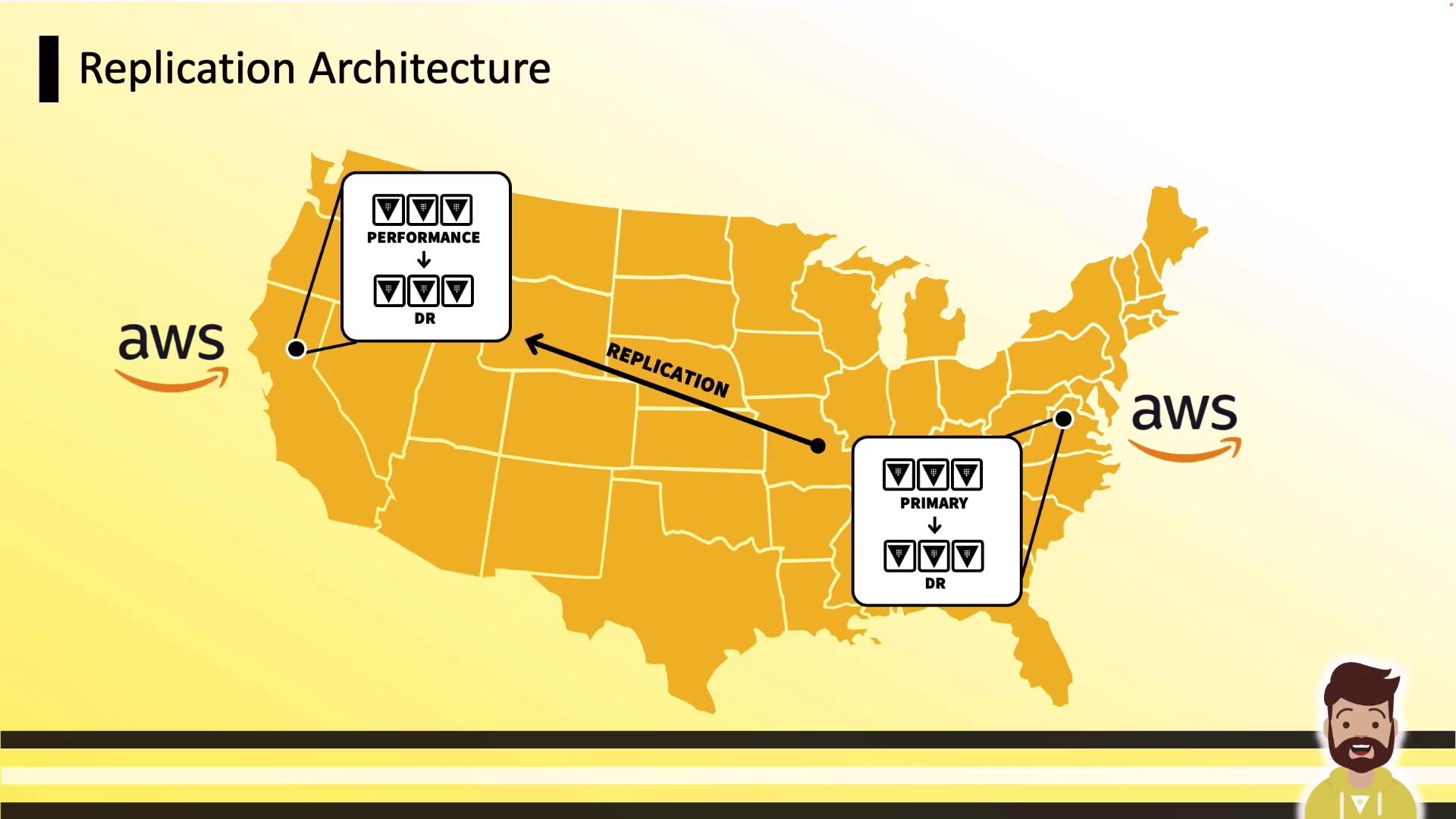
* **us-east-1**: Primary + DR
* **us-west-1**: Performance Replica + DR
***
## Global Deployment
For global scale, replicate from one primary to multiple regions, each with its own DR:
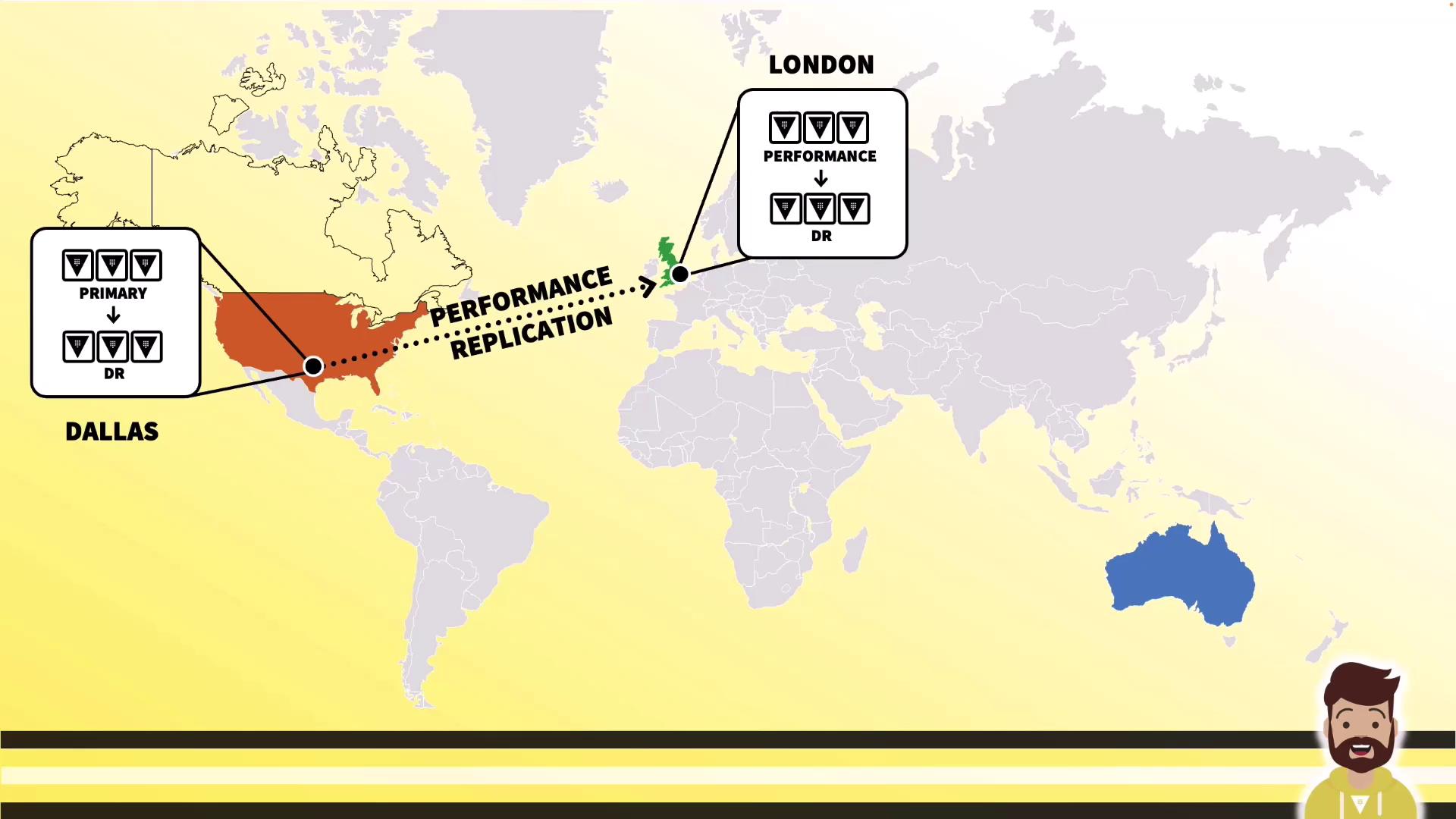
Start with Dallas → London (with DR):
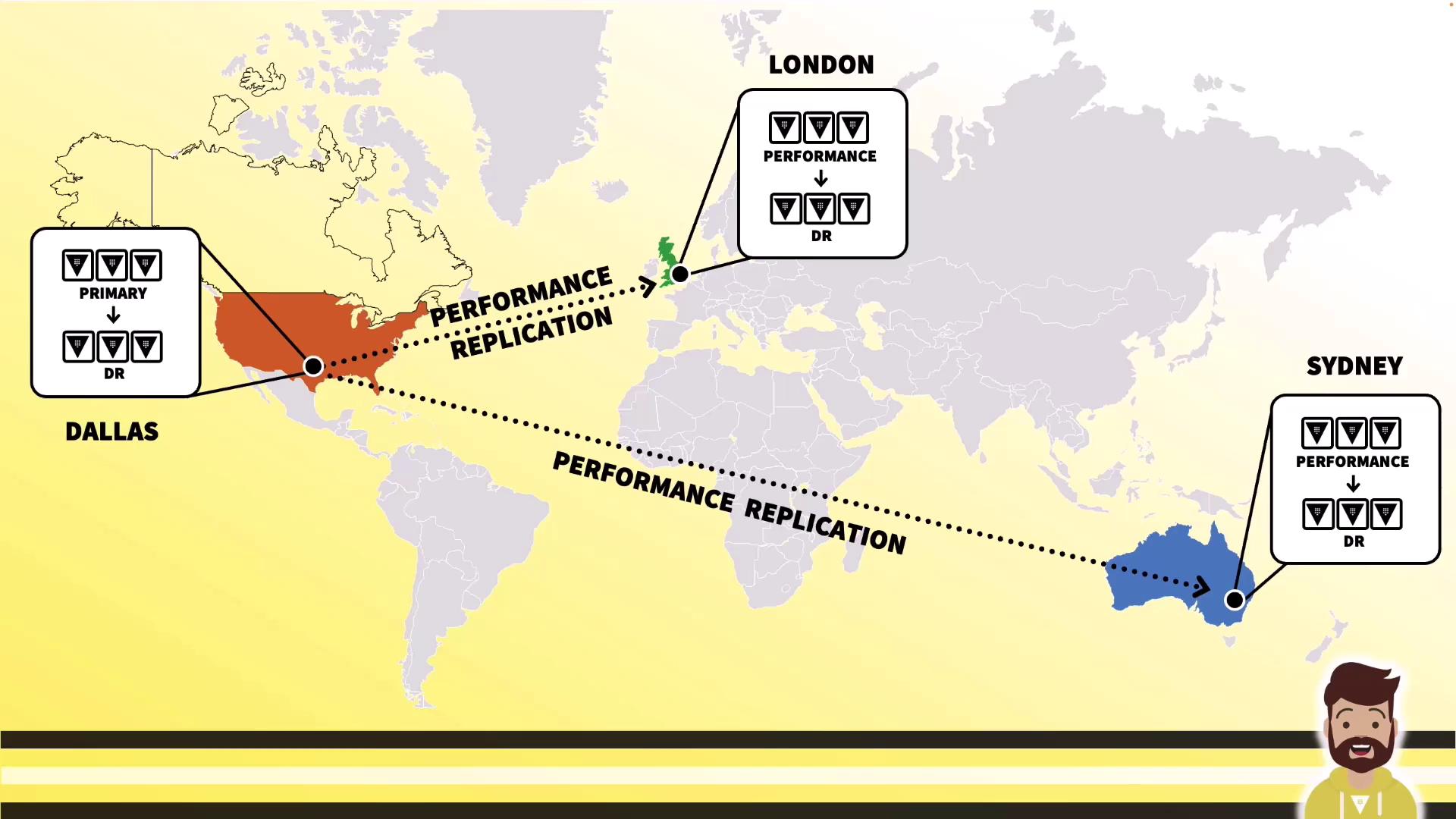
Extend further to **Sydney**, maintaining consistent policies, auth methods, secrets engines, and configurations across all clusters.
***
## Real-World On-Premises Examples
### Customer A: VMware Active-Active
High-availability with VMware clusters across two data centers:
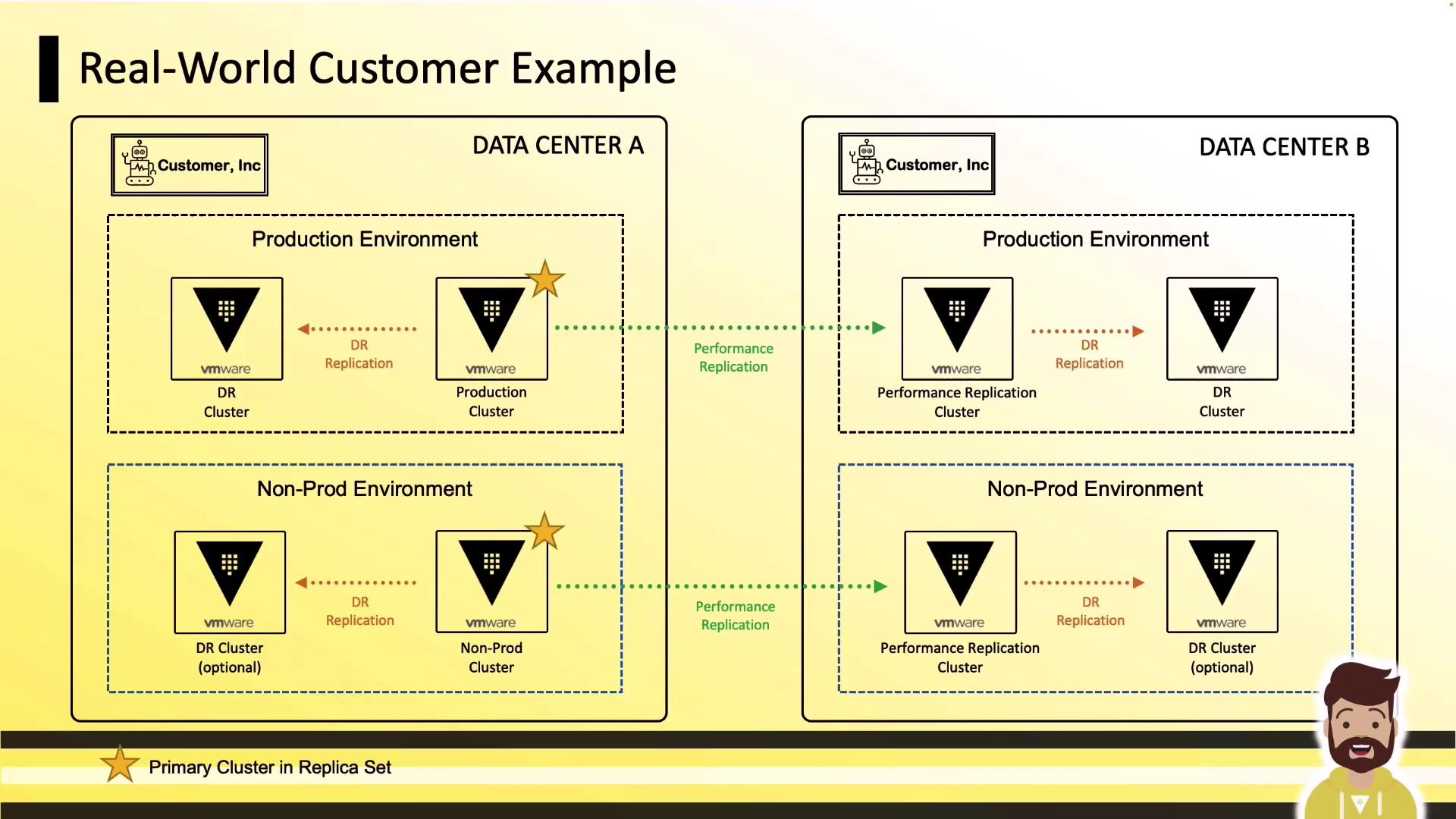
* Production DC A: Primary + DR
* Production DC B: Performance Replica + DR
* Non-Prod: QA and sandbox mirrors for testing
### Customer B: On-Premises to AWS
Hybrid topology connecting on-premises primary to AWS:
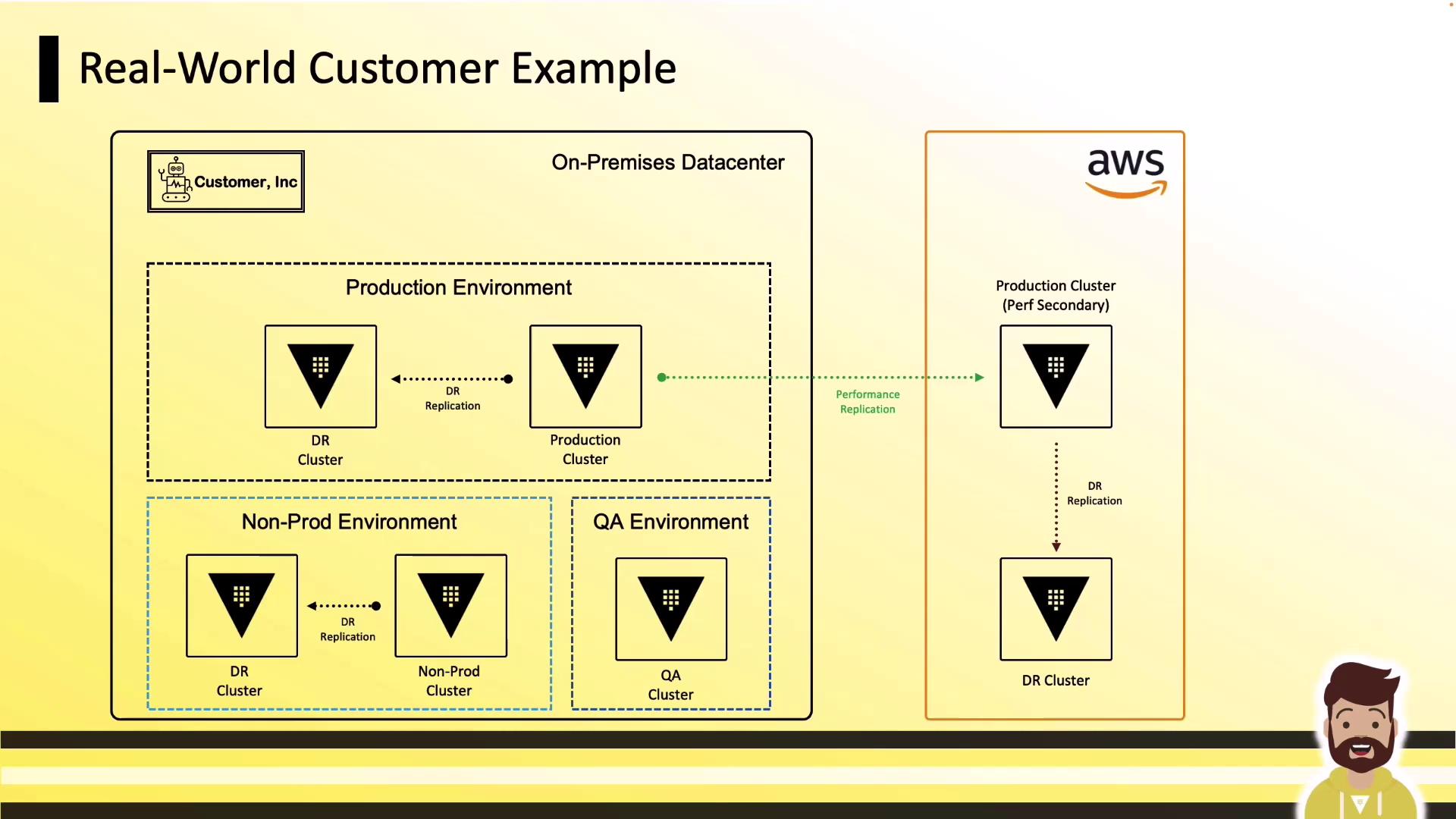
* On-Prem Production: Primary + DR
* AWS: Performance Replica + DR
* Non-Prod & QA: Separate clusters for dev and testing
***
## Networking Requirements
Replicating Vault clusters requires simple connectivity and DNS resolution:
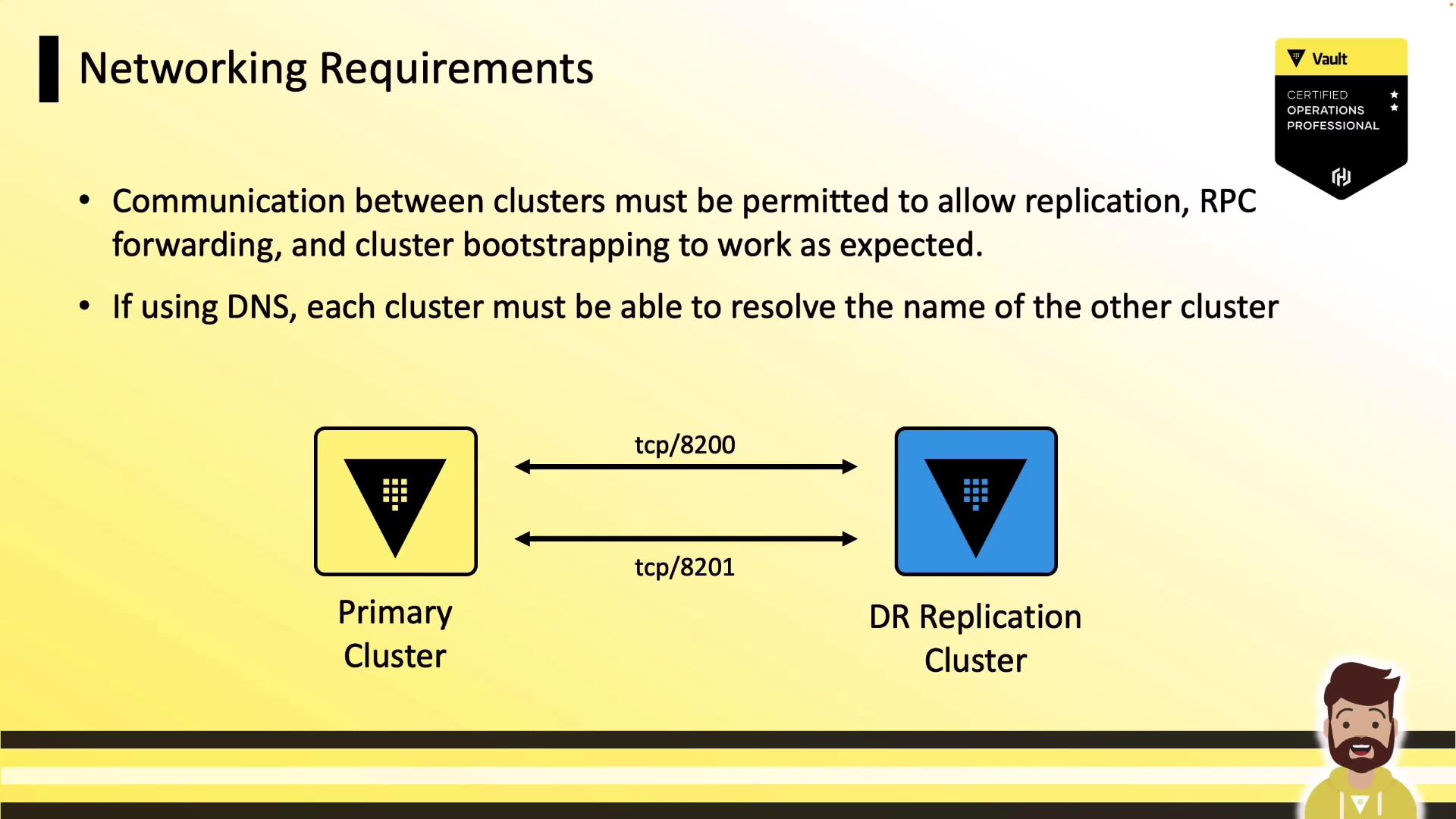
* Open **TCP 8200** and **8201** bi-directionally between clusters.
* Restrict access using firewalls or security groups.
* Ensure each cluster can resolve its peers’ DNS names.
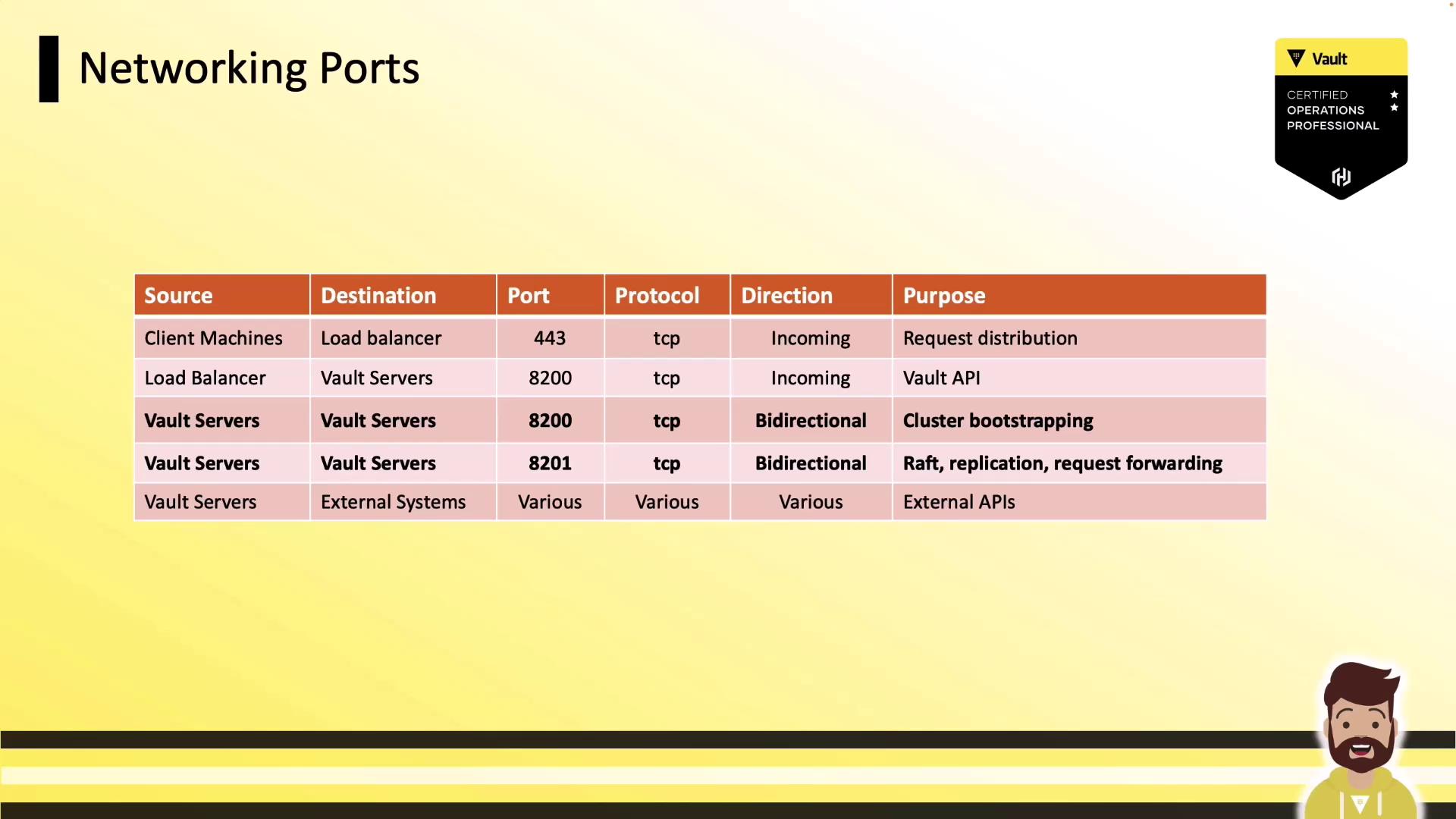
### Port Reference
| Source | Destination | Port | Protocol | Direction | Purpose |
| ----------------------------- | ------------------------------ | ------ | -------- | -------------- | --------------------- |
| Vault → Vault (bootstrapping) | Peer Vault clusters | 8200 | TCP | Bi-directional | Cluster bootstrap |
| Vault → Vault (replication) | Peer Vault clusters | 8201 | TCP | Bi-directional | Data & RPC forwarding |
| Client → Load Balancer | Vault API endpoint | 8200 | TCP | Inbound | Client operations |
| Load Balancer → Vault | Vault API servers | 8200 | TCP | Internal | Load balanced traffic |
| Vault → External Services | Database secrets engines, etc. | varies | TCP | Outbound | Secrets engine access |
***
## Links and References
* [Vault Replication Guide](https://www.vaultproject.io/docs/enterprise/replication)
* [AWS Global Infrastructure](https://aws.amazon.com/about-aws/global-infrastructure/)
* [On-Prem Deployment Patterns](https://learn.hashicorp.com/tutorials/vault/installation)