> ## Documentation Index
> Fetch the complete documentation index at: https://notes.kodekloud.com/llms.txt
> Use this file to discover all available pages before exploring further.
# Configure a Highly Available Vault Cluster
> This guide explains how to deploy a highly available HashiCorp Vault cluster with redundancy, fault tolerance, and seamless scalability.
In this guide, you’ll learn how to deploy a production-ready, highly available (HA) Vault cluster that offers redundancy, fault tolerance, seamless scalability, and fully replicated storage.
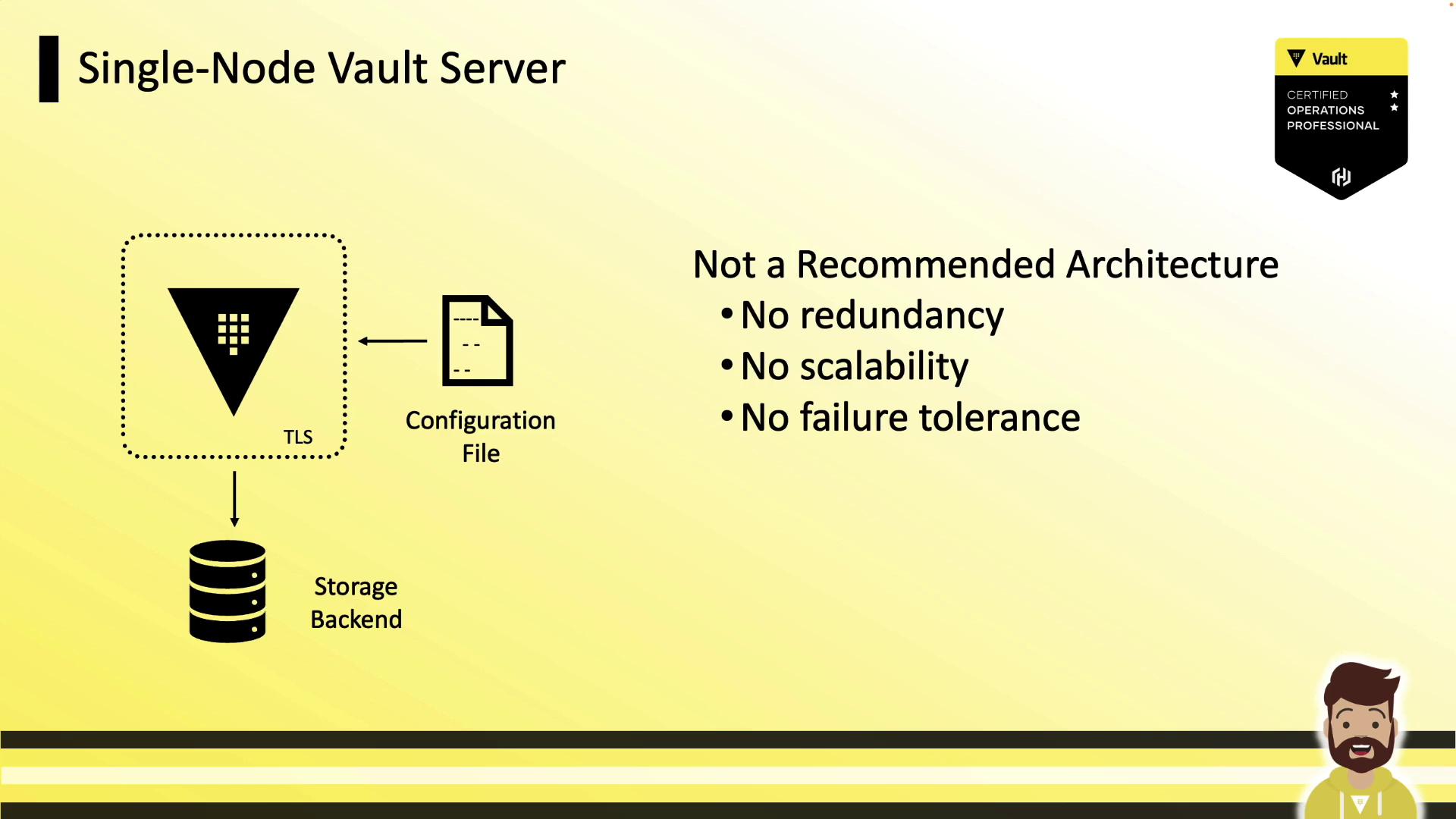
## Single-Node Setup (Not Recommended)
A single-node Vault server cannot tolerate failures or scale out. If the node goes offline, Vault becomes inaccessible—acceptable only for development or testing.
A single-node Vault instance has zero redundancy. Do **not** use this configuration in production.
## Key Characteristics of an Ideal Vault Cluster
A robust, production-grade Vault cluster should:
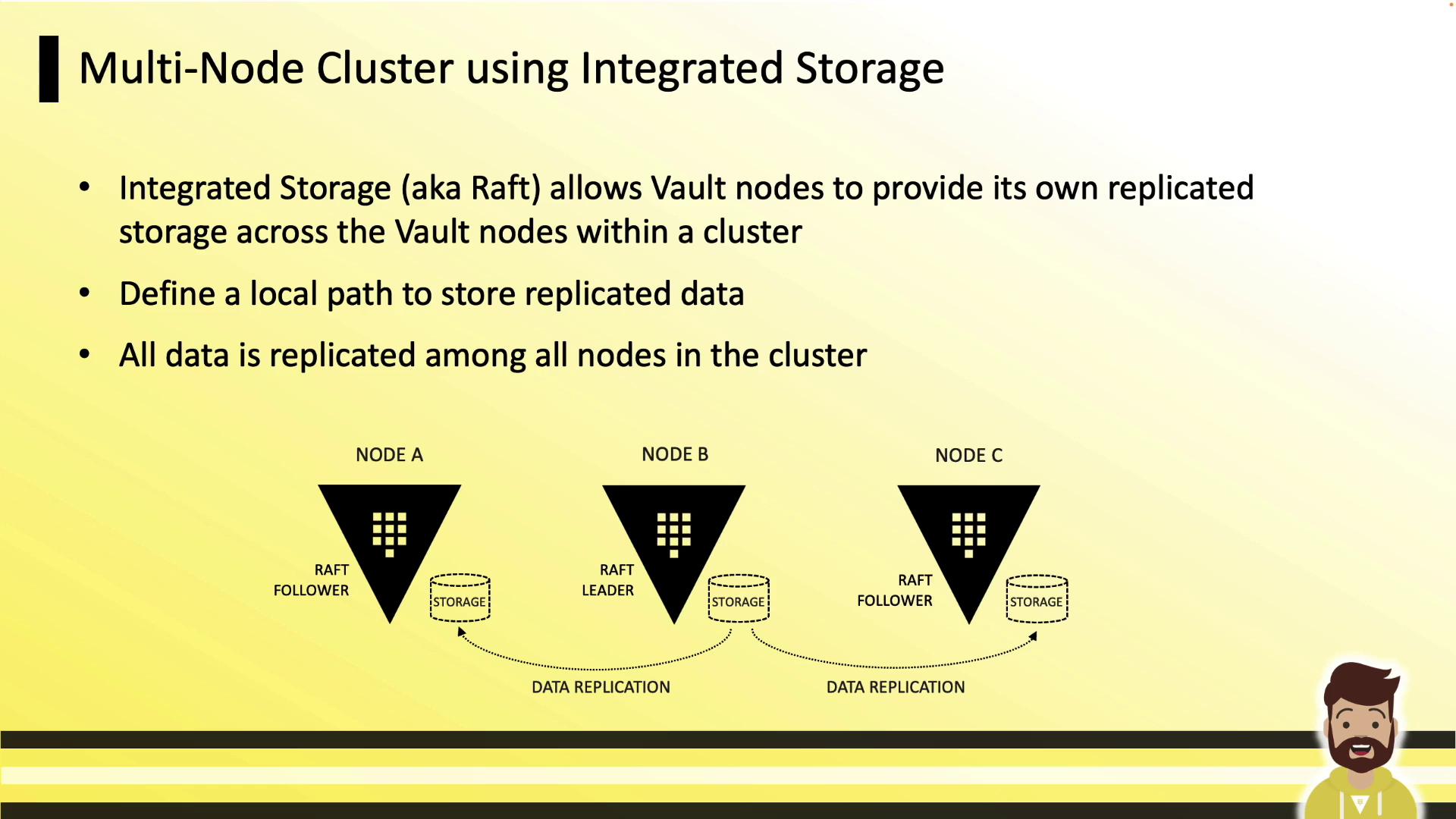
* Replicate all data across every node
* Survive one or more node failures without downtime
* Scale horizontally as application demands grow
* Maintain a fully replicated, peer-to-peer architecture

Vault Enterprise supports two storage backends: Integrated Storage (Raft) and [Consul](https://www.consul.io/docs). For production, HashiCorp strongly recommends Integrated Storage (Raft). The [Vault Operations Professional exam](https://www.hashicorp.com/certification/vault-operations-professional) covers only Integrated Storage.
## Integrated Storage Overview
Integrated Storage (Raft) leverages the Raft consensus protocol to replicate data across Vault nodes. Every node retains a full copy of the data. The leader handles writes and streams updates to follower nodes. If the leader goes down, followers elect a new leader almost immediately.
## Configuring Integrated Storage
Add a `storage "raft"` block to your Vault HCL configuration (`config.hcl`), then define your listener and seal settings:
```hcl theme={null}
storage "raft" {
path = "/opt/vault/data"
node_id = "node-a.hcvop.com"
# Auto-join using AWS tags
retry_join {
auto_join = "provider=aws region=us-east-1 tag_key=vault tag_value=east-1"
}
}
listener "tcp" {
address = "0.0.0.0:8200"
cluster_address = "0.0.0.0:8201"
tls_disable = 0
}
seal "awskms" {
region = "us-east-1"
kms_key_id = "12345678-abcd-1234-abcd-123456789101"
}
api_addr = "https://vault.hcvop.com:8200"
cluster_addr = "https://node-a.hcvop.com:8201"
cluster_name = "vault-prod-us-east-1"
ui = true
log_level = "INFO"
```
Key settings:
* `path`\
Local filesystem path for Raft data. Must be identical on every node.
* `node_id`\
Unique identifier for each Vault instance.
* `retry_join`\
Automates cluster formation. You can use cloud provider tags or explicit host addresses.
### Explicit Retry Join Hosts
If you prefer manually listing each peer:
```hcl theme={null}
storage "raft" {
path = "/opt/vault/data"
node_id = "node-a.hcvop.com"
retry_join {
leader_api_addr = "https://node-b.hcvop.com:8200"
}
retry_join {
leader_api_addr = "https://node-c.hcvop.com:8200"
}
retry_join {
leader_api_addr = "https://node-d.hcvop.com:8200"
}
retry_join {
leader_api_addr = "https://node-e.hcvop.com:8200"
}
}
```
## CLI Management for Integrated Storage
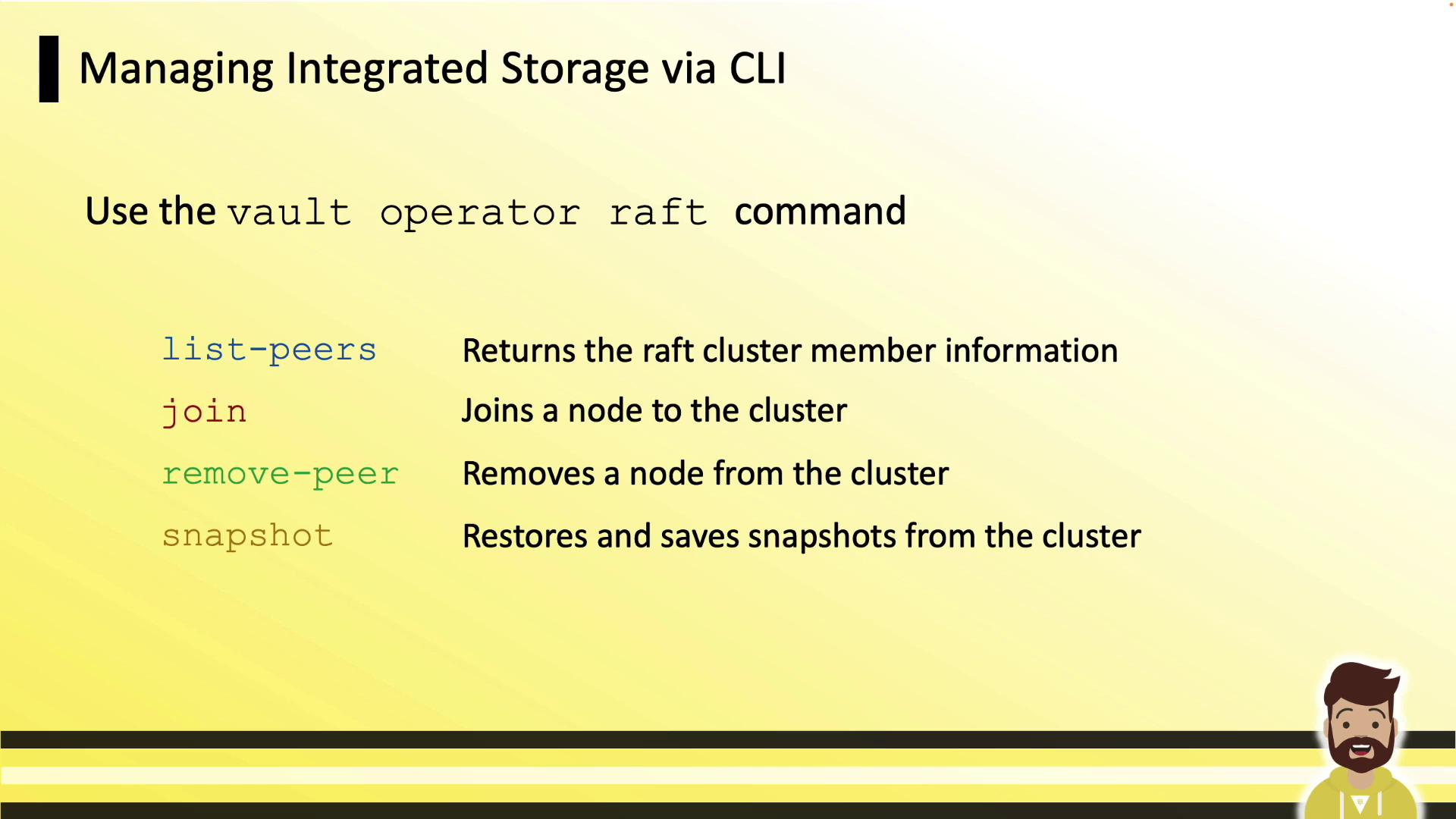
Use `vault operator raft` subcommands to manage your cluster:
| Command | Description |
| -------------------------------------- | -------------------------------------------- |
| `vault operator raft list-peers` | List current cluster members and their roles |
| `vault operator raft join ` | Add a new follower to the Raft cluster |
| `vault operator raft remove-peer ` | Remove a node gracefully from the cluster |
| `vault operator raft snapshot` | Create or restore a cluster snapshot |
## Manual Cluster Workflow
1. Initialize and unseal the leader (node A):
```bash theme={null}
vault operator init
vault operator unseal
```
2. On each follower (nodes B, C, …), join the cluster:
```bash theme={null}
vault operator raft join https://node-a.hcvop.com:8200
```
3. If manual unseal is in use:
```bash theme={null}
vault operator unseal
```
With auto-unseal (e.g., AWS KMS), Vault nodes unseal themselves after joining.
4. Repeat steps 2–3 for each node until all peers have joined.
## Viewing and Removing Peers
Log in and inspect your Raft peers:
```bash theme={null}
vault login
vault operator raft list-peers
```
| Node | Address | State | Voter |
| ------ | ---------------- | -------- | ----- |
| node-a | 10.0.101.22:8201 | leader | true |
| node-b | 10.0.101.23:8201 | follower | true |
| node-c | 10.0.101.24:8201 | follower | true |
| node-d | 10.0.101.25:8201 | follower | true |
| node-e | 10.0.101.26:8201 | follower | true |
To remove a peer:
```bash theme={null}
vault operator raft remove-peer node-e
# Peer removed successfully!
```
After removal, re-run `vault operator raft list-peers` to confirm.
A hands-on lab will walk you through both manual and automated cluster formation.
## Links and References
* [HashiCorp Vault Documentation](https://www.vaultproject.io/docs)
* [Vault Integrated Storage (Raft)](https://www.vaultproject.io/docs/configuration/storage/raft)
* [Consul Storage Backend](https://www.consul.io/docs)
* [Vault Operations Professional Certification](https://www.hashicorp.com/certification/vault-operations-professional)