> ## Documentation Index
> Fetch the complete documentation index at: https://notes.kodekloud.com/llms.txt
> Use this file to discover all available pages before exploring further.
# Promote a Secondary Cluster
> This tutorial explains how to promote a DR secondary cluster to primary in HashiCorp Vault to minimize downtime during primary cluster failure.
When your primary Vault cluster becomes unavailable, you can promote its Disaster Recovery (DR) secondary cluster to primary to minimize downtime. This tutorial walks through the steps and best practices for DR replication failover in HashiCorp Vault.
The typical topology consists of:
* A primary cluster
* A performance replica in another data center
* DR replicas for each cluster
If any cluster fails, its DR replica can assume the primary role in that region.
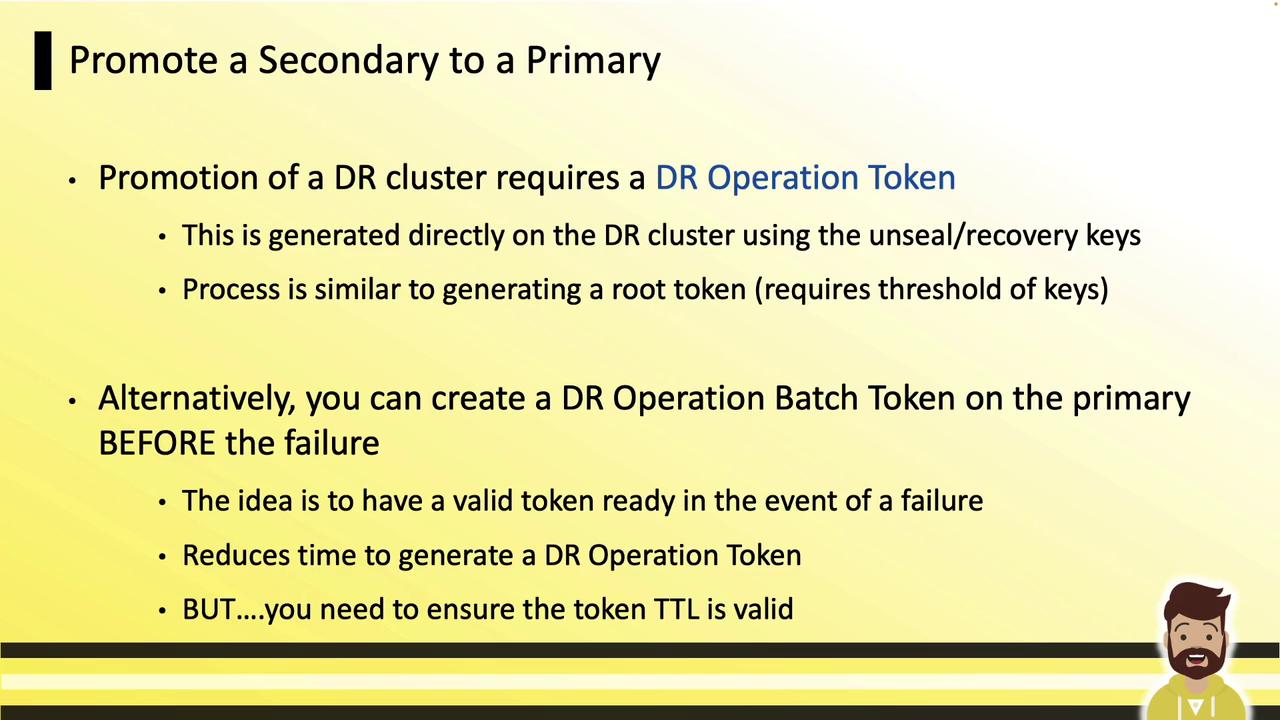
You need a **DR operation token** to promote a DR secondary. You can generate this token on the DR cluster using unseal or recovery keys, or pre-create a **DR operation batch token** on the primary to have it automatically replicate to the secondary.
## Comparison: Batch Token vs. Generated DR Operation Token
| Token Type | Creation Location | Replication Behavior | Use Case |
| ------------------------ | ----------------- | ------------------------ | -------------------------------------------------- |
| DR Operation Batch Token | Primary | Automatically replicates | Pre-shift preparation; minimal downtime on failure |
| DR Operation Token | Secondary | Generated on demand | When no pre-created batch token is available |
## DR Operation Batch Token
A **batch token** is an orphan token created on the primary with permissions to promote a DR cluster. It automatically replicates to the DR secondary.
1. Generate at the start of each shift (valid only for that period).
2. Store securely (e.g., in an HSM or secure vault).
3. On failure, use it immediately—no need for unseal or recovery key collection.
## Generating a DR Operation Token
If you don’t have a valid batch token, follow these steps on the DR secondary:
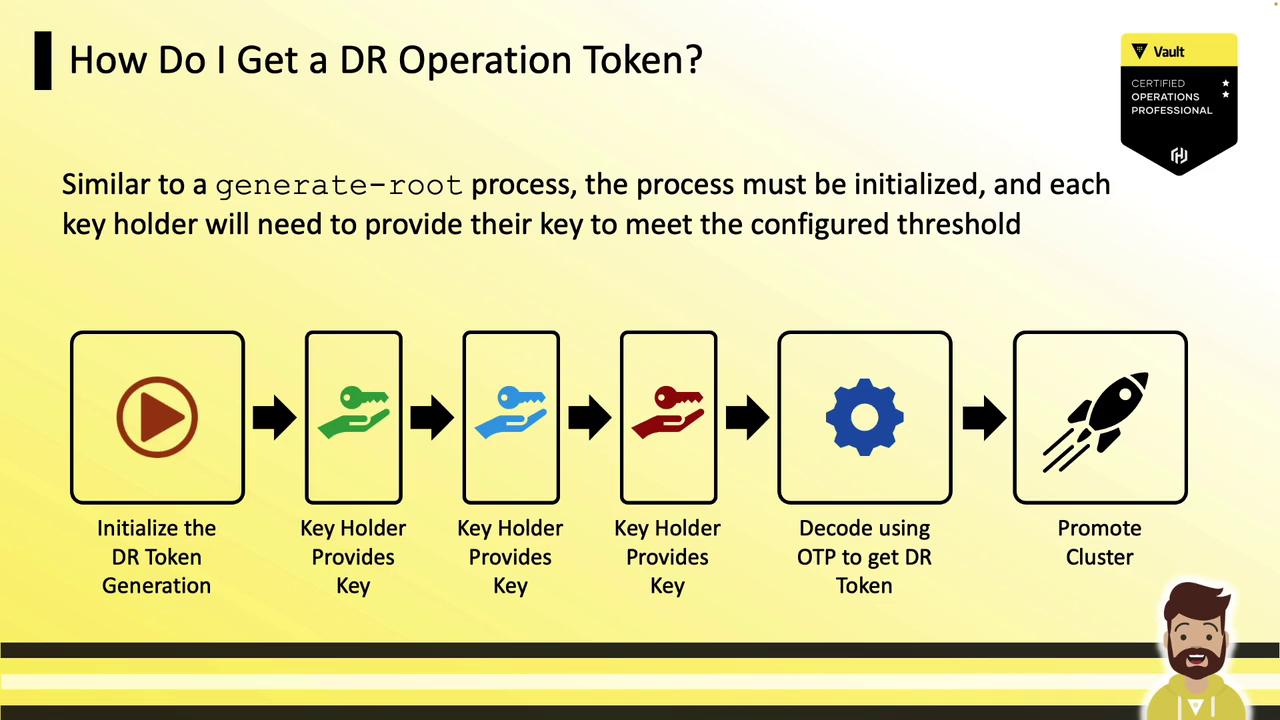
### Step 1: Initialize DR Token Generation
Run `vault operator generate-root` with the `-dr-token` flag and `-init` to receive a `nonce`, an OTP, and progress status:
```bash theme={null}
vault operator generate-root -dr-token -init
```
Example output:
```text theme={null}
Nonce 0ccf03cd-33b3-96db-577c-d5492c4cf909
Started true
Progress 0/3
Complete false
OTP Frq1lTtFmZp1iSD4VwNlRH8ccGm46
OTP Length 28
```
### Step 2: Collect Key Shares
Each key holder submits their key:
```bash theme={null}
vault operator generate-root -dr-token
```
They verify the `Operation nonce: 0ccf03cd-33b3-96db-577c-d5492c4cf909` and enter a unseal or recovery key. After collecting the threshold (e.g., 3 of 5), Vault returns an encoded token:
```text theme={null}
Operation nonce: 0ccf03cd-33b3-96db-577c-d5492c4cf909
Unseal Key (will be hidden): [key input]
Progress 3/3
Complete true
Encoded Token LgQCHzFBByMRNUYeFgcBHT0KJxN+WwEnIyFIdA
```
### Step 3: Decode the Encoded Token
Use the OTP from step 1 and the encoded token to retrieve the DR operation token:
```bash theme={null}
vault operator generate-root -dr-token \
-decode="LgQCHzFBByMRNUYeFgcBHT0KJxN+WwEnIyFIdA" \
-otp="Frq1lTtFmZp1iSD4VwNlRH8ccGm46"
```
Output:
```text theme={null}
hvs.e5ANKEwwEC5KJDKA6cbDdLAB
```
This string is your DR operation token.
## Promote the DR Secondary
With either the batch token or generated DR operation token, run:
```bash theme={null}
vault write sys/replication/dr/secondary/promote \
dr_operation_token="hvs.e5ANKEwwEC5KJDKA6cbDdLAB"
```
Example warning:
```text theme={null}
WARNING! The following warnings were returned from Vault:
* This cluster is being promoted to a replication primary. Vault will be unavailable for a brief period and will resume service shortly.
```
After promotion, the DR cluster will become the new primary in its data center.
During promotion, Vault will be temporarily unavailable. Plan for a brief service interruption.
***
## Links and References
* [Vault DR Replication](https://www.vaultproject.io/docs/concepts/replication/dr)
* [vault operator generate-root](https://www.vaultproject.io/docs/commands/operator/generate-root)
* [Vault Best Practices for Disaster Recovery](https://learn.hashicorp.com/collections/vault/high-availability)