> ## Documentation Index
> Fetch the complete documentation index at: https://notes.kodekloud.com/llms.txt
> Use this file to discover all available pages before exploring further.
# Understanding Sentinel Policies
> This article explains Sentinel, HashiCorps policy-as-code framework for Vault, detailing its features, policy types, and creation process.
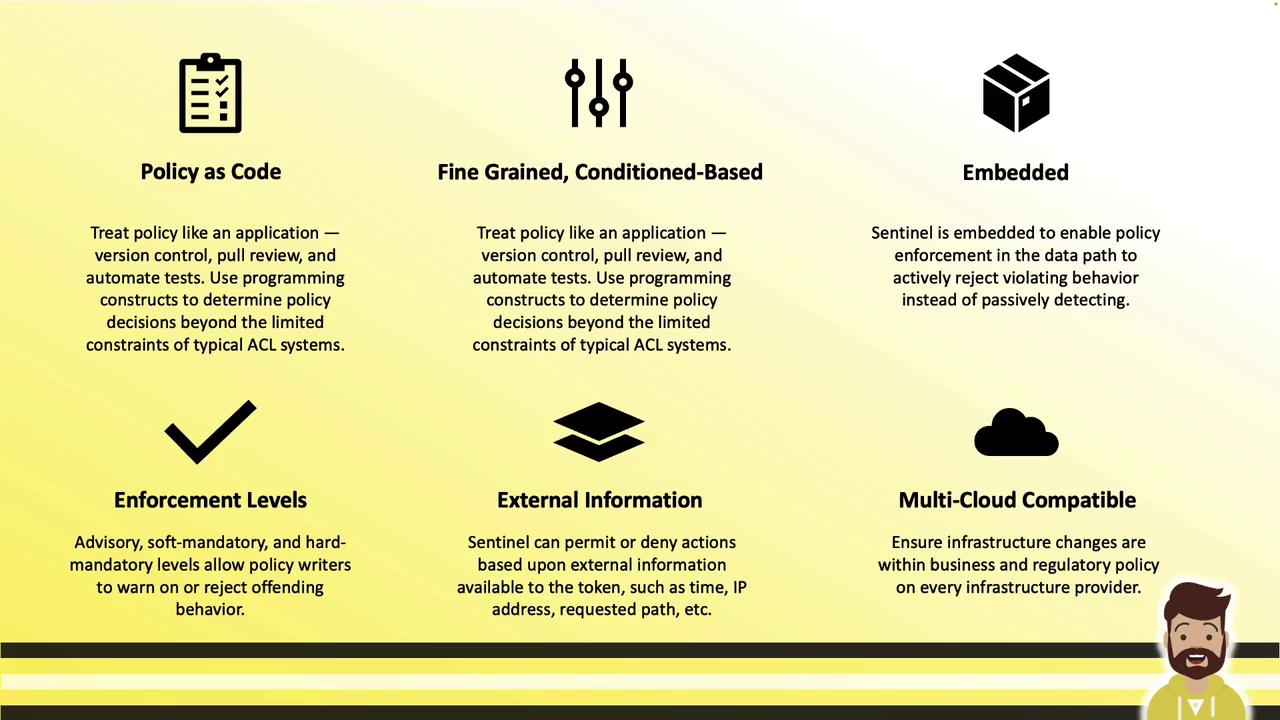
Sentinel is HashiCorp’s embedded policy-as-code framework, built directly into the Vault binary. It provides fine-grained, logic-based policy evaluation to permit or deny access to Vault paths and secrets based on dynamic conditions and external data.
With Sentinel you can:
* Treat policies like application code (version control, PR reviews, automated testing, CI/CD)
* Define condition-based rules (time, IP address, request path, MFA status, etc.)
* Pull in external data (current time, client IPs, request details)
* Enforce policies at three levels: advisory, soft mandatory, and hard mandatory
* Reuse the same policies across Terraform, Nomad, Vault, and Consul (enterprise editions)
Sentinel is embedded in the Vault binary. No additional services or agents are required.
***
## Sentinel Across HashiCorp Enterprise Products
Sentinel isn’t limited to Vault. It’s part of HashiCorp’s enterprise offerings for:
* Terraform
* Nomad
* Vault
* Consul
Once you author a Sentinel policy, you can apply it across these platforms with minimal changes.

***
## Types of Sentinel Policies
Vault supports two main policy types:
| Policy Type | Scope | Purpose |
| ----------------------------------: | ----------------------------------------- | ---------------------------------------------------------------- |
| **Role Governing Policy (RGP)** | Tokens, identity entities, and groups | Govern actions identities can perform based on role logic |
| **Endpoint Governing Policy (EGP)** | Specific API paths (authenticated or not) | Enforce conditions (source IP, business hours, MFA) per endpoint |
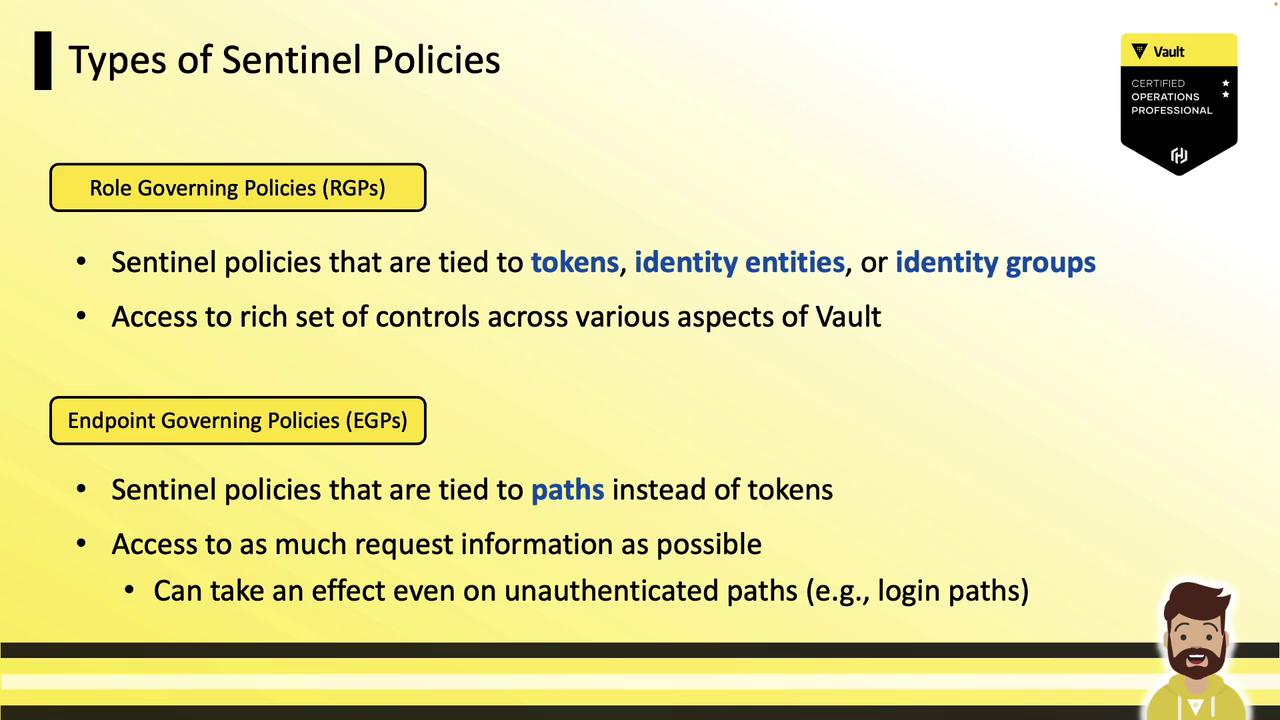
*Example:* An EGP on `/dev/data` could deny all access outside business hours, regardless of token validity.
***
## Anatomy of a Sentinel Policy
Every Sentinel policy consists of:
1. **Imports**: Standard libraries—`base64`, `decimal`, `http`, `json`, `sockaddr`, `time`, `mfa`, etc.
2. **Variables & helper rules**: Reusable rule definitions.
3. **main rule**: The required entry point. Returns `true` to allow or `false` to deny.
Basic template:
```sentinel theme={null}
import ""
helper_rule = rule {
}
main = rule {
}
```
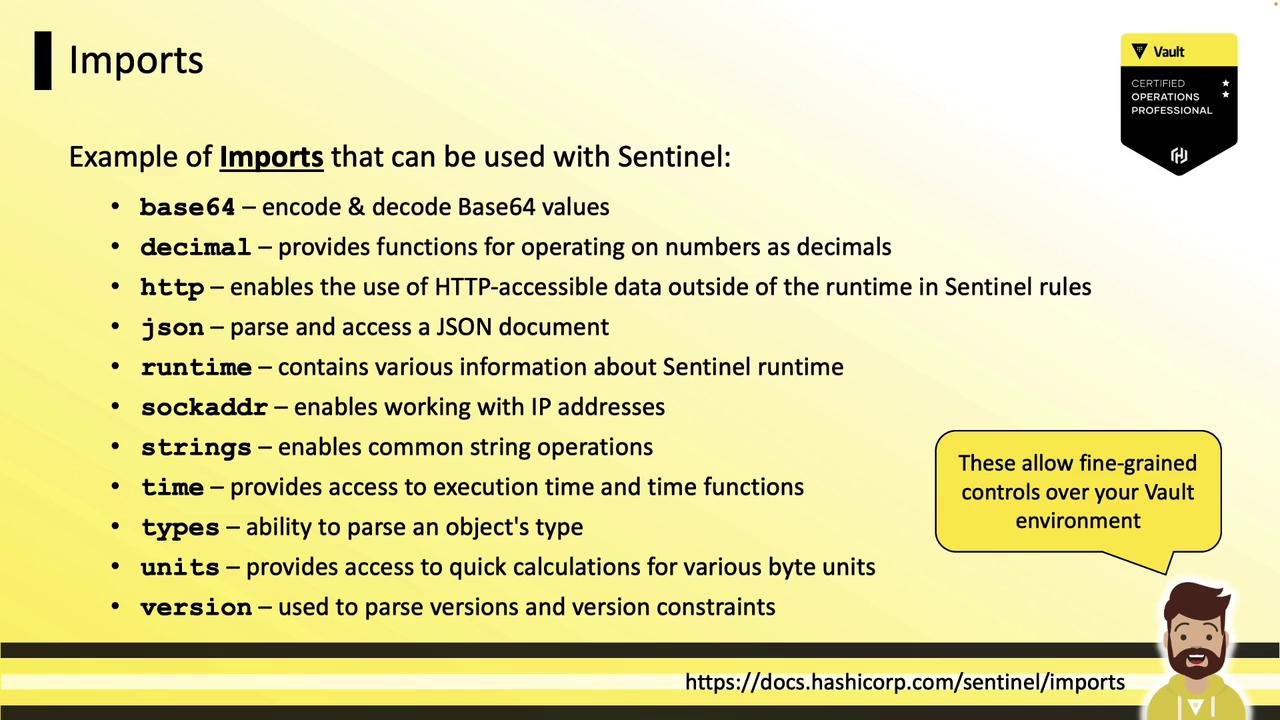
### Common Sentinel Imports
* `base64` – Encode/decode Base64 strings
* `decimal` – High-precision decimal arithmetic
* `http` – Perform HTTP requests within policies
* `json` – Parse and manipulate JSON data
* `sockaddr` – Handle IP addresses and CIDR blocks
* `time` – Load, compare, and parse timestamps
* `mfa` – Access the results of MFA methods
* `strings` – String manipulation functions
***
## Example RGP: Allow Specific Identities
This RGP grants access only to identities named “jeff” or members of the “sysops” group:
```sentinel theme={null}
main = rule {
identity.entity.name is "jeff" or
identity.entity.id is "fe2a5bfd-c483-9263-b0d4-f9d345efdf9f" or
"sysops" in identity.groups.names or
"14c0940a-5c07-4b97-81ec-0d423accb8e0" in keys(identity.groups.by-id)
}
```
Using the entity ID prevents bypass by deleting and recreating the user.
***
## Example EGP 1: Revoke Old Tokens
Apply to all paths (`*`) to deny tokens issued before a cutoff timestamp:
```sentinel theme={null}
import "time"
main = rule when not request.unauthenticated {
time.parse(request.auth.token.creation_time).unix >
time.parse("2022-12-25T00:00:01Z").unix
}
```
* `when not request.unauthenticated` ensures this only applies to authenticated requests.
* Denies any token created before **December 25, 2022**.
***
## Example EGP 2: LDAP Login with MFA and IP Check
This policy requires both an IP CIDR check and a Ping MFA challenge on `auth/ldap/login`:
```sentinel theme={null}
import "sockaddr"
import "mfa"
# IP must be within 10.0.23.0/16
cidrcheck = rule {
sockaddr.is_contained(request.connection.remote_addr, "10.0.23.0/16")
}
# Require Ping MFA validation
ping_valid = rule {
mfa.methods.ping.valid
}
main = rule when request.path is "auth/ldap/login" {
ping_valid and cidrcheck
}
```
***
## Enforcement Levels
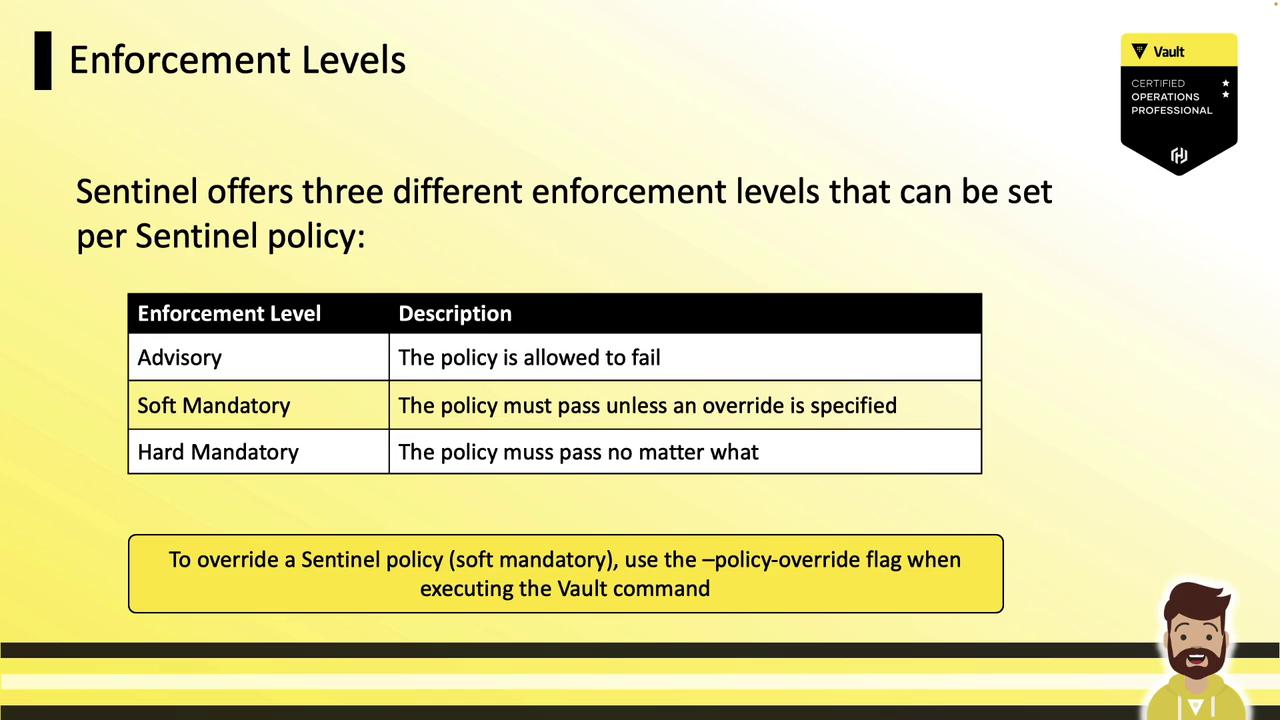
When creating RGPs or EGPs you choose:
* **Advisory**: Failures are logged but do not block requests.
* **Soft Mandatory**: Failures block requests unless `?policy_override=true` is specified.
* **Hard Mandatory**: Failures block requests with no override allowed.
***
## Creating Sentinel Policies in the Vault UI
### Role Governing Policy (RGP)
1. Navigate to **Policies > Role Governing**
2. Click **Create Policy**
3. Enter a name (e.g., `business-hours-access`)
4. Paste your Sentinel code:
```sentinel theme={null}
import "time"
# Weekdays (Mon–Fri) and 08:00–18:00
workdays = rule {
time.now.weekday > 0 && time.now.weekday < 6
}
workhours = rule {
time.now.hour >= 8 && time.now.hour < 18
}
main = rule {
workdays and workhours
}
```
5. Select an enforcement level
6. Click **Create Policy**
### Endpoint Governing Policy (EGP)
1. Go to **Policies > Endpoint Governing**
2. Click **Create Policy**
3. Provide a name (e.g., `cidr-validation-jenkins`)
4. Paste the policy:
```sentinel theme={null}
import "sockaddr"
cidrcheck = rule {
sockaddr.is_contained(request.connection.remote_addr, "10.0.16.88/32")
}
main = rule {
cidrcheck
}
```
5. Add the target paths (e.g., `kv/automation/jenkins`)
6. Choose enforcement level
7. Click **Create Policy**
***
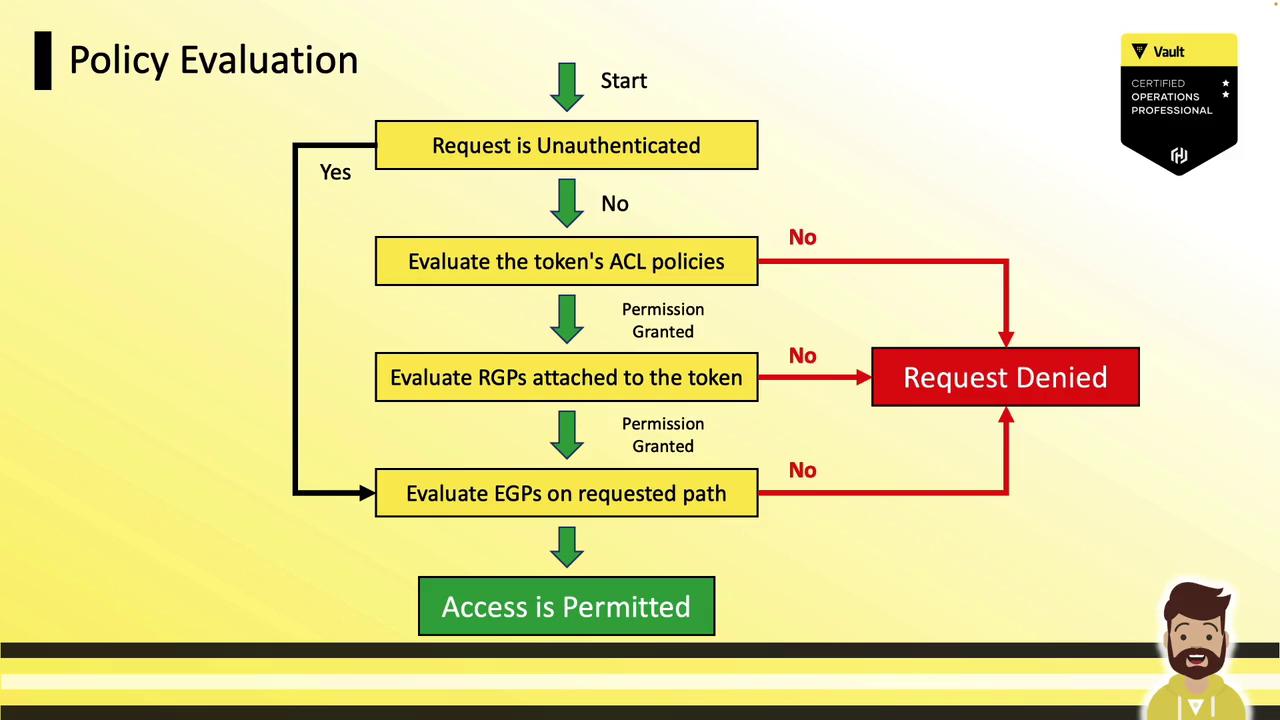
## Policy Evaluation Flow
1. **Unauthenticated path?**
* Yes → Evaluate any EGP on that path and permit/deny immediately.
2. **Authenticated request**\
a. Evaluate Vault ACL policies attached to the token; deny on failure.\
b. Evaluate RGPs attached to the identity; deny on failure.\
c. Evaluate any EGP on the requested path; deny on failure.\
d. If all checks pass → **Access Permitted**
Adding multiple Sentinel policies can increase evaluation overhead and may impact latency under heavy request loads. Monitor performance and optimize your rules accordingly.
***
### Root Token Bypass
Root tokens automatically bypass all Sentinel evaluations and are always granted access. For realistic performance testing, use regular service or batch tokens instead of root.
***
## References
* [Vault Sentinel Documentation](https://www.vaultproject.io/docs/sentinel)
* [HashiCorp Enterprise Sentinel](https://www.hashicorp.com/products/sentinel)
* [Vault Policy Management](https://www.vaultproject.io/docs/concepts/policies)
* [Terraform Enterprise Sentinel](https://www.terraform.io/docs/enterprise/sentinel)