> ## Documentation Index
> Fetch the complete documentation index at: https://notes.kodekloud.com/llms.txt
> Use this file to discover all available pages before exploring further.
# Vault Identity Entities and Groups
> Learn how HashiCorp Vaults Identity system manages user and machine identities, unifies authentication methods, and streamlines permission assignment.
Unlock the full power of HashiCorp Vault by mastering its Identity system. In this guide, you’ll learn how Entities, Aliases, and Groups help you manage user and machine identities, unify authentication methods, and streamline permission assignment.
***
## Vault Entities
A **Vault Entity** is the canonical representation of a user or machine (Vault client). When a unique client first authenticates, Vault’s Identity Secrets Engine creates an entity:
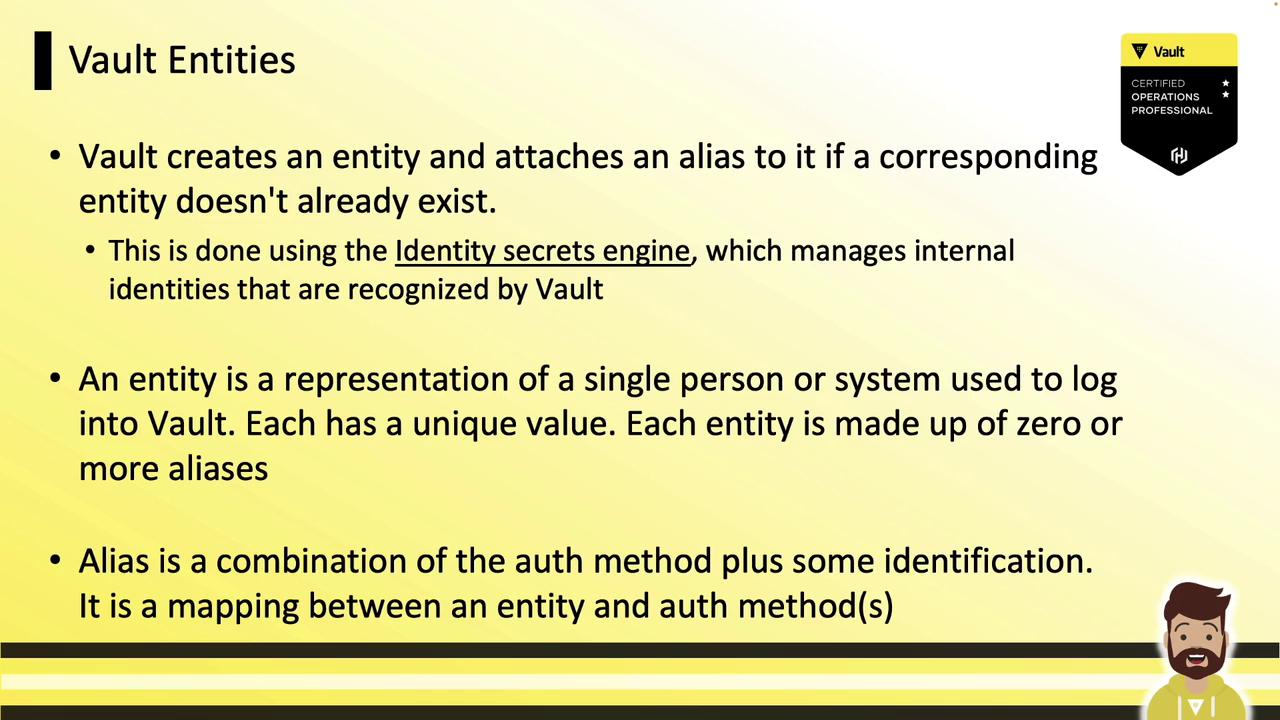
* Every entity has its own unique ID (`canonical_id`).
* Zero or more **Aliases** can link different auth methods and identifiers to the same entity.
* Attach **policies** and **metadata** (e.g., department, team) directly to an entity for centralized authorization.
Entities simplify auditing and policy management by providing a single point to attach metadata and policies.
***
## Entity Aliases
An **alias** connects an auth method (e.g., Userpass, LDAP, GitHub) and the user’s login identifier to an entity. If no matching alias exists at login, Vault automatically creates both the entity and its alias.
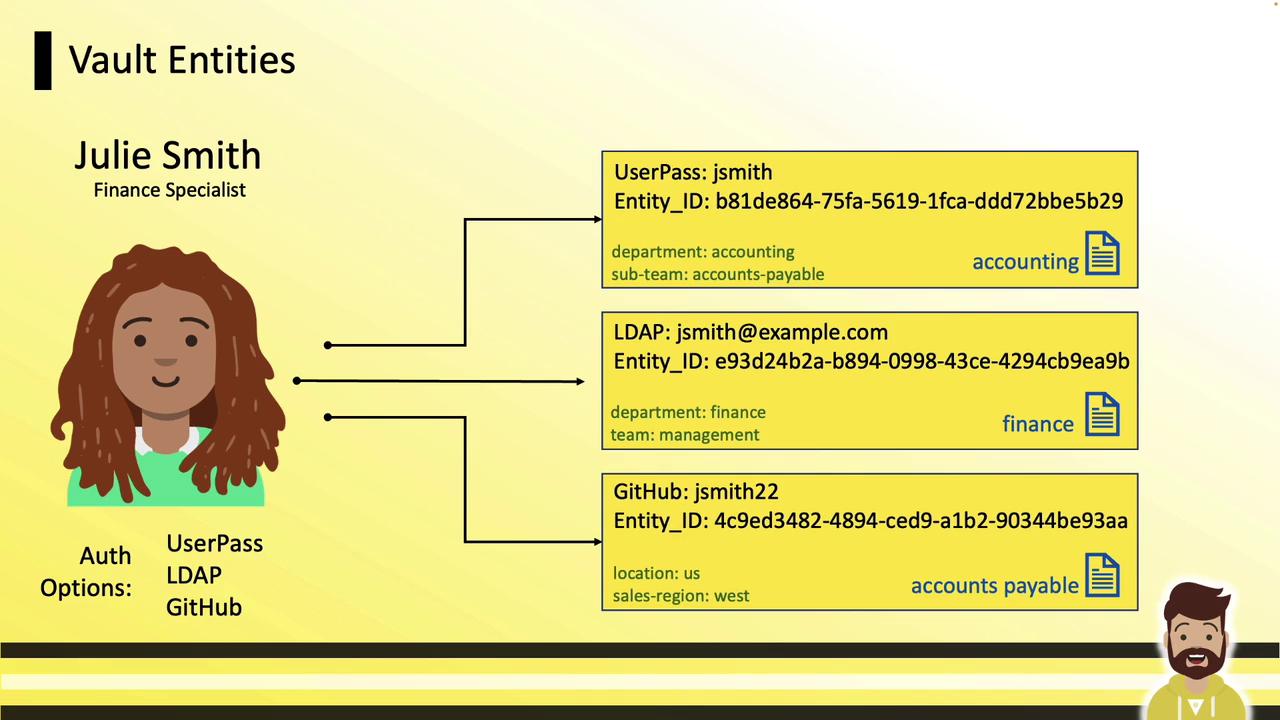
In this example, Julie Smith has three aliases:
| Auth Method | Login Identifier | Assigned Policy |
| ----------- | -------------------- | ------------------ |
| Userpass | `JSmith` | `accounting` |
| LDAP | `jsmith@example.com` | `finance` |
| GitHub | `JSmith22` | `accounts_payable` |
Without unification, Julie would need to log out and back in to switch permission sets.
***
## Unifying Aliases Under One Entity
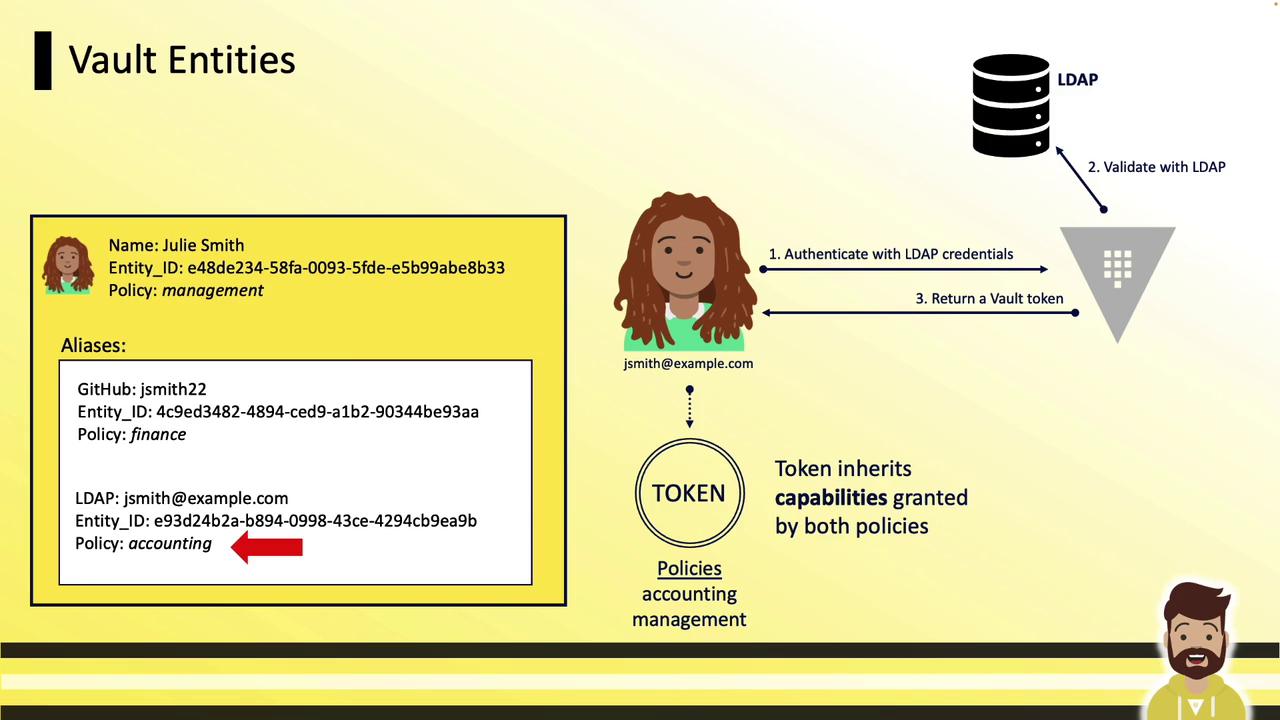
To grant Julie all her permissions in a single login, manually create one entity and map all aliases to it. Entities and aliases contribute their policies **additively**.
1. Create Julie’s entity with management metadata:
```bash theme={null}
vault write identity/entity \
name="Julie Smith" \
policies="it-management" \
metadata="organization"="HCVOP, Inc" \
metadata="team"="management"
```
Save the returned `entity_id` (the `canonical_id`).
2. Add each alias, using the appropriate `mount_accessor` for the auth method:
```bash theme={null}
# GitHub alias
vault write identity/entity-alias \
name="jsmith22" \
canonical_id="" \
mount_accessor=""
# LDAP alias
vault write identity/entity-alias \
name="jsmith@hcvop.com" \
canonical_id="" \
mount_accessor=""
```
Get your `mount_accessor` values with:
```bash theme={null}
vault auth list
```
Ensure each `mount_accessor` matches the correct auth path. Misconfigured accessors may lead to orphaned aliases.
Once configured, any login by Julie—whether via LDAP, GitHub, or Userpass—yields a token with:
* Policies from the alias (e.g., `finance`)
* Policies from the entity (e.g., `it-management`)
***
## Vault Groups
Groups let you bundle multiple entities (and even other groups) under shared policies. This structure scales permission management across teams.
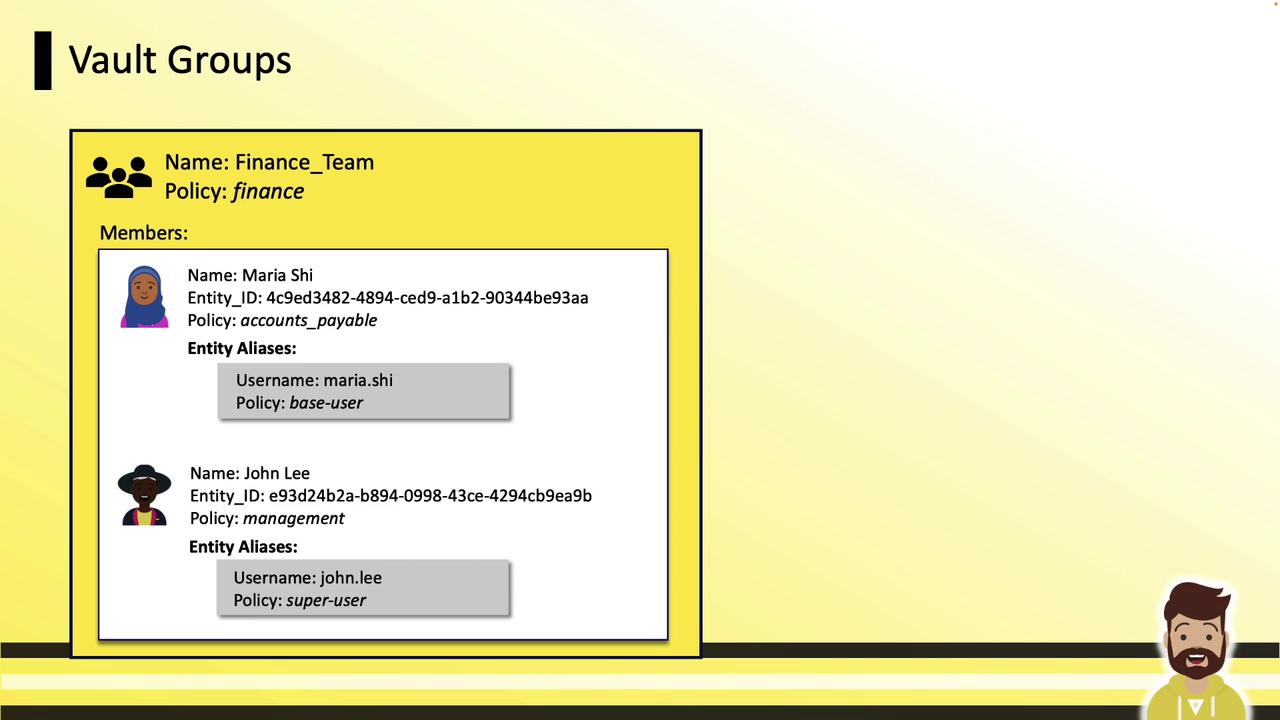
Example group configuration:
| Group Name | Members | Group Policy |
| -------------- | ----------------------- | ------------ |
| `finance_team` | `maria.she`, `john.lee` | `finance` |
* **Maria Shi** (alias `maria.she`) has `base_user` via her entity.
* **John Lee** (alias `john.lee`) has `superuser` via his entity.
When John logs in:
* He inherits `superuser` (alias).
* He gets `management` (entity).
* He also receives `finance` (group).
***
## Internal vs. External Groups
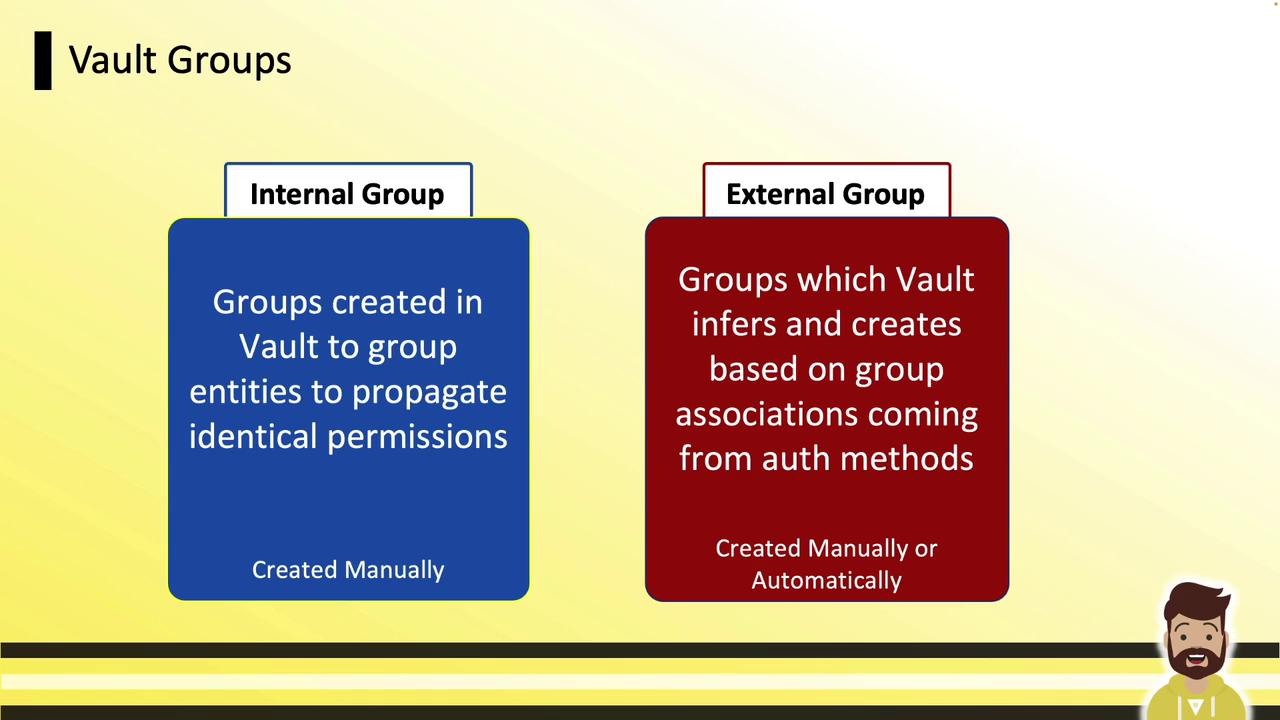
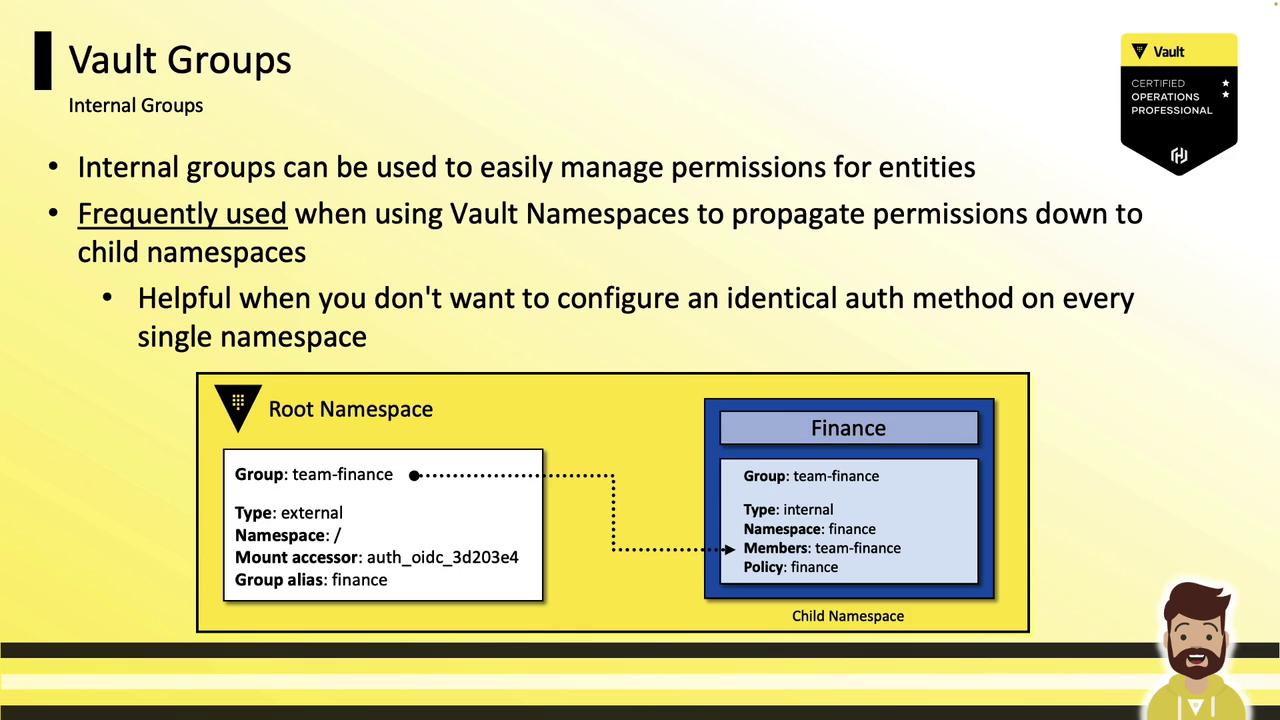
### Internal Groups
* Defined and managed solely within Vault.
* Ideal for grouping entities that share identical permission sets.
* Permissions automatically propagate into child namespaces without reconfiguring auth backends.
### External Groups
* Created in Vault to mirror groups from external identity providers (LDAP, Okta, OIDC).
* Membership is controlled at the IDP—Vault simply assigns matching policies.
* Automatically keeps Vault policies in sync with your existing corporate groups.
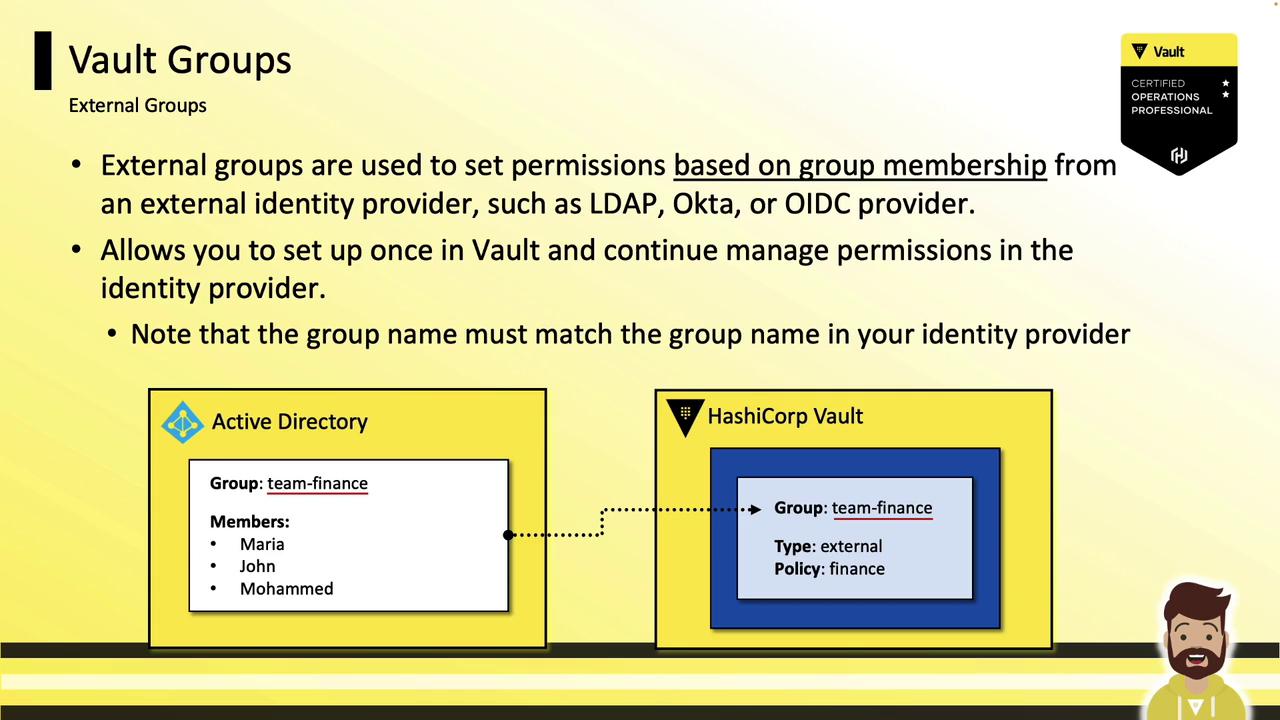
**Workflow for External Groups**:
1. Enable and configure the auth method (e.g., LDAP).
2. Create an external group in Vault matching the IDP’s group name.
3. Attach policies to that external group.
4. Users in the IDP group inherit those policies on Vault login.
***
## Further Reading and References
* [Vault Identity Secrets Engine](https://www.vaultproject.io/docs/secrets/identity)
* [Vault Authentication Methods](https://www.vaultproject.io/docs/auth)
* [Vault Namespaces](https://www.vaultproject.io/docs/enterprise/namespaces)
* [HashiCorp Vault Documentation](https://www.vaultproject.io/docs)
Master these Identity features to automate policy management, simplify user access, and maintain tight security controls in your Vault environment.