> ## Documentation Index
> Fetch the complete documentation index at: https://notes.kodekloud.com/llms.txt
> Use this file to discover all available pages before exploring further.
# Vault Namespace
> Vault Namespaces enable isolated virtual environments within a single cluster, facilitating multi-tenancy and delegated management of policies, auth methods, and secrets.
Vault Namespaces provide isolated, virtual Vault environments within a single cluster. They enable multi-tenancy by letting you delegate administration, manage policies, auth methods, secrets engines, tokens, and identities per namespace—without running multiple clusters or storage backends.
Vault Namespaces are available only in **Vault Enterprise**.\
See [Enterprise Namespaces Documentation](https://www.vaultproject.io/docs/enterprise/namespaces) for more details.
## What Is a Namespace?
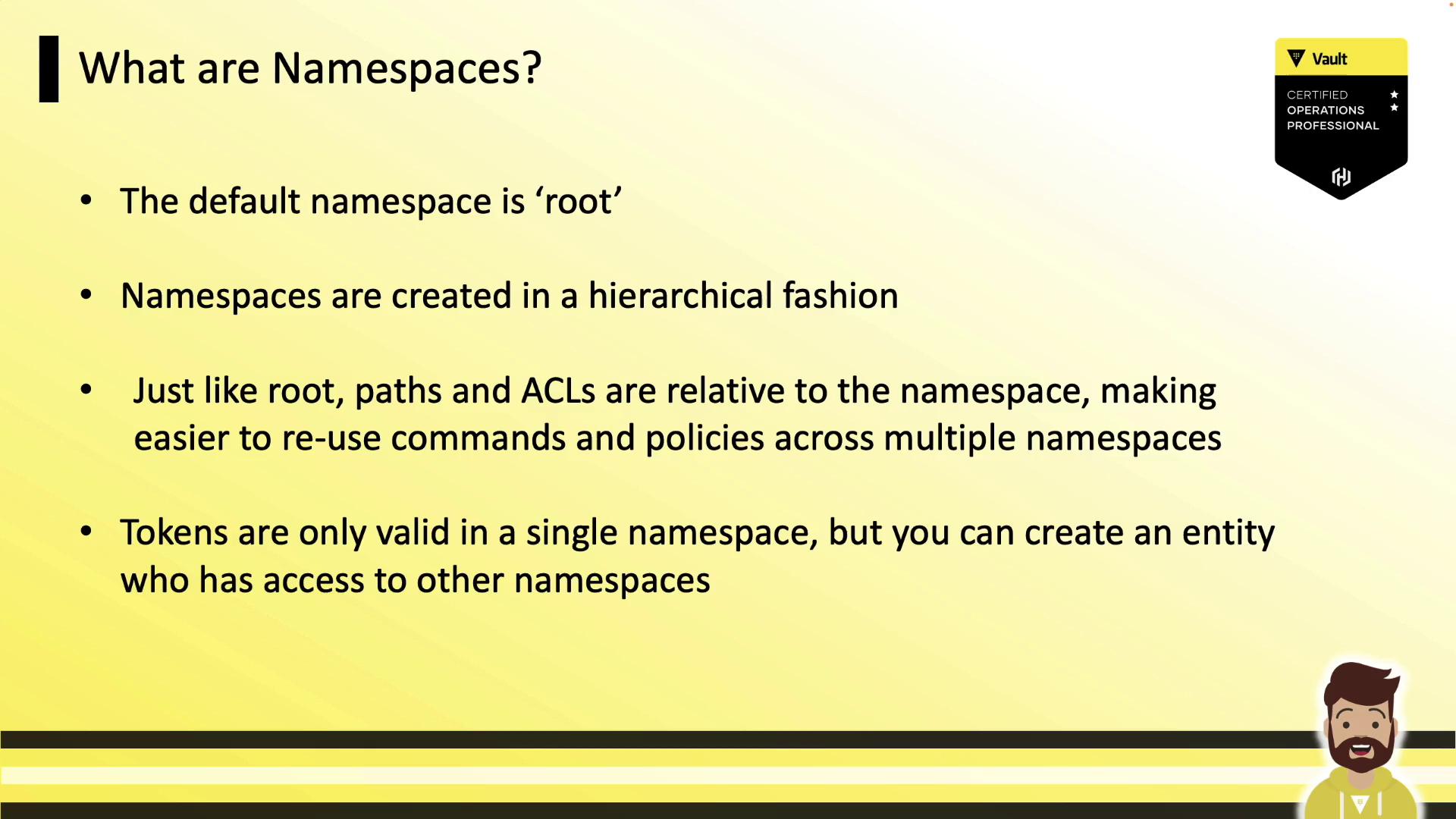
A Vault namespace is a child environment inside the root namespace. Each namespace acts like a standalone Vault, offering:
* Fully isolated policies, auth methods, and secrets engines
* Delegation of administration to namespace-specific admins
* Centralized cluster management (storage backend, audit devices, upgrades)
* Hierarchical namespaces, with support for nested child namespaces
* Namespace-scoped tokens (valid only within the issuing namespace)
## Namespace Hierarchy
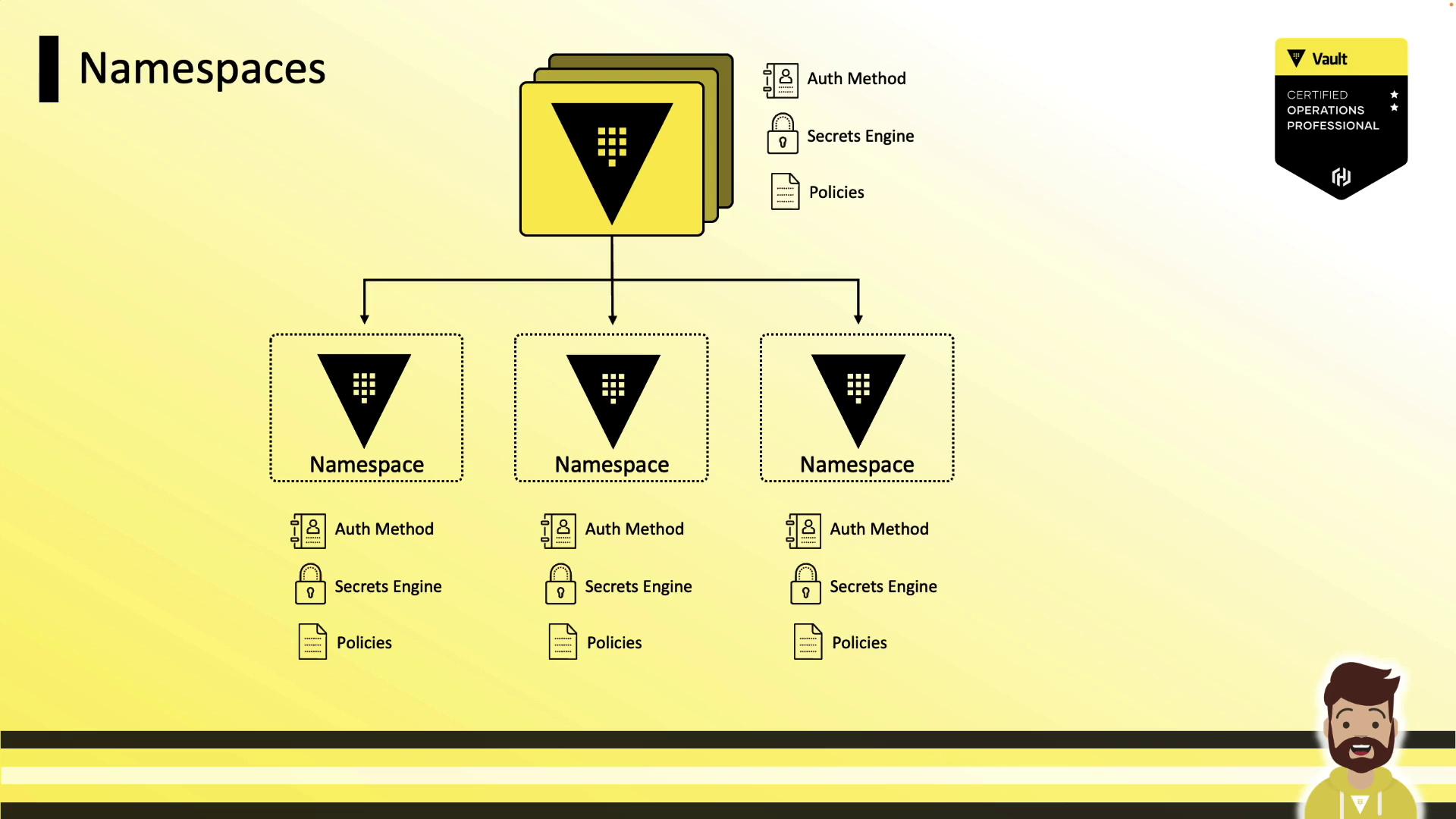
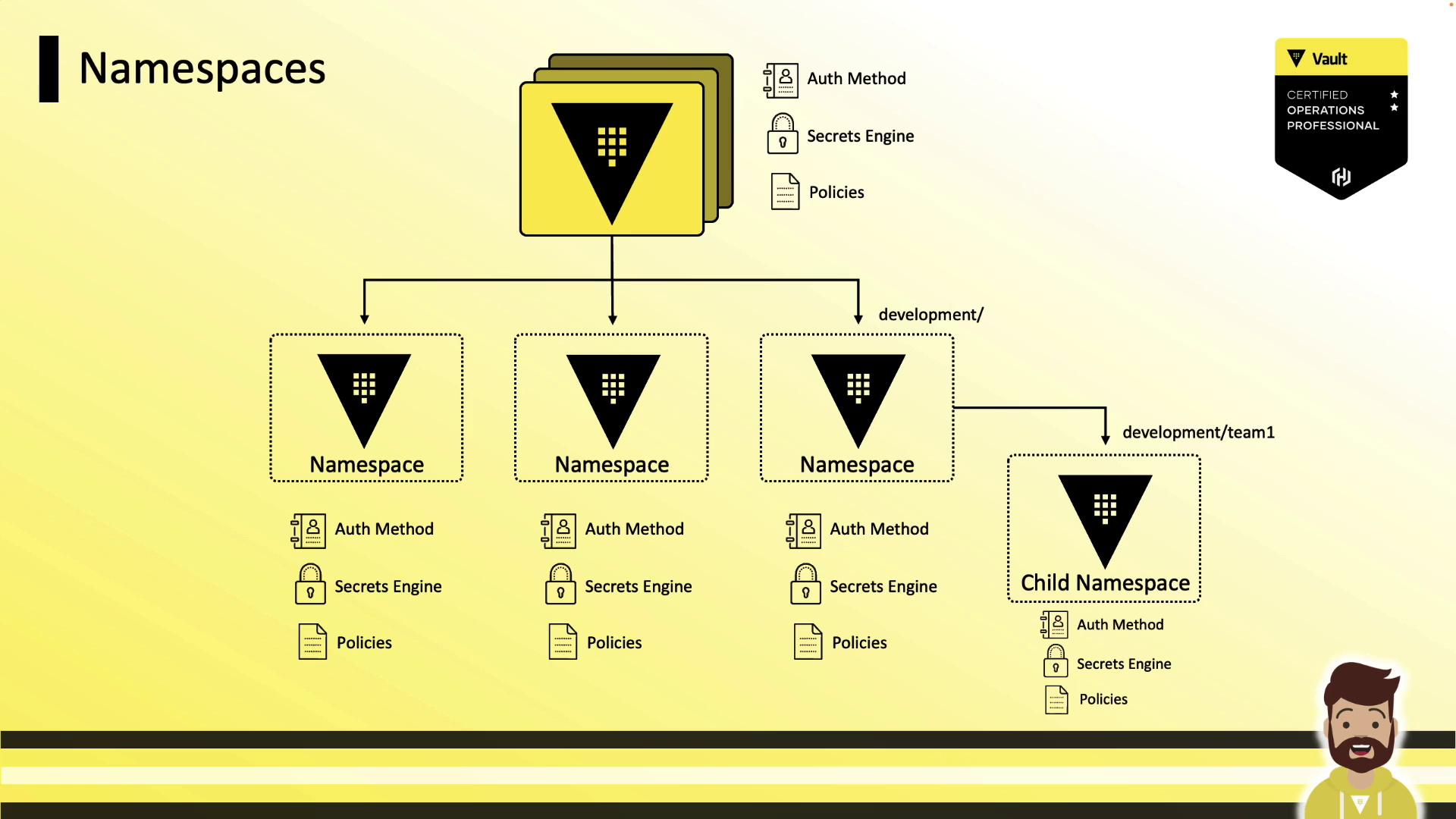
Namespaces are organized in a tree structure under the root. You can enable auth methods, secrets engines, and policies at any level—paths and ACLs are always relative to the namespace where they’re defined. This makes policy reuse straightforward.
Each namespace can spawn child namespaces indefinitely:
## Assigning Namespaces to Teams
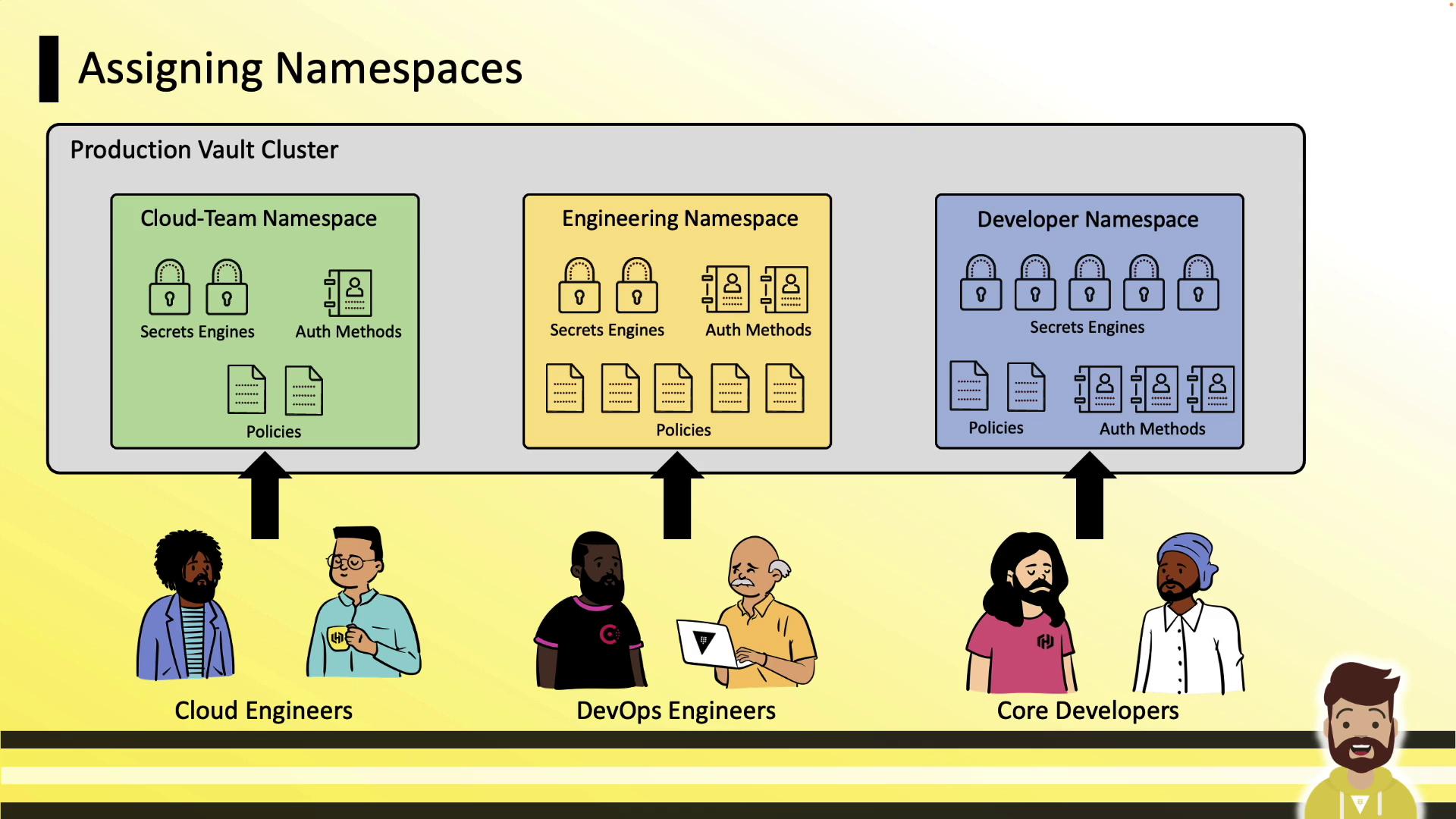
In a production Vault cluster, you might create separate namespaces for Cloud, Engineering, and Developer teams. Each namespace starts empty—no auth methods or engines are enabled by default.
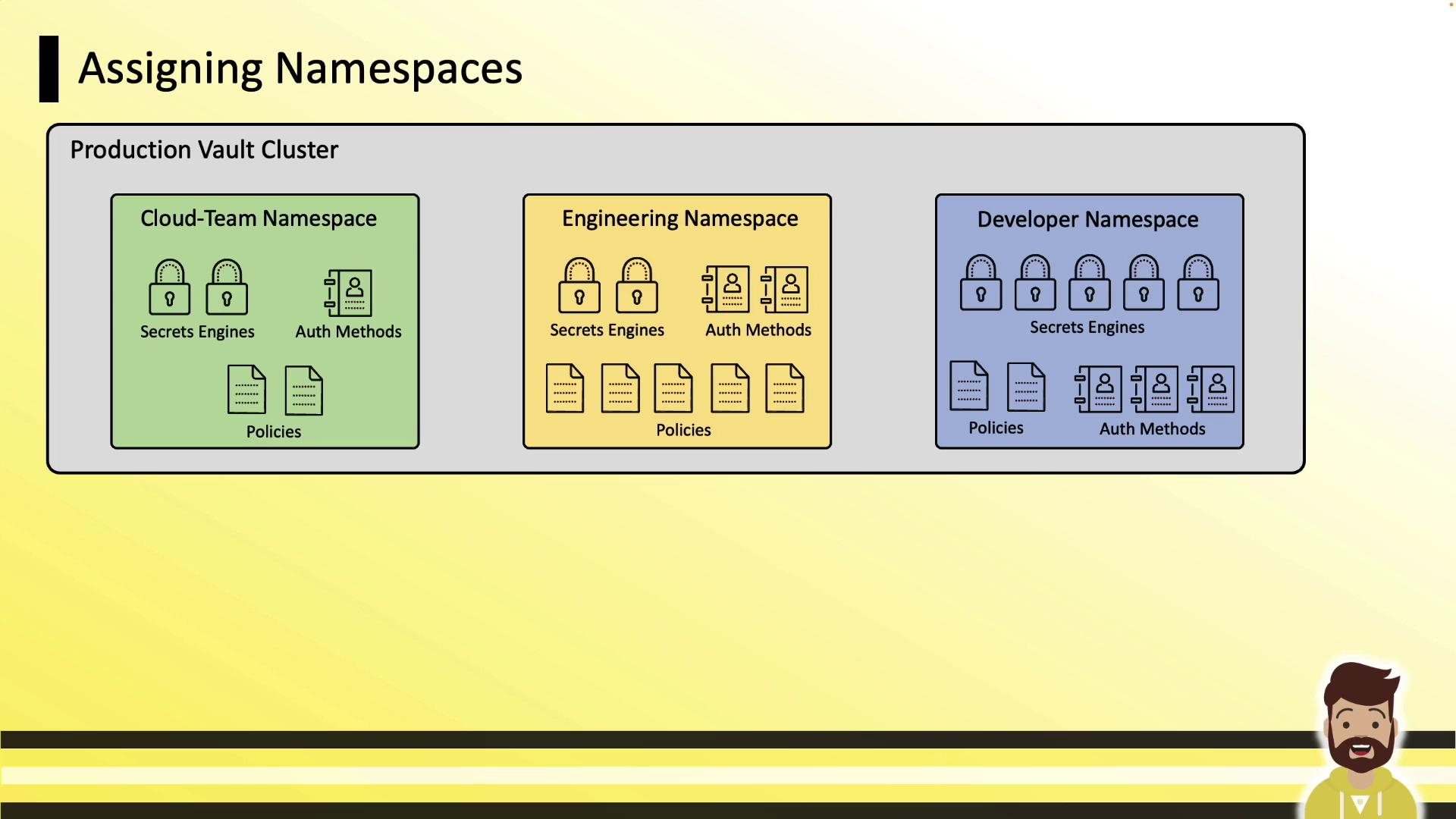
Teams then manage only their assigned namespace:
## Administrative Delegation
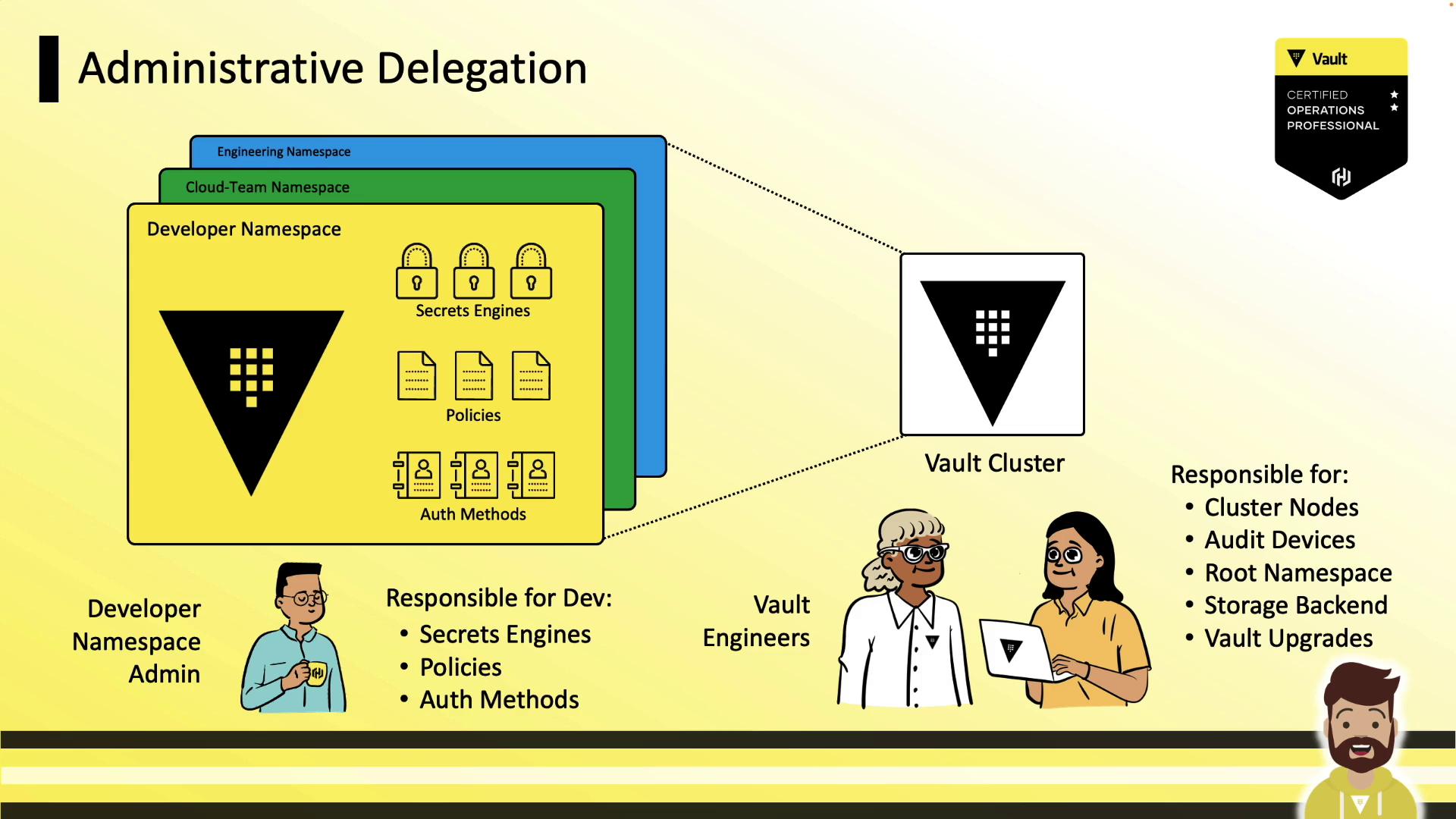
Vault engineers handle cluster-wide tasks (storage backend, root namespace, upgrades). Namespace admins (e.g., developers) gain autonomy to configure auth methods, secrets engines, policies, and tokens—without tickets.
## Authenticating to Namespaces
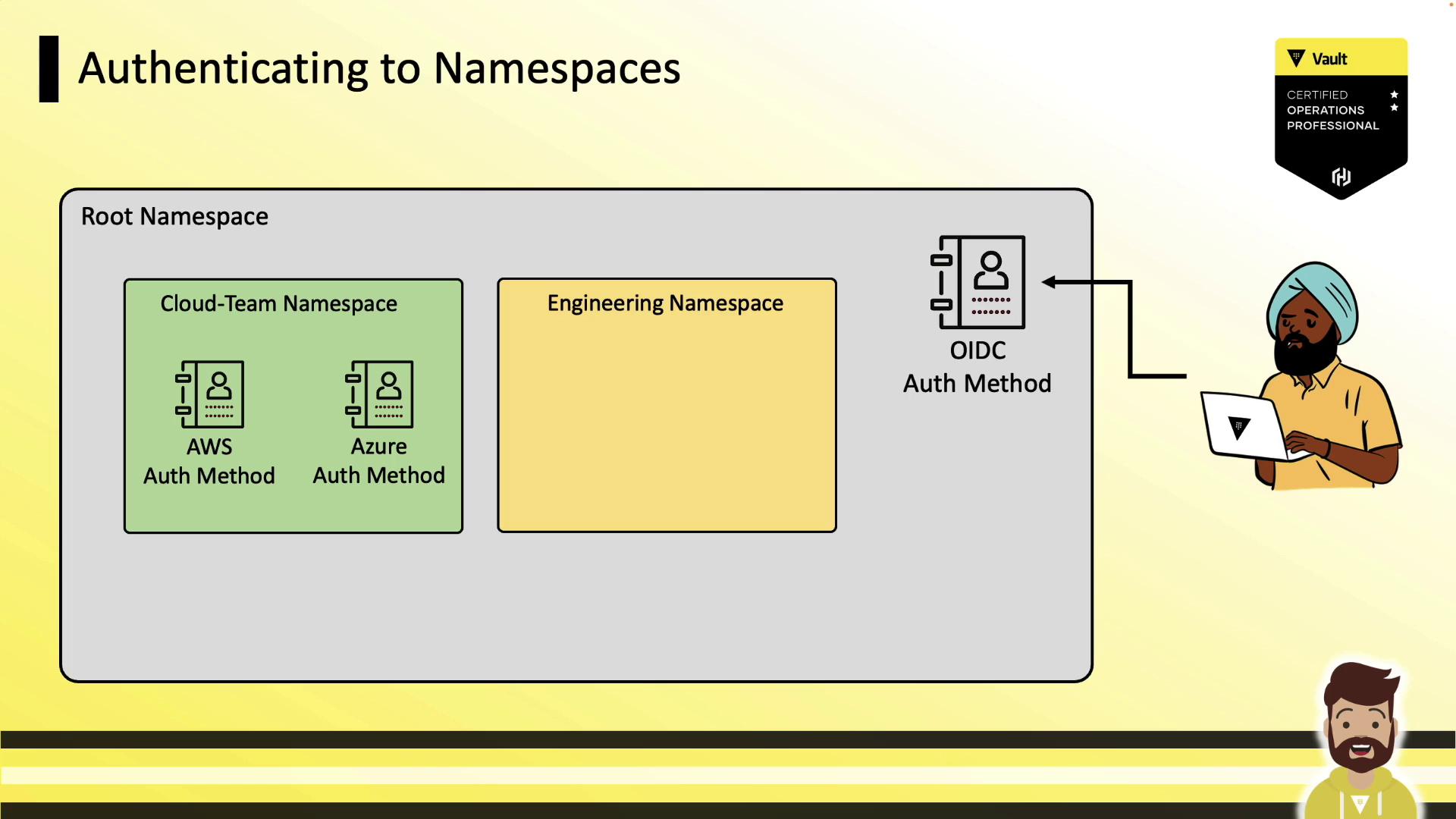
Users authenticate either at the root or directly into child namespaces—wherever relevant auth methods are enabled.
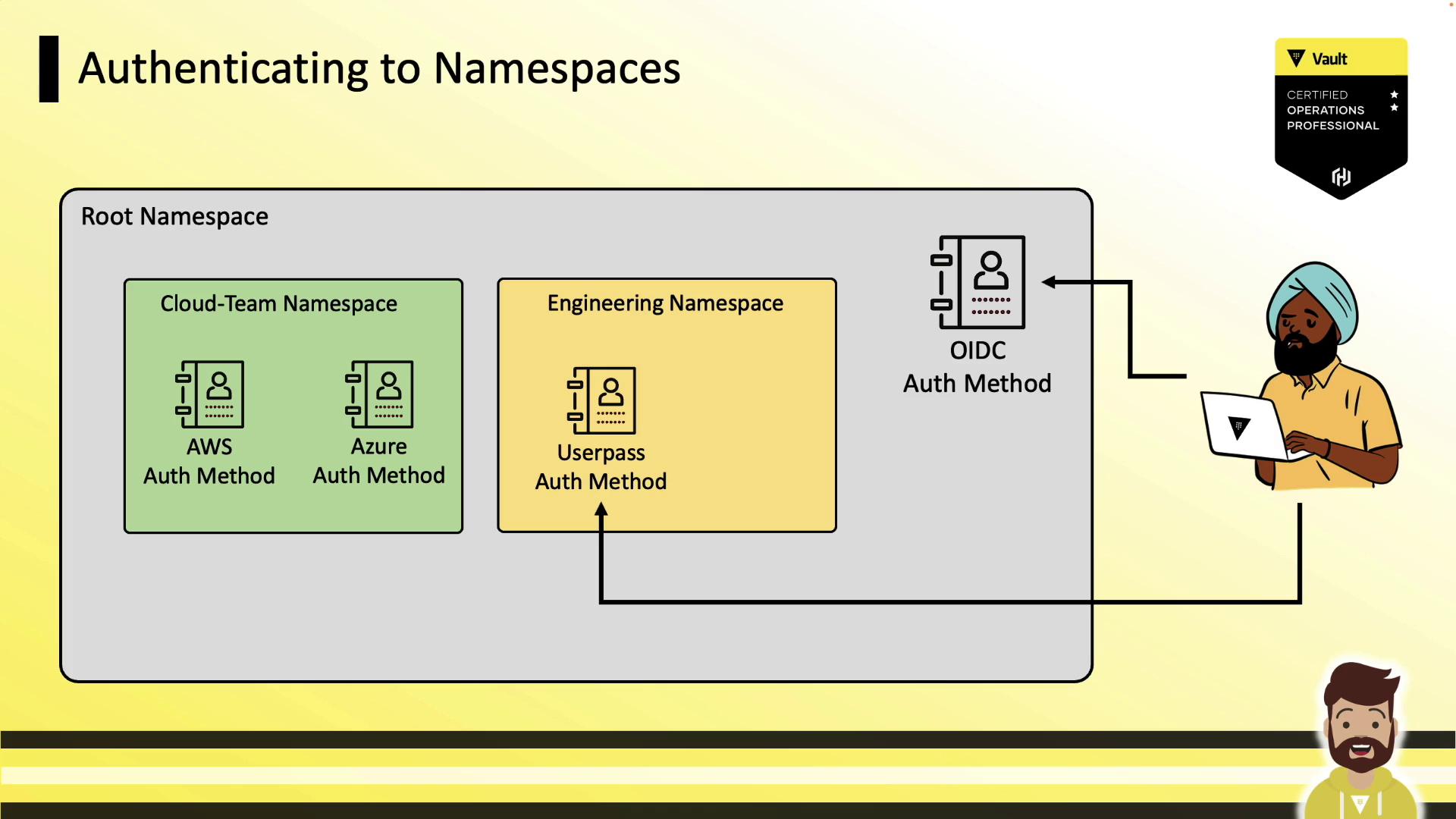
If a child namespace has its own auth method enabled (e.g., `userpass`), users can log in directly there:
## Common Namespace CLI Commands
| Command | Description | Example |
| ---------------- | ---------------------------- | ------------------------------------ |
| Create namespace | Create a new namespace | `vault namespace create ` |
| List namespaces | List all existing namespaces | `vault namespace list` |
| Delete namespace | Remove an existing namespace | `vault namespace delete ` |
```bash theme={null}
$ vault namespace create cloud-team
Key Value
--- -----
id n57y6
path cloud-team/
$ vault namespace list
$ vault namespace delete cloud-team
```
### Using an Environment Variable
Set `VAULT_NAMESPACE` so all CLI requests default to that namespace:
```bash theme={null}
export VAULT_NAMESPACE=cloud-team
vault kv get kv/data/sql/prod
```
### Using the `-namespace` Flag
Override the namespace for a single command:
```bash theme={null}
vault kv get -namespace=cloud-team kv/data/sql/prod
```
### Nested Namespace Example
Combine both methods to target child namespaces:
```bash theme={null}
export VAULT_NAMESPACE=cloud-team
vault kv get -namespace=team-one kv/data/sql/prod
```
## Using Namespaces in the API
You can specify namespaces either via a header or in the URL path.
| Method | Description |
| ----------------- | --------------------------------------- |
| Header approach | Send `X-Vault-Namespace` in the request |
| URL path approach | Prefix the endpoint with `/` |
### 1. X-Vault-Namespace Header
```bash theme={null}
curl \
--header "X-Vault-Token: hvs.a83b50ed2aa548212" \
--header "X-Vault-Namespace: development/" \
--request GET \
https://vault.example.com:8200/v1/kv/data/sql/prod
```
### 2. Namespace in the URL Path
```bash theme={null}
curl \
--header "X-Vault-Token: hvs.CAESIA7Y-LwSxnE926onQwdxIUf7" \
--request GET \
https://vault.example.com:8200/v1/development/kv/data/sql/prod
```
For nested namespaces, extend the path:\
`v1/development/team-one/kv/data/sql/prod`
## Writing Policies for Namespaces
Policy paths are relative to their namespace:
Inside `cloud-team`:
```hcl theme={null}
path "database/creds/prod-db" {
capabilities = ["read"]
}
```
From the root namespace to access a secret in `cloud-team`:
```hcl theme={null}
path "cloud-team/database/creds/prod-db" {
capabilities = ["read"]
}
```
Include further segments for deeper hierarchies.
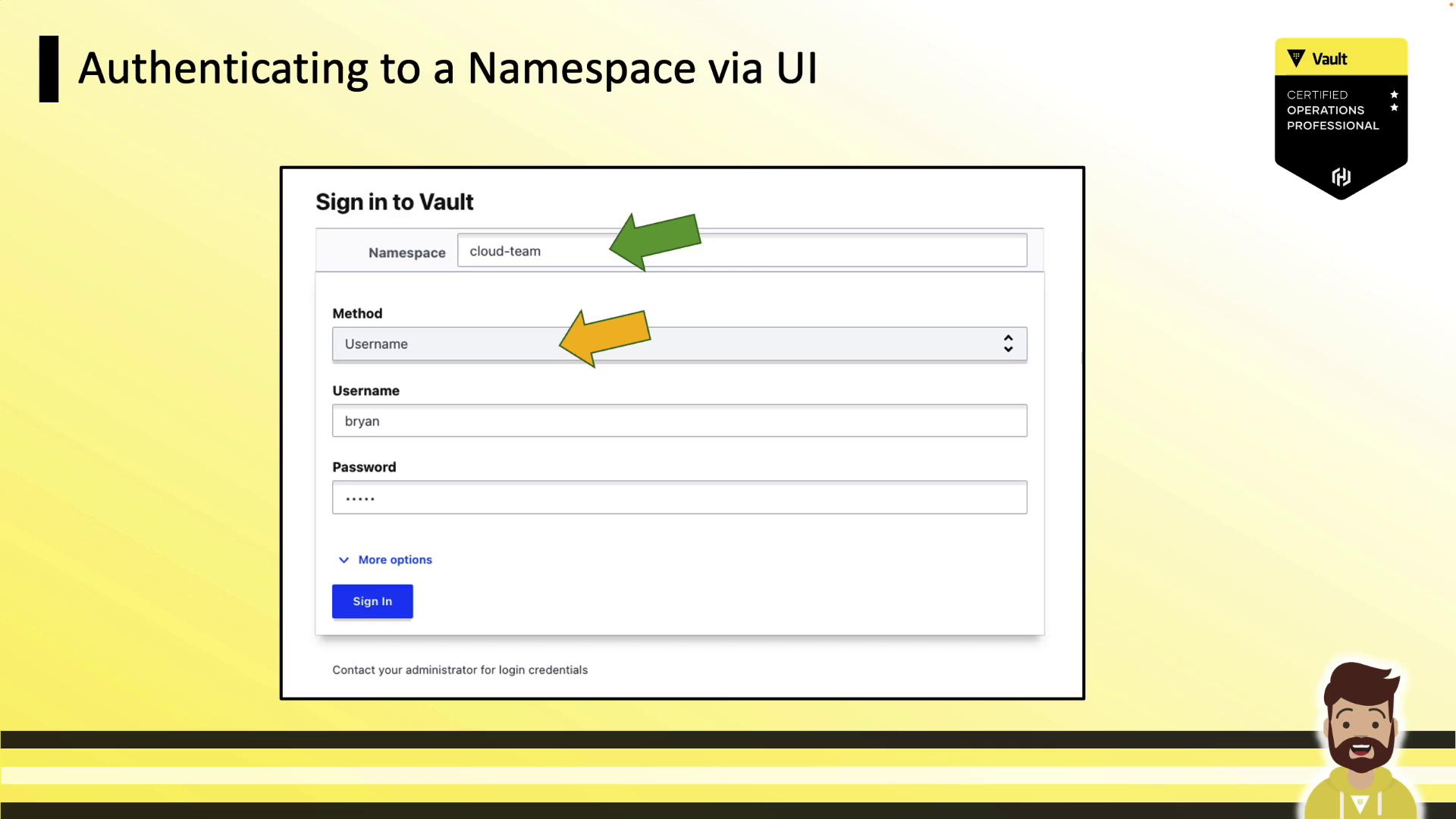
## Authenticating via the UI
When signing in, specify your namespace (default is `root`), choose the auth method, and enter your credentials:
## Conclusion
Vault Namespaces streamline multi-tenant deployments, enabling delegated management and isolated environments within a single cluster. Master the CLI, API, and UI workflows for effective namespace administration and be prepared for your Vault certification.
## References
* [Vault Enterprise Namespaces](https://www.vaultproject.io/docs/enterprise/namespaces)
* [Vault CLI Documentation](https://www.vaultproject.io/docs/commands)
* [Vault HTTP API](https://www.vaultproject.io/api-docs)