> ## Documentation Index
> Fetch the complete documentation index at: https://notes.kodekloud.com/llms.txt
> Use this file to discover all available pages before exploring further.
# Cubbyhole Secrets Engine
> Vault’s Cubbyhole Secrets Engine provides isolated storage for secrets, ensuring each token has a private compartment that is destroyed upon expiration or revocation.
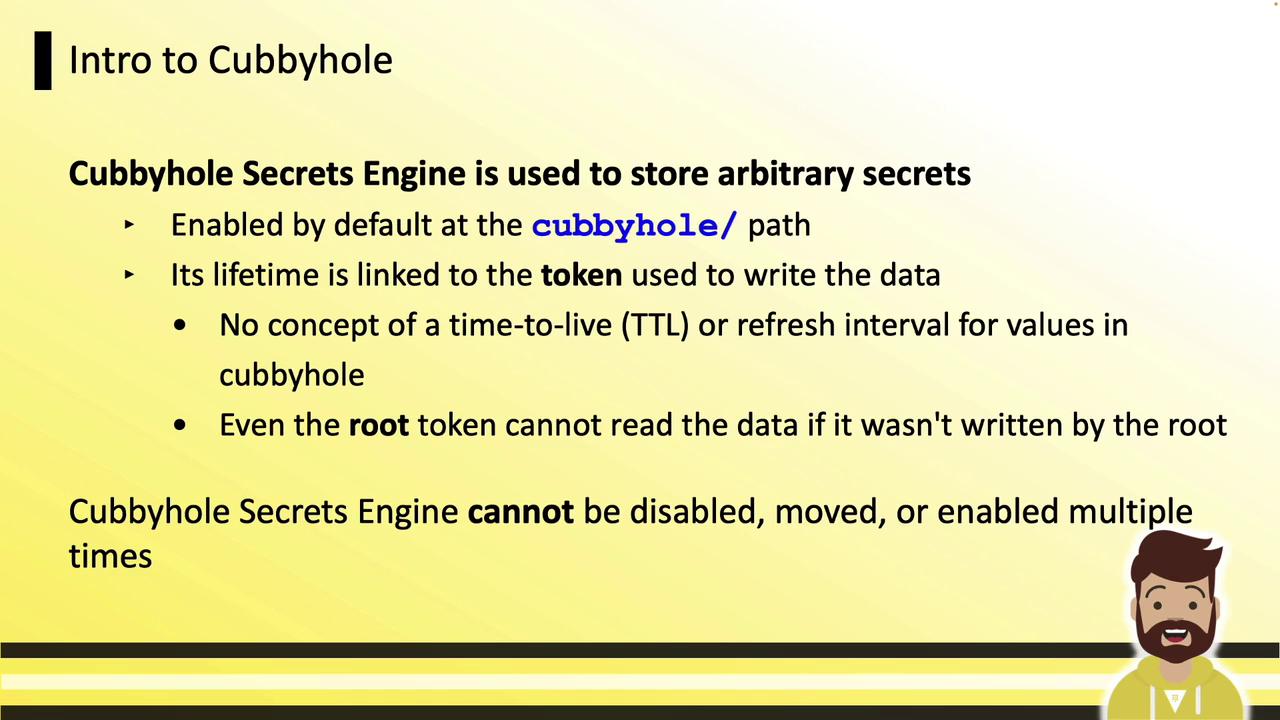
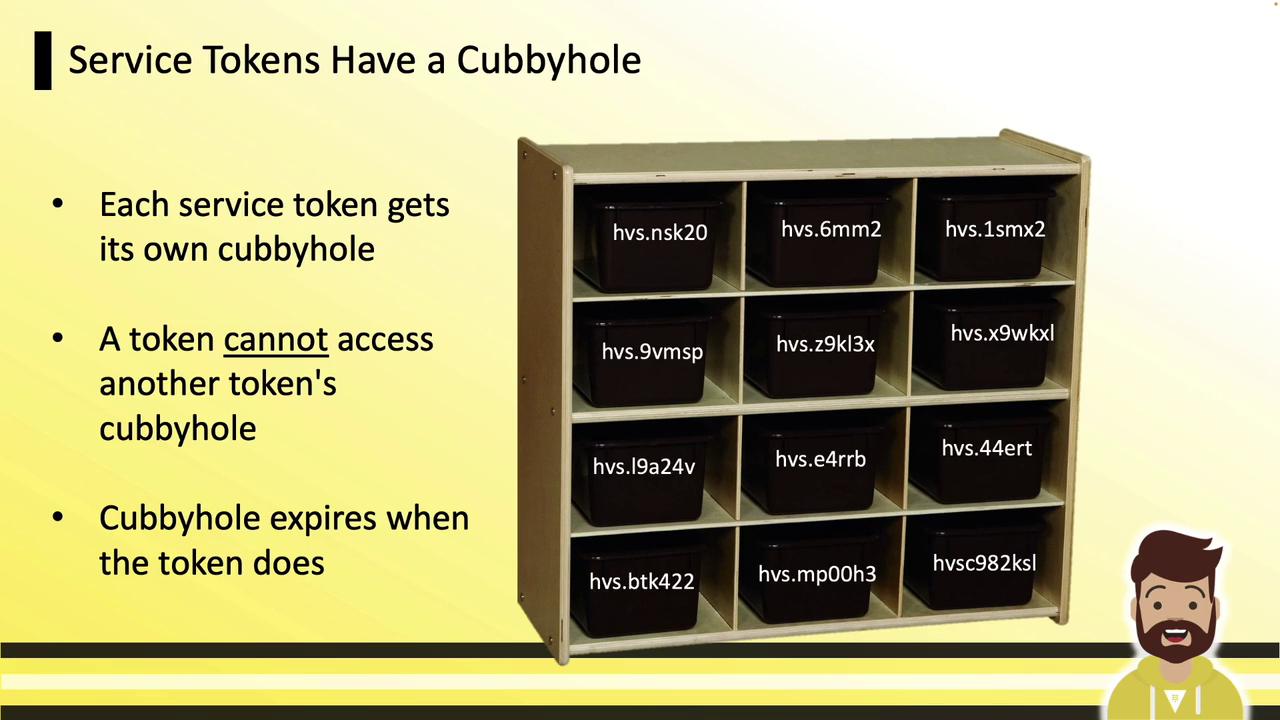
Vault’s **Cubbyhole Secrets Engine** offers isolated, per-token storage for secrets. Just like kindergarten cubbies, each token gets its own private compartment: when the token is revoked or expires, its cubbyhole and all its contents are destroyed. No other token—even the root token—can access another token’s cubbyhole.
The Cubbyhole engine is automatically enabled at the `cubbyhole/` path. It cannot be disabled, relocated, or instantiated multiple times.
Imagine each basket below represents a token’s private cubbyhole. When the token’s TTL ends or it’s revoked, its basket—and everything inside—vanishes.
## Viewing and Using Cubbyhole
You don’t need to enable Cubbyhole—it’s always available. Verify it with:
```bash theme={null}
vault secrets list
```
Example output:
```text theme={null}
Path Type Accessor Description
---- ---- --------- -----------
cloud/ kv kv_dd590f0e
cubbyhole/ cubbyhole cubbyhole_9c6c2ca2 per-token private secret storage
identity/ identity identity_e55fbf01 n/a
kv/ kv kv_ed482380 n/a
kvv2/ kv kv_0559442e n/a
```
### CLI: Write and Read
Use KV v1–style commands:
```bash theme={null}
# Write a secret
vault write cubbyhole/training certification=hcvop
# Read the secret
vault read cubbyhole/training
```
### API: Write and Read
Using the HTTP API:
```bash theme={null}
# Write
curl \
--header "X-Vault-Token: ${VAULT_TOKEN}" \
--request POST \
--data '{"certification":"hcvop"}' \
https://vault.example.com:8200/v1/cubbyhole/training
# Read
curl \
--header "X-Vault-Token: ${VAULT_TOKEN}" \
https://vault.example.com:8200/v1/cubbyhole/training
```
For more, see the [Vault API Reference](https://www.vaultproject.io/api-docs).
***
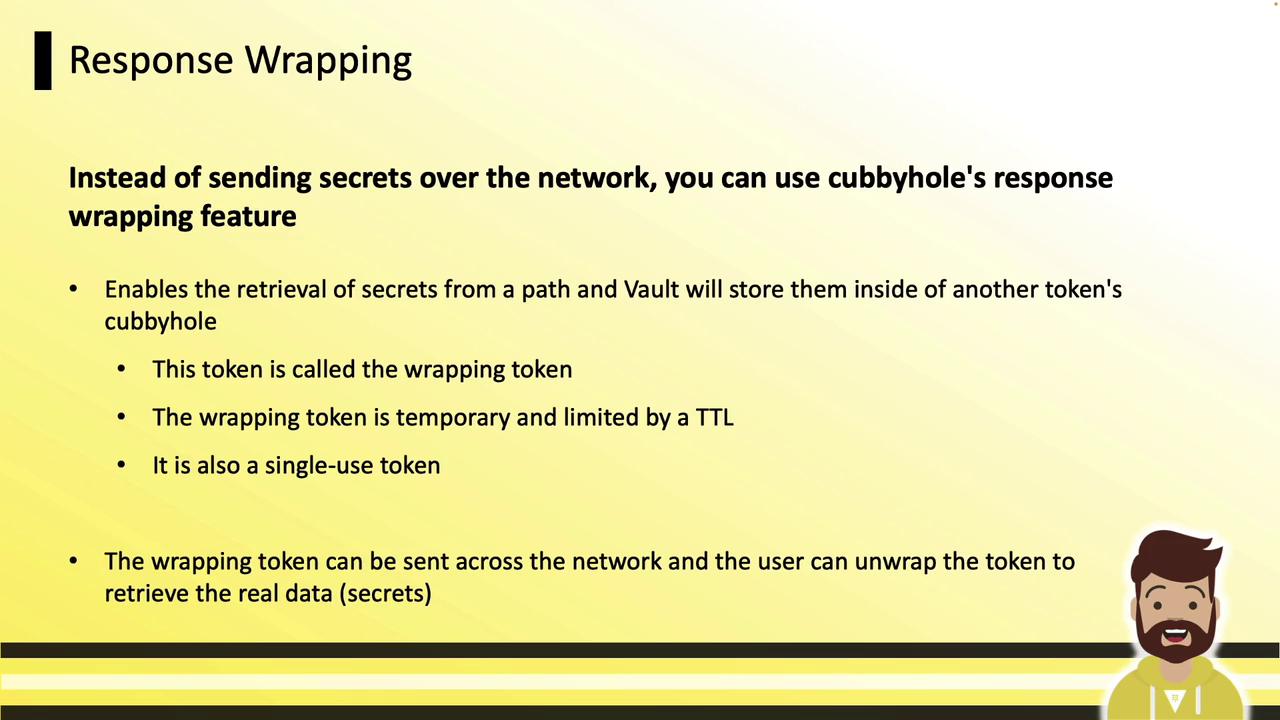
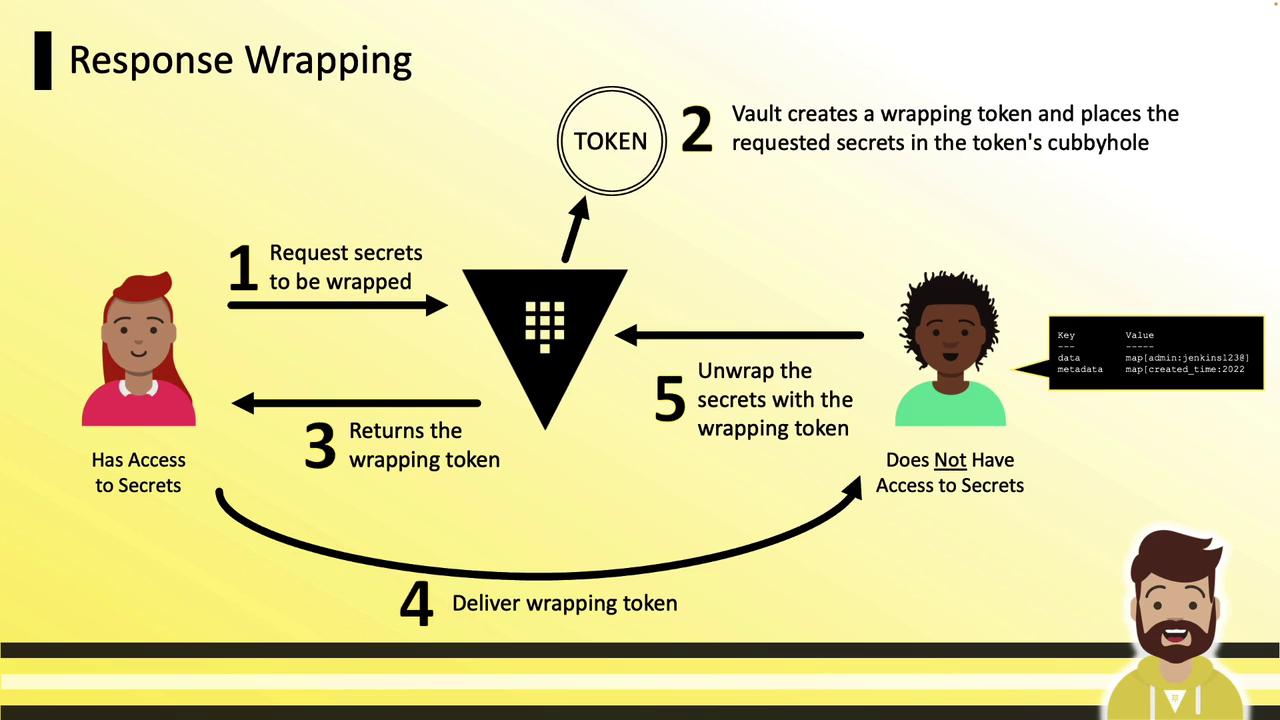
Response wrapping lets you transmit secrets securely over untrusted channels (e.g., email, chat). Instead of sending raw data, Vault issues a **wrapping token**, stores the secret in that token’s cubbyhole, and returns only the token. The recipient unpacks it to retrieve the secret.
## Workflow Overview
1. Requester asks Vault for a secret.
2. Vault returns a wrapping token instead of the secret data.
3. Vault stores the secret in the wrapping token’s cubbyhole.
4. Requester shares the wrapping token over any channel.
5. Recipient unwraps the token to fetch the secret.
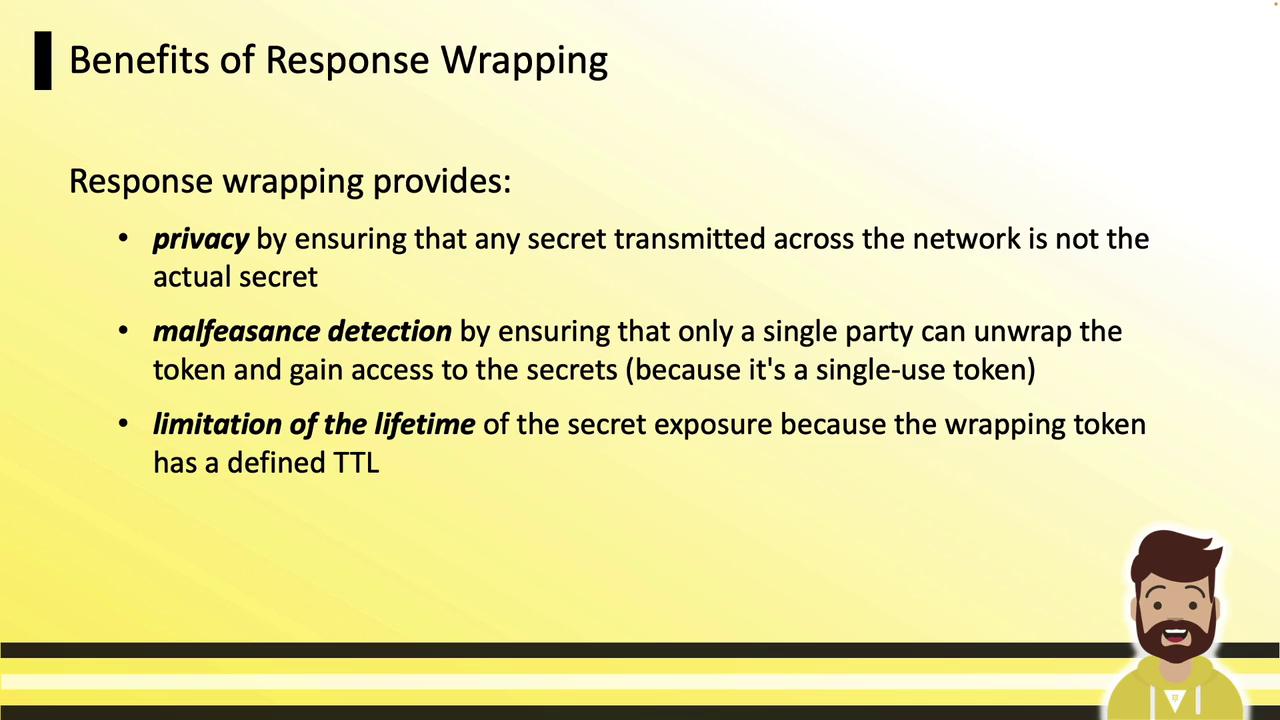
## Benefits
| Benefit | Description |
| --------------------- | -------------------------------------------------------- |
| Privacy | Only the wrapping token crosses the network. |
| Malfeasance Detection | Single-use tokens prevent multiple unwrappings. |
| Lifetime Limitation | Tokens expire quickly (e.g., default TTL of 60 seconds). |
***
## CLI: Wrapping a Secret
Use the `-wrap-ttl` flag on any read command. For example, wrapping a KV secret:
```bash theme={null}
vault kv get -wrap-ttl=5m secrets/certification/hcvop
```
Sample output:
```text theme={null}
Key Value
--- -----
wrapping_token hvs.CAESIDgPWW9ok_h4KHGh2cyObTJ4...
wrapping_accessor O5XSKsRf0c7CwXo996BJkYNi
wrapping_token_ttl 5m
wrapping_token_creation_time 2022-12-25T10:36:36.588947-04:00
wrapping_token_creation_path secrets/certification/hcvop
```
### Inspecting the Wrapping Token
```bash theme={null}
vault token lookup hvs.CAESIDgPWW9ok_h4KHGh2cyObTJ4WWO5XSKsRf0c7CwXo996BJkYNi
```
Output fields include `creation_ttl`, `expire_time`, `num_uses`, and the original `path`.
***
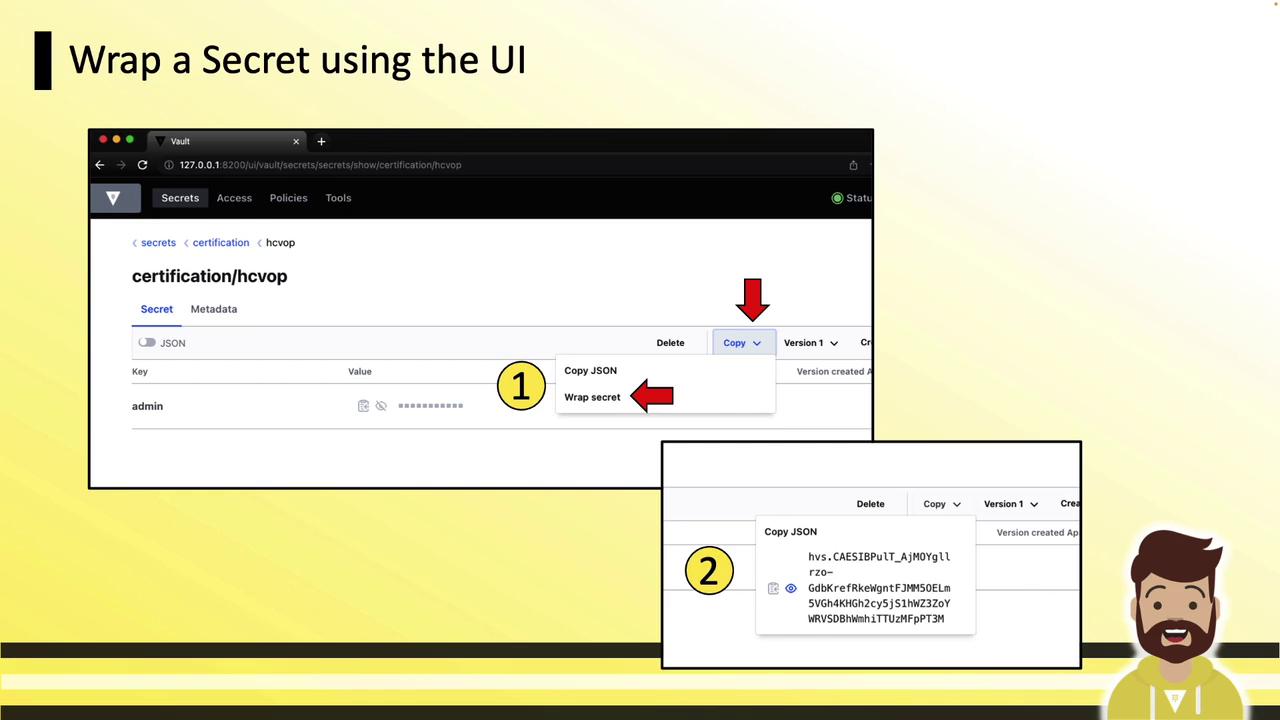
## UI: Wrapping a Secret
In the Vault UI:
1. Navigate to the desired secret.
2. Click **Copy**, then **Wrap Secret**.
3. The wrap token appears in the bottom-right panel—copy and share it.
***
## CLI: Unwrapping a Secret
```bash theme={null}
vault unwrap hvs.CAESIDgPWW9ok_h4KHGh2cyObTJ4WWO5XSKsRf0c7CwXo996BJkYNi
```
Example response:
```text theme={null}
Key Value
--- -----
data map[admin:jenkins123 app:myapp]
metadata map[created_time:2022-12-25T14:33:10.525712Z ...]
```
Alternatively:
```bash theme={null}
export VAULT_TOKEN=
vault unwrap
```
Or:
```bash theme={null}
vault login
vault unwrap
```
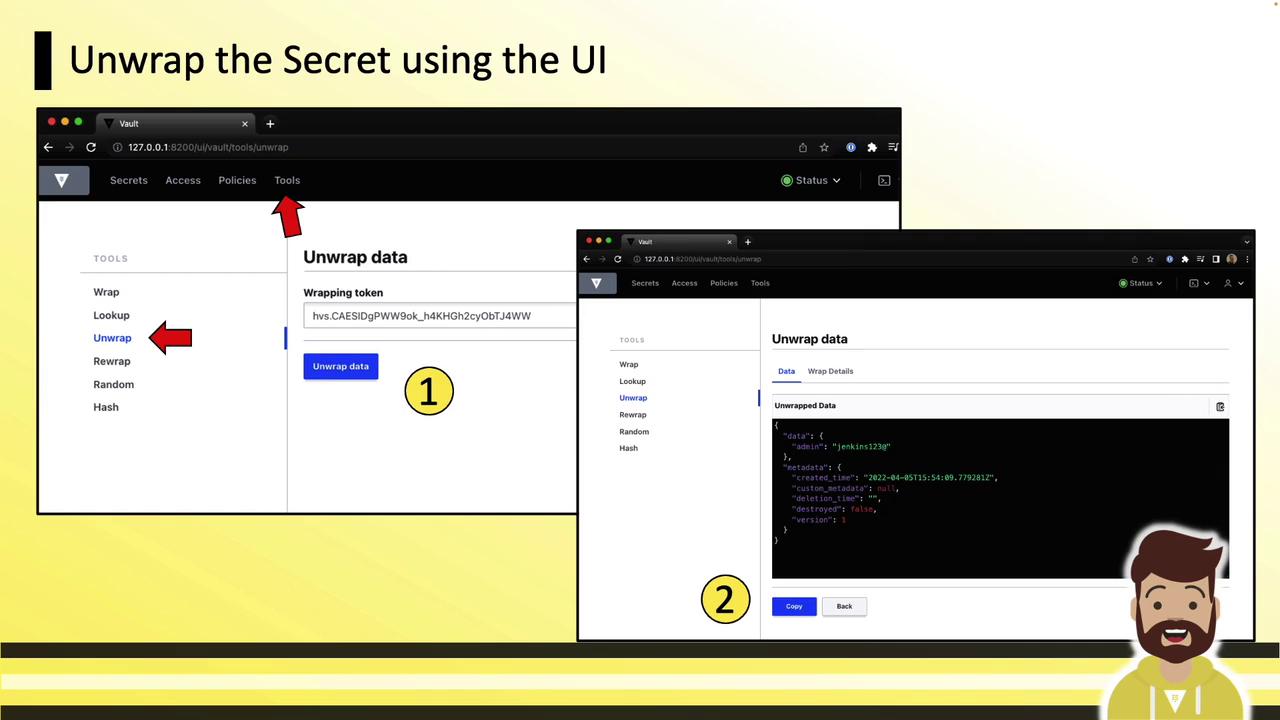
## UI: Unwrapping a Secret
In the UI, go to **Tools » Unwrap**, paste your wrapping token, then click **Unwrap Data**. The secret fields will display in the panel.
***
Cubbyhole and response wrapping are key patterns for securely sharing static or dynamic credentials without exposing them directly. By sending only a single-use token with a short TTL, you ensure secrets remain protected until the moment of unwrapping.
## Links and References
* [Vault Documentation](https://www.vaultproject.io/docs)
* [Vault CLI Commands](https://www.vaultproject.io/docs/commands)
* [Vault API Reference](https://www.vaultproject.io/api-docs)