> ## Documentation Index
> Fetch the complete documentation index at: https://notes.kodekloud.com/llms.txt
> Use this file to discover all available pages before exploring further.
# Demo Identity Secrets Engine
> Learn to use HashiCorp Vaults Identity Secrets Engine for user creation, policy management, and entity handling.
In this guide, you’ll learn how to leverage the HashiCorp Vault Identity Secrets Engine to:
* Create a user with the **userpass** auth method
* Define entities and entity aliases
* Observe how combined policies affect access
* (Optionally) Manage entities via the Vault UI
Before you begin, make sure a Vault server is running and you have a root token.
* Vault ≥ 1.0 installed and unsealed
* Root token for policy/entity management
* `vault` CLI available in your `$PATH`
***
## 1. Review Existing Policies
List current policies to confirm what’s available:
```bash theme={null}
vault policy list
```
Expected output:
```plaintext theme={null}
default
engineering
kv-policy
manager
root
```
We will use **kv-policy** and **manager** in this demo.
### Policy Permissions Overview
| Policy | Path | Capabilities |
| --------- | ----------------------- | ------------ |
| kv-policy | kv/data/automation | read |
| manager | kv/data/operations/\*\* | read |
***
## 2. Create a Userpass User
Define a new user `bryan` with the `kv-policy` attached:
```bash theme={null}
vault write auth/userpass/users/bryan \
password=bryan \
policies=kv-policy
```
You should see:
```plaintext theme={null}
Success! Data written to: auth/userpass/users/bryan
```
Verify the policy:
```bash theme={null}
vault policy read kv-policy
```
```hcl theme={null}
path "kv/data/automation" {
capabilities = ["read"]
}
```
And inspect the `manager` policy:
```bash theme={null}
vault policy read manager
```
```hcl theme={null}
path "kv/data/operations/**" {
capabilities = ["read"]
}
```
***
## 3. Authenticate as `bryan` and Test Access
Log in with the new user:
```bash theme={null}
vault login -method=userpass username=bryan
Password (will be hidden):
```
Successful login shows:
```plaintext theme={null}
token_policies ["default" "kv-policy"]
```
### Test Allowed Access
```bash theme={null}
vault kv get kv/automation
```
```plaintext theme={null}
=== Secret Path ===
kv/data/automation
======= Metadata =======
Key Value
version 1
======= Data =======
Key Value
certification hcvop
```
### Test Denied Access
```bash theme={null}
vault kv get kv/operations/admin
```
```plaintext theme={null}
Error reading kv/data/operations/admin: 403 Permission denied
```
You should see a **403 Permission denied** error because `kv-policy` does not cover `operations/**`.
***
## 4. Obtain the Userpass Mount Accessor
Re-authenticate as root and list auth methods to retrieve the `mount_accessor`:
```bash theme={null}
vault auth list
```
```plaintext theme={null}
Path Type Accessor
---- ---- --------
token token auth_token_9e81d3bb
userpass/ userpass auth_userpass_0479382c
```
Note the `auth_userpass_0479382c` value for the next step.
***
## 5. Create an Entity and Entity Alias
1. **Create an entity** named “Bryan Krausen” with the `manager` policy:
```bash theme={null}
vault write identity/entity \
name="Bryan Krausen" \
policies=manager
```
```plaintext theme={null}
Key Value
--- -----
id 7a0f656b-8c8e-d6fd-83da-1d5650d85c38
name Bryan Krausen
```
2. **Link the user to that entity** via an alias:
```bash theme={null}
vault write identity/entity-alias \
name="bryan" \
canonical_id="7a0f656b-8c8e-d6fd-83da-1d5650d85c38" \
mount_accessor="auth_userpass_0479382c"
```
```plaintext theme={null}
Key Value
--- -----
canonical_id 7a0f656b-8c8e-d6fd-83da-1d5650d85c38
id 7a2a8c47-d65b-44a5-c0b5-8a45a9ddb588
```
***
## 6. Verify Combined Policies
Log back in as `bryan`:
```bash theme={null}
vault login -method=userpass username=bryan
Password (will be hidden):
```
Now your token includes three policies:
```plaintext theme={null}
policies ["default" "kv-policy" "manager"]
identity_policies ["manager"]
```
### Test Enhanced Access
* **Automation secret** (via `kv-policy`):
```bash theme={null}
vault kv get kv/automation
```
* **Operations secret** (via `manager` policy):
```bash theme={null}
vault kv get kv/operations/admin
```
```plaintext theme={null}
=== Secret Path ===
kv/data/operations/admin
===== Data =====
Key Value
--- -----
creds lj3ofdj2posl2
```
You can repeat this process to add additional aliases (e.g., [GitHub](https://www.vaultproject.io/docs/auth/github), [OIDC](https://www.vaultproject.io/docs/auth/oidc)) to grant the same `manager` policy across auth methods.
***
## 7. Using the Vault UI
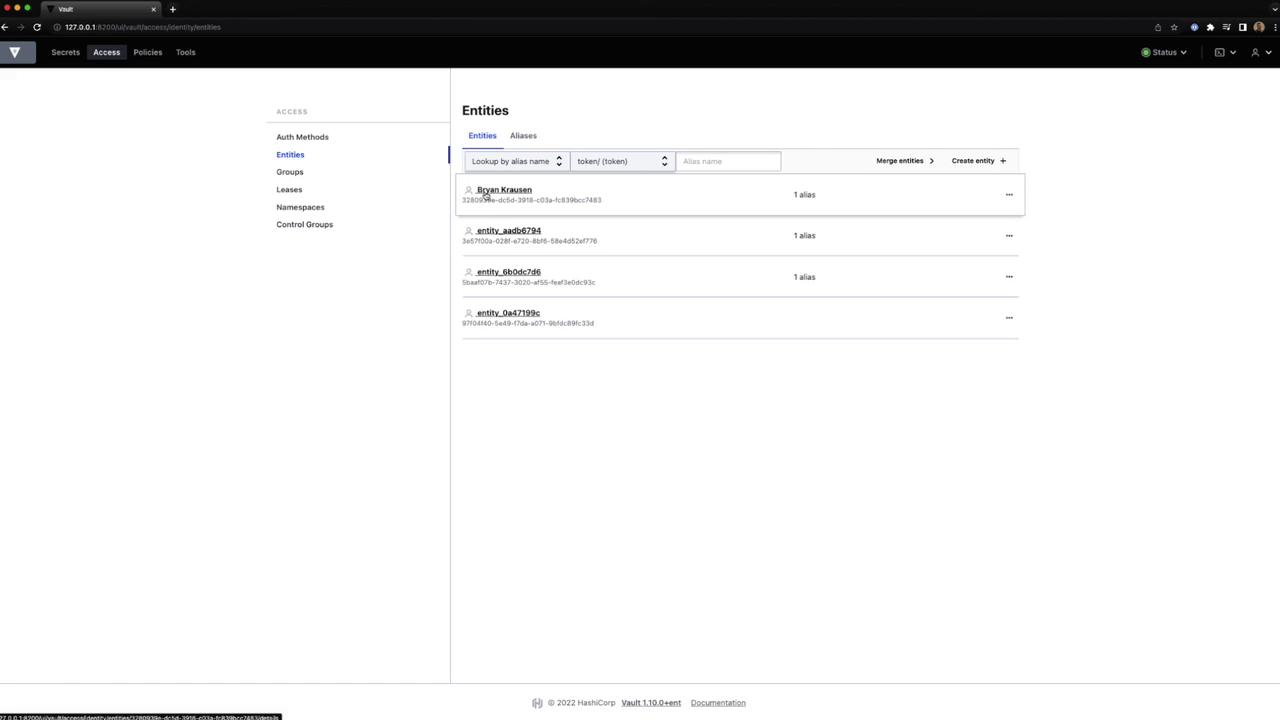
1. In the Vault UI, navigate to **Access → Entities**.
2. Create or delete entities, view details, and manage aliases.
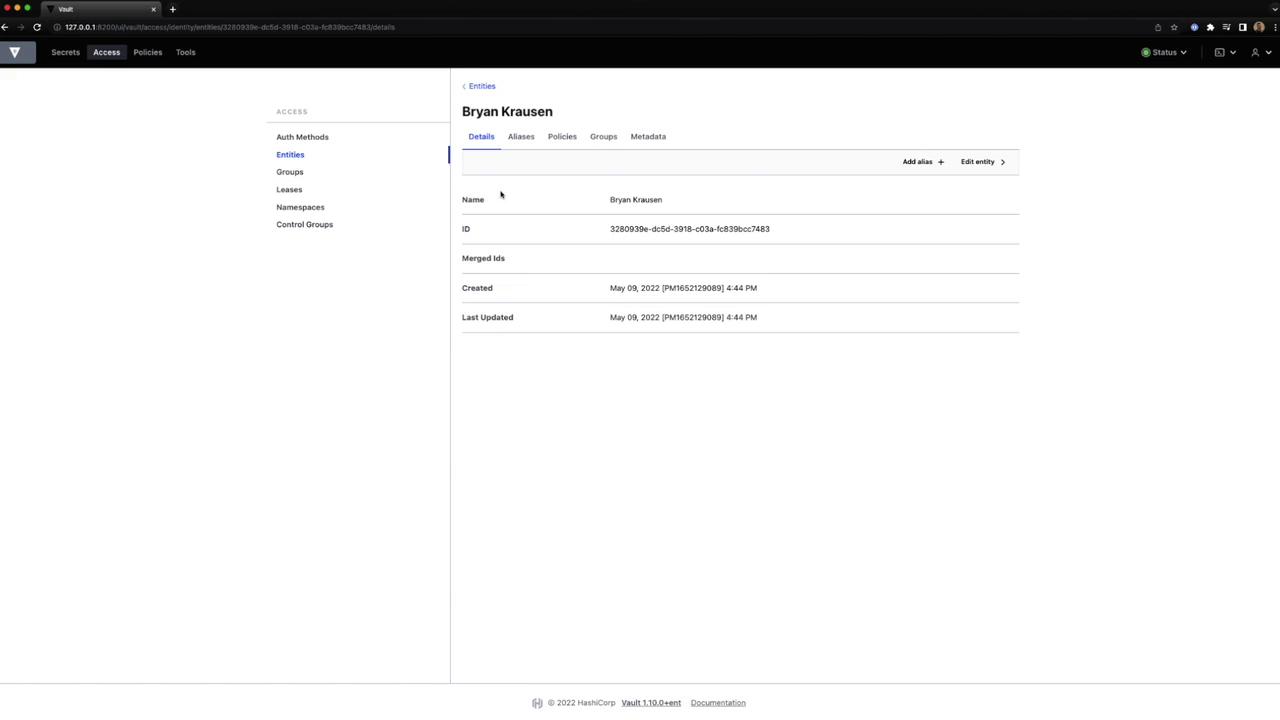
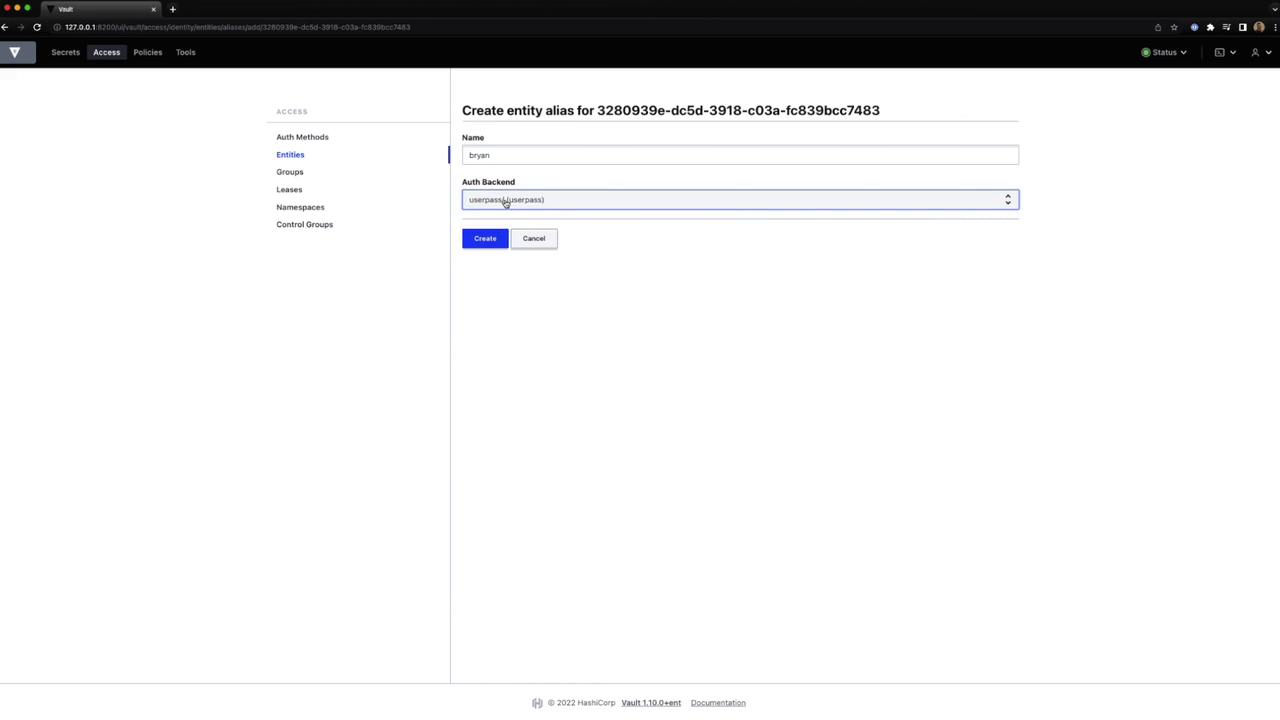
3. To add an alias, choose **Create Entity Alias**:
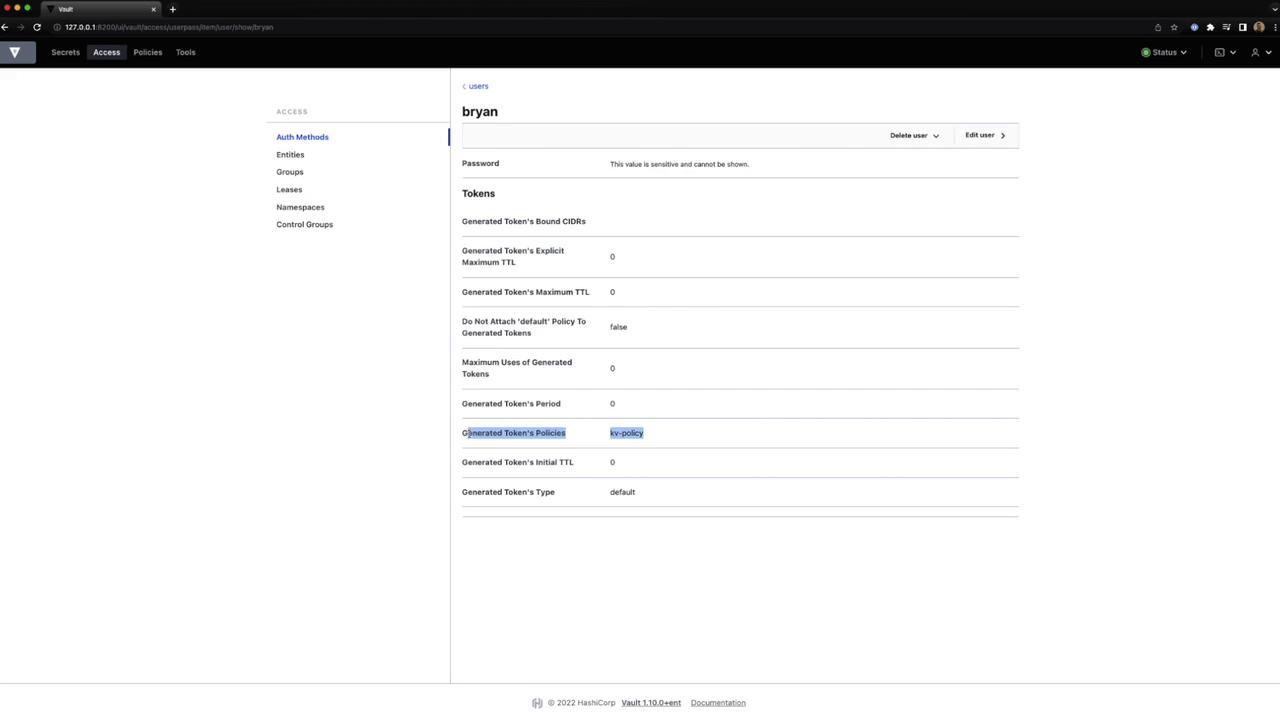
4. Inspect token settings and policies:
5. View or merge entities as needed:
***
## Links and References
* [Vault Identity Secrets Engine](https://www.vaultproject.io/docs/secrets/identity)
* [Userpass Auth Method](https://www.vaultproject.io/docs/auth/userpass)
* [Vault CLI Commands](https://www.vaultproject.io/docs/commands)